ilcastellomenu.com is reader-supported. When you buy through links on our site, we may earn an affiliate commission.
Where to Buy
Every camera below is a current indoor model from a mainstream maker, sold through the usual electronics retailers, and each one is in our verified pool — so each pick carries a proper product link. These are plug-in nursery cameras rather than dedicated photographic cameras, because that is what most parents searching this phrase actually need first: eyes on the cot at 3 a.m., and a phone full of first-year moments second.
The best cameras for babies do two jobs that parents tend to blur together until the baby arrives. Job one is watching: a nursery camera that shows you the cot clearly in the dark, pans to follow a wriggling toddler-to-be, and lets you check from the sofa — or from a rare evening out — without creeping into the room and undoing twenty minutes of settling. Job two is remembering: the first smile, the first roll, the first wobbly sit, all of which happen on a floor mat at 4 p.m. rather than in a studio, and all of which a good nursery camera’s saved clips quietly capture when your phone is in another room.
This guide treats the nursery camera as the main event, because that is the purchase with real decisions in it: pan-and-tilt versus fixed, 2K versus 1080p, local recording versus subscription, and how the camera behaves on the worst night rather than the best one. The six picks below are all indoor cameras from our verified pool, chosen for night vision that actually resolves a sleeping baby’s face, motion and sound alerts that are useful rather than hysterical, and apps a sleep-deprived parent can operate one-handed at 3 a.m.
We also cover the parts the product pages skip: where to mount the camera so it is genuinely safe, how to keep the nursery’s video private, which features are worth paying for and which are marketing, and how to use the same camera to gather the first-year footage you will actually rewatch. No camera here is presented as a medical or safety device — it is a window into the room, and we will be careful to describe it as exactly that.
Key Takeaways
- Pan-and-tilt matters more than resolution in a nursery: babies move, cots get repositioned, and a camera that follows saves you re-mounting it monthly.
- Night vision quality is the real specification — judge a nursery camera by its infrared picture at cot distance, not its daylight showroom footage.
- Local recording on a memory card frees you from subscriptions for basic clip saving; cloud plans mainly buy longer history and smarter alerts.
- Mount the camera and route its cable completely out of reach, and treat that as part of the purchase, not an afterthought.
- Sound and motion alerts should be tunable — a camera that pings at every blanket rustle trains you to ignore it within a week.
In this guide
Quick Picks
| Pick | Badge | Why it is here |
|---|---|---|
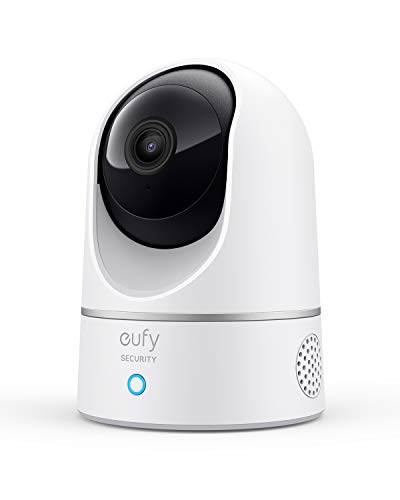
| eufy Indoor Cam E220 | Best all-round nursery pick | Pan-and-tilt coverage, sharp 2K video and local recording with no subscription required for the basics. |
| eufy 4K Indoor Camera E30 | Sharpest picture | 4K detail that lets you zoom into the cot from across the room and still see a face clearly. |
| Google Nest Cam Indoor (Wired, 3rd Gen) | Best for Google households | Polished app, intelligent alerts and seamless fit with a Google Home setup and its displays. |
| TP-Link Tapo C210 | Best value pan-and-tilt | Full-room panning, night vision and card recording at the friendliest price in this line-up. |
| Blink Mini 2 | Best for Alexa homes | Compact, simple and at home in an Amazon household, with an optional plan for saved clips. |
| Wyze Cam v4 | Best budget picture quality | Colour night vision and a sharp sensor that embarrass cameras costing considerably more. |
How Did We Choose These Cameras for a Baby’s Room?
We started from the nursery’s actual conditions rather than a spec sheet. The room is dark or dim for most of the camera’s working life, the subject is small and mostly still, and the viewer is a tired adult glancing at a phone. So our first filter was infrared night vision that holds detail at one to three metres — the distance from a shelf or wall mount to a cot — because a camera that turns the baby into a glowing blob at night has failed its only important test.
Second came coverage. Fixed cameras are fine aimed at a newborn who stays where they are put, but babies roll, crawl and graduate to cots and then beds, each move reframing the shot. Pan-and-tilt models — four of our six — postpone that problem for years, and we weighted them accordingly. Third, the app: alert tuning, two-way talk that does not echo unbearably, pinch-zoom that stays smooth, and a live view that loads in seconds rather than after a spinning wheel, because a slow app at 3 a.m. is a camera you stop trusting.
One more filter deserves naming, because parents ask about it constantly: we did not require, or reward, health-monitoring claims. None of these cameras measures anything medical, and we distrust nursery marketing that blurs the line between a camera and a monitor in the clinical sense. What a camera can honestly promise is a clear view and timely alerts that a sound happened or something moved — what you do with that information remains, rightly, with you.
Finally, running costs and privacy. Every pick here can record to a local memory card or works with an optional plan rather than a mandatory one, and all six come from makers with mainstream apps and account security features such as two-factor sign-in. We left out anything that required a subscription merely to view recorded clips of your own nursery, and anything from brands too obscure to trust with a camera in a child’s room.

eufy Indoor Cam E220 — Best all-round nursery pick
The E220 is the camera we would hand to a first-time parent who asked for one recommendation and no homework. Its pan-and-tilt head sweeps the room, tilts down into the cot, and — the feature parents end up loving — can follow motion, so when the baby starts rolling expeditions across the mat, the camera tracks rather than framing an empty corner. The 2K sensor is the right resolution for the job: clearly sharper than 1080p when you pinch in on a small face, without the storage appetite of 4K.
Its night picture is the main event and it is good: infrared that renders the cot evenly, without the blown-out white centre and black corners cheaper cameras produce. You can tell a dummy from a thumb from across the room, which is the entire point. Sound and motion alerts are adjustable in the app, and the camera can flag a baby’s cry distinctly from general noise — treat that as a helpful nudge to look, nothing more, and it earns its keep on the nights the household is two rooms and a film away.
The ownership story is eufy’s usual strength: recordings can live on a memory card in the camera, so the basics need no subscription, and the app is one of the calmer ones to operate half-asleep. Two-way talk is clear enough for a soothing word that sometimes buys you the minutes to actually get upstairs. Privacy touches are sensible too, including the ability to schedule the camera off or swing it to a rest position when the room is in family use.
A word about its working life beyond the cot, because this camera tends to stay in service. When the nursery becomes a toddler’s room, the tracking that followed a rolling baby now follows a small person conducting important business with a bookshelf, and the two-way talk graduates from soothing sounds to actual negotiation. Later still it is a playroom or hallway camera in the same app as whatever replaced it in the new baby’s room. Several of the picks here can make that journey; the E220 makes it without ever feeling like it was designed for only one chapter.
Its limits are ecosystem-shaped. It is happiest in eufy’s own app rather than as a citizen of a big smart-home platform, and the motion-tracking can be keen enough to follow a parent crossing the room during a feed — easily tamed in settings, but set it up before the baby arrives, not during the first week. Neither point dents the verdict: as a single camera that watches the nursery well for years, this is the balanced pick.
- Resolution: 2K video
- Movement: pan and tilt with motion tracking
- Night vision: infrared, even illumination at cot range
- Recording: local memory card, optional cloud
- Extras: two-way talk, cry and sound detection alerts
Strengths
- Pan-and-tilt plus tracking follows the baby from cot to floor mat
- Local recording keeps the basics subscription-free
- Night picture stays detailed and even where rivals blow out
Trade-offs
- Lives mainly in eufy’s app rather than a big smart-home platform
- Motion tracking needs a settings pass to ignore parents
- No battery option — it needs a socket within cable reach
Best for: a first-time parent who wants one nursery camera that simply covers the room for years.
Not suited for: a household that wants every camera inside one big platform app and nothing else.
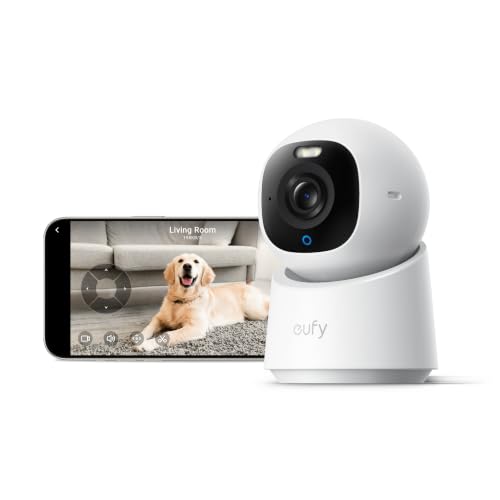
eufy 4K Indoor Camera E30 — Sharpest picture
The E30 answers a specific frustration: the camera is mounted where the room allows — a high shelf, the top of a wardrobe — and the cot is further away than you would like, so every check-in is a pinch-zoom into softness. Its 4K sensor changes that arithmetic. From across a room you can crop deep into the frame and still read a sleeping face, a kicked-off blanket, or whether the beloved comforter made it out of the cot again. For awkward rooms, that zoom headroom is not a luxury; it is the feature.
Like its E220 sibling it pans and tilts, records locally to a card, and lives in the same well-mannered app with tunable alerts and two-way talk. The family resemblance is a genuine convenience if the household later adds the E220 to a second room — grandparents’ house, a playroom — because one app and one set of habits covers both. Its night vision pairs the resolution with infrared illumination that holds up at distance, which is where lesser cameras’ pictures dissolve first.
Where the E30 asks questions is cost and necessity. It is the premium option here, and in a small nursery where the camera sits a metre from the cot, its extra resolution is honestly wasted — the E220 or Tapo will show you the same baby just as clearly. Its larger files also fill memory cards faster, so budget for a bigger card and set retention sensibly rather than discovering the card looped over the clip you wanted.
Buy it for the big room, the distant mount, or the parent who knows they will zoom constantly. It is the connoisseur’s nursery camera: overqualified in a box room, exactly right in a rambling one.
- Resolution: 4K video
- Movement: pan and tilt
- Night vision: infrared suited to longer distances
- Recording: local memory card, optional cloud
- Extras: two-way talk, sound and motion alerts
Strengths
- 4K detail keeps pinch-zoom check-ins genuinely clear
- Pan-and-tilt covers cot, mat and door from one mount
- Shares an app and habits with the E220 for multi-room homes
Trade-offs
- Premium price buys little in a small nursery
- 4K clips fill memory cards noticeably faster
- Needs a socket — no battery flexibility
Best for: a large nursery or a camera mounted far from the cot.
Not suited for: a small room where any pick here would sit close to the baby.
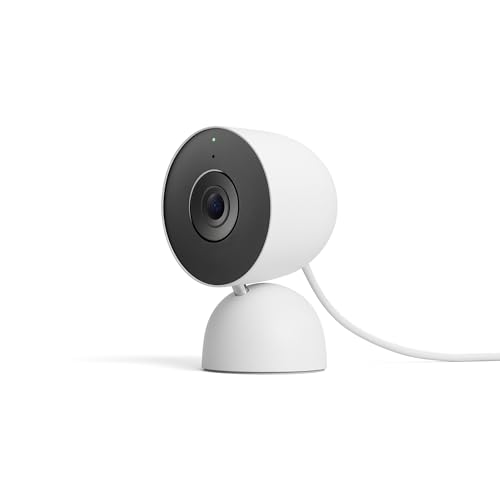
Google Nest Cam Indoor (Wired, 3rd Gen) — Best for Google households
The Nest Cam’s argument is not a specification; it is an ecosystem. In a home already running Google Home — speakers in the kitchen, a display on the counter, everyone’s phone on the same account — this camera slots in as the nursery window with almost no friction. ‘Show me the nursery’ on a kitchen display while your hands are covered in purée is a small daily miracle, and the Google Home app’s live view and event timeline are the most polished here.
Its picture is strong rather than class-leading: crisp HD video with HDR that copes gracefully with the nursery’s mixed light — a dim lamp, a bright window, a dark cot corner — and night vision that renders the cot clearly at normal mounting distances. Intelligent alerts distinguish people from general motion, which in a nursery mostly means the camera learns to bother you about the baby and not about the cat’s nightly inspection tour, though like all such systems it is a convenience, not a guarantee.
Setup is the Nest’s quiet triumph and worth describing for parents who dread this part. The camera is added in the Google Home app by scanning a code, it joins Wi-Fi, and it is showing the cot within minutes, with the app making sensible default choices about alerts that you refine later rather than configure upfront. In a house being prepared for a baby, where every product seems to demand an afternoon, a camera that asks for ten minutes earns genuine gratitude — and its compact, fabric-finished body is the one most likely to be allowed to remain visible in a carefully decorated nursery.
The honest cost is the subscription gravity. The camera works without Nest Aware, but its fuller history and smarter features live behind the plan, and Google’s history is a paid tier where the eufy and Tapo picks are content with a memory card. The camera is also fixed rather than pan-and-tilt: aim it well at installation, because it will not follow a crawling baby across the room later. For Google households, the trade is often worth it; for everyone else, it is paying for an ecosystem you do not live in.
Choose it when the home already speaks Google. It will feel less like a gadget you bought and more like a room the house gained.
- Resolution: HD video with HDR
- Movement: fixed view, wide angle
- Night vision: infrared for typical nursery distances
- Recording: cloud history with optional Nest Aware plan
- Extras: intelligent alerts, works with Google Home displays
Strengths
- Superb app and effortless viewing on Google displays
- HDR handles the nursery’s mixed lamp-and-window light
- Person alerts cut most pointless notifications
Trade-offs
- Best features sit behind the optional subscription
- Fixed lens cannot follow a mobile baby
- Little reason to choose it outside a Google home
Best for: a Google Home household that will view the nursery on its displays.
Not suited for: a parent who wants pan-and-tilt coverage without any subscription.

TP-Link Tapo C210 — Best value pan-and-tilt
The Tapo C210 is the camera that makes visitors ask why the expensive ones cost what they do. It pans nearly a full circle, tilts into the cot, records to a memory card, offers two-way talk and night vision, and does all of it at the friendliest price in this line-up. TP-Link’s Tapo app is straightforward in the way tired parents need: big live view, clear toggles, motion and sound alerts you can schedule around the household’s day.
In the nursery its picture is a half-step behind the eufy pair — perfectly clear at cot distance in daylight and under infrared, with slightly less finesse in tricky mixed light — and for the actual job, checking a sleeping baby, that half-step is invisible. The pan range is its party trick: one C210 on a shelf can cover the cot, the changing table and the door, which in a small flat can make it the only camera the home needs, nursery and front room in one.
Tapo’s ecosystem is the budget caveat. The app is good but plainer than Google’s, the camera is a citizen of Tapo’s world rather than the big platforms, and the build feels like the price — light plastics that work fine on a shelf but want a secure mount out of toddler reach, which you should be doing with every camera here regardless. Sound detection includes a baby-cry alert; as with its rivals, use it as a prompt to look at the screen, not as information about your child.
Battery questions arise here too, so plainly: the C210 is a plug-in camera, and its low price buys you the freedom to put a second one in the playroom later rather than paying once for features a nursery never uses. Its privacy mode, which physically turns the lens away on a schedule or on demand, is a thoughtful touch in a room that is also where parents fold laundry, take calls and live — a camera that can visibly clock off is easier to share a room with.
If the budget is real — and babies generate competing expenses at industrial scale — the C210 is where we would start. It covers the room, skips the subscription, and leaves money for the hundred other things.
- Resolution: sharp HD-class video (3MP)
- Movement: wide pan and tilt range
- Night vision: infrared for cot distances
- Recording: local memory card, optional cloud
- Extras: two-way talk, sound and motion alerts, privacy mode
Strengths
- Full pan-and-tilt coverage at the lowest price here
- Card recording keeps running costs at zero
- One camera can cover cot, changing table and door
Trade-offs
- App and build are plainer than the premium picks
- Picture finesse in mixed light trails the eufy pair
- Lives in Tapo’s ecosystem rather than the big platforms
Best for: a parent who wants pan-and-tilt nursery coverage on a real budget.
Not suited for: a buyer who prizes the most polished app above value.

Blink Mini 2 — Best for Alexa homes
The Blink Mini 2 is the small, simple option, and in an Amazon household it has an obvious party trick: ask the Echo Show in the kitchen to show the nursery and there it is. Blink is Amazon’s camera brand, and this second-generation Mini adds a wider view, better low-light performance and a built-in spotlight over the original, in a body small enough to disappear on a nursery shelf — which matters in a room whose aesthetic is already losing to laundry.
As a baby camera it covers the fundamentals calmly: clear HD video, infrared night vision for the cot check, motion alerts to the Blink app, and two-way talk for the whispered reassurance. It is a fixed camera, so placement is the whole game — aim it at the cot with the wide view taking in the floor mat, and accept that a crawling expedition out of frame is a prompt to reposition the camera, not a flaw in it. Parents of newborns, who are the majority of this camera’s nursery life, will rarely feel the limit.
Battery life is the question visitors ask, so to be plain: this is a plug-in camera, like most of this page, and in a nursery that is a feature rather than a lack. A camera that never needs charging never goes dark in the week everyone forgot, and the nursery always has a socket. If a truly wireless spot is unavoidable — a rental where no shelf sits near power — that is a different product category and a different compromise, and none of the six picks here pretends otherwise.
The Blink way of life involves its optional subscription for saving and reviewing clips beyond live view; without it the camera is mainly a live window, which may honestly be all a parent of a newborn wants, but it is a real difference from the card-recording picks here and should be a conscious choice. There is also a wired weather-resistant sibling logic in the range — this indoor Mini wants a socket and a shelf indoors, which a nursery provides.
Pick it when the home runs on Alexa and simplicity outranks coverage. It is the least fiddly camera here to live with, and new parents are connoisseurs of unfiddly.
- Resolution: HD video, wide view
- Movement: fixed camera
- Night vision: infrared, plus a small spotlight for colour views
- Recording: clips with optional Blink plan
- Extras: two-way talk, works with Alexa displays
Strengths
- Effortless viewing on Echo Show displays
- Tiny, discreet body suits a calm nursery shelf
- Simple app and setup for exhausted beginners
Trade-offs
- Saved clips lean on the optional subscription
- Fixed view cannot track a roaming toddler
- Live-window focus rather than deep local recording
Best for: an Alexa household wanting the simplest nursery window.
Not suited for: a parent who wants recordings kept locally with no plan at all.

Wyze Cam v4 — Best budget picture quality
Wyze built its reputation on an impertinent question — why does a good camera cost that much? — and the Cam v4 is its sharpest answer yet. Its picture quality punches well above its price: a sharp sensor, and colour night vision that, with even a whisper of ambient light from a hallway or a night-light, shows the nursery in colour instead of infrared grey. That colour view is genuinely useful for the parent’s real questions — which blanket, which teddy, is that the dummy or a thumb — and it is the feature guests disbelieve at this price.
It records to a memory card for continuous or event recording without demanding a plan, offers two-way talk and motion and sound alerts, and its app, while busy, puts the live view front and centre. Wyze’s optional plan adds smarter detection, but the camera’s core value is how much it does with a card and a socket. The body is compact and, unusually at this level, shrugs off weather, so the same model can later migrate to a porch or garage when its nursery tour ends — a second life the other picks mostly cannot offer.
The compromises are the familiar Wyze ones. The app carries more upsell and clutter than eufy’s or Google’s, the camera is fixed-view so the cot framing is set at installation, and the company’s cloud-first history means the privacy settings deserve the ten minutes of attention we recommend for every camera in this guide. None of that outweighs the picture-per-dollar equation for a budget buyer.
Choose the v4 when money is tight but standards are not. It is the nursery camera for parents who read reviews, compare sensors, and enjoy winning.
- Resolution: sharp 2.5K-class video
- Movement: fixed camera
- Night vision: colour night vision plus infrared
- Recording: local memory card, optional plan for smart alerts
- Extras: two-way talk, spotlight, weather resistance for a second life outdoors
Strengths
- Colour night vision answers real nursery questions
- Picture quality embarrasses pricier rivals
- Card recording keeps the basics plan-free
Trade-offs
- App is busier and more upsell-heavy than rivals
- Fixed view — framing is settled at installation
- Privacy settings reward a careful first setup
Best for: a budget buyer who refuses a budget picture.
Not suited for: a parent who wants pan-and-tilt tracking above all else.
How Do the Six Nursery Cameras Compare Side by Side?
| Pick | Key specification | Standout trait | Watch out for |
|---|---|---|---|
| eufy Indoor Cam E220 | 2K, pan-and-tilt | Tracking plus card recording | App is eufy’s own world |
| eufy 4K Indoor Camera E30 | 4K, pan-and-tilt | Zoom headroom for big rooms | Premium price, bigger files |
| Google Nest Cam Indoor | HD with HDR, fixed | Google Home polish | Plan unlocks its best |
| TP-Link Tapo C210 | HD-class, wide pan | Coverage per pound spent | Plainer app and build |
| Blink Mini 2 | HD, fixed, wide view | Alexa display viewing | Clips lean on a plan |
| Wyze Cam v4 | 2.5K-class, fixed | Colour night vision value | Busy app, fixed frame |
The table divides cleanly into followers and watchers. The two eufy cameras and the Tapo move — they pan, tilt and in the E220’s case track — which suits babies who will be mobile within the camera’s working life, meaning nearly all of them. The Nest, Blink and Wyze are fixed watchers: simpler, often cheaper or more polished, and entirely dependent on being aimed well once. Neither camp is wrong; they are answers to different rooms and different babies’ ages.
The second divide is where recordings live. eufy, Tapo and Wyze are content with a memory card in the camera; Nest and Blink are built around their clouds, with plans that unlock the experience the adverts show. Over a three-year nursery tour, that difference can exceed the camera’s price, so run the total cost, not the sticker, before choosing. The third divide is ecosystem gravity — Google and Alexa households get real daily convenience from their native picks, and everyone else should ignore the siren and buy coverage and night vision instead.
Where Should a Nursery Camera Actually Go?
Placement decides more of your experience than the camera does. The classic mount is high on a wall or shelf, angled down at the cot, close enough that the baby fills a good share of the frame but far enough to see the whole cot and some floor. Corner positions usually beat mid-wall ones: the diagonal view covers more of the room and keeps the camera out of the direct line of a curious toddler’s thrown toys. Test the view in daylight and again in darkness before fixing anything permanently — infrared reflections off a nearby wall or a glossy cot rail can white out the picture at night from angles that looked perfect at noon.
Safety is not a footnote here. The camera and especially its cable must be entirely out of reach — mounted securely, cable routed along the wall and covered or clipped where small hands will eventually explore, because a baby who cannot reach the camera today is a standing toddler who can, sooner than feels possible. Never rest a camera on the cot rail or inside the cot, however convenient the angle; if it can fall in, one day it will. Treat the mount with the same suspicion you apply to furniture straps and blind cords.
Think about light, too, in the practical sense: a camera aimed across a window will spend its days fighting glare and its nights fine, while one aimed away from the window gets the gentler job. If the cot must sit under the window, the Nest’s HDR earns a genuine point here, and for the other picks a small repositioning of the camera to the window’s side of the room usually solves what settings cannot.
Finally, think about the camera’s second viewpoint: the door. A position that catches who enters the room as well as the cot is worth having as the baby becomes a toddler with opinions about leaving it. Pan-and-tilt picks forgive a imperfect first placement here; fixed picks reward the parent who spends one nap-time experimenting with tape before drilling.
How Do You Use a Nursery Camera to Capture the First Year?
Here is the nursery’s open secret: the camera you bought for 3 a.m. checks is also recording the year’s best unposed footage. First rolls happen on the mat under the camera. First sits, first crawls, the morning the baby stands in the cot and shouts about it — all of it lands in the event history of a camera that was simply watching. Parents who know this save those clips deliberately: a monthly five minutes of exporting favourites to a family album turns surveillance footage into a first-year film nobody had to pose for.
Set the camera up to help. Keep event recording on during the day even if you mute alerts while the household is awake, angle a pan-and-tilt pick to include the floor mat as well as the cot, and favour local card recording or a plan with enough history that last Tuesday’s milestone is still there when you get round to saving it on Sunday. The E30’s 4K zoom is quietly brilliant here — crop a wide room shot down to the mat and the clip still looks intentional.
Keep expectations honest, too: nursery footage is grainy, top-down and lit like a cave at the best moments. That is its charm in ten years, not a flaw. The polished photographs come from your phone and daylight; the camera supplies the moments nobody was holding a phone for, which turn out to be the ones families rewatch.
How Do You Keep a Nursery Camera Private and Secure?
A camera in a child’s room deserves a higher security standard than one on a porch, and the good news is that ten minutes of setup covers nearly all of it. Use a unique password for the camera account, turn on two-factor sign-in in the app, and keep the camera’s firmware set to update automatically — every pick here supports that much. If a partner, grandparent or sitter needs access, share it through the app’s own family-sharing feature rather than handing over your password, and remove access when it is no longer needed.
Mind the household network basics too: the camera joins your Wi-Fi, so a strong router password and current router firmware are part of nursery security whether or not they feel like it. Use the cameras’ privacy modes — several picks can sleep, turn away or stop recording on a schedule — for the hours the room is in ordinary family use, and consider whether the camera needs to live in the room at all once the child is older and the night checks have ended. A camera that retires to the porch, as the Wyze can, ends the question neatly.
None of this requires expertise, and none of the six brands here is an obscure unknown — that was a deliberate filter in our choosing. Buy mainstream, set the two toggles, and the nursery camera stays what it should be: your window into the room, and nobody else’s.
Nursery Camera or Dedicated Baby Monitor: Which Should You Buy?
The traditional alternative is the dedicated audio or video baby monitor: a camera and a parent unit with its own screen, no phone, no account, no Wi-Fi. Its virtues are real — it works when the internet does not, nobody’s notifications compete with it, and grandparents find it instantly legible. Its limits are equally real: one screen, in one place, showing one room, with no saved clips and no way to check in from outside the house.
The cameras in this guide win on flexibility and memory: any phone or display becomes the screen, clips are saved, a second room is another inexpensive camera in the same app, and the camera itself can be repurposed when the nursery years end. They ask in return for a Wi-Fi network, an account, and the small security routine described above. Households that travel between two homes, share night duties across shifts, or simply live on their phones will feel the camera route as the obvious one.
A hybrid is common and sensible: a simple audio monitor as the always-on background reassurance, plus one of these cameras for the visual check and the milestone clips. If the budget forces one choice, we would take the camera — the first-year footage alone repays it — but we would buy it from this mainstream list and set it up properly, which is the whole argument of this page.
What About Sound: Hearing the Room as Well as Seeing It?
Parents consistently report that sound is half the product. A picture tells you the baby is awake; the room’s audio tells you whether awake means contented babbling that will settle itself or the rising edge of a cry that will not. Every camera here carries a microphone and offers sound alerts, and the differences are in tuning: the better apps let you set how loud a sound must be, and for how long, before your phone stirs — the difference between being told about a stirring baby and being told about every blanket rustle, passing car and sibling in the corridor.
Two-way talk deserves its own honest paragraph. Marketed as a way to soothe from downstairs, it works — sometimes. A familiar voice can settle a lightly stirring baby, and it can also fully wake a nearly asleep one who now wants the person the voice belongs to. Treat it as a tool with a learning curve: most parents find it more useful for talking to a partner mid-nappy-change, or to an older child, than for remote soothing. The eufy and Nest implementations are the clearest here; the budget picks are serviceable and slightly more echo-prone in a bare-walled nursery.
One more sound habit matters: volume discipline on your phone. Set the nursery app’s alerts to a tone you will not sleep through but that does not catapult you upright for a sigh, and if two parents share duties, agree whose phone is on point each night. The camera supplies the information; the household’s system for acting on it is what actually buys sleep.
How Long Will a Nursery Camera Stay Useful?
Bought for a newborn, a good nursery camera has a longer career than most baby gear. Year one is cot-watching. Year two is the toddler surveillance era — the camera that panned to follow a crawler now documents cot escapes, door expeditions and the mysterious case of the emptied bookshelf. Year three and beyond, many of these cameras graduate: the pan-and-tilt models become playroom cameras, the fixed ones watch a front door or a pet, and the Wyze’s weather resistance lets it end its days on a porch, still useful, still in the same app.
This longevity is an argument for buying coverage and recording flexibility over newborn-specific gimmicks. Features aimed at the first twelve weeks age out in twelve weeks; pan-and-tilt, local recording and a decent app are still earning their place when the child starts school. It is also an argument for the mainstream brands on this page — a camera whose app is abandoned by an obscure maker in year two is a paperweight with a lens.
Plan the handover when you buy. If the camera will become the playroom camera, pan-and-tilt wins again. If it will watch a hallway in a Google household, the Nest’s second life is seamless. Thinking one room ahead costs nothing at purchase time and doubles the value of whichever pick you choose.
Twins, Siblings and Second Rooms: Scaling Beyond One Camera?
The second-child question arrives eventually in most households, sometimes as twins in the same room. The scalable answer is boring and correct: stay inside one app. Two eufy cameras, or two Tapos, present both rooms in one list, share one alert style and one set of habits, and cost less than most single ‘twin edition’ specialty products. For twins sharing a cot-side view, one pan-and-tilt camera angled across both cots usually beats two fixed cameras — the E220 or C210 sweeping between them is the standard arrangement, with the E30’s zoom earning its premium in a wide room where the cots sit far apart.
Siblings in separate rooms add a scheduling wrinkle: the toddler’s camera can sleep during the day while the baby’s runs, and the apps here all support per-camera schedules and alert rules, so the household is not notified about a four-year-old’s legal play while the baby naps. Set each camera’s personality separately rather than cloning settings; the rooms have different jobs.
Grandparents’ houses and travel are the other scaling case. A small fixed camera — the Blink Mini 2 or the Wyze — travels well for overnight stays once a routine exists, provided the other household’s Wi-Fi password is known and the camera is set up on their network rather than yours. It is a five-minute job that makes stays away calmer for everyone, and it is one more reason the camera route outlives the dedicated-monitor route: the monitor’s parent unit cannot move house, but an app can.
What Mistakes Do Parents Make When Buying a Camera for the Baby?
Judging by daylight footage. Every camera here looks wonderful at noon; the nursery runs at midnight. Weigh night-vision reviews and infrared evenness above showroom specifications, and test your own camera in the dark during the returns window.
Mounting within reach. A camera perched on the cot rail or a low shelf with a dangling cable is a hazard wearing a convenience costume. Mount it high, fix it properly, and route the cable along the wall out of reach — before the baby can stand, not after.
Paying for a subscription by default. Card-recording picks cover the basics for free; a plan should be bought for a feature you actually want — longer history, smarter alerts — not because the app nudged you during setup week.
Buying a fixed camera for a toddler’s room. Newborns stay in frame; toddlers treat frame edges as a personal challenge. If the child is already mobile, pan-and-tilt is not an upgrade, it is the product.
Setting alerts to maximum sensitivity on night one. A camera that reports every sigh teaches its owners to mute it, and a muted camera is furniture. Start at the middle setting, tighten only if real events slip past, and let the camera earn back your attention.
Leaving default settings forever. Alert sensitivity, recording schedules, privacy mode, firmware updates — ten minutes in the app on day one and a glance each season keeps the camera helpful instead of noisy, and secure instead of assumed.
Final Recommendation
For most nurseries, the eufy Indoor Cam E220 is the recommendation: it pans, tilts and tracks, records to a card without demanding a plan, and its night picture is exactly what a 3 a.m. check needs. The E30 is the same idea with 4K headroom for big rooms and distant mounts, and the Tapo C210 delivers most of the E220’s coverage for notably less money — the value pick of the six.
Choose by household where ecosystems apply: the Nest Cam for Google homes that will call the nursery up on kitchen displays, the Blink Mini 2 for Alexa homes wanting the simplest live window, and the Wyze Cam v4 for the budget buyer who wants the sharpest picture and colour night vision and does not mind a busier app. Whichever you choose, mount it out of reach, set the alerts kindly, and save the milestone clips monthly — the camera you buy for reassurance ends up keeping the year’s best memories as a side effect.
A closing word on timing: buy and install the camera before the baby arrives if you possibly can. Every setup task in this guide — mounting, cable routing, alert tuning, the dark-room test — is pleasant in the third trimester and faintly impossible in the first fortnight. The parents who love their nursery cameras are, almost without exception, the ones who fitted them early and spent the newborn weeks simply using them.
Frequently Asked Questions
Can a nursery camera replace checking on my baby in person?
No — and no camera on this page should be treated as a safety or medical device. It is a viewing tool that helps you decide when to go in: you see the cot, hear the room, and use your own judgement. Safe sleep guidance comes from your health professionals; the camera’s job is information, not supervision.
Do I need a subscription for a nursery camera?
Not with the card-recording picks here — the eufy pair, the Tapo and the Wyze cover live view and saved clips locally. The Nest and Blink are built around optional plans that extend history and smart features. Decide by where you want recordings to live, and price the plan across the camera’s whole nursery life, not its first month.
Where is the safest place to mount the camera?
High on a wall or a sturdy shelf, angled down at the cot, with the camera fixed so it cannot be knocked or pulled down, and its cable routed along the wall completely out of the child’s reach. Never on or in the cot itself. Recheck the setup when the baby starts standing — reach grows faster than intuition suggests.
Will the camera’s night vision disturb the baby?
Infrared night vision uses light outside the visible range, so the baby does not see the illumination; some cameras show a faint red glow from the infrared LEDs themselves and a few models add a small status light, which can usually be turned off in settings. The Wyze and Blink also carry small spotlights for colour night views — in a nursery, most parents disable the spotlight and let infrared do the quiet work.
Can grandparents watch too?
Yes — every app here supports sharing access with family members, which is the safe way to do it: they sign in with their own account, and you can remove access at any time. Avoid sharing your own password. Many families give grandparents live view only, keeping recording history and settings with the parents. If a grandparent will watch regularly, walk them through the app once in person and set their alert preferences kindly — an excited grandparent with maximum-sensitivity alerts will telephone you about every blanket rustle, which is adorable exactly once.
When does a fixed camera stop being enough?
Roughly when the baby starts moving with intent — rolling to the cot’s far end, crawling out of frame, standing to survey the room. At that point a pan-and-tilt model, or repositioning the fixed camera to a wider vantage, restores coverage. Buying pan-and-tilt from the start, as four of our six picks offer, simply skips that second purchase.
Related Guides
Keep exploring with best cameras for babies and toddlers and best indoor security cameras for homes and best cameras for family photos.


