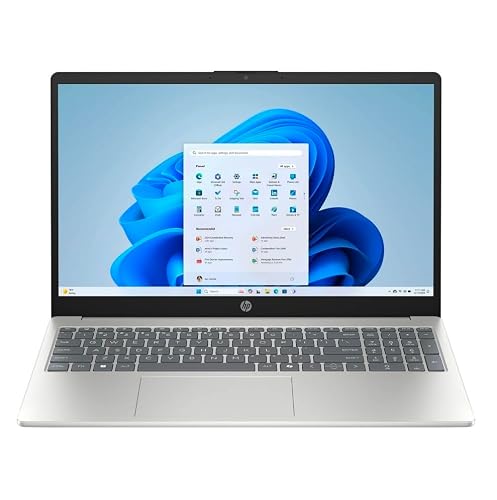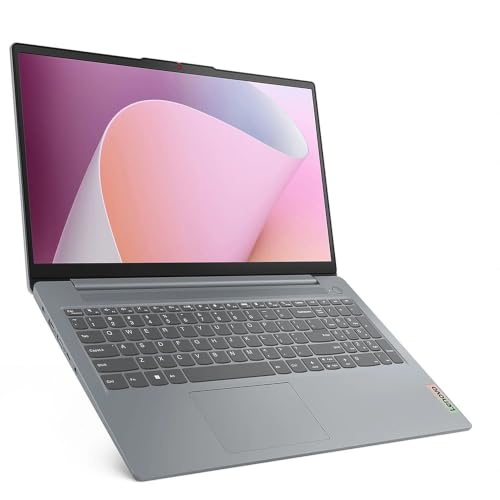
A student photographer needs a different laptop from a student who only writes essays. The work is editing raw photos, and that means a color-accurate screen, enough memory to hold a catalog of thousands of images, and a processor that can export a batch of edited files without grinding to a halt. A laptop that is fine for word processing will choke on a Lightroom catalog, and a laptop with a washed-out screen will make every edit a guess, because the colors you see are not the colors in the file. The laptops in this guide were chosen for the screen first and everything else second. Every one of them has a high-resolution, color-accurate display: a Liquid Retina display on the MacBooks, a 3.2K OLED touchscreen on the Dell XPS 14, and OLED or AMOLED touchscreens on the Asus ProArt models. They all have at least 16GB of memory, and they all have the fast storage and the modern processors that photo editing demands. The list leans on Apple and Asus, the two brands that dominate the creator laptop market, with Dell covering the Windows premium end. What a student photographer does not need is a gaming laptop in disguise. A bright screen and a fast processor matter, but a quiet fan, a long battery, and a laptop that fits in a camera bag matter more in a lecture hall or on a location shoot. The laptops below were chosen for the work student photographers actually do: importing and culling raw files, editing in Lightroom and Photoshop, exporting for print and for the web, and carrying the machine between classes, studios, and shoots. Read the comparison table for a fast overview of screen and memory, then dig into the individual sections for the strengths and trade-offs of each laptop. The buying guide at the end explains color accuracy, memory, storage, and the practical details that decide whether a laptop is still serving you well in your final year. Budget is the other half of the decision, and it is worth being honest about it. A student photographer does not need the most expensive laptop in this guide to do good work, and the difference between the MacBook Air and the MacBook Pro is smaller than the difference between a color-accurate screen and a washed-out one. Spend the money on the screen and the memory first, since those are the parts you cannot upgrade later, and save on the processor and the storage, since those are the parts you can work around with a fast external drive and a little patience. A laptop that lasts three years is a better buy than a laptop that is fast for one year and slow for two.
In this guide
Quick picks: best laptops for student photographer
| # | Product | Where to buy |
|---|---|---|
| 1 | Apple MacBook Air 13-inch M5 | Check on Amazon |
| 2 | Apple MacBook Pro 14.2-inch M5 Pro | Check on Amazon |
| 3 | Apple MacBook Pro 14.2-inch M6 | Check on Amazon |
| 4 | Dell XPS 14 Premium Laptop | Check on Amazon |
| 5 | ASUS ProArt PX13 AI-Powered 2-in-1 Laptop | Check on Amazon |
| 6 | ASUS ProArt P16 H7606WP Laptop | Check on Amazon |
| 7 | ASUS ProArt PZ13 2-in-1 Laptop | Check on Amazon |
Quick comparison
| Product | Screen and memory |
|---|---|
| Apple MacBook Air 13-inch M5 | M5 chip, 13.6-inch Liquid Retina, 16GB unified memory |
| Apple MacBook Pro 14.2-inch M5 Pro | M5 Pro chip, 14.2-inch Liquid Retina, 15-core CPU |
| Apple MacBook Pro 14.2-inch M6 | M6 chip, 14.2-inch, 12-core CPU and GPU |
| Dell XPS 14 Premium Laptop | Core Ultra 7, 14.5-inch 3.2K OLED touch, 120Hz |
| ASUS ProArt PX13 AI-Powered 2-in-1 Laptop | Ryzen AI Max+ 388, 13.3-inch OLED 2.8K touch, 32GB |
| ASUS ProArt P16 H7606WP Laptop | Ryzen AI 9 HX 370, 16-inch 4K OLED touch, RTX 5070, 64GB |
| ASUS ProArt PZ13 2-in-1 Laptop | Snapdragon X Plus, 13.3-inch 2.8K AMOLED touch, 16GB |

1. Apple MacBook Air 13-inch M5
What stands out
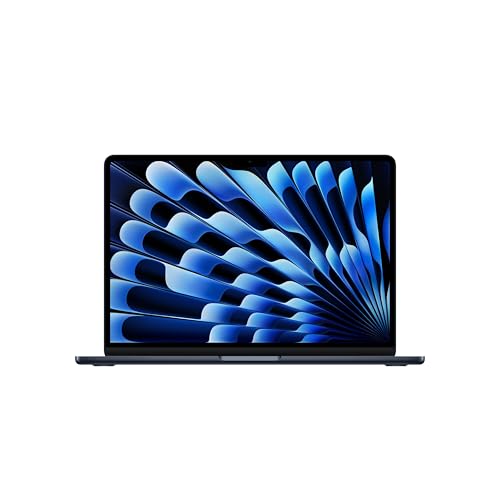
The Apple MacBook Air 13-inch with the M5 chip is the best laptop for most student photographers, and the one to buy if you want the best screen and the best battery in the lightest package. It is a 2026 MacBook Air with the M5 chip, a 13.6-inch Liquid Retina display, and 16GB of unified memory, built for AI and for the creative apps that student photographers use every day. The Liquid Retina display is color-accurate enough for photo editing, the M5 chip handles raw files and batch exports without strain, and the fanless design means it is silent in a lecture hall. It is also the lightest laptop in this guide, which matters when it shares a camera bag with a body and two lenses.
Trade-offs to weigh
The trade-offs are ports and power. The MacBook Air has fewer ports than the MacBook Pro, so a card reader and a hub are useful additions, and its fanless design means it will throttle under a very long export, although it will still finish the job. It is a Mac, so it runs macOS rather than Windows, which suits most photo apps but not every piece of specialist software. For a student who edits in Lightroom and Photoshop, none of that matters much.
Who it fits best
Best for student photographers who want the lightest, quietest laptop with a color-accurate screen and a long battery.
In daily use
In everyday use, the Apple MacBook Air 13-inch M5 settles into a routine quickly. Set it up once, the way you like it, and give yourself a few days to adjust before judging it. The first session is about learning the layout and the feel; the second and third are where it starts to feel natural. Keep it clean, keep it in the conditions it was designed for, and it will stay consistent. If it has parts that wear — cables, surfaces, moving components — a quick check now and then keeps small issues from becoming real ones, and keeping the packaging and documentation for the first weeks makes any return or exchange far simpler.
Before you buy
Before buying the Apple MacBook Air 13-inch M5, check two practical things. First, measure and compare: check the dimensions, the capacity, and the compatibility details listed on the product page against what you already own and the space you have. A product that does not fit your setup will never feel right, whatever its specifications say. Second, think about your routine — where it will live, how it will be stored, and what it needs to connect to. None of this is difficult, but all of it is easier to plan before the product arrives than after.
Check price on Amazon: Apple MacBook Air 13-inch M5

2. Apple MacBook Pro 14.2-inch M5 Pro
What stands out
The Apple MacBook Pro 14.2-inch with the M5 Pro chip is the step up from the MacBook Air, and the pick for student photographers who edit the most demanding files. It is a 2026 MacBook Pro with the M5 Pro chip, a 15-core CPU and a 16-core GPU, and a 14.2-inch Liquid Retina display, built for AI and for the heaviest creative work. The M5 Pro handles large raw files, layered Photoshop documents, and long batch exports faster than the Air, and the Pro has a better display, more ports, and a fan that keeps it fast under sustained load. For a student who shoots raw every day and edits for hours at a time, the Pro is worth the step up.
Trade-offs to weigh
The compromises are weight, cost, and size. The MacBook Pro is heavier and more expensive than the Air, and its extra power is wasted if your work is mostly culling and light editing. It is still a portable laptop, but it is not as easy to carry all day as the Air. Buyers who edit occasionally will be happier with the Air, and buyers who edit constantly will be happier with the Pro.
Who it fits best
Best for student photographers who edit large raw files daily and want the fastest MacBook in a portable size.
In daily use
Day to day, the Apple MacBook Pro 14.2-inch M5 Pro is the kind of product you stop thinking about, which is the highest praise it can earn. It does its job the same way every time, without quirks or surprises, and lets you focus on the work or the game instead of the hardware. That consistency matters more than any single feature. Treat it reasonably — a clean desk, a suitable surface, and storage that protects it when it is not in use — and it will keep that consistency for a long time. The best products are the ones that fade into the background.
Before you buy
A few checks before you order the Apple MacBook Pro 14.2-inch M5 Pro will save disappointment. Confirm the key details on the listing match what you expect — the exact model name, the included accessories, and the variant — since similar-looking models can differ in important ways. Check the return policy and the warranty terms so you know your options if it arrives damaged or does not suit you. And if you are replacing something you already own, compare the new product with the old one on the points that mattered most, rather than on headline features you may never use.
Check price on Amazon: Apple MacBook Pro 14.2-inch M5 Pro

3. Apple MacBook Pro 14.2-inch M6
What stands out
The Apple MacBook Pro 14.2-inch with the M6 chip is the newest MacBook Pro in this guide, and the pick for buyers who want the latest Apple silicon. It is a 2026 MacBook Pro with the M6 chip, a 12-core CPU and a 12-core GPU, and a 14.2-inch display, built as a powerful platform for AI and for creative work. The M6 brings the newest Apple processor to the MacBook Pro line, with the efficiency and the AI acceleration that the latest macOS and the latest photo apps are built around. For a student buying a laptop to last through a degree, the newest chip is the most future-proof choice.
Trade-offs to weigh
The trade-offs are the ones that come with a new chip. The M6 has a shorter track record than the M5 Pro, so there is less long-term experience to draw on, and its advantage over the M5 Pro is in freshness rather than in a large speed difference for ordinary photo editing. It is a MacBook Pro, so it carries the Pro weight and cost. For a student who wants the newest and plans to keep the laptop for years, it is the right buy.
Who it fits best
Best for student photographers who want the newest MacBook Pro and plan to keep it through their degree.
In daily use
Over a full week of use, the Apple MacBook Pro 14.2-inch M6 shows its character in small ways. The feel stays the same from the first day to the last, nothing loosens or rattles, and the finish holds up to regular handling. If you switch between tasks, you will appreciate that it does not need a different setup for each one: configure it once for the way you actually use it and leave it alone. If you share the space with work or family, the same product should handle those jobs without feeling out of place, which is a useful bonus for a single-product setup.
Before you buy
When the Apple MacBook Pro 14.2-inch M6 arrives, spend a little time setting it up properly. Follow the included instructions, check that everything listed as included is actually in the box, and test the main functions within the first day or two. Then leave the settings alone for a week. Constant tweaking is the enemy of getting used to a product, and most people get better results from a stable setup than from a perfect one. If something feels wrong after a few days, change one thing at a time so you know what actually helped.
Check price on Amazon: Apple MacBook Pro 14.2-inch M6
4. Dell XPS 14 Premium Laptop
What stands out
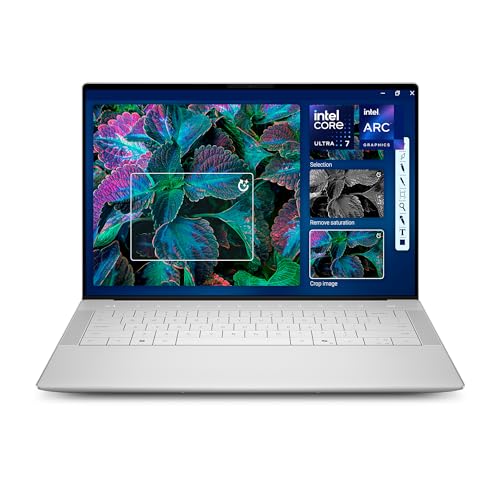
The Dell XPS 14 is the best Windows laptop in this guide, and the pick for student photographers who want a premium Windows machine with a superb screen. It is a premium laptop with a 14.5-inch touch 3.2K OLED display running at 48 to 120Hz, an Intel Core Ultra 7 255H processor, and Intel Arc graphics, which means the screen is the star: OLED gives true blacks, vivid color, and the contrast that makes photo editing a pleasure. The XPS 14 is the Windows answer to the MacBook Pro, with a clean design, a good keyboard, and the ports and the Windows software that some courses require.
Trade-offs to weigh
The compromises are battery and software. An OLED touchscreen at high refresh rates uses more power than the MacBook Air display, so the battery does not last as long, and the XPS runs Windows rather than macOS, which suits some photo workflows and not others. It is also a premium laptop with a premium cost. For a student on a Windows course, though, it is the best screen in the Windows half of this guide.
Who it fits best
Best for student photographers on a Windows course who want an OLED touchscreen and a premium build.
In daily use
In everyday use, the Dell XPS 14 Premium Laptop settles into a routine quickly. Set it up once, the way you like it, and give yourself a few days to adjust before judging it. The first session is about learning the layout and the feel; the second and third are where it starts to feel natural. Keep it clean, keep it in the conditions it was designed for, and it will stay consistent. If it has parts that wear — cables, surfaces, moving components — a quick check now and then keeps small issues from becoming real ones, and keeping the packaging and documentation for the first weeks makes any return or exchange far simpler.
Before you buy
Before buying the Dell XPS 14 Premium Laptop, check two practical things. First, measure and compare: check the dimensions, the capacity, and the compatibility details listed on the product page against what you already own and the space you have. A product that does not fit your setup will never feel right, whatever its specifications say. Second, think about your routine — where it will live, how it will be stored, and what it needs to connect to. None of this is difficult, but all of it is easier to plan before the product arrives than after.
Check price on Amazon: Dell XPS 14 Premium Laptop

5. ASUS ProArt PX13 AI-Powered 2-in-1 Laptop
What stands out
The Asus ProArt PX13 is the most flexible laptop in this guide, and the pick for student photographers who want a 2-in-1 that works as a tablet for editing. It is an AI-powered 2-in-1 laptop with a 13.3-inch OLED 2.8K touchscreen, a Ryzen AI Max+ 388 processor, and 32GB of memory, which means it folds back into a tablet for pen editing, and its OLED screen gives the color accuracy and the contrast that photo editing demands. The ProArt line is built for creators, with a color-accurate display, a stylus, and the software that Asus bundles for photo and video work. For a student who edits with a pen, the PX13 is the natural choice.
Trade-offs to weigh
The trade-offs are size and software. A 13.3-inch screen is small for editing, so an external monitor is a useful addition for long sessions, and the 2-in-1 design adds weight and complexity compared with a plain laptop. It runs Windows, so it suits Windows photo workflows, and its AI features are useful but not essential. For a student who wants to edit with a pen on the go, though, it is the best 2-in-1 here.
Who it fits best
Best for student photographers who want a 2-in-1 with a pen, an OLED touchscreen, and 32GB of memory for editing on the go.
In daily use
Day to day, the ASUS ProArt PX13 AI-Powered 2-in-1 Laptop is the kind of product you stop thinking about, which is the highest praise it can earn. It does its job the same way every time, without quirks or surprises, and lets you focus on the work or the game instead of the hardware. That consistency matters more than any single feature. Treat it reasonably — a clean desk, a suitable surface, and storage that protects it when it is not in use — and it will keep that consistency for a long time. The best products are the ones that fade into the background.
Before you buy
A few checks before you order the ASUS ProArt PX13 AI-Powered 2-in-1 Laptop will save disappointment. Confirm the key details on the listing match what you expect — the exact model name, the included accessories, and the variant — since similar-looking models can differ in important ways. Check the return policy and the warranty terms so you know your options if it arrives damaged or does not suit you. And if you are replacing something you already own, compare the new product with the old one on the points that mattered most, rather than on headline features you may never use.
Check price on Amazon: ASUS ProArt PX13 AI-Powered 2-in-1 Laptop
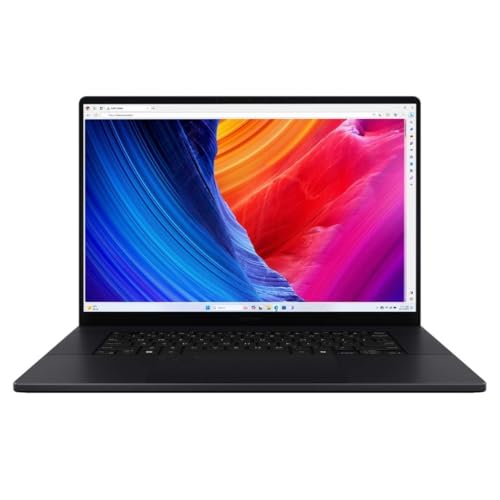
6. ASUS ProArt P16 H7606WP Laptop
What stands out
The Asus ProArt P16 H7606WP is the most powerful laptop in this guide, and the pick for student photographers who also edit video or work with the largest files. It is a 16-inch laptop with a 4K OLED touchscreen, a Ryzen AI 9 HX 370 processor, an RTX 5070 graphics card, and 64GB of memory, which means it handles anything a student photographer can throw at it: large raw files, layered Photoshop documents, 4K video, and AI editing tools. The 4K OLED display is the largest and sharpest screen here, and the RTX graphics accelerate the AI features in modern photo apps. For a student who does both photo and video, the P16 is the one-machine answer.
Trade-offs to weigh
The compromises are size, weight, and cost. A 16-inch laptop with 64GB of memory and an RTX graphics card is heavy, expensive, and power-hungry, and it is more machine than a student who only edits photos needs. It is also a laptop that needs a good bag and a power outlet nearby for the longest sessions. Buyers who want the most powerful creator laptop available will be happy with it; buyers who want a light laptop for class will not.
Who it fits best
Best for student photographers who also edit video and want the most powerful creator laptop in this guide.
In daily use
Over a full week of use, the ASUS ProArt P16 H7606WP Laptop shows its character in small ways. The feel stays the same from the first day to the last, nothing loosens or rattles, and the finish holds up to regular handling. If you switch between tasks, you will appreciate that it does not need a different setup for each one: configure it once for the way you actually use it and leave it alone. If you share the space with work or family, the same product should handle those jobs without feeling out of place, which is a useful bonus for a single-product setup.
Before you buy
When the ASUS ProArt P16 H7606WP Laptop arrives, spend a little time setting it up properly. Follow the included instructions, check that everything listed as included is actually in the box, and test the main functions within the first day or two. Then leave the settings alone for a week. Constant tweaking is the enemy of getting used to a product, and most people get better results from a stable setup than from a perfect one. If something feels wrong after a few days, change one thing at a time so you know what actually helped.
Check price on Amazon: ASUS ProArt P16 H7606WP Laptop

7. ASUS ProArt PZ13 2-in-1 Laptop
What stands out
The Asus ProArt PZ13 is the lightest 2-in-1 in this guide, and the pick for student photographers who want a detachable tablet for editing. It is a detachable 2-in-1 laptop with a 13.3-inch 2.8K AMOLED touchscreen, a Snapdragon X Plus processor, and 16GB of memory, which means the screen detaches from the keyboard and becomes a tablet for pen editing, and the AMOLED display gives the color and the contrast that photo work needs. The Snapdragon chip gives it a long battery life and a fanless, silent design, which suits a lecture hall and a location shoot. For a student who wants the lightest possible editing machine, the PZ13 is the answer.
Trade-offs to weigh
The trade-offs are software and power. The Snapdragon chip runs Windows on Arm, so some specialist photo software may run through emulation rather than natively, and its performance is lower than the Ryzen ProArt models for the heaviest exports. The 13.3-inch screen is small for long editing sessions. For a student who edits on the go and values lightness and battery above all else, it is the right compromise.
Who it fits best
Best for student photographers who want the lightest detachable 2-in-1 with an AMOLED touchscreen and a long battery.
In daily use
In everyday use, the ASUS ProArt PZ13 2-in-1 Laptop settles into a routine quickly. Set it up once, the way you like it, and give yourself a few days to adjust before judging it. The first session is about learning the layout and the feel; the second and third are where it starts to feel natural. Keep it clean, keep it in the conditions it was designed for, and it will stay consistent. If it has parts that wear — cables, surfaces, moving components — a quick check now and then keeps small issues from becoming real ones, and keeping the packaging and documentation for the first weeks makes any return or exchange far simpler.
Before you buy
Before buying the ASUS ProArt PZ13 2-in-1 Laptop, check two practical things. First, measure and compare: check the dimensions, the capacity, and the compatibility details listed on the product page against what you already own and the space you have. A product that does not fit your setup will never feel right, whatever its specifications say. Second, think about your routine — where it will live, how it will be stored, and what it needs to connect to. None of this is difficult, but all of it is easier to plan before the product arrives than after.
Check price on Amazon: ASUS ProArt PZ13 2-in-1 Laptop
Buying guide
Color accuracy: the screen matters most
A photo editing laptop lives or dies by its screen. Look for a display that covers a wide color gamut, ideally 100 percent of sRGB and as much of DCI-P3 as possible, and for a panel that is factory calibrated or easy to calibrate with a colorimeter. The Liquid Retina displays on the MacBooks, the OLED on the Dell XPS 14, and the OLED and AMOLED screens on the ProArt models all meet that standard. A washed-out screen makes every edit a guess, so do not compromise on the display to save money on the processor.
Memory: 16GB is the baseline
Sixteen gigabytes of memory is the baseline for a photo editing laptop now. It keeps Lightroom, Photoshop, and a browser running together without slowdowns, and it leaves headroom for the future. Thirty-two gigabytes is worth having if you work with large raw files or layered documents, and 64GB is for students who also edit video. Memory is often soldered in modern laptops, so buy the memory you will need in your final year, not just in your first.
Storage: fast SSD and room for a catalog
A fast solid-state drive is non-negotiable for photo editing, because it decides how quickly a catalog loads and how fast files export. Five hundred and twelve gigabytes is the sweet spot for most students, and a terabyte is worth having if you keep years of shoots on the machine. An external SSD is a useful companion for archiving finished work, and a fast card reader saves time on every import. Check whether the storage is upgradeable before you buy.
Processor and graphics for photo editing
Photo editing is mostly a processor and memory job, and the graphics card matters mainly for AI features and for video. The M5 and M6 chips in the MacBooks, the Core Ultra 7 in the Dell, and the Ryzen AI chips in the ProArt models all handle raw editing comfortably. An RTX graphics card, as in the ProArt P16, accelerates AI editing and video work, but it is not necessary for stills alone. Choose the processor for the work you do now, and the memory for the work you will do in two years.
Ports, card readers, and the bag
A photo editing laptop needs the right ports: USB-C for a fast external drive, a card reader for importing from a camera, and an HDMI or DisplayPort output for an external monitor. The MacBook Air has fewer ports than the Pro, so a hub is a useful addition, and the ProArt models have the creator ports built in. Check the weight and the size before you buy, since the laptop shares a bag with a camera body and lenses, and a heavy laptop becomes a burden on a long shoot day.
External monitor, dock, and accessories
A laptop screen is small for editing, so an external monitor is the most useful accessory a student photographer can own. A 27-inch monitor with good color accuracy gives you room for the full image and the editing panels side by side, and it turns a long editing session from a squint into a pleasure. A USB-C dock connects the monitor, the external drive, and the card reader with one cable, so the laptop becomes a desktop when you sit down and a portable machine when you pick it up. A fast card reader, a spare battery, and a good bag are the other accessories that matter, and they cost less together than the difference between two laptops in this guide.
Battery and the lecture hall
Battery life matters more than benchmark scores for a student. A laptop that lasts a full day of lectures without a charger is worth more than a faster laptop that dies at noon. The MacBook Air and the ProArt PZ13 have the longest batteries here, thanks to their efficient chips, while the OLED and 4K models use more power. Check the battery life on the listing, and carry a charger for the longest days.
Frequently asked questions
What is the best laptop for a student photographer?
For most student photographers, the MacBook Air 13-inch with the M5 chip is the best choice: it has a color-accurate Liquid Retina display, 16GB of memory, a silent fanless design, and a long battery in the lightest package. For the heaviest editing, step up to the MacBook Pro 14-inch, and for a Windows 2-in-1 with a pen, choose the Asus ProArt PX13.
How much memory does a photo editing laptop need?
Sixteen gigabytes is enough for the vast majority of student photo work: Lightroom, Photoshop, and a browser running together. Students who work with large raw files or layered documents should consider 32GB, and students who also edit video should consider 64GB. Memory is often soldered in, so buy for your final year, not just your first.
Is OLED better than LCD for photo editing?
OLED gives true blacks, higher contrast, and vivid color, which makes photo editing a pleasure, and the OLED screens in this guide are color-accurate enough for serious work. LCD screens, like the Liquid Retina displays on the MacBooks, are also excellent for photo editing and use less power. Either is fine if it is color-accurate; a cheap, washed-out screen of either type is not.
Do student photographers need a graphics card?
Not for stills alone. Photo editing is mostly a processor and memory job, and the integrated graphics in the MacBooks and the Ryzen chips handle it well. A dedicated graphics card, like the RTX 5070 in the ProArt P16, accelerates AI editing features and video work, so it is worth having if you also edit video.
Mac or Windows for a photography student?
Both work well, and the choice depends on your course and your habits. Macs dominate the photo world, and the MacBook Air and Pro are the most popular student choices. Windows laptops like the Dell XPS 14 and the Asus ProArt models offer touchscreens, 2-in-1 designs, and a wider choice of hardware. Check what your course recommends before you decide.
Conclusion
The best laptop for a student photographer depends on how you edit and where you edit. The MacBook Air 13-inch with the M5 chip is the best choice for most students, with a color-accurate screen, a silent design, and a long battery in the lightest package, while the MacBook Pro 14-inch with the M5 Pro or the M6 chip is the step up for the heaviest raw editing. The Dell XPS 14 is the best Windows premium laptop, with a superb 3.2K OLED touchscreen, and the Asus ProArt models cover the creator end: the PX13 is the 2-in-1 with a pen, the P16 is the most powerful machine here for photo and video, and the PZ13 is the lightest detachable for editing on the go. Whichever you choose, put the screen first, buy the memory you will need in your final year, and keep a fast external drive for your catalog.