The best student Linux laptops are the laptops that run Linux well on a student budget, and that is a harder thing to buy than it sounds. A student who runs Linux needs a laptop whose Wi-Fi, graphics and power management all work without a fight, and that is not every laptop on the shelf. Some laptops ship with Linux installed, and this guide leads with four of them, and some ship with another system and are chosen because their hardware runs Linux cleanly, and this guide says plainly which is which, so the buyer knows whether the laptop is ready for Linux from day one or needs an install first.
Eight laptops made the list, led by the Lenovo IdeaPad Slim 3 Linux Laptop and the Lenovo ThinkPad L14 Gen 5, with Lenovo, Dell, Acer and ASUS alongside them. Every one is a genuine laptop sold as a complete machine, built for a student who writes, codes and studies on Linux. The list runs from the laptops that ship with Linux Mint or a vanilla Linux system to the Linux-friendly laptops that take a distro install, so it covers the student who wants Linux from the first boot and the student who wants to install their own.
A word on what this guide does and does not claim. Four picks ship with Linux installed, and the guide names them: the IdeaPad Slim 3 Linux Laptop, the Lenovo Business 15 with Linux Mint, the Thinkbook 13s with Linux Mint, and the ThinkPad L14 Gen 5 with a vanilla Linux system. Four picks are Linux-friendly hardware that the student installs a distro on, and the guide names them too. No pick here is described as shipping with Linux when it does not, and no Linux-only boutique brand is listed, because none exists in this site's product search.
In this guide
Quick picks: best student linux laptops
| # | Product | Where to buy |
|---|---|---|
| 1 | Lenovo IdeaPad Slim 3 Linux Laptop | Check on Amazon |
| 2 | Lenovo ThinkPad L14 Gen 5 | Check on Amazon |
| 3 | Lenovo Thinkbook 13s (Linux Mint) | Check on Amazon |
| 4 | Lenovo Business 15 (Linux Mint) | Check on Amazon |
| 5 | Dell XPS 13 Touchscreen (2026) | Check on Amazon |
| 6 | Acer Aspire 3 A315-24P | Check on Amazon |
| 7 | ASUS Vivobook Go 15 | Check on Amazon |
| 8 | Lenovo IdeaPad Slim 3i (2027 Edition) | Check on Amazon |
How the picks were chosen
The picks were chosen from the site's own product search, looking only at genuine laptops sold as complete machines: a laptop with a keyboard, a screen and storage, built for a student. Desktop computers, Chromebooks, tablets and laptop accessories were left out, because they are not student laptops, and this guide is about student laptops. Listings that were only a charger or a bag for a laptop were judged as accessories and dropped, and a renewed laptop listing was dropped too, because a renewed laptop is not the same purchase as a new one.
Linux readiness was the first test after the laptop itself, and it was judged in two ways. A laptop that ships with Linux installed passed outright, and the four Linux-shipping picks in this guide are the IdeaPad Slim 3, the Linux Mint Business 15, the Thinkbook 13s and the ThinkPad L14 Gen 5. A laptop that ships with another system passed only if its hardware is the standard kind Linux supports well, which means an AMD Ryzen or Intel processor, standard Wi-Fi, and no exotic hardware, and the four Linux-friendly picks in this guide are the Dell XPS 13, the Acer Aspire 3, the ASUS Vivobook Go 15 and the IdeaPad Slim 3i.
Student needs were the remaining test. Every pick here has at least 8GB of RAM, because a student laptop that cannot hold a browser, a document and a terminal at once is a laptop that will frustrate its owner, and the picks run from 8GB to 32GB in the wider list. Storage was read from the listings where stated, and the picks run from 128GB to 1TB, so the guide covers the student who lives in the cloud and the student who keeps everything on the drive. Battery life was not stated in the listings, so the guide says so plainly where it applies, and the buyer should check the listing for battery details before ordering.
Quick comparison
| Product | Standout detail |
|---|---|
| Lenovo IdeaPad Slim 3 Linux Laptop | IdeaPad Slim 3 Linux, Ryzen 7 5825U, 16GB, 512GB |
| Lenovo ThinkPad L14 Gen 5 | ThinkPad L14 Gen 5, vanilla Linux, Ryzen 5 PRO |
| Lenovo Thinkbook 13s (Linux Mint) | Thinkbook 13s, Linux Mint, 1TB SSD, 13.3-inch |
| Lenovo Business 15 (Linux Mint) | Business 15, Linux Mint, 1TB HDD, fast charging |
| Dell XPS 13 Touchscreen (2026) | XPS 13, 3K 120Hz, Wi-Fi 7, install Linux |
| Acer Aspire 3 A315-24P | Aspire 3, Ryzen 3, 128GB, Wi-Fi 6, install Linux |
| ASUS Vivobook Go 15 | Vivobook Go 15, Ryzen 5, 512GB, military grade |
| Lenovo IdeaPad Slim 3i (2027 Edition) | IdeaPad Slim 3i, N150, Office included, install Linux |

1. Lenovo IdeaPad Slim 3 Linux Laptop
Key specs
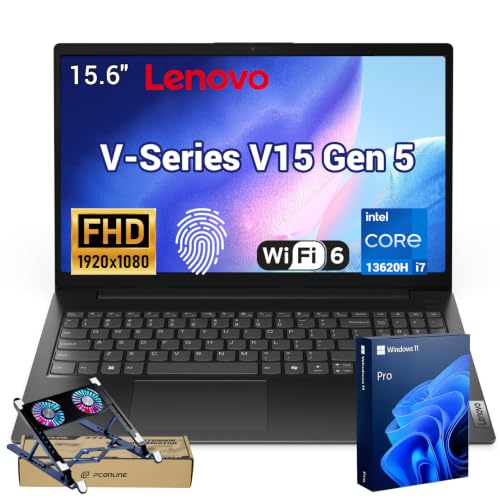
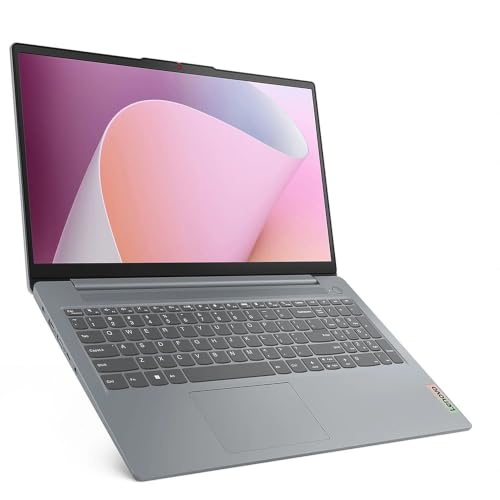
Lenovo IdeaPad Slim 3 Linux Laptop, 15.6-inch FHD Touchscreen, AMD Ryzen 7 5825U, 8-core, up to 4.5 GHz, 16GB RAM, 512GB SSD.
Strengths
- It ships with Linux installed, which is stated in the listing, so the student gets a Linux laptop from the first boot with no install to do.
- The AMD Ryzen 7 5825U is an 8-core processor up to 4.5 GHz, which is the most cores of any pick in this guide, and it is what makes the IdeaPad Slim 3 the fastest laptop here for compiling code.
- The 15.6-inch FHD touchscreen is stated in the listing, so the laptop works with touch as well as with a keyboard, which is what a student who annotates documents wants.
Trade-offs
- At 15.6 inches it is a full-size laptop, so a buyer who wants the smallest laptop in this guide should look at the Thinkbook 13s below.
- The listing gives no battery claim to quote, so the buyer should check the listing for battery details before ordering.
- Lenovo is the best-known name in this guide, and the buyer pays for that name, so a buyer on the tightest budget should look at the Acer Aspire 3 below.
Who it fits
A student who wants Linux from the first boot, with the fastest processor in this guide.
Best for: Classes, coding and daily study on Linux, where a Linux install and an 8-core processor matter most.
Not suited for: Buyers who want the smallest laptop in this guide, who should take the Lenovo Thinkbook 13s below.
In daily use
Boot the laptop and check the Linux desktop is as expected before installing anything, because the first boot is the time to learn the system. Install the student's usual applications, and test the Wi-Fi and the touchscreen on the first day, because a problem found on day one is a problem that can still be returned.
The Lenovo IdeaPad Slim 3 Linux Laptop is the default pick in this guide: the Linux laptop with the fastest processor.
Check price on Amazon: Lenovo IdeaPad Slim 3 Linux Laptop

2. Lenovo ThinkPad L14 Gen 5
Key specs
Lenovo ThinkPad L14 Gen 5, 14-inch WUXGA, AMD Ryzen 5 PRO 7535U, 16GB DDR5 RAM, 256GB SSD, AMD Radeon 660M Graphics, Backlit Keyboard, Fingerprint, Vanilla Linux System, French Keyboard, English Stickers.
Strengths
- It ships with a vanilla Linux system, which is stated in the listing, so the student gets a plain Linux install with nothing extra to remove.
- The AMD Ryzen 5 PRO processor and 16GB of DDR5 RAM are stated in the listing, and they are the combination that keeps a browser, a document and a terminal open at once.
- The ThinkPad name is the most trusted name in student and business laptops, and the L14 Gen 5 is the pick in this guide from the maker with the longest laptop track record.
Trade-offs
- The listing states a French keyboard with English stickers, so the buyer should read the listing carefully before ordering, because the keyboard layout is not standard.
- At 256GB the storage is the smallest of the Linux-shipping picks, so a buyer who keeps everything on the drive should take the Thinkbook 13s below.
- The listing gives no battery claim to quote, so the buyer should check the listing for battery details before ordering.
Who it fits
A student who wants a plain Linux install on a ThinkPad.
Best for: Classes and coding on Linux, where a vanilla system and a ThinkPad keyboard matter.
Not suited for: Buyers who need 1TB of storage, who should take the Lenovo Thinkbook 13s below.
In daily use
Boot the laptop and check the vanilla Linux system is as expected, and test the fingerprint reader and the backlit keyboard on the first day. Install the student's usual applications, and check the Wi-Fi works on the campus network, because the campus network is where the laptop will live.
The Lenovo ThinkPad L14 Gen 5 is the ThinkPad pick: the Linux laptop with a plain install and a trusted name.
Check price on Amazon: Lenovo ThinkPad L14 Gen 5
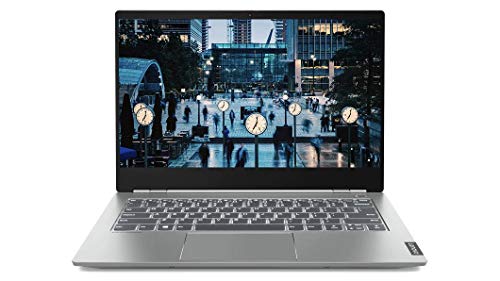
3. Lenovo Thinkbook 13s (Linux Mint)
Key specs
Lenovo Thinkbook 13s Premium Business Ultrabook, Linux Mint, Intel Quad Core i7-8565U, 1TB PCIe SSD, 16GB RAM, 13.3-inch FHD IPS 1920×1080, Backlit Keyboard.
Strengths
- It ships with Linux Mint, which is stated in the listing, so the student gets a friendly Linux desktop from the first boot.
- The 1TB PCIe SSD is stated in the listing, and it is the largest storage of any Linux-shipping pick in this guide, so the student can keep everything on the drive.
- At 13.3 inches it is the smallest laptop in this guide, and it is the pick for the student who carries the laptop everywhere.
Trade-offs
- The Intel i7-8565U is an older processor, so a buyer who wants the fastest processor in this guide should take the IdeaPad Slim 3 above.
- The listing gives no battery claim to quote, so the buyer should check the listing for battery details before ordering.
- As a premium ultrabook it is built for carrying, so a buyer who wants the largest screen should take the IdeaPad Slim 3 above.
Who it fits
A student who wants Linux Mint on the smallest laptop in this guide, with 1TB of storage.
Best for: Carrying a laptop everywhere on Linux, where a small size and a terabyte of storage matter.
Not suited for: Buyers who want the fastest processor, who should take the Lenovo IdeaPad Slim 3 above.
In daily use
Boot the laptop and check Linux Mint is as expected, and test the Wi-Fi on the campus network on the first day. Install the student's usual applications, and keep the 1TB drive organised, because a terabyte fills up faster than it looks when lectures and projects accumulate.
The Lenovo Thinkbook 13s is the small pick: the Linux Mint ultrabook with 1TB of storage.
Check price on Amazon: Lenovo Thinkbook 13s (Linux Mint)

4. Lenovo Business 15 (Linux Mint)
Key specs
Lenovo Business 15-inch Linux Mint (Cinnamon) Laptop, Intel i7-1065G7, 16GB RAM, 1TB Hard Disk Drive, 15.6-inch HD Display, Fast Charging.
Strengths
- It ships with Linux Mint Cinnamon, which is stated in the listing, so the student gets a friendly Linux desktop from the first boot.
- The 1TB hard disk drive is stated in the listing, and it is the largest storage of any pick in this guide by capacity, so the student can keep everything on the drive.
- Fast charging is stated in the listing, which is what makes the Business 15 the pick for the student who charges between classes.
Trade-offs
- The 1TB drive is a hard disk drive rather than an SSD, so it is slower than the SSD picks, and a buyer who wants the fastest storage should take the Thinkbook 13s above.
- The 15.6-inch display is HD rather than FHD, so a buyer who wants the sharpest screen should take the IdeaPad Slim 3 above.
- The Intel i7-1065G7 is an older processor, so a buyer who wants the fastest processor in this guide should take the IdeaPad Slim 3 above.
Who it fits
A student who wants Linux Mint with a terabyte of storage and fast charging.
Best for: Classes and study on Linux Mint, where a large drive and fast charging matter.
Not suited for: Buyers who want the fastest storage, who should take the Lenovo Thinkbook 13s above.
In daily use
Boot the laptop and check Linux Mint Cinnamon is as expected, and test the Wi-Fi on the campus network on the first day. Keep the hard drive defragmented and organised, because a hard drive slows down as it fills, and charge the laptop between classes to make the most of the fast charging.
The Lenovo Business 15 is the big-drive pick: the Linux Mint laptop with a terabyte of storage.
Check price on Amazon: Lenovo Business 15 (Linux Mint)

5. Dell XPS 13 Touchscreen (2026)
Key specs
Dell XPS 13 Touchscreen Laptop 2026, 13.4-inch 3K 120Hz, Intel Core 5 320, 8GB DDR5 7467 MT/s, 512GB SSD, Wi-Fi 7, Copilot PC, Backlit Keyboard, USB-C.
Strengths
- The 13.4-inch 3K 120Hz display is stated in the listing, and it is the sharpest and smoothest display in this guide, which is what makes the XPS 13 the best screen here for reading and coding.
- Wi-Fi 7 is stated in the listing, and it is the newest wireless standard in this guide, so the laptop is ready for the fastest campus networks.
- The 512GB SSD and 8GB of DDR5 RAM are stated in the listing, and they are the combination that keeps a browser, a document and a terminal open at once.
Trade-offs
- It does not ship with Linux installed, so the student installs a distro on it, and the buyer should be comfortable doing that before ordering.
- At 8GB the RAM is the least of any pick in this guide, so a buyer who runs many applications at once should take a 16GB pick above.
- The listing gives no battery claim to quote, so the buyer should check the listing for battery details before ordering.
Who it fits
A student who wants the best display in this guide and will install Linux on it.
Best for: Reading, coding and study on a 3K display, where the screen matters most.
Not suited for: Buyers who want Linux from the first boot, who should take the Lenovo IdeaPad Slim 3 above.
In daily use
Install the distro of choice and test the Wi-Fi, the touchscreen and the backlit keyboard on the first day, because a problem found on day one is a problem that can still be returned. Keep the 3K display at a comfortable scaling, because a sharp display at the wrong scaling is harder to read than a plain one.
The Dell XPS 13 is the display pick: the Linux-friendly laptop with the sharpest screen in this guide.
Check price on Amazon: Dell XPS 13 Touchscreen (2026)

6. Acer Aspire 3 A315-24P
Key specs
Acer Aspire 3 A315-24P-R7VH Slim Laptop, 15.6-inch Full HD, AMD Ryzen 3 7320U Quad-Core, AMD Radeon Graphics, 8GB LPDDR5, 128GB NVMe SSD, Wi-Fi 6.
Strengths
- The AMD Ryzen 3 quad-core processor is stated in the listing, and it is the standard AMD hardware that Linux supports well, which is what makes the Aspire 3 a Linux-friendly laptop.
- The 15.6-inch Full HD display is stated in the listing, so the screen is sharp enough for documents and code.
- Wi-Fi 6 is stated in the listing, so the laptop connects to a modern campus network without a fuss.
Trade-offs
- It does not ship with Linux installed, so the student installs a distro on it, and the buyer should be comfortable doing that before ordering.
- At 128GB the storage is the smallest in this guide, so a buyer who keeps everything on the drive should take a 512GB pick above.
- The AMD Ryzen 3 is the least powerful processor in this guide, so a buyer who compiles code should take the IdeaPad Slim 3 above.
Who it fits
A student who wants the lowest-cost Linux-friendly laptop in this guide.
Best for: Classes and study on a budget, where standard AMD hardware and Wi-Fi 6 matter.
Not suited for: Buyers who want Linux from the first boot, who should take the Lenovo IdeaPad Slim 3 above.
In daily use
Install the distro of choice and test the Wi-Fi on the campus network on the first day. Keep files in the cloud or on an external drive, because 128GB fills up fast, and install the student's usual applications before the first class, because the first week is the wrong time to be setting up.
The Acer Aspire 3 is the budget pick: the lowest-cost Linux-friendly laptop in this guide.
Check price on Amazon: Acer Aspire 3 A315-24P

7. ASUS Vivobook Go 15
Key specs
ASUS Vivobook Go 15 Laptop, 15.6-inch FHD 60Hz, AMD Ryzen 5 40, AMD Radeon Graphics, 8GB RAM, 512GB SSD, Military Grade, ErgoSense Keyboard, WiFi 6E.
Strengths
- The AMD Ryzen 5 processor is stated in the listing, and it is the standard AMD hardware that Linux supports well, which is what makes the Vivobook Go 15 a Linux-friendly laptop.
- The 512GB SSD is stated in the listing, so the student can keep a working set of files on the drive.
- Military Grade is stated in the listing, which is what makes the Vivobook Go 15 the toughest laptop in this guide for a bag that gets knocked about.
Trade-offs
- It does not ship with Linux installed, so the student installs a distro on it, and the buyer should be comfortable doing that before ordering.
- The listing gives no battery claim to quote, so the buyer should check the listing for battery details before ordering.
- ASUS is a laptop maker rather than a Linux specialist, so a buyer who wants Linux from the first boot should take the Lenovo IdeaPad Slim 3 above.
Who it fits
A student who wants a tough Linux-friendly laptop with a 512GB drive.
Best for: Daily carrying and study, where military-grade toughness and standard AMD hardware matter.
Not suited for: Buyers who want Linux from the first boot, who should take the Lenovo IdeaPad Slim 3 above.
In daily use
Install the distro of choice and test the Wi-Fi, the keyboard and the trackpad on the first day. Carry the laptop in a sleeve as well as a bag, because military grade means tough, not indestructible, and keep the 512GB drive organised, because a drive fills up faster than it looks.
The ASUS Vivobook Go 15 is the tough pick: the Linux-friendly laptop with military-grade build.
Check price on Amazon: ASUS Vivobook Go 15

8. Lenovo IdeaPad Slim 3i (2027 Edition)
Key specs
Lenovo IdeaPad Slim 3i, 2027 Edition, 15.6-inch FHD Laptop with Microsoft Office Included, Intel N150, 8GB DDR5, 128GB SSD plus 1TB Cloud Storage.
Strengths
- Microsoft Office is included in the listing, so the student gets the office suite with the laptop, which is what a student who writes documents needs.
- The 15.6-inch FHD display is stated in the listing, so the screen is sharp enough for documents and code.
- The 1TB of cloud storage is stated in the listing, so the student can keep files in the cloud as well as on the 128GB drive.
Trade-offs
- It does not ship with Linux installed, so the student installs a distro on it, and the buyer should be comfortable doing that before ordering.
- At 128GB the local storage is the smallest in this guide, so a buyer who keeps everything on the drive should take a 512GB pick above.
- The Intel N150 is the least powerful processor in this guide, so a buyer who compiles code should take the IdeaPad Slim 3 above.
Who it fits
A student who wants Microsoft Office included and will install Linux on the laptop.
Best for: Writing and study, where included Office software and cloud storage matter.
Not suited for: Buyers who want Linux from the first boot, who should take the Lenovo IdeaPad Slim 3 above.
In daily use
Install the distro of choice and test the Wi-Fi on the campus network on the first day. Keep files in the 1TB of cloud storage as well as on the drive, because 128GB fills up fast, and check whether the included Office software is needed once Linux is installed, because the distro may offer its own office suite.
The Lenovo IdeaPad Slim 3i is the Office pick: the Linux-friendly laptop with Microsoft Office included.
Check price on Amazon: Lenovo IdeaPad Slim 3i (2027 Edition)
Buying guide: best student linux laptops
Ships with Linux vs Linux-friendly: what the difference is
A laptop that ships with Linux has the system installed by the seller, and the student opens the box and starts working, while a Linux-friendly laptop ships with another system and the student installs a distro on it. The difference matters because an install takes time and confidence, and a student who has never installed an operating system should buy a laptop that ships with Linux, while a student who has installed a distro before can buy a Linux-friendly laptop and save money or get better hardware. Four picks in this guide ship with Linux, and the guide names them, and four picks are Linux-friendly hardware, and the guide names them too, so the buyer knows exactly what is being bought.
Choosing a distro: Mint, vanilla, and the rest
A distro is the flavour of Linux on the laptop, and the picks in this guide cover the main ones. Linux Mint is the friendly desktop that looks familiar to a Windows user, and the Business 15 and the Thinkbook 13s ship with it. A vanilla Linux system is a plain install with nothing extra, and the ThinkPad L14 Gen 5 ships with it. A student who is new to Linux should take Mint, because it is the easiest to learn.
The hardware that Linux likes: AMD, Intel and standard Wi-Fi
Linux supports standard hardware well, and the picks in this guide are chosen for it. An AMD Ryzen processor, like the Ryzen 7 in the IdeaPad Slim 3 or the Ryzen 5 in the Vivobook Go 15, works well with Linux, and an Intel processor, like the Core 5 in the Dell XPS 13 or the N150 in the IdeaPad Slim 3i, works well too. Standard Wi-Fi, like the Wi-Fi 6 in the Acer Aspire 3 or the Wi-Fi 7 in the XPS 13, works without extra drivers, while exotic Wi-Fi chips may not. Before ordering, check the listing for the processor and the Wi-Fi, because standard hardware is what makes a Linux install painless.
RAM and storage: what a student actually needs
A student laptop needs enough RAM to hold a browser, a document and a terminal at once, and every pick in this guide has at least 8GB, which is the minimum for that job. The 16GB picks, like the IdeaPad Slim 3 and the ThinkPad L14, hold more, and they are the picks for a student who codes or runs virtual machines. Storage decides how much the laptop can keep, and the picks run from 128GB to 1TB, so the student who lives in the cloud can take the 128GB Aspire 3, while the student who keeps everything on the drive should take the 1TB Thinkbook 13s.
The keyboard and the screen: what a student touches all day
A student touches the keyboard and looks at the screen all day, so they matter as much as the processor. The ThinkPad L14 Gen 5 has a backlit keyboard, which is what makes it the pick for late-night study, and the IdeaPad Slim 3 has a touchscreen, which is what makes it the pick for annotating documents. The Dell XPS 13 has the sharpest screen in this guide at 3K and 120Hz, while the Thinkbook 13s is the smallest laptop here at 13.3 inches. Before ordering, check the listing for the keyboard and the screen, because they are what the student lives with.
Battery life: read the listing carefully
Battery life is the number a student cares about most after the price, and it is the number this guide cannot quote, because no listing in this guide states a battery claim. The buyer should check the listing for battery details before ordering, and should ask how long the laptop lasts on a typical student day rather than on a manufacturer's test. A student who spends all day on campus should carry a charger, whatever the laptop claims, because the charger is the backup that makes the battery irrelevant.
What to check before ordering
Before ordering, check three things in the listing: whether Linux is installed or the laptop is Linux-friendly hardware, how much RAM and storage the laptop has, and whether the laptop is new or renewed. The Linux question matters most, because a student who cannot install a distro should buy a laptop that ships with Linux, and every pick in this guide states which it is. The RAM and storage decide whether the laptop can hold the student's work. The new-or-renewed question matters because a renewed laptop is a different purchase, and every pick in this guide is a new laptop, verified as such in the full listing title. Check the model name too, because a laptop with a similar name from the same maker can be a different laptop entirely.
Linux laptops for coding students
A coding student wants cores, RAM and a good keyboard, and the Lenovo IdeaPad Slim 3 and the ThinkPad L14 Gen 5 are the picks for that student, because the IdeaPad offers an 8-core Ryzen 7 and the ThinkPad offers a vanilla Linux system with a backlit keyboard. Install the student's usual tools, test the Wi-Fi on the campus network, and keep the terminal open.
Usage and care
Boot the laptop and check the Linux system is as expected on the first day, because the first boot is the time to learn the system. Install the student's usual applications, and test the Wi-Fi, the keyboard and the trackpad before the first class, because a problem found on day one is a problem that can still be returned.
Look after the laptop by carrying it in a sleeve as well as a bag, because the screen is the part that breaks first when a laptop is carried loose. Avoid leaving the laptop in a hot car or in direct sunlight, because heat ages a battery faster than use does. Keep the laptop charged overnight before a long day on campus, and carry the charger, because the charger is the backup that makes the battery irrelevant.
Store the laptop dry, and wipe the keyboard with a soft cloth before a study session, because crumbs in a keyboard are the most common cause of a stuck key. Update the system before a study day rather than during it, and back up the student's work to the cloud.
Common mistakes
The most common mistake is buying a laptop that ships with another system and then discovering the student cannot install Linux on it. A student who has never installed an operating system should buy a laptop that ships with Linux, and the four Linux-shipping picks in this guide are the IdeaPad Slim 3, the ThinkPad L14, the Thinkbook 13s and the Business 15. A student who can install a distro can buy a Linux-friendly laptop, but the buyer should be honest about which student is being bought for.
The second mistake is buying too little storage. A 128GB drive fills up fast when lectures, projects and applications accumulate, and the buyer who takes the 128GB Aspire 3 or IdeaPad Slim 3i should plan to use the cloud or an external drive from the start. A student who keeps everything on the drive should take a 512GB or 1TB pick, because a full drive is a slow drive.
The third mistake is forgetting the campus network. A laptop that works on the home network may not work on the campus network, because the campus network may need a login the student's distro does not handle. Test the Wi-Fi on the campus network on the first day, because a problem found on day one is a problem that can still be returned, and a laptop that cannot connect on campus is a laptop that cannot study.
Linux laptops for writing students
A writing student wants a good keyboard, a sharp screen and a quiet fan, and the ThinkPad L14 Gen 5 and the Dell XPS 13 are the picks for that student, because the ThinkPad offers a backlit keyboard and the XPS offers a 3K display. Install a writing application, test the keyboard for an hour, and keep the laptop charged.
Linux laptops for carrying everywhere
A student who carries a laptop everywhere wants a small, light machine, and the Lenovo Thinkbook 13s and the Dell XPS 13 are the picks for that student, because the Thinkbook is 13.3 inches and the XPS is 13.4 inches. Carry the laptop in a sleeve, and keep the charger in the bag.
Linux laptops on a budget
A budget student does not need the fastest laptop. A budget student needs a laptop that runs Linux well and costs little, and the Acer Aspire 3 is the pick for that student, because it offers standard AMD hardware, Wi-Fi 6 and a Full HD display at the lowest fuss in this guide. Install a distro, keep files in the cloud, and the Aspire 3 will carry a student through the year.
Final recommendation
If one student Linux laptop has to win this guide, it is the Lenovo IdeaPad Slim 3 Linux Laptop, because it is the most dependable all-rounder at this level: Linux installed from the first boot, an 8-core Ryzen 7 processor, 16GB of RAM and a 512GB SSD. The ThinkPad L14 Gen 5 is the pick for students who want a plain Linux install on a trusted ThinkPad, and the Acer Aspire 3 is the pick for students who want the lowest-cost Linux-friendly laptop.
For most buyers, the choice comes down to three questions. Should Linux be installed already? If yes, the IdeaPad Slim 3, the ThinkPad L14, the Thinkbook 13s and the Business 15 are the answers. How big should the laptop be? If the answer is small, the Thinkbook 13s and the XPS 13 are the answers. How much should it cost? If the answer is as little as possible, the Acer Aspire 3 is the answer.
Whatever student Linux laptop is chosen, test the Wi-Fi on campus on the first day and install the student's applications before the first class. A Linux laptop bought carefully is a laptop that turns a student year into progress.
Frequently asked questions
What is the best student Linux laptop?
The best student Linux laptop is the Lenovo IdeaPad Slim 3 Linux Laptop, because it ships with Linux installed, offers an 8-core Ryzen 7 processor, 16GB of RAM and a 512GB SSD. The ThinkPad L14 Gen 5 is the best alternative for students who want a plain Linux install, and the Acer Aspire 3 is the best alternative for students who want the lowest cost.
Which laptops in this guide ship with Linux installed?
Four picks ship with Linux installed: the Lenovo IdeaPad Slim 3 Linux Laptop, the Lenovo ThinkPad L14 Gen 5 with a vanilla Linux system, the Lenovo Thinkbook 13s with Linux Mint, and the Lenovo Business 15 with Linux Mint Cinnamon. The other four picks are Linux-friendly hardware that the student installs a distro on.
Can I install Linux on any laptop?
Most laptops can run Linux, but some run it better than others. The picks in this guide are chosen for standard AMD or Intel processors and standard Wi-Fi, which Linux supports well. A student who has never installed an operating system should buy a laptop that ships with Linux, because the install takes time and confidence.
Is Linux Mint good for students?
Yes. Linux Mint is the friendly desktop that looks familiar to a Windows user, and the Business 15 and the Thinkbook 13s in this guide ship with it. A student who is new to Linux should take Mint, because it is the easiest to learn, and a student who knows Linux should take the vanilla system on the ThinkPad L14, because it is the cleanest to build on.
How much RAM does a student Linux laptop need?
Every pick in this guide has at least 8GB of RAM, which is the minimum to hold a browser, a document and a terminal at once. The 16GB picks, like the IdeaPad Slim 3 and the ThinkPad L14, hold more, and they are the picks for a student who codes or runs virtual machines.
How much storage does a student need?
The picks in this guide run from 128GB to 1TB. A student who lives in the cloud can take the 128GB Aspire 3, while a student who keeps everything on the drive should take the 1TB Thinkbook 13s. A hard disk drive, like the 1TB drive in the Business 15, is slower than an SSD, so the buyer should weigh capacity against speed.
Do I need to test the Wi-Fi on campus?
Yes. A laptop that works on the home network may not work on the campus network, because the campus network may need a login the student's distro does not handle. Test the Wi-Fi on the campus network on the first day, because a problem found on day one is a problem that can still be returned.
More from ilcastellomenu.com
Best sound cards for Linux: audio interfaces that work with Linux
Best gaming motherboards for Linux: motherboards that run Linux well
Best external hard drives for Linux Ubuntu: portable storage for Ubuntu