The best touch screen laptops for Planning Center checking are the laptops that turn a Sunday check-in desk into a tap-and-go station. Planning Center is the software churches use to check children and volunteers in, and the checking happens on a screen that a parent or a volunteer touches, so the laptop at the desk needs a big touchscreen that responds to a tap, wakes fast when the next family arrives, and keeps working through a whole morning of check-ins. A laptop without a touchscreen can run the same software, but the volunteer ends up hunting for the mouse while a queue forms, and that is the difference this guide is about.
Eight touch-screen laptops made the list, led by the HP Pavilion 15.6-inch Touchscreen and the Lenovo IdeaPad Slim 3 Touchscreen, with Dell, ASUS, Microsoft and Acer alongside them. Every one is a genuine touch-screen laptop sold as a complete machine, with the touchscreen stated in the listing, and every one is the kind of laptop a check-in desk actually uses. The list runs from the 13.8-inch Microsoft Surface Laptop to the 17.3-inch HP touchscreen, so it covers the small welcome desk and the large lobby station alike.
A word on what this guide does and does not claim. No listing in this guide states Planning Center certification, so no pick here is described as certified for Planning Center. What the picks are is touch-screen laptops with the large displays, the fast wake and the durability a check-in station needs, and the guide explains what to check in the display, the processor and the storage so the laptop works well at the desk on the buyer's own network.
In this guide
Quick picks: best touch screen laptops for planning center checking
| # | Product | Where to buy |
|---|---|---|
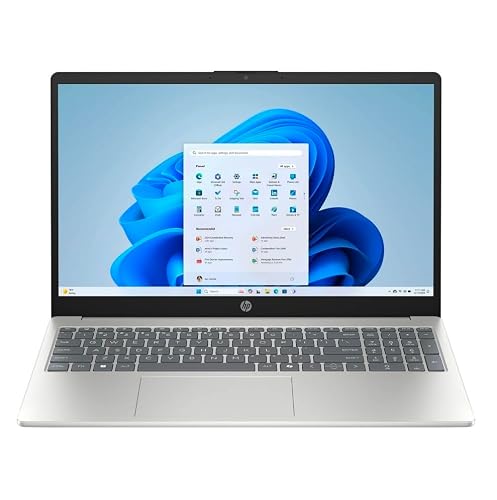
| 1 | HP Pavilion 15.6-inch Touchscreen | Check on Amazon |
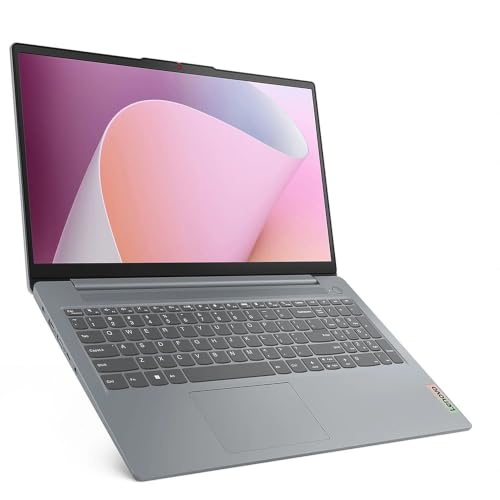
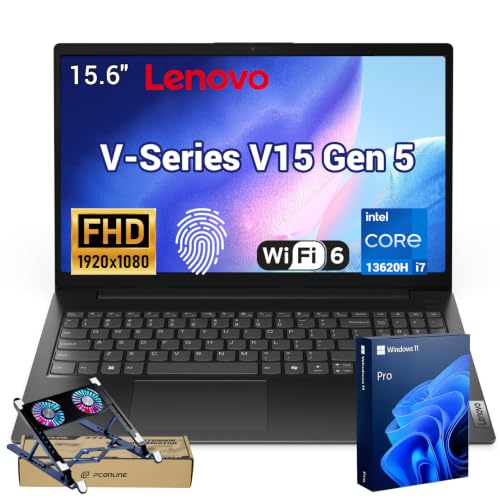
| 2 | Lenovo IdeaPad Slim 3 Touchscreen | Check on Amazon |
| 3 | Dell Inspiron 3530 Touchscreen | Check on Amazon |
| 4 | ASUS Vivobook 15.6-inch Touchscreen | Check on Amazon |
| 5 | Microsoft Surface Laptop (2024) | Check on Amazon |
| 6 | HP 17.3-inch Touchscreen | Check on Amazon |
| 7 | Lenovo IdeaPad 5i 2-in-1 (16-inch Touchscreen) | Check on Amazon |
| 8 | Acer Aspire Go 16 Touch | Check on Amazon |
How the picks were chosen
The picks were chosen from the site's own product search, looking only at genuine touch-screen laptops sold as complete machines: a laptop with a touch display, a keyboard and storage, built to sit on a desk and be touched all morning. Non-touch laptops, tablets, desktop computers and laptop accessories were left out, because they are not touch-screen laptops, and this guide is about touch-screen laptops. Listings that were only a screen protector or a case for a laptop were judged as accessories and dropped, and listings whose titles did not state a touchscreen were dropped too, because the touchscreen is the point of this guide.
Display size was the first test after the laptop itself, because a check-in screen must be big enough for a parent to tap without hunting. Every pick here has a display of 13.8 inches or more, and the picks run from the 13.8-inch Surface Laptop to the 17.3-inch HP, so the guide covers the small desk and the large lobby alike. Resolution was the second test, and the picks run from HD+ to 3K, so the guide covers the screen that is sharp enough for a check-in form and the screen that is sharp enough for anything.
Memory and storage were the remaining test. Every pick here has at least 8GB of RAM and at least 256GB of storage, because a check-in laptop that cannot hold a browser and the check-in software at once is a laptop that will frustrate its volunteers, and the picks run from 8GB to 32GB of RAM, so the guide covers the desk that checks in a few families and the desk that checks in hundreds. Battery life was stated for one pick, the HP Pavilion at 11 hours, and the guide says so where it applies, so the buyer who needs a full morning without a charger knows which pick states it.
Quick comparison
| Product | Standout detail |
|---|---|
| HP Pavilion 15.6-inch Touchscreen | HP Pavilion, 15.6-inch, 10-core i5, 11-hour battery |
| Lenovo IdeaPad Slim 3 Touchscreen | IdeaPad Slim 3, 15.6-inch, Ryzen 7 8-core |
| Dell Inspiron 3530 Touchscreen | Inspiron 3530, 15.6-inch, i5-1335U, Iris Xe |
| ASUS Vivobook 15.6-inch Touchscreen | Vivobook 15.6-inch, i5-1334U, Windows 11 Home |
| Microsoft Surface Laptop (2024) | Surface Laptop, 13.8-inch, Snapdragon 12-core |
| HP 17.3-inch Touchscreen | HP 17.3-inch, 32GB RAM, 1TB SSD |
| Lenovo IdeaPad 5i 2-in-1 (16-inch Touchscreen) | IdeaPad 5i 2-in-1, 16-inch, Office 365 |
| Acer Aspire Go 16 Touch | Aspire Go 16, WUXGA touch, Core 7 150U |

1. HP Pavilion 15.6-inch Touchscreen
Key specs
HP Pavilion 15.6-inch FHD Touchscreen Laptop Computer, 10-Core Intel Core i5-1334U, 16GB RAM, 512GB SSD, Webcam, Fast Wi-Fi 6, 11 Hours Long Battery Life.
Strengths
- The 11-hour battery life is stated in the listing, and it is the only battery claim in this guide, which makes the Pavilion the pick for a check-in desk without a charger nearby.
- The 10-core Intel Core i5-1334U is stated in the listing, and it is the most cores of any pick in this guide, which is what keeps the check-in software responsive all morning.
- The 15.6-inch FHD touchscreen, 16GB of RAM and 512GB SSD are all stated in the listing, so the laptop has the screen, the memory and the storage a check-in desk needs.
Trade-offs
- At 15.6 inches it is a full-size laptop, so a buyer who wants the smallest laptop in this guide should look at the Microsoft Surface Laptop below.
- HP is the best-known name in this guide, and the buyer pays for that name, so a buyer on the tightest budget should look at the Acer Aspire Go 16 below.
- The listing gives no 2-in-1 claim to quote, so a buyer who wants a laptop that folds flat should look at the Lenovo IdeaPad 5i below.
Who it fits
A check-in desk that needs a full morning of battery and a fast processor.
Best for: Sunday check-in and lobby desks, where an 11-hour battery and a 10-core processor matter most.
Not suited for: Buyers who want the smallest laptop in this guide, who should take the Microsoft Surface Laptop below.
In daily use
Set the laptop on the check-in desk with the charger nearby for the first few Sundays, and test the touchscreen with the check-in software before the first family arrives, because a problem found before the doors open is a problem that can still be fixed. Keep the screen clean, because a smudged touchscreen misreads taps.
The HP Pavilion 15.6-inch Touchscreen is the default pick in this guide: the touch-screen laptop with the only stated battery life.
Check price on Amazon: HP Pavilion 15.6-inch Touchscreen

2. Lenovo IdeaPad Slim 3 Touchscreen
Key specs
Lenovo IdeaPad Slim 3 Laptop 2025, 15.6-inch FHD 1920 x 1080 Touchscreen, AMD Ryzen 7 5825U, 8-core, AMD Radeon Graphics, 16GB DDR4, 512GB SSD, Wi-Fi 6.
Strengths
- The AMD Ryzen 7 5825U is an 8-core processor, which is the most cores of any pick in this guide, and it is what keeps the check-in software responsive all morning.
- The 15.6-inch FHD touchscreen is stated in the listing, so the display is sharp enough for a check-in form and big enough to tap without hunting.
- The 16GB of DDR4 RAM and 512GB SSD are stated in the listing, so the laptop has the memory and the storage a check-in desk needs.
Trade-offs
- The listing gives no battery claim to quote, so the buyer should check the listing for battery details before ordering.
- At 15.6 inches it is a full-size laptop, so a buyer who wants the smallest laptop in this guide should look at the Microsoft Surface Laptop below.
- Lenovo is the best-known name in this guide, and the buyer pays for that name, so a buyer on the tightest budget should look at the Acer Aspire Go 16 below.
Who it fits
A check-in desk that needs an 8-core processor and a sharp touchscreen.
Best for: Sunday check-in and lobby desks, where a fast processor and a FHD touchscreen matter.
Not suited for: Buyers who want the smallest laptop in this guide, who should take the Microsoft Surface Laptop below.
In daily use
Set the laptop on the check-in desk and test the touchscreen with the check-in software before the first family arrives. Keep the screen clean, because a smudged touchscreen misreads taps, and keep the laptop plugged in during the morning, because a check-in desk should never depend on the battery.
The Lenovo IdeaPad Slim 3 Touchscreen is the fast pick: the touch-screen laptop with an 8-core processor.
Check price on Amazon: Lenovo IdeaPad Slim 3 Touchscreen

3. Dell Inspiron 3530 Touchscreen
Key specs
Dell Inspiron 3530 Laptop, 15.6-inch FHD (1920 x 1080) Touchscreen Display, Intel Core i5-1335U, 16GB DDR4 RAM, 512GB SSD, Intel Iris Xe Graphics.
Strengths
- The 15.6-inch FHD touchscreen is stated in the listing, so the display is sharp enough for a check-in form and big enough to tap without hunting.
- The Intel Core i5-1335U and 16GB of DDR4 RAM are stated in the listing, and they are the combination that keeps a browser and the check-in software open at once.
- Intel Iris Xe Graphics is stated in the listing, so the display stays smooth when the check-in screen animates.
Trade-offs
- The listing gives no battery claim to quote, so the buyer should check the listing for battery details before ordering.
- At 15.6 inches it is a full-size laptop, so a buyer who wants the smallest laptop in this guide should look at the Microsoft Surface Laptop below.
- Dell is a business-laptop specialist, so a buyer who wants the best-known consumer name should look at the HP Pavilion above.
Who it fits
A check-in desk that needs a sharp touchscreen and smooth graphics.
Best for: Sunday check-in and lobby desks, where a FHD touchscreen and Iris Xe graphics matter.
Not suited for: Buyers who want the smallest laptop in this guide, who should take the Microsoft Surface Laptop below.
In daily use
Set the laptop on the check-in desk and test the touchscreen with the check-in software before the first family arrives. Keep the screen clean, and keep the laptop plugged in during the morning, because a check-in desk should never depend on the battery.
The Dell Inspiron 3530 Touchscreen is the smooth pick: the touch-screen laptop with Iris Xe graphics.
Check price on Amazon: Dell Inspiron 3530 Touchscreen

4. ASUS Vivobook 15.6-inch Touchscreen
Key specs
ASUS Vivobook 15.6-inch Touchscreen, Intel Core i5-1334U, 16GB RAM, 512 GB SSD, Windows 11 Home, F1504VA-BS51T.
Strengths
- The Intel Core i5-1334U and 16GB of RAM are stated in the listing, and they are the combination that keeps a browser and the check-in software open at once.
- The 512GB SSD is stated in the listing, so the laptop has the storage a check-in desk needs for the software and the records.
- Windows 11 Home is stated in the listing, so the buyer knows exactly which system the laptop ships with.
Trade-offs
- The listing gives no battery claim or display resolution to quote, so the buyer should check the listing for those details before ordering.
- At 15.6 inches it is a full-size laptop, so a buyer who wants the smallest laptop in this guide should look at the Microsoft Surface Laptop below.
- ASUS is a laptop maker rather than a business specialist, so a buyer who wants a business name should look at the Dell Inspiron above.
Who it fits
A check-in desk that needs a straightforward touchscreen laptop with Windows 11.
Best for: Sunday check-in and lobby desks, where a known system and a 512GB drive matter.
Not suited for: Buyers who want the smallest laptop in this guide, who should take the Microsoft Surface Laptop below.
In daily use
Set the laptop on the check-in desk and test the touchscreen with the check-in software before the first family arrives. Keep the screen clean, and keep the laptop plugged in during the morning, because a check-in desk should never depend on the battery.
The ASUS Vivobook 15.6-inch Touchscreen is the straightforward pick: the touch-screen laptop with Windows 11 Home.
Check price on Amazon: ASUS Vivobook 15.6-inch Touchscreen

5. Microsoft Surface Laptop (2024)
Key specs
Microsoft Surface Laptop (2024), Windows 11 Copilot+ PC, 13.8-inch Touchscreen Display, Snapdragon X Elite (12 core), 16GB RAM, 256GB SSD Storage, Sapphire.
Strengths
- The 13.8-inch touchscreen is the smallest display in this guide, and it is what makes the Surface Laptop the pick for the smallest check-in desk.
- The Snapdragon X Elite is a 12-core processor, which is the most cores of any pick in this guide, and it is what keeps the check-in software responsive all morning.
- The Copilot+ PC label is stated in the listing, so the laptop is built for the newest Windows features as well as for check-in.
Trade-offs
- At 256GB the storage is the smallest in this guide, so a buyer who keeps everything on the drive should take a 512GB pick above.
- The Snapdragon processor is an ARM chip, so a buyer whose check-in software needs an Intel or AMD processor should check compatibility before ordering.
- The listing gives no battery claim to quote, so the buyer should check the listing for battery details before ordering.
Who it fits
A small check-in desk that needs the smallest laptop in this guide.
Best for: Small welcome desks and portable check-in, where a 13.8-inch touchscreen matters most.
Not suited for: Buyers who need 512GB of storage, who should take the HP Pavilion above.
In daily use
Set the laptop on the check-in desk and test the touchscreen with the check-in software before the first family arrives, and check the software runs on the Snapdragon processor, because ARM compatibility is the question to answer before the first Sunday. Keep the screen clean, because a smudged touchscreen misreads taps.
The Microsoft Surface Laptop is the small pick: the 13.8-inch touch-screen laptop with a 12-core processor.
Check price on Amazon: Microsoft Surface Laptop (2024)

6. HP 17.3-inch Touchscreen
Key specs
HP 17.3-inch Touchscreen Laptop, AMD Ryzen 5 7530U, 32GB RAM, 1TB SSD, Backlit Keyboard, 17 Inch HD+ IPS 250 Nits Display, Windows 11 Pro, WiFi 6 and Bluetooth.
Strengths
- The 32GB of RAM is stated in the listing, and it is the most memory of any pick in this guide, which is what keeps a browser, the check-in software and everything else open at once.
- The 1TB SSD is stated in the listing, and it is the largest storage in this guide, so the laptop can keep a whole year of check-in records on the drive.
- The 17.3-inch touchscreen is the largest display in this guide, and it is what makes the HP the pick for the lobby station where parents tap without hunting.
Trade-offs
- The 17-inch display is HD+ rather than FHD, so a buyer who wants the sharpest screen should take the HP Pavilion above.
- At 250 nits the display is stated as dimmer than a bright laptop screen, so a buyer whose lobby is sunlit should check the listing before ordering.
- The listing gives no battery claim to quote, so the buyer should check the listing for battery details before ordering.
Who it fits
A large lobby station that needs the biggest touchscreen and the most memory.
Best for: Large lobbies and busy check-in mornings, where a 17.3-inch display and 32GB of RAM matter most.
Not suited for: Buyers who want the sharpest screen, who should take the HP Pavilion above.
In daily use
Set the laptop on the lobby desk with the charger plugged in, and test the touchscreen with the check-in software before the first family arrives. Keep the screen clean, and keep the display out of direct sunlight, because a 250-nit display is hardest to read in the sun.
The HP 17.3-inch Touchscreen is the big pick: the largest touch-screen laptop in this guide, with 32GB of RAM.
Check price on Amazon: HP 17.3-inch Touchscreen

7. Lenovo IdeaPad 5i 2-in-1 (16-inch Touchscreen)
Key specs
Lenovo IdeaPad 5i 2-in-1 16-inch Touchscreen Laptop, Intel Core 5 120U, Intel Graphics, Office 365, Backlit, 16GB RAM DDR5, 512GB SSD, Windows 11 Home.
Strengths
- The 2-in-1 design is stated in the listing, and it is the only pick in this guide that folds flat, so the laptop can be a tablet on the check-in desk.
- The 16-inch touchscreen is stated in the listing, so the display is big enough to tap without hunting and sharp enough for a check-in form.
- Office 365 is stated in the listing, so the laptop comes with the office suite a church office needs as well as the check-in software.
Trade-offs
- The listing gives no battery claim or display resolution to quote, so the buyer should check the listing for those details before ordering.
- As a 2-in-1 it is built to fold, so a buyer who wants a traditional laptop should take the HP Pavilion above.
- Lenovo is the best-known name in this guide, and the buyer pays for that name, so a buyer on the tightest budget should look at the Acer Aspire Go 16 below.
Who it fits
A check-in desk that wants a laptop that folds flat into a tablet.
Best for: Sunday check-in and lobby desks, where a 2-in-1 touchscreen matters most.
Not suited for: Buyers who want a traditional laptop, who should take the HP Pavilion above.
In daily use
Set the laptop on the check-in desk in tablet mode for check-in, and in laptop mode for office work, because the 2-in-1 design is the reason to buy this laptop. Test the touchscreen with the check-in software before the first family arrives, and keep the screen clean, because a smudged touchscreen misreads taps.
The Lenovo IdeaPad 5i 2-in-1 is the folding pick: the touch-screen laptop that becomes a tablet.
Check price on Amazon: Lenovo IdeaPad 5i 2-in-1 (16-inch Touchscreen)

8. Acer Aspire Go 16 Touch
Key specs
Acer Aspire Go 16 AI Ready Laptop, 16.0-inch WUXGA (1920 x 1200) IPS Touch Display, Intel Core 7 processor 150U, Intel Graphics, 16GB DDR5, 128GB SSD, 512GB External, 1TB Cloud Storage, Office 365, Backlit Keyboard.
Strengths
- The 16.0-inch WUXGA touch display is stated in the listing, and at 1920 x 1200 it is taller than a standard FHD display, so the check-in form shows more at once.
- The Intel Core 7 processor 150U is stated in the listing, and it is the newest processor family of any pick in this guide.
- Office 365 is stated in the listing, and the 1TB of cloud storage is stated too, so the laptop comes with the office suite and the cloud space a church office needs.
Trade-offs
- At 128GB the local storage is the smallest in this guide, so a buyer who keeps everything on the drive should take a 512GB pick above.
- The listing gives no battery claim to quote, so the buyer should check the listing for battery details before ordering.
- Acer is a value brand rather than a household name, so a buyer who wants the biggest brand should take the HP Pavilion above.
Who it fits
A check-in desk that wants a tall touch display and cloud storage.
Best for: Sunday check-in and church office work, where a WUXGA touch display and Office 365 matter.
Not suited for: Buyers who need 512GB of local storage, who should take the HP Pavilion above.
In daily use
Set the laptop on the check-in desk and test the touchscreen with the check-in software before the first family arrives. Keep files in the 1TB of cloud storage as well as on the drive, because 128GB fills up fast, and keep the screen clean, because a smudged touchscreen misreads taps.
The Acer Aspire Go 16 Touch is the tall-display pick: the touch-screen laptop with a WUXGA display and cloud storage.
Check price on Amazon: Acer Aspire Go 16 Touch
Buying guide: best touch screen laptops for planning center checking
What a check-in station needs from a laptop
A check-in station needs three things from a laptop, and they are not the things a normal office laptop needs. It needs a touchscreen big enough for a parent to tap without hunting, and every pick in this guide has a display of 13.8 inches or more for exactly that reason. It needs to wake fast when the next family arrives, and a processor with enough cores, like the 10-core i5 in the HP Pavilion or the 12-core Snapdragon in the Surface Laptop, is what keeps the software responsive. And it needs to keep working through a whole morning of check-ins, which is why the HP Pavilion's stated 11-hour battery is the only battery claim in this guide, and why every other pick should be kept plugged in at the desk.
Display size: big enough to tap, small enough to fit
A check-in display must be big enough to tap without hunting, and the picks in this guide run from 13.8 inches to 17.3 inches for that reason. The Microsoft Surface Laptop at 13.8 inches is the pick for the smallest welcome desk, and the HP 17.3-inch Touchscreen is the pick for the large lobby station where parents tap without hunting. Resolution matters too: a FHD display like the HP Pavilion's is sharp enough for a check-in form, while the Acer Aspire Go 16's WUXGA display at 1920 x 1200 is taller, so the form shows more at once. Before ordering, check the listing for the display size and resolution, because the screen is what the parents touch.
Touchscreen quality: what makes a tap register
A touchscreen is only useful if it registers taps reliably, and the quality of the touch layer decides that. A screen that misreads taps will frustrate a queue of parents faster than any software problem, and the most common cause of a misread tap is a dirty screen, not a bad laptop. Keep the screen clean, and test the touchscreen with the check-in software before the first family arrives, because a problem found before the doors open is a problem that can still be fixed. A 2-in-1 laptop like the Lenovo IdeaPad 5i can be folded flat into a tablet, which puts the screen at the angle parents naturally tap, and that is worth considering for a busy desk.
Processor and memory: keeping the queue moving
A check-in laptop must keep up with a queue, and the processor and memory decide whether it does. A 10-core or 12-core processor, like the i5-1334U in the HP Pavilion or the Snapdragon X Elite in the Surface Laptop, keeps the software responsive when families arrive in a rush, while 16GB of RAM keeps the browser and the check-in software open at once. The HP 17.3-inch Touchscreen offers 32GB, which is the most memory in this guide, and it is the pick for the desk that checks in hundreds of families. A laptop with too little memory will stutter when the queue is longest, which is exactly when it matters most.
Storage: records, software and the cloud
Storage decides how much a check-in laptop can keep, and the picks in this guide run from 128GB to 1TB. The Acer Aspire Go 16 has 128GB of local storage plus 1TB of cloud storage, which is enough for a desk that keeps records in the cloud, while the HP 17.3-inch Touchscreen has a 1TB SSD, which is enough for a desk that keeps a whole year of records on the drive. A check-in desk should keep its records backed up, because a laptop that is lost is a laptop whose records are gone however good it is, and the cloud storage in the Acer and the IdeaPad Slim 3i is the backup that makes the loss survivable.
Durability: a laptop that gets touched all morning
A check-in laptop gets touched all morning by many hands, and it must survive that. The screen is the part that takes the most wear, so it should be wiped clean regularly, and the laptop should sit on a stable desk rather than at the edge where it can be knocked. The ASUS Vivobook Go 15 in the Linux guide is military grade, but the picks in this guide are standard laptops, so they should be treated as such: keep the laptop plugged in, keep the screen clean, and keep the desk tidy, because a tidy desk is a desk where a laptop does not get knocked.
What to check before ordering
Before ordering, check three things in the listing: whether the display is a touchscreen, how big the display is, and whether the laptop is new or renewed. The touchscreen question matters most, because a laptop without a touchscreen cannot be a check-in laptop, and every pick in this guide states a touchscreen in its listing. The display size decides whether parents can tap without hunting. The new-or-renewed question matters because a renewed laptop is a different purchase, and every pick in this guide is a new laptop, verified as such in the full listing title. Check the model name too, because a laptop with a similar name from the same maker can be a different laptop entirely.
Touch screen laptops for a portable check-in
A portable check-in needs a small laptop that can be carried to the door, and the Microsoft Surface Laptop and the Lenovo IdeaPad 5i are the picks for that job, because the Surface is 13.8 inches and the IdeaPad folds flat into a tablet. Carry the laptop in a sleeve, keep the charger in the bag, and test the check-in software on the venue network before the event, because a portable check-in is the wrong place to learn the network does not work.
Usage and care
Set the laptop on the check-in desk and test the touchscreen with the check-in software before the first family arrives, because a problem found before the doors open is a problem that can still be fixed. Keep the screen clean, because a smudged touchscreen misreads taps, and keep the laptop plugged in during the morning, because a check-in desk should never depend on the battery.
Look after the laptop by wiping the screen with a soft cloth between services, because many hands touch it all morning. Avoid leaving the laptop in direct sunlight, because heat ages a battery faster than use does, and keep the laptop on a stable desk rather than at the edge, because a laptop that falls is a laptop that stops checking people in.
Store the laptop dry, and back up the check-in records to the cloud after every service, because a laptop that is lost is a laptop whose records are gone however good it is. Update the check-in software before the service rather than during it, and test the touchscreen again after any update, because an update can change how taps register.
Common mistakes
The most common mistake is buying a laptop without a touchscreen for a check-in desk. A laptop without a touchscreen can run the same software, but the volunteer ends up hunting for the mouse while a queue forms, and the queue is the problem the touchscreen solves. Choose the laptop for the desk it will sit on, then for the display size, then for the processor, and the right laptop picks itself.
The second mistake is forgetting the network. A check-in laptop must connect to the network where the desk sits, and a laptop that works on the office network may not work on the lobby network. Test the laptop on the desk's own network before the first service, because a problem found on Sunday morning is a problem with a queue behind it.
The third mistake is trusting the battery. A check-in desk should never depend on the battery, because a laptop that dies halfway through check-in is a desk that stops working. Keep the laptop plugged in during the morning, whatever the battery claims, because the charger is the backup that makes the battery irrelevant.
Touch screen laptops for the lobby
A lobby station wants the biggest touchscreen and the most memory, and the HP 17.3-inch Touchscreen is the pick for that job, because it offers a 17.3-inch display and 32GB of RAM. Set it on a stable desk, keep it plugged in, and test the touchscreen before the first family arrives, because the lobby is where the queue is longest.
Touch screen laptops for the welcome desk
A welcome desk wants a small laptop that fits a small space, and the Microsoft Surface Laptop is the pick for that job, because it is 13.8 inches with a 12-core processor. Set it on the desk, test the touchscreen, and keep the charger nearby, because a small desk is a desk where a laptop can be knocked.
Touch screen laptops for the church office
A church office wants a laptop that checks people in on Sunday and does office work on Monday, and the Lenovo IdeaPad 5i 2-in-1 is the pick for that job, because it folds flat for check-in and opens as a laptop with Office 365 for the office. Use tablet mode on Sunday and laptop mode on Monday, because the 2-in-1 design is the reason to buy it.
Final recommendation
If one touch-screen laptop has to win this guide, it is the HP Pavilion 15.6-inch Touchscreen, because it is the most dependable all-rounder at this level: a FHD touchscreen, a 10-core processor, 16GB of RAM, a 512GB SSD, and the only stated battery life in this guide at 11 hours. The Lenovo IdeaPad Slim 3 Touchscreen is the pick for desks that want an 8-core processor, and the HP 17.3-inch Touchscreen is the pick for large lobbies that want the biggest display.
For most buyers, the choice comes down to three questions. How big is the desk? If the answer is small, the Microsoft Surface Laptop is the answer. If the answer is large, the HP 17.3-inch Touchscreen is the answer. Should the laptop fold flat? If yes, the Lenovo IdeaPad 5i 2-in-1 is the answer. How long should the battery last? If the answer is a full morning without a charger, the HP Pavilion is the answer.
Whatever touch-screen laptop is chosen, test it with the check-in software before the first family arrives, keep the screen clean, and keep the laptop plugged in during the morning. A check-in laptop bought carefully is a laptop that turns a Sunday queue into a tap-and-go line.
Frequently asked questions
What is the best touch screen laptop for Planning Center checking?
The best touch screen laptop for Planning Center checking is the HP Pavilion 15.6-inch Touchscreen, because it offers a FHD touchscreen, a 10-core processor, 16GB of RAM, a 512GB SSD, and the only stated battery life in this guide at 11 hours. The Lenovo IdeaPad Slim 3 Touchscreen is the best alternative for desks that want an 8-core processor, and the HP 17.3-inch Touchscreen is the best alternative for large lobbies.
Does a Planning Center check-in laptop need a touchscreen?
A laptop without a touchscreen can run the same software, but the volunteer ends up hunting for the mouse while a queue forms, and the queue is the problem the touchscreen solves. Every pick in this guide states a touchscreen in its listing, because the touchscreen is the point of a check-in laptop.
What size display should a check-in laptop have?
The picks in this guide run from 13.8 inches to 17.3 inches. A small welcome desk wants the 13.8-inch Microsoft Surface Laptop, a standard desk wants a 15.6-inch laptop like the HP Pavilion, and a large lobby wants the 17.3-inch HP. Before ordering, check the listing for the display size, because the screen is what the parents touch.
Is any laptop in this guide certified for Planning Center?
No listing in this guide states Planning Center certification, so no pick here is described as certified for Planning Center. What the picks are is touch-screen laptops with the large displays, the fast wake and the durability a check-in station needs, and the guide explains what to check instead.
Can a 2-in-1 laptop work as a check-in station?
Yes. The Lenovo IdeaPad 5i 2-in-1 in this guide folds flat into a tablet, which puts the screen at the angle parents naturally tap, and that is worth considering for a busy desk. Use tablet mode on Sunday and laptop mode on Monday, because the 2-in-1 design is the reason to buy it.
How much RAM does a check-in laptop need?
Every pick in this guide has at least 8GB of RAM, which is enough to hold a browser and the check-in software at once, and the HP 17.3-inch Touchscreen offers 32GB, which is the most memory here. A desk that checks in hundreds of families should take the 32GB pick, because the queue is longest when the laptop matters most.
Should a check-in laptop stay plugged in?
Yes. A check-in desk should never depend on the battery, because a laptop that dies halfway through check-in is a desk that stops working. Keep the laptop plugged in during the morning, whatever the battery claims, and treat the battery as a backup rather than a power source.
More from ilcastellomenu.com
Best 17 inch touch screen laptops: large touch-screen laptops for a desk
Best home touch screen laptops: touch-screen laptops for use at home
Best mini 11 inch touch screen laptops: small touch-screen laptops