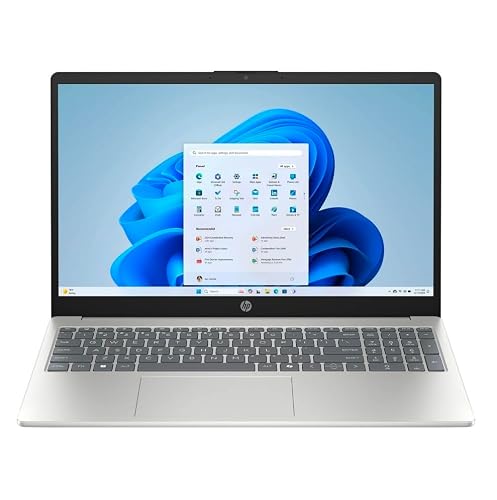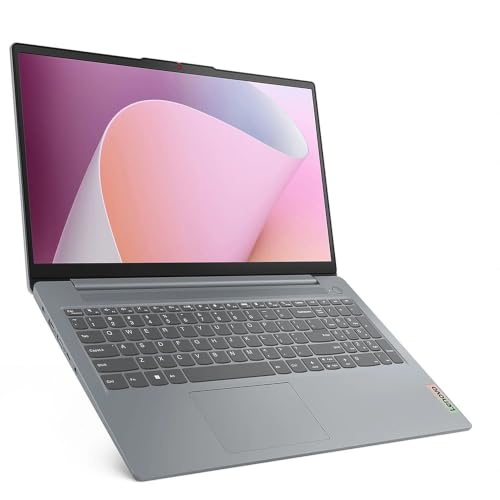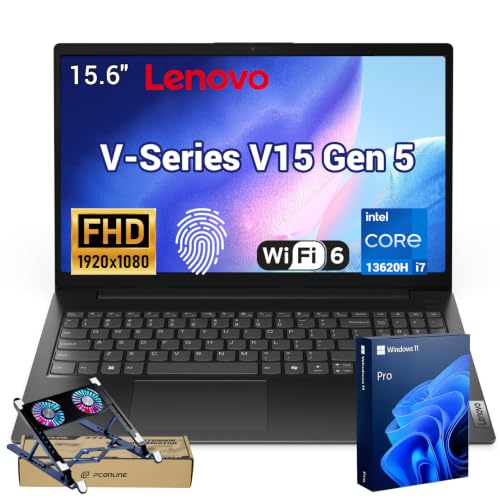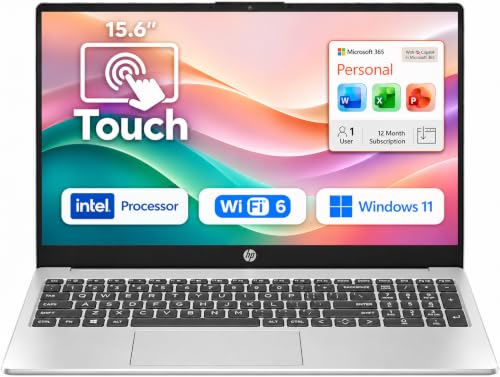
The best home touch screen laptops are the laptops that make everyday home computing easier, because a touch screen turns the things you already do at home into things you can do with a tap. Tapping a video to play it, scrolling a recipe with a floury finger, pinching a photo to zoom in on a grandchild face, or signing a school form with a fingertip are all simpler on a touch screen than with a trackpad alone, and for a family laptop that everyone shares, the touch screen is the feature that makes the laptop feel friendly rather than technical. The laptops in this guide were chosen for home use first. Every one of them has a touch screen that is part of the laptop, not an add-on, and every one of them is a real, current listing with the brand and model verified against the listing before it was included. The list spans the range from the small and portable Dell 11-inch convertible to the large HP OmniBook X Flip with a 16-inch 2K screen, and it covers the two systems a home laptop runs: Windows laptops from HP and Dell, and Chromebooks from Acer and Lenovo that run ChromeOS. There is a laptop here for a kitchen counter, a living room sofa, a home office desk, and a school bag. What makes a home touch screen laptop good is not the touch screen alone. It is the screen size, since a 15.6-inch screen suits a desk and a shared family laptop while an 11-inch screen suits a bag and a child, and it is the memory and storage, since 8GB of memory and a solid state drive are the minimum for a laptop that should stay quick for years. The keyboard matters too, since a home laptop is used for typing as well as tapping, and the battery matters, since a laptop that dies halfway through homework is no use to anyone. The sections below explain those differences in plain terms, so you can choose by the way your household actually uses a laptop. Read the comparison table for a fast overview of screen size, memory, and storage, then dig into the individual sections for the strengths and trade-offs of each laptop. The buying guide at the end explains touch screens, screen size, Windows against ChromeOS, memory and storage, and how to choose a home touch screen laptop that will still feel quick in three years.
In this guide
Quick picks: best home touch screen laptops
| # | Product | Where to buy |
|---|---|---|
| 1 | HP 15.6-inch Touchscreen Laptop | Check on Amazon |
| 2 | HP Touchscreen Laptop for Students and Home | Check on Amazon |
| 3 | HP OmniBook X Flip 2-in-1 Laptop 16-inch | Check on Amazon |
| 4 | Acer Chromebook Spin 314 | Check on Amazon |
| 5 | Lenovo Flagship Chromebook 14-inch Touchscreen | Check on Amazon |
| 6 | HP 15.6-inch Touchscreen Laptop AMD Ryzen 3 | Check on Amazon |
| 7 | Dell 11-inch Touchscreen Convertible Laptop | Check on Amazon |
How the picks were chosen
The picks in this guide were chosen from the site own product listings, with the brand and model verified against each listing before it was included. Renewed or refurbished listings were excluded, since a family laptop bought for years of use should be new, and laptops whose listings do not state a touch screen were excluded, since the touch screen is the point of this guide. Each laptop was judged on the same four points: the touch screen, including size, resolution, and whether it folds back into a tablet shape; the performance, including the processor, the memory, and the storage; the keyboard and build, since a home laptop is typed on every day and carried around the house; and the value, since a home laptop should not cost more than the household needs. The list covers the full range of sizes and systems, from the 11-inch Dell convertible to the 16-inch HP OmniBook, so that every household can find a laptop that fits its rooms and its budget.
Quick comparison
| Product | Screen and storage |
|---|---|
| HP 15.6-inch Touchscreen Laptop | 15.6-inch touchscreen, 8GB RAM, 128GB UFS, 1TB cloud storage, Office 365 included |
| HP Touchscreen Laptop for Students and Home | Touchscreen, 16GB RAM, 128GB SSD, 1TB cloud storage, Office 365 included |
| HP OmniBook X Flip 2-in-1 Laptop 16-inch | 16-inch 2K IPS touchscreen, Intel Ultra 7 256V, 2-in-1 flip, Windows 11 Pro |
| Acer Chromebook Spin 314 | 14-inch WUXGA IPS touchscreen, Intel Core i3-N305, convertible, ChromeOS |
| Lenovo Flagship Chromebook 14-inch Touchscreen | 14-inch FHD touchscreen, 8-core MediaTek Kompanio 520, ChromeOS, slim and light |
| HP 15.6-inch Touchscreen Laptop AMD Ryzen 3 | 15.6-inch HD touchscreen, AMD Ryzen 3 7320U, 8GB RAM, 256GB SSD, Windows 11 |
| Dell 11-inch Touchscreen Convertible Laptop | 11-inch IPS touchscreen, convertible, Intel Pentium, 8GB RAM, 128GB SSD |

1. HP 15.6-inch Touchscreen Laptop
Key specs: 15.6-inch touchscreen, 8GB RAM, 128GB UFS, 1TB cloud storage, Office 365 included
Strengths
- The 15.6-inch touch screen is the right size for a shared family laptop, big enough for two people to look at together and for a video to feel like television.
- It comes with a year of Office 365, so Word, Excel, and cloud storage work from the first day without a separate purchase.
- The 8GB of memory and the cloud storage keep everyday home tasks quick, from homework to bills to video calls.
Trade-offs
- The 128GB of built-in storage is small, so it relies on the 1TB of cloud storage, which needs an internet connection to reach.
- The screen is a standard HD panel rather than a high-resolution display, so text and video are clear rather than sharp.
- It is a standard laptop shape rather than a 2-in-1, so the screen does not fold back into a tablet.
Who it fits best
Families who want a straightforward 15.6-inch touch screen laptop for the kitchen table and the living room.
Best for: Families who want a straightforward 15.6-inch touch screen laptop for the kitchen table and the living room. Not suited for: buyers who need a lot of built-in storage, a high-resolution screen, or a laptop that folds into a tablet.
In daily use
In everyday use, the HP 15.6-inch Touchscreen Laptop settles into a routine quickly. Set it up once, the way you like it, and give yourself a few days to adjust before judging it. The first session is about learning the layout and the feel; the second and third are where it starts to feel natural. Keep it clean, keep it in the conditions it was designed for, and it will stay consistent. If it has parts that wear — cables, surfaces, moving components — a quick check now and then keeps small issues from becoming real ones, and keeping the packaging and documentation for the first weeks makes any return or exchange far simpler.
Before you buy
Before buying the HP 15.6-inch Touchscreen Laptop, check two practical things. First, measure and compare: check the dimensions, the capacity, and the compatibility details listed on the product page against what you already own and the space you have. A product that does not fit your setup will never feel right, whatever its specifications say. Second, think about your routine — where it will live, how it will be stored, and what it needs to connect to. None of this is difficult, but all of it is easier to plan before the product arrives than after.
Check price on Amazon: HP 15.6-inch Touchscreen Laptop

2. HP Touchscreen Laptop for Students and Home
Key specs: Touchscreen, 16GB RAM, 128GB SSD, 1TB cloud storage, Office 365 included
Strengths
- The 16GB of memory is the most here, so it handles many browser tabs, homework, and video calls at the same time without slowing down.
- It is built for students and for home, so it suits a household where one laptop does school work, bills, and video.
- The touch screen and the included Office 365 make it ready for school and for home from the first day.
Trade-offs
- The 128GB of built-in storage is small for a laptop with 16GB of memory, so it relies on cloud storage for large files.
- The listing does not state a high-resolution display, so buyers who want a sharp screen should look at the OmniBook instead.
- It is a standard laptop rather than a convertible, so the screen does not fold back for tablet use.
Who it fits best
Households where one laptop does school work and home work, and where 16GB of memory matters.
Best for: Households where one laptop does school work and home work, and where 16GB of memory matters. Not suited for: buyers who store a lot of video and photos on the laptop itself, or who want a folding 2-in-1 design.
In daily use
Day to day, the HP Touchscreen Laptop for Students and Home is the kind of product you stop thinking about, which is the highest praise it can earn. It does its job the same way every time, without quirks or surprises, and lets you focus on the work or the game instead of the hardware. That consistency matters more than any single feature. Treat it reasonably — a clean desk, a suitable surface, and storage that protects it when it is not in use — and it will keep that consistency for a long time. The best products are the ones that fade into the background.
Before you buy
A few checks before you order the HP Touchscreen Laptop for Students and Home will save disappointment. Confirm the key details on the listing match what you expect — the exact model name, the included accessories, and the variant — since similar-looking models can differ in important ways. Check the return policy and the warranty terms so you know your options if it arrives damaged or does not suit you. And if you are replacing something you already own, compare the new product with the old one on the points that mattered most, rather than on headline features you may never use.
Check price on Amazon: HP Touchscreen Laptop for Students and Home

3. HP OmniBook X Flip 2-in-1 Laptop 16-inch
Key specs: 16-inch 2K IPS touchscreen, Intel Ultra 7 256V, 2-in-1 flip, Windows 11 Pro
Strengths
- The 16-inch 2K IPS touch screen is the best display in this guide, sharp enough for photos, documents, and video to look their best.
- The Intel Ultra 7 processor and Windows 11 Pro make it the most capable laptop here, suited to demanding home office work as well as everyday use.
- The 2-in-1 flip design folds the screen back into a tablet, so it works as a laptop on a desk and as a touch screen tablet on the sofa.
Trade-offs
- It is the most expensive laptop in this guide, and its extra power is wasted on light use like browsing and video.
- A 16-inch laptop is large and heavy in a bag, so it suits a desk and a sofa better than travel.
- Its flagship features matter more to some buyers than to others, and a household that only browses and watches video will not use them.
Who it fits best
Buyers who want the best touch screen and the most capable laptop here, for a home office and for media.
Best for: Buyers who want the best touch screen and the most capable laptop here, for a home office and for media. Not suited for: budget buyers, or buyers who carry a laptop everywhere and want a small, light machine.
In daily use
Over a full week of use, the HP OmniBook X Flip 2-in-1 Laptop 16-inch shows its character in small ways. The feel stays the same from the first day to the last, nothing loosens or rattles, and the finish holds up to regular handling. If you switch between tasks, you will appreciate that it does not need a different setup for each one: configure it once for the way you actually use it and leave it alone. If you share the space with work or family, the same product should handle those jobs without feeling out of place, which is a useful bonus for a single-product setup.
Before you buy
When the HP OmniBook X Flip 2-in-1 Laptop 16-inch arrives, spend a little time setting it up properly. Follow the included instructions, check that everything listed as included is actually in the box, and test the main functions within the first day or two. Then leave the settings alone for a week. Constant tweaking is the enemy of getting used to a product, and most people get better results from a stable setup than from a perfect one. If something feels wrong after a few days, change one thing at a time so you know what actually helped.
Check price on Amazon: HP OmniBook X Flip 2-in-1 Laptop 16-inch

4. Acer Chromebook Spin 314
Key specs: 14-inch WUXGA IPS touchscreen, Intel Core i3-N305, convertible, ChromeOS
Strengths
- The convertible design folds the screen right back, so it works as a laptop for typing and as a tablet for reading and video.
- The 14-inch WUXGA IPS display with Corning Gorilla Glass is tough and clear, which suits a laptop that gets carried around the house.
- ChromeOS is simple and secure, with automatic updates and no need for antivirus software, which suits a family laptop.
Trade-offs
- ChromeOS does not run Windows programs, so buyers who need Word, Excel, or specific Windows software should choose a Windows laptop instead.
- The Intel Core i3-N305 processor is modest, so demanding apps and many tabs at once will slow it down.
- Storage is limited compared with the Windows laptops here, so it suits cloud storage and streaming rather than large local files.
Who it fits best
Families who live in a browser and want a simple, secure, foldable touch screen laptop.
Best for: Families who live in a browser and want a simple, secure, foldable touch screen laptop. Not suited for: buyers who need Windows programs, heavy multitasking, or a lot of built-in storage.
In daily use
In everyday use, the Acer Chromebook Spin 314 settles into a routine quickly. Set it up once, the way you like it, and give yourself a few days to adjust before judging it. The first session is about learning the layout and the feel; the second and third are where it starts to feel natural. Keep it clean, keep it in the conditions it was designed for, and it will stay consistent. If it has parts that wear — cables, surfaces, moving components — a quick check now and then keeps small issues from becoming real ones, and keeping the packaging and documentation for the first weeks makes any return or exchange far simpler.
Before you buy
Before buying the Acer Chromebook Spin 314, check two practical things. First, measure and compare: check the dimensions, the capacity, and the compatibility details listed on the product page against what you already own and the space you have. A product that does not fit your setup will never feel right, whatever its specifications say. Second, think about your routine — where it will live, how it will be stored, and what it needs to connect to. None of this is difficult, but all of it is easier to plan before the product arrives than after.
Check price on Amazon: Acer Chromebook Spin 314

5. Lenovo Flagship Chromebook 14-inch Touchscreen
Key specs: 14-inch FHD touchscreen, 8-core MediaTek Kompanio 520, ChromeOS, slim and light
Strengths
- The 14-inch FHD touch screen is sharp and bright, and the slim, light body makes it easy to carry from room to room.
- The 8-core MediaTek Kompanio 520 processor handles browsing, video, and school work smoothly for a Chromebook.
- It is one of the lightest laptops here, so it suits a bag, a sofa, and a child hands.
Trade-offs
- ChromeOS does not run Windows programs, so it is not the laptop for buyers tied to Windows software.
- The listing does not state a large amount of memory or storage, so buyers who keep many files locally should check the listing first.
- It is a standard laptop shape rather than a convertible, so the screen does not fold back into a tablet.
Who it fits best
Buyers who want a light, sharp 14-inch touch screen Chromebook for browsing, video, and school work.
Best for: Buyers who want a light, sharp 14-inch touch screen Chromebook for browsing, video, and school work. Not suited for: buyers who need Windows programs, a folding design, or large built-in storage.
In daily use
Day to day, the Lenovo Flagship Chromebook 14-inch Touchscreen is the kind of product you stop thinking about, which is the highest praise it can earn. It does its job the same way every time, without quirks or surprises, and lets you focus on the work or the game instead of the hardware. That consistency matters more than any single feature. Treat it reasonably — a clean desk, a suitable surface, and storage that protects it when it is not in use — and it will keep that consistency for a long time. The best products are the ones that fade into the background.
Before you buy
A few checks before you order the Lenovo Flagship Chromebook 14-inch Touchscreen will save disappointment. Confirm the key details on the listing match what you expect — the exact model name, the included accessories, and the variant — since similar-looking models can differ in important ways. Check the return policy and the warranty terms so you know your options if it arrives damaged or does not suit you. And if you are replacing something you already own, compare the new product with the old one on the points that mattered most, rather than on headline features you may never use.
Check price on Amazon: Lenovo Flagship Chromebook 14-inch Touchscreen

6. HP 15.6-inch Touchscreen Laptop AMD Ryzen 3
Key specs: 15.6-inch HD touchscreen, AMD Ryzen 3 7320U, 8GB RAM, 256GB SSD, Windows 11
Strengths
- The AMD Ryzen 3 processor and the 256GB SSD give real built-in storage, so photos and documents live on the laptop rather than in the cloud.
- The 15.6-inch HD touch screen is the right size for a shared family laptop, and Windows 11 runs the programs most households already use.
- It is the best-value Windows touch screen laptop here, with a proper SSD and a proper processor at a modest cost.
Trade-offs
- The HD display is clear rather than sharp, so text and video do not look as crisp as on the 2K OmniBook screen.
- The Ryzen 3 processor is modest, so heavy multitasking and demanding apps will slow it down.
- The battery is ordinary for a 15.6-inch laptop, so it suits a desk and a sofa better than a full day away from a charger.
Who it fits best
Families who want a Windows touch screen laptop with real built-in storage at the best value.
Best for: Families who want a Windows touch screen laptop with real built-in storage at the best value. Not suited for: buyers who want a sharp high-resolution screen, strong performance, or all-day battery away from a charger.
In daily use
Over a full week of use, the HP 15.6-inch Touchscreen Laptop AMD Ryzen 3 shows its character in small ways. The feel stays the same from the first day to the last, nothing loosens or rattles, and the finish holds up to regular handling. If you switch between tasks, you will appreciate that it does not need a different setup for each one: configure it once for the way you actually use it and leave it alone. If you share the space with work or family, the same product should handle those jobs without feeling out of place, which is a useful bonus for a single-product setup.
Before you buy
When the HP 15.6-inch Touchscreen Laptop AMD Ryzen 3 arrives, spend a little time setting it up properly. Follow the included instructions, check that everything listed as included is actually in the box, and test the main functions within the first day or two. Then leave the settings alone for a week. Constant tweaking is the enemy of getting used to a product, and most people get better results from a stable setup than from a perfect one. If something feels wrong after a few days, change one thing at a time so you know what actually helped.
Check price on Amazon: HP 15.6-inch Touchscreen Laptop AMD Ryzen 3

7. Dell 11-inch Touchscreen Convertible Laptop
Key specs: 11-inch IPS touchscreen, convertible, Intel Pentium, 8GB RAM, 128GB SSD
Strengths
- The 11-inch IPS touch screen and the convertible design make it the most portable laptop here, folding into a tablet that a child can hold.
- At 11 inches it fits in a small bag and on a crowded desk, so it suits school, travel, and a kitchen counter.
- The 8GB of memory and the 128GB SSD are enough for browsing, homework, and video, which is what a small laptop is for.
Trade-offs
- The Intel Pentium processor is the slowest here, so it is not the laptop for demanding work or for many tabs at once.
- An 11-inch screen is small for two people to share and for long documents, so it suits one person at a time.
- The small keyboard suits small hands and short sessions better than long typing days.
Who it fits best
Children, travellers, and buyers who want the smallest, lightest touch screen laptop here.
Best for: Children, travellers, and buyers who want the smallest, lightest touch screen laptop here. Not suited for: buyers who share a laptop, type for hours, or need strong performance for demanding work.
In daily use
In everyday use, the Dell 11-inch Touchscreen Convertible Laptop settles into a routine quickly. Set it up once, the way you like it, and give yourself a few days to adjust before judging it. The first session is about learning the layout and the feel; the second and third are where it starts to feel natural. Keep it clean, keep it in the conditions it was designed for, and it will stay consistent. If it has parts that wear — cables, surfaces, moving components — a quick check now and then keeps small issues from becoming real ones, and keeping the packaging and documentation for the first weeks makes any return or exchange far simpler.
Before you buy
Before buying the Dell 11-inch Touchscreen Convertible Laptop, check two practical things. First, measure and compare: check the dimensions, the capacity, and the compatibility details listed on the product page against what you already own and the space you have. A product that does not fit your setup will never feel right, whatever its specifications say. Second, think about your routine — where it will live, how it will be stored, and what it needs to connect to. None of this is difficult, but all of it is easier to plan before the product arrives than after.
Check price on Amazon: Dell 11-inch Touchscreen Convertible Laptop
Buying guide: best home touch screen laptops
Touch screen: what it changes at home
A touch screen changes a home laptop in small ways that add up. Tapping a video to play it, scrolling a long page with a finger, zooming a photo with a pinch, and signing a form with a fingertip are all quicker by touch than with a trackpad, and for children and for older relatives a touch screen is often easier to learn than a trackpad. A 2-in-1 laptop that folds back into a tablet makes the touch screen even more useful, since the laptop becomes a large tablet for reading and video. If the laptop stays on a desk, a standard touch screen is enough; if it moves around the house, a folding 2-in-1 is worth having.
Screen size: 11 inches to 16 inches
Screen size decides where a laptop lives. An 11-inch laptop, like the Dell convertible, fits in a small bag and is best for a child, for travel, and for a crowded desk. A 14-inch laptop, like the Acer Spin and the Lenovo Chromebook, is the all-round size for a bag and a sofa. A 15.6-inch laptop, like the HP models, is best for a shared family laptop on a kitchen table, since two people can look at it together. A 16-inch laptop, like the HP OmniBook, is a desk laptop with the best screen. Choose by where the laptop is used, not by the biggest number.
Windows or ChromeOS
Most laptops here run Windows 11, which means the programs most households already use, including Word, Excel, and the full range of Windows software, and two of them include a year of Office 365. The Acer and Lenovo laptops run ChromeOS, which is simpler and more secure, with automatic updates and no need for antivirus software, but which does not run Windows programs. If your household uses Word and Excel, buy a Windows laptop. If your household lives in a browser, uses Google apps, and wants the simplest laptop to look after, a Chromebook is the answer.
Memory and storage: 8GB and a solid state drive
Eight gigabytes of memory is the minimum for a home laptop that should stay quick, and every laptop here has at least 8GB, with the HP student laptop offering 16GB for heavier multitasking. Storage is where the laptops differ: the HP models pair a small 128GB drive with 1TB of cloud storage, which is fine for documents and photos that live online, while the HP Ryzen 3 model and the Dell convertible have a 256GB or 128GB solid state drive for files kept on the laptop. A solid state drive matters more than the number of gigabytes, since it makes the laptop start quickly and open programs without waiting.
Battery and keyboard: the everyday details
Battery life decides whether a laptop can leave its charger. A 15.6-inch Windows laptop typically lasts a working morning on battery, while a Chromebook lasts longer, since ChromeOS uses less power. If the laptop mostly sits on a desk, battery life matters less than the screen and the keyboard; if it moves from room to room, it matters more. The keyboard matters every day, since a home laptop is typed on for homework, for bills, and for messages, so a full-size keyboard with comfortable keys is worth more than a thin one. Check the listing for a backlit keyboard if the laptop is used in the evening.
How to choose for your household
Start with the people who will use the laptop. A child needs a small, tough, portable laptop like the Dell convertible or a Chromebook. A student needs memory and Office, which points to the HP student laptop with 16GB of memory and a year of Office 365. A shared family laptop needs a big screen, which points to the 15.6-inch HP models. A home office needs power and the best screen, which points to the HP OmniBook. And a household that lives in a browser needs simplicity, which points to the Acer Spin or the Lenovo Chromebook. Buy the laptop for the household you have, not for the household you imagine.
How to use and care for it
A touch screen laptop lasts longer with a little care. Clean the screen with a soft, dry cloth or a cloth made for screens, and never use a household cleaner or a paper towel, since both can damage the coating that keeps the touch screen smooth. Close the lid gently and carry the laptop by its base rather than by its screen, since a touch screen laptop has a hinge that works harder than a standard laptop hinge. Keep food and drink away from the keyboard, and charge the laptop with the charger it came with, avoiding letting the battery sit empty for weeks. Install updates when they arrive, since they carry security fixes, and back up photos and documents to cloud storage or to an external drive, so a lost or broken laptop is an inconvenience rather than a disaster. A simple sleeve or case protects the laptop in a bag, and a screen protector is worth considering if a child uses the laptop.
Common mistakes to avoid
The most common mistake is buying a laptop without checking that the screen is really a touch screen, since many laptops look identical and only some have touch, and a laptop bought for touch that has no touch cannot be fixed. The second is buying too little storage, since 128GB fills up fast with photos and video, and a laptop that relies on cloud storage needs an internet connection to reach its files. The third is choosing the wrong system, since a Chromebook cannot run Windows programs and a Windows laptop needs more looking after than a Chromebook. The fourth is buying the biggest screen for a child or for travel, since a 16-inch laptop is a burden in a small bag and an 11-inch laptop is too small for two people to share. The fifth is ignoring the keyboard, since a laptop used for homework every day needs comfortable keys, and a cramped keyboard makes typing a chore. The sixth is skipping the setup, since a laptop left with its default settings, no updates, and no backup will slow down and lose files sooner than a laptop set up properly on the first day.
Final recommendation
The best home touch screen laptop depends on who uses it and where it lives. The HP 15.6-inch Touchscreen Laptop is the best all-round choice for a family, with a big touch screen, 8GB of memory, and a year of Office 365, while the HP student laptop adds 16GB of memory for households where one laptop does school work and home work. The HP OmniBook X Flip is the best screen and the most capable laptop here, with a 16-inch 2K display and a folding design, and the HP Ryzen 3 model is the best-value Windows touch screen laptop, with a real 256GB solid state drive. The Acer Chromebook Spin 314 is the best folding Chromebook, simple and secure for a browser household, the Lenovo Chromebook is the lightest 14-inch touch screen here, and the Dell 11-inch convertible is the smallest and most portable laptop in the guide. Whichever you choose, check that the screen is really a touch screen, buy the memory and storage your household needs, and pick the system your household already uses.
Frequently asked questions
What is the best home touch screen laptop?
For most households, the HP 15.6-inch Touchscreen Laptop is the best home touch screen laptop: it has a big touch screen, 8GB of memory, and a year of Office 365 included. For the best screen and the most power, choose the HP OmniBook X Flip, and for the best value with real built-in storage, choose the HP 15.6-inch Ryzen 3 model.
Is a touch screen laptop good for home use?
Yes, a touch screen makes the everyday things a household does on a laptop easier: tapping videos, scrolling pages, zooming photos, and signing forms. It is especially helpful for children and for older relatives, who often find touch easier than a trackpad, and a 2-in-1 that folds into a tablet is the most flexible home laptop of all.
Should I buy a Windows laptop or a Chromebook for home?
Buy a Windows laptop if your household uses Word, Excel, or other Windows programs, since ChromeOS cannot run them. Buy a Chromebook if your household lives in a browser, uses Google apps, and wants the simplest and most secure laptop to look after, with automatic updates and no antivirus software to manage.
What size touch screen laptop is best for home?
A 15.6-inch screen is best for a shared family laptop on a kitchen table, since two people can look at it together. A 14-inch screen is the all-round size for a bag and a sofa, an 11-inch screen is best for a child and for travel, and a 16-inch screen is best for a home office desk.
How much memory and storage does a home laptop need?
Eight gigabytes of memory is the minimum for a home laptop, and 16GB is worth having if the laptop runs many browser tabs at once. For storage, a 256GB solid state drive is enough for files kept on the laptop, while a 128GB drive with 1TB of cloud storage suits a household whose photos and documents live online.
Related guides
More on this site: student-friendly laptops desktop replacement laptops 17-inch touch screen laptops