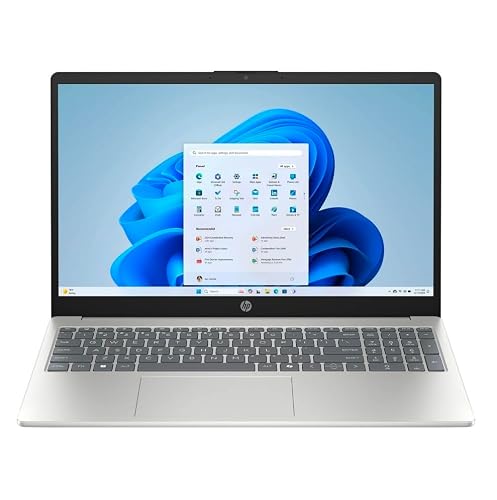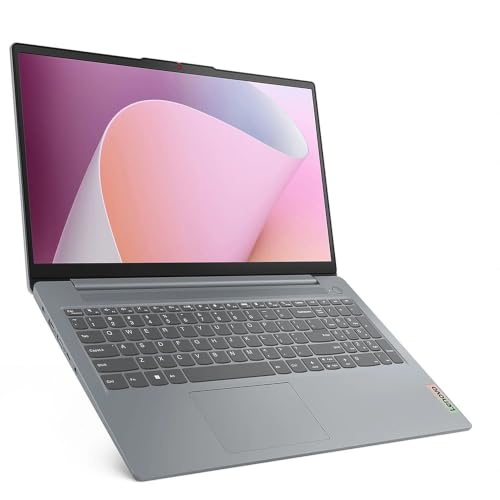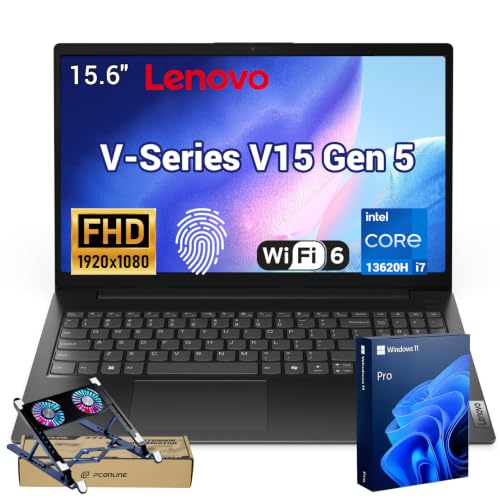
A student friendly laptop is not the most powerful laptop or the cheapest laptop — it is the laptop that makes student life easier. It needs to be light enough to carry across campus all day, it needs a battery that lasts through lectures, it needs a keyboard that is comfortable for long essays, and it needs to run the apps a student actually uses: a browser with many tabs, documents, video calls, and the occasional stream or game. The best student laptops are the ones that disappear into the routine: they open fast, they stay quiet in a library, and they do not demand attention. The laptops in this guide cover the three kinds of student machine that actually sell. Windows laptops like the Dell 15.6, the Acer Aspire Go 15, and the HP 14 run the full Windows software a student may need, from Office to specialist apps. Chromebooks like the HP 14 Chromebook, the Lenovo Flagship Chromebook, and the HP Chromebook 14 are lighter, simpler, and cheaper, and they are ideal for students who live in a browser and in Google apps. The Apple MacBook Air with the M5 chip is the premium pick: silent, fast, and with the longest battery life here. This guide compares seven student friendly laptops, from budget Chromebooks to the MacBook Air. Each one below is a complete laptop — screen, keyboard, battery, and operating system included — not a tablet, a bare screen, or a laptop part. Every model was checked against its current Amazon listing. Read the comparison table for a fast overview, then dig into the individual sections for the strengths and trade-offs that matter for your courses, your bag, and your budget. One practical note before the list: check what software your courses need before you buy. If a course needs Windows-only software, a Chromebook will not run it. If your school uses Google Classroom and web apps, a Chromebook is ideal. The operating system matters more than the processor for most students.
In this guide
Quick picks: best student friendly laptops
| # | Product | Where to buy |
|---|---|---|
| 1 | Dell 15.6 Laptop, FHD, Intel Core 3 100U, 8GB RAM, Windows 11 Home | Check on Amazon |
| 2 | Acer Aspire Go 15 AI Ready Laptop, 15.6-Inch FHD IPS Display, Intel Core 3 N355 | Check on Amazon |
| 3 | HP 14-Inch HD Chromebook Laptop for Students, Intel Quad-Core N4120, 4GB RAM, 64GB eMMC | Check on Amazon |
| 4 | Lenovo Flagship Chromebook, 14-Inch FHD Touchscreen, MediaTek Kompanio 520 | Check on Amazon |
| 5 | Apple 2026 MacBook Air 13-inch Laptop with M5 chip, 13.6-inch Liquid Retina Display, 16GB Unified Memory | Check on Amazon |
| 6 | HP 14 inch Laptop, HD Display, Intel N150, 4GB RAM, 128GB UFS, Windows 11 Home | Check on Amazon |
| 7 | HP Chromebook 14 Laptop, Intel Celeron N4120, 4GB RAM, 64GB eMMC, 14-Inch HD Display, Chrome OS | Check on Amazon |
Quick comparison
| Product | Key traits |
|---|---|
| Dell 15.6 Laptop, FHD, Intel Core 3 100U, 8GB RAM, Windows 11 Home | 15.6 inch FHD, Core 3 100U, 8GB RAM, Windows 11 |
| Acer Aspire Go 15 AI Ready Laptop, 15.6-Inch FHD IPS Display, Intel Core 3 N355 | 15.6 inch FHD IPS, Core 3 N355, AI ready |
| HP 14-Inch HD Chromebook Laptop for Students, Intel Quad-Core N4120, 4GB RAM, 64GB eMMC | 14 inch HD, N4120, 4GB RAM, 64GB eMMC, Chrome OS |
| Lenovo Flagship Chromebook, 14-Inch FHD Touchscreen, MediaTek Kompanio 520 | 14 inch FHD touchscreen, Kompanio 520, Chrome OS |
| Apple 2026 MacBook Air 13-inch Laptop with M5 chip, 13.6-inch Liquid Retina Display, 16GB Unified Memory | 13.6 inch Liquid Retina, M5, 16GB memory |
| HP 14 inch Laptop, HD Display, Intel N150, 4GB RAM, 128GB UFS, Windows 11 Home | 14 inch HD, N150, 4GB RAM, 128GB UFS, Windows 11 |
| HP Chromebook 14 Laptop, Intel Celeron N4120, 4GB RAM, 64GB eMMC, 14-Inch HD Display, Chrome OS | 14 inch HD, Celeron N4120, 4GB RAM, 64GB eMMC, Chrome OS |

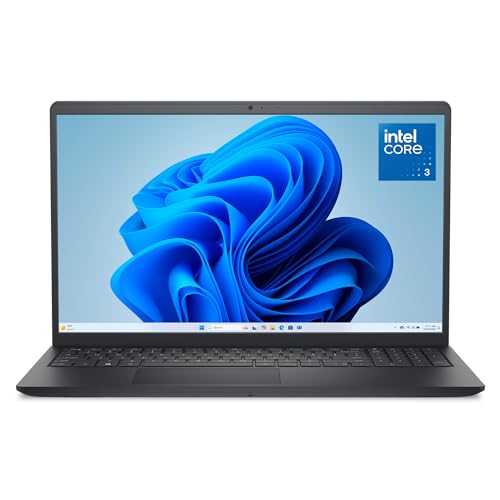
1. Dell 15.6 Laptop, FHD, Intel Core 3 100U, 8GB RAM, Windows 11 Home
What stands out
The Dell 15.6 laptop is the best all-round student laptop on this list, and its balance is the reason. It has a full HD 15.6-inch screen, an Intel Core 3 100U processor, 8GB of RAM, and Windows 11 Home, which covers essays, research, video calls, and everyday apps without slowing down. The anti-glare screen is easy on the eyes in a bright lecture hall, and the full-size screen makes split-screen work — notes on one side, a document on the other — comfortable. For a student who wants one laptop that does everything, this is the safe choice.
Trade-offs to weigh
The trade-offs are size and weight. A 15.6-inch laptop is bigger and heavier than a 14-inch Chromebook, and it takes up more room in a bag and on a small lecture desk. The battery life is good but not as long as the MacBook Air, and the design is plain rather than stylish. Buyers who walk a long way across campus every day may prefer a lighter 14-inch model; buyers who want the biggest screen for the money should stay with the Dell.
Who it fits best
Best for students who want one Windows laptop that handles every course, especially those who work with documents and research side by side.
In daily use
In everyday use, the Dell 15.6 Laptop, FHD, Intel Core 3 100U, 8GB RAM, Windows 11 Home settles into a routine quickly. Set it up once, the way you like it, and give yourself a few days to adjust before judging it. The first session is about learning the layout and the feel; the second and third are where it starts to feel natural. Keep it clean, keep it in the conditions it was designed for, and it will stay consistent. If it has parts that wear — cables, surfaces, moving components — a quick check now and then keeps small issues from becoming real ones, and keeping the packaging and documentation for the first weeks makes any return or exchange far simpler. Pay attention to the small details in the first week, like how it feels after an hour of use and whether anything needs adjusting, because those early impressions usually predict how happy you will be with it in six months.
Before you buy
Before buying the Dell 15.6 Laptop, FHD, Intel Core 3 100U, 8GB RAM, Windows 11 Home, check two practical things. First, measure and compare: check the dimensions, the capacity, and the compatibility details listed on the product page against what you already own and the space you have. A product that does not fit your setup will never feel right, whatever its specifications say. Second, think about your routine — where it will live, how it will be stored, and what it needs to connect to. None of this is difficult, but all of it is easier to plan before the product arrives than after. Finally, check the reviews for long-term reports rather than first impressions, because a product that still earns praise after six months is a safer buy than one that only impresses on the first day.
Check price on Amazon: Dell 15.6 Laptop, FHD, Intel Core 3 100U, 8GB RAM, Windows 11 Home

2. Acer Aspire Go 15 AI Ready Laptop, 15.6-Inch FHD IPS Display, Intel Core 3 N355
What stands out
The Acer Aspire Go 15 is the AI-ready pick in this list, and its screen is the reason. It has a 15.6-inch full HD IPS display with good viewing angles, an Intel Core 3 N355 processor, and AI-ready features for the newest Windows tools. The IPS screen looks better than a standard display from the side, which matters when you share your screen with a classmate or work in a group. For students who want a modern Windows laptop with a good screen at a fair cost, the Aspire Go 15 is the pick.
Trade-offs to weigh
The trade-offs are the same as any 15.6-inch laptop: it is bigger and heavier than a 14-inch Chromebook, and it needs a proper bag. The AI features are useful, but they do not change everyday student work — essays, browsing, and video calls run the same on any modern laptop. Buyers who want the lightest laptop should look at the Chromebooks; buyers who want the best screen for the money should take the Acer.
Who it fits best
Best for students who want a modern Windows laptop with a good IPS screen, especially for group work and media.
In daily use
Day to day, the Acer Aspire Go 15 AI Ready Laptop, 15.6-Inch FHD IPS Display, Intel Core 3 N355 is the kind of product you stop thinking about, which is the highest praise it can earn. It does its job the same way every time, without quirks or surprises, and lets you focus on the work or the game instead of the hardware. That consistency matters more than any single feature. Treat it reasonably — a clean desk, a suitable surface, and storage that protects it when it is not in use — and it will keep that consistency for a long time. The best products are the ones that fade into the background. If you use it in different places, try it in each one during the first week, because a product that works well on a desk can feel different in a bag, in a car, or in a shared room.
Before you buy
A few checks before you order the Acer Aspire Go 15 AI Ready Laptop, 15.6-Inch FHD IPS Display, Intel Core 3 N355 will save disappointment. Confirm the key details on the listing match what you expect — the exact model name, the included accessories, and the variant — since similar-looking models can differ in important ways. Check the return policy and the warranty terms so you know your options if it arrives damaged or does not suit you. And if you are replacing something you already own, compare the new product with the old one on the points that mattered most, rather than on headline features you may never use. Also check what is not included in the box, like cables, mounts, or adapters, since those extras can add cost and delay if you need to order them separately after the product arrives.

3. HP 14-Inch HD Chromebook Laptop for Students, Intel Quad-Core N4120, 4GB RAM, 64GB eMMC
What stands out
The HP 14-inch HD Chromebook for students is the budget pick in this list, and its simplicity is the reason. It is a Chromebook built for students: an Intel Quad-Core N4120 processor, 4GB of RAM, 64GB of storage, Wi-Fi, a webcam, and Chrome OS. It boots in seconds, it updates itself, and it has no viruses to worry about in the usual sense — a student who lives in a browser, in Google Docs, and in video calls will find it does everything they need. The 14-inch size is easy to carry, and the cost is the lowest for a full laptop here.
Trade-offs to weigh
The trade-offs are software and storage. A Chromebook runs web apps and Android apps, but it does not run Windows software, so a course that needs a Windows-only program will be a problem. The 64GB of storage is small, so files live in the cloud rather than on the laptop. And 4GB of RAM is enough for browsing and documents, but it struggles with many tabs open at once. Buyers who need Windows should choose the Dell or the HP 14 Windows laptop instead.
Who it fits best
Best for students on a tight budget who live in a browser and in Google apps, especially for essays and research.
In daily use
Over a full week of use, the HP 14-Inch HD Chromebook Laptop for Students, Intel Quad-Core N4120, 4GB RAM, 64GB eMMC shows its character in small ways. The feel stays the same from the first day to the last, nothing loosens or rattles, and the finish holds up to regular handling. If you switch between tasks, you will appreciate that it does not need a different setup for each one: configure it once for the way you actually use it and leave it alone. If you share the space with work or family, the same product should handle those jobs without feeling out of place, which is a useful bonus for a single-product setup. Notice how it handles the edges of its job too, not just the middle: the first and last minutes of a session, the switch between tasks, and the moment you put it away all tell you more than the headline features do.
Before you buy
When the HP 14-Inch HD Chromebook Laptop for Students, Intel Quad-Core N4120, 4GB RAM, 64GB eMMC arrives, spend a little time setting it up properly. Follow the included instructions, check that everything listed as included is actually in the box, and test the main functions within the first day or two. Then leave the settings alone for a week. Constant tweaking is the enemy of getting used to a product, and most people get better results from a stable setup than from a perfect one. If something feels wrong after a few days, change one thing at a time so you know what actually helped. Write down the settings that work best for you once you find them, so you can return to them quickly if the product is ever reset or if you need to set up a second one the same way.

4. Lenovo Flagship Chromebook, 14-Inch FHD Touchscreen, MediaTek Kompanio 520
What stands out
The Lenovo Flagship Chromebook is the premium Chromebook on this list, and its touchscreen is the reason. It has a 14-inch full HD touchscreen, a slim and light design, and an 8-core MediaTek Kompanio 520 processor, which makes it the fastest Chromebook here. The touchscreen turns the laptop into a more flexible tool: tap, scroll, and annotate notes directly on the screen, and use Android apps that work better with touch. For students who want a Chromebook that feels like a modern device rather than a budget compromise, this is the pick.
Trade-offs to weigh
The trade-offs are the same as any Chromebook: it does not run Windows software, and its storage is limited compared with a Windows laptop. The touchscreen adds cost, and students who never touch their screen will not use it. It is also a MediaTek processor rather than Intel, which is fine for Chrome OS but means some Linux apps may behave differently. Buyers who need Windows should look elsewhere; buyers who want the best Chromebook here should take the Lenovo.
Who it fits best
Best for students who want a fast, light Chromebook with a touchscreen, especially for note-taking and Android apps.
In daily use
In everyday use, the Lenovo Flagship Chromebook, 14-Inch FHD Touchscreen, MediaTek Kompanio 520 settles into a routine quickly. Set it up once, the way you like it, and give yourself a few days to adjust before judging it. The first session is about learning the layout and the feel; the second and third are where it starts to feel natural. Keep it clean, keep it in the conditions it was designed for, and it will stay consistent. If it has parts that wear — cables, surfaces, moving components — a quick check now and then keeps small issues from becoming real ones, and keeping the packaging and documentation for the first weeks makes any return or exchange far simpler. Pay attention to the small details in the first week, like how it feels after an hour of use and whether anything needs adjusting, because those early impressions usually predict how happy you will be with it in six months.
Before you buy
Before buying the Lenovo Flagship Chromebook, 14-Inch FHD Touchscreen, MediaTek Kompanio 520, check two practical things. First, measure and compare: check the dimensions, the capacity, and the compatibility details listed on the product page against what you already own and the space you have. A product that does not fit your setup will never feel right, whatever its specifications say. Second, think about your routine — where it will live, how it will be stored, and what it needs to connect to. None of this is difficult, but all of it is easier to plan before the product arrives than after. Finally, check the reviews for long-term reports rather than first impressions, because a product that still earns praise after six months is a safer buy than one that only impresses on the first day.
Check price on Amazon: Lenovo Flagship Chromebook, 14-Inch FHD Touchscreen, MediaTek Kompanio 520

5. Apple 2026 MacBook Air 13-inch Laptop with M5 chip, 13.6-inch Liquid Retina Display, 16GB Unified Memory
What stands out
The Apple 2026 MacBook Air 13-inch with the M5 chip is the premium pick in this list, and its battery life and silence are the reason. It has a 13.6-inch Liquid Retina display, 16GB of unified memory, and the M5 chip, which is fast and completely silent — there is no fan. The battery lasts through a full day of lectures and beyond, the screen is the best here for reading and media, and the build quality is the highest in the guide. For students who want the best laptop experience and can afford it, the MacBook Air is the benchmark.
Trade-offs to weigh
The trade-offs are cost and software. The MacBook Air costs far more than any other laptop here, and it runs macOS rather than Windows, so Windows-only course software needs a workaround. The 13-inch screen is smaller than the 15.6-inch Windows laptops, and the ports are limited to USB-C. Buyers who need Windows or a big screen should choose the Dell; buyers who want the best all-round student laptop and use Apple or web apps should take the MacBook Air.
Who it fits best
Best for students who want the longest battery life, a silent laptop, and the best screen, especially those already using Apple devices.
In daily use
Day to day, the Apple 2026 MacBook Air 13-inch Laptop with M5 chip, 13.6-inch Liquid Retina Display, 16GB Unified Memory is the kind of product you stop thinking about, which is the highest praise it can earn. It does its job the same way every time, without quirks or surprises, and lets you focus on the work or the game instead of the hardware. That consistency matters more than any single feature. Treat it reasonably — a clean desk, a suitable surface, and storage that protects it when it is not in use — and it will keep that consistency for a long time. The best products are the ones that fade into the background. If you use it in different places, try it in each one during the first week, because a product that works well on a desk can feel different in a bag, in a car, or in a shared room.
Before you buy
A few checks before you order the Apple 2026 MacBook Air 13-inch Laptop with M5 chip, 13.6-inch Liquid Retina Display, 16GB Unified Memory will save disappointment. Confirm the key details on the listing match what you expect — the exact model name, the included accessories, and the variant — since similar-looking models can differ in important ways. Check the return policy and the warranty terms so you know your options if it arrives damaged or does not suit you. And if you are replacing something you already own, compare the new product with the old one on the points that mattered most, rather than on headline features you may never use. Also check what is not included in the box, like cables, mounts, or adapters, since those extras can add cost and delay if you need to order them separately after the product arrives.

6. HP 14 inch Laptop, HD Display, Intel N150, 4GB RAM, 128GB UFS, Windows 11 Home
What stands out
The HP 14-inch Windows laptop with the Intel N150 is the lightest Windows laptop on this list, and its portability is the reason. It has a 14-inch HD display, an Intel N150 processor, 4GB of RAM, and 128GB of UFS storage with Windows 11 Home, plus a year of Microsoft 365. It is an ultra-light laptop that fits easily in a bag and on a small lecture desk, and it runs the full Windows software a student may need. For students who want Windows in the smallest package, this is the pick.
Trade-offs to weigh
The trade-offs are performance and storage. The N150 processor and 4GB of RAM handle browsing, documents, and video calls, but they struggle with heavy multitasking and with demanding apps. The HD display is less sharp than the full HD screens on the Dell and Acer, and 128GB of storage fills up fast. Buyers who open many tabs or run heavier software should choose the Dell with 8GB of RAM instead.
Who it fits best
Best for students who want the lightest Windows laptop for notes, essays, and video calls.
In daily use
Over a full week of use, the HP 14 inch Laptop, HD Display, Intel N150, 4GB RAM, 128GB UFS, Windows 11 Home shows its character in small ways. The feel stays the same from the first day to the last, nothing loosens or rattles, and the finish holds up to regular handling. If you switch between tasks, you will appreciate that it does not need a different setup for each one: configure it once for the way you actually use it and leave it alone. If you share the space with work or family, the same product should handle those jobs without feeling out of place, which is a useful bonus for a single-product setup. Notice how it handles the edges of its job too, not just the middle: the first and last minutes of a session, the switch between tasks, and the moment you put it away all tell you more than the headline features do.
Before you buy
When the HP 14 inch Laptop, HD Display, Intel N150, 4GB RAM, 128GB UFS, Windows 11 Home arrives, spend a little time setting it up properly. Follow the included instructions, check that everything listed as included is actually in the box, and test the main functions within the first day or two. Then leave the settings alone for a week. Constant tweaking is the enemy of getting used to a product, and most people get better results from a stable setup than from a perfect one. If something feels wrong after a few days, change one thing at a time so you know what actually helped. Write down the settings that work best for you once you find them, so you can return to them quickly if the product is ever reset or if you need to set up a second one the same way.
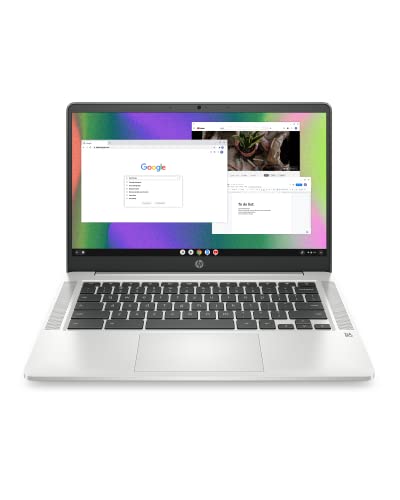
7. HP Chromebook 14 Laptop, Intel Celeron N4120, 4GB RAM, 64GB eMMC, 14-Inch HD Display, Chrome OS
What stands out
The HP Chromebook 14 is the classic student Chromebook on this list, and its value is the reason. It has an Intel Celeron N4120 processor, 4GB of RAM, 64GB of storage, a 14-inch HD display, and Chrome OS in a thin design. It does the student essentials well: browsing, documents, video calls, and streaming, with a battery that lasts a school day. It is light, it boots fast, and it costs less than a Windows laptop with the same size screen. For a student who needs a reliable second laptop or a first laptop on a budget, it is a solid choice.
Trade-offs to weigh
The trade-offs are the same as any Chromebook: no Windows software, small storage, and 4GB of RAM that limits heavy multitasking. The HD display is less sharp than the full HD touchscreen on the Lenovo Chromebook, and the design is plain. Buyers who want the best Chromebook should take the Lenovo; buyers who want the cheapest reliable student laptop should take this HP.
Who it fits best
Best for students who want a cheap, reliable Chromebook for everyday schoolwork.
In daily use
In everyday use, the HP Chromebook 14 Laptop, Intel Celeron N4120, 4GB RAM, 64GB eMMC, 14-Inch HD Display, Chrome OS settles into a routine quickly. Set it up once, the way you like it, and give yourself a few days to adjust before judging it. The first session is about learning the layout and the feel; the second and third are where it starts to feel natural. Keep it clean, keep it in the conditions it was designed for, and it will stay consistent. If it has parts that wear — cables, surfaces, moving components — a quick check now and then keeps small issues from becoming real ones, and keeping the packaging and documentation for the first weeks makes any return or exchange far simpler. Pay attention to the small details in the first week, like how it feels after an hour of use and whether anything needs adjusting, because those early impressions usually predict how happy you will be with it in six months.
Before you buy
Before buying the HP Chromebook 14 Laptop, Intel Celeron N4120, 4GB RAM, 64GB eMMC, 14-Inch HD Display, Chrome OS, check two practical things. First, measure and compare: check the dimensions, the capacity, and the compatibility details listed on the product page against what you already own and the space you have. A product that does not fit your setup will never feel right, whatever its specifications say. Second, think about your routine — where it will live, how it will be stored, and what it needs to connect to. None of this is difficult, but all of it is easier to plan before the product arrives than after. Finally, check the reviews for long-term reports rather than first impressions, because a product that still earns praise after six months is a safer buy than one that only impresses on the first day.
Buying guide
Windows, Chrome OS, or macOS: choose the system first
The operating system matters more than the processor for a student. Windows runs the widest range of software, including Office and specialist course apps. Chrome OS is simpler, cheaper, and ideal for students who live in a browser and in Google apps. macOS suits students who already use Apple devices and want the longest battery life. Check what your courses need before you buy — a laptop that cannot run your course software is the wrong laptop, whatever its specifications say.
Screen size: 13, 14, or 15.6 inches
A 13-inch or 14-inch laptop is lighter and easier to carry across campus, and it fits on a small lecture desk. A 15.6-inch laptop gives you more room for split-screen work and media, but it is heavier and needs a bigger bag. Most students are happiest with a 14-inch laptop as the middle ground. If you work with documents side by side often, the bigger screen is worth the weight.
RAM: 4GB is the minimum, 8GB is comfortable
RAM decides how many apps and browser tabs you can keep open at once. 4GB handles browsing and documents, but it struggles with many tabs. 8GB is comfortable for a student who keeps a browser, documents, and video calls open together. 16GB, as in the MacBook Air, is generous and future-proof. If you can afford 8GB, buy it — it is the single best upgrade for everyday smoothness.
Battery life: a full day matters
A student laptop needs to last through lectures without hunting for a socket. Chromebooks and the MacBook Air last longest; budget Windows laptops last less. Check the battery life on the listing, and remember that real use — bright screen, video calls, many tabs — drains the battery faster than the listed figure. Carry the charger in your bag for the first weeks until you know how long the battery really lasts.
Weight: carry it all day
A laptop that feels light in the shop can feel heavy after a full day across campus. A 14-inch Chromebook weighs far less than a 15.6-inch Windows laptop, and the difference shows by the afternoon. If you walk a long way between classes, weight matters as much as performance. Try the laptop in a bag before you buy if you can, and remember that the charger and books add weight too.
Storage: 64GB, 128GB, or more
Storage decides how many files live on the laptop itself. 64GB on a Chromebook is fine because files live in the cloud. 128GB on a Windows laptop is the minimum for documents, apps, and a few media files, and it fills up fast. If you store photos, videos, or games, look for 256GB or more, or plan to use an external drive. Check the storage type too — an SSD is far faster than the eMMC storage in budget laptops.
Frequently asked questions
What is the best student friendly laptop?
For most students, the Dell 15.6 laptop is the best all-round choice: a full HD screen, a Core 3 processor, 8GB of RAM, and Windows 11. Budget buyers should choose an HP Chromebook, and buyers who want the longest battery life should choose the MacBook Air.
Is a Chromebook good for students?
Yes, if your schoolwork lives in a browser and in Google apps. Chromebooks are light, cheap, fast to boot, and easy to manage. They do not run Windows software, so check your course requirements first — a course that needs Windows-only apps needs a Windows laptop.
How much RAM does a student laptop need?
4GB is the minimum for browsing and documents, 8GB is comfortable for multitasking with many tabs and video calls, and 16GB is generous. If you can afford 8GB, buy it — it makes the laptop feel faster for longer.
Is the MacBook Air good for students?
Yes, it is the best student laptop for battery life, silence, and screen quality, and it runs the apps most students need. It costs more than the Windows laptops here and it runs macOS, so check that your course software works on a Mac before buying.
What screen size is best for a student laptop?
A 14-inch screen is the best middle ground for most students: light enough to carry and big enough to work on. A 15.6-inch screen is better for split-screen work, and a 13-inch screen is the lightest option for students who walk a long way.
Should a student buy a laptop with a touchscreen?
A touchscreen is useful for annotating notes and using Android apps on a Chromebook, as in the Lenovo Flagship Chromebook here. It is not essential for most students, and it adds cost — buy it if you will actually touch the screen, not because it sounds useful.
Conclusion
The best student friendly laptop is the one that fits your courses, your bag, and your budget. The Dell 15.6 is the best all-round Windows laptop for most students, the Acer Aspire Go 15 is the pick for the best screen, and the HP 14 Windows laptop is the lightest Windows option. The HP Chromebooks are the budget picks for students who live in a browser, the Lenovo Flagship Chromebook is the best Chromebook with its touchscreen, and the MacBook Air with the M5 chip is the premium pick for battery life and silence. Check your course software first, choose the system, and buy the laptop you will enjoy carrying every day.