The best instant photo printers are the small printers that turn a phone photograph into a real print in less than a minute, without a computer, without ink cartridges to replace, and without a trip to a print shop. A phone holds thousands of photographs that are never seen again, and an instant photo printer changes that: a photograph from a birthday, a holiday, or a school play becomes a print that can go on a fridge, in a wallet, or in an album, while the moment is still fresh. That is the point of an instant photo printer, and it is why the best ones are the ones that are easy to carry, easy to connect, and easy to use. The seven printers in this guide are all real, current listings with the brand and model verified against the listing before each was included. The list runs from the pocket-sized KODAK Step and HP Sprocket, which print sticky-backed 2×3-inch photographs, to the Liene M100 and KODAK Dock Plus, which print full 4×6-inch photographs, and it covers the two print technologies that define this category: dye sublimation, which gives rich colour and a protective coating, and Zink, which prints without ink using special paper. There is a printer here for a handbag, a desk, a party, and a family album. What makes an instant photo printer good is not the brand alone. It is the print size, since a 4×6-inch print suits an album and a frame while a 2×3-inch print suits a wallet and a scrapbook, and it is the print quality, since a dye sublimation print looks richer and lasts longer than a Zink print. The connection matters too, since a printer that connects by Bluetooth and Wi-Fi is easier to use than one that needs a cable, and the running cost matters, since the paper and cartridges are the real cost of the printer over time. The sections below explain those differences in plain terms, so you can choose by the photographs you take and the prints you want. Read the comparison table for a fast overview of print size, technology, and connection, then dig into the individual sections for the strengths and trade-offs of each printer. The buying guide at the end explains print size, dye sublimation against Zink, connections, running costs, and how to choose an instant photo printer that will still be used in a year.
In this guide
Quick picks: best instant photo printers
| # | Product | Where to buy |
|---|---|---|
| 1 | Liene M100 4×6 Photo Printer | Check on Amazon |
| 2 | KODAK Dock Plus 4×6 Photo Printer | Check on Amazon |
| 3 | KODAK Step Instant Smartphone Photo Printer | Check on Amazon |
| 4 | KODAK Mini 2 Retro 2×3 Portable Photo Printer | Check on Amazon |
| 5 | HP Sprocket Portable Photo Printer 2nd Edition | Check on Amazon |
| 6 | Liene Amber M110 Bluetooth Portable Photo Printer | Check on Amazon |
| 7 | Nelko PP01 Photo Printer 2×3 Portable | Check on Amazon |
How the picks were chosen
The picks in this guide were chosen from the site own product listings, with the brand and model verified against each listing before it was included. Only true instant photo printers were considered, meaning small printers that print directly from a phone, and full-size home photo printers were excluded, since they are a different category. Each printer was judged on the same four points: the print size, including whether it prints 2×3-inch or 4×6-inch photographs; the print quality, including the technology and the colour; the connection, including Bluetooth and Wi-Fi; and the running cost, including the cost of the paper and the cartridges. The list covers the full range from pocket-sized Zink printers to full-size dye sublimation printers, so that every buyer can find an instant photo printer that fits his photographs and his budget.
Quick comparison
| Product | Print size and technology |
|---|---|
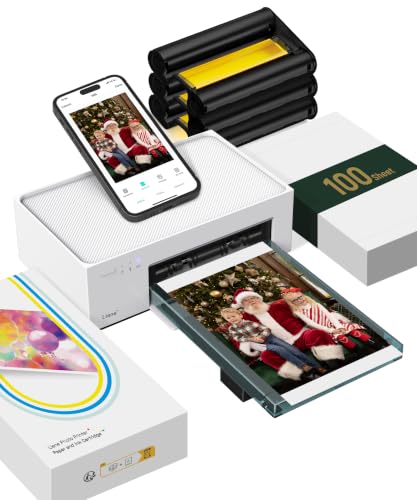
| Liene M100 4×6 Photo Printer | 4×6-inch photo printer, 100 sheets and 3 cartridges, portable instant printer |
| KODAK Dock Plus 4×6 Photo Printer | 4×6-inch photo printer, smartphone docking, 4PASS, 50 sheets, Bluetooth |
| KODAK Step Instant Smartphone Photo Printer | 2×3-inch Zink printer, portable mini color wireless mobile printer, sticky-backed |
| KODAK Mini 2 Retro 2×3 Portable Photo Printer | 2×3-inch portable photo printer, 4PASS, 38 sheets, Bluetooth |
| HP Sprocket Portable Photo Printer 2nd Edition | 2×3-inch portable photo printer, sticky-backed photos, 2nd Edition |
| Liene Amber M110 Bluetooth Portable Photo Printer | 4×6-inch Bluetooth portable photo printer, thermal dye sublimation, 80 sheets |
| Nelko PP01 Photo Printer 2×3 Portable | 2×3-inch portable photo printer, mini printer, instant color inkjet |

1. Liene M100 4×6 Photo Printer
Key specs: 4×6-inch photo printer, 100 sheets and 3 cartridges, portable instant printer
Strengths
- The 4×6-inch prints are full-size photographs that suit an album and a frame, which is the biggest print size in this guide.
- The bundle includes 100 sheets and 3 cartridges, so it is ready to print from the first day without a separate purchase.
- The portable design and the full-colour prints make it a good choice for a family that prints often.
Trade-offs
- A 4×6-inch printer is larger than a pocket-sized 2×3-inch printer, so it suits a bag better than a pocket.
- The dye sublimation cartridges and paper cost more per print than Zink paper, so heavy users should check the running cost.
- Its larger size means it is less convenient to carry to a party than the KODAK Step or the HP Sprocket.
Who it fits best
Families who want full-size 4×6-inch prints and a printer that is ready to use with paper included.
Best for: Families who want full-size 4×6-inch prints and a printer that is ready to use with paper included. Not suited for: buyers who want a pocket-sized printer, or the lowest cost per print.
In daily use
In everyday use, the Liene M100 4×6 Photo Printer settles into a routine quickly. Set it up once, the way you like it, and give yourself a few days to adjust before judging it. The first session is about learning the layout and the feel; the second and third are where it starts to feel natural. Keep it clean, keep it in the conditions it was designed for, and it will stay consistent. If it has parts that wear — cables, surfaces, moving components — a quick check now and then keeps small issues from becoming real ones, and keeping the packaging and documentation for the first weeks makes any return or exchange far simpler.
Before you buy
Before buying the Liene M100 4×6 Photo Printer, check two practical things. First, measure and compare: check the dimensions, the capacity, and the compatibility details listed on the product page against what you already own and the space you have. A product that does not fit your setup will never feel right, whatever its specifications say. Second, think about your routine — where it will live, how it will be stored, and what it needs to connect to. None of this is difficult, but all of it is easier to plan before the product arrives than after.
Check price on Amazon: Liene M100 4×6 Photo Printer
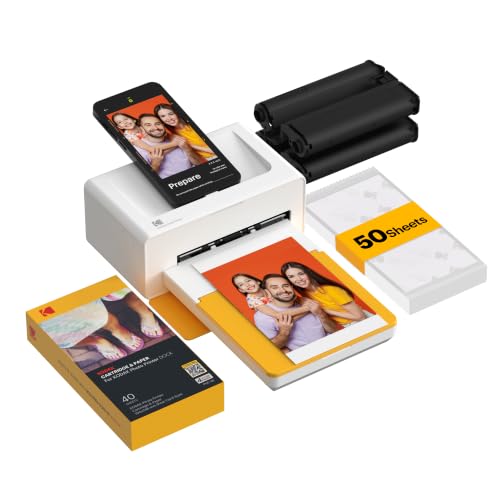
2. KODAK Dock Plus 4×6 Photo Printer
Key specs: 4×6-inch photo printer, smartphone docking, 4PASS, 50 sheets, Bluetooth
Strengths
- The docking design holds the phone while it prints, so the phone and the printer work as one unit on a desk.
- The 4PASS dye sublimation technology gives rich colour and a protective coating, so prints look good and last longer.
- The 4×6-inch prints suit an album and a frame, and Bluetooth connects to both iPhone and Android phones.
Trade-offs
- It is a desk printer rather than a pocket printer, so it is less portable than the KODAK Step or the HP Sprocket.
- The 4PASS paper and cartridges cost more per print than Zink paper, so buyers should check the running cost.
- Its docking design suits one phone at a time, so a party with many phones needs a different printer.
Who it fits best
Buyers who want a desk printer with docking and rich 4×6-inch dye sublimation prints.
Best for: Buyers who want a desk printer with docking and rich 4×6-inch dye sublimation prints. Not suited for: buyers who want a pocket-sized printer to carry to a party.
In daily use
Day to day, the KODAK Dock Plus 4×6 Photo Printer is the kind of product you stop thinking about, which is the highest praise it can earn. It does its job the same way every time, without quirks or surprises, and lets you focus on the work or the task instead of the hardware. That consistency matters more than any single feature. Treat it reasonably — a clean desk, a suitable surface, and storage that protects it when it is not in use — and it will keep that consistency for a long time. The best products are the ones that fade into the background.
Before you buy
A few checks before you order the KODAK Dock Plus 4×6 Photo Printer will save disappointment. Confirm the key details on the listing match what you expect — the exact model name, the included accessories, and the variant — since similar-looking models can differ in important ways. Check the return policy and the warranty terms so you know your options if it arrives damaged or does not suit you. And if you are replacing something you already own, compare the new product with the old one on the points that mattered most, rather than on headline features you may never use.
Check price on Amazon: KODAK Dock Plus 4×6 Photo Printer

3. KODAK Step Instant Smartphone Photo Printer
Key specs: 2×3-inch Zink printer, portable mini color wireless mobile printer, sticky-backed
Strengths
- The pocket-sized design fits in a handbag, so it is the most portable printer here.
- The Zink technology prints without ink, using special paper, so there are no cartridges to replace.
- The sticky-backed 2×3-inch prints suit a wallet, a scrapbook, and a fridge, and Bluetooth connects to a phone in seconds.
Trade-offs
- The 2×3-inch prints are small, so buyers who want full-size photographs should look at the Liene M100 or the KODAK Dock Plus.
- Zink prints look good but do not match the rich colour of a dye sublimation print.
- The Zink paper is the running cost, and heavy users should check the cost per print.
Who it fits best
Buyers who want a pocket-sized printer for sticky-backed wallet prints at a party or on a trip.
Best for: Buyers who want a pocket-sized printer for sticky-backed wallet prints at a party or on a trip. Not suited for: buyers who want full-size 4×6-inch prints, or the richest colour.
In daily use
Over a full week of use, the KODAK Step Instant Smartphone Photo Printer shows its character in small ways. The feel stays the same from the first day to the last, nothing loosens or rattles, and the finish holds up to regular handling. If you switch between tasks, you will appreciate that it does not need a different setup for each one: configure it once for the way you actually use it and leave it alone. If you share the space with work or family, the same product should handle those jobs without feeling out of place, which is a useful bonus for a single-product setup.
Before you buy
When the KODAK Step Instant Smartphone Photo Printer arrives, spend a little time setting it up properly. Follow the included instructions, check that everything listed as included is actually in the box, and test the main functions within the first day or two. Then leave the settings alone for a week. Constant tweaking is the enemy of getting used to a product, and most people get better results from a stable setup than from a perfect one. If something feels wrong after a few days, change one thing at a time so you know what actually helped.
Check price on Amazon: KODAK Step Instant Smartphone Photo Printer

4. KODAK Mini 2 Retro 2×3 Portable Photo Printer
Key specs: 2×3-inch portable photo printer, 4PASS, 38 sheets, Bluetooth
Strengths
- The retro design looks like a classic camera, which makes it a fun printer for a party or a gift.
- The 4PASS technology gives richer colour than Zink, and the 2×3-inch prints suit a wallet and a scrapbook.
- The bundle includes 38 sheets, so it is ready to print from the first day, and Bluetooth connects to iPhone and Android.
Trade-offs
- The 2×3-inch prints are small, so buyers who want full-size photographs should look at the Liene M100.
- The 4PASS paper costs more per print than Zink paper, so heavy users should check the running cost.
- Its retro design is charming, but a buyer who wants a plain, simple printer should look at the KODAK Step.
Who it fits best
Buyers who want a fun, retro-styled printer with rich 2×3-inch prints.
Best for: Buyers who want a fun, retro-styled printer with rich 2×3-inch prints. Not suited for: buyers who want full-size 4×6-inch prints, or the lowest cost per print.
In daily use
In everyday use, the KODAK Mini 2 Retro 2×3 Portable Photo Printer settles into a routine quickly. Set it up once, the way you like it, and give yourself a few days to adjust before judging it. The first session is about learning the layout and the feel; the second and third are where it starts to feel natural. Keep it clean, keep it in the conditions it was designed for, and it will stay consistent. If it has parts that wear — cables, surfaces, moving components — a quick check now and then keeps small issues from becoming real ones, and keeping the packaging and documentation for the first weeks makes any return or exchange far simpler.
Before you buy
Before buying the KODAK Mini 2 Retro 2×3 Portable Photo Printer, check two practical things. First, measure and compare: check the dimensions, the capacity, and the compatibility details listed on the product page against what you already own and the space you have. A product that does not fit your setup will never feel right, whatever its specifications say. Second, think about your routine — where it will live, how it will be stored, and what it needs to connect to. None of this is difficult, but all of it is easier to plan before the product arrives than after.
Check price on Amazon: KODAK Mini 2 Retro 2×3 Portable Photo Printer

5. HP Sprocket Portable Photo Printer 2nd Edition
Key specs: 2×3-inch portable photo printer, sticky-backed photos, 2nd Edition
Strengths
- The HP Sprocket is the best-known pocket photo printer, with a simple app and a design that fits in a handbag.
- The sticky-backed 2×3-inch prints suit a wallet, a scrapbook, and a fridge, and the printer is easy to use at a party.
- The second edition improves the design and the app, so it is a proven, reliable choice.
Trade-offs
- The 2×3-inch prints are small, so buyers who want full-size photographs should look at the Liene M100 or the KODAK Dock Plus.
- Zink prints look good but do not match the rich colour of a dye sublimation print.
- The Zink paper is the running cost, and heavy users should check the cost per print.
Who it fits best
Buyers who want a proven, pocket-sized printer for sticky-backed prints at a party.
Best for: Buyers who want a proven, pocket-sized printer for sticky-backed prints at a party. Not suited for: buyers who want full-size 4×6-inch prints, or the richest colour.
In daily use
Day to day, the HP Sprocket Portable Photo Printer 2nd Edition is the kind of product you stop thinking about, which is the highest praise it can earn. It does its job the same way every time, without quirks or surprises, and lets you focus on the work or the task instead of the hardware. That consistency matters more than any single feature. Treat it reasonably — a clean desk, a suitable surface, and storage that protects it when it is not in use — and it will keep that consistency for a long time. The best products are the ones that fade into the background.
Before you buy
A few checks before you order the HP Sprocket Portable Photo Printer 2nd Edition will save disappointment. Confirm the key details on the listing match what you expect — the exact model name, the included accessories, and the variant — since similar-looking models can differ in important ways. Check the return policy and the warranty terms so you know your options if it arrives damaged or does not suit you. And if you are replacing something you already own, compare the new product with the old one on the points that mattered most, rather than on headline features you may never use.
Check price on Amazon: HP Sprocket Portable Photo Printer 2nd Edition

6. Liene Amber M110 Bluetooth Portable Photo Printer
Key specs: 4×6-inch Bluetooth portable photo printer, thermal dye sublimation, 80 sheets
Strengths
- The 4×6-inch prints are full-size photographs, and the thermal dye sublimation technology gives rich colour.
- The bundle includes 80 sheets, so it is ready to print from the first day, and Bluetooth connects to iPhone and Android.
- It is a portable 4×6-inch printer, so it gives full-size prints in a bag-sized design.
Trade-offs
- A 4×6-inch printer is larger than a pocket-sized 2×3-inch printer, so it suits a bag better than a pocket.
- The dye sublimation paper and cartridges cost more per print than Zink paper, so heavy users should check the running cost.
- Its larger size means it is less convenient to carry to a party than the KODAK Step or the HP Sprocket.
Who it fits best
Buyers who want a portable printer that still prints full-size 4×6-inch photographs.
Best for: Buyers who want a portable printer that still prints full-size 4×6-inch photographs. Not suited for: buyers who want a pocket-sized printer, or the lowest cost per print.
In daily use
Over a full week of use, the Liene Amber M110 Bluetooth Portable Photo Printer shows its character in small ways. The feel stays the same from the first day to the last, nothing loosens or rattles, and the finish holds up to regular handling. If you switch between tasks, you will appreciate that it does not need a different setup for each one: configure it once for the way you actually use it and leave it alone. If you share the space with work or family, the same product should handle those jobs without feeling out of place, which is a useful bonus for a single-product setup.
Before you buy
When the Liene Amber M110 Bluetooth Portable Photo Printer arrives, spend a little time setting it up properly. Follow the included instructions, check that everything listed as included is actually in the box, and test the main functions within the first day or two. Then leave the settings alone for a week. Constant tweaking is the enemy of getting used to a product, and most people get better results from a stable setup than from a perfect one. If something feels wrong after a few days, change one thing at a time so you know what actually helped.
Check price on Amazon: Liene Amber M110 Bluetooth Portable Photo Printer
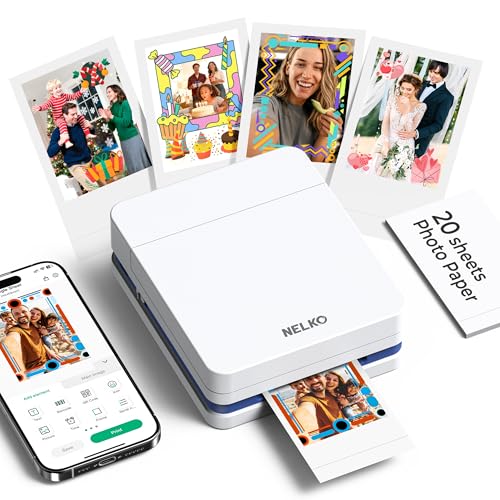
7. Nelko PP01 Photo Printer 2×3 Portable
Key specs: 2×3-inch portable photo printer, mini printer, instant color inkjet
Strengths
- The 2×3-inch portable design fits in a handbag, so it is easy to carry to a party or on a trip.
- The instant colour printing gives a print in less than a minute, and the mini design suits a desk or a bag.
- It is one of the most affordable printers here, which makes it a good first instant photo printer.
Trade-offs
- The 2×3-inch prints are small, so buyers who want full-size photographs should look at the Liene M100.
- Its colour printing does not match the rich colour of a dye sublimation print.
- The listing states fewer details than the KODAK and HP printers, so buyers should check the listing for the paper type.
Who it fits best
Buyers who want an affordable, portable mini printer for small instant prints.
Best for: Buyers who want an affordable, portable mini printer for small instant prints. Not suited for: buyers who want full-size 4×6-inch prints, or the richest colour.
In daily use
In everyday use, the Nelko PP01 Photo Printer 2×3 Portable settles into a routine quickly. Set it up once, the way you like it, and give yourself a few days to adjust before judging it. The first session is about learning the layout and the feel; the second and third are where it starts to feel natural. Keep it clean, keep it in the conditions it was designed for, and it will stay consistent. If it has parts that wear — cables, surfaces, moving components — a quick check now and then keeps small issues from becoming real ones, and keeping the packaging and documentation for the first weeks makes any return or exchange far simpler.
Before you buy
Before buying the Nelko PP01 Photo Printer 2×3 Portable, check two practical things. First, measure and compare: check the dimensions, the capacity, and the compatibility details listed on the product page against what you already own and the space you have. A product that does not fit your setup will never feel right, whatever its specifications say. Second, think about your routine — where it will live, how it will be stored, and what it needs to connect to. None of this is difficult, but all of it is easier to plan before the product arrives than after.
Check price on Amazon: Nelko PP01 Photo Printer 2×3 Portable
Buying guide: best instant photo printers
Print size: 2×3 inches or 4×6 inches
Print size decides what the print is for. A 2×3-inch print, as on the KODAK Step, KODAK Mini 2 Retro, HP Sprocket, and Nelko PP01, suits a wallet, a scrapbook, and a fridge, and the sticky backing means it can go straight onto a surface. A 4×6-inch print, as on the Liene M100, KODAK Dock Plus, and Liene Amber M110, suits an album and a frame, and it looks like a traditional photograph. If you want prints for an album, buy a 4×6-inch printer. If you want prints for a wallet or a scrapbook, buy a 2×3-inch printer. The size cannot be changed later, so choose by the prints you want, not by the printer you like.
Dye sublimation or Zink: the print technology
The print technology decides the colour and the cost. Dye sublimation, as on the Liene and KODAK 4PASS printers, gives rich colour and a protective coating, so prints look good and last longer, but the paper and cartridges cost more per print. Zink, as on the KODAK Step and HP Sprocket, prints without ink using special paper, so there are no cartridges to replace, but the colour is less rich and the prints fade faster. If you want the best-looking prints for an album, buy dye sublimation. If you want the simplest printer with no cartridges, buy Zink. The running cost matters more than the printer cost over a year of printing.
Connection: Bluetooth and Wi-Fi
Every printer here connects to a phone, and the connection decides how easy it is to use. Bluetooth is the standard, and all the printers here use it, so a phone connects in seconds. Wi-Fi is offered on the Liene M100, which gives a more stable connection for larger prints. The KODAK Dock Plus adds a docking design, so the phone sits on the printer while it prints. Check that the printer app works with your phone before buying, since the app is how photographs are chosen, cropped, and printed. A printer with a poor app is frustrating, whatever the print quality.
Running cost: paper and cartridges
The running cost is the real cost of an instant photo printer. A printer is bought once, but paper is bought again and again, and the cost per print decides whether the printer is used or left in a drawer. Dye sublimation paper and cartridges cost more per print than Zink paper, so a buyer who prints a lot should work out the cost per print before buying. The Liene M100 bundle includes 100 sheets and 3 cartridges, the KODAK Dock Plus includes 50 sheets, and the KODAK Mini 2 Retro includes 38 sheets, so the bundles differ. Buy paper in bulk, keep it dry, and check the expiry date, since old paper gives poor prints.
How to choose your instant photo printer
Start with the print size. A 4×6-inch print points to the Liene M100, the KODAK Dock Plus, or the Liene Amber M110, while a 2×3-inch print points to the KODAK Step, the KODAK Mini 2 Retro, the HP Sprocket, or the Nelko PP01. Then think about the technology. Rich colour points to dye sublimation, and no cartridges points to Zink. Then think about portability. A pocket-sized printer points to the KODAK Step or the HP Sprocket, and a desk printer points to the KODAK Dock Plus. And a buyer who wants the lowest cost should choose the Nelko PP01. Buy the printer for the prints you want, and check the cost per print before ordering.
How to use and care for it
An instant photo printer lasts longer with a little care. Keep the printer clean and dry, and wipe the outside with a soft, dry cloth. Keep the paper dry and in its packaging, since damp paper gives poor prints and can jam the printer. Do not force paper into the printer, and use only the paper made for the printer, since the wrong paper can damage the print head. Charge the printer fully before a party or a trip, and carry a spare paper pack, since running out of paper halfway through a party is frustrating. Update the printer app when an update is available, since updates fix bugs and improve print quality. Store the printer in its case when it is not in use, and keep it out of direct sunlight, since heat can damage the battery and the print head.
Common mistakes to avoid
The most common mistake is buying the wrong print size, since a 2×3-inch printer cannot print a 4×6-inch photograph, and a buyer who wants album prints needs a 4×6-inch printer. The second is ignoring the running cost, since paper and cartridges cost more than the printer over a year of printing, and a buyer who prints a lot should work out the cost per print first. The third is using the wrong paper, since Zink paper only works in a Zink printer and dye sublimation paper only works in a dye sublimation printer. The fourth is buying a printer without checking the app, since the app is how photographs are chosen and printed, and a poor app ruins the experience. The fifth is storing paper badly, since damp paper gives poor prints and can jam the printer. The sixth is forgetting to charge the printer, since a flat battery at a party means no prints at all. Choose the print size first, check the cost per print, and buy the right paper.
Final recommendation
The best instant photo printers are the ones that turn a phone photograph into a print you actually keep. The Liene M100 is the best all-round choice, with full-size 4×6-inch prints and a bundle of 100 sheets and 3 cartridges. The KODAK Dock Plus is the best desk printer, with docking and rich 4PASS dye sublimation prints. The KODAK Step is the best pocket-sized Zink printer, the KODAK Mini 2 Retro is the best fun, retro-styled printer, the HP Sprocket is the best-known pocket printer, the Liene Amber M110 is the best portable 4×6-inch printer, and the Nelko PP01 is the most affordable mini printer. Whichever you choose, pick the print size for the prints you want, check the cost per print, and buy the right paper. A printer that is used is worth more than a printer that is admired. Keep paper in stock, keep the printer charged, and print the photographs that matter while the moment is still fresh, since a photograph that stays on a phone is a photograph that is never seen again.
Frequently asked questions
What is the best instant photo printer?
For most buyers, the Liene M100 is the best instant photo printer: it prints full-size 4×6-inch photographs and comes with 100 sheets and 3 cartridges. For a pocket-sized printer, choose the KODAK Step or the HP Sprocket, and for a desk printer with docking, choose the KODAK Dock Plus.
What is the difference between dye sublimation and Zink?
Dye sublimation gives richer colour and a protective coating, so prints look better and last longer, but the paper and cartridges cost more per print. Zink prints without ink using special paper, so there are no cartridges, but the colour is less rich. For an album, buy dye sublimation; for a wallet, buy Zink.
How much does it cost to print a photo?
The cost per print depends on the paper and the printer. Dye sublimation paper and cartridges cost more per print than Zink paper, so a buyer who prints a lot should work out the cost per print from the paper pack cost before buying. Buying paper in bulk lowers the cost.
Can I print from any phone?
Most instant photo printers connect by Bluetooth to both iPhone and Android phones, and the Liene M100 also offers Wi-Fi. Check the printer app for your phone before buying, since the app is how photographs are chosen, cropped, and printed.
What size prints do instant photo printers make?
Instant photo printers make 2×3-inch prints or 4×6-inch prints. A 2×3-inch print suits a wallet, a scrapbook, and a fridge, while a 4×6-inch print suits an album and a frame. Choose by the prints you want, since the size cannot be changed later.
Related guides
More on this site: thermal label printers reusable film cameras