The best voted gaming mouse pad is not the one with the loudest marketing, it is the one gamers keep recommending to each other, buying again, and putting on every desk they build. The eight pads in this guide are those community favourites: the SteelSeries QcK XXL that appears on more desks than any other pad, the Logitech G240 and G840 that pair with Logitech mice, the Razer Gigantus and Goliathus that cover large and lit desks, the Corsair MM350 Pro that shrugs off spills, and the KTRIO and BladeHawks pads that give you a large surface for less money. Every pad below is a current listing with its brand and model confirmed, and each one states its size and surface in the listing.
What makes a mouse pad worth voting for is a short list: a surface that tracks well with a gaming sensor, a size that fits both the mouse and the keyboard, a base that does not slide, and edges that do not fray. The pads here differ in how they balance those qualities. The SteelSeries QcK XXL and the Razer Gigantus V2 are the big cloth pads that prioritise tracking and stability. The Logitech G240 is the smaller pad for buyers who want just enough surface for the mouse. The Razer Goliathus Extended Chroma and the BladeHawks RGB add lighting for a lit desk. The Corsair MM350 Pro adds a spill-proof coating for buyers who drink at the desk. And the KTRIO pad gives you an extended size for the least money.
Size is the first decision to make, and the guide states the size of every pad where the listing gives it. An XXL pad such as the SteelSeries QcK XXL or the Razer Gigantus V2 covers the mouse and the keyboard, which keeps the whole desk feeling consistent and stops the keyboard sliding. An extended XL pad such as the Corsair MM350 Pro at 36.6 by 15.7 inches does the same with even more room. A standard pad such as the Logitech G240 covers the mouse alone, which suits a small desk or a buyer who likes a hard desk surface under the keyboard. Measure your desk before you buy, because a pad that is too big will hang over the edge and curl, and a pad that is too small will leave your mouse running off the edge in a fast game.
In this guide
Quick picks: best voted gaming mouse pad
| # | Product | Where to buy |
|---|---|---|
| 1 | SteelSeries QcK XXL Gaming Mouse Pad | Check on Amazon |
| 2 | Logitech G240 Cloth Gaming Mouse Pad | Check on Amazon |
| 3 | CORSAIR MM350 PRO Spill-Proof Cloth Gaming Mouse Pad, Extended XL | Check on Amazon |
| 4 | Razer Gigantus V2 Cloth Gaming Mouse Pad, XXL | Check on Amazon |
| 5 | Razer Goliathus Extended Chroma Gaming Mousepad | Check on Amazon |
| 6 | BladeHawks RGB Gaming Mouse Pad, Extra Large | Check on Amazon |
| 7 | KTRIO Large Gaming Mouse Pad, XL | Check on Amazon |
| 8 | Logitech G840 XL Cloth Gaming Mouse Pad | Check on Amazon |
How the picks were chosen
The picks were chosen from current gaming mouse pad listings, with three hard filters. First, the product must be a gaming mouse pad: a large cloth or RGB desk mat made for a gaming mouse, which rules out the plain desk pads, the anime desk mats and the generic no-brand mats that appeared in the search results. A desk mat that is not made for gaming sensors is not a gaming mouse pad. Second, the listing must name the exact brand and model, so the SteelSeries QcK XXL, the Logitech G240 and the Razer Gigantus V2 are treated as the distinct pads they are. Third, the pad must be a current, new listing.
Within those filters the guide favours variety and reputation: two SteelSeries and Logitech pads that gamers vote for most often, two Razer pads at different sizes and with different lighting, one Corsair spill-proof pad, one BladeHawks RGB pad, and one KTRIO extended pad for buyers on a budget. Surface quality, size, base grip and edge stitching were weighed more heavily than lighting, because a pad that tracks badly is useless no matter how it looks. The guide also favours pads whose listings state their size, so buyers can measure their desk before ordering.
One judgement call is worth stating plainly. The word voted in the keyword means the pads gamers recommend and vote for in communities and reviews, not a single poll with a published result, and this guide treats it that way: the picks are the pads that appear again and again in recommendations, from the QcK XXL to the Goliathus Chroma. The guide does not invent vote counts or review numbers, because those change constantly and the listings do not state them. What it does say is which pad the community keeps coming back to, and why.
Quick comparison
| Product | Standout detail |
|---|---|
| SteelSeries QcK XXL Gaming Mouse Pad | XXL cloth, peak tracking, never-slip base |
| Logitech G240 Cloth Gaming Mouse Pad | Cloth, non-slip, optimised for gaming sensors |
| CORSAIR MM350 PRO Spill-Proof Cloth Gaming Mouse Pad, Extended XL | Extended XL, spill-proof, 36.6 x 15.7 inches |
| Razer Gigantus V2 Cloth Gaming Mouse Pad, XXL | XXL, thick, non-slip base, high-density foam |
| Razer Goliathus Extended Chroma Gaming Mousepad | Extended Chroma, RGB lighting, soft cloth |
| BladeHawks RGB Gaming Mouse Pad, Extra Large | Extra large, 31.5 x 12 inches, 14 light modes |
| KTRIO Large Gaming Mouse Pad, XL | XL, 31.5 x 11.8 inches, micro-weave cloth |
| Logitech G840 XL Cloth Gaming Mouse Pad | XL cloth, stable rubber base, 0.12 inch thin |

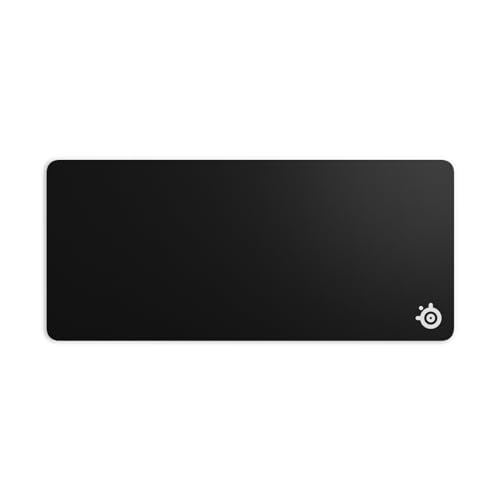
1. SteelSeries QcK XXL Gaming Mouse Pad
Key specs
XXL cloth gaming mouse pad, black, peak tracking and stability, esports mousepad, never-slip base. The SteelSeries QcK XXL is the most-voted pad in this guide.
Strengths
- XXL size covers the mouse and the keyboard, giving one consistent surface across the desk.
- Cloth surface is tuned for peak tracking with gaming sensors, so the mouse reads accurately.
- Never-slip base keeps the pad in place during fast, wide mouse movements.
Trade-offs
- XXL size needs a large desk, and it will hang over the edge of a small one.
- Cloth surface shows dust and needs washing now and then.
- No RGB lighting, so it suits a plain desk more than a lit one.
Who it fits
Gamers who want the pad the community recommends most, in a large size that covers mouse and keyboard.
Best for: a first gaming setup where the pad should simply work with any mouse.
Not suited for: small desks, or anyone who wants RGB lighting on the pad.
In daily use
In daily use, the QcK XXL is the pad you stop thinking about, which is the highest praise a mouse pad can get. The mouse tracks smoothly across the whole surface, the pad stays where you put it even in a fast game, and the XXL size means the keyboard sits on the same cloth as the mouse, so the whole desk feels consistent. It needs a large desk, and the cloth will collect dust, but a quick wash restores it. If you buy one mouse pad and never think about mouse pads again, this is the one.
Check price on Amazon: SteelSeries QcK XXL Gaming Mouse Pad
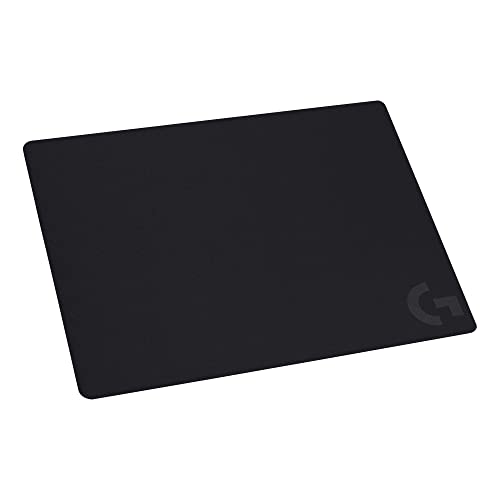
2. Logitech G240 Cloth Gaming Mouse Pad
Key specs
Cloth gaming mouse pad, non-slip mouse mat, black, optimised for gaming sensors with moderate surface friction. The Logitech G240 is the compact pick in this guide.
Strengths
- Surface is optimised for gaming sensors with moderate friction, giving controlled, accurate movement.
- Non-slip base keeps the pad in place on a smooth desk.
- Compact size suits a small desk or a buyer who wants just enough pad for the mouse.
Trade-offs
- Smaller than the XXL pads here, so it covers the mouse alone, not the keyboard.
- Cloth surface needs cleaning now and then to keep tracking consistent.
- No stitched edges stated in the listing, so the edge may wear faster than a stitched pad.
Who it fits
Buyers with a small desk, or Logitech mouse owners who want the matching pad.
Best for: a compact setup where an XXL pad would not fit.
Not suited for: anyone who wants a pad that covers the keyboard as well as the mouse.
In daily use
In daily use, the Logitech G240 is the pad for a tidy desk: just enough surface for the mouse, a controlled glide that suits precise aiming, and a base that does not move. It pairs naturally with a Logitech gaming mouse, because the surface is tuned for the same sensors, but it works with any mouse. It is the smallest pad in this guide, so measure your mouse movement before you buy: if you play with a low sensitivity and sweep your arm, you will want an XXL pad instead. For a small desk and a controlled grip, the G240 is the right size.
Check price on Amazon: Logitech G240 Cloth Gaming Mouse Pad

3. CORSAIR MM350 PRO Spill-Proof Cloth Gaming Mouse Pad, Extended XL
Key specs
Spill-proof cloth gaming mouse pad, extended XL, black, 36.6 inches long by 15.7 inches wide, anti-fray stitched edges. The Corsair MM350 Pro is the spill-proof pick in this guide.
Strengths
- Spill-proof coating means a knocked-over drink beads on the surface instead of soaking in.
- Extended XL size at 36.6 by 15.7 inches is the largest pad in this guide, covering mouse, keyboard and more.
- Anti-fray stitched edges keep the border intact after months of use.
Trade-offs
- Largest pad here needs the largest desk, and it will dominate a small one.
- Spill-proof coating needs occasional cleaning to keep working, and it is not a substitute for keeping drinks lidded.
- Cloth surface is thicker than a standard pad, so the desk edge feels higher.
Who it fits
Gamers who drink at the desk and want a pad that survives a spill, in the largest size available.
Best for: a big desk where the pad should cover everything and stay put.
Not suited for: small desks, or anyone who wants the thinnest possible pad.
In daily use
In daily use, the Corsair MM350 Pro is the pad for real desks, where drinks get knocked over and keyboards slide around. The spill-proof coating means a splash beads up and wipes off instead of soaking into the cloth, the stitched edges stop the border fraying, and the extended XL size means the mouse, the keyboard and a notebook all sit on the same surface. It is a big pad, so give it a big desk, and clean the coating now and then so it keeps working. For a desk that gets used hard, it is the toughest pad here.
Check price on Amazon: CORSAIR MM350 PRO Spill-Proof Cloth Gaming Mouse Pad, Extended XL
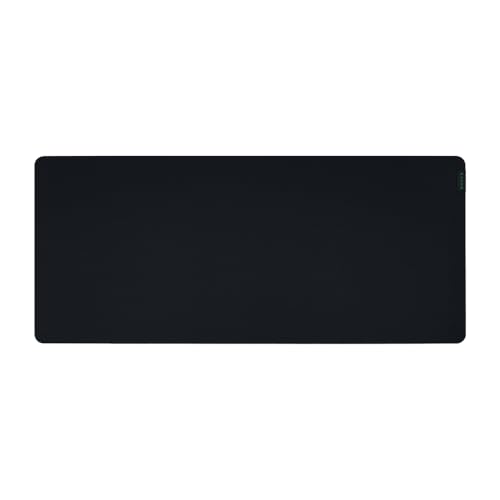
4. Razer Gigantus V2 Cloth Gaming Mouse Pad, XXL
Key specs
Cloth gaming mouse pad, XXL, thick, non-slip base, black, high-density foam. The Razer Gigantus V2 XXL is the thick, stable pick in this guide.
Strengths
- Thick high-density foam gives the pad a solid, cushioned feel under the wrist.
- XXL size covers mouse and keyboard with room to spare.
- Non-slip base and dense foam keep the pad flat and in place.
Trade-offs
- Thick pad raises the desk surface, so the keyboard sits higher than on a thin pad.
- XXL size needs a large desk, and the pad is heavy to move and wash.
- No RGB lighting, so it suits a plain desk more than a lit one.
Who it fits
Razer fans and gamers who want a thick, cushioned XXL pad that stays flat.
Best for: a setup where the pad should feel substantial under the wrist.
Not suited for: anyone who wants the thinnest pad, or RGB lighting on the desk.
In daily use
In daily use, the Razer Gigantus V2 XXL feels like the premium pad in the guide: thick, dense and flat, with a cloth surface that glides smoothly and a base that does not move. The XXL size covers the whole working area, so the mouse never runs off the edge and the keyboard sits on the same surface. It is heavier than a thin pad, and it raises the keyboard a little, but for buyers who want a pad that feels like quality, it delivers. Wash it flat, let it dry flat, and it will keep its shape for years.
Check price on Amazon: Razer Gigantus V2 Cloth Gaming Mouse Pad, XXL
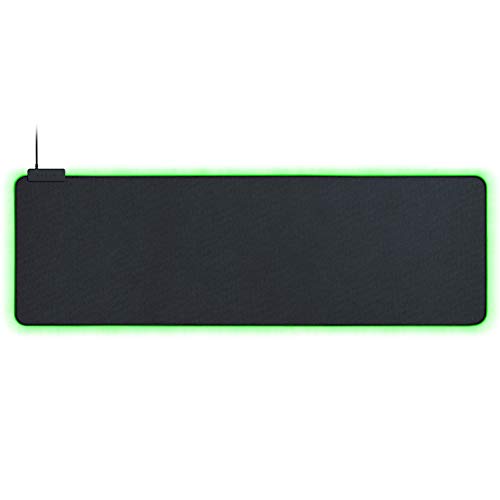
5. Razer Goliathus Extended Chroma Gaming Mousepad
Key specs
Extended Chroma gaming mousepad, soft cloth material, black, customisable Chroma RGB lighting, balanced control and speed surface. The Razer Goliathus Extended Chroma is the RGB pick in this guide.
Strengths
- Customisable Chroma RGB lighting syncs with Razer software and other Chroma devices.
- Balanced control and speed surface suits both precise aiming and fast movement.
- Extended size covers the mouse and the keyboard, with lighting around the edge.
Trade-offs
- RGB lighting needs a USB port and Razer software to customise, which is one more cable and one more app.
- Soft cloth surface needs cleaning to keep tracking consistent.
- Lighting adds cost over the same pad without RGB.
Who it fits
Razer users with a lit desk who want the pad to join the Chroma lighting.
Best for: a gaming setup where the mouse pad should glow as well as track.
Not suited for: anyone who does not want RGB, or who is short of USB ports.
In daily use
In daily use, the Razer Goliathus Extended Chroma is the pad that makes the desk glow. The RGB edge syncs with the keyboard, the mouse and the headset through Razer software, so the whole desk can pulse, breathe or match the game you are playing. Underneath the light show is a good pad: a balanced cloth surface that suits both aiming and sweeping, an extended size that covers the keyboard, and a base that stays put. Set the lighting to a steady colour if the rainbow effect distracts you, keep the USB cable tidy, and the pad will look as good as it tracks.
Check price on Amazon: Razer Goliathus Extended Chroma Gaming Mousepad
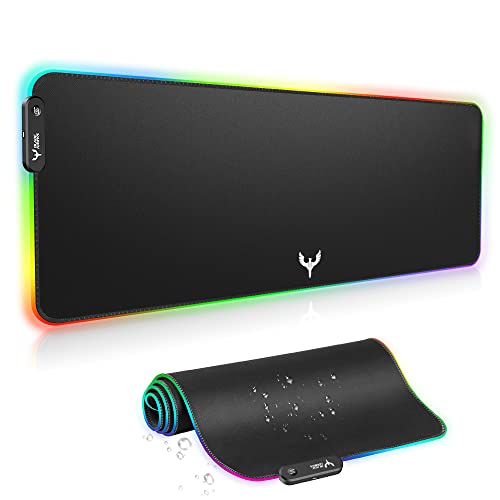
6. BladeHawks RGB Gaming Mouse Pad, Extra Large
Key specs
RGB gaming mouse pad, extra large, extended 31.5 by 12 inches, black, LED mouse pad with 14 lighting modes. The BladeHawks RGB pad is the affordable lit pick in this guide.
Strengths
- 14 lighting modes give a lit desk without the cost of a big-brand RGB pad.
- Extra large size at 31.5 by 12 inches covers the mouse and the keyboard.
- LED edge lighting makes the desk stand out in a dark room.
Trade-offs
- BladeHawks is a smaller brand than SteelSeries or Razer, so support and longevity are less proven.
- Listing does not state stitched edges or spill resistance, so the pad needs more care.
- RGB lighting needs a USB port, which is one more cable on the desk.
Who it fits
Buyers who want an RGB mouse pad for less money than the big brands charge.
Best for: a first lit desk where the pad should glow without a premium cost.
Not suited for: anyone who wants the most proven brand, or stitched edges and spill resistance.
In daily use
In daily use, the BladeHawks RGB pad is the budget way to light a desk. The 14 lighting modes cover the usual rainbow, breathing and steady colours, the extra large size fits the mouse and the keyboard, and the LED edge makes the desk look like a gaming setup even when the PC is off. It is not the most proven pad in this guide, and it needs a USB port for the lights, but for the money it gives you the look and the size that cost more from the bigger brands. Keep the cable tidy, wipe the surface clean, and it will do the job.
Check price on Amazon: BladeHawks RGB Gaming Mouse Pad, Extra Large
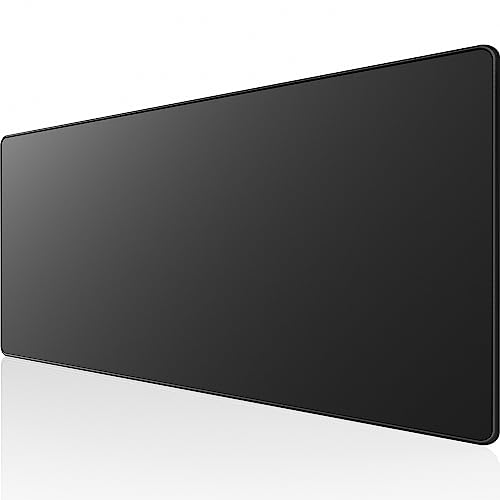
7. KTRIO Large Gaming Mouse Pad, XL
Key specs
Large gaming mouse pad desk mat for gamers, 31.5 by 11.8 inches, black, XL, extended size, superior micro-weave cloth. The KTRIO XL pad is the budget extended pick in this guide.
Strengths
- Extended XL size at 31.5 by 11.8 inches covers mouse and keyboard for less money than the big brands.
- Micro-weave cloth gives a smooth, consistent surface for gaming sensors.
- Simple black design suits any desk without drawing attention.
Trade-offs
- KTRIO is a smaller brand, so the pad's long-term durability is less proven than the SteelSeries or Logitech pads.
- Listing does not state stitched edges, so the border may wear faster than a stitched pad.
- No RGB lighting or spill-proof coating, so it is a plain pad that does one job well.
Who it fits
Buyers who want an extended-size gaming pad for the least money.
Best for: a first gaming setup where the pad should be large and cheap.
Not suited for: anyone who wants RGB, spill resistance or the most proven brand.
In daily use
In daily use, the KTRIO XL pad is the one that proves a mouse pad does not need to cost much to work well. The micro-weave cloth tracks smoothly, the extended size covers the mouse and the keyboard, and the black finish suits any desk. It is a plain pad: no lights, no spill coating, no stitched edge stated in the listing. But for the money, it gives you the size and the surface that matter, and if it wears out in a year or two, replacing it costs less than a single takeaway. For a budget setup, it is the sensible choice.
Check price on Amazon: KTRIO Large Gaming Mouse Pad, XL

8. Logitech G840 XL Cloth Gaming Mouse Pad
Key specs
XL cloth gaming mouse pad, stable rubber base, black, 0.12 inch thin mouse and keyboard pad, moderate surface friction. The Logitech G840 XL is the thin, stable pick in this guide.
Strengths
- 0.12 inch thin profile keeps the keyboard at nearly desk height, which suits low-profile setups.
- Stable rubber base holds the pad in place during fast mouse movements.
- Moderate surface friction gives controlled, accurate tracking with gaming sensors.
Trade-offs
- XL size is large but smaller than the XXL pads here, so very wide mouse sweeps may run off the edge.
- Thin pad offers less cushioning under the wrist than the thick Razer Gigantus V2.
- No RGB lighting or spill-proof coating, so it is a plain, functional pad.
Who it fits
Logitech users and buyers who want a thin, stable XL pad that keeps the keyboard low.
Best for: a desk where a thick pad would raise the keyboard too high.
Not suited for: anyone who wants the largest XXL size, or RGB lighting.
In daily use
In daily use, the Logitech G840 XL is the pad for buyers who notice thickness. At 0.12 inches it barely raises the keyboard above the desk, which keeps your wrists flat and comfortable, and the stable rubber base means it does not slide when you sweep the mouse. The moderate-friction cloth gives controlled tracking, which suits precise aiming better than a very slick surface. It is the XL pad for a tidy, low-profile desk, and it pairs naturally with a Logitech mouse, though it works with any gaming mouse you put on it.
Check price on Amazon: Logitech G840 XL Cloth Gaming Mouse Pad
Buying guide: best voted gaming mouse pad
Size: standard, XL or XXL
A standard pad covers the mouse alone and suits a small desk. An XL pad at around 31 by 12 inches covers the mouse and the keyboard, which is the sweet spot for most gamers. An XXL pad such as the SteelSeries QcK XXL or the Razer Gigantus V2 covers even more, and the Corsair MM350 Pro at 36.6 by 15.7 inches is the largest here. Measure your desk before you buy, because a pad that hangs over the edge will curl, and a pad that is too small will leave your mouse running off the edge.
Surface: control or speed
A control surface has more friction, which suits precise aiming and low-sensitivity play. A speed surface is slicker, which suits fast sweeps and high-sensitivity play. Most pads in this guide are balanced, with moderate friction that suits both, and the Logitech G240 and G840 state their moderate friction plainly. If you play shooters with a low sensitivity, a control surface will help; if you play fast action games, a smoother surface will feel better.
Base and edges: what keeps a pad alive
A rubber base that grips the desk is what stops a pad sliding in a fast game, and every pad here has one. Stitched edges stop the border fraying after months of wrist movement, and the Corsair MM350 Pro states its anti-fray stitching plainly. A pad without stitched edges will wear at the border first, so check the edge after a few months and replace the pad when it starts to lift, because a lifting edge catches the mouse.
RGB: looks versus function
RGB lighting makes a desk look like a gaming setup, and the Razer Goliathus Chroma and the BladeHawks pad both do it well. But lighting needs a USB port and software, it adds cost, and it does nothing for tracking. Buy an RGB pad because you want the look, not because you expect it to make you play better. A plain pad such as the QcK XXL tracks just as well, and it costs less.
Mouse feet and sensor: the other half of tracking
A mouse pad can only track as well as the mouse allows, and the mouse's feet and sensor matter as much as the pad's surface. Clean the mouse feet with a soft cloth, replace them when they wear smooth, and clean the sensor with a gentle puff of air, because a dirty sensor will skip on any surface. A mouse with a high-quality sensor will track well on any of the pads in this guide, while a cheap mouse will skip on the best pad in the world. If tracking feels wrong, clean the mouse before you blame the pad.
Desk mats versus mouse pads
A desk mat covers the whole desk and a mouse pad covers the mouse area, and the difference is size and purpose. The XXL pads in this guide are effectively desk mats, covering the mouse and the keyboard, while the standard pads cover the mouse alone. A full desk mat protects the desk surface and gives a consistent feel across the whole working area, but it costs more and needs a larger desk. A mouse pad is cheaper and easier to replace. Pick the size that fits your desk and your habits, not the largest one you can afford.
When to replace a mouse pad
A cloth mouse pad wears out gradually, and the signs are easy to miss until tracking suffers. The surface feels smooth in the middle where the mouse travels, the edges lift or fray, and cleaning no longer restores the glide. When that happens, replace the pad rather than living with it, because a worn pad makes the mouse skip and your aim suffer. A stitched-edge pad lasts longer than an unstitched one, and a spill-proof pad lasts longer than a plain one, but every cloth pad has a life, and replacing it is one of the cheapest upgrades in gaming.
Usage and care
Unroll a new mouse pad flat and leave it for a day before you use it, because a pad that arrives rolled will curl at the edges until it settles. Place it on a clean, dry desk, with the rubber base down and the cloth up, and press it flat from the centre outwards so no air is trapped underneath. Put the keyboard on the pad first, then position the mouse area where your hand naturally rests, and leave enough room for your widest mouse sweep. If the pad has RGB lighting, route the USB cable along the back edge of the desk so it does not cross the mouse area.
Clean a cloth mouse pad regularly, because dust and skin oils change how the mouse tracks. Shake it outside or vacuum it weekly, wipe it with a damp cloth when it looks dirty, and wash it properly every few months: lukewarm water, a mild soap, a soft brush, and then let it dry flat, never in a dryer and never hung up, because heat and hanging will warp it. For a spill-proof pad such as the Corsair MM350 Pro, wipe a spill immediately so the coating can do its job, and do not use harsh cleaners that strip the coating.
Common mistakes
The most common mistake is buying a pad that is too small for your mouse movement, so the mouse runs off the edge in a fast game. Another is buying a pad that is too big for the desk, so it hangs over the edge and curls. A third is never cleaning the pad, so dust builds up and the sensor starts to skip. Buyers also forget that a thick pad raises the keyboard, which can strain the wrists, and they place a lit pad where its USB cable crosses the mouse area and drags.
Do not put a mouse pad on a wet or dusty desk, because the rubber base will not grip and the pad will slide. Do not fold a cloth pad to store it, because the crease will never fully come out and the mouse will bump over it. Do not wash a pad in hot water or dry it with heat, because the rubber base will warp. And do not expect a new pad to fix a bad mouse or a dirty sensor: clean the mouse feet and the sensor first, because a pad can only track as well as the mouse allows.
Final recommendation
For most gamers, the SteelSeries QcK XXL is the best voted gaming mouse pad in this guide: the pad the community recommends most, in a size that covers mouse and keyboard, with a surface that tracks well and a base that stays put. If you drink at the desk, the Corsair MM350 Pro adds spill-proofing and stitched edges in the largest size here. If you want RGB, the Razer Goliathus Extended Chroma is the lit pick, and if you want the least money for an extended pad, the KTRIO XL gives you the size and the surface for a budget.
The Logitech G240 is the pick for a small desk, the Logitech G840 XL is the pick for a thin, low-profile setup, and the Razer Gigantus V2 XXL is the pick for buyers who want a thick, cushioned pad. Whichever pad you choose, measure the desk, match the surface to how you play, and clean the pad regularly: a clean pad tracks better than a dirty expensive one.
A mouse pad is a small purchase that makes a daily difference, because it is the surface your hand touches for hours every day. Measure the desk, match the surface to how you play, clean the pad and the mouse regularly, and the pad will do its job so well that you forget it is there. That is the whole point of a good mouse pad.
Frequently asked questions
What size gaming mouse pad should I buy?
An XL pad at around 31 by 12 inches covers the mouse and the keyboard and suits most gamers. An XXL pad such as the SteelSeries QcK XXL or the Razer Gigantus V2 gives even more room, and the Corsair MM350 Pro at 36.6 by 15.7 inches is the largest here. A standard pad such as the Logitech G240 covers the mouse alone and suits a small desk.
What is the best gaming mouse pad that gamers vote for?
The SteelSeries QcK XXL is the pad gamers recommend most often, and it leads this guide for its tracking, its XXL size and its never-slip base. The Logitech G240 and G840, the Razer Gigantus V2 and Goliathus Chroma, and the Corsair MM350 Pro are the other community favourites, each with a different strength.
Do I need an RGB gaming mouse pad?
No, RGB lighting does nothing for tracking, and a plain pad such as the QcK XXL tracks just as well. Buy an RGB pad such as the Razer Goliathus Chroma or the BladeHawks if you want the desk to glow, but expect to give up a USB port and to pay more for the look.
How do I clean a cloth gaming mouse pad?
Shake or vacuum it weekly, wipe it with a damp cloth when it looks dirty, and wash it every few months with lukewarm water and a mild soap, using a soft brush. Let it dry flat, never in a dryer and never hung up, because heat and hanging will warp the rubber base.
What is the difference between a control and a speed mouse pad?
A control surface has more friction and suits precise aiming, while a speed surface is slicker and suits fast sweeps. Most pads in this guide are balanced, with moderate friction that suits both. If you play shooters with low sensitivity, a control surface helps; if you play fast action games, a smoother surface feels better.
How often should I replace a gaming mouse pad?
Replace a cloth mouse pad when the surface feels smooth in the middle where your mouse travels, when the edges lift or fray, or when cleaning no longer restores the tracking. For most gamers that is every one to two years, depending on how much they play. A stitched-edge pad such as the Corsair MM350 Pro lasts longer than an unstitched one.
Can I use a gaming mouse pad with any mouse?
Yes, a gaming mouse pad works with any mouse, because the surface is made for optical and laser sensors generally. The Logitech pads pair naturally with Logitech mice and the Razer pads with Razer mice, but the tracking improvements apply to any gaming mouse. Clean the mouse feet and the sensor regularly, because a dirty mouse will skip on any pad.
More from ilcastellomenu.com
Best Gaming Mouse Pad Reddit: what Reddit recommends