A mouse pad is the cheapest upgrade in PC gaming, and it is also one of the most underrated. The surface under your mouse decides how smoothly it glides, how consistently the sensor tracks, and how comfortable your wrist feels after a long session — and a good pad costs less than a single game. Ask PC gaming communities which mouse pad to buy, and the answers cluster around a few clear favourites: the big cloth pads that cover half the desk, the spill-proof extended mats, and the RGB pads that light up a setup. The differences between them are about size, surface texture, and durability rather than technology, which makes the choice simpler than it looks. This guide compares seven gaming mouse pads that Reddit’s PC gaming communities recommend, chosen because they appear again and again in build-advice threads and desk-setup posts, from the classic SteelSeries QcK to the large desk mats that hold a keyboard and a mouse at once. Every pad below was checked against its current Amazon listing, and every one is a complete mouse pad or desk mat rather than an accessory. Read the comparison table for a fast overview, then dig into the individual sections for the strengths and trade-offs that matter for your desk, your mouse, and your games. One more point before the list: the mouse pad is the only part of your setup that touches both your mouse and your wrist for every minute you play, and it is also the cheapest part to get right. A pad that is too small will limit your aim, a pad that is too rough will slow your mouse, and a pad that slides around the desk will distract you at the worst moment. Getting the size and the surface right is a small decision with an outsized effect on how your setup feels, and it is worth a few minutes of thought before you order.
In this guide
Quick picks: best gaming mouse pad reddit
| # | Product | Where to buy |
|---|---|---|
| 1 | SteelSeries QcK XXL Gaming Mouse Pad – Black, XXL Cloth | Check on Amazon |
| 2 | Logitech G240 Cloth Gaming Mouse Pad, Non-Slip Mouse Mat – Black | Check on Amazon |
| 3 | CORSAIR MM350 PRO Spill-Proof Cloth Gaming Mouse Pad, Extended XL, Black | Check on Amazon |
| 4 | KTRIO Large Gaming Mouse Pad Desk Mat for Gamer, 31.5 x 11.8 Inch, Black, XL | Check on Amazon |
| 5 | BladeHawks RGB Gaming Mouse Pad Extra Large Extended 31.5×12 Inch, Black, LED | Check on Amazon |
| 6 | Brecoy Japanese Sea Wave Large Mouse Pad, Anime Black Gaming, Extended Desk Mat | Check on Amazon |
| 7 | Large Gaming Mouse Pad, Waterproof Extra Large Mousepad with Stitched Edges, 31.5 x 15.7 Inch | Check on Amazon |
Quick comparison
| Product | Key traits |
|---|---|
| SteelSeries QcK XXL Gaming Mouse Pad – Black, XXL Cloth | SteelSeries QcK XXL, cloth, XXL, never-slip base |
| Logitech G240 Cloth Gaming Mouse Pad, Non-Slip Mouse Mat – Black | Logitech G240, cloth, non-slip, sensor-optimised |
| CORSAIR MM350 PRO Spill-Proof Cloth Gaming Mouse Pad, Extended XL, Black | CORSAIR MM350 PRO, spill-proof, extended XL, anti-fray |
| KTRIO Large Gaming Mouse Pad Desk Mat for Gamer, 31.5 x 11.8 Inch, Black, XL | KTRIO Large, 31.5×11.8 inch, micro-weave, XL |
| BladeHawks RGB Gaming Mouse Pad Extra Large Extended 31.5×12 Inch, Black, LED | BladeHawks RGB, 31.5×12 inch, 14 lighting modes |
| Brecoy Japanese Sea Wave Large Mouse Pad, Anime Black Gaming, Extended Desk Mat | Brecoy Sea Wave, extended, 3mm thick, non-slip rubber |
| Large Gaming Mouse Pad, Waterproof Extra Large Mousepad with Stitched Edges, 31.5 x 15.7 Inch | Large Waterproof, 31.5×15.7 inch, stitched edges |

1. SteelSeries QcK XXL Gaming Mouse Pad – Black, XXL Cloth
What stands out
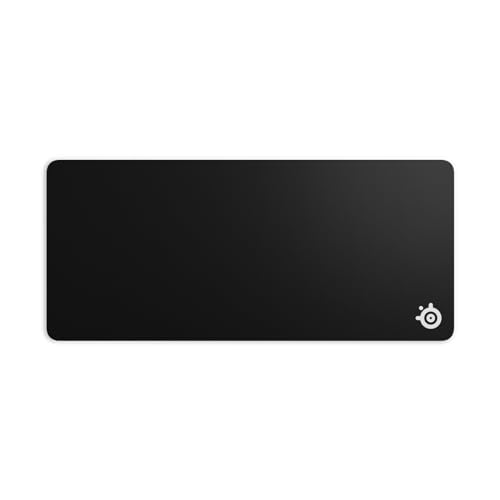
The SteelSeries QcK XXL is the mouse pad that other mouse pads are measured against. Its cloth surface is the standard for consistent tracking — smooth enough for fast glides, controlled enough for precise stops — and the XXL size covers a large area of desk, so you never run out of room mid-flick. The never-slip base keeps it planted during intense moments, and the cloth is durable enough to survive years of daily use. It is the pad that professional players have used for over a decade, and it remains the default recommendation in almost every mouse pad discussion.
Trade-offs to weigh
The trade-offs are modest: there is no RGB lighting, no spill-proof coating, and the edges are not stitched on the standard version, so heavy use can eventually fray them. The black cloth shows dust and crumbs, and the XXL size may be too large for a small desk. None of that matters for tracking, which is what a mouse pad is for, but buyers who want lighting or a waterproof surface should look elsewhere.
Who it fits best
Best for competitive players and anyone who wants the proven, no-nonsense standard for mouse tracking.
In daily use
In everyday use, the SteelSeries QcK XXL Gaming Mouse Pad – Black, XXL Cloth settles into a routine quickly. Set it up once, the way you like it, and give yourself a few days to adjust before judging it. The first session is about learning the layout and the feel; the second and third are where it starts to feel natural. Keep it clean, keep it in the conditions it was designed for, and it will stay consistent. If it has parts that wear — cables, surfaces, moving components — a quick check now and then keeps small issues from becoming real ones, and keeping the packaging and documentation for the first weeks makes any return or exchange far simpler.
Before you buy
Before buying the SteelSeries QcK XXL Gaming Mouse Pad – Black, XXL Cloth, check two practical things. First, measure and compare: check the dimensions, the capacity, and the compatibility details listed on the product page against what you already own and the space you have. A product that does not fit your setup will never feel right, whatever its specifications say. Second, think about your routine — where it will live, how it will be stored, and what it needs to connect to. None of this is difficult, but all of it is easier to plan before the product arrives than after.
Check price on Amazon: SteelSeries QcK XXL Gaming Mouse Pad – Black, XXL Cloth
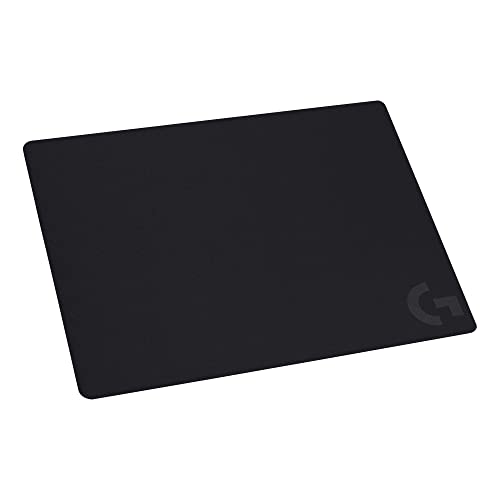
2. Logitech G240 Cloth Gaming Mouse Pad, Non-Slip Mouse Mat – Black
What stands out
The Logitech G240 is the compact, sensor-focused option in this roundup. Its cloth surface is specifically designed to work well with gaming sensors, with a moderate amount of friction that gives you control without slowing you down. The non-slip base keeps it steady, the size is suited to a normal desk rather than a huge one, and the price is among the lowest here. It is the pad to buy if you want a Logitech setup to match your Logitech mouse, or if you simply want a small, reliable pad that does its job without fuss.
Trade-offs to weigh
The compromise is size. The G240 is a standard-size pad, not an extended desk mat, so it will not hold your keyboard as well as your mouse, and low-sensitivity players who make large arm movements may run out of space. There is no RGB lighting and no stitched edge. For a normal desk and a normal sensitivity, though, it is all the pad you need.
Who it fits best
Best for players with a normal-sized desk, Logitech mouse owners, and anyone who wants a small, reliable pad at a low price.
In daily use
Day to day, the Logitech G240 Cloth Gaming Mouse Pad, Non-Slip Mouse Mat – Black is the kind of product you stop thinking about, which is the highest praise it can earn. It does its job the same way every time, without quirks or surprises, and lets you focus on the work or the game instead of the hardware. That consistency matters more than any single feature. Treat it reasonably — a clean desk, a suitable surface, and storage that protects it when it is not in use — and it will keep that consistency for a long time. The best products are the ones that fade into the background.
Before you buy
A few checks before you order the Logitech G240 Cloth Gaming Mouse Pad, Non-Slip Mouse Mat – Black will save disappointment. Confirm the key details on the listing match what you expect — the exact model name, the included accessories, and the variant — since similar-looking models can differ in important ways. Check the return policy and the warranty terms so you know your options if it arrives damaged or does not suit you. And if you are replacing something you already own, compare the new product with the old one on the points that mattered most, rather than on headline features you may never use.
Check price on Amazon: Logitech G240 Cloth Gaming Mouse Pad, Non-Slip Mouse Mat – Black

3. CORSAIR MM350 PRO Spill-Proof Cloth Gaming Mouse Pad, Extended XL, Black
What stands out
The Corsair MM350 PRO is the practical, spill-proof pick. Its cloth surface is treated to resist spills, which matters if you drink coffee or water at your desk, and the extended XL size — over thirty-six inches long — gives you room for a keyboard and a mouse with space to spare. The anti-fray stitched edges protect the pad from wear, and the surface is designed for consistent tracking with gaming sensors. It is the pad for a desk that gets used hard, every day, by someone who does not want to worry about accidents.
Trade-offs to weigh
The trade-offs are that the spill-proof coating can feel slightly different from a plain cloth surface, and the extended size needs a large desk — measure before you buy. It is also more expensive than the budget desk mats. For a desk with drinks, pets, or children nearby, though, the spill resistance is worth the premium.
Who it fits best
Best for desks with drinks nearby, large setups, and anyone who wants a durable, spill-proof extended pad.
In daily use
Over a full week of use, the CORSAIR MM350 PRO Spill-Proof Cloth Gaming Mouse Pad, Extended XL, Black shows its character in small ways. The feel stays the same from the first day to the last, nothing loosens or rattles, and the finish holds up to regular handling. If you switch between tasks, you will appreciate that it does not need a different setup for each one: configure it once for the way you actually use it and leave it alone. If you share the space with work or family, the same product should handle those jobs without feeling out of place, which is a useful bonus for a single-product setup.
Before you buy
When the CORSAIR MM350 PRO Spill-Proof Cloth Gaming Mouse Pad, Extended XL, Black arrives, spend a little time setting it up properly. Follow the included instructions, check that everything listed as included is actually in the box, and test the main functions within the first day or two. Then leave the settings alone for a week. Constant tweaking is the enemy of getting used to a product, and most people get better results from a stable setup than from a perfect one. If something feels wrong after a few days, change one thing at a time so you know what actually helped.
Check price on Amazon: CORSAIR MM350 PRO Spill-Proof Cloth Gaming Mouse Pad, Extended XL, Black
4. KTRIO Large Gaming Mouse Pad Desk Mat for Gamer, 31.5 x 11.8 Inch, Black, XL
What stands out
The KTRIO Large is the budget extended pad, and it is remarkable value for the size. At over thirty-one inches wide, it holds a full keyboard and a mouse with room to spare, the micro-weave cloth surface tracks well with gaming sensors, and the non-slip rubber base keeps it in place. It is the pad to buy if you want the desk-mat experience — keyboard and mouse on one surface, no hard desk edge under your wrist — without paying a premium brand price. For a first desk mat, it is hard to beat.
Trade-offs to weigh
The compromises track the price. The stitching and materials are good but not premium, the design is plain black, and there is no RGB lighting or spill-proof coating. The surface may also wear faster than a premium pad under very heavy use. For the price, though, it is an excellent way to try the extended desk-mat format.
Who it fits best
Best for budget buyers who want a large desk mat, and for anyone trying the extended format for the first time.
In daily use
In everyday use, the KTRIO Large Gaming Mouse Pad Desk Mat for Gamer, 31.5 x 11.8 Inch, Black, XL settles into a routine quickly. Set it up once, the way you like it, and give yourself a few days to adjust before judging it. The first session is about learning the layout and the feel; the second and third are where it starts to feel natural. Keep it clean, keep it in the conditions it was designed for, and it will stay consistent. If it has parts that wear — cables, surfaces, moving components — a quick check now and then keeps small issues from becoming real ones, and keeping the packaging and documentation for the first weeks makes any return or exchange far simpler.
Before you buy
Before buying the KTRIO Large Gaming Mouse Pad Desk Mat for Gamer, 31.5 x 11.8 Inch, Black, XL, check two practical things. First, measure and compare: check the dimensions, the capacity, and the compatibility details listed on the product page against what you already own and the space you have. A product that does not fit your setup will never feel right, whatever its specifications say. Second, think about your routine — where it will live, how it will be stored, and what it needs to connect to. None of this is difficult, but all of it is easier to plan before the product arrives than after.
Check price on Amazon: KTRIO Large Gaming Mouse Pad Desk Mat for Gamer, 31.5 x 11.8 Inch, Black, XL
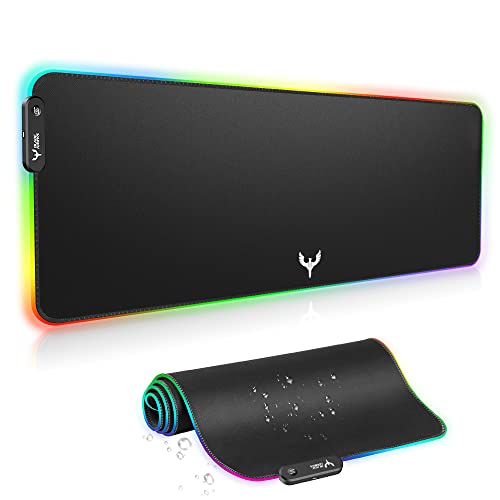
5. BladeHawks RGB Gaming Mouse Pad Extra Large Extended 31.5×12 Inch, Black, LED
What stands out
The BladeHawks RGB pad is the lighting pick of the list. Its extra-large extended surface covers keyboard and mouse, the LED edge lighting offers fourteen modes to match your setup, and the cloth surface is smooth enough for fast mouse movement. It turns a plain desk into a gaming setup with one purchase, and it is the pad to buy if your desk already has RGB lighting elsewhere and you want the pad to match. The size is generous, the base is non-slip, and the overall effect is far more striking than a plain black mat.
Trade-offs to weigh
The trade-offs are that RGB lighting needs a USB port and a cable, which adds clutter to the desk, and the lighting is decoration rather than function — it will not improve your aim. The surface is also a general-purpose cloth rather than a sensor-tuned one, so competitive players may prefer the SteelSeries or Logitech pads. For a setup where looks matter, though, it is a fun and affordable upgrade.
Who it fits best
Best for RGB setups, streamers, and anyone who wants their mouse pad to light up the desk.
In daily use
Day to day, the BladeHawks RGB Gaming Mouse Pad Extra Large Extended 31.5×12 Inch, Black, LED is the kind of product you stop thinking about, which is the highest praise it can earn. It does its job the same way every time, without quirks or surprises, and lets you focus on the work or the game instead of the hardware. That consistency matters more than any single feature. Treat it reasonably — a clean desk, a suitable surface, and storage that protects it when it is not in use — and it will keep that consistency for a long time. The best products are the ones that fade into the background.
Before you buy
A few checks before you order the BladeHawks RGB Gaming Mouse Pad Extra Large Extended 31.5×12 Inch, Black, LED will save disappointment. Confirm the key details on the listing match what you expect — the exact model name, the included accessories, and the variant — since similar-looking models can differ in important ways. Check the return policy and the warranty terms so you know your options if it arrives damaged or does not suit you. And if you are replacing something you already own, compare the new product with the old one on the points that mattered most, rather than on headline features you may never use.
Check price on Amazon: BladeHawks RGB Gaming Mouse Pad Extra Large Extended 31.5×12 Inch, Black, LED

6. Brecoy Japanese Sea Wave Large Mouse Pad, Anime Black Gaming, Extended Desk Mat
What stands out
The Brecoy Sea Wave pad is the design pick of the list. Its Japanese wave artwork — the famous Great Wave design — turns a functional desk mat into a piece of decoration, and the extended size covers keyboard and mouse at once. The three-millimetre thickness gives it a comfortable, cushioned feel, the non-slip rubber base keeps it planted, and the surface tracks well with gaming mice. It is the pad for a desk that you want to look good as well as play well, and it is a conversation piece as much as a piece of equipment.
Trade-offs to weigh
The compromises are that the artwork may not suit a minimalist or professional desk, and the surface is a general-purpose cloth rather than a sensor-optimised one. There is no RGB lighting and no spill-proof coating. For a personal gaming setup with character, though, it is a distinctive and practical choice.
Who it fits best
Best for players who want a desk mat with personality, and for anyone who likes the wave design.
In daily use
Over a full week of use, the Brecoy Japanese Sea Wave Large Mouse Pad, Anime Black Gaming, Extended Desk Mat shows its character in small ways. The feel stays the same from the first day to the last, nothing loosens or rattles, and the finish holds up to regular handling. If you switch between tasks, you will appreciate that it does not need a different setup for each one: configure it once for the way you actually use it and leave it alone. If you share the space with work or family, the same product should handle those jobs without feeling out of place, which is a useful bonus for a single-product setup.
Before you buy
When the Brecoy Japanese Sea Wave Large Mouse Pad, Anime Black Gaming, Extended Desk Mat arrives, spend a little time setting it up properly. Follow the included instructions, check that everything listed as included is actually in the box, and test the main functions within the first day or two. Then leave the settings alone for a week. Constant tweaking is the enemy of getting used to a product, and most people get better results from a stable setup than from a perfect one. If something feels wrong after a few days, change one thing at a time so you know what actually helped.

7. Large Gaming Mouse Pad, Waterproof Extra Large Mousepad with Stitched Edges, 31.5 x 15.7 Inch
What stands out
The Large Waterproof pad is the no-brand value pick, and it earns its place on size and practicality. At thirty-one and a half inches by nearly sixteen, it is one of the largest pads here, the waterproof surface shrugs off spills, and the stitched edges protect it from fraying. The non-slip base keeps it steady, and the price is low for a pad of this size. It is the pad to buy if you want maximum coverage for minimum money, and if you would rather spend the savings on a better mouse or keyboard.
Trade-offs to weigh
The trade-offs are that the surface is a generic cloth rather than a sensor-tuned one, the brand is unknown, and the quality control may vary. The design is plain, and there is no RGB lighting. For everyday gaming and desk work, though, it is a large, practical, and inexpensive surface.
Who it fits best
Best for budget buyers who want the largest pad for the least money, and for desks that need full coverage.
In daily use
In everyday use, the Large Gaming Mouse Pad, Waterproof Extra Large Mousepad with Stitched Edges, 31.5 x 15.7 Inch settles into a routine quickly. Set it up once, the way you like it, and give yourself a few days to adjust before judging it. The first session is about learning the layout and the feel; the second and third are where it starts to feel natural. Keep it clean, keep it in the conditions it was designed for, and it will stay consistent. If it has parts that wear — cables, surfaces, moving components — a quick check now and then keeps small issues from becoming real ones, and keeping the packaging and documentation for the first weeks makes any return or exchange far simpler.
Before you buy
Before buying the Large Gaming Mouse Pad, Waterproof Extra Large Mousepad with Stitched Edges, 31.5 x 15.7 Inch, check two practical things. First, measure and compare: check the dimensions, the capacity, and the compatibility details listed on the product page against what you already own and the space you have. A product that does not fit your setup will never feel right, whatever its specifications say. Second, think about your routine — where it will live, how it will be stored, and what it needs to connect to. None of this is difficult, but all of it is easier to plan before the product arrives than after.
Buying guide
Size first
Mouse pads come in three sizes: standard, large, and extended desk mats. A standard pad suits a normal desk and a normal sensitivity. A large pad gives low-sensitivity players room for big arm movements. An extended desk mat holds your keyboard and mouse on one surface, which is more comfortable for your wrists and looks tidier. Measure your desk before buying, and remember that an extended mat needs a desk at least thirty inches wide to fit comfortably.
Cloth versus hard surfaces
Cloth pads are the standard for gaming: they offer controlled friction, they are comfortable for wrists, and they work well with modern optical sensors. Hard pads are faster but louder, harder on wrists, and less forgiving. For most players, a cloth pad is the right choice, and the differences between cloth pads are about texture — smoother for speed, rougher for control — rather than material.
Thickness and edges
A thicker pad, around three to four millimetres, cushions your wrist and hides small imperfections in the desk underneath. A thinner pad feels more direct and takes up less space. Stitched edges prevent fraying and extend the life of the pad, and they are worth having on any pad you expect to use for years. Spill-proof coatings are useful if you drink at your desk, but they can slightly change the feel of the surface.
Desk mats and wrist comfort
An extended desk mat does more than hold your keyboard and mouse: it removes the hard edge of the desk from under your wrists, which is where discomfort builds up over long sessions. A three-millimetre mat gives a small amount of cushioning that makes a real difference after several hours, and the uniform surface means your mouse never catches on a desk seam or a cable. If you work at the same desk all day as well as gaming at night, a desk mat is one of the most comfortable upgrades you can buy, and it protects the desk surface from scratches at the same time.
RGB and extras
RGB lighting looks good and matches a gaming setup, but it needs a USB port and adds a cable to your desk. It does not improve tracking or performance. Wireless charging pads exist but are expensive and tied to specific mice. For most buyers, the pad itself matters far more than the extras, so choose the size and surface first and treat lighting as a bonus.
Surface speed versus control
Mouse pad surfaces are often described as fast or controlled, and the difference is real. A fast surface lets the mouse glide with very little resistance, which suits players who make quick, sweeping movements. A controlled surface has more friction, which helps you stop precisely on a target and suits players who value accuracy over speed. Most cloth pads sit in the middle, and the best way to choose is to think about your games: fast shooters reward speed, while tactical shooters and strategy games reward control. If you are unsure, a medium-texture cloth pad is the safest choice, since it does neither job badly.
Cleaning and care
A cloth mouse pad will collect dust, crumbs, and skin oils over time, and a dirty pad tracks worse than a clean one. Most cloth pads can be hand-washed with mild soap and air-dried, though you should check the manufacturer’s instructions first. A quick wipe or a lint roller between washes keeps the surface consistent, and keeping food and drinks away from the pad helps it last longer.
Frequently asked questions
What size mouse pad should I buy?
For most players, a large or extended pad is the best choice. It gives you room for big mouse movements and, in the extended format, holds your keyboard as well. A standard pad is fine for a small desk or a high sensitivity, but most players who try an extended pad never go back to a small one.
Do mouse pads really improve aim?
Yes, within limits. A good pad gives your mouse a consistent surface to track on, which makes your aim more predictable, and a large pad lets you use a lower sensitivity without running out of space. It will not turn a bad player into a good one, but it removes a source of inconsistency that a bare desk or a cheap pad introduces.
Are RGB mouse pads worth it?
For looks, yes; for performance, no. RGB lighting does not affect tracking, and it adds a cable and a USB port to your setup. If you like the look and your desk already has RGB lighting, an RGB pad is a fun addition. If you care only about performance, spend the money on a better pad surface or a better mouse.
How do I clean a cloth mouse pad?
Hand-wash it with mild soap and lukewarm water, rinse thoroughly, and let it air-dry completely before using it again. Do not put it in a washing machine or a dryer unless the manufacturer says it is safe. A lint roller or a damp cloth between washes keeps the surface clean day to day.
Should my mouse pad match my mouse brand?
Not necessarily. Mouse pads are largely brand-neutral, and a SteelSeries pad works just as well with a Logitech mouse as a Logitech pad does. The surface and the size matter far more than the logo. Buy the pad that fits your desk and your sensitivity, regardless of which company made your mouse, and do not pay extra for a matching brand unless you like the look of it.
Can I use a mouse pad on a glass desk?
Yes, and you should. A mouse pad is almost essential on glass, since optical sensors can struggle on a reflective surface and a bare glass desk is hard on your wrist. A cloth pad with a good non-slip base grips glass well, though you should check that the base sticks properly before committing to a large mat. On any smooth or glossy desk, a pad improves tracking noticeably, and it protects the desk from scratches as well.
Is a hard mouse pad better than a cloth one?
It depends on what you value. Hard pads are faster and easier to clean, but they are louder, harder on your wrist, and less forgiving of dust and crumbs. Cloth pads are quieter, more comfortable, and more consistent for most players. For the vast majority of gamers, a cloth pad is the better choice, and a hard pad is a specialist option for players who know they prefer maximum speed.
How long does a mouse pad last?
A good cloth pad lasts two to five years of daily use, depending on how hard you use it and whether the edges are stitched. The surface will eventually wear smooth in the area where your mouse moves most, and that is the sign to replace it. Keeping the pad clean and dry extends its life significantly.
Conclusion
The best gaming mouse pad is the one that fits your desk and your sensitivity. The SteelSeries QcK XXL is the proven standard for tracking, the Logitech G240 is the compact and affordable pick, and the Corsair MM350 PRO is the spill-proof extended option for hard-used desks. The KTRIO Large and the waterproof extended pad cover the budget end of the desk-mat format, the BladeHawks RGB pad lights up a gaming setup, and the Brecoy Sea Wave pad adds character to a desk. Measure your desk, choose cloth for control, and pick the size that lets you move your mouse without thinking about the edge — and the pad will take care of the rest. Before you order, measure your desk and check the pad dimensions on the listing, since extended mats vary more than you might expect, and confirm whether the pad needs a USB port for lighting. Once it arrives, give it a day to flatten out if it was shipped rolled, and wipe the surface before your first session — a clean pad tracks better from the start. A good pad is a small purchase that you will touch every time you play, so it is worth choosing carefully.