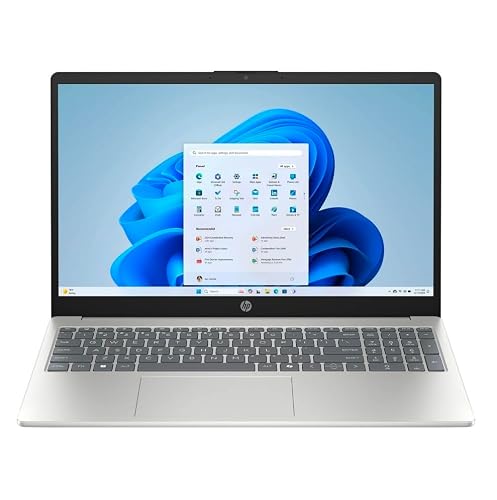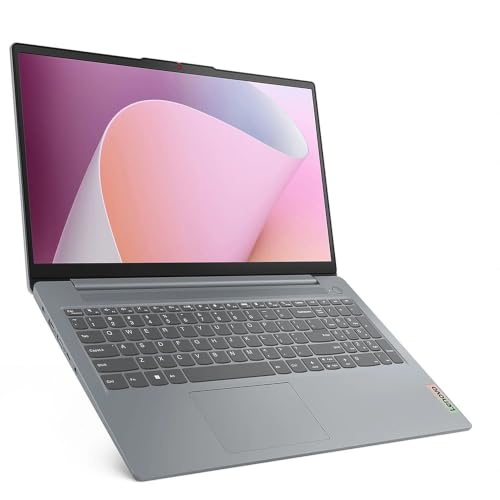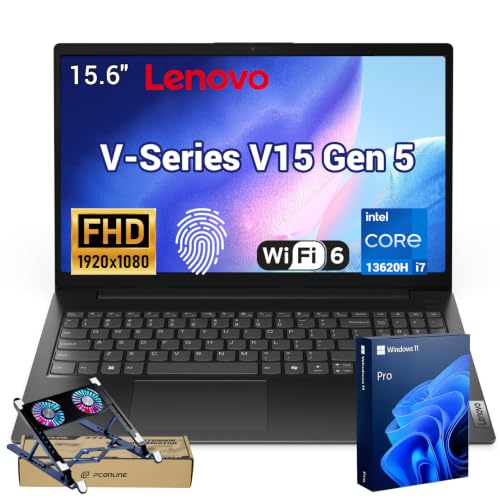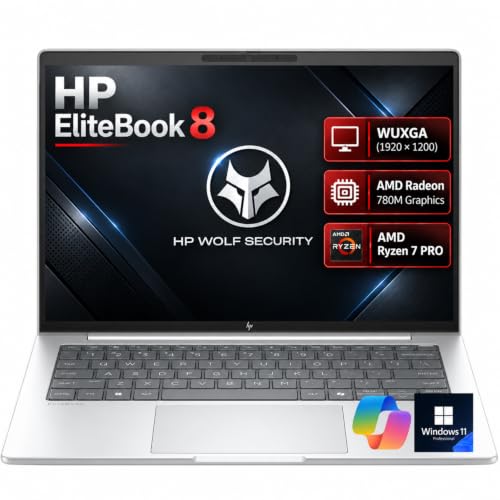
The best laptops for business security are the laptops that protect the work as well as doing it: a fingerprint reader that signs in with a touch, security software that watches for threats, and a business operating system that can be managed, encrypted and wiped by the IT team. A business laptop is not a consumer laptop with a different badge, and it should not be judged like one. It should be judged on whether it keeps the company's data safe, whether it can be fixed and managed by the IT team, and whether it survives the daily travel between the office, the home and the road.
Eight laptops made the list, from the three makers that define the business laptop: Lenovo's ThinkPad, HP's EliteBook and ProBook, and Dell's Latitude and Pro lines. Every one is a genuine business laptop, with a fingerprint reader or Wolf Security stated in its listing, and most run Windows 11 Pro, which is the operating system a business needs. The memory runs from 16GB to 32GB, the storage from 512GB to 1TB, and the screens from 14 inches to 16 inches, so the guide covers the portable 14-inch laptop for travel and the larger 16-inch laptop for the desk.
A word on what business security means, and what it does not. It means a fingerprint reader for sign-in, security software like HP Wolf Security that protects the machine from threats, and Windows 11 Pro, which gives the IT team the tools to manage, encrypt and wipe the laptop. It does not mean the laptop is unhackable, and this guide makes no such claim, because no laptop is.
In this guide
Quick picks: best laptops for business security
| # | Product | Where to buy |
|---|---|---|
| 1 | HP EliteBook 8 G1a, Wolf Pro Security, Ryzen 7 PRO | Check on Amazon |
| 2 | HP ProBook 460 G11, Ultra 7, Wolf Security | Check on Amazon |
| 3 | Lenovo ThinkPad E16 Gen 3, Core 5, Fingerprint | Check on Amazon |
| 4 | Lenovo ThinkPad T14 Gen 6, Ultra 7, Fingerprint | Check on Amazon |
| 5 | Dell Latitude 3550, Ultra 7, Fingerprint, Win 11 Pro | Check on Amazon |
| 6 | Dell Latitude 5550, Ultra 5, Win 11 Pro | Check on Amazon |
| 7 | Dell Pro 16, Ultra 7, Fingerprint, Win 11 Pro | Check on Amazon |
| 8 | Dell Latitude 3440, i5-1235U, Win 11 Pro | Check on Amazon |
How the picks were chosen
The picks were chosen from the site's own product listings, and only business laptops with security features stated in their listings made the list. Cable locks, backpacks and mice were left out, because they are accessories, not laptops, and this guide is about laptops. Consumer laptops without a business line or a security feature were left out too, because a laptop without a fingerprint reader or Wolf Security is not a security laptop, however good it is. Two EliteBook listings that looked right in the search results turned out to be renewed machines when their full titles were checked, and both were dropped.
The security features were the first test after the laptop itself, because this guide is about security. A fingerprint reader, found on the ThinkPad E16, the ThinkPad T14, the Latitude 3550 and the Dell Pro 16, signs the laptop in with a touch, which is faster than a password and safer than no lock at all. Wolf Security, found on the EliteBook 8 G1a and the ProBook 460 G11, is HP's security software, and it is stated in those listings as a named feature. Windows 11 Pro, found on most picks here, is the operating system that gives the IT team the tools to manage the laptop. The guide names the security feature of every pick, so the choice can be made at a glance.
The processor, memory and storage were the remaining tests. The picks cover the chips a business laptop is likely to carry: Intel Ultra 5 and Ultra 7, Intel Core 5, and AMD Ryzen 7 PRO, all current chips that will stay supported for years. Memory runs from 16GB to 32GB, and storage from 512GB to 1TB, which is the right amount for business work, where the files are documents, spreadsheets and presentations rather than games.
Quick comparison
| Product | Standout detail |
|---|---|
| HP EliteBook 8 G1a, Wolf Pro Security, Ryzen 7 PRO | EliteBook 8 G1a, Wolf Pro, Ryzen 7 PRO, 32GB |
| HP ProBook 460 G11, Ultra 7, Wolf Security | ProBook 460 G11, Wolf Security, Ultra 7, 32GB |
| Lenovo ThinkPad E16 Gen 3, Core 5, Fingerprint | ThinkPad E16, fingerprint, touchscreen, 16GB |
| Lenovo ThinkPad T14 Gen 6, Ultra 7, Fingerprint | ThinkPad T14 Gen 6, fingerprint, Ultra 7, Win 11 Pro |
| Dell Latitude 3550, Ultra 7, Fingerprint, Win 11 Pro | Latitude 3550, fingerprint, 32GB, Win 11 Pro |
| Dell Latitude 5550, Ultra 5, Win 11 Pro | Latitude 5550, Thunderbolt 4, 32GB, Win 11 Pro |
| Dell Pro 16, Ultra 7, Fingerprint, Win 11 Pro | Dell Pro 16, Ultra 7 255U, fingerprint, 32GB |
| Dell Latitude 3440, i5-1235U, Win 11 Pro | Latitude 3440, i5-1235U, 16GB, Win 11 Pro |

1. HP EliteBook 8 G1a, Wolf Pro Security, Ryzen 7 PRO
Key specs
HP EliteBook 8 G1a, a 14-inch premium business laptop, Wolf Pro Security Edition, with an AMD Ryzen 7 PRO processor, 32GB of DDR5 RAM, a 1TB SSD, an FHD+ IPS display and Radeon 780M graphics.
Strengths
- The Wolf Pro Security Edition is the named security feature in this listing, which makes it the most security-focused pick in this guide.
- The Ryzen 7 PRO is a business chip, built for a business laptop, with the management features a consumer chip does not offer.
- The 32GB of DDR5 memory and the 1TB SSD are the most generous in this guide, so the laptop stays fast with many apps open.
Trade-offs
- The 14-inch size is the smallest in this guide, so a buyer who wants the largest screen should look at the 16-inch picks.
- The listing gives no fingerprint reader to quote, so the buyer should check the listing for the sign-in options.
- The EliteBook is a premium laptop, so a buyer on a strict budget should take the Latitude 3440 instead.
Who it fits
A business that wants the most security-focused laptop in this guide, with Wolf Pro Security.
Best for: Business work where security software is the priority, on a premium 14-inch laptop.
Not suited for: Buyers who want a fingerprint reader stated in the listing, who should take the ThinkPad E16.
In daily use
Set the laptop up on the business network first, and let the IT team enrol it before installing apps. Turn on the Wolf Security features, and set a lock screen, because a laptop without a lock is a laptop anyone can open.
The HP EliteBook 8 G1a is the security pick: the business laptop with Wolf Pro Security in its name.
Check price on Amazon: HP EliteBook 8 G1a, Wolf Pro Security, Ryzen 7 PRO
2. HP ProBook 460 G11, Ultra 7, Wolf Security
Key specs
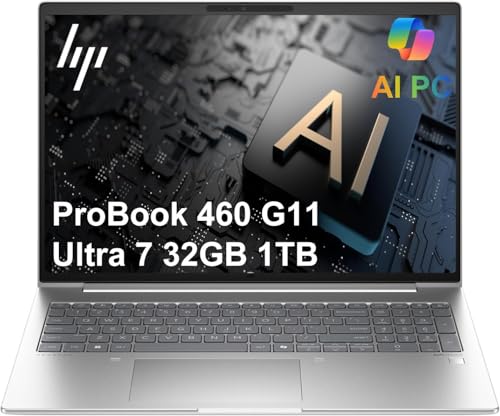
HP ProBook 460 G11 business laptop, with a 16-inch FHD+ IPS anti-glare display, an Intel Ultra 7 155U processor, 32GB of DDR5 memory, a 1TB SSD, AI PC features, Wolf Security, a backlit keyboard and a numeric keypad.
Strengths
- Wolf Security is stated in the listing, so the security software is a named feature rather than an assumption.
- The 16-inch FHD+ display is the largest in this guide, which suits spreadsheets and documents side by side.
- The numeric keypad is the feature that shows on a long day of numbers, when a laptop without one slows the work down.
Trade-offs
- The 16-inch size is the largest in this guide, so it is the heaviest to carry every day.
- The listing gives no fingerprint reader to quote, so the buyer should check the listing for the sign-in options.
- The Ultra 7 chip is fast, but it is not the fastest in this guide, and the ThinkPad T14 is quicker.
Who it fits
A business that wants a large-screen HP laptop with Wolf Security built in.
Best for: Spreadsheets and documents on a large anti-glare screen, with security software watching.
Not suited for: Buyers who want the smallest laptop here, who should take the EliteBook 8 G1a.
In daily use
Set the laptop up on the business network first, and turn on Wolf Security, because the software is only useful when it is enabled. Use the numeric keypad for spreadsheets, and keep the brightness a notch below maximum.
The HP ProBook 460 G11 is the large-screen pick: the 16-inch business laptop with Wolf Security.
Check price on Amazon: HP ProBook 460 G11, Ultra 7, Wolf Security

3. Lenovo ThinkPad E16 Gen 3, Core 5, Fingerprint
Key specs
Lenovo ThinkPad E16 Gen 3, with an Intel Core 5 210H processor, 16GB of memory and a 512GB drive, a business laptop with a 16-inch FHD+ touchscreen, a fingerprint reader, a numeric keypad, a backlit keyboard and Ethernet.
Strengths
- The fingerprint reader signs the laptop in with a touch, which is faster than a password and safer than no lock at all.
- The touchscreen adds a way to work that the other ThinkPad picks do not offer, which suits presenting and signing documents.
- Ethernet is built in, which matters for a business laptop that must connect to a wired network in an office.
Trade-offs
- The 16GB of memory is half the 32GB picks, so a buyer who runs many apps at once should take a 32GB pick instead.
- The 512GB drive is half the 1TB picks, so a buyer with a large file collection should plan on the cloud.
- The 16-inch size is the largest a business laptop can be, so it is the heaviest to carry every day.
Who it fits
A business that wants a ThinkPad with a fingerprint reader and a touchscreen.
Best for: Work and presenting on a 16-inch ThinkPad, signed in with a fingerprint.
Not suited for: Buyers who need 32GB of memory, who should take the ThinkPad T14 Gen 6.
In daily use
Set up the fingerprint reader on the first day, and add a second sign-in method, because a fingerprint alone is not a backup. Use the touchscreen for presenting, and plug into Ethernet in the office.
The Lenovo ThinkPad E16 Gen 3 is the ThinkPad pick: the business laptop with a fingerprint reader and a touchscreen.
Check price on Amazon: Lenovo ThinkPad E16 Gen 3, Core 5, Fingerprint
4. Lenovo ThinkPad T14 Gen 6, Ultra 7, Fingerprint
Key specs
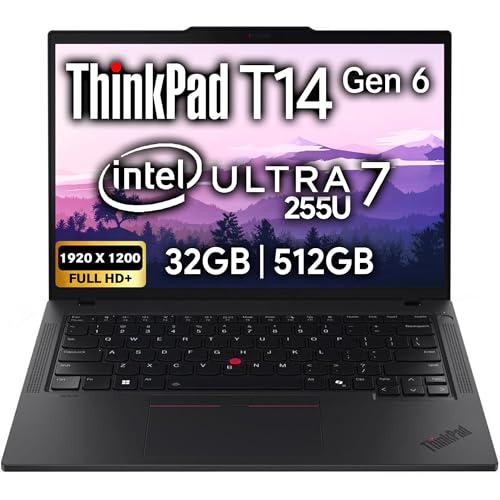
Lenovo ThinkPad T14 Gen 6 business laptop, with a 14-inch FHD+ IPS display, an Intel Ultra 7 255U processor, 32GB of DDR5 RAM, a 512GB SSD, a 5MP webcam, a fingerprint reader, a backlit keyboard, Wi-Fi 6E, two Thunderbolt 4 ports and Windows 11 Pro.
Strengths
- The ThinkPad T14 is the flagship business laptop in this guide, and it is the one the IT team will know best.
- The fingerprint reader and Windows 11 Pro together give the laptop the sign-in and the management a business needs.
- Two Thunderbolt 4 ports connect a dock, a display or fast storage with one cable each, which is the fastest connection in this guide.
Trade-offs
- The 512GB drive is half the 1TB picks, so a buyer with a large file collection should plan on the cloud.
- The 14-inch size is portable, but it is smaller than the 16-inch picks, so a buyer who wants the largest screen should look elsewhere.
- The T14 is a premium laptop, so a buyer on a strict budget should take the Latitude 3440 instead.
Who it fits
A business that wants the flagship ThinkPad, with a fingerprint reader and Windows 11 Pro.
Best for: Business travel and office work on the laptop the IT team knows best.
Not suited for: Buyers who need a 1TB drive, who should take the EliteBook 8 G1a.
In daily use
Set up the fingerprint reader on the first day, and enrol the laptop with the IT team. Use the Thunderbolt 4 ports for a dock at the desk, and the 5MP webcam for video calls.
The Lenovo ThinkPad T14 Gen 6 is the flagship pick: the ThinkPad that defines the business laptop.
Check price on Amazon: Lenovo ThinkPad T14 Gen 6, Ultra 7, Fingerprint

5. Dell Latitude 3550, Ultra 7, Fingerprint, Win 11 Pro
Key specs
Dell Latitude 3550 business laptop, with an Intel Core Ultra 7 155U processor in the 2027 edition, 32GB of DDR5 RAM, a 1TB PCIe SSD, a 15.6-inch FHD display, a long-lasting battery, a fingerprint reader and a backlit keyboard, running Windows 11 Pro.
Strengths
- The fingerprint reader and Windows 11 Pro together give the laptop the sign-in and the management a business needs.
- The 1TB SSD is the largest storage in this guide alongside the HP picks, so files and apps fit without a workaround.
- The long-lasting battery is stated in the listing, which matters for a laptop that travels between meetings.
Trade-offs
- The 15.6-inch size is a middle size, so it is neither the smallest nor the largest in this guide.
- The listing gives no Thunderbolt port to quote, so a buyer who needs one should take the ThinkPad T14 instead.
- The 2027 edition is the newest in this guide, so the buyer should check the listing matches the model.
Who it fits
A business that wants a Dell laptop with a fingerprint reader and Windows 11 Pro, with a long battery.
Best for: Meetings and travel on a Dell laptop that lasts the day and signs in with a touch.
Not suited for: Buyers who need Thunderbolt 4, who should take the ThinkPad T14 Gen 6.
In daily use
Set up the fingerprint reader on the first day, and enrol the laptop with the IT team. Use the long battery through the day, and charge the laptop overnight.
The Dell Latitude 3550 is the Dell pick: the business laptop with a fingerprint reader and a long battery.
Check price on Amazon: Dell Latitude 3550, Ultra 7, Fingerprint, Win 11 Pro

6. Dell Latitude 5550, Ultra 5, Win 11 Pro
Key specs
Dell Latitude 5550 laptop, with a 15.6-inch FHD display, an Intel Ultra 5 125U processor, 32GB of DDR5 memory and a 1TB SSD, a business AI PC with an IPS anti-glare display, Thunderbolt 4, an RJ-45 port, a numeric keypad and Windows 11 Pro.
Strengths
- Windows 11 Pro gives the IT team the tools to manage, encrypt and wipe the laptop, which is the operating system a business needs.
- Thunderbolt 4 and RJ-45 together cover the fastest dock and the wired network, which is the connectivity a business laptop needs.
- The 32GB of memory and the 1TB SSD are the most generous in this guide, so the laptop stays fast with many apps open.
Trade-offs
- The listing gives no fingerprint reader to quote, so the buyer should check the listing for the sign-in options.
- The Ultra 5 chip is a step below the Ultra 7 picks, so a buyer who wants the fastest should take the Latitude 3550.
- The 15.6-inch size is a middle size, so it is neither the smallest nor the largest in this guide.
Who it fits
A business that wants a Dell laptop with Windows 11 Pro, Thunderbolt 4 and a wired network port.
Best for: Office work where the laptop docks to a display and plugs into the network.
Not suited for: Buyers who want a fingerprint reader stated in the listing, who should take the Latitude 3550.
In daily use
Enrol the laptop with the IT team on the first day, and set a lock screen, because a business laptop without a lock is a laptop anyone can open. Use the Thunderbolt 4 port for a dock, and the RJ-45 port for the wired network.
The Dell Latitude 5550 is the connectivity pick: the business laptop with Thunderbolt 4 and Ethernet.
Check price on Amazon: Dell Latitude 5550, Ultra 5, Win 11 Pro

7. Dell Pro 16, Ultra 7, Fingerprint, Win 11 Pro
Key specs
Dell Pro 16 premium business laptop, with a next-generation Ultra 7 255U processor with 12 cores at up to 5.2GHz, a 16-inch WUXGA display, AI Copilot features, 32GB of DDR5 RAM, a 1TB SSD, a backlit keyboard, a fingerprint reader, Wi-Fi 6E and Windows 11 Pro.
Strengths
- The Ultra 7 255U with 12 cores is the fastest chip in this guide, and it handles the heaviest business work without slowing down.
- The fingerprint reader and Windows 11 Pro together give the laptop the sign-in and the management a business needs.
- The 16-inch WUXGA display is the largest in this guide, which suits spreadsheets and documents side by side.
Trade-offs
- The 16-inch size is the largest in this guide, so it is the heaviest to carry every day.
- The AI Copilot features need the software to be set up, and the buyer should check what is enabled in the listing.
- The premium specification is the most expensive in this guide, so a buyer on a strict budget should take the Latitude 3440 instead.
Who it fits
A business that wants the fastest laptop in this guide, with a fingerprint reader and Windows 11 Pro.
Best for: Demanding business work on the fastest chip here, with a large screen.
Not suited for: Buyers who want the smallest laptop, who should take the EliteBook 8 G1a.
In daily use
Set up the fingerprint reader on the first day, and enrol the laptop with the IT team. Use the AI Copilot features for drafting and questions, but check the answers.
The Dell Pro 16 is the fastest pick: the business laptop with the quickest chip here.
Check price on Amazon: Dell Pro 16, Ultra 7, Fingerprint, Win 11 Pro

8. Dell Latitude 3440, i5-1235U, Win 11 Pro
Key specs
Dell Latitude 3440, a 14-inch FHD business laptop with an Intel Core i5-1235U processor, 16GB of RAM, a 512GB NVMe SSD, a webcam, Wi-Fi 6E, Bluetooth, HDMI, a USB-C DisplayPort and Windows 11 Pro.
Strengths
- Windows 11 Pro gives the IT team the tools to manage the laptop, which is the operating system a business needs.
- The 14-inch size is the smallest alongside the EliteBook, which makes it the easiest laptop here to carry every day.
- The USB-C DisplayPort connects an external display with one cable, which is the simplest way to add a second screen.
Trade-offs
- The 16GB of memory is half the 32GB picks, so a buyer who runs many apps at once should take a 32GB pick instead.
- The listing gives no fingerprint reader to quote, so the buyer should check the listing for the sign-in options.
- The Core i5-1235U is a capable chip, but it is not the fastest in this guide, and the Dell Pro 16 is quicker.
Who it fits
A business that wants the most affordable laptop in this guide, with Windows 11 Pro.
Best for: Everyday business work on a portable 14-inch laptop, at the lowest outlay here.
Not suited for: Buyers who need 32GB of memory, who should take the Latitude 3550.
In daily use
Enrol the laptop with the IT team on the first day, and set a lock screen, because a business laptop without a lock is a laptop anyone can open. Use the USB-C DisplayPort for a second screen at the desk, and keep the laptop updated.
The Dell Latitude 3440 is the value pick: the business laptop with Windows 11 Pro at the lowest outlay here.
Check price on Amazon: Dell Latitude 3440, i5-1235U, Win 11 Pro
Buying guide: best laptops for business security
Fingerprint readers: the first line of defence
A fingerprint reader is the first line of defence on a business laptop, because it signs the laptop in with a touch, which is faster than a password and safer than no lock at all. Four picks in this guide state a fingerprint reader in their listings: the ThinkPad E16, the ThinkPad T14, the Latitude 3550 and the Dell Pro 16. The reader should be set up on the first day, with a second sign-in method as a backup, because a fingerprint alone is not a backup, and a reader that has not been set up is a reader that does nothing. A laptop without a fingerprint reader can still be secured with a strong password, but it is slower to sign in, and a slow sign-in is a sign-in that gets skipped.
Security software: Wolf Security
Security software is the second line of defence, and HP Wolf Security, found on the EliteBook 8 G1a and the ProBook 460 G11, is the named software in this guide. Wolf Security is stated in those listings as a feature, which means the maker considers it part of the laptop, not an afterthought. The software should be turned on, because software that is installed but disabled does nothing, and it should be kept updated, because updates are the security. A business laptop without security software is a laptop that relies on the user alone, and the user is the weakest part of any security plan.
Windows 11 Pro: the business operating system
Windows 11 Pro is the operating system a business needs, because it gives the IT team the tools to manage, encrypt and wipe the laptop. Most picks in this guide run Windows 11 Pro, and the guide names them. The Pro edition allows the laptop to be joined to a business network, to be encrypted, and to be managed remotely, which the Home edition does not. A business that buys Home edition laptops will find them harder to manage, and harder to secure, and the guide leaves them out for that reason.
Encryption and the IT team
Encryption is the feature that protects the data when the laptop is lost or stolen, and it is the reason a business laptop should be managed by the IT team. A laptop that is encrypted cannot be read by someone who finds it, and a laptop that is not encrypted can be read by anyone who removes the drive. The picks in this guide that run Windows 11 Pro can be encrypted, and the IT team should do it on the first day, because encryption that is turned on later is encryption that was missing when it was needed. Enrol the laptop with the IT team before installing apps, because a business laptop should be managed from the start.
Physical security: locks, sleeves and the desk
Physical security is the part of business security that buyers forget: a laptop that is left on a desk, in a car, or in a hotel room is a laptop that can be taken, however good its software is. A cable lock, a sleeve, and a habit of locking the laptop when it is left alone are the practical measures, and they cost little. The laptop should never be left in a car, because a car is the easiest place to steal a laptop from, and it should never be left unlocked on a desk, because an unlocked laptop is an open laptop.
Updates: the security that never stops
Updates are the security that never stops, because they fix the flaws that attackers use. A business laptop should be set to update automatically, and the updates should be installed when they arrive, not put off until later. The picks in this guide are current models, which means they will stay supported for years, and the buyer should check that the laptop is still supported before buying an older model. A laptop without updates is a laptop with known flaws, and it is the easiest target there is.
What to check before ordering
Before ordering, check three things in the listing: the security feature, the operating system, and the memory. The security feature, a fingerprint reader or Wolf Security, decides whether the laptop is a security laptop at all. The operating system, Windows 11 Pro, decides whether the IT team can manage it. The memory decides whether the laptop can run the work. Check the model name, because a laptop with a similar name from the same maker can be a different device entirely, and the picks in this guide are named exactly, with model numbers where the listing gives them.
Business laptops for travel
A business laptop for travel wants a small screen, a long battery, and a fingerprint reader, and the EliteBook 8 G1a and the ThinkPad T14 are the picks for that job. The 14-inch size fits in a small bag, the fingerprint reader signs the laptop in with a touch, and the long battery lasts a day of meetings. Keep the laptop in a sleeve, lock it when it is left alone, and never leave it in a car, because a laptop that travels is a laptop that can be taken.
Usage and care
Set the laptop up on the business network first, and let the IT team enrol it before installing apps, because a business laptop should be managed from the first day. Set up the fingerprint reader, turn on the security software, and set a lock screen, because a laptop without a lock is a laptop anyone can open. Install the apps the laptop will actually use, and delete the ones it will not, because a clean machine is a faster machine.
Look after the laptop by keeping it in a sleeve when it is carried, and by charging it overnight, because a business laptop should start the day full. Keep the screen clean with a soft cloth, and keep the laptop out of direct sunlight and away from heat, because heat ages a battery faster than use does. Back up the files to the cloud or to the business server, and check the storage once a month, because a full laptop is a slow laptop.
Store the laptop in a safe place between uses, and lock it when it is left alone, because a laptop that is left unlocked is a laptop that is open. Update the software when it asks, because updates are the security, and report a lost or stolen laptop to the IT team immediately, because a lost laptop that is reported can be wiped remotely, and a lost laptop that is not reported cannot.
Common mistakes
The most common mistake is buying a consumer laptop for business use: a laptop without a fingerprint reader, without security software, and without Windows 11 Pro is a laptop that cannot be managed, encrypted or wiped by the IT team. Buy a business laptop for business work, with the security features stated in the listing, and the laptop will serve the business rather than fighting it.
The second mistake is forgetting to turn the security on. A fingerprint reader that has not been set up does nothing, security software that is disabled does nothing, and encryption that is not turned on does nothing. Set the fingerprint reader up on the first day, turn the security software on, and let the IT team encrypt the laptop, because security that is bought but not enabled is security that was wasted.
The third mistake is leaving the laptop unlocked and unattended. A laptop that is left on a desk, in a meeting room, or in a car is a laptop that can be taken, however good its software is. Lock the laptop when it is left alone, keep it in a sleeve when it is carried, and never leave it in a car, because physical security is the part of business security that software cannot replace.
Business laptops for the office
A business laptop for the office wants a large screen, a numeric keypad, and a dock, and the ProBook 460 G11 and the Dell Pro 16 are the picks for that job. The 16-inch screen suits spreadsheets side by side, the numeric keypad suits a long day of numbers, and the Thunderbolt 4 port on the Latitude 5550 connects a dock with one cable. Use the laptop at the desk, and lock it when it is left alone.
Business laptops for remote work
A business laptop for remote work wants a good webcam, a fingerprint reader, and Windows 11 Pro, and the ThinkPad T14 with its 5MP webcam and the Latitude 3550 with its long battery are the picks for that job. The webcam matters when the meeting is on screen, the fingerprint reader matters when the laptop is opened and closed a dozen times a day, and Windows 11 Pro matters because the IT team must be able to manage a laptop that never comes into the office.
Business laptops for a small business
A small business wants a laptop that is secure without an IT team, and the EliteBook 8 G1a with Wolf Pro Security and the Latitude 3440 with Windows 11 Pro are the picks for that job. Turn the security software on, set the fingerprint reader up, and keep the laptop updated, because a small business without an IT team must do the security itself, and the laptop should make that easy.
Final recommendation
If one laptop has to win this guide, it is the Lenovo ThinkPad T14 Gen 6, because it is the flagship business laptop: a fingerprint reader, Windows 11 Pro, two Thunderbolt 4 ports, a 5MP webcam, and the ThinkPad name that the IT team knows best. The HP EliteBook 8 G1a is the pick for businesses that want Wolf Pro Security, and the Dell Pro 16 is the pick for businesses that want the fastest chip here.
For most buyers, the choice comes down to three questions. Which maker? If the answer is Lenovo, the ThinkPad picks are the answers, and if the answer is HP or Dell, the EliteBook, ProBook and Latitude picks are the answers. Is a fingerprint reader needed? If yes, the ThinkPad E16, the ThinkPad T14, the Latitude 3550 and the Dell Pro 16 are the answers. How large should the screen be? If the answer is 14 inches, the EliteBook and the ThinkPad T14 are the answers, and if the answer is 16 inches, the ProBook and the Dell Pro 16 are the answers. Answer those three, and the right laptop in this guide picks itself.
Whatever laptop is chosen, enrol it with the IT team on the first day, set the fingerprint reader up, turn the security software on, and keep the laptop updated. A business laptop bought carefully is a laptop that protects the work as well as doing it, and the eight laptops in this guide are all laptops that can do that, in different sizes and for different businesses.
Frequently asked questions
What is the best laptop for business security?
The best laptop for business security is the Lenovo ThinkPad T14 Gen 6, because it combines a fingerprint reader, Windows 11 Pro, two Thunderbolt 4 ports and a 5MP webcam, in the laptop the IT team knows best. The HP EliteBook 8 G1a is the best alternative for businesses that want Wolf Pro Security, and the Dell Pro 16 is the fastest pick in this guide.
Do business laptops need a fingerprint reader?
A business laptop benefits from a fingerprint reader, because it signs the laptop in with a touch, which is faster than a password and safer than no lock at all. Four picks in this guide state a fingerprint reader in their listings: the ThinkPad E16, the ThinkPad T14, the Latitude 3550 and the Dell Pro 16. A laptop without one can still be secured with a strong password, but it is slower to sign in.
What is HP Wolf Security?
HP Wolf Security is HP's security software, stated as a named feature in the listings for the EliteBook 8 G1a and the ProBook 460 G11 in this guide. The software should be turned on, because software that is installed but disabled does nothing, and it should be kept updated, because updates are the security.
Is Windows 11 Pro needed for business?
Windows 11 Pro is needed for business, because it gives the IT team the tools to manage, encrypt and wipe the laptop, which the Home edition does not. Most picks in this guide run Windows 11 Pro, and the guide names them. A business that buys Home edition laptops will find them harder to manage and harder to secure.
Are ThinkPads good for business security?
ThinkPads are good for business security, and the ThinkPad E16 and T14 in this guide both offer a fingerprint reader, with the T14 adding Windows 11 Pro and two Thunderbolt 4 ports. The ThinkPad is the laptop the IT team knows best, which matters when the laptop needs support, and it is built to survive daily travel.
How do I keep a business laptop secure?
Keep a business laptop secure by setting the fingerprint reader up on the first day, turning the security software on, and letting the IT team encrypt the laptop. Lock the laptop when it is left alone, keep it in a sleeve when it is carried, and never leave it in a car. Update the software when it asks, because updates are the security.
What is the best business laptop for travel?
The best business laptop for travel is the HP EliteBook 8 G1a or the Lenovo ThinkPad T14, because both are 14-inch laptops with a fingerprint reader, which makes them easy to carry and quick to sign in. The 14-inch size fits in a small bag, and the long battery on the Latitude 3550 is the alternative for a buyer who travels between meetings all day.
More from ilcastellomenu.com
Best business 2-in-1 laptops: convertible laptops for work
Best Black Friday business laptops: business laptops at seasonal value
Best 17-inch touch screen laptops: larger touchscreen laptops for business