The best home multifunction printers are the all-in-one printers that do the four jobs a home actually needs: printing, scanning, copying, and, for the households that still need it, faxing. A home printer earns its place on a desk by being ready when it is needed, which means it should connect to the home Wi-Fi without a fight, print a school form or a boarding pass without a driver hunt, and scan a signed page back into the phone in a minute. Those are ordinary jobs, and a good home printer does them quietly, week after week.
Eight printers made the list, led by the HP OfficeJet Pro 9125e and the Canon TR8620, with Brother and Epson alongside them. Every one is a genuine multifunction printer sold as a complete device, with a printer, a scanner and a copier in one unit. The list runs from the small DeskJet that suits a light-printing household to the EcoTank models that suit a household that prints every day, so it covers the home that prints a few pages a week, the home office that prints a few pages a day, and the family that prints, scans and copies for school and work.
A word on what a home multifunction printer is, and what it is not. It is a printer that also scans and copies, which is why the all-in-one design matters: one device, one cable, one place on the desk. It is not a photo lab, and it is not an office workhorse, and this guide does not pretend otherwise. What it is, when the choice is made well, is a printer that the household stops thinking about, because it works when it is needed and stays out of the way when it is not.
In this guide
Quick picks: best home multifunction printers
| # | Product | Where to buy |
|---|---|---|
| 1 | HP OfficeJet Pro 9125e Color Inkjet Printer | Check on Amazon |
| 2 | Canon TR8620 All-in-One Printer | Check on Amazon |
| 3 | Brother MFC-J4335DW INKvestment Tank Printer | Check on Amazon |
| 4 | Epson EcoTank ET-3850 Supertank Printer | Check on Amazon |
| 5 | HP DeskJet 4155e Wireless Color Inkjet Printer | Check on Amazon |
| 6 | Canon PIXMA TR4720 All-in-One Printer | Check on Amazon |
| 7 | Brother DCP-L2640DW Monochrome Multi-Function Printer | Check on Amazon |
| 8 | Epson EcoTank ET-4800 Supertank Printer | Check on Amazon |
How the picks were chosen
The picks were chosen from the site's own product search, looking only at genuine multifunction printers sold as complete devices: a printer with a scanner and a copier in one unit. Ink cartridges, toner, paper and printer stands were left out, because they are supplies and accessories, not printers, and this guide is about printers. Listings that were only an ink cartridge pack for a printer were judged as supplies and dropped, and listings whose titles belonged to a single-function printer, which prints only and does not scan or copy, were dropped too.
The four functions were the first test after the printer itself, because a multifunction printer that cannot scan or copy well is a printer with a wasted scanner. Every pick here prints, scans and copies, and most of them fax as well, because a home that still sends a fax should not need a second machine for it. The automatic document feeder was read from the listing where the maker states it, and the picks with a feeder are marked in their sections, because a feeder turns a stack of pages into a single scan job.
Ink and running costs were the remaining test, judged only on what the listing states. The EcoTank picks carry their ink in refillable tanks rather than cartridges, which the listings describe as cartridge-free, and the Brother INKvestment pick states up to a year of ink in the box. The guide reports those claims as the listings state them, and it does not invent running-cost figures, because the cost of printing depends on how much a household prints, and that number is different in every home.
Quick comparison
| Product | Standout detail |
|---|---|
| HP OfficeJet Pro 9125e Color Inkjet Printer | HP 9125e, all-in-one, print/scan/copy/fax |
| Canon TR8620 All-in-One Printer | Canon TR8620, ADF, photo and document |
| Brother MFC-J4335DW INKvestment Tank Printer | Brother MFC-J4335DW, up to 1-year ink in-box |
| Epson EcoTank ET-3850 Supertank Printer | Epson ET-3850, cartridge-free, ADF, Ethernet |
| HP DeskJet 4155e Wireless Color Inkjet Printer | HP DeskJet 4155e, easy setup, 3-month ink trial |
| Canon PIXMA TR4720 All-in-One Printer | Canon TR4720, ADF, fax, white |
| Brother DCP-L2640DW Monochrome Multi-Function Printer | Brother DCP-L2640DW, monochrome laser, duplex |
| Epson EcoTank ET-4800 Supertank Printer | Epson ET-4800, cartridge-free, up to 10 ppm |
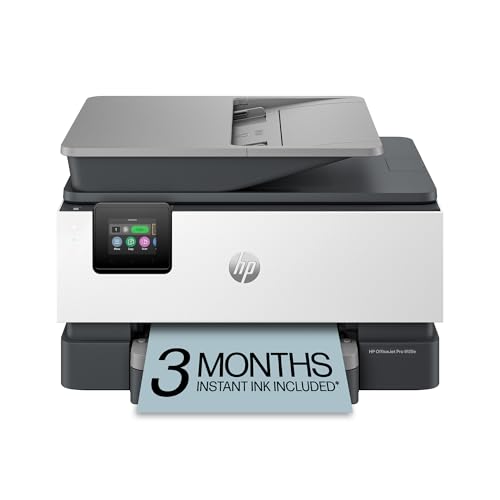
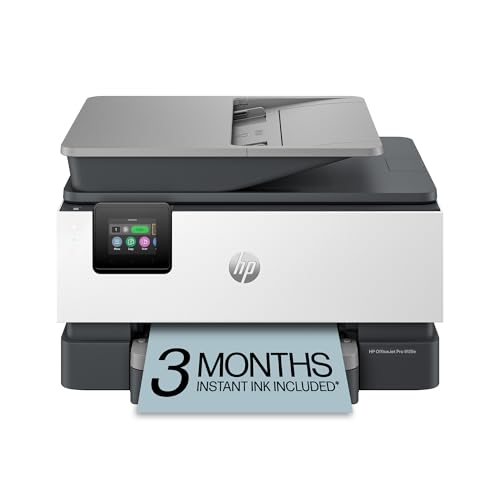
1. HP OfficeJet Pro 9125e Color Inkjet Printer
Key specs
HP OfficeJet Pro 9125e color inkjet printer, wireless, all-in-one, print, scan, copy and fax, for home and office use.
Strengths
- It does all four jobs, print, scan, copy and fax, in one unit, so a home needs no second machine.
- Wireless printing means the printer can sit anywhere the Wi-Fi reaches, rather than beside the computer.
- As an OfficeJet Pro it is built for a home office that prints every day, not only for the occasional page.
Trade-offs
- The listing gives no document-feeder detail to quote, so the buyer should check the listing before ordering a printer for heavy scanning.
- The inkjet design means the printer should be used regularly, because a printer left idle for months can dry out.
- HP is a big name with wide support, and the buyer should check the listing for what is included in the box.
Who it fits
A home office that prints, scans, copies and faxes every day.
Best for: Daily home-office work, where all four functions in one wireless unit matter.
Not suited for: Buyers who print only a few pages a month, who should take the HP DeskJet 4155e below.
In daily use
Set the printer on the Wi-Fi first, before installing anything on the computer, because the wireless setup is the step that causes most first-day trouble. Print a test page, scan a page to the phone, and copy a page, all on the first day, so any problem shows up while the return window is open.
The HP OfficeJet Pro 9125e is the default pick in this guide: the all-in-one printer that does every home-office job in one wireless unit.
Check price on Amazon: HP OfficeJet Pro 9125e Color Inkjet Printer

2. Canon TR8620 All-in-One Printer
Key specs
Canon TR8620 all-in-one printer for home office, copier, scanner, fax, auto document feeder, photo and document printing, AirPrint and Android printing, black.
Strengths
- The auto document feeder is the feature that matters most for scanning, because it turns a stack of pages into one job.
- Photo and document printing in one unit means the printer handles a school photo and a boarding pass with equal ease.
- AirPrint and Android printing mean the printer works from a phone without a driver hunt, which is how most homes print now.
Trade-offs
- The listing gives no ink claim to quote, so the buyer should check the listing for ink details before ordering.
- As a home-office unit it is built for regular use, so a household that prints rarely should take a simpler pick.
- The black finish is the only colour in the listing, so a buyer who wants a white printer should take the Canon TR4720 below.
Who it fits
A home office that scans stacks of pages and prints photos as well as documents.
Best for: Home-office printing and photo printing, where the feeder and the phone printing matter.
Not suited for: Buyers who want a white printer, who should take the Canon PIXMA TR4720 below.
In daily use
Load the feeder with the pages face up as the listing shows, and test it with a five-page document on the first day, because a feeder that misfeeds on page one will misfeed on page fifty. Print a photo from the phone to test AirPrint, and keep the printer on the Wi-Fi so the phone always finds it.
The Canon TR8620 is the scanning pick: the all-in-one printer with the feeder that turns a stack into a single job.
Check price on Amazon: Canon TR8620 All-in-One Printer

3. Brother MFC-J4335DW INKvestment Tank Printer
Key specs
Brother MFC-J4335DW INKvestment Tank wireless all-in-one color inkjet printer, up to 1-year of ink in-box, duplex printing, mobile and cloud print, works with Alexa.
Strengths
- Up to a year of ink in the box is the most generous ink claim in this guide, and it is the number that matters for a household that prints often.
- Duplex printing prints both sides of the page, which halves the paper a household uses and keeps documents tidy.
- Mobile and cloud printing, with Alexa support, mean the printer works from a phone, a cloud account or a voice command.
Trade-offs
- The listing gives no document-feeder detail to quote, so the buyer should check the listing before ordering a printer for heavy scanning.
- The ink claim is stated as up to a year, which depends on how much the household prints, so a heavy-printing home should read the listing carefully.
- The INKvestment Tank design is a Brother system, so the buyer should use the ink the listing specifies.
Who it fits
A household that prints often and wants the ink to last.
Best for: Family and home-office printing, where a year of ink in the box matters most.
Not suited for: Buyers who want a refillable tank system, who should take the Epson EcoTank ET-3850 below.
In daily use
Set the ink tanks up on the first day, before the first print, because the printer needs its ink in place before it can print. Turn on duplex printing in the driver, because double-sided printing is the simplest way to halve paper use, and test cloud printing from the phone so the printer is ready when it is needed.
The Brother MFC-J4335DW is the ink pick: the all-in-one printer with up to a year of ink in the box.
Check price on Amazon: Brother MFC-J4335DW INKvestment Tank Printer

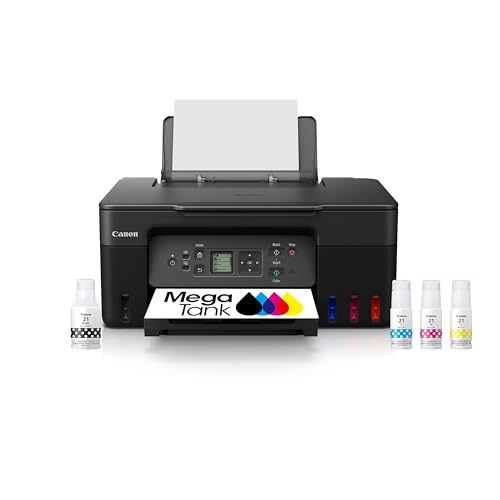
4. Epson EcoTank ET-3850 Supertank Printer
Key specs
Epson EcoTank ET-3850 wireless color all-in-one cartridge-free Supertank inkjet printer for home office, scanner, copier, ADF and Ethernet, with bonus black ink bottle and USB cable.
Strengths
- Cartridge-free printing means the ink comes in bottles rather than cartridges, which the listing describes as a Supertank system.
- The ADF, scanner and copier are all in one unit, so the printer scans a stack and copies it without a second machine.
- The bonus black ink bottle and USB cable in the listing mean the printer is ready to print from the first day.
Trade-offs
- The listing gives no ink-duration claim to quote, so the buyer should check the listing for how long the ink lasts.
- A tank printer should be used regularly, because a printer left idle for months can dry out, whatever the ink system.
- Ethernet is included alongside wireless, which is a bonus for a wired home office and an unused extra for a Wi-Fi household.
Who it fits
A home office that prints every day and wants a cartridge-free ink system.
Best for: Daily home-office printing, where the tank system and the feeder matter.
Not suited for: Buyers who print only a few pages a month, who should take the HP DeskJet 4155e below.
In daily use
Fill the tanks on the first day, following the listing's instructions, and print a test page in colour and in black, because the tanks need to be full before the printer can be judged. Use the feeder for a stack of pages, and keep the printer on the Wi-Fi or the Ethernet cable, so every device in the home can find it.
The Epson EcoTank ET-3850 is the tank pick: the cartridge-free all-in-one printer with a feeder and a bonus ink bottle.
Check price on Amazon: Epson EcoTank ET-3850 Supertank Printer

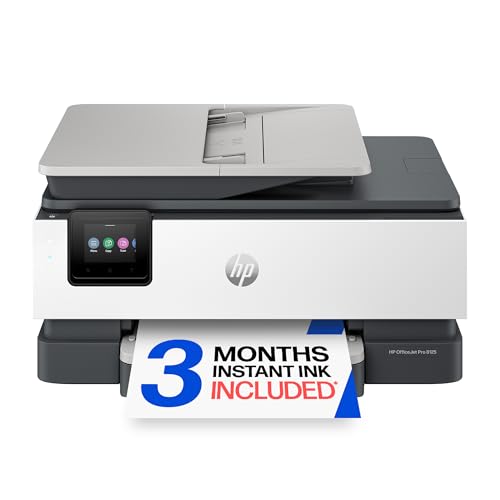
5. HP DeskJet 4155e Wireless Color Inkjet Printer
Key specs
HP DeskJet 4155e wireless color inkjet printer, print, scan, copy, easy setup, mobile printing, for home, 3 month Instant Ink trial included, white.
Strengths
- Easy setup is the point of this printer, and it is the pick for a household that wants a printer working in minutes.
- Mobile printing means the printer works from a phone, which is how a light-printing household prints most of its pages.
- The 3 month Instant Ink trial in the listing gives a new owner time to learn how much ink the household actually uses.
Trade-offs
- It is the smallest and simplest printer in this guide, so a household that prints every day should take a bigger pick.
- The listing gives no document-feeder detail to quote, so the buyer should check the listing before ordering a printer for heavy scanning.
- The Instant Ink trial lasts 3 months, after which the household should decide whether to continue it, based on how much it prints.
Who it fits
A household that prints a few pages a week and wants the simplest printer in this guide.
Best for: Light home printing, where easy setup and phone printing matter most.
Not suited for: Buyers who print every day, who should take the HP OfficeJet Pro 9125e above.
In daily use
Set the printer on the Wi-Fi first, and print a test page from the phone on the first day, because phone printing is the feature this printer is bought for. Keep the printer where it is easy to reach, because a printer in a cupboard is a printer that never gets used, and use it at least once a week to keep the ink flowing.
The HP DeskJet 4155e is the simple pick: the smallest, easiest printer in this guide, for a household that prints lightly.
Check price on Amazon: HP DeskJet 4155e Wireless Color Inkjet Printer

6. Canon PIXMA TR4720 All-in-One Printer
Key specs
Canon PIXMA TR4720 all-in-one wireless printer for home use, with auto document feeder, mobile printing and built-in fax, white.
Strengths
- The auto document feeder turns a stack of pages into a single scan job, which is the feature that matters most for scanning.
- Built-in fax means the printer does all four jobs, so a household that still faxes needs no second machine.
- The white finish suits a light-coloured desk, and it is the only white Canon in this guide.
Trade-offs
- The listing gives no ink claim to quote, so the buyer should check the listing for ink details before ordering.
- As a home-use unit it is built for regular household printing, so a heavy-printing home office should take a bigger pick.
- The listing gives no photo-printing detail to quote, so a buyer who prints photos should check the listing first.
Who it fits
A household that wants a white all-in-one printer with a feeder and a fax.
Best for: Home printing, scanning and faxing, where the feeder and the white finish matter.
Not suited for: Buyers who want a black printer, who should take the Canon TR8620 above.
In daily use
Load the feeder with the pages face up as the listing shows, and test it with a five-page document on the first day. Set the printer on the Wi-Fi, test mobile printing from the phone, and keep the printer where the fax line can reach it, if the household still uses a fax.
The Canon PIXMA TR4720 is the white pick: the all-in-one printer with a feeder and a fax in a white finish.
Check price on Amazon: Canon PIXMA TR4720 All-in-One Printer

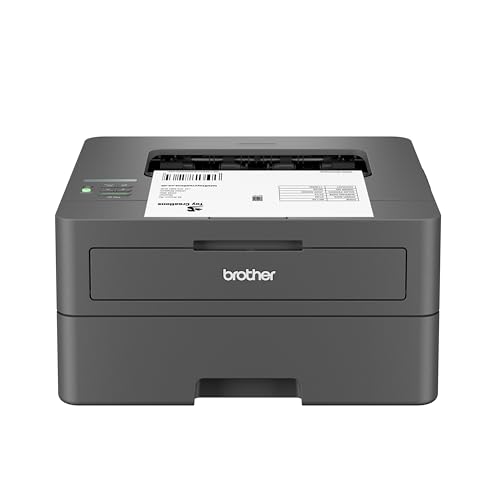
7. Brother DCP-L2640DW Monochrome Multi-Function Printer
Key specs
Brother DCP-L2640DW wireless compact monochrome multi-function printer, copy, scan, duplex, mobile printing.
Strengths
- Monochrome laser printing is the right choice for a household that prints mostly text, because it prints sharp black pages and stays ready for months.
- The compact size suits a small desk, and it is the smallest printer in this guide after the DeskJet.
- Duplex printing prints both sides, which halves the paper a household uses.
Trade-offs
- It prints in black only, so a household that prints colour photos should take a colour pick in this guide.
- The listing gives no document-feeder detail to quote, so the buyer should check the listing before ordering a printer for heavy scanning.
- The listing gives no fax detail, so a household that still faxes should take a pick with a built-in fax.
Who it fits
A household that prints mostly black text and wants a compact laser printer.
Best for: Text printing, copying and scanning, where sharp black pages matter most.
Not suited for: Buyers who print colour photos, who should take the Canon TR8620 above.
In daily use
Set the printer on the Wi-Fi first, and print a test page in duplex on the first day, because double-sided printing is the feature that halves paper use. Keep the printer on, because a laser printer stays ready for months without drying out, and print a page at least once a month to keep it in practice.
The Brother DCP-L2640DW is the laser pick: the compact monochrome printer for a household that prints text.
Check price on Amazon: Brother DCP-L2640DW Monochrome Multi-Function Printer

8. Epson EcoTank ET-4800 Supertank Printer
Key specs
Epson EcoTank ET-4800 wireless color all-in-one Supertank printer, cartridge-free print, scan, copy, fax, up to 10 ppm, ADF, Ethernet, for home and small offices.
Strengths
- Cartridge-free printing with refillable tanks is the Epson Supertank system, and it suits a household that prints in colour every day.
- It does all four jobs, print, scan, copy and fax, with an ADF, so a small office needs no second machine.
- Up to 10 ppm is the stated print speed, and it is enough for a home or a small office that prints steadily rather than in bursts.
Trade-offs
- The listing gives no ink-duration claim to quote, so the buyer should check the listing for how long the ink lasts.
- A tank printer should be used regularly, because a printer left idle for months can dry out, whatever the ink system.
- Ethernet is included alongside wireless, which is a bonus for a wired office and an unused extra for a Wi-Fi household.
Who it fits
A home or small office that prints in colour every day and wants a tank system.
Best for: Daily colour printing, scanning, copying and faxing, where the tank system matters.
Not suited for: Buyers who print mostly black text, who should take the Brother DCP-L2640DW above.
In daily use
Fill the tanks on the first day, following the listing's instructions, and print a test page in colour and in black. Use the feeder for a stack of pages, and keep the printer on the Wi-Fi or the Ethernet cable, so every device in the home or office can find it.
The Epson EcoTank ET-4800 is the office pick: the cartridge-free all-in-one printer that does all four jobs for a home or small office.
Check price on Amazon: Epson EcoTank ET-4800 Supertank Printer
Buying guide: best home multifunction printers
Inkjet or laser: which suits a home
Most home printers are inkjets, and most of the picks in this guide are inkjets, because an inkjet prints colour well and costs less to buy. A laser printer, like the Brother DCP-L2640DW in this guide, prints black text sharply and stays ready for months without drying out, which suits a household that prints mostly text and leaves the printer idle for weeks. The rule is simple: a household that prints colour photos and documents should take an inkjet, and a household that prints black text and nothing else should take a laser. Buying a laser for colour photos, or an inkjet for a printer that sits unused for months, is the most common mistake in this guide.
Tanks or cartridges: how the ink is bought
Ink comes in cartridges or in tanks, and the choice shapes how the printer is fed. Cartridge printers, like the HP and Canon picks, take a cartridge that is replaced when it runs out, which is simple and familiar. Tank printers, like the two Epson EcoTank picks, take ink from a bottle that is poured into a tank, which the listings describe as cartridge-free, and which suits a household that prints in colour every day. The Brother INKvestment pick states up to a year of ink in the box, which is a third approach: cartridges, but supplied in bulk. None of these is better in every case, and the guide does not invent running-cost figures, because the cost of printing depends on how much a household prints.
The scanner and the feeder
A multifunction printer is only as good as its scanner, and the scanner is only as good as its feeder. A flatbed scanner suits a single page, a photo, or a page from a book, because the page is laid flat and scanned once. An automatic document feeder suits a stack of pages, because the feeder pulls each page through in turn, and the Canon TR8620, the Canon TR4720 and the two Epson picks all have one. A household that scans a stack every week should take a printer with a feeder. A household that scans one page at a time will never miss it.
Duplex printing: both sides, half the paper
Duplex printing prints both sides of the page, and it is the simplest way to halve paper use. The Brother MFC-J4335DW and the Brother DCP-L2640DW both offer it, and the guide marks it in their sections. Turn it on in the driver on the first day, because a printer that prints single-sided by default will waste paper for months before anyone notices. Duplex printing also keeps documents tidy, because a ten-page document becomes five sheets instead of ten, and it is the feature that matters most for a household that prints schoolwork and forms.
Wi-Fi, mobile and cloud printing
A home printer should print from a phone, because most homes print from a phone more than from a computer. Every pick in this guide offers wireless printing, and most offer mobile and cloud printing as well, which means the printer can be sent a document from anywhere in the home, or from outside it. Set the printer on the Wi-Fi first, before installing anything on the computer, and test printing from the phone on the first day, because a printer that the phone cannot find is a printer that will not be used.
Print speed: what the numbers mean
Print speed is stated in pages per minute, and the Epson ET-4800 states up to 10 ppm in its listing. That number is measured on simple text pages, and a photo page will print more slowly, because it carries more ink. The practical test is simpler: a home printer that prints a school form in seconds and a ten-page document in a minute is a fast enough printer, and every pick in this guide is built to do that. A household that prints long documents every day should read the speed claim in the listing, and a household that prints a few pages a week can ignore it.
What to check before ordering
Before ordering, check three things in the listing: whether the printer has a feeder, whether it faxes, and what ink is included. The feeder question decides whether a stack of pages can be scanned in one job. The fax question decides whether a second machine is needed. The ink question decides the first extra purchase. Check the colour, because some listings vary by colour, and check the model name, because a printer with a similar name from the same maker can be a different device entirely. The picks in this guide are named exactly, and the listing should match the name before the order is placed.
Printers for school and homework
A printer for school wants a feeder, duplex printing, and phone printing, because homework is scanned, printed double-sided, and sent from a phone. The Canon TR8620 and the Brother MFC-J4335DW are the picks for that household, because they cover the feeder, the duplex printing and the phone printing between them. Buy for the schoolwork, not for the photo printing, and the printer will be used every day rather than once a term.
Usage and care
Set the printer on the Wi-Fi before anything else, and let the setup finish before installing anything on the computer, because the wireless setup is the step that causes most first-day trouble. Print a test page, scan a page to the phone, and copy a page, all on the first day, so any problem shows up while the return window is open. Keep the printer where it is easy to reach, because a printer in a cupboard is a printer that never gets used.
Look after the ink by using the printer at least once a week, because an inkjet left idle for months can dry out, and a tank printer is no exception. Keep spare paper loaded, and keep the paper dry, because damp paper is the most common cause of a paper jam. Clean the scanner glass with a soft cloth when scans start to show lines, because a dirty glass marks every page it scans.
Store the printer on a flat, stable surface, away from direct sunlight and away from a radiator, because heat and sunlight age a printer faster than use does. Keep the printer on, because a printer that is switched off at the wall cannot receive a print job from a phone, and a laser printer stays ready for months without drying out. Update the software when the maker offers it, because an update fixes the problems the factory software got wrong.
Common mistakes
The most common mistake is buying on the ink claim alone: a printer with a year of ink in the box that cannot scan a stack is a worse purchase than a printer with a feeder and ordinary ink, because the scanner is used every week and the ink is only noticed when it runs out. Choose the printer for the jobs it will do, then for the ink, and the right printer picks itself.
The second mistake is forgetting the feeder. A household that scans a stack of pages every week needs a printer with an automatic document feeder, and a printer without one will turn every stack into a slow job of one page at a time. The Canon and Epson picks in this guide have feeders, and the guide marks them in their sections, because the feeder is the feature that matters most for scanning.
The third mistake is buying a printer for colour photos when the household prints only black text. A colour inkjet bought for text printing costs more to run than a monochrome laser, and it dries out when it sits idle. The Brother DCP-L2640DW is the pick for a text-only household, and it is the cheapest printer in this guide to run, because it prints black text and nothing else.
Printers for a home office
A printer for a home office wants all four functions, a feeder, and duplex printing, because a home office prints, scans, copies and faxes every day. The HP OfficeJet Pro 9125e and the Epson EcoTank ET-4800 are the picks for that job, because they cover all four functions and the feeder between them. Set the printer on the Wi-Fi or the Ethernet cable, turn on duplex printing, and test the feeder with a stack on the first day, because a home-office printer should be ready for work, not for troubleshooting.
Printers for a family
A printer for a family wants easy setup, phone printing, and ink that lasts, because a family prints schoolwork, forms and photos from several phones. The Brother MFC-J4335DW and the HP DeskJet 4155e are the picks for that job, because they cover the ink and the easy setup between them. Keep the printer where everyone can reach it, and teach every phone in the household to print to it on the first day, because a printer only one person can use is a printer that causes arguments.
Printers for text only
A printer for text only wants a laser, because a laser prints sharp black pages and stays ready for months without drying out. The Brother DCP-L2640DW is the pick for that job, and it is the only laser in this guide. Print a test page in duplex on the first day, keep the printer on, and buy the toner the listing specifies when it runs out, because a laser printer is the simplest printer in this guide to own.
Final recommendation
If one printer has to win this guide, it is the HP OfficeJet Pro 9125e, because it is the most complete all-rounder at this level: all four functions, wireless printing, and a design built for a home office that prints every day. The Canon TR8620 is the pick for households that scan stacks of pages, and the Brother MFC-J4335DW is the pick for households that print often and want the ink to last.
For most buyers, the choice comes down to three questions. How much does the household print? If the answer is every day, the OfficeJet Pro and the EcoTank picks are the answers. Does the household scan stacks? If yes, the Canon and Epson picks with feeders are the answers. Does the household print colour photos? If no, the Brother laser is the answer. Answer those three, and the right printer in this guide picks itself.
Whatever printer is chosen, set it on the Wi-Fi on the first day, test the print, the scan and the copy, and use it at least once a week. A printer bought carefully is a printer that serves the household every day, and the eight printers in this guide are all printers that can do that, in different sizes and for different jobs.
Frequently asked questions
What is the best home multifunction printer?
The best home multifunction printer is the HP OfficeJet Pro 9125e, because it offers all four functions, wireless printing, and a design built for a home office. The Canon TR8620 is the best alternative for households that scan stacks of pages, and the Brother MFC-J4335DW is the best alternative for households that print often and want the ink to last.
Should I buy an inkjet or a laser printer for home?
Buy an inkjet for colour photos and documents, because an inkjet prints colour well and costs less to buy. Buy a laser for black text only, because a laser prints sharp black pages and stays ready for months without drying out. The Brother DCP-L2640DW in this guide is the laser pick, and the rest of the picks are inkjets.
What is an EcoTank printer?
An EcoTank printer is an Epson printer that takes ink from a bottle poured into a tank, rather than from a cartridge, which the listings describe as cartridge-free. The Epson ET-3850 and ET-4800 in this guide are EcoTank printers, and they suit a household that prints in colour every day, because the tank system is built for regular, heavy use.
Do I need a printer with a document feeder?
A household that scans a stack of pages every week needs a printer with an automatic document feeder, because the feeder turns a stack into a single scan job. The Canon TR8620, the Canon TR4720 and the two Epson picks in this guide have feeders. A household that scans one page at a time will never miss a feeder.
Can I print from my phone?
Yes. Every pick in this guide offers wireless printing, and most offer mobile and cloud printing as well, which means the printer can be sent a document from a phone anywhere in the home. Set the printer on the Wi-Fi first, and test printing from the phone on the first day, because a printer the phone cannot find is a printer that will not be used.
How often should I use a home printer?
An inkjet printer should be used at least once a week, because an inkjet left idle for months can dry out, and a tank printer is no exception. A laser printer stays ready for months without drying out, which is why the Brother DCP-L2640DW suits a household that prints rarely. Print a test page once a week, and the printer will stay ready.
What is duplex printing?
Duplex printing prints both sides of the page, which halves the paper a household uses and keeps documents tidy. The Brother MFC-J4335DW and the Brother DCP-L2640DW in this guide both offer it. Turn it on in the driver on the first day, because a printer that prints single-sided by default will waste paper for months before anyone notices.
More from ilcastellomenu.com
Best multifunction printers under 150: multifunction printers for a smaller budget
Best home printers under 100: home printers for a smaller budget
Best multifunction printers under 200: multifunction printers for a bigger budget