The best deal micro SD cards are the cards that give the most storage and the most speed for the money, without asking the buyer to pay for a name or a feature that will never be used. A micro SD card earns its place in a phone, a tablet, a camera or a console by holding the files that matter and reading them back fast enough that the device never waits: photos that open at once, video that plays without stuttering, and games that load without a pause. Those are ordinary jobs, and a good card does them quietly, for years.
Eight cards made the list, led by the SanDisk Ultra 128GB and the SanDisk Extreme 128GB, with Samsung, Kingston, Lexar and Amazon Basics alongside them. Every one is a genuine micro SD card sold as a complete card, with a full-size adapter where the listing states one. The list runs from the 128GB cards that suit a phone to the 256GB cards that suit a camera or a console, so it covers the phone that needs room for photos, the tablet that needs room for films, and the action camera that needs a card fast enough for 4K video.
A word on what a deal means for a micro SD card, and what it does not. It means a card from a maker whose cards keep working, at a capacity and a speed the buyer will actually use, rather than a card that promises the fastest speed on the shelf and costs more than the device it goes into. It does not mean the cheapest card that can be found, and this guide does not pretend that a no-name card is the same as a SanDisk or a Samsung. What it does mean, when the choice is made well, is a card that is bought once and forgotten, because it holds the files and never fails.
In this guide
Quick picks: best dealmicro sd cards
| # | Product | Where to buy |
|---|---|---|
| 1 | SanDisk 128GB Ultra microSDXC UHS-I Card | Check on Amazon |
| 2 | SanDisk 128GB Extreme microSD Card | Check on Amazon |
| 3 | Samsung EVO Select 256GB MicroSDXC Card | Check on Amazon |
| 4 | Kingston Canvas Go Plus 128GB microSD Card | Check on Amazon |
| 5 | Lexar 256GB Professional Silver Plus Micro SD Card | Check on Amazon |
| 6 | Amazon Basics microSDXC Memory Card 128GB | Check on Amazon |
| 7 | Kingston 256GB Canvas Select Plus microSD Card | Check on Amazon |
| 8 | SanDisk 256GB Ultra microSD Card | Check on Amazon |
How the picks were chosen
The picks were chosen from the site's own product search, looking only at genuine micro SD cards sold as complete cards: a card with its storage, its speed class and its adapter where the listing states one. Card readers, adapters sold on their own, and full-size SD cards were left out, because they are accessories or a different card size, not micro SD cards, and this guide is about micro SD cards. Listings that were only a card reader were judged as accessories and dropped, and listings whose titles belonged to a full-size SD card, which does not fit a phone or a tablet slot, were dropped too.
Capacity was the first test after the card itself, because a micro SD card lives or dies on whether it holds the files the buyer has. The capacities were read from the listing where the maker states them, and the picks run from 128GB to 256GB, so the guide covers the phone that needs room for photos and the camera that needs room for hours of video. The speed class was read alongside the capacity, because a card that is big enough but too slow will stutter on video, and the guide marks the speed class in every section.
Speed and the maker's name were the remaining tests. The read speeds were read from the listing where the maker states them, and the picks run from 100 MB/s to 245 MB/s, so the guide covers the card for a phone and the card for 4K video. SanDisk, Samsung, Kingston and Lexar lead the list because they are the makers whose cards keep working for years, and Amazon Basics earns its place as the value alternative with the same speed classes as the big names.
Quick comparison
| Product | Standout detail |
|---|---|
| SanDisk 128GB Ultra microSDXC UHS-I Card | SanDisk Ultra 128GB, up to 140 MB/s, A1 |
| SanDisk 128GB Extreme microSD Card | SanDisk Extreme 128GB, up to 245MB/s, V30 |
| Samsung EVO Select 256GB MicroSDXC Card | Samsung EVO Select 256GB, U3, 100MB/s |
| Kingston Canvas Go Plus 128GB microSD Card | Kingston Canvas Go Plus 128GB, up to 200MB/s |
| Lexar 256GB Professional Silver Plus Micro SD Card | Lexar Silver Plus 256GB, up to 205/150 MB/s |
| Amazon Basics microSDXC Memory Card 128GB | Amazon Basics 128GB, A2, U3, adapter |
| Kingston 256GB Canvas Select Plus microSD Card | Kingston Select Plus 256GB, up to 150MB/s |
| SanDisk 256GB Ultra microSD Card | SanDisk Ultra 256GB, up to 150MB/s, adapter |

1. SanDisk 128GB Ultra microSDXC UHS-I Card
Key specs
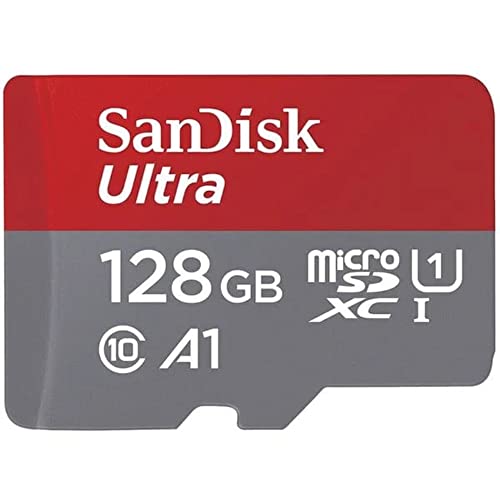
SanDisk 128GB Ultra microSDXC UHS-I memory card, up to 140 MB/s, C10, U1, Full HD, A1, micro SD card, SDSQUAB-128G-GN6MN.
Strengths
- The 128GB capacity is enough for thousands of photos and hours of video, which is what most phones and tablets need.
- Up to 140 MB/s read speed means photos open at once and video plays without waiting.
- The A1 rating means the card is built for apps as well as files, so a phone can run apps from the card.
Trade-offs
- The U1 speed class is the slowest in this guide, so a buyer who records 4K video should take the SanDisk Extreme below.
- The listing gives no adapter detail to quote, so the buyer should check the listing before ordering a card for a camera that needs one.
- The 128GB capacity is half the 256GB cards in this guide, so a buyer with a large video library should take a 256GB pick.
Who it fits
A phone or tablet owner who wants a dependable 128GB card.
Best for: Phones and tablets, where 128GB and a good read speed matter most.
Not suited for: Buyers who record 4K video, who should take the SanDisk Extreme 128GB below.
In daily use
Format the card in the device it will be used in, before the first use, because a card formatted in the device works better than a card formatted elsewhere. Copy a few photos to the card and open them, to confirm the card is working, and keep the card in the device rather than swapping it between devices, because every swap is a chance to lose it.
The SanDisk 128GB Ultra is the default pick in this guide: the dependable 128GB card for a phone or a tablet.
Check price on Amazon: SanDisk 128GB Ultra microSDXC UHS-I Card

2. SanDisk 128GB Extreme microSD Card
Key specs
SanDisk 128GB Extreme microSD card with adapter, up to 245MB/s read speeds, UHS-I, V30, 5K and 4K UHD, U3, C10, A2, up to 120MB/s write speeds, SDSQXH9-128G-GZ6MA.
Strengths
- Up to 245MB/s read speed is the fastest in this guide, and it is what makes the Extreme the card for 4K video.
- The V30 and U3 speed classes mean the card is built for video, so 4K recording does not stutter or drop frames.
- The adapter in the listing means the card can be used in a full-size SD slot as well as a micro slot.
Trade-offs
- The 128GB capacity is half the 256GB cards in this guide, so a buyer with a large video library should take the 256GB Extreme or the Lexar pick.
- The fast speed is wasted on a phone that only stores photos, so a buyer who does not record video should take the Ultra pick above.
- The listing gives no app rating detail beyond A2, so a buyer who runs apps from the card should read the listing carefully.
Who it fits
A camera owner who records 4K video and wants the fastest card in this guide.
Best for: Action cameras and drones, where 4K video and a fast write speed matter.
Not suited for: Buyers who only store photos on a phone, who should take the SanDisk Ultra 128GB above.
In daily use
Format the card in the camera before the first recording, because a card formatted in the camera records more reliably than one formatted elsewhere. Test it with a short 4K clip before an important shoot, and keep a spare card in the camera bag, because a full card in the middle of a shoot is a shoot lost.
The SanDisk 128GB Extreme is the speed pick: the fastest card in this guide, built for 4K video.
Check price on Amazon: SanDisk 128GB Extreme microSD Card
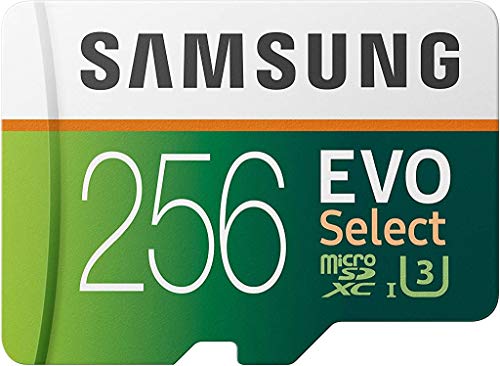
3. Samsung EVO Select 256GB MicroSDXC Card
Key specs
Samsung EVO Select 256GB MicroSDXC UHS-I U3 100MB/s Full HD and 4K UHD memory card with adapter, MB-ME256HA.
Strengths
- The 256GB capacity is double the 128GB cards in this guide, which gives a camera or a console room for hours of video and many games.
- The U3 speed class means the card is built for 4K video, so recording does not stutter.
- The adapter in the listing means the card can be used in a full-size SD slot as well as a micro slot.
Trade-offs
- The 100MB/s read speed is the slowest in this guide, so a buyer who wants the fastest card should take the SanDisk Extreme above.
- The listing gives no write speed to quote, so the buyer should check the listing for the write speed before ordering a card for video.
- The listing gives no app rating to quote, so a buyer who runs apps from the card should read the listing carefully.
Who it fits
A camera or console owner who wants 256GB from Samsung.
Best for: Cameras and consoles, where 256GB and 4K video matter most.
Not suited for: Buyers who want the fastest read speed, who should take the SanDisk Extreme 128GB above.
In daily use
Format the card in the device it will be used in, before the first use, and test it with a short video clip before an important shoot. Keep the adapter with the card, because the adapter is what lets the card be read in a laptop, and keep a spare card in the bag for a long day of recording.
The Samsung EVO Select 256GB is the capacity pick: the Samsung card with room for hours of video.
Check price on Amazon: Samsung EVO Select 256GB MicroSDXC Card

4. Kingston Canvas Go Plus 128GB microSD Card
Key specs
Kingston Canvas Go Plus 128GB microSD card, up to 200MB/s, Class 10, UHS-I, U3, V30, A2, SDCG4/128GB.
Strengths
- Up to 200MB/s read speed is the second fastest in this guide, and it is what makes the Canvas Go Plus a strong card for video.
- The V30 and U3 speed classes mean the card is built for 4K video, so recording does not stutter.
- The A2 rating means the card is built for apps as well as files, so a phone can run apps from the card.
Trade-offs
- The 128GB capacity is half the 256GB cards in this guide, so a buyer with a large video library should take the 256GB Canvas Go Plus or the Lexar pick.
- The listing gives no adapter detail to quote, so the buyer should check the listing before ordering a card for a camera that needs one.
- The listing gives no write speed to quote, so the buyer should check the listing for the write speed before ordering a card for video.
Who it fits
A camera or phone owner who wants a fast 128GB card from Kingston.
Best for: Action cameras and phones, where a fast read speed and 4K video matter.
Not suited for: Buyers who want 256GB, who should take the Kingston Canvas Select Plus 256GB below.
In daily use
Format the card in the device it will be used in, before the first use, and test it with a short 4K clip before an important shoot. Keep the card in the device rather than swapping it between devices, because every swap is a chance to lose a card that small.
The Kingston Canvas Go Plus 128GB is the Kingston pick: the fast 128GB card for video and apps.
Check price on Amazon: Kingston Canvas Go Plus 128GB microSD Card

5. Lexar 256GB Professional Silver Plus Micro SD Card
Key specs
Lexar 256GB Professional Silver Plus micro SD card, UHS-I, C10, U3, V30, Full HD and 4K, up to 205/150 MB/s microSDXC memory card, LMSSIPL256G-BNANU.
Strengths
- Up to 205MB/s read and 150MB/s write speeds are stated in the listing, which gives both numbers, unlike most picks in this guide.
- The 256GB capacity is double the 128GB cards, which gives a camera room for hours of 4K video.
- The V30 and U3 speed classes mean the card is built for 4K video, so recording does not stutter.
Trade-offs
- The listing gives no app rating to quote, so a buyer who runs apps from the card should read the listing carefully.
- The listing gives no adapter detail to quote, so the buyer should check the listing before ordering a card for a camera that needs one.
- Lexar is a camera-card specialist rather than a household name, so a buyer who wants the biggest brand should take a SanDisk pick.
Who it fits
A videographer or gamer who wants 256GB with both speeds stated.
Best for: Cameras and consoles, where 256GB and fast write speed matter.
Not suited for: Buyers who want the biggest brand, who should take the SanDisk Extreme 128GB above.
In daily use
Format the card in the camera before the first recording, and test it with a short 4K clip before an important shoot, because the write speed is what decides whether 4K recording holds up. Keep a spare card in the camera bag, and back the footage up at the end of every shoot, because a card is not a backup.
The Lexar Professional Silver Plus 256GB is the videographer pick: the 256GB card with both speeds stated.
Check price on Amazon: Lexar 256GB Professional Silver Plus Micro SD Card

6. Amazon Basics microSDXC Memory Card 128GB
Key specs
Amazon Basics microSDXC memory card with full size adapter, A2, U3, read speed up to 100 MB/s, 128GB, black.
Strengths
- The full size adapter in the listing means the card can be used in a laptop or a camera as well as a phone.
- The A2 rating means the card is built for apps as well as files, so a phone can run apps from the card.
- The U3 speed class means the card is built for 4K video, so recording does not stutter.
Trade-offs
- The read speed of up to 100 MB/s is the slowest in this guide, so a buyer who wants the fastest card should take the SanDisk Extreme above.
- The listing gives no write speed to quote, so the buyer should check the listing for the write speed before ordering a card for video.
- The 128GB capacity is half the 256GB cards in this guide, so a buyer with a large video library should take a 256GB pick.
Who it fits
A buyer who wants the value card in this guide, with an adapter included.
Best for: Phones and tablets, where a value card with an adapter matters most.
Not suited for: Buyers who want the fastest read speed, who should take the SanDisk Extreme 128GB above.
In daily use
Format the card in the device it will be used in, before the first use, and test it by copying a few photos and opening them. Keep the adapter with the card, because the adapter is what lets the card be read in a laptop, and keep the card in the device rather than swapping it between devices.
The Amazon Basics 128GB is the value pick: the card with an adapter included at the value end of this guide.
Check price on Amazon: Amazon Basics microSDXC Memory Card 128GB

7. Kingston 256GB Canvas Select Plus microSD Card
Key specs
Kingston 256GB Canvas Select Plus microSD card, up to 150MB/s, Class 10, UHS-I, U1, V10, A1, SDCS3/256GB.
Strengths
- The 256GB capacity is double the 128GB cards, which gives a phone or a tablet room for films, books and photos.
- Up to 150MB/s read speed is faster than the Ultra and the Amazon Basics picks, so files open quickly.
- The A1 rating means the card is built for apps as well as files, so a phone can run apps from the card.
Trade-offs
- The U1 and V10 speed classes are the slowest video classes in this guide, so a buyer who records 4K video should take a V30 pick.
- The listing gives no adapter detail to quote, so the buyer should check the listing before ordering a card for a camera that needs one.
- The listing gives no write speed to quote, so the buyer should check the listing for the write speed before ordering a card for video.
Who it fits
A phone or tablet owner who wants 256GB for films and photos.
Best for: Phones and tablets, where 256GB and a good read speed matter.
Not suited for: Buyers who record 4K video, who should take the SanDisk Extreme 128GB above.
In daily use
Format the card in the device it will be used in, before the first use, and copy the films and books to the card before a trip, because the card is what lets the tablet carry a library. Keep the card in the device, and back the photos up to the cloud, because a card is not a backup.
The Kingston Canvas Select Plus 256GB is the storage pick: the 256GB card for a phone or a tablet library.
Check price on Amazon: Kingston 256GB Canvas Select Plus microSD Card

8. SanDisk 256GB Ultra microSD Card
Key specs
SanDisk 256GB Ultra microSD card with adapter, up to 150MB/s read speeds, UHS-I, Full HD, C10, U1, A1, SDSQUAC-256G-GN6MA.
Strengths
- The 256GB capacity is double the 128GB Ultra, which gives a phone or a tablet room for a large library.
- Up to 150MB/s read speed is faster than the 128GB Ultra, so files open more quickly.
- The adapter in the listing means the card can be used in a full-size SD slot as well as a micro slot.
Trade-offs
- The U1 speed class is the slowest in this guide, so a buyer who records 4K video should take the SanDisk Extreme above.
- The listing gives no write speed to quote, so the buyer should check the listing for the write speed before ordering a card for video.
- The 256GB capacity is generous for a phone, so a buyer who only stores a few photos should take a 128GB pick.
Who it fits
A phone or tablet owner who wants 256GB from SanDisk.
Best for: Phones and tablets, where 256GB and a good read speed matter.
Not suited for: Buyers who record 4K video, who should take the SanDisk Extreme 128GB above.
In daily use
Format the card in the device it will be used in, before the first use, and copy the library to the card before a trip, because the card is what lets the tablet carry films and books. Keep the adapter with the card, and back the photos up to the cloud, because a card is not a backup.
The SanDisk 256GB Ultra is the big-library pick: the 256GB Ultra card for a phone or a tablet.
Check price on Amazon: SanDisk 256GB Ultra microSD Card
Buying guide: best dealmicro sd cards
Capacity: how much storage is enough
Capacity is the first choice, because it decides how much the card can hold. A 128GB card holds thousands of photos and hours of video, which is enough for most phones and tablets. A 256GB card holds double that, which suits a camera that records hours of video, a console that stores many games, and a tablet that carries a film library. The rule is simple: buy the capacity for the files the device will hold, not the biggest card on the shelf, because a card that is too big is money spent on storage that will never be used, and a card that is too small is a card that fills up in the middle of a shoot.
Speed classes: U1, U3, V10 and V30
Speed classes describe how fast a card can write, and they decide whether video records smoothly. U1 and V10 are the slowest classes in this guide, and they suit photos and Full HD video. U3 and V30 are faster, and they suit 4K video, because 4K recording needs a card that can keep up with the camera. The SanDisk Extreme, the Kingston Canvas Go Plus and the Lexar Silver Plus in this guide are V30 cards, and they are the picks for 4K video. A buyer who only stores photos will never notice the difference, and a buyer who records 4K video will notice it at once, because a slow card drops frames.
Read speed: how fast files open
Read speed is how fast the card gives files back, and the picks in this guide run from 100 MB/s to 245MB/s. A faster read speed means photos open at once, video starts without waiting, and games load without a pause. The SanDisk Extreme at up to 245MB/s is the fastest in this guide, and the Kingston Canvas Go Plus at up to 200MB/s is the second fastest. A phone that only stores photos will not notice the difference between 100 MB/s and 245MB/s, and a camera that plays back 4K video will, so buy the read speed for the device, not for the number on the card.
A1 and A2: cards that run apps
A1 and A2 are ratings for running apps from a card, and they matter for a phone or a tablet that stores apps on the card. The SanDisk Ultra, the Kingston Canvas Go Plus and the Amazon Basics picks carry an A1 or A2 rating, which means they are built to run apps as well as to store files. A card without an app rating can still store photos and video, but it will be slower at running apps, and a phone that keeps its apps on the card should take a rated card. Check the rating in the listing, because it is the detail that decides whether a card suits a phone.
The adapter: why it matters
Most micro SD cards in this guide come with a full-size adapter, which lets the card be used in a laptop or a camera with a full-size SD slot. The SanDisk Extreme, the Samsung EVO Select, the Amazon Basics and the SanDisk Ultra 256GB all include one, and the guide marks it in their sections. Keep the adapter with the card, because the adapter is what lets the card be read in a laptop, and a card without its adapter cannot be read in a full-size slot. A buyer who only uses the card in a phone will never need the adapter, and a buyer who moves files to a laptop will need it every day.
The maker's name and reliability
The maker's name matters for a micro SD card, because a card holds files that cannot be replaced, and a card that fails loses them. SanDisk, Samsung, Kingston and Lexar lead this guide because they are the makers whose cards keep working for years, and whose cards are the ones photographers and videographers trust. Amazon Basics earns its place as the value alternative with the same speed classes as the big names. A no-name card may cost less, but it is a gamble with files that matter, and the guide does not recommend gambling with photos.
What to check before ordering
Before ordering, check three things in the listing: the capacity, the speed class, and whether an adapter is included. The capacity decides how much the card can hold. The speed class decides whether 4K video records smoothly. The adapter decides whether the card can be read in a laptop. Check the model code, because a card with a similar name from the same maker can be a different capacity entirely, and the picks in this guide are named exactly, so the listing should match the name before the order is placed.
Micro SD cards for cameras
A card for a camera wants a V30 speed class, a fast write speed, and enough capacity for a day of shooting. The SanDisk Extreme 128GB and the Lexar Silver Plus 256GB are the picks for that job, because they carry the V30 class and the write speed that 4K recording needs. Format the card in the camera, test it with a short clip before an important shoot, and carry a spare, because a full card in the middle of a shoot is a shoot lost.
Usage and care
Format the card in the device it will be used in, before the first use, because a card formatted in the device works better than a card formatted elsewhere. Copy a few files to the card and open them, to confirm the card is working, and keep the card in the device rather than swapping it between devices, because every swap is a chance to lose a card that small.
Look after the card by keeping it dry and away from direct sunlight, because heat and sunlight age a card faster than use does. Keep the card in its adapter when it is not in the device, because a bare card is easy to lose and easy to damage. Eject the card properly from a computer before removing it, because pulling a card out while it is writing can corrupt the files on it.
Store the files on the card, and back them up to a computer or to the cloud, because a card is not a backup, and a card that fails loses the files on it. Check the storage once a month, deleting the files that have already been backed up, because a full card is a slow card, and the fix is a minute of housekeeping rather than a new card. Replace a card that starts to show errors, because errors are the sign that a card is failing.
Common mistakes
The most common mistake is buying on capacity alone: a 256GB card that is too slow for 4K video is a worse purchase than a 128GB card with a V30 class, because the video will stutter on the big card and record smoothly on the fast one. Choose the card for the speed class first, then for the capacity, and the right card picks itself.
The second mistake is forgetting to back up. A micro SD card holds photos and video that cannot be replaced, and a card that fails loses them all. Back the files up to a computer or to the cloud at the end of every shoot or trip, because a card is not a backup, and a backup is the only protection against a card that fails.
The third mistake is buying a no-name card to save money. A no-name card may cost less, but it is a gamble with files that matter, and a card that fails in the middle of a shoot costs more than the saving. Buy a card from a maker whose cards keep working, such as SanDisk, Samsung, Kingston or Lexar, because the files on the card are worth more than the card itself.
Micro SD cards for phones
A card for a phone wants an A1 or A2 rating, enough capacity for photos, and a read speed that opens files at once. The SanDisk Ultra 128GB and the Kingston Canvas Select Plus 256GB are the picks for that job, because they carry the app rating and the capacity a phone needs. Format the card in the phone, move the photos to the card, and back them up to the cloud, because a phone card holds the photos that matter most.
Micro SD cards for tablets
A card for a tablet wants a large capacity, because a tablet carries films, books and photos, and a read speed that opens them without waiting. The Kingston Canvas Select Plus 256GB and the SanDisk Ultra 256GB are the picks for that job, because they offer 256GB with a good read speed. Copy the library to the card before a trip, because the card is what lets the tablet carry a library without an internet connection.
Micro SD cards for consoles
A card for a console wants a large capacity and a fast read speed, because a console stores many games and loads them from the card. The Samsung EVO Select 256GB and the Lexar Silver Plus 256GB are the picks for that job, because they offer 256GB with the speed a console needs. Format the card in the console, download the games to the card, and keep the console's own storage for the system, because a card full of games is a console that is ready to play.
Final recommendation
If one card has to win this guide, it is the SanDisk 128GB Ultra, because it is the most dependable all-rounder at this level: enough capacity for a phone, a good read speed, and the SanDisk name behind it. The SanDisk Extreme 128GB is the pick for cameras that record 4K video, and the Lexar Silver Plus 256GB is the pick for videographers who want 256GB with both speeds stated.
For most buyers, the choice comes down to three questions. How much capacity is needed? If the answer is 128GB, the Ultra and the Extreme are the answers. Does the device record 4K video? If yes, the V30 cards are the answers. Does the device run apps from the card? If yes, the A1 and A2 cards are the answers. Answer those three, and the right card in this guide picks itself.
Whatever card is chosen, format it in the device on the first day, test it with a few files, and back the files up to a computer or to the cloud. A card bought carefully is a card that holds the files for years, and the eight cards in this guide are all cards that can do that, in different capacities and for different devices.
Frequently asked questions
What is the best deal micro SD card?
The best deal micro SD card is the SanDisk 128GB Ultra, because it offers enough capacity for a phone, a good read speed, and the SanDisk name behind it. The SanDisk Extreme 128GB is the best alternative for cameras that record 4K video, and the Lexar Silver Plus 256GB is the best alternative for videographers who want 256GB.
How much storage do I need on a micro SD card?
A 128GB card holds thousands of photos and hours of video, which is enough for most phones and tablets. A 256GB card holds double that, which suits a camera that records hours of video, a console that stores many games, and a tablet that carries a film library. Buy the capacity for the files the device will hold, not the biggest card on the shelf.
What do U1, U3, V10 and V30 mean?
They are speed classes that describe how fast a card can write. U1 and V10 suit photos and Full HD video. U3 and V30 suit 4K video, because 4K recording needs a card that can keep up with the camera. The SanDisk Extreme, the Kingston Canvas Go Plus and the Lexar Silver Plus in this guide are V30 cards, and they are the picks for 4K video.
Can a micro SD card be used in a camera?
Yes, with an adapter where the camera takes a full-size SD card, and directly where the camera takes a micro SD card. The SanDisk Extreme, the Samsung EVO Select, the Amazon Basics and the SanDisk Ultra 256GB in this guide include an adapter. Format the card in the camera before the first recording, because a card formatted in the camera records more reliably.
What is the difference between A1 and A2?
A1 and A2 are ratings for running apps from a card, and they matter for a phone or a tablet that stores apps on the card. The SanDisk Ultra, the Kingston Canvas Go Plus and the Amazon Basics picks carry an A1 or A2 rating. A card without an app rating can still store photos and video, but it will be slower at running apps.
Should I buy a no-name micro SD card?
No. A no-name card may cost less, but it is a gamble with files that matter, and a card that fails in the middle of a shoot costs more than the saving. Buy a card from a maker whose cards keep working, such as SanDisk, Samsung, Kingston or Lexar, because the files on the card are worth more than the card itself.
Do I need to back up the files on a micro SD card?
Yes. A micro SD card is not a backup, and a card that fails loses the files on it. Back the files up to a computer or to the cloud at the end of every shoot or trip, because a backup is the only protection against a card that fails. Check the storage once a month, and delete the files that have already been backed up.
More from ilcastellomenu.com
Best micro SD cards for Android tablets: cards that add storage to a tablet
Best 128 micro SD cards for smartphones: 128GB cards for a phone
Best SD cards for Android phones: cards for an Android phone