The best sd card for hp laptops windows 10 touch screen list covers eight cards that add storage and move files on an HP touchscreen laptop running Windows 10. A touchscreen HP laptop is often the daily machine for notes, reading, photos and media, and its internal drive fills faster than expected. An SD card is the simplest fix: it slides into the slot, adds storage, and moves photos and video between camera and laptop without a cable.
SanDisk, Samsung, Amazon Basics and Lexar all appear, in full-size SD and microSD with an adapter, from 64GB to 512GB, and from everyday speeds to 250MB/s. Every pick is a genuine memory card listing from the site catalogue, checked with a full-title verification, and every pick states its capacity, its speed and its speed class on the listing. The guide explains the slot types, the speed classes, and the checks that decide which card fits a particular HP laptop.
The SD card is the oldest trick in laptop storage, and it still works because it is simple. A card slides into a slot, the laptop sees a new drive, and files move without a cable, a cloud account or a subscription. For a touchscreen HP laptop running Windows 10, the card is also the easiest way to move photos from a camera, because the camera card goes straight into the laptop and the files copy across in minutes. The card is not glamorous, but it is the storage that is always there when it is needed.
In this guide
Quick picks: best sd card for hp laptops windows 10 touch screen
| # | Product | Where to buy |
|---|---|---|
| 1 | SanDisk 128GB Ultra SDXC UHS-I Memory Card | Check on Amazon |
| 2 | SanDisk 128GB Extreme PRO SD Memory Card | Check on Amazon |
| 3 | SanDisk 256GB Ultra SD Memory Card | Check on Amazon |
| 4 | SanDisk 128GB Extreme SD Memory Card | Check on Amazon |
| 5 | Samsung EVO Plus 256GB microSDXC Card | Check on Amazon |
| 6 | Samsung EVO Plus 512GB microSDXC Card | Check on Amazon |
| 7 | Amazon Basics 256GB microSDXC Card | Check on Amazon |
| 8 | Lexar E-Series 64GB Micro SD Card 2-Pack | Check on Amazon |
How the picks were chosen
Every card here is a genuine memory card listing from the site catalogue, with the capacity, the speed and the speed class stated on the listing title. No renewed listings were used, and every chosen card was checked with a full-title fetch, so the model code and the ratings are confirmed, not guessed. Cards that only appeared as accessories, such as card readers or cases, were left out.
The mix covers the two slot types an HP laptop may have. Full-size SD cards fit a standard SD slot directly, while microSD cards fit a microSD slot and, with the included adapter, a full-size slot as well. The guide includes both types, and every microSD pick in this guide includes an adapter, so the buyer is never left with a card that does not fit.
Capacity and speed decided the spread. The cards run from 64GB to 512GB, so a light user and a media library both have an answer, and the speeds run from 100MB/s to 250MB/s, so everyday storage and 4K video both have an answer. The speed classes are stated on every listing, from C10 and U1 for Full HD up to V30 and U3 for 4K, so the card can be matched to the work.
Quick comparison
| Product | Key specs |
|---|---|
| SanDisk 128GB Ultra SDXC UHS-I Memory Card, 100MB/s, SDSDUNR-128G-GN6IN | SanDisk Ultra 128GB, SDXC, UHS-I, 100MB/s, SDSDUNR-128G |
| SanDisk 128GB Extreme PRO SD Memory Card, Up to 250MB/s, SDSDXXJ-128G-GSCIN | SanDisk Extreme PRO 128GB, 250MB/s read, V30, U3, SDSDXXJ-128G |
| SanDisk 256GB Ultra SD Memory Card, Up to 150MB/s, SDSDUNC-256G-GN6IN | SanDisk Ultra 256GB, 150MB/s, UHS-I, SDSDUNC-256G |
| SanDisk 128GB Extreme SD Memory Card, Up to 230MB/s, SDSDXV9-128G-GUCIN | SanDisk Extreme 128GB, 230MB/s read, V30, U3, SDSDXV9-128G |
| Samsung EVO Plus 256GB microSDXC Memory Card with SD Adapter, MB-MC256SA/AM | Samsung EVO Plus 256GB microSDXC, SD adapter, 160MB/s, MB-MC256SA |
| Samsung EVO Plus 512GB microSDXC Memory Card with SD Adapter, MB-MC512SA/AM | Samsung EVO Plus 512GB microSDXC, SD adapter, 160MB/s, MB-MC512SA |
| Amazon Basics microSDXC Memory Card with Full Size Adapter, A2, U3, 256GB | Amazon Basics 256GB microSDXC, full-size adapter, A2, U3 |
| Lexar E-Series 64GB Micro SD Card, 2 Pack, microSDXC UHS-I, 100MB/s | Lexar E-Series 64GB 2-pack, microSDXC, 100MB/s, V30, A1 |
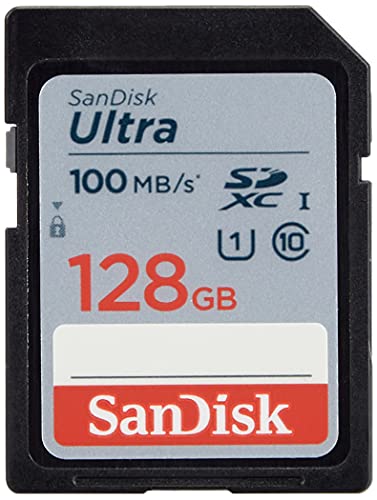
1. SanDisk 128GB Ultra SDXC UHS-I Memory Card, 100MB/s, SDSDUNR-128G-GN6IN
Key specs
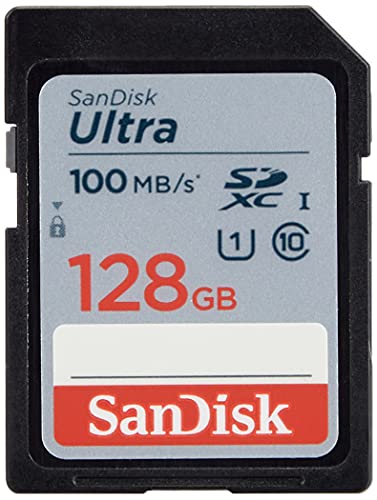
SanDisk 128GB Ultra SDXC UHS-I memory card with speeds up to 100MB/s, C10 and U1 ratings, for Full HD video, model SDSDUNR-128G-GN6IN.
Strengths
- The full-size SD card fits a standard SD slot directly, with no adapter needed.
- The SDSDUNR-128G model code is printed on the listing, so the exact card is easy to confirm.
- The 128GB capacity holds a large photo library or a term of documents with room to spare.
Trade-offs
- The 100MB/s speed is the basic level here, so large file transfers take longer than on the faster cards.
- The U1 and C10 ratings suit Full HD video, not 4K recording.
- The Ultra range is the entry SanDisk line, so it lacks the faster write speeds of the Extreme range.
Who it fits
An HP laptop owner who wants a straightforward full-size SD card for documents and photos.
Best for: Everyday storage and photo transfer on an HP laptop with a full-size SD slot.
Not suited for: A user who records 4K video and needs faster write speeds.
In daily use
The SanDisk Ultra 128GB is the everyday card in this guide. It slides into the full-size SD slot on an HP laptop, holds photos, documents and downloads, and moves files at up to 100MB/s. For a touchscreen laptop that is used for notes, reading and media, it is the simple storage answer.
Before you buy
Before buying the SanDisk Ultra 128GB, confirm the HP laptop has a full-size SD slot, and check that 128GB covers the files that need to live on the card.
Check price on Amazon: SanDisk 128GB Ultra SDXC UHS-I Memory Card

2. SanDisk 128GB Extreme PRO SD Memory Card, Up to 250MB/s, SDSDXXJ-128G-GSCIN
Key specs
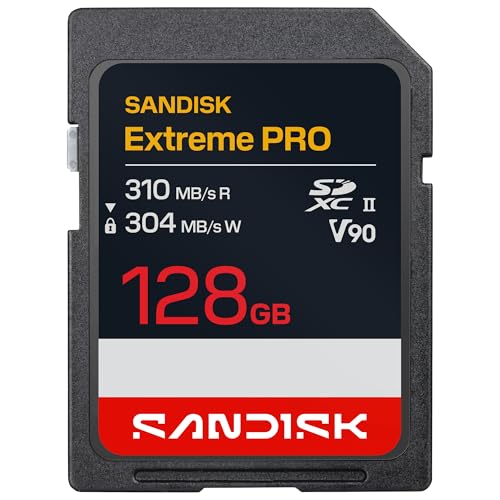
SanDisk 128GB Extreme PRO SD memory card with read speeds up to 250MB/s and write speeds up to 120MB/s, UHS-I, V30, U3 and C10 ratings, for 4K UHD and Full HD, with backup and transfer through the SanDisk app, model SDSDXXJ-128G-GSCIN.
Strengths
- The 250MB/s read speed is the fastest in this guide, so large files move quickly.
- The V30 and U3 ratings suit 4K video, which the Ultra cards cannot promise.
- The SanDisk app covers backup and transfer, so moving files to the laptop is straightforward.
Trade-offs
- The Extreme PRO costs more than the Ultra cards, so the speed should be wanted.
- The 128GB capacity is the same as the Ultra, so the extra money buys speed rather than space.
- The full-size card needs a full-size slot, so laptops with only a microSD slot need an adapter.
Who it fits
An HP laptop owner who moves large files and records 4K video.
Best for: Fast file transfers and 4K video on an HP laptop with a full-size SD slot.
Not suited for: A user who only stores documents and photos and does not need the speed.
In daily use
The SanDisk Extreme PRO 128GB is the fast card in this guide. At up to 250MB/s read and 120MB/s write, it clears a camera card quickly and handles 4K video without dropping frames. On a touchscreen HP laptop used for media work, it is the card that never keeps the user waiting.
Before you buy
Before buying the SanDisk Extreme PRO 128GB, confirm the HP laptop has a full-size SD slot, and check that the work needs 4K speeds rather than everyday speeds.
Check price on Amazon: SanDisk 128GB Extreme PRO SD Memory Card

3. SanDisk 256GB Ultra SD Memory Card, Up to 150MB/s, SDSDUNC-256G-GN6IN
Key specs
SanDisk 256GB Ultra SD memory card with read speeds up to 150MB/s, UHS-I, U1 and C10 ratings, for Full HD, for compact to mid-range cameras and camcorders, with temperature, water and shock proofing, model SDSDUNC-256G-GN6IN.
Strengths
- The 256GB capacity is double the 128GB cards here, so it holds twice the photos and files.
- The 150MB/s read speed is faster than the 128GB Ultra, so transfers feel quicker.
- Temperature, water and shock proofing are stated on the listing, so the card survives a bag and a commute.
Trade-offs
- The U1 rating suits Full HD video, not 4K recording.
- The Ultra range is still the entry line, so write speeds lag behind the Extreme range.
- The full-size card needs a full-size slot, so microSD-only laptops need an adapter.
Who it fits
An HP laptop owner who wants the most space in an everyday SanDisk card.
Best for: Large photo and file storage on an HP laptop with a full-size SD slot.
Not suited for: A user who records 4K video and needs V30 write speeds.
In daily use
The SanDisk Ultra 256GB is the roomy card in this guide. It holds twice the files of the 128GB cards, it reads faster, and it is built to survive temperature, water and shocks in a bag. For a student or a photographer with a growing library, the extra space is the difference between managing files and forgetting about them.
Before you buy
Before buying the SanDisk Ultra 256GB, confirm the HP laptop has a full-size SD slot, and check that the extra capacity is wanted over the faster Extreme cards.
Check price on Amazon: SanDisk 256GB Ultra SD Memory Card
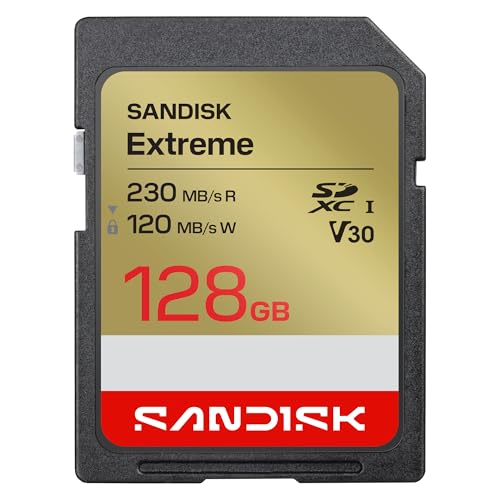
4. SanDisk 128GB Extreme SD Memory Card, Up to 230MB/s, SDSDXV9-128G-GUCIN
Key specs
SanDisk 128GB Extreme SD memory card with read speeds up to 230MB/s and write speeds up to 120MB/s, UHS-I, V30, U3 and C10 ratings, for 4K UHD video recording, model SDSDXV9-128G-GUCIN.
Strengths
- The 230MB/s read speed is close to the Extreme PRO, so transfers are quick.
- The V30 and U3 ratings suit 4K video recording, which the Ultra cards cannot promise.
- The Extreme range sits between the Ultra and the Extreme PRO on speed and cost.
Trade-offs
- The 128GB capacity is the same as the cheaper Ultra, so the money buys speed rather than space.
- The write speed is up to 120MB/s, which is fast but not the fastest here.
- The full-size card needs a full-size slot, so microSD-only laptops need an adapter.
Who it fits
An HP laptop owner who wants near-PRO speed for 4K video without the PRO cost.
Best for: 4K video and fast transfers on an HP laptop with a full-size SD slot.
Not suited for: A user who only stores documents and does not need V30 speeds.
In daily use
The SanDisk Extreme 128GB is the balanced fast card: nearly the speed of the Extreme PRO, with the V30 rating for 4K video, at a step below the PRO cost. It is the card for a touchscreen HP laptop that doubles as a media machine, moving photos and video between camera and laptop without delay.
Before you buy
Before buying the SanDisk Extreme 128GB, confirm the HP laptop has a full-size SD slot, and check that 4K video is part of the work.
Check price on Amazon: SanDisk 128GB Extreme SD Memory Card

5. Samsung EVO Plus 256GB microSDXC Memory Card with SD Adapter, MB-MC256SA/AM
Key specs
Samsung EVO Plus 256GB microSDXC memory card with an SD adapter, with speeds up to 160MB/s, UHS-I, C10, U3, V10 and A3 ratings, for phones, tablets, gaming consoles, DSLR cameras and PCs, model MB-MC256SA/AM.
Strengths
- The included SD adapter lets the microSD card fit a full-size SD slot on an HP laptop.
- The 160MB/s speed is faster than the Ultra full-size cards here.
- The A3 rating suits apps and fast random reads, which helps when the card holds programs as well as files.
Trade-offs
- The card is a microSD card, so it needs the adapter in a full-size slot, and the adapter can be lost.
- The V10 rating suits Full HD video rather than 4K recording.
- The microSD format is smaller and easier to misplace than a full-size card.
Who it fits
An HP laptop owner whose slot is microSD, or who wants one card for laptop, phone and camera.
Best for: Flexible storage across laptop, phone and camera, with an adapter for full-size slots.
Not suited for: A user who wants a full-size card with no adapter to keep track of.
In daily use
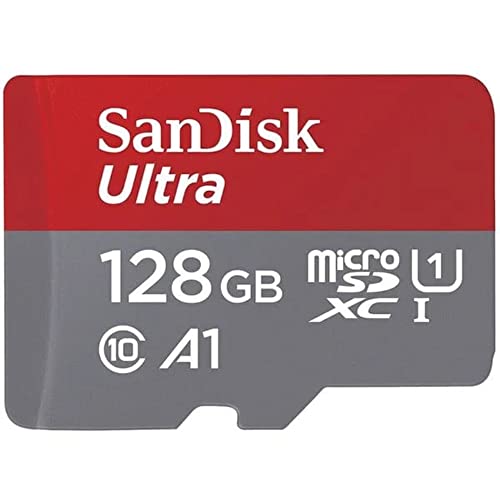
The Samsung EVO Plus 256GB is the flexible card in this guide. As a microSD card it fits phones, tablets and cameras, and with the included adapter it fits the full-size SD slot on an HP laptop. It is the card for a household where one card moves between devices, and the 256GB capacity covers a large library.
Before you buy
Before buying the Samsung EVO Plus 256GB, confirm whether the HP laptop slot is full-size or microSD, and keep the adapter with the card if a full-size slot is in use.
Check price on Amazon: Samsung EVO Plus 256GB microSDXC Card

6. Samsung EVO Plus 512GB microSDXC Memory Card with SD Adapter, MB-MC512SA/AM
Key specs
Samsung EVO Plus 512GB microSDXC memory card with an SD adapter, with speeds up to 160MB/s, UHS-I, C10, U3, V10 and A3 ratings, for phones, tablets, gaming consoles, DSLR cameras and PCs, model MB-MC512SA/AM.
Strengths
- The 512GB capacity is the largest in this guide, so it holds the biggest libraries.
- The included SD adapter fits the full-size SD slot on an HP laptop.
- The 160MB/s speed and the A3 rating cover fast reads for apps and media alike.
Trade-offs
- The microSD format needs the adapter in a full-size slot, and the adapter can be lost.
- The V10 rating suits Full HD video rather than 4K recording.
- The 512GB capacity costs more than the smaller cards, so the space should be wanted.
Who it fits
An HP laptop owner who wants the largest capacity in the guide for a big media library.
Best for: A large media library on an HP laptop, with one card that also fits phones and cameras.
Not suited for: A user who only needs a small card for documents.
In daily use
The Samsung EVO Plus 512GB is the biggest card in this guide, and it is the answer for a library that keeps growing. Half a terabyte holds thousands of photos, hours of video and a full document archive, and the adapter means it fits the HP laptop as well as the phone and the camera.
Before you buy
Before buying the Samsung EVO Plus 512GB, confirm the HP laptop slot type, and check that the library genuinely needs half a terabyte.
Check price on Amazon: Samsung EVO Plus 512GB microSDXC Card

7. Amazon Basics microSDXC Memory Card with Full Size Adapter, A2, U3, 256GB
Key specs
Amazon Basics microSDXC memory card with a full-size adapter, A2 and U3 ratings, with read speeds up to 100 MB/s, in 256GB, black.
Strengths
- The full-size adapter is included, so the card fits an HP laptop slot directly.
- The A2 rating suits apps, and the U3 rating covers fast writes for video.
- The 256GB capacity at a budget level is the value pick in this guide.
Trade-offs
- The 100 MB/s read speed is the basic level here, so large transfers take longer.
- Amazon Basics is a house brand, so the card carries no maker heritage like SanDisk or Samsung.
- The microSD format needs the adapter, which can be lost.
Who it fits
An HP laptop owner who wants 256GB at the lowest cost in the guide.
Best for: Budget 256GB storage with an adapter for an HP laptop slot.
Not suited for: A user who needs the fastest transfer speeds for large video files.
In daily use
The Amazon Basics 256GB is the budget pick that still does the job. It holds the same 256GB as the SanDisk Ultra and the Samsung EVO Plus, it includes the full-size adapter, and it covers apps and video with its A2 and U3 ratings. For everyday storage on a touchscreen HP laptop, it is the card that costs least and still delivers.
Before you buy
Before buying the Amazon Basics 256GB, confirm the HP laptop slot type, and check that the 100 MB/s read speed suits the file sizes involved.
Check price on Amazon: Amazon Basics 256GB microSDXC Card

8. Lexar E-Series 64GB Micro SD Card, 2 Pack, microSDXC UHS-I, 100MB/s
Key specs
Lexar E-Series 64GB micro SD card, a 2-pack of microSDXC UHS-I flash memory cards with 100MB/s speeds, C10, U3, A1 and V30 ratings, for Full HD and 4K UHD, with an adapter.
Strengths
- Two cards in one pack cover a laptop and a camera, or a card and a spare.
- The V30 rating suits 4K video, which is unusual at this level.
- An adapter is included, so the cards fit a full-size SD slot on an HP laptop.
Trade-offs
- Each card holds 64GB, which is the smallest capacity in this guide.
- The 100MB/s speed is the basic level here, so transfers take longer than on the faster cards.
- Two small cards need more management than one large card.
Who it fits
An HP laptop owner who wants a card and a spare, or one card for the laptop and one for a camera.
Best for: A two-card pack for laptop and camera, with 4K video support.
Not suited for: A user who wants a single large card for a big library.
In daily use
The Lexar E-Series 2-pack is the spare-card pick. One card lives in the HP laptop and the other lives in the camera, or one stays in the drawer as a backup. Each card holds 64GB and carries a V30 rating for 4K video, so the small capacity is balanced by a proper video rating and a spare in the pack.
Before you buy
Before buying the Lexar E-Series 2-pack, confirm the HP laptop slot type, and check that 64GB per card covers the files each card must hold.
Check price on Amazon: Lexar E-Series 64GB Micro SD Card 2-Pack
Buying guide: best sd card for hp laptops windows 10 touch screen
Start with the slot, because it decides the card shape. Many HP laptops have a full-size SD slot, which takes a full-size SD card directly. Some have a microSD slot, which takes a microSD card. A microSD card with an adapter fits a full-size slot, so it is the flexible choice, but a full-size card cannot fit a microSD slot. Check the laptop slot before ordering, and look at the slot itself if the manual is unclear.
Next, pick the capacity. 64GB covers documents and a small photo library, 128GB covers a term of files and a good photo collection, 256GB covers a large library, and 512GB covers a media archive. A card that is too small will need constant management, while a card that is too large costs money for space that stays empty. Match the capacity to the library, not to the catalogue.
Then read the speed classes. The numbers on the listing describe the minimum write speed the card sustains: C10 and U1 suit Full HD video, U3 and V30 suit 4K video, and V10 sits between them. The read speed, such as 100MB/s or 250MB/s, describes how fast files come off the card. For moving photos to the laptop, the read speed matters most; for recording video, the speed class matters most.
Finally, think about Windows 10 on a touchscreen. The card will appear as a drive in File Explorer, and files can be moved by touch or by mouse. Format the card in the laptop before first use, and use the safely remove option before pulling the card out, because a card removed mid-write can lose files.
SD, microSD and the adapter
A full-size SD card is the size of a postage stamp, and a microSD card is the size of a fingernail. The two are not interchangeable without an adapter, and the adapter is a simple plastic shell that lets a microSD card fit a full-size slot. Every microSD pick in this guide includes an adapter, so the buyer does not need to order one separately.
The adapter is passive, which means it adds no speed and takes none away. It does add one small risk: the adapter can be lost, and a microSD card without its adapter will not fit a full-size slot. Keep the adapter with the card, and keep the pair in the same case or sleeve as the laptop.
Some HP laptops have no SD slot at all, and instead rely on USB-C or a USB card reader. If the laptop has no slot, none of the cards in this guide will fit directly, and a USB card reader is the answer instead. Check the laptop sides before ordering, because a slot that is not there cannot be wished into existence.
Speed classes explained
Speed classes are the small letters and numbers on the listing, and they describe the minimum sustained write speed. C10 means 10MB/s, U1 means 10MB/s, U3 means 30MB/s, V10 means 10MB/s and V30 means 30MB/s. A card rated V30 will sustain 30MB/s while recording, which is what 4K video needs. A card rated U1 will sustain 10MB/s, which is enough for Full HD video and for photos.
The read speed is the headline number, such as 100MB/s, 150MB/s, 160MB/s, 230MB/s or 250MB/s, and it describes how fast files come off the card. A faster read speed means photos and video move to the laptop sooner, which matters when a camera card holds hundreds of files. The write speed matters when the card is recording video or saving large files.
The A1, A2 and A3 ratings describe how fast the card handles small random reads and writes, which matters when the card holds apps. A card rated A2 or A3 will feel quicker when apps load from it, while a card without an A rating is fine for files and media alone.
Capacity planning: how much space the library needs
Capacity planning starts with counting what the card must hold. Documents are small: a term of essays, notes and readings fits in a few gigabytes. Photos are larger: a thousand phone photos take around five gigabytes, and a thousand camera raw files take far more. Video is the largest of all: an hour of Full HD video takes several gigabytes, and an hour of 4K video takes far more again. Add the three together, then double the total, because a library always grows faster than expected.
The doubling rule is the practical answer to capacity. A card that is exactly big enough today will be full in six months, and a full card needs constant management. A card twice the size of the current need gives a year or two of growth before it needs attention, and the cost of the larger card is usually small compared with the time saved. The 256GB cards in this guide are the sweet spot for most owners, while the 512GB Samsung covers a library that is already large.
The card is not the only storage, and it should not be treated as such. The laptop drive holds the system and the apps, the card holds the media and the archive, and the cloud or an external drive holds the backup. A card that holds everything with no copy anywhere else is a single point of failure, and a lost card is a lost library. Plan the capacity, then plan the backup, and the card will do its job safely.
Usage and care
Format the card in the HP laptop before first use, using File Explorer and the format option, because a card formatted in a camera may use a layout Windows 10 does not expect. Copy a few files first to confirm the card works, then move the library. Use the safely remove option before pulling the card out, and never remove the card while files are copying.
Keep the card in its case or in the laptop slot, and keep it away from magnets, heat and water. Do not bend a microSD card, and do not force a card into a slot that resists, because a forced card can damage the slot. Back up the card regularly, because a memory card is storage, not a backup.
When the card is full, do not delete files from the card to make room while it is still in the laptop. Copy the files to the laptop drive or to the cloud first, confirm the copies open correctly, and only then delete the originals from the card. A deleted file is gone, and a card that was the only copy of a photo library is a loss that cannot be undone.
Common mistakes
The most common mistake is buying the wrong size. A full-size card will not fit a microSD slot, and a microSD card needs its adapter for a full-size slot. Check the slot first, and keep the adapter with the card.
The second mistake is buying too little capacity. A card that fills up in a month needs constant management, and a full card slows the laptop down. Pick the capacity for the library as it will be in a year, not as it is today.
The third mistake is removing the card mid-write. A card pulled out while files are copying can lose the files and corrupt the card. Use the safely remove option every time, and wait for the confirmation.
The fourth mistake is treating the card as a backup. A memory card can fail, be lost or be damaged, and the files on it will go with it. Copy important files to the laptop drive or to the cloud as well.
The fifth mistake is buying a card from an unknown seller. Counterfeit cards are common, and they report a larger capacity than they have, then lose files when the real capacity is exceeded. Buy from a known listing, check the model code on the card when it arrives, and test the full capacity before trusting it with important files.
The sixth mistake is using the same card in many devices without formatting. A card that moves between a camera, a phone and a laptop can pick up a file layout that one device does not expect. Format the card in the device that will use it most, and keep a card per device where possible, rather than sharing one card everywhere.
Final recommendation
For most HP touchscreen laptop owners, the SanDisk Ultra 256GB is the pick: plenty of space, a faster read speed than the 128GB Ultra, and proofing against temperature, water and shocks. If speed matters, the SanDisk Extreme PRO 128GB is the fastest card here, and the Extreme 128GB is the balanced fast pick. For the biggest library, the Samsung EVO Plus 512GB is the answer, and for the lowest cost the Amazon Basics 256GB covers the same capacity.
Whichever card is chosen, the sequence is the same: check the slot, pick the capacity for the library, read the speed class for the work, and format the card in the laptop before use. Done in that order, the best SD card for an HP laptop is the one that is still in the slot, doing its job, a year later.
The SD card is a small purchase that solves a large annoyance, which is a laptop drive that is always full. The SanDisk Ultra 256GB is the balanced pick for most HP touchscreen laptop owners, the Extreme PRO is the fast pick for media work, and the Samsung EVO Plus 512GB is the pick for a library that keeps growing. Check the slot, pick the capacity for the library in a year, and the card will quietly do its job for a long time.
Frequently asked questions
Will a microSD card fit my HP laptop?
It depends on the slot. A microSD card fits a microSD slot directly, and with the included adapter it fits a full-size SD slot as well. Check the laptop slot before ordering, because a full-size card cannot fit a microSD slot.
What size SD card should I buy for my laptop?
64GB covers documents and a small photo library, 128GB covers a term of files, 256GB covers a large library, and 512GB covers a media archive. Pick the capacity for the library as it will be in a year.
What does V30 mean on an SD card?
V30 is a video speed class that means the card sustains at least 30MB/s while writing, which is what 4K video recording needs. U1 and C10 mean 10MB/s, which suits Full HD video and photos.
Do I need to format the SD card before using it?
Yes, format the card in the HP laptop before first use, using File Explorer. A card formatted in a camera may use a layout Windows 10 does not expect, so formatting in the laptop avoids surprises.
Can I leave the SD card in the laptop all the time?
Yes, an SD card can stay in the slot as extra storage, but it is not a backup. Copy important files to the laptop drive or to the cloud as well, because a card can fail, be lost or be damaged.
How do I check if my HP laptop has an SD card slot?
Look at the sides of the laptop for a thin slot, usually on the left or right edge, or check the laptop specifications for the exact model. Some HP laptops have a full-size SD slot, some have a microSD slot, and some have no slot at all.
Can I use an SD card as extra RAM or for installing apps?
An SD card works as storage, not as memory, so it will not speed the laptop up the way extra RAM would. Apps can be stored on a card, and the A1, A2 and A3 ratings describe how well a card handles apps, but the laptop drive is faster for programs that run every day.