Where to buy
Check the latest price, availability and delivery on Amazon. Orders are placed on Amazon. We may earn a commission from qualifying purchases.
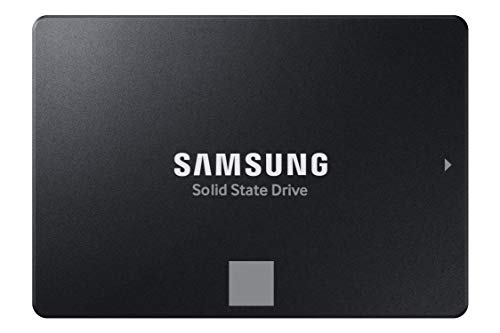
- Best internal PS4 drive: Samsung 870 EVO SATA III SSD 1TB (MZ-77E1T0B/AM) — Check on Amazon
- Crucial MX500 1TB 3D NAND SATA 2.5-inch SSD (CT1000MX500SSD1) — Check on Amazon
- Samsung T7 Shield Portable SSD 1TB (MU-PE1T0S/AM) — Check on Amazon
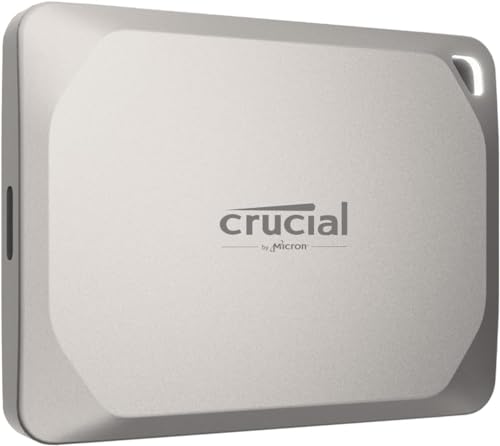
- Crucial X9 Pro Portable SSD 1TB (CT1000X9PROSSD902)
See 2 more Amazon options
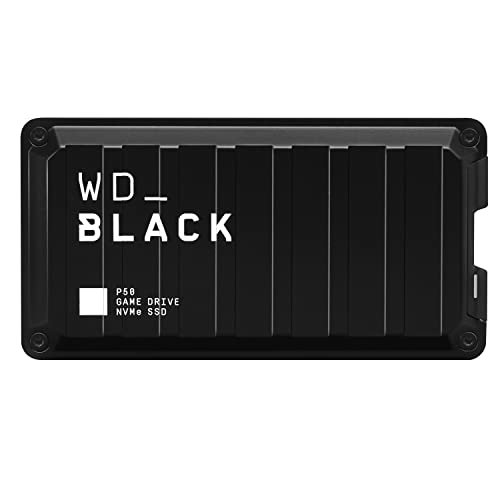
- WD_BLACK P50 Game Drive SSD 1TB (WDBA3S0010BBK-WESN) — Check on Amazon
- Crucial BX500 SATA 2.5-inch SSD — listed without a link in this guide; see its review below for why
Read the full guide ↓
Disclosure: As an Amazon Associate, ilcastellomenu.com earns from qualifying purchases. Links to Amazon on this page are affiliate links; they cost you nothing extra. Listing details such as price and availability change often, so check the current Amazon listing before you buy.
The best ssds for ps4 solve the simplest problem in this whole category: the PS4 shipped with a spinning hard drive, and every second of its interface, every load screen and every texture pop is taxed by that one component. An SSD removes the tax. The PS4’s internal bay takes a standard 2.5-inch SATA drive, and its USB ports take external storage for games — so this guide covers both honest routes: internal SATA swaps that transform the whole console, and external portables that add a fast library without opening anything. Every pick is a verified listing, and every claim is kept inside what the PS4 hardware can actually use.
Calibration matters here more than anywhere, because the PS4 cannot spend NVMe speed and this guide will not sell it to you. The console’s internal interface is SATA, its USB ports are USB 3.0-class, and its CPU was modest when new — so the wins from an SSD are real but specific: a snappier interface, faster installs, and load times that improve meaningfully without becoming PS5-like. Judged on those wins, a good SATA SSD is one of the great value upgrades in console history, and the difference between the best and the rest is reliability, consistency and price — not interface figures the console cannot reach.
One boundary to draw before the picks: PS4 games can be stored and played from internal or external SSD storage, which makes both routes below legitimate for a PS4 library. (The stricter rules you may have read about belong to the PS5, covered in its own guide in this series.) For a PS4 in 2026 — still a superb back-catalogue machine — an SSD is the upgrade that makes it feel cared for again.
In this guide
Quick Picks
Short on time, or comparing several options at once? Each row below names a buyer type and the drive that suits it, with a link to the listing where one is verified.
| Buyer type | Pick | Why it stands out | Link |
|---|---|---|---|
| Best internal PS4 drive | Samsung 870 EVO SATA III SSD 1TB (MZ-77E1T0B/AM) | The finest SATA SSD in the standard 2.5-inch fit the PS4 bay was built for | Check on Amazon |
| Best value internal drive | Crucial MX500 1TB 3D NAND SATA 2.5-inch SSD (CT1000MX500SSD1) | Full SATA speed and cloning-friendly ownership at the friendlier tier | Check on Amazon |
| Best external drive | Samsung T7 Shield Portable SSD 1TB (MU-PE1T0S/AM) | Rugged, bus-powered 1,050 MB/s-class storage that lives behind the console | Check on Amazon |
| Best value external drive | Crucial X9 Pro Portable SSD 1TB (CT1000X9PROSSD902) | Compact, metal, 1,050 MB/s-class portable storage at an aggressive tier | — |
| Best external for multi-console households | WD_BLACK P50 Game Drive SSD 1TB (WDBA3S0010BBK-WESN) | A game drive built for libraries shared across PlayStation, Xbox, PC and Mac | Check on Amazon |
| Budget internal alternative — listed without a link | Crucial BX500 SATA 2.5-inch SSD | Crucial’s entry SATA line: the cheapest reputable way off a hard drive | See the full review below |
How These Picks Were Chosen
PS4 judging inverted the usual order: interface fit and consistency first, headline speed nowhere. Internal picks are 2.5-inch SATA drives with DRAM-class manners and long service records; external picks are bus-powered portables the console can run from its USB ports. Anything the PS4 cannot use — NVMe, Gen4 figures, 20 Gb/s USB modes — was excluded from consideration rather than celebrated.
We did not use these drives ourselves. We read manufacturer specification pages and listing records, cross-checked the numbers that matter — interface, form factor, sequential figures, endurance ratings where published, and cooling arrangements — and favoured drives whose makers publish full specifications over those that hide behind marketing words. Every ASIN in this guide was verified against a live listing record during research, and every specification printed in the reviews traces to a manufacturer or retailer source recorded in the article’s source notes. Where a maker’s headline stretches a definition — a USB mode a host cannot use, a speed a console cannot spend — the review says so in plain language and judges the drive on its architecture instead.
The 6 Best SSDs for PS4
Samsung 870 EVO SATA III SSD 1TB (MZ-77E1T0B/AM)
Who it suits: Best internal PS4 drive — the finest SATA SSD in the standard 2.5-inch fit the PS4 bay was built for.
The 870 EVO is the best SATA SSD ever made, and it is not close. Samsung’s V-NAND and its own controller extract up to 560 MB/s reads and 530 MB/s writes — the practical ceiling of the SATA III interface — with the consistency, DRAM-equipped responsiveness and firmware maturity that made the EVO line the default upgrade for a decade of PCs, laptops and consoles with 2.5-inch bays. If a machine takes a 2.5-inch SATA drive, this is the drive against which every alternative is measured.
That role defines its modern shortlist: the internal swap for a PS4, the resurrection of an older laptop or desktop, the reliable SATA tier in a NAS, and the known-quantity drive for a USB enclosure build. SATA’s ceiling is the honest limitation — roughly a tenth of a flagship NVMe drive’s sequential speed — but in the machines that take this form factor, the comparison is against a spinning hard drive, and against that baseline the 870 EVO is transformative: silent, shock-proof, and fast enough that the rest of the old machine becomes the bottleneck.
As an internal PS4 drive the 870 EVO is the complete answer: the bay takes it without adaptation, its DRAM-equipped consistency keeps the console’s interface and installs as smooth as PS4 hardware allows, and its service record is the longest in the class. Choose the capacity by your library — the swap is enough of a ceremony that doing it once, generously, is the right economy. Owners moving from the stock hard drive will feel the difference in the first menu they open.
- SATA-ceiling speeds: up to 560/530 MB/s with DRAM-equipped consistency.
- The most proven 2.5-inch SSD line in the business.
- Fits any 2.5-inch bay — laptops, PS4, older desktops, enclosures.
Honest limitation: SATA interface caps sequential speed far below NVMe — only buy it for a machine or bay that actually uses SATA.
Choose it if you want the internal swap done once, with the best SATA drive made. Skip it if you do not want to open the console at all — the external picks below need no tools.
Crucial MX500 1TB 3D NAND SATA 2.5-inch SSD (CT1000MX500SSD1)
Who it suits: Best value internal drive — full SATA speed and cloning-friendly ownership at the friendlier tier.
The MX500 has been the value answer in SATA for years: up to 560 MB/s reads from a DRAM-equipped 3D NAND design that matches the interface’s ceiling and undercuts the 870 EVO’s usual pricing tier. Crucial builds in the ownership details that matter at this level — power-loss protection for data in flight, hardware encryption support, and the Acronis cloning software that makes a laptop or console drive swap a guided afternoon rather than a research project.
In practice the MX500 and the 870 EVO deliver the same experience to the machines that take them; the choice between them is about the day’s listings and your brand history, not about a performance gap you could feel. As a PS4 internal drive, an older-laptop resurrection, a NAS SATA tier or an enclosure build, it does the complete job with no asterisk — the asterisk belongs only to SATA itself, whose ceiling every drive in this form factor shares.
The MX500 does the same internal job as the 870 EVO at a typically friendlier listing, with the same DRAM-equipped design and full SATA pace. In a PS4, where the console itself is the bottleneck, the two drives are indistinguishable in use — which makes the MX500 the smart-money internal pick whenever its listing undercuts Samsung’s, and a coin toss when it does not. Its included cloning tools also help owners who want to rehearse the migration on a PC first.
- Up to 560 MB/s — the full SATA experience at a value tier.
- DRAM-equipped design with power-loss protection.
- Acronis cloning software included for easy drive swaps.
Honest limitation: SATA ceiling applies, as with every 2.5-inch drive; Samsung’s rival is the more premium name if listings are ever equal.
Choose it if you want the internal transformation at the value tier. Skip it if listings on the day make it the same money as the 870 EVO — take the Samsung’s record instead.
Samsung T7 Shield Portable SSD 1TB (MU-PE1T0S/AM)
Who it suits: Best external drive — rugged, bus-powered 1,050 MB/s-class storage that lives behind the console.
The T7 Shield is Samsung’s portable SSD in its working clothes: the T7 family’s up-to-1,050 MB/s USB 3.2 Gen2 performance wrapped in a ribbed rubber exterior with an IP65 dust-and-water-resistance rating and drop protection aimed at bags, desks and location work rather than a shelf. It is bus-powered over USB-C, pocketable, and compatible with the whole modern zoo — PC, Mac, Android, and games consoles for external game storage — which is why it keeps winning the ‘one portable drive’ argument.
Its honest ceiling is the interface: 10 Gb/s USB means roughly a gigabyte per second at best, and no portable drive in this class escapes that; machines with faster ports still talk to it at Gen2 speeds. Within that ceiling, the Shield’s sustained-write behaviour, thermal manners inside its rubber shell and Samsung’s portable-SSD software support make it the rugged default — the drive you throw in a camera bag, a console backpack or a laptop sleeve and stop thinking about.
Externally, the T7 Shield is the PS4 library drive perfected: it runs from the console’s USB power, survives the backpack between houses, and moves games on and off the internal drive at the fastest rate the console’s ports allow. Its rugged shell suits the way console drives actually live — behind a TV, in a drawer, in a bag — and its capacity tiers let a whole PS4 library live on one pocketable drive. No tools, no opening, no ceremony: format it from the console’s settings and play.
- Up to 1,050 MB/s over USB-C with broad PC/Mac/console compatibility.
- IP65 rating and rugged rubber exterior for real travel duty.
- Bus-powered and pocketable — no brick, no fuss.
Honest limitation: USB 3.2 Gen2 caps real transfers near a gigabyte per second; 20 Gb/s drives are faster on hosts that support them.
Choose it if you want more fast storage without opening the console. Skip it if your internal hard drive is failing or the interface itself frustrates you — only the internal swap fixes that.
Crucial X9 Pro Portable SSD 1TB (CT1000X9PROSSD902)
Who it suits: Best value external drive — compact, metal, 1,050 MB/s-class portable storage at an aggressive tier.
The X9 Pro is Crucial’s answer to the T7 formula: up to 1,050 MB/s reads and writes over USB-C in an anodised aluminium enclosure barely bigger than a credit card’s footprint, with drop resistance and a lanyard loop that signal it was designed to live on a keyring-adjacent life rather than a desk. It is bus-powered, works across PC, Mac and consoles, and Crucial prices it to undercut the Samsung equivalent whenever listings move — which, in this class, is often.
The specification ceiling is the class ceiling: 10 Gb/s USB, so about a gigabyte per second on a good day, and no way around it. Within that, the X9 Pro’s sustained behaviour is honest, its enclosure handles travel heat well, and its size makes it the portable most likely to actually be in your bag when you need it. Buyers choosing between this and the T7 Shield are choosing ruggedness ratings and the day’s listing, not a different class of drive.
The X9 Pro is the T7 formula at Crucial’s pricing: a compact metal portable that the PS4 can power and fill with a library, small enough to disappear behind the console or travel with it. For external duty the PS4’s ports are the speed limit for every drive in this guide, so the choice among portables is about build, size and the day’s listing — and on those terms the X9 Pro is the value pick of the external field.
- Up to 1,050 MB/s read and write in a very compact metal body.
- Broad PC, Mac and console compatibility over USB-C.
- Aggressively positioned against the Samsung T7 class.
Honest limitation: 10 Gb/s USB ceiling, shared with its whole class; the Mac-specific version is the tidier buy for Apple-only kits.
Choose it if you want external PS4 storage and the compact, keenly priced option appeals. Skip it if your drive will live a hard travelling life — the T7 Shield’s IP65 ruggedness is worth its premium.
WD_BLACK P50 Game Drive SSD 1TB (WDBA3S0010BBK-WESN)
Who it suits: Best external for multi-console households — a game drive built for libraries shared across PlayStation, Xbox, PC and Mac.
The P50 was the first portable SSD built and sold specifically as a game drive: up to 2,000 MB/s over USB 3.2 Gen 2×2, in a shock-resistant metal enclosure with a gamer’s industrial design, marketed for PlayStation, Xbox, PC and Mac libraries. As external storage it does the jobs consoles actually allow an external drive to do — store and play last-generation titles, park current-generation games off the internal drive, and shuttle a library between machines — at speeds that make those transfers painless on a 20 Gb/s host.
Like the other 2×2 drive in this guide, its headline depends on the host: consoles and Macs talk to it at 10 Gb/s-class speeds, where it remains a fast, rugged library drive, while a 20 Gb/s Windows port unlocks the full figure. What you are buying beyond raw speed is intent — firmware, enclosure and support aimed at game libraries and long play sessions rather than office files — plus the WD_BLACK ecosystem’s dashboard tools on PC.
The P50’s console-first design suits the household whose PS4 sits beside other machines: it is sold as a game drive for PlayStation, Xbox, PC and Mac libraries, in a shock-resistant enclosure that tolerates being moved between them. On the PS4 its USB speeds are port-limited like every external here; its premium buys the gaming intent, the build and the flexibility to serve the whole shelf of machines rather than one console. For a PS4-only home it is more drive than needed; for a multi-platform one it is the tidy answer.
- Purpose-built game drive: up to 2,000 MB/s on 20 Gb/s hosts.
- Shock-resistant metal enclosure made for bags and console shelves.
- Marketed and supported for PlayStation, Xbox, PC and Mac libraries.
Honest limitation: Consoles and Macs cap it at 10 Gb/s-class speeds; current-generation console games still cannot play from any external drive.
Choose it if your external drive will serve several consoles and a PC, not just the PS4. Skip it if the drive is for the PS4 alone — the T7 Shield or X9 Pro do that job for less.
Crucial BX500 SATA 2.5-inch SSD
Who it suits: Budget internal alternative — listed without a link — crucial’s entry SATA line: the cheapest reputable way off a hard drive.
The BX500 is Crucial’s budget SATA line — the drive that fills the ‘cheapest reputable way to stop using a hard drive’ slot in any SATA shortlist. It gives up the MX500’s DRAM and some sustained-write polish to hit its tier, and for a console or an old laptop whose bottleneck is a spinning disk, those give-ups are invisible in use: the machine wakes up, loads and responds like a different computer.
We list it prose-only because this research pass pinned the MX500’s ASIN but not a BX500 listing to the same standard. As a recommendation it is simple: if a BX500 listing undercuts the MX500 meaningfully on the day, a PS4 or an ageing laptop will never tell the difference; if the gap is small, the MX500’s extras are worth having.
The BX500 is the budget internal route, presented without a link because this pass verified the MX500’s listing but not a BX500 one to the same standard. The proposition is honest: it gives up DRAM and some polish, and a PS4 — bottlenecked by its own hardware long before a modern SATA drive — will never reveal the difference in menus, installs or loads. If its listing undercuts the MX500 meaningfully on the day you buy, it is a rational PS4 drive; if the gap is small, step up to its brother.
- The budget reputable SATA option for consoles and old laptops.
- Same transformative jump over a hard drive for basic use.
- 2.5-inch fit for PS4 and legacy bays.
Honest limitation: Listed prose-only here — no verified US Amazon ASIN pinned in this pass; DRAM-less design trails the MX500 on long writes.
Choose it if you find it clearly cheaper than the MX500 and the PS4 is the whole brief. Skip it if the price gap is small — the MX500’s extras are worth a modest difference.
Comparison Table
| Product | Type | Key specifications | Link |
|---|---|---|---|
| Samsung 870 EVO SATA III SSD 1TB (MZ-77E1T0B/AM) | Internal SATA III, 2.5-inch 7mm | SATA III 6 Gb/s · 2.5-inch · up to 560 MB/s read · up to 530 MB/s write · 1TB | Check on Amazon |
| Crucial MX500 1TB 3D NAND SATA 2.5-inch SSD (CT1000MX500SSD1) | Internal SATA, 2.5-inch 7mm | SATA 6 Gb/s · 2.5-inch · up to 560 MB/s read · 3D NAND · 1TB | Check on Amazon |
| Samsung T7 Shield Portable SSD 1TB (MU-PE1T0S/AM) | External portable, USB 3.2 Gen2 USB-C | USB 3.2 Gen2 (10 Gb/s) · USB-C · up to 1,050 MB/s · IP65 rated · rugged rubber exterior · 1TB | Check on Amazon |
| Crucial X9 Pro Portable SSD 1TB (CT1000X9PROSSD902) | External portable, USB 3.2 USB-C | USB 3.2 Gen2 (10 Gb/s) · USB-C · up to 1,050 MB/s read and write · 1TB | — |
| WD_BLACK P50 Game Drive SSD 1TB (WDBA3S0010BBK-WESN) | External portable game drive, USB 3.2 Gen 2×2 USB-C | USB 3.2 Gen 2×2 (20 Gb/s) · USB-C · up to 2,000 MB/s read · 1TB · listed for PlayStation, Xbox, PC and Mac | Check on Amazon |
| Crucial BX500 SATA 2.5-inch SSD | Internal SATA, 2.5-inch — prose-only | SATA 6 Gb/s · 2.5-inch · budget SATA tier | — |
Every row here is something a PS4 can actually use — that filter, not speed, built this table. The type column divides the field into its two honest halves: internal 2.5-inch SATA drives that replace the console’s hard drive, and external portables that become its library. Speed figures describe each drive’s class on a PC; on the console, all of them are bounded by the PS4’s own interfaces, as the reviews explain.
Internal Swap or External Drive: Choosing Your Route
The internal swap is the transformative route because it upgrades everything: the console boots from the SSD, the interface lives on it, and games installed there load with the full benefit. The job itself is a known ceremony — back up saves, slide the bay out, swap the 2.5-inch drive, reinstall the system software from a USB stick prepared on a computer, restore. Sony documented the process for owners, the drive format is the most standard in computing, and an hour of care buys a console that feels years younger. Both internal picks here are DRAM-equipped SATA drives chosen for consistency, because the PS4’s own hardware — not the drive — sets the ceiling, and reliability over years is the real specification.
The external route trades transformation for convenience: plug in, format as extended storage from the console’s settings, and games install and play from it directly. It fixes capacity and load times for the games stored on it, while the system itself still lives on the internal drive — which is why a failing or wheezing internal hard drive argues for the swap, not the accessory. Many owners eventually do both: an internal SSD for the system and favourite titles, an external for the library. Readers with the newer console should note its rules differ sharply, and Best Ssds For Ps5 explains that checklist; the cross-platform picture is in Best External Ssds For Gaming.
What an SSD Can and Cannot Do for a PS4
Set expectations by the console’s design. The PS4’s storage interfaces were specified in the hard-drive era: internal SATA and USB 3.0-class ports, feeding a CPU that becomes the bottleneck in many loads. An SSD removes the storage wait almost entirely — seeks vanish, install and copy behaviour transforms, the interface stops hitching — and what remains is the console decompressing and processing at its own pace. The result is a machine that feels responsive and loads notably faster, not a machine that loads like its successor. Anyone promising PS5 load times from a PS4 drive swap is selling something.
That honesty cuts in the buyer’s favour: because the console is the ceiling, you do not need the fastest anything. You need a well-made SATA drive with a long record, in the right size, at a sane listing — which is why this guide’s internal picks are the two most proven SATA drives in the world rather than anything exotic, and why the budget prose pick is a legitimate recommendation rather than a warning. Spend the savings on capacity: a PS4 library is a finished, finite thing, and sizing the drive to hold all of it is the last storage decision the console will ever ask of you.
The System Software Reinstall, Demystified
The internal swap’s only intimidating step is reinstalling the console’s system software, and it intimidates beyond its difficulty. Sony publishes the full system software file for exactly this purpose: from a computer, you download it to a USB stick in a specific folder structure the support pages spell out, and the console, booted into its safe mode with that stick inserted, installs it onto the new drive. The process is methodical rather than skilled — the failures owners report are almost always a wrong file (the smaller update file instead of the full reinstall file), a wrong folder name, or a USB stick formatted in a way the console cannot read. All three are prevented by reading Sony’s page once, slowly, before touching the console.
Preparation is the whole secret, and it has a checklist shape: back up saves first (cloud storage for subscribers, a USB copy for everyone), prepare the reinstall USB and verify its folders twice, charge the controller and connect it by cable for safe mode, and set aside an unhurried hour. Owners who do that discover the swap is closer to assembling flat-pack furniture than to surgery — and the reward at the end, a console whose menus respond like it is annoyed at having ever waited, is out of all proportion to the effort. The external route exists for those who still prefer not to open anything; the internal route exists for those who want the whole machine transformed. Both are honourable; only one is complete.
PS4 Pro Versus Base PS4: Does the Drive Story Change?
Owners of the two PS4 models share this guide, but their ceilings differ in a way worth one section. The base console’s storage path was designed earliest and constrains the internal interface most; the Pro revised several internals and can present a somewhat faster storage picture. In practice, both machines gain the same transformation from an SSD — the hard drive was the bottleneck in each — and both remain bounded by console hardware that no drive can revise. The buying conclusion is therefore identical for both: a proven 2.5-inch SATA drive, sized to the library, from the two makers whose records fill this guide’s internal picks.
Where the models diverge is in how the rest of the system spends the freed time: the Pro’s stronger processor converts responsive storage into smoother behaviour in more places, while the base model simply becomes the best version of itself. Neither outcome justifies a different drive, a different capacity strategy, or a premium paid for interface figures neither console can use — which is the reassuring summary of PS4 storage as a whole. It is the simplest upgrade in this entire category: one format, two great drives, and a console that rewards the swap every time it wakes.
A Second Life for the Whole Console
There is a reason the PS4, of all consoles, keeps earning upgrade guides: its catalogue is finished, enormous and — this is the part the industry keeps rediscovering — full of games that were designed to be played slowly, on a television, without a subscription or a season pass. What ages such a machine is not its games but its friction: the waiting, the hitching menus, the sense that the hardware is apologising. An SSD removes precisely the friction and none of the character. Owners consistently describe the result in the same words — it feels like the console did the day it was unboxed, before the hard drive filled and the years accumulated — and that restoration, at this guide’s prices, is among the best-value transactions in gaming.
The upgrade also changes the console’s role in the house. A PS4 with an SSD and a full library becomes the guest-room console, the children’s first console, the back-catalogue machine beside a newer flagship — roles a wheezing hard-drive unit gets retired from. Its games, bought across a decade, turn out to have been a library all along; the SSD is what lets the library be browsed at the speed of curiosity rather than the speed of a spinning disk. Households deciding whether the old console is worth keeping can treat this guide as the deciding experiment: for the cost of one new game, the machine either earns its shelf for another five years or proves it cannot. It almost always earns it.
And when the console finally does retire, the drive’s story continues: a 2.5-inch SATA SSD lifts out of the PS4 and into a laptop, an enclosure or a drawer of honour as the household’s spare — the rare upgrade that outlives the machine it upgraded. Buy the good drive, in the generous size, and the PS4’s second life may be followed by the drive’s third.
Buying for Someone Else: The Gift and the Favour
A remarkable share of PS4 SSDs are bought by one person for another person’s console — the parent upgrading the family machine, the friend who ‘knows computers’ performing the favour. That arrangement has its own buying logic, and it points firmly at this guide’s conservative centre: the proven internal drives, the sealed external portables, capacities chosen generously so the recipient never has to think about the subject again. A gift drive that requires the recipient to research adapters, formats or firmware has failed as a gift, however impressive its specifications.
The favour version adds one more duty: leave the setup finished. Saves backed up and restored, the system reinstalled, the library moved, the old hard drive labelled and left as the backup it now is. Done that way, the upgrade is remembered as magic. Done halfway — a drive in a box and a link to a video — it is remembered as homework. The products in this guide were chosen so that the finished version is achievable in one visit, which is precisely what makes them the right recommendations to hand another household.
It is worth pausing on how unusual that proposition is. Most technology upgrades ask for faith in a future catalogue; this one asks only for a finished library to be treated with the storage it always deserved. The games are already bought, already loved, already waiting — the SSD simply removes the tax on returning to them. Few purchases in a console’s life repay themselves so completely, so quickly, and so permanently: the first menu that responds instantly is the review, and it repeats every time the machine wakes for the rest of its service. If a PS4 still sits under a television in your house, this is the kindest hundred-or-so of attention it will ever receive — one drive, one afternoon, and a decade of games restored to the speed of the people who play them.
Owners on the fence between the internal swap and the external drive can also let the household decide: a console that lives in one room, under one television, with a library that has stopped growing is the internal swap’s perfect patient — one ceremony, total transformation, nothing dangling. A console that visits other houses, or whose library still travels to friends, is the external drive’s. The machines themselves are identical; their social lives are what differ, and storage, bought honestly, follows the social life every time.
Whichever route the household’s social life selects, the destination is the same: a console whose storage has stopped being a subject. That is the whole ambition of this guide, and it is achieved not by the fastest drive — the PS4 forbids the category — but by the right drive, in the right size, installed or plugged in once and then forgotten for years.
How to Choose Best SSDs for PS4
A PS4 storage purchase is refreshingly simple — one format, two routes, no exotic options. These checks keep it that way:
- Decide internal, external, or both. Internal transforms the whole console; external adds a fast library with no tools. A tired internal hard drive argues for the swap first.
- Buy standard 2.5-inch SATA for internal use. That is the bay’s format — 7mm-class drives like both internal picks fit as the original did. NVMe has no place inside a PS4.
- Size the drive to the whole library. The PS4 catalogue is complete and finite. A drive that holds everything ends storage management on this console forever.
- Back up before you touch a screw. Saves to the cloud or a USB stick, and note that the internal swap needs the system software file on a USB drive, prepared in advance.
- Format externals from the console. Let the PS4 format an external drive as extended storage in its own settings — that is the format games can install and play from.
- Keep one USB port plan. The PS4’s ports are few; an external drive takes one permanently. Plan controllers, headsets and charging around it.
- Do not pay for speed the console cannot use. 20 Gb/s USB modes and NVMe figures are worthless here. Consistency, build and capacity are the specifications that pay.
- Retire the old hard drive as a backup. In a cheap enclosure, the removed drive becomes spare storage and a home for your backup — after the new setup has proven itself.
Common Mistakes
- Buying an NVMe drive for a PS4 — there is no slot for it and no adapter that makes it sensible.
- Expecting PS5 load times from a PS4 upgrade; the console’s CPU and interfaces set the ceiling.
- Opening the console without a backup or the system software USB prepared.
- Buying a small internal drive and repeating the swap when the library outgrows it.
- Paying a premium for 20 Gb/s portable drives whose extra speed the PS4’s ports cannot use.
- Formatting an external drive on a PC in a format the console then cannot use for games.
- Assuming a failing hard drive’s problems are fixed by adding external storage — swap the failing drive.
- Discarding the removed hard drive before the new installation has run cleanly for a while.
Final Recommendation
- Best internal PS4 drive: Samsung 870 EVO SATA III SSD 1TB (MZ-77E1T0B/AM).
- Best value internal drive: Crucial MX500 1TB 3D NAND SATA 2.5-inch SSD (CT1000MX500SSD1).
- Best external drive: Samsung T7 Shield Portable SSD 1TB (MU-PE1T0S/AM).
- Best value external drive: Crucial X9 Pro Portable SSD 1TB (CT1000X9PROSSD902).
- Best external for multi-console households: WD_BLACK P50 Game Drive SSD 1TB (WDBA3S0010BBK-WESN).
- Budget internal alternative — listed without a link: Crucial BX500 SATA 2.5-inch SSD.
Our top two here are the Samsung 870 EVO SATA III SSD 1TB (MZ-77E1T0B/AM), for the buyer this article was written for, and the Crucial MX500 1TB 3D NAND SATA 2.5-inch SSD (CT1000MX500SSD1), for the household whose priorities run the other way. Between them they cover the two shapes this search usually takes: the complete answer bought once, and the value answer that leaves budget for everything else. Readers weighing a neighbouring question should also see Best Ssds For Ps5. Give the PS4 the drive its hard drive never let it be — one careful swap or one small portable — and a great back-catalogue machine becomes a pleasure again, at the most honest price in this whole category.
Frequently Asked Questions
Can a PS4 use an SSD at all?
Yes — two ways. Internally, the PS4’s bay takes a standard 2.5-inch SATA drive, and an SSD in that bay upgrades the whole console. Externally, a USB drive formatted by the console as extended storage can hold and play PS4 games. Both routes are covered by the picks in this guide.
How much faster will my PS4 be with an SSD?
Noticeably, not magically. The interface becomes responsive, installs and copies speed up dramatically, and game loads improve by meaningful margins that vary by title. The console’s CPU and SATA/USB interfaces set a ceiling well below PS5 performance — the upgrade removes the hard drive bottleneck, which is the one that made the machine feel old.
What size SSD does a PS4 take internally?
A 2.5-inch SATA drive of standard 7mm-class thickness — the same format as the hard drive it replaces. Both internal picks in this guide are that format. Capacity is your choice; sizing to hold your whole library is the satisfying answer.
Can PS4 games play from an external SSD?
Yes. Unlike the PS5’s rules for its own games, PS4 games install to and play from external extended storage formatted by the console. That makes a portable SSD a fully legitimate library drive for a PS4.
Is the internal swap difficult?
It is a documented owner procedure: back up, remove the drive bay, swap the 2.5-inch drive, reinstall system software from a prepared USB stick, and restore your data. Allow an unhurried hour and prepare the USB installer before you begin.
Should I buy a big external or a big internal drive?
If you can only do one: internal, sized generously — it upgrades the system itself and the games on it. External capacity can be added any later day with no tools. Owners who do both get the ideal PS4: a fast system drive and a pocketable library.
Will an SSD reduce PS4 fan noise or heat?
Indirectly, a little: the SSD itself is silent and draws less power than the spinning drive it replaces, and a console that spends less time waiting on storage finishes some jobs sooner. The fan’s behaviour is dominated by the processor’s workload, though — expect a quieter storage story, not a silent console.