Where to buy
Check the latest price, availability and delivery on Amazon. Orders are placed on Amazon. We may earn a commission from qualifying purchases.
- Best overall for most PS5 owners: WD_BLACK SN850X NVMe SSD with Heatsink 1TB (WDS100T2XHE) — Check on Amazon
- Samsung 990 PRO with Heatsink SSD 1TB (MZ-V9P1T0CW) — Check on Amazon
- Seagate FireCuda 530 SSD with Heatsink 1TB (ZP1000GM3A023) — Check on Amazon
- Kingston KC3000 PCIe 4.0 NVMe M.2 SSD 1024GB (SKC3000S/1024G) — Check on Amazon
See 2 more Amazon options
- WD_BLACK SN850P NVMe SSD for PS5 (officially licensed) — listed without a link in this guide; see its review below for why
- Sabrent Rocket 4 Plus NVMe SSD — listed without a link in this guide; see its review below for why
Read the full guide ↓
Disclosure: As an Amazon Associate, ilcastellomenu.com earns from qualifying purchases. Links to Amazon on this page are affiliate links; they cost you nothing extra. Listing details such as price and availability change often, so check the current Amazon listing before you buy.
Searching for the best ssds for ps5 starts with a checklist Sony itself publishes, and this guide treats that checklist as law. Sony’s requirements for the PS5 expansion slot specify a PCI-Express Gen4 x4 M.2 NVMe SSD with a Key M connector, a capacity between 250GB and 8TB, one of the supported form factors (2230, 2242, 2260, 2280 or 22110), a recommended sequential read speed of 5,500 MB/s or faster, and — the clause that catches buyers out — effective heat dissipation: a cooling structure such as a heatsink and heat transfer sheet is required, and the whole assembly must stay within 25 mm width and 11.25 mm total thickness. Every pick below was judged against those published lines first, and only then on speed, endurance and value.
That discipline changes the shortlist in ways a generic SSD roundup will not tell you. Several excellent PC drives are excluded here on principle: Gen3 drives cannot be used at all, strong Gen4 drives rated below the recommended 5,500 MB/s line are left out rather than waved through, and bare drives only appear with an explicit warning that you must add a compliant heatsink yourself. What remains are drives that meet Sony’s requirements as sold — four with verified listings you can check on Amazon, plus two further options presented honestly without links where we could not pin a listing to this guide’s verification standard. No drive below needs an asterisk to work in your console.
One more piece of honesty before the picks: an M.2 expansion drive is the only way to play PS5 games from added storage. External USB drives can store PS5 games and play PS4 games, but PS5 titles must run from internal storage — so if your library of current-generation games is the problem, this internal upgrade is the whole answer, and everything in this guide is chosen to be that answer without workarounds.
In this guide
Quick Picks
Short on time, or comparing several options at once? Each row below names a buyer type and the drive that suits it, with a link to the listing where one is verified.
| Buyer type | Pick | Why it stands out | Link |
|---|---|---|---|
| Best overall for most PS5 owners | WD_BLACK SN850X NVMe SSD with Heatsink 1TB (WDS100T2XHE) | Factory heatsink, full flagship speed, and a listing that states PS5 compatibility outright | Check on Amazon |
| Fastest pick | Samsung 990 PRO with Heatsink SSD 1TB (MZ-V9P1T0CW) | The highest verified speeds in this guide with a heatsink designed for PS5 expansion | Check on Amazon |
| Best for heavy installers and long ownership | Seagate FireCuda 530 SSD with Heatsink 1TB (ZP1000GM3A023) | Double-class endurance with an EKWB-designed heatsink, sold by Seagate as a PS5 drive | Check on Amazon |
| Best value that still clears the bar — heatsink required | Kingston KC3000 PCIe 4.0 NVMe M.2 SSD 1024GB (SKC3000S/1024G) | Up to 7,000 MB/s reads; add a compliant low-profile heatsink and it meets Sony’s rules | Check on Amazon |
| The officially licensed option | WD_BLACK SN850P NVMe SSD for PS5 (officially licensed) | PlayStation-licensed edition with a bay-designed heatsink — listed without a link, see the review | See the full review below |
| Enthusiast alternative — heatsink version only | Sabrent Rocket 4 Plus NVMe SSD | A forum-favourite Gen4 flagship; only its heatsink form belongs in a PS5 — listed without a link | See the full review below |
How These Picks Were Chosen
For this article the Sony checklist was applied as a hard filter before any other judging: interface, form factor, size including the cooling structure, and the recommended 5,500 MB/s read line. Drives that failed any line — however good they are in a PC — were excluded and are named in the buying sections below so you can see the reasoning. Endurance and sustained behaviour decided the order among the drives that passed.
We did not use these drives ourselves. We read manufacturer specification pages and listing records, cross-checked the numbers that matter — interface, form factor, sequential figures, endurance ratings where published, and cooling arrangements — and favoured drives whose makers publish full specifications over those that hide behind marketing words. Every ASIN in this guide was verified against a live listing record during research, and every specification printed in the reviews traces to a manufacturer or retailer source recorded in the article’s source notes. Where a maker’s headline stretches a definition — a USB mode a host cannot use, a speed a console cannot spend — the review says so in plain language and judges the drive on its architecture instead.
The 6 Best SSDs for PS5
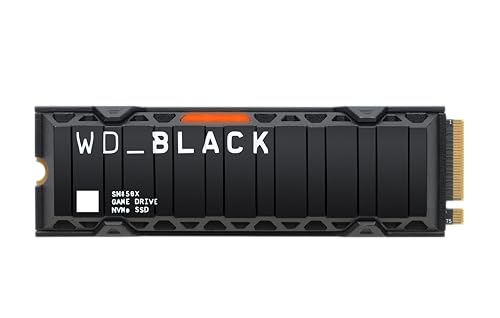
WD_BLACK SN850X NVMe SSD with Heatsink 1TB (WDS100T2XHE)
Who it suits: Best overall for most PS5 owners — factory heatsink, full flagship speed, and a listing that states PS5 compatibility outright.
This is the SN850X in the form most console owners should buy it: the same Gen4 drive — up to 7,300 MB/s reads and 6,300 MB/s writes — with a factory-fitted low-profile heatsink sized for the PlayStation 5 expansion bay, and a listing that states plainly that it works with PlayStation 5. Sony’s published requirements ask for a Gen4 x4 M.2 NVMe drive, a recommended sequential read speed of 5,500 MB/s or faster, and effective heat dissipation within strict size limits; this version was designed against exactly that checklist, which removes the two classic PS5 upgrade mistakes — a bare drive, and a third-party heatsink that does not fit under the bay cover.
Because the heatsink is fitted at the factory, installation is the simple version of the job: power down, open the bay, seat the drive, one screw, done — no thermal pads to align and no warranty questions about a cooler you added yourself. In a PC the same drive works anywhere a low-profile heatsink clears, though desktop builders with tall motherboard heatsinks of their own usually prefer the bare version. Performance is the SN850X’s familiar profile: fast loads, steady behaviour through hundred-gigabyte game installs, and none of the slowdowns that make a cheap drive feel old within a year.
In a PS5 the SN850X heatsink version is the definition of a solved problem: it clears Sony’s recommended speed line with enormous headroom, its factory heatsink is built to the bay’s dimensions, and installation is a ten-minute, one-screw job with no separate parts to order or misalign. Game installs — the heaviest write work a console drive ever does — play directly to this drive’s strengths, and moving titles between internal and expansion storage is fast enough that the two pools blur into one library.
- Factory heatsink sized for the PS5 bay — no separate cooler to buy or fit.
- Full SN850X speed: up to 7,300 MB/s reads, 6,300 MB/s writes.
- Listing states PlayStation 5 compatibility outright.
Honest limitation: The fixed heatsink can clash with chunky motherboard M.2 covers in some PC builds — check clearance, or buy the bare version for a desktop.
Choose it if you want the expansion done once, correctly, with no extra parts and no homework left over. Skip it if you are building a PC instead and your motherboard already carries a heatsink that this fixed cooler would clash with.
Samsung 990 PRO with Heatsink SSD 1TB (MZ-V9P1T0CW)
Who it suits: Fastest pick — the highest verified speeds in this guide with a heatsink designed for PS5 expansion.
Samsung’s 990 PRO is the fastest Gen4 drive in this guide on paper — up to 7,450 MB/s sequential reads and 6,900 MB/s writes, figures Samsung itself notes sit close to the practical ceiling of the PCIe 4.0 interface — and this heatsink version is the one built for consoles and tight slots, with an integrated heatsink the listing describes as designed for PlayStation 5 expansion. Under the speed sits Samsung’s own controller and V-NAND, a 600 TBW endurance rating at this 1TB size, and a five-year warranty, which together make it the specification-sheet answer for buyers who want the flagship and intend to keep it.
What the 990 PRO adds over cheaper Gen4 drives is consistency under mixed work: game installs, capture recording, big project files and everyday booting all draw on the same strengths, and Samsung Magician remains the most polished drive-management software in the consumer market for firmware, health and cloning. The heatsink version’s cooler is slim enough for the PS5 bay and for laptops and small-form-factor PCs that accept a low-profile drive, though — as with any fixed-heatsink drive — a desktop motherboard with its own tall M.2 armour may prefer the bare version of a drive instead.
The 990 PRO heatsink version brings the class’s fastest verified figures into the console bay, and while a PS5 will not let you feel the difference between 7,300 and 7,450 MB/s in a loading screen, its controller efficiency and Samsung’s thermal design make it the connoisseur’s expansion: cool, quiet in behaviour, and backed by the strongest consumer SSD software ecosystem if you ever move it to a PC. Its 600 TBW rating is plenty for console duty, where writes are installs rather than daily churn.
- Fastest verified figures here: up to 7,450 MB/s read, 6,900 MB/s write.
- Factory heatsink designed for PS5 expansion and tight slots.
- 600 TBW endurance rating and Samsung Magician software support.
Honest limitation: Flagship positioning means it rarely wins on value against the SN850X or KC3000 — you pay for the last few percent and the Samsung ecosystem.
Choose it if you buy the flagship on principle and want Samsung’s ecosystem and efficiency in the console. Skip it if you are value-hunting — the SN850X heatsink version does the same console job for a typically friendlier listing.
Seagate FireCuda 530 SSD with Heatsink 1TB (ZP1000GM3A023)
Who it suits: Best for heavy installers and long ownership — double-class endurance with an EKWB-designed heatsink, sold by Seagate as a PS5 drive.
The FireCuda 530 is the endurance specialist of the Gen4 flagships. Its headline speed — up to 7,300 MB/s — matches the class, but its 1,275 TBW endurance rating at 1TB is roughly double what most consumer flagships publish, and Seagate backs it with a 1.8-million-hour MTBF figure and included Rescue data-recovery services. The heatsink on this version is a low-profile aluminium design developed with EKWB, the water-cooling company, and Seagate sells this exact configuration as a PS5 internal SSD that meets the console’s performance and dimension requirements.
That combination — flagship speed, workstation-grade endurance, a console-ready heatsink — makes the FireCuda 530 the pick that keeps appearing across this category’s hardest briefs: PS5 expansion that will be written to for years, plotting and cache work that eats ordinary drives, and editing machines that record for hours. The trade-offs are equally clear: it is a premium drive, its heatsink is fixed (measure a desktop slot before assuming clearance), and its write figures, while strong, are not the story — the endurance rating is.
A PS5 drive’s life is measured in installs: hundreds of gigabytes written every time a library rotates. The FireCuda 530’s 1,275 TBW rating — about double the class norm — is the specification that speaks to that life, and its EKWB-designed heatsink was shaped for exactly this bay. Seagate sells this configuration explicitly as a PS5 internal SSD meeting the console’s requirements, and the included Rescue services add a safety net no other pick here matches.
- 1,275 TBW endurance at 1TB — about double typical consumer flagships.
- EKWB-designed low-profile heatsink, sold as PS5-ready by Seagate.
- Rescue data-recovery services included alongside the warranty.
Honest limitation: Premium pricing for endurance many light users will never touch — a games-only library may never approach its TBW rating.
Choose it if you install and delete big games constantly and plan to keep this drive for the console’s whole life. Skip it if your library is small and stable — you will never approach the endurance you are paying for.
Kingston KC3000 PCIe 4.0 NVMe M.2 SSD 1024GB (SKC3000S/1024G)
Who it suits: Best value that still clears the bar — heatsink required — up to 7,000 MB/s reads; add a compliant low-profile heatsink and it meets Sony’s rules.
Kingston’s KC3000 is the quiet achiever of the Gen4 flagships: up to 7,000 MB/s sequential reads from a drive that routinely undercuts the two big gaming brands while giving up very little in real-world behaviour. It uses a high-performance controller and TLC NAND in a standard M.2 2280 stick, with a low-profile graphene-aluminium heat spreader label rather than a full heatsink — enough for a ventilated desktop slot under a motherboard cover, not a substitute for a real heatsink where one is required.
For PC builders the KC3000’s appeal is balance. Boot times, game loads and large copies all land within a whisker of the class leaders, Kingston’s SSD Manager handles firmware and health, and the drive’s power behaviour suits laptops and small builds as well as desktops. What it does not do is pretend to console duty out of the box: a PS5 install needs a proper third-party heatsink fitted within Sony’s size limits, and buyers who want that job done at the factory should take the heatsink flagships in this guide instead.
The KC3000 is this guide’s one deliberate DIY pick, included because its 7,000 MB/s rating clears Sony’s recommended line with room to spare and its listings are often the friendliest of the flagships. The condition is absolute: as sold it carries only a heat-spreader label, and Sony requires a real cooling structure, so budget and fit a low-profile M.2 heatsink that keeps the assembly inside the 11.25 mm thickness limit. Do that one job properly and this is the smart-money expansion; skip it and you have bought the wrong product.
- Up to 7,000 MB/s reads at a typically sharper price than the flagship pair.
- TLC NAND and a proven high-performance controller design.
- Slim heat-spreader label fits tight laptop and small-form-factor slots.
Honest limitation: No true heatsink — a PS5 or a hot, coverless slot needs a separate cooler bought and fitted by you.
Choose it if you are comfortable fitting a heatsink yourself and want flagship speed at a value listing. Skip it if you want a drive that is compliant out of the box — take any of the three factory-heatsink picks above.
WD_BLACK SN850P NVMe SSD for PS5 (officially licensed)
Who it suits: The officially licensed option — playStation-licensed edition with a bay-designed heatsink — listed without a link, see the review.
The SN850P is Western Digital’s PlayStation-licensed edition of its gaming line: a Gen4 M.2 drive with a heatsink designed with the console’s bay in mind and official PlayStation licensing on the box, sold in console channels as the no-questions PS5 expansion. Its appeal is administrative as much as technical — licensing removes the compatibility homework entirely, and capacities run large for households whose libraries have outgrown a terabyte.
We list it prose-only in this guide because we could not pin a US Amazon ASIN for it to the standard this batch requires during research; it is widely sold through console and electronics retailers. If its listing is the one in front of you, judge it as you would the SN850X heatsink version: same job, same bay, with the licensing premium as the difference to weigh.
The SN850P exists for buyers who want the compatibility question answered by a licence rather than a checklist: it is Western Digital’s PlayStation-licensed PS5 drive, with a heatsink shaped for the bay and console-channel availability in large capacities. We present it without an Amazon link because this research pass could not pin its US listing to the standard every linked pick here met — the drive itself is a legitimate, widely retailed product, and the review explains exactly how to judge its listing when you find it.
- Officially licensed for PS5 — zero compatibility homework.
- Factory heatsink designed for the console bay.
- Large capacities for big libraries.
Honest limitation: Listed prose-only here — no verified US Amazon ASIN pinned in this pass, so check the exact listing and capacity before buying.
Choose it if official licensing matters to you, or you find its large capacities in console retail channels. Skip it if you want to order from this page’s verified Amazon listings — the SN850X heatsink version is the same idea, linked above.
Sabrent Rocket 4 Plus NVMe SSD
Who it suits: Enthusiast alternative — heatsink version only — a forum-favourite Gen4 flagship; only its heatsink form belongs in a PS5 — listed without a link.
Sabrent’s Rocket 4 Plus is the enthusiast-channel Gen4 flagship: a TLC drive with a high-performance controller that has been a fixture of plotting, editing and high-end build lists since the Gen4 era began, sold in bare and heatsink forms and in large capacities. Its following comes from sustained-performance behaviour and the company’s presence in exactly the forums where write-heavy users compare notes.
We list it prose-only because this research pass did not pin its US Amazon ASIN to the batch standard. Shortlist it beside the KC3000 and FireCuda 530, compare the exact capacity’s published endurance figure on the listing in front of you, and let that number — not the sequential headline — settle write-heavy decisions.
The Rocket 4 Plus earns a prose place here as the enthusiast alternative: a Gen4 flagship with the speed to clear Sony’s line and a heatsink variant shaped for console duty. It is included with two honest labels — only the heatsink version belongs in a PS5 (the bare drive fails Sony’s cooling requirement), and we could not pin its US Amazon ASIN in this pass, so it carries no link. Readers who already follow Sabrent’s line will know where to find it; everyone else is better served by the verified picks above.
- Enthusiast-proven Gen4 flagship with strong sustained behaviour.
- Bare and heatsink forms, large capacities.
- A plotting and editing community fixture.
Honest limitation: Listed prose-only here — no verified US Amazon ASIN pinned in this pass.
Choose it if you are a Sabrent loyalist who will source the heatsink version from a retailer you trust. Skip it if you want a verified listing and a factory-fitted cooler — three picks above do exactly that.
Comparison Table
| Product | Type | Key specifications | Link |
|---|---|---|---|
| WD_BLACK SN850X NVMe SSD with Heatsink 1TB (WDS100T2XHE) | Internal NVMe, PCIe Gen4 x4, M.2 2280, factory heatsink | PCIe Gen4 x4 · M.2 2280 · factory heatsink · up to 7,300 MB/s read · up to 6,300 MB/s write · 1TB · listed as working with PlayStation 5 | Check on Amazon |
| Samsung 990 PRO with Heatsink SSD 1TB (MZ-V9P1T0CW) | Internal NVMe, PCIe Gen4 x4, M.2 2280, factory heatsink | PCIe Gen4 x4 · M.2 2280 · factory heatsink · up to 7,450 MB/s read · up to 6,900 MB/s write · 1TB · 600 TBW · 5-year warranty | Check on Amazon |
| Seagate FireCuda 530 SSD with Heatsink 1TB (ZP1000GM3A023) | Internal NVMe, PCIe Gen4 x4 NVMe 1.4, M.2 2280, factory heatsink | PCIe Gen4 x4 NVMe 1.4 · M.2 2280 · EKWB-designed heatsink · up to 7,300 MB/s · 3D TLC NAND · 1,275 TBW · 1.8M hours MTBF · Rescue services | Check on Amazon |
| Kingston KC3000 PCIe 4.0 NVMe M.2 SSD 1024GB (SKC3000S/1024G) | Internal NVMe, PCIe Gen4 x4, M.2 2280, no heatsink | PCIe Gen4 x4 · M.2 2280 · up to 7,000 MB/s read · 1024GB (1TB class) | Check on Amazon |
| WD_BLACK SN850P NVMe SSD for PS5 (officially licensed) | Internal NVMe, PCIe Gen4, M.2 2280, factory heatsink — prose-only | PCIe Gen4 · M.2 2280 · factory heatsink · officially licensed for PlayStation 5 | — |
| Sabrent Rocket 4 Plus NVMe SSD | Internal NVMe, PCIe Gen4, M.2 2280 — prose-only | PCIe Gen4 · M.2 2280 · flagship-class Gen4 positioning | — |
Read this table against Sony’s checklist, not against PC benchmarks: every row is a Gen4 x4 M.2 2280 drive, the speed column shows why each clears the recommended 5,500 MB/s line (or, for the two prose entries, why they belong on the shortlist), and the cooling column is the one that decides whether the drive is compliant as sold.
Sony’s Requirements, Translated Into a Shopping List
Sony’s published table is short, and every line of it eliminates real products, so it is worth reading as a shopper rather than as an engineer. Interface first: PCI-Express Gen4 x4 M.2 NVMe, Key M, Socket 3 — which means Gen3 drives, SATA M.2 drives and anything exotic are out before the conversation starts. Capacity must fall between 250GB and 8TB. The drive’s length must be one of 2230, 2242, 2260, 2280 or 22110; the 2280 size dominates the market and is what every pick in this guide uses. Sequential read speed of 5,500 MB/s or faster is Sony’s recommendation — treat it as a requirement when spending your own money, because a drive below the line has no upside that compensates for ignoring the console maker’s own figure.
Then the physical clause, the one that generates returns: with its cooling structure fitted, the assembly can be at most 25 mm wide and 11.25 mm thick — no more than 8.0 mm above the board and 2.45 mm below it. A heatsink that fits a PC motherboard beautifully can fail that thickness line in the console bay, which is why factory PS5 heatsinks are deliberately low-profile and why this guide insists on them. Sony also states the cooling requirement itself plainly: do not use an M.2 SSD without a heat-dissipation mechanism. A bare drive in a PS5 is not a saving; it is an unfinished installation.
Finally, the expectations Sony sets for behaviour: the console formats the drive on first use, measures it, and warns you if it falls short — and PS5 games must be played from internal storage, which is the entire reason this slot exists. Buy a drive that passes every line as sold, and the console’s own setup flow becomes a formality. Readers still weighing internal against external should also see Best External Ssds For Gaming for what USB storage can and cannot do, and Best Ssds For Gaming for the PC side of the same drives.
Installing the Drive and Living With It
Installation is genuinely simple, and the simplicity is worth describing because fear of it sells people external drives that cannot solve their problem. Update the console first. Power it fully down, remove the cover, open the expansion bay’s metal lid with one screw, seat the M.2 drive at its angle, secure it with the spacer and screw at the 80 mm position, refit the bay lid — Sony requires the bay cover back on, because it is part of the console’s airflow design — and power up. The PS5 formats the drive and reports its measured speed. Fifteen unhurried minutes, most of them spent finding a screwdriver.
Living with the drive afterwards is mostly about one setting: where new games install. Point installs at the expansion drive, keep the internal storage for the titles in heaviest rotation if you like, and move games between the two pools freely — the transfer speeds in this class make reorganisation a coffee-break task rather than an overnight one. Capacity discipline still applies: a 1TB expansion roughly doubles a launch console’s usable space, and households that treat every free-to-play title as a permanent resident should size up at purchase time rather than perform the upgrade twice. For the wider storage picture across consoles, Best Ssds For Xbox One covers the very different Xbox rules, and Best Ssds For Ps4 covers the older PlayStation’s simpler SATA world.
1TB or 2TB: The Capacity Decision in Detail
Capacity is the one PS5 decision you cannot revise cheaply, so it deserves arithmetic rather than vibes. Start from the console’s usable internal space — substantially less than the headline figure once the system takes its share — and list what actually lives there: the two or three permanent residents every household has, the rotating cast of campaign games, and the live-service titles whose updates arrive like weather. A 1TB expansion roughly doubles the working library of a launch console and suits households that finish games and move on. It strains exactly when several enormous permanent residents coincide — the sports annual, the shooter, the open-world epic, each with a season’s worth of updates — because those titles do not rotate; they accumulate.
The 2TB case is therefore not greed but demography: households with multiple players, libraries shared across generations of taste, or a principled refusal to re-download anything. The installation job is identical, the drive class is identical, and the only cost of sizing up is the listing difference on one day — against the cost of sizing down, which is the entire upgrade repeated plus a drive with no home. The middle path some owners take, a 1TB drive now and discipline forever, works precisely for the households honest enough to keep the discipline. Know which household yours is before the screwdriver comes out, because the console will not ask twice.
A final capacity note for planners: the expansion drive and the internal drive behave as one library from the games’ point of view, and moving titles between them is fast enough to be a organisation tool rather than a chore. Owners who keep the current rotation on the internal drive and the back catalogue on the expansion get the best of both — and that workflow, more than any benchmark, is what a well-sized PS5 storage upgrade actually buys.
Heat, Airflow and the Bay Cover: The Cooling Story
The PS5’s expansion bay is a small, deliberate thermal system, and understanding it explains every cooling rule in this guide. The console’s airflow is engineered to move across the bay; the metal bay cover is part of that path, and the heatsink on your drive is the bridge that moves heat from the NAND and controller into that moving air. A drive without a heatsink has no bridge — its chips heat the still air immediately around them and then live in it — which is why Sony’s requirement is phrased as a requirement and not a suggestion. Factory PS5 heatsinks are low and wide precisely because they were designed against both the thickness limit and this airflow path.
This is also why the aftermarket-heatsink route, while legitimate, demands measurement rather than optimism: the assembly must stay within 11.25 mm total thickness, sit no more than 8.0 mm above the board, and leave the bay cover fittable without force. A cooler that fails any of those is not a cooler; it is a returns process. Owners who fit one should also confirm the thermal pad actually contacts the drive’s controller and NAND — a heatsink hovering a millimetre above the chips is jewellery, not cooling. Do the job properly once and the drive’s thermal life becomes the non-event it should be, through years of installs in a warm living room.
What Happens After the Format Screen
The console’s first boot with a new drive is a small ceremony worth understanding, because it tells you whether the whole purchase succeeded. The PS5 formats the expansion drive into its own file system — which is why the drive cannot be read by a PC afterwards and why its games do not travel by cable — and then measures the drive, reporting a read figure of its own. That number will not match the box: the console measures in its own way, under its own conditions, and a result somewhat below the maker’s headline is normal, expected, and no cause for a return. What you are checking for is catastrophe, not arithmetic: a drive the console rejects, warns about repeatedly, or measures at a fraction of its class has a real problem, and the return window is the time to use.
The weeks after installation have their own quiet curriculum. Set the default install location deliberately rather than discovering the console’s choice in a month. Move the current rotation onto whichever pool you intend, and notice how the two pools blur: the system treats the expansion as home, not as an annex, and that is the upgrade’s real texture — the end of storage as a topic. Keep the console’s software updated, because Sony has refined expansion behaviour over the platform’s life, and resist the urge to benchmark your satisfaction against forums: a correctly specified drive from this guide, quietly holding your library for years, is the entire success condition, and it is gloriously boring.
One last scenario deserves a plan rather than a surprise: the full drive. It arrives for every household eventually, expansion or not, and the PS5’s answer is organisational, not financial — the back catalogue moves to an external USB drive as parked storage, the current rotation keeps the fast pools, and nothing is ever deleted in anger at midnight. Owners who adopt that two-tier habit discover the expansion drive’s size stops mattering as a limit and becomes what it should have been all along: simply the fast shelf of a library that finally has enough shelves.
How to Choose Best SSDs for PS5
Choosing a PS5 drive is the rare storage purchase with an official answer key. Work through these checks in order and the shortlist cannot go wrong:
- Start from Sony’s table, not from a bestseller list. Gen4 x4 interface, Key M, 250GB–8TB, a supported length, the 5,500 MB/s recommended read line and a cooling structure — a drive that fails any line is not a PS5 drive, whatever its listing headline implies.
- Buy the heatsink fitted at the factory. Factory PS5 heatsinks are shaped to the 11.25 mm thickness limit. A separate cooler can work, but it adds a fit gamble and a second purchase to a job that should take one box.
- Size for your real library. Count the games you keep installed, not the games you own. A 1TB drive suits most households; live-service players with several huge titles should step up a capacity at purchase time.
- Treat 1TB as the sensible floor. Smaller supported capacities exist, but modern game installs make them false economy — the upgrade job is the same, and you will repeat it sooner.
- Check the exact variant on the listing. The same drive family sells bare, with a PC heatsink, and with a PS5 heatsink. Only the PS5-shaped one belongs in this purchase; model codes decide, so read them.
- Plan the install setting, not just the install. Decide before you begin whether new games default to the expansion drive, and whether the internal drive stays reserved for your heaviest rotation.
- Keep the bay cover discipline. Refit the expansion bay’s metal cover — Sony designed the console’s airflow around it, and leaving it off to ‘help cooling’ does the opposite.
- Buy where returns are painless. A drive the console reports as too slow or a heatsink that fouls the cover are both return-window problems; a reputable listing with easy returns is part of the product.
Common Mistakes
- Buying a Gen3 or SATA M.2 drive because it was cheap — the PS5 slot cannot use either, at any price.
- Installing a bare drive with no heatsink and calling the job done; Sony requires a cooling structure.
- Assuming any heatsink fits: PC heatsinks regularly exceed the bay’s 11.25 mm total thickness limit.
- Choosing a drive rated below Sony’s recommended 5,500 MB/s read line to save a little money.
- Buying an external USB drive to play PS5 games — externals can store PS5 titles but cannot run them.
- Removing the console’s bay cover permanently in the belief it improves cooling; it is part of the airflow design.
- Ordering the bare or PC-heatsink variant of the right drive family by clicking the wrong listing tile.
- Filling a small drive immediately and repeating the whole upgrade a season later — size once, generously.
Final Recommendation
- Best overall for most PS5 owners: WD_BLACK SN850X NVMe SSD with Heatsink 1TB (WDS100T2XHE).
- Fastest pick: Samsung 990 PRO with Heatsink SSD 1TB (MZ-V9P1T0CW).
- Best for heavy installers and long ownership: Seagate FireCuda 530 SSD with Heatsink 1TB (ZP1000GM3A023).
- Best value that still clears the bar — heatsink required: Kingston KC3000 PCIe 4.0 NVMe M.2 SSD 1024GB (SKC3000S/1024G).
- The officially licensed option: WD_BLACK SN850P NVMe SSD for PS5 (officially licensed).
- Enthusiast alternative — heatsink version only: Sabrent Rocket 4 Plus NVMe SSD.
Our top two here are the WD_BLACK SN850X NVMe SSD with Heatsink 1TB (WDS100T2XHE), for the buyer this article was written for, and the Samsung 990 PRO with Heatsink SSD 1TB (MZ-V9P1T0CW), for the household whose priorities run the other way. Between them they cover the two shapes this search usually takes: the complete answer bought once, and the value answer that leaves budget for everything else. Readers weighing a neighbouring question should also see Best Ssds For Gaming. Measure your library honestly, insist on Sony’s checklist without exception, and the upgrade becomes what it should be: fifteen minutes with a screwdriver, then years of never thinking about storage again.
Frequently Asked Questions
What are Sony’s official requirements for a PS5 SSD?
Per Sony’s published support pages: a PCI-Express Gen4 x4 M.2 NVMe SSD (Key M, Socket 3), 250GB to 8TB capacity, in a 2230, 2242, 2260, 2280 or 22110 form factor, with a recommended sequential read speed of 5,500 MB/s or faster, and effective heat dissipation such as a heatsink. Including the cooling structure, the assembly must be no more than 25 mm wide and 11.25 mm thick. Every linked pick in this guide meets those requirements as sold.
Do I really need a heatsink on a PS5 SSD?
Yes. Sony states that using an M.2 SSD with the PS5 requires effective heat dissipation with a cooling structure such as a heatsink and heat transfer sheet, and advises against using a drive without one. Buy a drive with a factory-fitted PS5 heatsink, or fit a compliant low-profile heatsink to a bare drive before installation.
Can I play PS5 games from an external USB SSD?
No. External USB storage can hold PS5 games to free internal space, and can store and play PS4 games, but PS5 games must be run from the console’s internal storage or an M.2 expansion drive. That is why this guide covers internal drives.
How much capacity should I add?
For most households 1TB roughly doubles a launch console’s usable space and holds a healthy rotation of large titles. Players who keep several live-service games installed permanently, or who hate deleting, should consider 2TB at purchase time — the installation job is identical and performed once.
Will a faster drive make PS5 games load faster than the internal storage?
Not meaningfully. The console’s internal storage is already very fast, and games are built around it. A good expansion drive’s job is to match that experience while adding capacity — which every pick here does — rather than to beat it.
Can I move the expansion drive to a PC later?
Yes. These are standard M.2 NVMe drives; a PC or laptop slot accepts them (the PS5 formats its file system, so the drive is reformatted in the move and its games do not travel). Factory heatsinks may need clearance checks against chunky motherboard covers.
Can I use the same drive in a PS5 and a PS5 Pro or a second console?
Yes — the expansion format and Sony’s requirements carry across the PS5 family, and a drive moved between consoles keeps its games, which then play under the signed-in owner’s account. It remains one drive in one console at a time, and the heatsink and size rules apply identically in every bay.