Where to buy
Check the latest price, availability and delivery on Amazon. Orders are placed on Amazon. We may earn a commission from qualifying purchases.
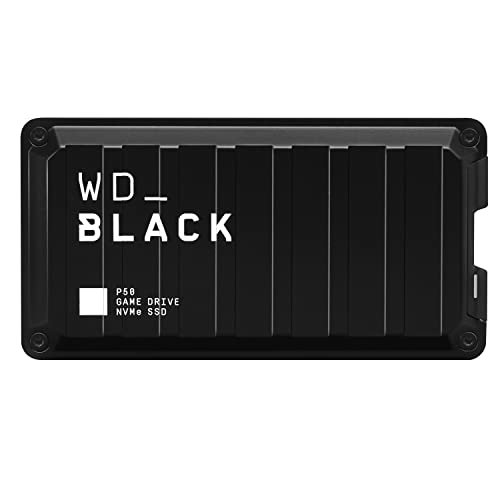
- Best game-first external drive: WD_BLACK P50 Game Drive SSD 1TB (WDBA3S0010BBK-WESN) — Check on Amazon
- SanDisk Extreme PRO Portable SSD 1TB (SDSSDE81-1T00-G25) — Check on Amazon
- Samsung T7 Shield Portable SSD 1TB (MU-PE1T0S/AM) — Check on Amazon
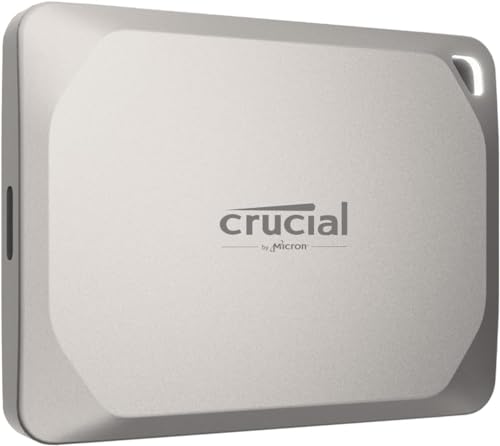
- Crucial X9 Pro Portable SSD 1TB (CT1000X9PROSSD902)
See 2 more Amazon options
- Crucial MX500 1TB 3D NAND SATA 2.5-inch SSD (CT1000MX500SSD1) — Check on Amazon
- Seagate Game Drive SSD for Xbox — listed without a link in this guide; see its review below for why
Read the full guide ↓
Disclosure: As an Amazon Associate, ilcastellomenu.com earns from qualifying purchases. Links to Amazon on this page are affiliate links; they cost you nothing extra. Listing details such as price and availability change often, so check the current Amazon listing before you buy.
The best external ssds for gaming live under rules set by three different hosts at once — consoles that format and fence their storage, PCs that reward raw interface speed, and the USB standards that connect them — and this guide’s first job is to keep those rules separate, because the category’s marketing works hard to blur them. An external drive can be a PS4 library that plays games, a PS5 parking lot that stores them but cannot run them, an Xbox One library, or a PC drive whose speed depends entirely on which USB mode the host supports. Every pick below is placed in those jobs precisely, with a verified listing and specifications corroborated during research.
The speed story needs one honest paragraph before the products. Portable SSDs come in two USB classes: the 10 Gb/s class (up to about 1,050 MB/s) that every modern host supports, and the 20 Gb/s USB 3.2 Gen 2×2 class (up to 2,000 MB/s) that only some Windows desktops and laptops can feed — consoles cannot, and Macs cannot. A 2×2 drive on the wrong host is a 10 Gb/s drive in a nicer coat. This guide therefore ranks each portable twice in effect: what it does on the host you own is the review; what it does on a 2×2 host is a bonus stated as such. Buy for your ports, and the category becomes simple.
What external gaming storage is genuinely for, stated as plainly: expanding a console library without opening anything, carrying that library between houses and machines, parking games off a full internal drive instead of deleting them, and giving a gaming PC a fast, pocketable overflow and shuttle. The six picks below cover those jobs across both USB classes, a game-first design, the rugged class standard, the value pick, and the DIY route — plus one licensed option presented honestly without a link.
In this guide
Quick Picks
Short on time, or comparing several options at once? Each row below names a buyer type and the drive that suits it, with a link to the listing where one is verified.
| Buyer type | Pick | Why it stands out | Link |
|---|---|---|---|
| Best game-first external drive | WD_BLACK P50 Game Drive SSD 1TB (WDBA3S0010BBK-WESN) | Designed and sold as a game drive for PlayStation, Xbox, PC and Mac libraries, up to 2,000 MB/s on 2×2 hosts | Check on Amazon |
| Fastest external on the right host | SanDisk Extreme PRO Portable SSD 1TB (SDSSDE81-1T00-G25) | Up to 2,000/2,000 MB/s over USB 2×2, in a forged aluminium IP65 body | Check on Amazon |
| Best rugged all-rounder | Samsung T7 Shield Portable SSD 1TB (MU-PE1T0S/AM) | The 1,050 MB/s-class standard with IP65 armour — the library drive that travels | Check on Amazon |
| Best value external gaming drive | Crucial X9 Pro Portable SSD 1TB (CT1000X9PROSSD902) | Compact metal, full standard-class speed, and the tier that makes a dedicated library drive painless | — |
| Best DIY external: SATA SSD in an enclosure | Crucial MX500 1TB 3D NAND SATA 2.5-inch SSD (CT1000MX500SSD1) | A proven MX500 plus a USB 3 enclosure you supply equals a full-class library drive you built | Check on Amazon |
| Licensed console option — listed without a link | Seagate Game Drive SSD for Xbox | Seagate’s Xbox-licensed game drive line, for buyers who prefer the official channel | See the full review below |
How These Picks Were Chosen
External gaming judging started from host truth: what each console and PC class can actually do with a USB drive, stated per pick. Within that, sustained-transfer thermals, enclosure build for travel, bus-powered simplicity and capacity value decided the order. Headline USB modes were credited only where a real host class can use them, and labelled as bonuses elsewhere.
We did not use these drives ourselves. We read manufacturer specification pages and listing records, cross-checked the numbers that matter — interface, form factor, sequential figures, endurance ratings where published, and cooling arrangements — and favoured drives whose makers publish full specifications over those that hide behind marketing words. Every ASIN in this guide was verified against a live listing record during research, and every specification printed in the reviews traces to a manufacturer or retailer source recorded in the article’s source notes. Where a maker’s headline stretches a definition — a USB mode a host cannot use, a speed a console cannot spend — the review says so in plain language and judges the drive on its architecture instead.
The 6 Best External SSDs for Gaming
WD_BLACK P50 Game Drive SSD 1TB (WDBA3S0010BBK-WESN)
Who it suits: Best game-first external drive — designed and sold as a game drive for PlayStation, Xbox, PC and Mac libraries, up to 2,000 MB/s on 2×2 hosts.
The P50 was the first portable SSD built and sold specifically as a game drive: up to 2,000 MB/s over USB 3.2 Gen 2×2, in a shock-resistant metal enclosure with a gamer’s industrial design, marketed for PlayStation, Xbox, PC and Mac libraries. As external storage it does the jobs consoles actually allow an external drive to do — store and play last-generation titles, park current-generation games off the internal drive, and shuttle a library between machines — at speeds that make those transfers painless on a 20 Gb/s host.
Like the other 2×2 drive in this guide, its headline depends on the host: consoles and Macs talk to it at 10 Gb/s-class speeds, where it remains a fast, rugged library drive, while a 20 Gb/s Windows port unlocks the full figure. What you are buying beyond raw speed is intent — firmware, enclosure and support aimed at game libraries and long play sessions rather than office files — plus the WD_BLACK ecosystem’s dashboard tools on PC.
The P50 is the external drive that thinks like a console owner: a shock-resistant metal enclosure, gaming-line support, and marketing that names PlayStation, Xbox, PC and Mac libraries because that is literally its job description. On a 2×2 Windows host it is also genuinely fast for library moves; on consoles and Macs it settles into the 10 Gb/s class with its build and intent as the premium’s justification. For a household whose external drive exists to serve game libraries across machines, this is the purpose-built answer.
- Purpose-built game drive: up to 2,000 MB/s on 20 Gb/s hosts.
- Shock-resistant metal enclosure made for bags and console shelves.
- Marketed and supported for PlayStation, Xbox, PC and Mac libraries.
Honest limitation: Consoles and Macs cap it at 10 Gb/s-class speeds; current-generation console games still cannot play from any external drive.
Choose it if your external drive’s whole life is game libraries across console and PC, and you want the product designed for exactly that. Skip it if the drive serves one console only and budget rules — the X9 Pro does the same console job for less.
SanDisk Extreme PRO Portable SSD 1TB (SDSSDE81-1T00-G25)
Who it suits: Fastest external on the right host — up to 2,000/2,000 MB/s over USB 2×2, in a forged aluminium IP65 body.
The Extreme PRO is the speed pick among portables: up to 2,000 MB/s reads and writes over USB 3.2 Gen 2×2, in a forged aluminium chassis with IP65 water and dust resistance and drop protection, from the brand professional photographers standardised on. On a host with a 20 Gb/s USB port it moves footage, game libraries and disk images at roughly double the rate of the 10 Gb/s class, and its metal body sheds the heat of those long transfers better than plastic rivals.
The asterisk is written on the interface, not the drive: USB 3.2 Gen 2×2 hosts are common on Windows desktops and rare elsewhere — Macs do not support 2×2 and fall back to 10 Gb/s speeds, and many laptops do the same. On the right host this is the fastest portable in this guide; on the wrong host it is a very well-built 10 Gb/s drive. Check your ports before paying for the headline, and the drive will do the rest.
The Extreme PRO is the speed pick with its condition attached: on a Windows host with a 20 Gb/s USB port, it moves libraries, captures and installs at up to twice the standard class, and its forged aluminium body is built to sustain that pace through a full library transfer without throttling into ordinariness. On consoles and Macs it is a beautifully built standard-class drive. Gamers whose PC is their library’s home base — and whose consoles borrow the drive — get both personalities for one purchase, which is the honest case for its premium.
- Up to 2,000/2,000 MB/s on 20 Gb/s USB hosts — fastest portable class here.
- Forged aluminium chassis, IP65 rating, drop protection.
- Sustained-transfer thermals suit big footage and library moves.
Honest limitation: Full speed needs a USB 3.2 Gen 2×2 host; Macs and many laptops cap it at 10 Gb/s-class speeds.
Choose it if your gaming PC has a 2×2 port and your library lives on the move between PC and console. Skip it if your hosts are consoles and a Mac — its speed mode is unusable there, and the T7 Shield is the better spend.
Samsung T7 Shield Portable SSD 1TB (MU-PE1T0S/AM)
Who it suits: Best rugged all-rounder — the 1,050 MB/s-class standard with IP65 armour — the library drive that travels.
The T7 Shield is Samsung’s portable SSD in its working clothes: the T7 family’s up-to-1,050 MB/s USB 3.2 Gen2 performance wrapped in a ribbed rubber exterior with an IP65 dust-and-water-resistance rating and drop protection aimed at bags, desks and location work rather than a shelf. It is bus-powered over USB-C, pocketable, and compatible with the whole modern zoo — PC, Mac, Android, and games consoles for external game storage — which is why it keeps winning the ‘one portable drive’ argument.
Its honest ceiling is the interface: 10 Gb/s USB means roughly a gigabyte per second at best, and no portable drive in this class escapes that; machines with faster ports still talk to it at Gen2 speeds. Within that ceiling, the Shield’s sustained-write behaviour, thermal manners inside its rubber shell and Samsung’s portable-SSD software support make it the rugged default — the drive you throw in a camera bag, a console backpack or a laptop sleeve and stop thinking about.
The T7 Shield is the external gaming drive as a finished idea: full standard-class speed on every host that exists, an IP65 rubber-armoured body for the bag between houses, and a ubiquity that means every console and PC in your life already gets along with it. As a PS4 or Xbox One library it plays games directly; as PS5 storage it parks titles honestly; as a PC shuttle it is the drive in every creator’s kit for a reason. If one portable must be bought blind for a gaming household, this is the blind buy.
- Up to 1,050 MB/s over USB-C with broad PC/Mac/console compatibility.
- IP65 rating and rugged rubber exterior for real travel duty.
- Bus-powered and pocketable — no brick, no fuss.
Honest limitation: USB 3.2 Gen2 caps real transfers near a gigabyte per second; 20 Gb/s drives are faster on hosts that support them.
Choose it if you want one rugged portable that serves consoles, PC and travel without a wrong answer. Skip it if your PC has a 2×2 port and library transfers are a weekly event — the two drives above halve those waits.
Crucial X9 Pro Portable SSD 1TB (CT1000X9PROSSD902)
Who it suits: Best value external gaming drive — compact metal, full standard-class speed, and the tier that makes a dedicated library drive painless.
The X9 Pro is Crucial’s answer to the T7 formula: up to 1,050 MB/s reads and writes over USB-C in an anodised aluminium enclosure barely bigger than a credit card’s footprint, with drop resistance and a lanyard loop that signal it was designed to live on a keyring-adjacent life rather than a desk. It is bus-powered, works across PC, Mac and consoles, and Crucial prices it to undercut the Samsung equivalent whenever listings move — which, in this class, is often.
The specification ceiling is the class ceiling: 10 Gb/s USB, so about a gigabyte per second on a good day, and no way around it. Within that, the X9 Pro’s sustained behaviour is honest, its enclosure handles travel heat well, and its size makes it the portable most likely to actually be in your bag when you need it. Buyers choosing between this and the T7 Shield are choosing ruggedness ratings and the day’s listing, not a different class of drive.
The X9 Pro is the value engine of external gaming: since consoles cap every drive at the standard class anyway, a dedicated console library drive should be exactly this — compact, metal, full class speed, and priced so that dedicating it to one console’s library forever feels sensible. It vanishes behind a TV, travels without drama, and leaves budget for the games it will hold. For a single-console household it is not the compromise pick; it is the correct one.
- Up to 1,050 MB/s read and write in a very compact metal body.
- Broad PC, Mac and console compatibility over USB-C.
- Aggressively positioned against the Samsung T7 class.
Honest limitation: 10 Gb/s USB ceiling, shared with its whole class; the Mac-specific version is the tidier buy for Apple-only kits.
Choose it if you want a dedicated library drive for one console at the sensible price. Skip it if the drive must also be a PC speed merchant or survive field abuse — the picks above specialise in those.
Crucial MX500 1TB 3D NAND SATA 2.5-inch SSD (CT1000MX500SSD1)
Who it suits: Best DIY external: SATA SSD in an enclosure — a proven MX500 plus a USB 3 enclosure you supply equals a full-class library drive you built.
The MX500 has been the value answer in SATA for years: up to 560 MB/s reads from a DRAM-equipped 3D NAND design that matches the interface’s ceiling and undercuts the 870 EVO’s usual pricing tier. Crucial builds in the ownership details that matter at this level — power-loss protection for data in flight, hardware encryption support, and the Acronis cloning software that makes a laptop or console drive swap a guided afternoon rather than a research project.
In practice the MX500 and the 870 EVO deliver the same experience to the machines that take them; the choice between them is about the day’s listings and your brand history, not about a performance gap you could feel. As a PS4 internal drive, an older-laptop resurrection, a NAS SATA tier or an enclosure build, it does the complete job with no asterisk — the asterisk belongs only to SATA itself, whose ceiling every drive in this form factor shares.
The DIY route earns its place on arithmetic: a 1TB MX500 and a decent USB 3 enclosure assemble into a library drive that performs at the same console class as the sealed portables, for a total that undercuts most of them, with the educational bonus of knowing exactly what your storage is. The honest labels: the enclosure is a separate purchase not in this listing, the result is a box-and-cable arrangement rather than a sealed unit, and USB enclosure chipsets vary — buy a reputable enclosure with a modern bridge chip and the performance follows.
- Up to 560 MB/s — the full SATA experience at a value tier.
- DRAM-equipped design with power-loss protection.
- Acronis cloning software included for easy drive swaps.
Honest limitation: SATA ceiling applies, as with every 2.5-inch drive; Samsung’s rival is the more premium name if listings are ever equal.
Choose it if you enjoy a ten-minute project and want library-drive performance at the keenest total cost. Skip it if you want one sealed product with one warranty — the X9 Pro is this idea, factory-finished.
Seagate Game Drive SSD for Xbox
Who it suits: Licensed console option — listed without a link — seagate’s Xbox-licensed game drive line, for buyers who prefer the official channel.
Seagate’s licensed Xbox game drives are the console-channel answer to external storage: Xbox branding, setup aimed at console owners rather than PC builders, and positioning as the official way to carry an Xbox One library. Functionally the job is the same one every drive in this guide does — USB storage the console formats and fills — with the licence and the onboarding as the product.
We list it prose-only because this pass did not pin a US Amazon ASIN for it to the batch standard. If you find it beside the P50 or T7 Shield, the decision is about the Xbox-specific presentation versus the faster, platform-neutral drives; the console itself will treat them alike.
Seagate’s licensed Xbox game drives close the guide as the official-channel option: console branding, console-first setup, and a product line sold precisely for game libraries. It is presented without a link because this pass did not pin a US Amazon ASIN for it to the batch standard. The console treats it exactly like the other library drives here — format, fill, play — so the choice is about channel and presentation, made honestly. PlayStation-leaning households will find Seagate’s equivalents in the same channels; the P50 above remains this page’s verified game-first pick.
- Xbox-licensed presentation and console-first setup.
- Purpose-sold for Xbox game libraries.
- Portable, bus-powered design.
Honest limitation: Listed prose-only here — no verified US Amazon ASIN pinned in this pass.
Choose it if you prefer licensed console accessories and shop the console retail channels. Skip it if you want to order from this page’s verified listings — every pick above carries one.
Comparison Table
| Product | Type | Key specifications | Link |
|---|---|---|---|
| WD_BLACK P50 Game Drive SSD 1TB (WDBA3S0010BBK-WESN) | External portable game drive, USB 3.2 Gen 2×2 USB-C | USB 3.2 Gen 2×2 (20 Gb/s) · USB-C · up to 2,000 MB/s read · 1TB · listed for PlayStation, Xbox, PC and Mac | Check on Amazon |
| SanDisk Extreme PRO Portable SSD 1TB (SDSSDE81-1T00-G25) | External portable, USB 3.2 Gen 2×2 USB-C | USB 3.2 Gen 2×2 (20 Gb/s) · USB-C · up to 2,000 MB/s read · up to 2,000 MB/s write · IP65 rated · forged aluminium chassis · 1TB | Check on Amazon |
| Samsung T7 Shield Portable SSD 1TB (MU-PE1T0S/AM) | External portable, USB 3.2 Gen2 USB-C | USB 3.2 Gen2 (10 Gb/s) · USB-C · up to 1,050 MB/s · IP65 rated · rugged rubber exterior · 1TB | Check on Amazon |
| Crucial X9 Pro Portable SSD 1TB (CT1000X9PROSSD902) | External portable, USB 3.2 USB-C | USB 3.2 Gen2 (10 Gb/s) · USB-C · up to 1,050 MB/s read and write · 1TB | — |
| Crucial MX500 1TB 3D NAND SATA 2.5-inch SSD (CT1000MX500SSD1) | Internal SATA, 2.5-inch 7mm | SATA 6 Gb/s · 2.5-inch · up to 560 MB/s read · 3D NAND · 1TB | Check on Amazon |
| Seagate Game Drive SSD for Xbox | External portable game drive, USB — prose-only | USB external · Xbox-licensed positioning · portable game-library drive | — |
Judge this table by host first: the type column tells you each drive’s class and intent, and the essays explain what each host — PS4, Xbox One, PS5, PC — permits an external drive to do. The speed column is each drive’s ceiling on its best host; your console or Mac will run several of these at the standard class, exactly as their reviews state.
What Each Host Lets an External Drive Do
The same portable drive has four different jobs depending on what it plugs into, and a gaming household usually owns at least two of the hosts. On a PS4, an external SSD is a library: the console formats it, games install to it and play from it, full stop — the happiest arrangement in this guide. On an Xbox One, the same: external storage is first-class library space for its catalogue. On a PS5, the rules tighten — external drives store PS5 games to free internal space and play PS4 games, but PS5 titles run only from internal or M.2 expansion storage, so an external drive there is a parking lot and a PS4 library, not an expansion. On a PC, the drive is whatever the port allows: overflow storage, a shuttle, a capture target — at the speed of the USB class the PC and drive share.
None of that makes any pick here a bad drive; it makes the host the first specification. A household buying for a PS4 or Xbox One library should weight capacity and value, because the console caps speed anyway. A PS5 household should buy an external for what it actually does there — parking and PS4 games — and put expansion money into the internal guide in this series, Best Ssds For Ps5. A PC-centred household should check its USB modes before paying for any 2,000 MB/s headline. The drives are constant; the jobs are not, and the reviews above assign each pick its jobs by name.
The Two USB Classes, and Why Your Ports Decide
Portable SSD speed is a negotiation between the drive and the host, and the host holds the veto. The 10 Gb/s class — USB 3.2 Gen2 — is universal: every console, Mac and PC of the era speaks it, and drives in it deliver up to about 1,050 MB/s, which for library moves and game storage is already a transformation over any hard drive. The 20 Gb/s class — USB 3.2 Gen 2×2 — doubles that ceiling, but the host list is short: certain Windows desktops and laptops with the right ports. Consoles do not support it. Macs do not support it. A 2×2 drive on those hosts runs at the standard class, gracefully and completely — but a buyer who paid for the headline deserves to have known.
The buying rule that follows is the spine of this guide: inventory your hosts before you inventory drives. If a 2×2 Windows PC is your library’s home, the Extreme PRO and P50 earn their premiums in halved transfer waits, weekly. If your hosts are consoles and Apple hardware, the standard-class drives — T7 Shield, X9 Pro, or a DIY MX500 — deliver literally identical gaming performance, and the savings belong in capacity. Speed you cannot plug into is not speed; it is a donation. Spend it on terabytes instead, and the library thanks you every install.
Captures, Clips and the Creator’s External Drive
Modern consoles and gaming PCs produce a second library alongside the games: captures. Screenshots, clips, full session recordings — the raw material of every montage and memory — accumulate on internal storage until they crowd out the games they came from, and an external SSD is their natural home. The workflow the drives in this guide enable is simple: libraries stay on the console-formatted drive, captures move to a PC-readable portable (a separate drive, formatted for computers — the one-job rule again), and from there to editing, archives and sharing. Creators who shoot on console and cut on PC live on exactly this two-drive arrangement, and the value picks here make it a reasonable total rather than a production budget.
The capture library deserves the same two disciplines as any footage: it is irreplaceable in a way games are not — a deleted game re-downloads, a deleted clip of a perfect match does not — so it earns a second copy at home; and it grows faster than intuition says, because recording is free until the drive is full. Size the capture drive generously, back it up boringly, and the external SSD stops being merely the games’ annex and becomes the household’s memory of playing them.
Travel Kits: The Library That Leaves the House
An external gaming library changes what a gaming trip is. The console-era ritual — choosing which discs to pack, installing on arrival, patching on a friend’s connection — collapses into a drive in a jacket pocket: the whole rotation, already installed, ready when the console is. Tournament players, students between home and dorm, and families splitting a library between two houses all live this pattern, and it shapes the pick: ruggedness and bus power stop being specifications and become the difference between a library that travels and one that is merely portable in theory.
The travel kit has its own small liturgy. The drive rides in the bag’s safest pocket, not the console’s box. Its cable travels with it — the right cable, tested at home. A second copy of the irreplaceable captures stays behind. And the drive’s job stays exclusive, because the fastest way to lose a travelling library is to lend the drive to a laptop that offers to format it. Observed, those habits make the external SSD the most reliable games carrier ever sold: no moving parts, no shelf of cases, an entire era of a library in a coat pocket.
The Shelf Life of a Library Drive
A gaming library drive is bought for a longer horizon than most technology: consoles live a decade, libraries outlive consoles, and a good portable can plausibly serve two generations of machines — parking PS5 titles in one era, playing a PS4 library in another, ending as a PC’s archive. That horizon argues for the unglamorous virtues this guide keeps selecting: sealed units from makers who maintain their products, standard connectors that will still be standard, and capacity bought for the library’s future rather than its present. The drive is not a peripheral in this framing; it is the collection’s permanent home, with consoles as its temporary players.
It also argues for a small act of documentation no one performs and everyone eventually wishes for: a note, kept with the drive, of what it is formatted for and what lives on it. Libraries outlive memories of which drive got formatted by which console in which year, and the note is the difference between an heirloom and a mystery object a future machine offers to erase. Label the drive, keep the note, back up the captures — and the little box in the bag becomes what it deserves to be: the most durable form a games collection has ever taken.
The Handoff: When a Library Drive Changes Owners
Library drives get handed down — to a younger sibling’s first console, to a friend entering the hobby, to the household’s second television — and the handoff has a small etiquette worth observing. The games themselves are licences that live in accounts, so what physically transfers is convenience: a formatted, filled drive whose next owner signs in and plays their own entitled copies without the downloads. Wipe nothing you do not have to, explain the one-job rule to the new owner — this drive belongs to a console now; a computer that offers to format it is offering to empty it — and pass along the note about what the drive holds.
Done well, the handoff is one of gaming’s kindest transactions: an entire library’s worth of waiting, deleted in advance, given to someone at the exact moment they would otherwise spend a month downloading. It is also the final argument for buying these drives well in the first place. A library drive bought from a reputable maker, in a generous size, with its captures backed up, is not a peripheral purchase. It is a small, durable piece of gaming infrastructure that can serve three owners across a decade — and that is a standard worth the few extra minutes of choosing it properly.
There is a generational footnote that makes the handoff easier than it used to be: connectors and formats have stabilised. The USB-C portables in this guide will plug into the next decade’s machines as readily as this one’s, and the libraries they hold are in formats consoles respect across their own generations. A drive bought well today is therefore not a bet on one console’s lifespan but a piece of the household’s permanent gaming furniture — which is, in the end, the strongest argument for choosing it from the top of this page rather than the bottom of a bargain bin.
That permanence has a practical corollary for the purchase itself: accessories and arrangements should be chosen to the same standard. The good cable, the labelled shelf spot, the note in the drawer — each is a small bet that the library will still matter in five years. Everything in this category’s history says it will. Games outlive their consoles now as a matter of routine, and the drive that carries them deserves to be bought like the long-term citizen it is about to become.
Bought like a citizen, kept like an archive, and labelled like it matters — because to the household that filled it, it does.
Citizen, archive, heirloom — a small drive with a long life, bought on purpose.
How to Choose Best External SSDs for Gaming
External gaming storage is bought against hosts and ports, not headlines. These checks, in order, keep the purchase matched to your actual setup:
- Inventory your hosts before your drives. PS4 and Xbox One libraries, PS5 parking, PC overflow — each host gives an external drive a different job and a different speed. The job list comes first.
- Match the USB class to your ports. 2×2 drives only pay on 2×2 Windows hosts. Everywhere else, standard-class drives perform identically for gaming — buy capacity with the difference.
- Let the console format its library drive. A drive formatted by the console is a library; a drive formatted elsewhere is a future erasure. Dedicate the drive to its console job.
- Size the library drive to the library. Finished catalogues (PS4, Xbox One) can be held entire. Buy the portable that holds your rotation with room for the enormous titles.
- Keep it bus-powered and direct. No power bricks, no unpowered hubs between console and drive. The simple chain is the reliable one, especially mid-install.
- Use the cable in the box. Portable speeds are cable-sensitive, and consoles need the right connector at their end. The supplied cable is a specification, not packaging.
- Consider DIY for a fixed installation. Behind a TV forever, an MX500 in a good enclosure matches sealed portables for less. Travelling weekly, buy the sealed, armoured unit.
- Never let the library drive be the only copy of captures. Games re-download; your clips and screenshots are the irreplaceable part. Give them a second home.
Common Mistakes
- Buying an external drive to play PS5 games — it can store them, never run them.
- Paying for 2,000 MB/s to plug into a console or a Mac that caps every drive at the standard class.
- Formatting a library drive on a PC and losing the library when the console claims it.
- Running a console library drive through an unpowered USB hub.
- Buying a portable too small for the library and re-entering the delete shuffle the drive was bought to end.
- Using a mystery cable and benchmarking the cable’s limits as the drive’s.
- Assuming a drive can serve as a Mac backup and a console library in the same week — formatting makes it one job per drive.
- Storing the only copy of precious captures on the drive that commutes in a backpack.
Final Recommendation
- Best game-first external drive: WD_BLACK P50 Game Drive SSD 1TB (WDBA3S0010BBK-WESN).
- Fastest external on the right host: SanDisk Extreme PRO Portable SSD 1TB (SDSSDE81-1T00-G25).
- Best rugged all-rounder: Samsung T7 Shield Portable SSD 1TB (MU-PE1T0S/AM).
- Best value external gaming drive: Crucial X9 Pro Portable SSD 1TB (CT1000X9PROSSD902).
- Best DIY external: SATA SSD in an enclosure: Crucial MX500 1TB 3D NAND SATA 2.5-inch SSD (CT1000MX500SSD1).
- Licensed console option — listed without a link: Seagate Game Drive SSD for Xbox.
Our top two here are the WD_BLACK P50 Game Drive SSD 1TB (WDBA3S0010BBK-WESN), for the buyer this article was written for, and the SanDisk Extreme PRO Portable SSD 1TB (SDSSDE81-1T00-G25), for the household whose priorities run the other way. Between them they cover the two shapes this search usually takes: the complete answer bought once, and the value answer that leaves budget for everything else. Readers weighing a neighbouring question should also see Best Ssds For Ps5. Match the drive to the host’s rules and the port’s class, size it to the library, and external gaming storage becomes the simplest upgrade in the hobby — no screwdriver, no drama, just room for everything you play.
Frequently Asked Questions
Can I play games from an external SSD?
It depends on the console and the game. PS4 games play from external storage on a PS4; Xbox One games play from external storage on an Xbox One. PS5 games cannot be played from USB storage at all — they can be stored there and moved back to internal storage to play. On PC, external drives can hold and run game libraries, subject to the port’s speed class.
Is a 2,000 MB/s portable worth it for gaming?
Only if your gaming PC has a USB 3.2 Gen 2×2 port to feed it — then library installs and moves run at up to twice the standard class, which is a real weekly saving. On consoles and Macs the same drive runs at the standard class, so for those hosts the money belongs in capacity or ruggedness instead.
How big an external drive does a gaming library need?
Enough to hold your rotation with headroom for the era’s enormous titles. 1TB is the comfortable standard for a console library; enthusiasts holding a whole finished catalogue (PS4, Xbox One) can justify the largest portable tiers and end storage management entirely.
External SSD or internal upgrade for my console?
For PS4 and Xbox One, external is the designed, sufficient route. For PS5 game storage expansion, internal M.2 is the only route that plays PS5 games — external is a companion for parking titles and PS4 libraries. The internal PS5 guide in this series covers that upgrade in full.
Can one external drive serve my console and my PC?
One drive, one job at a time: a console-formatted library is not readable as PC storage, and reformatting for the PC erases the library. Households that need both should run two drives — a dedicated library drive and a shuttle — which the value picks in this guide make a reasonable total.
Are portable SSDs durable enough for a travelling library?
The rugged picks here are built for it — IP65 ratings, drop protection, no moving parts — and SSDs generally shrug off travel that would kill a portable hard drive. The remaining travel risk is loss, not damage, which is why captures and saves deserve a second copy at home.
Can I use an external SSD for PC game libraries too?
Yes — PC games install and run from external drives, and on a fast port a portable in this guide is a legitimate overflow library or a way to carry a library between PCs. Keep the one-job rule in mind: a drive formatted for a console’s library and a drive formatted for a PC are different assignments, and switching erases.