Where to buy
Check the latest price, availability and delivery on Amazon. Orders are placed on Amazon. We may earn a commission from qualifying purchases.
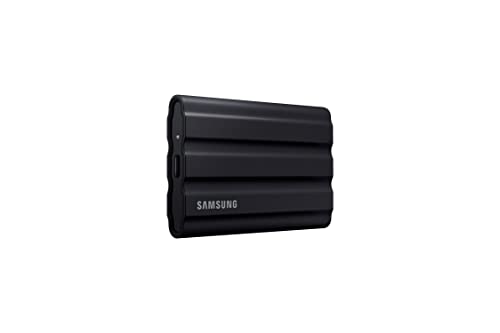
- Best Mac portable for most owners: Samsung T7 Shield Portable SSD 1TB (MU-PE1T0S/AM) — Check on Amazon
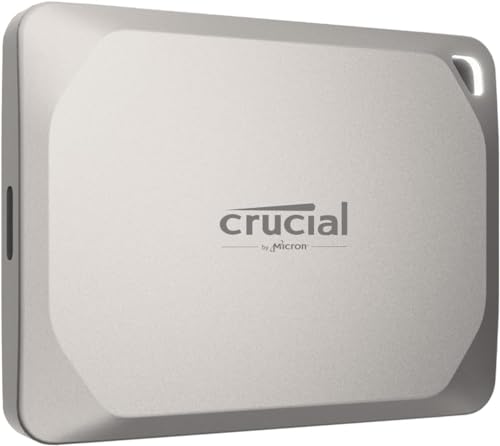
- Crucial X9 Pro for Mac Portable SSD 1TB (CT1000X9PROMACSSD9B02) — Check on Amazon
- Crucial X9 Pro Portable SSD 1TB (CT1000X9PROSSD902)
- SanDisk Extreme PRO Portable SSD 1TB (SDSSDE81-1T00-G25) — Check on Amazon
See 2 more Amazon options
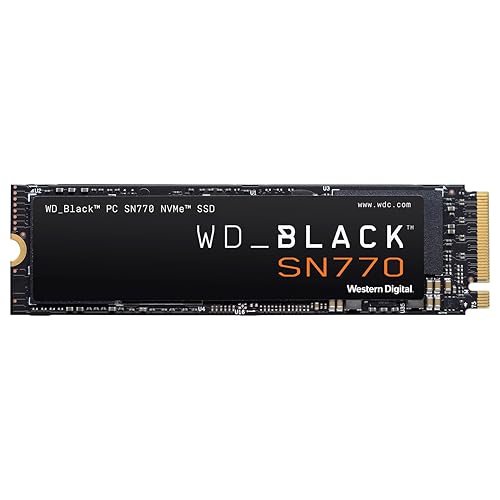
- Samsung 970 EVO Plus SSD 1TB (MZ-V7S1T0B/AM) — Check on Amazon
- Samsung Portable SSD T9 — listed without a link in this guide; see its review below for why
Read the full guide ↓
Disclosure: As an Amazon Associate, ilcastellomenu.com earns from qualifying purchases. Links to Amazon on this page are affiliate links; they cost you nothing extra. Listing details such as price and availability change often, so check the current Amazon listing before you buy.
The best ssds for mac begin with a truth Apple itself created: almost no modern Mac can be upgraded internally. Apple silicon Macs — and the later Intel models — have their storage soldered to the logic board, so for the overwhelming majority of Mac owners, ‘buying an SSD for my Mac’ means buying external storage that behaves beautifully with macOS, or, for the shrinking set of older Intel machines with removable drives, one careful internal upgrade. This guide is organised around that reality: verified portable drives that suit Mac workflows first, the classic internal option for the older machines that still accept one, and the interface honesty Mac buyers need more than any other audience.
That honesty has a specific name: USB 3.2 Gen 2×2. Several fast Windows portables advertise 20 Gb/s USB — and no Mac supports that mode. Plug one into any Mac and it runs at the 10 Gb/s class, like every other USB drive. This guide therefore ranks Mac portables by what they deliver on a Mac: the 10 Gb/s USB class done well, Mac-ready formatting where it exists, enclosures and thermals that suit desk and travel, and Time Machine and media workflows considered throughout. Thunderbolt enclosures are the faster road for those who need it, and the buying sections explain where that road starts — it is not paved with USB drives at any price.
Every pick below carries a verified listing and specifications corroborated during research. Where a drive’s headline figure does not survive contact with a Mac’s ports, the review says so in its first paragraph — because a Mac storage guide that repeats Windows headline numbers has failed before the products even start.
In this guide
Quick Picks
Short on time, or comparing several options at once? Each row below names a buyer type and the drive that suits it, with a link to the listing where one is verified.
| Buyer type | Pick | Why it stands out | Link |
|---|---|---|---|
| Best Mac portable for most owners | Samsung T7 Shield Portable SSD 1TB (MU-PE1T0S/AM) | Up to 1,050 MB/s, IP65 ruggedness, and flawless Mac manners in a pocketable drive | Check on Amazon |
| Best Mac-first portable | Crucial X9 Pro for Mac Portable SSD 1TB (CT1000X9PROMACSSD9B02) | Crucial’s Apple-optimised edition: Mac-ready out of the box at up to 1,050 MB/s | Check on Amazon |
| Best value Mac portable | Crucial X9 Pro Portable SSD 1TB (CT1000X9PROSSD902) | The same 1,050 MB/s class in compact metal, at Crucial’s aggressive tier | — |
| Fastest here — with a Mac asterisk | SanDisk Extreme PRO Portable SSD 1TB (SDSSDE81-1T00-G25) | Up to 2,000 MB/s on Windows 2×2 hosts; on a Mac, a superbly built 10 Gb/s-class drive | Check on Amazon |
| Best internal upgrade for older Intel Macs and enclosures | Samsung 970 EVO Plus SSD 1TB (MZ-V7S1T0B/AM) | The proven Gen3 NVMe for the Macs that still take one — and for DIY Thunderbolt/USB enclosures | Check on Amazon |
| The current Samsung flagship — listed without a link | Samsung Portable SSD T9 | T7’s successor in a 20 Gb/s body; on a Mac it joins the same 10 Gb/s class | See the full review below |
How These Picks Were Chosen
Mac judging applied three filters in order: does it work with macOS as sold (formatting, software, console-style gotchas excluded), what speed does it actually deliver on a Mac’s ports (the 10 Gb/s USB reality, stated per drive), and how does it behave in Mac workflows — Time Machine, photo and video libraries, and travel between Macs and iPads. Internal picks were admitted only for the Mac models that genuinely accept them.
We did not use these drives ourselves. We read manufacturer specification pages and listing records, cross-checked the numbers that matter — interface, form factor, sequential figures, endurance ratings where published, and cooling arrangements — and favoured drives whose makers publish full specifications over those that hide behind marketing words. Every ASIN in this guide was verified against a live listing record during research, and every specification printed in the reviews traces to a manufacturer or retailer source recorded in the article’s source notes. Where a maker’s headline stretches a definition — a USB mode a host cannot use, a speed a console cannot spend — the review says so in plain language and judges the drive on its architecture instead.
The 6 Best SSDs for Mac
Samsung T7 Shield Portable SSD 1TB (MU-PE1T0S/AM)
Who it suits: Best Mac portable for most owners — up to 1,050 MB/s, IP65 ruggedness, and flawless Mac manners in a pocketable drive.
The T7 Shield is Samsung’s portable SSD in its working clothes: the T7 family’s up-to-1,050 MB/s USB 3.2 Gen2 performance wrapped in a ribbed rubber exterior with an IP65 dust-and-water-resistance rating and drop protection aimed at bags, desks and location work rather than a shelf. It is bus-powered over USB-C, pocketable, and compatible with the whole modern zoo — PC, Mac, Android, and games consoles for external game storage — which is why it keeps winning the ‘one portable drive’ argument.
Its honest ceiling is the interface: 10 Gb/s USB means roughly a gigabyte per second at best, and no portable drive in this class escapes that; machines with faster ports still talk to it at Gen2 speeds. Within that ceiling, the Shield’s sustained-write behaviour, thermal manners inside its rubber shell and Samsung’s portable-SSD software support make it the rugged default — the drive you throw in a camera bag, a console backpack or a laptop sleeve and stop thinking about.
The T7 Shield is the Mac portable default for good reason: it delivers the full speed a Mac’s USB ports offer any drive, it arrives ready to be formatted APFS or enrolled as a Time Machine disk in minutes, and its rubber-armoured build suits the laptop-bag life Mac storage actually leads. Video editors shuttle footage on it, photographers back up to it in the field, and everyone else stops thinking about it — the defining trait of good Mac accessories. Its Shield premium over a plain portable buys the drop and weather protection travel actually tests.
- Up to 1,050 MB/s over USB-C with broad PC/Mac/console compatibility.
- IP65 rating and rugged rubber exterior for real travel duty.
- Bus-powered and pocketable — no brick, no fuss.
Honest limitation: USB 3.2 Gen2 caps real transfers near a gigabyte per second; 20 Gb/s drives are faster on hosts that support them.
Choose it if you want one portable that does every Mac job — backup, media, shuttle — without a second thought. Skip it if you need transfers faster than the USB class allows — that is a Thunderbolt enclosure, a different product covered in the essays.
Crucial X9 Pro for Mac Portable SSD 1TB (CT1000X9PROMACSSD9B02)
Who it suits: Best Mac-first portable — crucial’s Apple-optimised edition: Mac-ready out of the box at up to 1,050 MB/s.
The X9 Pro for Mac is Crucial’s Apple-tuned edition of its portable: the same up-to-1,050 MB/s USB-C performance, finished and formatted with Apple devices in mind — it arrives ready for a Mac workflow rather than asking you to reformat on day one, and Crucial positions it for the professional-creator kit bag alongside iPads and MacBooks. For a Mac-only desk, that out-of-box readiness is the entire point: plug in, point Time Machine or your project folder at it, and work.
Underneath, it shares the standard X9 Pro’s honest limits: USB at the 10 Gb/s class, which is what Macs offer external drives anyway — Apple machines do not support the 20 Gb/s USB mode some Windows drives advertise, so nothing is lost here. It is not a Thunderbolt drive and will not beat one on a Thunderbolt port; it is the simple, compact, Mac-first portable for libraries, footage and backups that need to move at a gigabyte per second without adapters or reformatting rituals.
The X9 Pro for Mac removes the one chore other portables impose — it is the edition Crucial tunes and formats for Apple devices, aimed at Mac and iPad workflows from the moment the box opens. Performance is the full 10 Gb/s USB class a Mac can use, the enclosure is compact metal that matches a MacBook kit, and for a Mac-only household it is simply the tidiest purchase in this guide: no reformat ritual, no Windows-first software assumptions, no adapter surprises.
- Mac-optimised edition — ready for Apple workflows out of the box.
- Up to 1,050 MB/s read and write, matching what Mac USB ports deliver.
- Compact metal body suits MacBook and iPad kits.
Honest limitation: USB-class speed only — Thunderbolt enclosures are faster for Macs with free Thunderbolt ports and bigger budgets.
Choose it if your kit is Apple-only and you value out-of-box readiness over a rugged rating. Skip it if the drive will shuttle constantly to Windows machines too — the standard X9 Pro or T7 Shield are the more neutral citizens.
Crucial X9 Pro Portable SSD 1TB (CT1000X9PROSSD902)
Who it suits: Best value Mac portable — the same 1,050 MB/s class in compact metal, at Crucial’s aggressive tier.
The X9 Pro is Crucial’s answer to the T7 formula: up to 1,050 MB/s reads and writes over USB-C in an anodised aluminium enclosure barely bigger than a credit card’s footprint, with drop resistance and a lanyard loop that signal it was designed to live on a keyring-adjacent life rather than a desk. It is bus-powered, works across PC, Mac and consoles, and Crucial prices it to undercut the Samsung equivalent whenever listings move — which, in this class, is often.
The specification ceiling is the class ceiling: 10 Gb/s USB, so about a gigabyte per second on a good day, and no way around it. Within that, the X9 Pro’s sustained behaviour is honest, its enclosure handles travel heat well, and its size makes it the portable most likely to actually be in your bag when you need it. Buyers choosing between this and the T7 Shield are choosing ruggedness ratings and the day’s listing, not a different class of drive.
The standard X9 Pro gives Mac owners the identical performance class as its Mac edition — up to 1,050 MB/s read and write — in the same compact metal body, usually at the keener listing, at the cost of formatting it yourself on arrival (a two-minute job in Disk Utility that this guide’s essays walk through). For mixed Mac-and-PC households it is arguably the better buy outright: one neutral drive, formatted exFAT for shuttling or APFS for Mac-only duty, at the value end of the class.
- Up to 1,050 MB/s read and write in a very compact metal body.
- Broad PC, Mac and console compatibility over USB-C.
- Aggressively positioned against the Samsung T7 class.
Honest limitation: 10 Gb/s USB ceiling, shared with its whole class; the Mac-specific version is the tidier buy for Apple-only kits.
Choose it if you are happy to format a drive yourself and want the class’s value pick. Skip it if you want Mac-ready formatting and Apple-tuned presentation out of the box — its Mac edition above is built for you.
SanDisk Extreme PRO Portable SSD 1TB (SDSSDE81-1T00-G25)
Who it suits: Fastest here — with a Mac asterisk — up to 2,000 MB/s on Windows 2×2 hosts; on a Mac, a superbly built 10 Gb/s-class drive.
The Extreme PRO is the speed pick among portables: up to 2,000 MB/s reads and writes over USB 3.2 Gen 2×2, in a forged aluminium chassis with IP65 water and dust resistance and drop protection, from the brand professional photographers standardised on. On a host with a 20 Gb/s USB port it moves footage, game libraries and disk images at roughly double the rate of the 10 Gb/s class, and its metal body sheds the heat of those long transfers better than plastic rivals.
The asterisk is written on the interface, not the drive: USB 3.2 Gen 2×2 hosts are common on Windows desktops and rare elsewhere — Macs do not support 2×2 and fall back to 10 Gb/s speeds, and many laptops do the same. On the right host this is the fastest portable in this guide; on the wrong host it is a very well-built 10 Gb/s drive. Check your ports before paying for the headline, and the drive will do the rest.
The Extreme PRO is included with its asterisk printed in the headline, because Mac buyers deserve to see it before the review, not after the purchase: its 2,000 MB/s figure needs a USB 3.2 Gen 2×2 host, and no Mac has one, so on a Mac it performs in the same class as the drives above. What its premium still buys a Mac owner is the forged aluminium build, the best sustained-transfer thermals among these portables, and a drive that unlocks its full speed the day it visits a 2×2 Windows machine. Buy it for those reasons with open eyes, or save the premium.
- Up to 2,000/2,000 MB/s on 20 Gb/s USB hosts — fastest portable class here.
- Forged aluminium chassis, IP65 rating, drop protection.
- Sustained-transfer thermals suit big footage and library moves.
Honest limitation: Full speed needs a USB 3.2 Gen 2×2 host; Macs and many laptops cap it at 10 Gb/s-class speeds.
Choose it if you split time between a Mac and a 2×2-capable Windows machine, or you want the best-built portable regardless. Skip it if your world is Mac-only — the T7 Shield and X9 Pro deliver the same on-Mac speed for less.
Samsung 970 EVO Plus SSD 1TB (MZ-V7S1T0B/AM)
Who it suits: Best internal upgrade for older Intel Macs and enclosures — the proven Gen3 NVMe for the Macs that still take one — and for DIY Thunderbolt/USB enclosures.
The 970 EVO Plus is the definitive Gen3 drive: up to 3,500 MB/s reads and 3,300 MB/s writes — essentially the whole PCIe 3.0 x4 pipe — from Samsung V-NAND TLC with a proper DRAM cache, in a design that has been the safe answer for older motherboards, laptops and enclosures for years. On a Gen3 slot it gives up nothing; on a Gen4 slot it runs at Gen3 speeds and still feels fast in every everyday load, because most real work never touches the sequential ceiling either way.
Its modern roles are specific and honourable. It is the known-quantity upgrade for Gen3-era machines, a favourite inside USB and Thunderbolt enclosures where the interface is the bottleneck anyway, and the drive older-Mac tinkerers reach for because its behaviour in adapters and enclosures is documented to exhaustion. What it is not is a PS5 drive — Sony requires Gen4 — and buyers with a Gen4 slot and flagship money should spend it on a Gen4 drive. Within its generation, nothing here is a compromise.
For the older Intel Macs with removable storage — and for owners building their own enclosure — the 970 EVO Plus is the documented, known-quantity NVMe: Gen3 speed that saturates an older Mac’s slot or an enclosure’s bridge, TLC and DRAM manners, and a decade of Mac-specific installation lore behind it. Two honest cautions define its Mac use: some older MacBooks need a pin adapter and a minimum macOS version to boot from NVMe at all, and no Apple silicon Mac can take any internal drive. Research your exact model first; where it fits, nothing is more proven.
- Saturates Gen3: up to 3,500/3,300 MB/s with TLC and DRAM.
- Enormous installed base — behaviour in enclosures and adapters is well documented.
- Samsung Magician support and a five-year-class warranty record.
Honest limitation: Gen3 interface: cannot meet PS5 requirements and leaves Gen4 slots underfed on sequential transfers.
Choose it if you own an older Intel Mac with a removable drive, or you are building a DIY enclosure and want the known-quantity stick. Skip it if your Mac is Apple silicon — internal upgrades do not exist for it; the portables above are your road.
Samsung Portable SSD T9
Who it suits: The current Samsung flagship — listed without a link — t7’s successor in a 20 Gb/s body; on a Mac it joins the same 10 Gb/s class.
The T9 is Samsung’s current flagship portable, the T7 family’s successor in a 20 Gb/s USB body aimed at creators who move footage daily. On a Windows host with a Gen 2×2 port it plays in the Extreme PRO’s speed class; on a Mac it is capped at the same 10 Gb/s class as every USB portable, because Apple does not support the 2×2 mode — the recurring lesson of this category.
We list it prose-only because this pass verified the T7 Shield’s ASIN but did not pin a T9 listing to the same standard. Treat it as the upgrade path to research if the T7 Shield’s formula appeals and your main machine can actually feed a 20 Gb/s drive; otherwise its predecessor remains the verified buy in this guide.
The T9 is where Samsung’s portable line went next, and it is presented without a link because this pass verified the T7 Shield’s listing but not a T9 one to the same standard. Mac shoppers should apply the same asterisk as the Extreme PRO: its 20 Gb/s mode is one no Mac supports, so on a Mac it performs alongside the T7 Shield it succeeds. If you find its listing priced close to the Shield’s, it is a fine Mac drive; if it carries a flagship premium, a Mac cannot spend it.
- Samsung’s current portable flagship and T7 successor.
- 20 Gb/s-class speed on hosts that support it.
- Creator-focused design and software.
Honest limitation: Listed prose-only here — no verified US Amazon ASIN pinned in this pass; Macs cap it at 10 Gb/s-class speeds.
Choose it if you find it priced beside the T7 Shield and prefer Samsung’s current model. Skip it if it carries a premium for speed your Mac cannot use — the verified T7 Shield is the buy.
Comparison Table
| Product | Type | Key specifications | Link |
|---|---|---|---|
| Samsung T7 Shield Portable SSD 1TB (MU-PE1T0S/AM) | External portable, USB 3.2 Gen2 USB-C | USB 3.2 Gen2 (10 Gb/s) · USB-C · up to 1,050 MB/s · IP65 rated · rugged rubber exterior · 1TB | Check on Amazon |
| Crucial X9 Pro for Mac Portable SSD 1TB (CT1000X9PROMACSSD9B02) | External portable for Mac, USB 3.2 USB-C | USB 3.2 (10 Gb/s class) · USB-C · up to 1,050 MB/s read and write · optimised for Apple devices · 1TB | Check on Amazon |
| Crucial X9 Pro Portable SSD 1TB (CT1000X9PROSSD902) | External portable, USB 3.2 USB-C | USB 3.2 Gen2 (10 Gb/s) · USB-C · up to 1,050 MB/s read and write · 1TB | — |
| SanDisk Extreme PRO Portable SSD 1TB (SDSSDE81-1T00-G25) | External portable, USB 3.2 Gen 2×2 USB-C | USB 3.2 Gen 2×2 (20 Gb/s) · USB-C · up to 2,000 MB/s read · up to 2,000 MB/s write · IP65 rated · forged aluminium chassis · 1TB | Check on Amazon |
| Samsung 970 EVO Plus SSD 1TB (MZ-V7S1T0B/AM) | Internal NVMe, PCIe Gen3 x4, M.2 2280, no heatsink | PCIe Gen3 x4 · M.2 2280 · up to 3,500 MB/s read · up to 3,300 MB/s write · TLC V-NAND · DRAM-equipped · 1TB | Check on Amazon |
| Samsung Portable SSD T9 | External portable, USB 3.2 Gen 2×2 USB-C — prose-only | USB 3.2 Gen 2×2 (20 Gb/s class) · USB-C · Samsung’s successor to the T7 line | — |
The speed column in this table is stated as each maker publishes it — and the Mac column that matters is the one the essays supply: on a Mac, every USB portable here performs in the 10 Gb/s class, whatever its headline. Judge the rows by type, build and Mac readiness; the two drives with 20 Gb/s headlines carry their asterisk in their reviews, in plain sight.
The Mac Storage Map: Soldered Drives, USB Reality and the Thunderbolt Road
Apple’s storage architecture sorts Macs into three groups, and knowing your group is the whole buying decision. Group one — every Apple silicon Mac and the last Intel generations — has soldered storage: the internal drive is a component of the logic board, not a part you can buy, and any guide implying otherwise is wasting your time. For group one, external is not the consolation prize; it is the designed path, and the only questions are interface and size. Group two — older Intel Macs with removable drives — can still be upgraded internally, with model-specific adapters and macOS requirements that reward careful research; the 970 EVO Plus pick serves this group. Group three is everyone building enclosures: an NVMe stick in a USB or Thunderbolt enclosure, where the enclosure’s bridge chip, not the stick, sets the speed.
Interface honesty is where Mac buyers get burned, so here it is in one paragraph. Macs offer USB at the 10 Gb/s class and Thunderbolt at up to 40 Gb/s class. USB 3.2 Gen 2×2 — the 20 Gb/s mode behind several Windows drives’ headlines — is not supported by any Mac. A USB portable therefore tops out near a gigabyte per second on a Mac, which covers Time Machine, media libraries and most editing shuttles comfortably. When a workflow genuinely needs more — multi-stream 4K editing directly from the external drive, for instance — the answer is a Thunderbolt enclosure with an NVMe stick inside, a distinct product class with its own price tier. The laptop-specific version of this map is drawn in Best Ssds For Macbook Pro, and the general PC equivalent in Best Ssds For Pc.
Formatting, Time Machine and Living With External Storage
A Mac external drive’s first five minutes decide its whole life. In Disk Utility, the choices are simple once stated: APFS for a drive that lives with modern Macs (Time Machine requires APFS on current macOS, and APFS is the right answer for working storage too), exFAT only for a drive that must shuttle files to Windows machines, and never the factory format a Windows-first drive ships with if the drive is staying in Mac service. Time Machine deserves its own volume or drive sized generously — backups grow to fill what they are given, and a Time Machine disk that is also your only media disk is two single points of failure wearing one enclosure.
Daily life with external storage has two disciplines worth adopting. The first is ejection: SSDs are not as fragile as spinning disks about surprise removal, but macOS file systems still prefer a clean eject, and making it a habit costs two seconds. The second is remembering that an external drive is not a backup of itself — a portable that holds the only copy of a photo library is a risk with a USB cable. The healthy Mac setup is boring and total: internal storage for the system, a fast portable for working overflow, and Time Machine quietly keeping the whole arrangement recoverable.
Enclosures: Building Your Own Mac Drive
Between the sealed portables in this guide and a Thunderbolt dock sits the DIY enclosure — an NVMe stick, like the 970 EVO Plus pick, inside a USB or Thunderbolt shell you assemble in five minutes. The appeal is real: you choose the drive, reuse it later in a PC, and replace one half without replacing the other. The discipline is equally real: the enclosure’s bridge chip sets the speed and much of the behaviour, cheap enclosures throttle or disconnect under load, and a Mac is unforgiving of enclosures whose firmware handles sleep badly. Buyers who go this road should buy the enclosure by its chipset reputation, not its aluminium, and treat the assembly as a small system to be tested — filled, stressed and slept — before it carries anything precious.
Judged coldly, the enclosure route wins for tinkerers, for owners with a spare NVMe stick already in a drawer, and for Thunderbolt builds where the sealed market is thin. It loses for everyone who wants storage to be an appliance: the portables in this guide are one purchase, one warranty and one tested thermal design. Neither answer is the smart one in the abstract — the smart one is the one matched to whether you enjoy owning systems or using them. Mac ownership contains both tribes, and this category serves each honestly as long as nobody mistakes a parts list for a product.
One Drive, Many Macs: Sharing and Shuttling
A portable SSD in a Mac household rarely serves one machine — it becomes the family shuttle, the handoff to a collaborator, the bridge to an iPad — and that social life has technical terms worth setting deliberately. A drive formatted APFS moves between modern Macs and USB-C iPads as a citizen. The moment a Windows machine joins the circuit, the shuttle drive needs exFAT and a stricter eject discipline, because exFAT trades the file system’s safety machinery for universality. Households that shuttle constantly often end up with the grown-up arrangement: APFS drives for Mac service and Time Machine, one clearly labelled exFAT drive for interchange, and no drive asked to be both.
The other sharing question is encryption, and Macs make it easy enough that there is no excuse for skipping it on a drive that leaves the building: an APFS volume can be encrypted at format time, and a portable holding client work, family archives or a thesis should be. A lost unencrypted portable is a disclosure; a lost encrypted one is an insurance claim. Set the format, the role and the encryption when the drive is empty and new — five deliberate minutes that define whether the next five years of shuttling are boring in the good way.
The Mac Storage Ethics: Copies, Clouds and the Drive in the Bag
Mac owners inherit a backup culture from the platform itself — Time Machine is built in, iCloud hovers helpfully, and the machines are reliable enough to make catastrophe feel theoretical. The external drive sits at the centre of that culture, and this guide’s last word on it is about the ethics of copies: a file’s safety is a property of how many independent places it lives, not of how premium any one of them feels. The portable in the bag is a working copy. The Time Machine disk is the recovery copy. The cloud, for those who use it, is the off-site copy. A Mac setup becomes trustworthy exactly when those three roles are filled by different physical things — and becomes fragile exactly when one beloved drive is asked to play two of the roles at once.
That is why this guide’s buying advice keeps smuggling in a second drive: the media portable and the backup disk, the shuttle and the vault. It is not upselling; it is the recognition that in Mac storage, the unit of purchase is not the drive but the arrangement. A modest pair of drives arranged honestly — one to work from, one to recover from — protects a digital life better than a single flagship portable carrying everything and commuting daily. Buy the arrangement, format it deliberately, encrypt what travels, and the Mac’s soldered internal drive stops being a limitation and becomes what Apple presumably intended: the fast, fixed heart of a system whose capacity lives, flexibly and safely, outside the case.
iCloud, Local Storage and the Honest Division of Labour
Mac storage has a third tenant besides the internal drive and the portable: the cloud. iCloud’s optimised storage quietly moves the cold end of a Mac’s life off the machine, and for documents and photos it is genuinely good at its job. What it is not is a drive: it does not hold a Time Machine backup, it does not serve an editing timeline at a gigabyte per second, and it answers to a subscription rather than a shelf. The honest division of labour in a modern Mac setup gives the cloud the sync and the off-site copy, the internal drive the system and the present tense, and the external SSDs in this guide everything bulky, fast and local.
Owners who assign those roles deliberately stop experiencing storage as a single anxious number in a settings pane. The internal percentage becomes boring, the portable becomes the library’s home rather than its overflow, and the cloud becomes what it should have been all along — a safety net and a courier, not a landlord. That arrangement, more than any single product, is the Mac storage end-state this guide is really recommending.
Hold that arrangement in mind when the next Mac arrives, too, because it is the other quiet virtue of the external era: the library, the backup and the shuttle all unplug from the old machine and plug into the new one, unchanged. The soldered internal drive made Macs less upgradeable and, paradoxically, made their owners’ data more portable than it has ever been. Buy the external system well once, and it simply follows you from Mac to Mac.
How to Choose Best SSDs for Mac
Mac storage shopping is mostly platform honesty: what the ports do, what the file system wants, what the machine allows. In order:
- Accept your Mac’s group first. Apple silicon and late Intel: external only. Older Intel with a removable drive: research your exact model’s upgrade path before buying anything internal.
- Rank portables by their speed on a Mac. Every USB drive tops out at the 10 Gb/s class on a Mac. Pay for build, capacity and thermals — not for a 20 Gb/s mode no Mac supports.
- Format APFS for Mac service. Time Machine and modern macOS expect APFS. Keep exFAT only for a designated shuttle drive that must speak Windows.
- Give Time Machine its own space. A dedicated volume or drive, sized generously, keeps backups from competing with the media they are meant to protect.
- Choose ruggedness for the life the drive will lead. Desk drives need none; bag drives earn the T7 Shield’s IP65 armour quickly. Match the build to the commute, not the catalogue photo.
- Step to Thunderbolt only when the workflow demands it. Direct-from-drive video editing at high streams is the real case. For backup and libraries, USB-class speed is already waiting on the Mac, not the drive.
- Size for the library plus the backup of it. External Mac storage usually ends up holding media and its safety copy. Buy the capacity that holds both, or plan the second drive now.
- Eject like you mean it. Two seconds, every time. File systems remember rudeness even when SSDs forgive it.
Common Mistakes
- Paying for a 20 Gb/s USB drive for a Mac, which cannot use the mode at any price.
- Trying to buy an internal upgrade for an Apple silicon Mac — the storage is soldered; no such product exists.
- Leaving a Mac-dedicated drive in its factory Windows format and fighting it for years.
- Using one portable as both the media library and its only backup.
- Buying an internal NVMe for an older MacBook without checking its adapter and macOS-version requirements.
- Assuming Thunderbolt and USB-C are the same because the plugs match — the protocols and speeds differ entirely.
- Starving Time Machine with a too-small drive, then discovering backup history is measured in days.
- Storing the only copy of anything on a pocketable drive that commutes in a bag.
Final Recommendation
- Best Mac portable for most owners: Samsung T7 Shield Portable SSD 1TB (MU-PE1T0S/AM).
- Best Mac-first portable: Crucial X9 Pro for Mac Portable SSD 1TB (CT1000X9PROMACSSD9B02).
- Best value Mac portable: Crucial X9 Pro Portable SSD 1TB (CT1000X9PROSSD902).
- Fastest here — with a Mac asterisk: SanDisk Extreme PRO Portable SSD 1TB (SDSSDE81-1T00-G25).
- Best internal upgrade for older Intel Macs and enclosures: Samsung 970 EVO Plus SSD 1TB (MZ-V7S1T0B/AM).
- The current Samsung flagship — listed without a link: Samsung Portable SSD T9.
Our top two here are the Samsung T7 Shield Portable SSD 1TB (MU-PE1T0S/AM), for the buyer this article was written for, and the Crucial X9 Pro for Mac Portable SSD 1TB (CT1000X9PROMACSSD9B02), for the household whose priorities run the other way. Between them they cover the two shapes this search usually takes: the complete answer bought once, and the value answer that leaves budget for everything else. Readers weighing a neighbouring question should also see Best Ssds For Macbook Pro. Buy for the Mac you own — its ports, its workflows, its soldered reality — and external storage stops feeling like a compromise and starts feeling like what it is: the way Macs are designed to grow.
Frequently Asked Questions
Can I upgrade the internal SSD in my Mac?
Only if it is an older Intel model with a removable drive — and those need model-specific research, sometimes an adapter, and a minimum macOS version for NVMe support. All Apple silicon Macs and recent Intel models have soldered storage that cannot be upgraded; for them, external storage is the path, which is why this guide leads with portables.
Why does my 2,000 MB/s portable only reach about 1,000 MB/s on my Mac?
Because its top speed uses USB 3.2 Gen 2×2, a 20 Gb/s mode no Mac supports. On any Mac, that drive runs at the 10 Gb/s USB class — roughly a gigabyte per second — exactly like the other portables in this guide. The drive is not faulty; the mode is absent from the Mac side.
What format should a Mac external SSD use?
APFS for anything that lives in Mac service, including Time Machine (which requires APFS on current macOS). Use exFAT only on a shuttle drive that must exchange files with Windows, accepting that it lacks APFS’s robustness for long-term storage.
Is USB fast enough for editing video on a Mac?
For most editing — including single-stream 4K work and proxy workflows — the 10 Gb/s USB class is sufficient, and the portables here are built for it. Demanding multi-stream timelines edited directly from the drive are the case for a Thunderbolt enclosure with an NVMe drive inside, which is a different product class and budget.
Can one of these drives serve my Mac and my games console?
Yes — the T7 Shield and X9 Pro are also this site’s console external picks. Just remember a drive formatted for a console’s game storage and a drive formatted APFS for a Mac are different jobs; one drive does one job at a time, and reformatting erases it.
How big should a Time Machine drive be?
Generously larger than the data it protects — backup history depth is what you are buying. As a working rule, give Time Machine at least twice the space of the data it backs up, ideally on its own drive or volume so media growth cannot starve it.
Can I boot macOS from one of these external drives?
On Intel Macs, external boot is a supported arrangement with the right setup; on Apple silicon Macs it is possible with additional steps and security settings, though most owners keep the internal drive as the boot disk and use externals for data, libraries and backups — the roles this guide’s picks are chosen for.