Disclosure: As an Amazon Associate, ilcastellomenu.com earns from qualifying purchases. Product examples below link to Amazon, where you can check current availability and specifications; this guide itself lists no fixed prices because printer pricing and bundles change frequently.
The thermal vs inkjet printer comparison confuses people because the two rarely compete for the same job. Thermal printers use heat — either on specially coated paper, or to transfer ink from a ribbon — and dominate shipping labels, receipts and barcode work because they need no ink cartridges and print labels at high speed. Inkjet printers spray liquid ink and handle everything else: documents, photos, colour graphics and full-size pages. If you are choosing between them, you are probably really asking whether your printing is mostly labels, mostly pages, or genuinely both — and this guide answers each case directly.
Label-focused readers should also see Best Thermal Printers for Shipping Labels and Best Label Printers for Small Business; page-focused readers, Best Inkjet Printers for Home Use.
Quick Verdict: Thermal vs Inkjet Printer
For shipping and product labels, thermal wins outright: no ink to buy, fast output, crisp barcodes, and labels that survive handling. For documents, photos and colour pages, inkjet wins outright: full pages, rich colour and cheap plain paper. Many small businesses end up owning both, because each is inexpensive at doing its own job and poor at doing the other’s.
Choose thermal if…
Your output is labels, receipts, barcodes, wristbands or tags. You value speed, zero ink costs and minimal maintenance, and you rarely need a full letter-size page of mixed content.
Choose inkjet if…
Your output is pages: documents, schoolwork, photos, packing slips with logos, invoices. You need colour, standard paper sizes and one machine that does a bit of everything.
Choose both if…
You run a small shop or online store. The inkjet handles invoices, letters and marketing; the thermal printer eats the label volume. This pairing is the standard small-business setup for a reason, as Best Shipping Label Printers for Small Business coverage shows.
In this guide
How Each Technology Works
The mechanisms explain the division of labour. Thermal printing is a heat process; inkjet is a liquid-deposition process, and their media, costs and failure modes follow from that.
Direct thermal
A direct thermal printhead heats chemically coated paper, which darkens where heated to form the image. No ink, toner or ribbon is involved — the paper is the consumable. The weakness is longevity: direct thermal prints fade over time, faster with heat, sunlight or friction, so they suit labels and receipts rather than archives.
Thermal transfer
A thermal transfer printer heats a wax or resin ribbon, melting ink onto the label. Prints are far more durable — resistant to water, chemicals and abrasion — which is why warehouses and product labelling use this variant. It adds a ribbon to buy and change, but keeps the speed and sharpness.
Inkjet
Inkjet heads eject droplets of liquid ink onto plain or coated paper, building full-colour images in multiple passes. The system is versatile but brings ink costs, drying behaviour and slower output for label-sized jobs. Understanding this split also clarifies the wider Inkjet vs Laser Printer comparison for page printing.
Thermal vs inkjet, criterion by criterion
| Criterion | Thermal | Inkjet | Edge |
|---|---|---|---|
| Ink/toner needed | None (direct) or ribbon (transfer) | Cartridges or tanks | Thermal |
| Barcodes | Crisp, scanner-perfect | Good, can bleed | Thermal |
| Colour/photos | Monochrome (mostly) | Full colour | Inkjet |
| Full-size pages | No (label widths) | Yes | Inkjet |
| Speed for labels | Very fast | Slow, sheet-based | Thermal |
| Idle tolerance | Excellent | Needs regular use | Thermal |
| Print longevity | Fades (direct) / durable (transfer) | Good with pigment ink | Depends |
| Media | Label rolls and stock | Widest paper range | Inkjet |
Print Quality and What Each Can Produce
Quality here is fitness for purpose. A thermal printer produces a perfect barcode and a terrible photograph; an inkjet produces a beautiful photograph and a mediocre, expensive shipping label.
Barcodes and text
Thermal printers are engineered for exactly this: high-contrast, sharp-edged black marks that scanners read first time, at small sizes. Inkjet text on label stock can bleed slightly at edges, and a smudged barcode is a returned parcel.
Colour and images
Standard thermal printers are monochrome — a few models add a second colour, usually red, for highlighting. Anything resembling a photo, a colour logo or a designed document belongs to inkjet. If your labels need branding, the usual answer is pre-printed colour label stock run through a thermal printer for the variable data.
Page sizes and media
Thermal printers work with label rolls and fan-fold stock in label widths; most cannot print a letter-size document at all. Inkjets handle the full range of page sizes and paper types. This single fact settles the question for anyone whose ‘labels’ are actually full-page documents with a label printed on part of the sheet.
Running Costs and Speed
The economics are as divided as the capabilities. Thermal removes ink from the budget entirely; inkjet spreads cost across paper and ink.
Consumables
Direct thermal: labels only. Thermal transfer: labels plus ribbons, still inexpensive per label. Inkjet: ink is the dominant cost, and printing solid black labels drinks it. For label volume, thermal cost per label is a small fraction of inkjet’s — the core reason the shipping world standardised on it.
Speed and throughput
Thermal label printers are built to produce labels continuously, one after another, without warm-up or drying time. An inkjet printing labels sheet by sheet is slower, wastes the unused labels on each sheet, and risks jams when a label peels inside the machine — a genuinely damaging event covered in How to Fix Printer Paper Jams.
Maintenance
Thermal printers need an occasional printhead wipe and little else; there is no ink to clog. Inkjets need regular use to keep nozzles clear. For a device that might sit for a month then print two hundred labels in a day, thermal’s indifference to idle time is decisive.
Durability of the Output
How long the print must live is an underrated deciding factor, and here the technologies split again — this time within thermal itself.
Short-life prints: direct thermal
Shipping labels, receipts and visitor badges live for days or weeks, and direct thermal serves them perfectly. Keep them out of heat and sunlight and they will outlast their purpose comfortably.
Long-life prints: thermal transfer or inkjet
Product labels, asset tags and anything stored, washed or handled for years need thermal transfer’s resin durability — or pigment-ink inkjet on proper label stock. Archival documents belong on plain paper from any printer using pigment-based output.
Water and handling
Inkjet dye inks can run when wet unless the paper is designed for it; thermal prints shrug off handling but dislike heat and plasticiser contact (the classic faded receipt stored against a plastic card). Match the print to its environment, not just its birth.
Which Should You Buy? By Situation
Four common situations cover nearly every reader who lands on this comparison.
Online seller shipping daily
Thermal, direct thermal specifically, sized for standard shipping labels. Pair it with any basic printer you already own for invoices. This is the single clearest verdict in this guide.
Home user printing a few labels a month
Inkjet, using label sheets. Your volume does not justify a second device, and the inkjet covers everything else you print. Revisit if shipping volume grows.
Product labelling for a small brand
Thermal transfer if labels face water, oils or shelf life; direct thermal for short-life packaging labels. If labels must carry full-colour artwork, pre-printed stock plus thermal overprinting is the professional pattern.
Receipts and point of sale
Thermal, always — receipt printers are direct thermal for speed, quietness and zero ink logistics at the till. Inkjet has no role here.
Setting Up a Two-Printer Workflow That Actually Works
Most readers who need both technologies worry the combination will be complicated. In practice a label printer plus a page printer is simpler than forcing one machine to do both jobs, provided you set the division up deliberately.
Assign jobs by name, not by habit
Name the printers clearly in every system — ‘Labels’ and ‘Office’ — and set the page printer as the system default. Most label mishaps are routing errors: a shipping label sent to the page printer on plain paper, or an invoice sent to the label printer. Clear names and a correct default eliminate nearly all of them within a week.
Let the software drive the label printer
Marketplace and shipping platforms detect label printers and format labels to size automatically once the printer is installed and set as the label default in the platform’s settings. Do the platform configuration once, print a test label, and thereafter labels are a one-click job — the workflow small sellers rely on daily.
Stock and storage discipline
Keep label rolls with the label printer and page paper with the page printer; cross-contamination of supplies is how label stock ends up in the page printer’s tray, where a peeled label can cause real damage. A small label on each shelf — metaphorically and literally — keeps the two ecosystems separate.
Thermal Printing Myths and Edge Cases
Thermal printing’s simplicity breeds a few confident misunderstandings. Clearing them up completes the comparison honestly.
'Thermal printers never need maintenance'
Nearly true, not quite. The printhead accumulates adhesive and paper residue and benefits from an occasional wipe with the manufacturer’s cleaning method, and a worn head eventually produces a permanent white line through every label. The maintenance is minutes per year — but it is not zero, and the white-line symptom is worth knowing before you blame your label stock.
'All thermal labels are the same'
Label stock varies in coating quality, adhesive and durability, and cheap rolls are the leading cause of faded-looking thermal prints that owners blame on the printer. If output quality drops, a roll from a reputable supplier is the first diagnostic, before any setting is touched.
'I can print colour logos with a thermal printer'
Standard thermal printers are monochrome. The professional solution is pre-printed label stock carrying your colour branding, with the thermal printer adding the variable black data — addresses, barcodes, dates. It looks fully designed, because it is; the colour was printed industrially and the thermal stage does what it does best.
Receipts, privacy and fading
Direct thermal receipts fade, which matters for expense records and warranties. Photograph or scan important receipts when they are fresh; the print technology that makes receipts effortless also makes them temporary, and no setting on the printer changes that chemistry.
Buying a Thermal Printer: The Specifications That Matter
If this comparison has pointed you toward thermal, the shopping criteria are refreshingly short — but they are specific, and two of them are routinely missed by first-time buyers.
Label width and print width
Confirm the printer accepts the label size you actually use — standard shipping labels are the common case — and that its print width covers the label, not just its loading width. A printer that loads a label but prints narrower than it is a mistake that has been made many times. Match the machine to the label, in writing, before ordering either.
Connectivity to your selling platform
Your shipping or marketplace platform drives the printer, so its support matters: check that your platform and operating system list the printer or its language as supported, and prefer models with the connection your setup needs — USB for a fixed packing bench, Wi-Fi for flexibility. A technically excellent printer your platform cannot address is a paperweight with a power light.
Resolution: 203 vs 300 dpi
Label printers come in two common resolutions. The standard resolution handles shipping labels and barcodes perfectly; the higher resolution earns its place on small product labels with fine text and dense barcodes. Buy resolution for the smallest label you print, not the largest.
Roll capacity and loading style
High-volume shippers should check how large a roll the printer holds internally versus needing an external holder, and how loading works — the thirty seconds saved per roll change compounds across a busy month. Drop-in loading is the feature experienced sellers quietly rank first.
The Environmental and Workplace Angle
Thermal printing’s reputation includes a few workplace questions — about paper coatings, waste and desk-friendliness — that deserve straight, unalarmed answers to complete the comparison.
Label and receipt paper coatings
Thermal paper is coated to react to heat, and buyers who care can choose phenol-free label and receipt stocks, which reputable suppliers now offer widely. For a home or small-business user, the practical guidance is simple: buy stock from established suppliers, store it away from heat, and handle receipts normally — the exposure profile of occasional handling is modest and well understood.
Waste profiles compared
Direct thermal eliminates ink cartridges entirely — its waste is the label backing liner, which is the honest remainder of the process and is recyclable in some regions through specialist schemes. Inkjet label printing wastes part-used sheets and cartridges. For high label volumes, thermal’s waste per label is lower by any measure, which aligns with its cost advantage.
Desk-friendliness
Thermal printers are quiet, compact, produce no toner dust and emit nothing while idle, which is why they live happily on retail counters and home desks alike. An inkjet beside one adds the usual inkjet considerations — occasional cleaning cycles, ink handling — but the pairing remains the most practical small-business printing setup precisely because each machine’s footprint, in every sense, is small.
Gear for This Guide
The examples below come from our verified product pool and illustrate the printer classes discussed in this guide. They are examples, not a ranked list — use the criteria in this article to judge any model, including newer revisions of these machines.

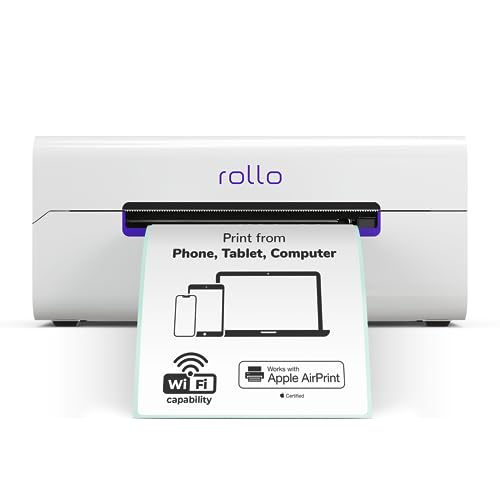
Rollo Wireless Shipping Label Printer
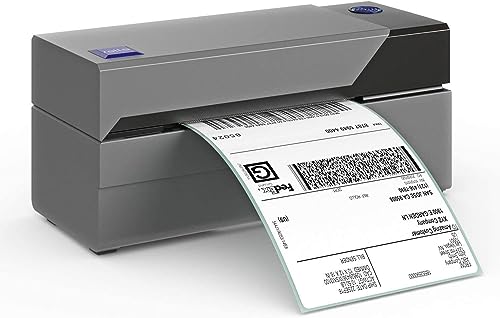
A representative wireless direct-thermal label printer for standard shipping labels — no ink, ever, which is the thermal proposition in one product. Rollo Wireless Shipping Label Printer — Check on Amazon

Brother QL-810W
A representative label printer for address and product labels in varied sizes, useful for comparing label ecosystems and tape/roll formats. Brother QL-810W — Check on Amazon
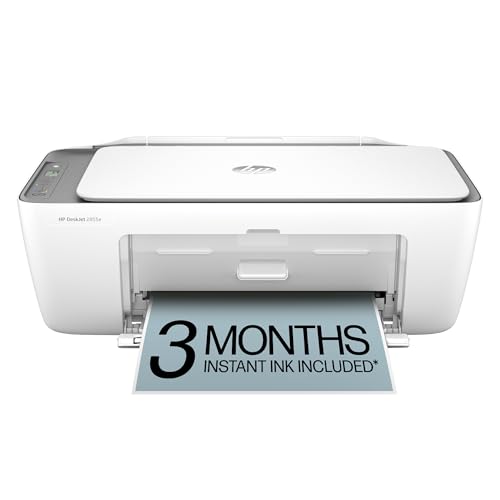
HP DeskJet 2855e
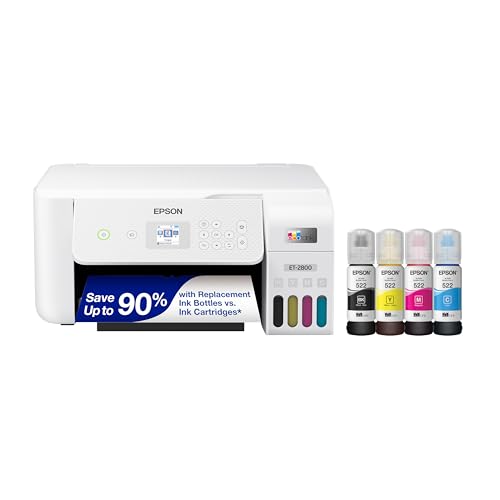
A representative home inkjet all-in-one — the page-printing side of this comparison, for documents and colour work alongside any label printer. HP DeskJet 2855e — Check on Amazon
Direct Thermal vs Thermal Transfer: The Distinction Inside the Thermal Camp
“Thermal” names a family, not a single method, and the branch you choose matters as much as the choice between thermal and inkjet. Direct thermal — the method behind shipping labels, receipts and most desktop label printers — heats chemically coated paper so the coating darkens where the head touches it. There is no ribbon, no ink, nothing to run out except labels, and the mechanism is beautifully simple. Its weakness is the chemistry itself: the image lives in a coating that remains reactive, so heat, sunlight, friction, plasticisers from wallets and tape, and solvents such as hand sanitiser and marker pens all continue the reaction or abrade it, and the print fades on a timescale of months to a few years depending on storage.
Thermal transfer printing inserts a ribbon between head and media: the head melts ink from the ribbon onto the label surface, where it sets as a durable, ordinary ink layer. Transfer output shrugs off sunlight, heat, moisture and chemicals to a degree direct thermal cannot approach, which is why asset tags, outdoor labels, laboratory samples and product identification that must survive years are transfer-printed. The costs are a ribbon to buy, load and dispose of, slightly more complex handling, and machines that typically sit a class above the simplest direct-thermal desktops. The decision rule is a single question about the label’s required lifespan and environment: if it must be readable after years, outdoors, in a freezer, in a chemical splash zone or on a product’s whole life, transfer is the professional answer; if it must survive a parcel’s journey or a season of pantry storage, direct thermal is not a compromise but the correct, simpler tool.
The Label Workflow: Software, Templates and the Work Around the Print
People compare printers and forget that label printing is mostly software. The daily experience of a thermal setup is designed in its label application: whether your addresses import cleanly from your selling platform or contacts, whether templates for your exact label sizes are built in, whether the software remembers your return address, postage class and printer settings between sessions, and whether printing one label is a three-click act or a small project. Inkjet label printing through a page printer inverts the experience: the design tools are the familiar word processor or design application, the flexibility for colour and layout is far greater, but each sheet must be loaded, aligned and printed as a page, and printing a single label wastes or complicates the rest of the sheet.
Before choosing hardware, rehearse your real workflow end to end on paper. Where do the addresses come from — typed, imported, generated by a marketplace? Selling platforms generate compliant shipping labels in fixed formats that thermal printers consume natively; that integration is the single largest time saving in small-business shipping, larger than any print-speed figure. How many distinct label sizes will you run — shipping, product, barcode, return? Each size is a roll to stock and a swap to perform on a thermal machine, versus a sheet type on the inkjet. Who else will print labels — and can the thermal’s one-button simplicity survive being handed to a helper, where the inkjet’s driver dialogue will not? Answering those questions usually reveals that the printer decision was actually a workflow decision wearing a hardware costume.
Thermal Printheads: Life, Cleaning and the Cost of Abrasive Media
A thermal printhead is a wear part with a rated life measured in kilometres of media passed beneath it — a specification worth finding in the manual of any machine you will run hard. The head’s heating elements abrade gradually against the label stock, and the process accelerates with rough, dusty or low-quality media, with printing at higher darkness settings than the media needs, and with adhesive contamination baked onto the element line by labels that shed glue or were stored hot. The symptoms of a dying head are distinctive: a thin white vertical line down every label where an element has failed, general faintness that cleaning does not restore, or barcodes that scan intermittently because one element’s output has weakened below the scanner’s patience.
Protecting the head is straightforward maintenance with an unusually direct financial logic, since head replacement on many desktop models approaches the price of the machine. Clean the head on the schedule the manual sets — typically with the manufacturer’s pen or card, or the approved solution on a lint-free cloth — and after any roll that leaves visible residue. Use the lowest darkness setting that produces a solid, scannable print on your chosen media; extra heat is extra wear with no benefit. Buy media from reputable sources, store rolls cool and sealed so their edges do not collect dust that the head must then grind across, and never run a roll after a label has stripped off inside the machine until the adhesive it left behind has been cleaned away. Inkjet owners have no equivalent single component to protect — their heads face clogging rather than abrasion — which is one more asymmetry in a comparison full of them: thermal reliability is earned through media discipline, inkjet reliability through regular use.
Scenario Head-to-Heads: Where Each Technology Earns Its Place
The online seller shipping daily
Thermal, decisively, for the shipping labels themselves: platform-generated labels print one at a time, instantly, with no ink cost and no wasted sheet, and the roll format matches the work’s rhythm. The inkjet remains in this business for invoices, thank-you cards and branded inserts — the two-printer workflow the main guide describes — but the seller who tries to run shipping through the inkjet pays for it in minutes every single day.
The market stall and the food producer
Ingredient, date and price labels live short, cool lives, which suits direct thermal — with one caution: labels applied to hot, steamy or freshly cooked packaging meet exactly the heat that fades thermal chemistry, so placement and timing matter, and jars destined for long shop-shelf lives deserve transfer printing or inkjet-printed labels on suitable stock. Freezer labelling is direct thermal’s friend, provided the adhesive is freezer-rated; the print itself tolerates cold well, and condensation on removal is a handling issue rather than a print failure.
The warehouse, workshop and asset owner
Shelf labels, bin locations, tool and asset tags must survive years of light, dust and handling, which moves this scenario into thermal transfer territory or toward durable synthetic labels from a laser or inkjet on rated stock. Direct thermal here is a false economy whose labels will be illegible before the assets are. Barcode quality is the deciding test: print samples, age them artificially near a window for a fortnight if time allows, and scan-test before committing a whole facility to a media choice.
The home organiser
Pantry jars, storage boxes, cable labels and children’s belongings are low-stakes, high-charm work. A small thermal label maker is the joyful tool — instant, tidy, good enough for labels that will be replaced as contents change — while the household inkjet handles the colour-coded, illustrated end of organising. Permanence is rarely the requirement; legibility until the jar is empty is, and direct thermal clears that bar with room to spare.
Archival Warnings: Documents and Records That Must Not Be Thermal
The durability section of the main comparison carries a consequence worth stating as its own rule: never let direct thermal be the sole copy of anything you must keep. Receipts for warranties and expenses, medical and legal printouts, certificates, and records for tax purposes all fade on thermal paper, sometimes within a couple of years in a warm filing drawer, and the fading is silent — you discover it when the document is needed and reads as a blank or a ghost. The habit that protects you takes seconds: scan or photograph important thermal documents on arrival, or photocopy them onto plain paper, and file the copy as the record of record. Businesses issuing thermal receipts should assume customers are doing exactly this and should keep their own records in durable form, because the receipt in the customer’s shoebox will not testify for either of you in three years.
The same logic inverts for inkjet output with dye inks on plain paper: perfectly archival for ordinary documents in a folder, vulnerable mainly to water. Pigment inkjet output and laser output remain the durable home standards for records. This is the deepest sense in which the technologies are not rivals: thermal is a medium for information in motion — labels, receipts, tickets — while inkjet and laser are media for information at rest. Matching the medium to the information’s intended lifespan resolves most real-world choices in this comparison before cost is even discussed. Readers setting up the label half of a two-printer workflow can shortlist machines in our best label printers for small business roundup.
Formats, Media Ecosystems and Lock-In
Thermal printers are sized by width class, and the class decides your media world. Compact label makers use proprietary cassettes — convenient, pre-loaded, and priced accordingly — in narrow widths suited to home and office labelling. Desktop shipping printers centre on the four-inch class that every carrier label uses, with rolls available from countless suppliers in a genuinely open market. Wider industrial machines serve pallet and signage work beyond this guide’s scope. The inkjet side has no equivalent constraint: a page printer accepts any label sheet matching its paper path, from any maker, in any layout the software can draw.
Lock-in therefore deserves a line in your decision. A cassette-based label maker is a small, cheerful commitment to one manufacturer’s media pricing for the machine’s life; a four-inch desktop thermal is close to a commodity platform with competitive rolls everywhere; and some printer brands encourage their own label lines while accepting standard rolls freely. Check roll core sizes, maximum roll diameter and whether the machine senses label gaps automatically or needs calibration per roll, because those details decide whether “standard rolls” are a reality or a brochure phrase. Media cost per label — not per roll — is the figure to compare across systems, and for the inkjet, the honest equivalent is the per-sheet cost divided by labels actually used, accounting for the part-used sheets every sheet-fed workflow accumulates.
Day-to-Day Thermal Operation: Loading, Sensing and Calibration
Thermal ownership has a small operational liturgy that inkjet owners never learn, and mastering it in the first week prevents nearly every common complaint. Loading a roll means threading the media so the sensing side faces the right way — direct thermal stock prints on one face only, and a roll loaded backwards produces confident, perfectly blank labels, the classic first-day panic that is always media orientation and never a broken machine. The printer then needs to know where each label ends: most desktop models sense the gap or mark between labels automatically and calibrate with a short feed routine when a new roll type is fitted, while simpler machines ask you to run a calibration from the software. Skipping that step after changing label sizes is the second classic complaint — labels printing across boundaries, each one offset further than the last — and the fix is always to recalibrate rather than to adjust the design.
Darkness and speed settings form the third piece of liturgy. Darkness controls the head’s heat: enough to produce a solid black that scans first time, no more, because excess heat shortens head life and can wrinkle or over-darken sensitive media. Speed trades against quality on fine barcodes and small text; a machine that produces perfect parcel labels at full pace may need slowing for dense product barcodes. Save a known-good combination for each media you run regularly — most label software stores these per template — and thermal printing becomes the appliance-like experience its advocates describe: press print, tear, apply. The inkjet equivalent of this liturgy is paper-type honesty and tray discipline, equally learnable, equally skipped by the owners who then blame the machine.
Inkjet Label Printing Done Properly: Sheets, Alignment and Finishing
Because the thermal case is strong for volume labels, the inkjet’s label strengths deserve their own fair hearing: colour, design freedom, and sheet formats that suit small, varied batches. Doing it well is a craft of alignment. Use the template from the label sheet’s manufacturer — every reputable sheet maker publishes templates keyed to its product codes — rather than measuring a sheet yourself, and run the printer’s alignment or feed the sheet in the orientation the template assumes, because a two-millimetre drift invisible on the first row ruins the last. Print one test sheet on plain paper and lay it over a label sheet against a window or lamp to check registration before committing real stock; that thirty-second check is the difference between a clean batch and a sheet of labels each slightly beheading its design.
Choose ink and finish for the label’s life. Dye inks on matte label stock are fine for indoor, dry duty; anything facing moisture, handling or sunlight wants pigment inks or a protective step — a clear overspray or laminating pouch for the few labels that earn it — because a beautiful label that runs at the first wet hand teaches the wrong lesson about the technology. Let printed sheets dry fully before stacking, and store unused label sheets flat in their packaging, since curled or humidity-waved sheets misfeed and misalign. Households and micro-businesses whose label work is occasional, colourful and varied will find this sheet workflow genuinely satisfying, and it asks for no second machine at all — which is the inkjet’s quiet closing argument in this comparison: breadth, adequately deep everywhere, against the thermal’s narrow perfection. Those printing stickers and labels in colour will find models chosen for exactly this strength in our dedicated roundup.
Keep one habit whichever side you choose: print a sample of your most important label, stick it where the real ones will live, and look at it again in a month. That small experiment tells you more about durability in your conditions than any specification, review or guide — including this one — can promise in advance.
Frequently Asked Questions
Can thermal printers print in colour?
Effectively, no — with one niche exception. Standard direct thermal and thermal transfer printing are monochrome processes: black from the standard chemistry or ribbon, with ribbons available in colours such as blue or red for transfer machines where a single spot colour is genuinely useful. A specialised two-colour direct thermal chemistry exists, producing black plus one accent colour on compatible paper, and appears in some receipt and label niches. For anything resembling full colour — a logo in its real colours, a photograph, a designed product label — the answer is the inkjet, which is why colour product labels anchor the inkjet side of this comparison no matter how efficient thermal becomes at everything else.
Will thermal labels survive a freezer, a dishwasher or a sunny van dashboard?
Freezer, usually yes, with freezer-rated adhesive and a label applied to a dry surface before freezing; the print tolerates cold well. Dishwasher, no for direct thermal — the combination of heat, water and detergent is precisely its weakness, and even the label’s survival is luck; use transfer printing on synthetic media or a different labelling method for items that will be washed repeatedly. A sunny dashboard or any hot, bright resting place is direct thermal’s worst environment and will fade a receipt or label in weeks. Match the method to the harshest hour of the label’s life, not its average day.
What label size do I need for carrier shipping labels?
The near-universal standard for carrier shipping labels is the four-by-six-inch format, which is why four-inch-class thermal printers dominate small-business shipping and why every major selling and postage platform generates labels in that size by default. Smaller formats serve product, barcode and organisational labelling. If shipping is anywhere in your plans, buy into the four-inch class even if today’s need is smaller labels, because the machine handles the small work happily on narrower rolls while a narrow machine can never grow into a shipping label. Confirm your platform’s label settings output the size your printer and roll expect, and the integration becomes the invisible, reliable kind.
My thermal prints have a white line down every label. Is the printer finished?
A consistent thin white line in the same position on every label is the classic signature of one failed or fouled heating element in the printhead. First, clean the head properly as this guide describes — a speck of baked adhesive sitting on an element mimics failure perfectly and is far more common. If the line survives a careful clean and appears on different media, the element itself has likely failed; on many desktop models the head is a replaceable module, and on inexpensive models the economics may favour replacing the machine. Either way, diagnose with the clean first: a meaningful share of “dead heads” presented to repairers turn out to be dirty ones.
Can a thermal printer print documents?
Not usefully. Thermal printers are built for label widths and coated stock; they cannot produce normal letter-size documents. That job belongs to inkjet or laser printers.
Do thermal prints fade?
Direct thermal prints fade over months to years, faster in heat and sunlight. Thermal transfer prints are much more durable. Choose based on how long the print must remain readable.
Is thermal printing cheaper than inkjet?
For labels, dramatically — there is no ink cost and labels are inexpensive in rolls. For general pages the comparison does not apply, because thermal printers cannot print them.
Can an inkjet print shipping labels?
Yes, on label sheets, and it is fine at low volume. At daily shipping volume a thermal printer is faster, cheaper per label and avoids wasted part-used sheets.
What is the difference between direct thermal and thermal transfer?
Direct thermal darkens coated paper with heat and needs no other consumable, but fades sooner. Thermal transfer melts ink from a ribbon onto the label, producing far more durable prints.
Which is better for product labels that get wet?
Thermal transfer with resin ribbon and synthetic labels is the durable choice. Standard direct thermal and dye-ink inkjet labels both suffer in wet conditions.
Can a thermal printer print in colour at all?
A small number of specialist models print a second colour, usually red, for highlighting. Mainstream label and receipt printers are monochrome. For colour labels, use pre-printed colour stock with thermal overprinting, or an inkjet with label sheets at low volume.
Why do my thermal labels come out blank?
Almost always the roll is loaded upside down — thermal paper prints on one side only. Flip the roll so the coated side faces the printhead. If labels still come out blank with a fresh, correctly loaded roll from a reputable supplier, the printhead needs cleaning or service.
Are thermal printers safe and odour-free for a home office?
They are quiet, produce no toner dust and use no ink, which makes them pleasant desk companions. Use label stock from reputable suppliers, keep prints away from prolonged heat, and ventilate normally — no special precautions are needed for typical home and small-business use.
How long do thermal label printers themselves last?
They are mechanically simple — essentially a heated printhead and a paper drive — and routinely outlast page printers in business service. The printhead is the wear item; when a permanent thin white line appears through every label, the head is worn and, on most models, replaceable by a service or a confident owner following the manual.
Can I use a thermal printer for product labels with my logo?
Yes, in monochrome: logos that work in black and white print crisply. For colour branding, the professional pattern is pre-printed colour label stock with the thermal printer adding addresses, barcodes and variable data in black — the result looks fully designed.
Do thermal printers work with Macs and phones?
Most current models do, via USB, Wi-Fi or Bluetooth depending on the model, and shipping platforms support them broadly. Check your specific platform’s supported-printer list before buying, since the platform — not the operating system — is usually the deciding layer.
Which printer should a market-stall seller choose first?
Start with the thermal printer if labels and receipts are the daily pain — it pays for itself in time and consumables fastest. Add or keep a basic inkjet for invoices, signage and anything page-sized. Stallholders who reverse the order usually end up buying the thermal within a season anyway.
Are thermal printers a good choice for printing postage at home occasionally?
For truly occasional postage — a few parcels a month — the honest answer is usually not yet. The machine’s cost and shelf space are justified by rhythm: daily or weekly labels that make the one-at-a-time, no-ink workflow pay in minutes saved. The occasional sender is well served by printing labels on the household inkjet, or buying postage at the counter, until the pile of parcels awaiting labels becomes a recurring feature of the week. That threshold arrives sooner than sellers expect, and when it does, the four-inch thermal becomes one of the least regretted purchases in a small business — but buying it in anticipation of a volume that never arrives is how good tools become cupboard guilt.
The Bottom Line
Thermal is a label specialist with no ink bills and no patience required; inkjet is the generalist for pages and colour. Most people do not actually choose between them — they choose whether their label volume has grown enough to deserve the specialist alongside the generalist they already own.
Related Guides
Keep exploring with these guides and roundups from the same printers collection: