Disclosure: As an Amazon Associate, ilcastellomenu.com earns from qualifying purchases. The product mentions in this guide are editorial: we link only to items that genuinely fit the topic, and a link never changes what we recommend checking, comparing, or avoiding.
The IPS vs VA panels question is the first real fork in any monitor purchase, because it decides the personality of the picture you will look at for years. IPS is the accurate all-rounder: faithful colour, an image that stays true when you lean or share the screen, and modern versions fast enough for serious gaming. VA is the contrast specialist: blacks several times deeper, which flatter films and moody games in a dim room, traded against narrower viewing angles and a tendency to smear the darkest motion. Neither is ‘better’ — they are different answers to different rooms and habits.
This comparison works through the criteria in the order they are actually felt: contrast and blacks, colour, viewing angles, motion, brightness and HDR, and value, then gives clear verdicts by use case. If you are mid-purchase, the shortlists in Best Monitors for Color Accuracy lean IPS for obvious reasons, while the curved gaming picks in Best Curved Monitors for Gaming Under 200 show VA doing its best work.
IPS vs VA Panels: The Quick Verdict
Buy IPS if your desk is shared, your work involves colour, your room is normally lit, or you simply want the choice with no real weakness. Buy VA if you mostly watch films or play atmospheric, slower games in a dim room, sit directly in front of the screen, and deep blacks matter more to you than perfect colour at an angle. Competitive gamers should lean IPS in its fast forms; film lovers on a budget should lean VA; everyone mixed should default to IPS and stop worrying.
The table below compresses the comparison; the sections after it explain where the numbers come from and when the exceptions bite.
| Criterion | IPS | VA |
|---|---|---|
| Contrast and blacks | Moderate — blacks look dark grey in a dark room | Excellent — deep, convincing blacks |
| Colour accuracy | Excellent, the creator default | Good, but shifts at angles |
| Viewing angles | Wide — image holds off-centre | Narrower — centre seat is best |
| Motion clarity | Fast modern panels, minimal smearing | Dark-scene smearing is the known weakness |
| HDR potential | Needs local dimming to convince | Strong native foundation for HDR |
| Typical positioning | Every tier, the default choice | Strong in budget and curved gaming |
In this guide
Contrast and Blacks: VA’s Home Ground
Contrast is the ratio between the brightest white and the darkest black a panel can show, and it shapes perceived depth more than any other specification. A typical IPS panel manages a contrast ratio around a thousand to one; a typical VA panel triples that or more. In a lit office the difference is subtle, because room light lifts both blacks toward grey. In a dim room it is unmistakable: on IPS, a night scene’s shadows glow faintly grey and letterbox bars are visible; on VA, they sink toward true black and the image gains the depth cinemas trade on.
This is why VA owns the budget film-and-dark-gaming niche, and why so many curved gaming monitors — the shape that keeps a single viewer centred, exactly where VA is strongest — use VA panels, as in the roundups at Best Monitors for Movies. IPS fights back only with local dimming at much higher tiers, where zones of backlight switch off behind dark areas. If your viewing is mostly lit-room and daytime, mark this round a draw; if your screen time is a dark room and a film, VA wins it outright.
Colour Accuracy and Gamut: IPS Pulls Ahead
IPS panels reproduce colour more accurately out of the box and hold it across a wider range of brightness, which is why essentially every colour-critical monitor — the photo and design screens in Best Monitors for Graphic Design — is IPS. Wide-gamut coverage (DCI-P3 for video work) is also more common and better behaved on IPS. VA panels can cover the same gamuts on paper, and a good VA is perfectly respectable for casual photo work, but colour and gamma shift as your viewing angle changes, so the corner of the screen literally shows a slightly different picture from the centre.
For documents, web, and general gaming, both are fine and the difference is academic. For anyone who edits photos, designs, or grades video — or who simply sits close to a large screen, where the edges are always at an angle — IPS is the professional default for a reason. This is also why the explainer Monitor Color Gamut Explained uses IPS behaviour as its reference point throughout.
Viewing Angles: The Shared-Desk Test
Stand up, lean, or show your screen to the person beside you, and the panels diverge. IPS holds its brightness and colour far off-axis; a second viewer gets nearly the same picture. VA loses contrast and washes out noticeably from the side, and even solo, on a large flat VA screen, the far edges sit at enough of an angle to shift slightly — one reason VA pairs so naturally with a curve that wraps the panel around one centred viewer.
Judge this by your real habits. Solo desk, chair centred, screen at arm’s length: VA’s weakness barely registers, even at 27 inches. Sofa-adjacent desk, a partner who watches along, a habit of working standing or perched: IPS, and it is not close. Presenters and teachers sharing a screen with a room should treat wide angles as a requirement, not a preference.
Motion: Response, Smearing, and Gaming
Modern fast IPS panels have largely closed the speed gap that once defined this comparison: high-refresh IPS gaming monitors deliver clean motion with minimal ghosting across the whole brightness range. VA’s weakness is specific and stubborn — transitions between dark shades are slow, so dark objects moving across dark backgrounds smear, visible as trailing shadows in night scenes and gloomy game areas. VA’s bright transitions are fine, which is why the artefact hides in some content and glares in other content.
Practical guidance: for competitive and fast-paced gaming, choose fast IPS (or OLED at the high end). For slower, cinematic gaming — the kind where you chose VA for the blacks — the smearing is a fair trade most players accept happily. The mechanics behind these numbers are unpacked in our response-time explainer, and the gaming shortlists in Best PC Monitors for Gaming are dominated by fast IPS for exactly these reasons.
Brightness, HDR, and Everyday Rooms
Brightness itself is a tie — both technologies ship in dim budget and bright premium forms. HDR is where VA’s contrast becomes a structural advantage: HDR lives on the gap between bright highlights and dark shadows, and VA starts with three times the gap before any local dimming helps. An entry VA with modest HDR support often looks more convincing with HDR video than an entry IPS with the same badge, though true HDR still belongs to local-dimming and OLED designs at higher tiers, as What is HDR on a Monitor explains.
In bright rooms the contest resets: glare and ambient light wash out VA’s contrast advantage, and IPS’s angle stability and colour consistency carry the day. This is why the same person can reasonably own a VA screen for the evening film corner and an IPS screen for the daytime desk — and why ‘which is better’ questions without a room attached have no honest answer.
Who Each Panel Suits: The Verdict by Use Case
Choose IPS for: photo, video, and design work; shared or angled viewing; bright rooms; competitive and mixed gaming; large flat screens; and any purchase where you want one safe answer. Choose VA for: films and series in dim rooms; atmospheric single-player gaming; curved screens where you sit centred; and budget setups where contrast is the luxury you can afford. If you split your life between the lists, weight by hours, not by which activity feels more important — the panel serves your Tuesdays more than your Saturdays.
Still torn? The tiebreaker is a return window. Buy the panel your use case favours from a retailer with easy exchanges, live with it through a week of real content — a dark film, a bright workday, your fastest game — and let your own room settle what no comparison table can. Then set it up properly with How to Adjust a Monitor, because half of all ‘wrong panel’ regrets are actually unadjusted panels.
Uniformity, Glow, and the Imperfections Nobody Puts on the Box
Every panel family has a characteristic flaw visible in a dark room. IPS exhibits ‘glow’ — a silvery sheen that shifts as you move your head, backlight leaking at angles; it is worst in corners and on large panels, and it is normal, not a defect. VA exhibits its own signatures: gamma shift toward the edges and, on curved models, occasional uniformity variation along the bend. Both families can show backlight bleed — brighter patches at edges — which varies unit to unit and is the legitimate subject of a return when it intrudes on real content rather than test screens.
Judge these flaws the way you will live with them: in your content, in your light, at your distance. A dark-room test with a black screen at full brightness convicts panels you would happily use for a decade of lit-room work. Conversely, if your life is films in the dark, that test is your life, and VA’s deeper floor wins the audition fairly. The panel debate is never settled by specifications; it is settled by auditions under honest conditions.
Size Changes the Answer
At 24 inches, viewed squarely, the families nearly converge: angles are gentle, contrast differences are modest in lit rooms, and price should decide. At 27 inches the personalities separate and this comparison earns its length. At 32 inches and ultrawide, geometry takes command — flat IPS holds its edges honestly, VA asks for its curve — and the choice becomes as much about shape as about panel chemistry, which is why the two comparisons keep citing each other. Buy the size first, then let this guide referee the panel inside it.
The Buying Shortlist: Matching Panel to Budget Tier
Tier by tier, the families distribute unevenly, and knowing the map saves time. At the entry tier, VA quietly dominates the value conversation: its contrast makes cheap panels feel rich in dim rooms, and its weaknesses are the ones a first monitor’s owner is least equipped to notice. IPS at this tier buys angle honesty and colour calm for work-first desks. In the mid tier the contest is fairest — fast IPS gaming panels and strong VA all-rounders meet head-on, and the use-case verdicts in this comparison should decide without interference from price folklore.
At the high end, the question dissolves into different technologies: mini-LED versions of both families chase HDR, and OLED waits above them. The practical consequence is that ‘IPS or VA’ is a question with a shelf life per purchase — ask it fresh each time, with your current room and hours as evidence, rather than inheriting the answer from your last monitor. Panels you bought five years ago were answering a different desk’s questions.
A Five-Minute In-Store (or First-Week) Test for Both Families
If you can audition before committing — a showroom, a friend’s desk, or simply your return window used deliberately — run the same four scenes on both families and let them vote. Scene one: a dark film sequence with shadow detail, in the dimmest light you can arrange; this is VA’s audition and IPS’s examination. Scene two: a bright spreadsheet and a white document; watch for comfort, uniformity, and whether either panel’s whites carry a tint that annoys you. Scene three: a fast game pan or a dragged window across a mixed background; you are hunting smearing on VA and glow on IPS with the same eyes. Scene four: lean — literally. Sit off-centre, stand, perch, and watch which picture forgives your posture.
Score the scenes by your calendar, not by drama: the scene resembling your commonest hour counts triple. Buyers who run this test almost never return their monitors, because the test replaces the two great unknowns of this comparison — your room and your sensitivity — with evidence. And if the test ends in a tie, believe it: at that point the families have told you they serve your desk equally, and price, warranty, and the stand should be allowed to close the sale without a pang of technological regret.

Head-to-Head in a Dark Room: Films, Games, and Night Work
Put both panel families in a dim room with a film full of night scenes and the comparison stops being abstract within minutes. The VA screen holds its blacks as blacks: a starfield keeps its darkness between the stars, a cave scene separates its shadows into layers, and subtitles float on true black rather than a grey wash. The IPS screen answers with consistency — the same scene viewed slightly off-axis, from a second chair pulled up beside the first, keeps its colours and contrast where the VA panel has begun to wash toward its edges. Neither experience is a trick; each is the panel’s physics expressing itself exactly where that physics matters most.
Night work tells a subtler version of the same story. A programmer or writer working late in a dark interface lives inside the contrast difference: the VA screen’s deep background makes bright text feel calmer and the whole desk feel quieter, while the IPS screen’s uniformity makes long documents feel even and predictable from corner to corner. Eye comfort claims attach themselves to both families in marketing, but the honest variable is usually brightness discipline — either panel at a sane level in a dark room is kind, and either panel run too bright in darkness is a small lantern you are staring into for hours.
The deciding question for the dark-room buyer is therefore about company and content. Solo viewing of films and atmospheric games, straight on, in low light: the VA case is at its strongest. Shared viewing, angled seating, or work that mixes dark interfaces with colour-critical checks: the IPS case answers. Notice that screen size interacts with the verdict — the larger the panel, the more its edges sit at an angle to a centred viewer, and the more the VA family’s off-axis shift and the IPS family’s glow each become part of the main view rather than a footnote.
Head-to-Head in a Bright Room: Windows, Lamps, and Daytime Work
Daylight reverses several of the night verdicts. In a bright room, neither panel’s black level is the limiting factor, because ambient light lifts every screen’s apparent blacks toward the room’s own darkness floor. What matters instead is brightness headroom, the anti-glare coating’s behaviour, and colour that stays legible under competition from the windows. IPS models have historically offered a wide spread of brightness options across price tiers, while VA’s curved gaming models often pair strong brightness with glossy-adjacent coatings that look rich at night and argumentative at noon. Judge a bright-room candidate in bright light or not at all — a showroom’s controlled dimness flatters exactly the traits your sunlit study will not use.
Reflections deserve their own sentence in this comparison because the panel families are sold in different typical finishes. Curved VA screens frequently carry lighter matte treatments that preserve contrast in dim rooms, while office IPS screens tend toward stronger matte coatings that scatter window light more forgivingly. In a room where a window sits behind the viewer, that coating difference can outweigh the entire panel debate: the screen whose surface dissolves the reflection wins the daytime, whatever its technology. Repositioning the desk beats both, but when the room will not move, coating is a specification.
For the mixed household — work by day, films by night, one screen for both — the bright-room round is why IPS remains the default recommendation for a first or only monitor. Its weaknesses appear in the dark, where a bias light behind the screen and a modest brightness setting soften them considerably. The VA screen’s daytime weaknesses, by contrast, are mostly about viewing geometry, which no setting changes. A compromise you can manage with a lamp is a better compromise than one built into the angle of your chair.
Text, Spreadsheets, and the Long Document Test
Both families render text through the same subpixel arrangement on most models, so small print is equally crisp in principle — the differences that emerge over a long document are about uniformity and fatigue rather than sharpness. An IPS screen’s brightness consistency across its surface means a white page reads as one page; some VA panels show a gentle vignette toward the edges when viewed close, which word processors forgive and perfectionists notice. Neither effect appears in a five-minute shop test, which is why this guide keeps returning to the first-week trial with your own longest, dullest document as the audition piece.
Spreadsheets add a specific demand: fine gridlines and colour-coded cells that must stay distinguishable at a glance, often in a bright room, often shared with a colleague leaning in from the side. That leaning-in is the IPS family’s home fixture — colour codes that hold their identity off-axis prevent the small daily errors of a misread status colour. The VA screen alone at a desk loses nothing here; the VA screen as a shared reference surface asks its viewers to take turns standing in the sweet spot, which busy offices simply will not do.
For the reader whose long documents are code, one more trait matters: dark themes. Editors with dark backgrounds invert the usual office comparison, and the VA panel’s contrast makes a dark theme feel deep and restful while the IPS panel’s glow can lift the editor’s background to a charcoal that some users love and others find washed. There is no panel verdict for taste — only the reminder that your theme choice is a panel variable, and a dark-theme devotee should audition screens displaying one.
Ownership Over Five Years: Drift, Wear, and Second Lives
Panels age more gracefully than the technologies around them, but they do age, and the families age in character. Backlights in both families dim slowly over years; because VA screens are often bought for dark-room contrast, their owners tend to notice brightness loss as a contrast story, while IPS owners notice it as a maximum-brightness story in bright rooms. Colour drift is gentle in both and matters only to users who calibrate — who will recalibrate anyway. Neither family carries a burn-in risk in normal use, which remains the structural advantage both hold over OLED for static, bright, all-day content.
The second-life question flatters IPS slightly. A retired main screen usually becomes a second screen, a family computer’s display, or a hand-me-down to a desk with mixed, angled, general-purpose use — precisely the duties where viewing angles and uniformity matter and contrast matters least. A retired VA screen makes an excellent dedicated film and games screen in a bedroom or den, where its strengths are the whole job description. Neither is a bad inheritance; they simply inherit different rooms, and a buyer choosing today can honestly count the likely second life as a small vote in the family’s favour.
Resale follows the same logic with a lag. Mainstream IPS models hold a broad second-hand audience because every buyer understands them; VA models sell best when listed to the audiences that prize them — film and gaming buyers — rather than to the general pool. Whichever family you choose, the ownership habits that protect value are identical: keep the stand and box if you can, clean the panel with the gentle method, and record the model’s purchase date, because a documented screen is a trusted screen in any listing.
Edge Cases Where the Usual Verdict Flips
Ultrawide formats bend the comparison because the geometry changes. An ultrawide VA panel curves its edges toward a centred viewer, which neutralises much of the family’s off-axis weakness for the person in the chair while worsening it for anyone beside them; an ultrawide IPS holds its manners for a wider audience at the price of visible glow in dark scenes at its far edges. Solo ultrawide desks can therefore choose VA more freely than solo standard desks, while shared ultrawide desks should think like shared desks first and ultrawide second.
Competitive gaming at the highest refresh rates has historically belonged to other panel types, but the modern middle of the market is where IPS and VA actually compete for players, and there the flip case is the dark-game specialist. A player whose library is horror, space, and stealth titles spends their fast hours inside the exact scenes where VA contrast sings and where IPS glow is most visible — while a player of bright arena and racing titles lives in content where VA’s dark smearing never appears and IPS motion clarity is a free gift. Genre, not frame rate alone, is the honest tiebreaker for players choosing between these two.
The final flip belongs to the very small and the very large. At small sizes, where a screen is a portable or secondary display viewed close and straight, VA’s angle weakness shrinks to irrelevance and its contrast is a bargain. At television-adjacent sizes used from a sofa, the viewing geometry again widens, and IPS manners reassert themselves. Size is never just size in this comparison; it is a viewing-angle argument wearing a tape measure. Readers who have settled on IPS after weighing these cases can compare concrete models in our IPS monitor roundup, keeping in mind that the panel decision should precede the model decision, not follow it.
A Decision Flowchart You Can Walk in Two Minutes
Start at the room. If the screen’s main hours happen in a bright room or at a shared desk, walk toward IPS and only turn back if a specific model defeats the general rule in a first-week trial. If the main hours are dim, solo, and centred, walk toward VA and check the two gates that guard that path: your fastest content for smearing, and your colour work for accuracy demands. Passing both gates leaves VA as a confident choice rather than a gamble.
Next, interrogate size and shape. Curved and ultrawide ambitions strengthen the VA case for a solo desk; plans for a second screen later, portrait rotation, or a family hand-me-down strengthen the IPS case. Then interrogate the work itself: colour-critical proofing votes IPS, dark-themed coding splits its vote by taste, spreadsheets shared across a desk vote IPS, and cinematic gaming votes VA with its whole chest. Most buyers find the flowchart ends in two or three questions, because most desks are honest about what they are.
Close the decision with the trial rather than the spreadsheet. Whichever family survives the walk, buy the specific model from a seller whose return terms you have read, run the dark scene, the long document, and the shared-chair test in the first week, and let the panel plead its own case in your room. The flowchart’s job is to get the right family onto your desk; the trial’s job is to confirm the individual — and individuals, in panels as in people, occasionally surprise their families.
What Reviewers Measure That Listings Do Not Show
Three measurements separate an informed panel choice from a listing-driven one, and all three are absent from most product pages. The first is black level measured at a realistic brightness, which predicts dark-room behaviour far better than a headline contrast ratio gathered at settings nobody uses. The second is response time broken down by transition type, which exposes whether a VA panel’s smearing lives in the dark transitions your games use or in laboratory edge cases. The third is uniformity — how evenly brightness and colour hold across the surface — which predicts long-document comfort and is the trait most likely to vary between two units of the same model.
You do not need to become a reviewer to use their work well. Skim for those three measurements, compare them only within the same review source where methods are consistent, and treat any review that judges a panel solely by its listing claims as marketing with better grammar. Then weight the measurements by your flowchart answers: a bright-room office buyer can skim past black levels entirely, while a film buyer should read that section twice and the colour-gamut section once.
The deeper lesson is that panel families set ranges, not destinies. The best VA screens embarrass mediocre IPS screens in colour work, and the best IPS screens embarrass mediocre VA screens in dark rooms, because engineering quality moves within its family’s range. Family first, for the physics; model second, for the execution; trial last, for the individual unit. That order, followed honestly, is the entire method of choosing between these two mature, capable technologies.
Matching the Panel to a Second Screen You Already Own
Many buyers are not choosing a panel in isolation but a partner for a screen already on the desk, and matching changes the calculus. If the existing screen is IPS, a VA newcomer will make the pair disagree most visibly in dark scenes and at angles — disagreements your eyes will audit every time a window crosses the seam. The same-family pairing keeps whites, blacks, and behaviour consistent with far less adjustment effort, which is why the dual-setup guides counsel identical models for buyers starting fresh. A mixed pair is not a mistake, but it should be a decision, with roles assigned: the VA as the film and games screen, the IPS as the document screen, each judged on its own stage.
Brightness and size interact with the pairing as well. A new screen that dwarfs or outshines its partner will demote the older panel to an afterthought regardless of family, and some owners find that outcome liberating — one true main screen, one auxiliary — while others miss the symmetry they imagined. Decide which outcome you want before the sizes are chosen, because panel family debates are easily hijacked by a size difference nobody planned.
When the existing screen is near retirement, invert the question: choose the family for the desk’s next five years, let the new panel take the main role, and allow the old screen to serve its remaining life in the auxiliary position where its family’s weaknesses matter least. Panel decisions compound across a desk’s history, and thinking of them as a sequence rather than a series of isolated purchases is what keeps a setup coherent as it evolves.
A Short Note on Trying Both With One Purchase
Buyers torn between the families sometimes resolve the question by sequencing rather than choosing: buy the family your flowchart favours now, from a seller with fair returns, and run the first-week tests as a genuine audition rather than a confirmation ritual. If the panel fails its own home fixture — the VA smearing in your darkest game, the IPS glowing through your film night — the return is not a failure of research but its final step, and the other family arrives with the question already half-answered by experience. One honest week with the wrong panel teaches more than a month of comparison articles, including this one.
Protect the option while you exercise it: keep films and packaging intact, test promptly instead of near the deadline, and photograph the screen’s condition on arrival so its state is never in dispute. Sellers expect a proportion of panel returns because panels are personal; using the policy as intended, once, with care, is simply how this category of purchase is completed by its most satisfied owners.
Gear for This Guide
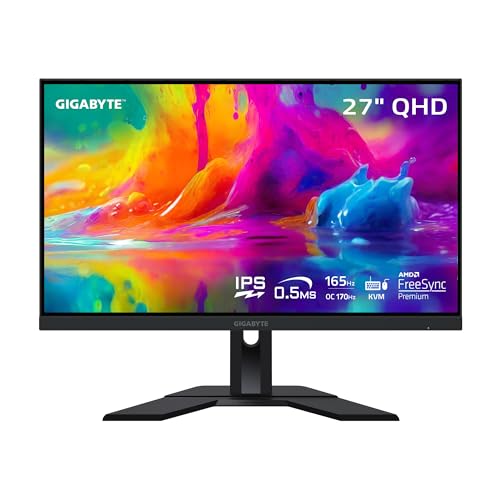
One verified example of each technology, both 27-inch 1440p gaming panels, so the panel itself is the only real difference between them.
ASUS TUF Gaming VG27AQ (IPS) — A 27-inch QHD IPS gaming monitor with high refresh and adaptive sync — the fast-IPS formula in its classic form, and the reference for how clean IPS motion and colour look at this size. Check on Amazon

AOC CQ27G2 (VA, Curved) — A 27-inch QHD curved VA gaming monitor with high refresh and FreeSync. The curve keeps you centred where VA is strongest, and its contrast is exactly the quality this comparison says VA wins on. Check on Amazon
Frequently Asked Questions
Is IPS or VA better for gaming overall?
For most gaming, fast IPS is the safer recommendation: clean motion in bright and dark scenes alike, no smearing, and strong colour. VA wins a specific gaming niche — dark, cinematic, single-player titles in a dim room — where its contrast deepens the atmosphere and its dark smearing is the accepted cost. Competitive players should not choose VA; story-driven players in dark rooms reasonably can.
Why do blacks look grey on my IPS monitor?
That grey is the technology’s moderate native contrast meeting your room: IPS pixels leak a little backlight, so in darkness ‘black’ renders as dark grey, sometimes with extra glow at the corners (often called IPS glow, visible at angles). Lowering brightness for evening use helps considerably. If deep blacks are your priority, that is VA’s — or OLED’s — home ground, not a fault in your unit.
Is VA bad for photo editing?
Not bad, but compromised. A decent VA covers the colour gamuts, yet its colour and gamma shift with viewing angle means the edges of your image are not quite showing you the truth, and critical work demands consistency. For casual editing and family photos, VA is fine. For client work, prints, or anything colour-judged, IPS remains the professional default.
Which panel is better for eye comfort?
Neither technology is inherently easier on the eyes. Comfort comes from appropriate brightness, flicker-free backlight behaviour, sensible colour temperature, and correct height and distance. Both panel types ship in comfortable and uncomfortable models. If your eyes tire, work through brightness and ergonomics first — our eye-strain guidance covers the full checklist — before blaming the panel family.
Are curved monitors always VA?
Mostly, historically, because VA bends well and its weaknesses are hidden by the curve’s centred viewing position. But curved IPS and curved OLED models exist at higher tiers, and flat VA is common in budget lines. Treat curve and panel as separate decisions: the curve is about viewing geometry, the panel is about the picture’s character.
What about TN and OLED — where do they fit?
TN is the legacy speed technology, now mostly found in budget competitive screens; fast IPS has absorbed its role for most buyers. OLED sits above both: perfect blacks like VA’s ideal, response faster than IPS, superb colour — at high-end positioning, with care needed around static images shown for very long periods. Our IPS versus OLED comparison covers that step-up in detail.
Which panel lasts longer, IPS or VA?
Both are mature LCD technologies with similar longevity: the backlight ages slowly over many years in either, and neither has a wear mechanism comparable to OLED’s pixel ageing. Longevity differences between individual models and brands dwarf any difference between the families. Buy on picture and purpose; keep the receipt for the warranty years; expect either to outlast the computer it is first plugged into.
Which panel is better for a bright office with big windows?
IPS, comfortably. Ambient light erases VA’s contrast advantage — the room itself becomes the black level — while IPS’s stable colour and brightness at angles suit shared, sunlit work. Add a matte coating and sensible brightness headroom to the brief, and position the screen so the window is to its side rather than behind it or behind you. VA’s home is the controlled, dimmer room; forcing it into a glass office wastes its one great gift.
Do VA panels always curve and IPS panels always sit flat?
No — the association is commercial, not physical. VA bends readily and its centre-seat strengths suit curves, so curved ranges lean VA; but flat VA fills the budget shelves and curved IPS exists at higher tiers. Decide panel and shape as separate questions, in that order: the panel for the picture’s character, the shape for your desk’s geometry. Our curved versus flat comparison handles the second question on its own terms.
Which panel is better for a console on a desk?
Consoles reward the same traits as film viewing: strong contrast for cinematic games, good behaviour in a dim room, and an HDMI input that accepts the console’s full output. A VA screen is often the more cinematic desk companion for a console, especially in larger sizes, while an IPS screen suits the console that shares a desk with daytime work and angled seating. Check the console’s target resolution and refresh rate against the monitor’s HDMI specification either way, because the port, not the panel, is where console pairings most often disappoint.
Do VA panels really smear in every game?
No. The smearing associated with VA appears mainly in dark transitions — dark objects moving across dark backgrounds — and its severity varies enormously between models and overdrive settings. Fast modern VA panels have narrowed the gap to the point where many players never notice it in bright and mid-tone content. The honest test is your own fastest, darkest game during the first-week trial: if the trails are invisible there, they are invisible for your library, whatever the family’s reputation says.
Can I fix IPS glow with settings?
You can reduce its visibility but not remove its cause. Lowering brightness to suit the room, adding a gentle bias light behind the screen, and sitting at the panel’s intended distance all shrink the glow’s apparent size, because much of what reads as glow is contrast between a bright screen and a dark room. What settings cannot do is change the panel’s black level in a dark scene. If dark-room films are the main event and glow still bothers you after those steps, the family’s physics — not your settings — is the limit, and VA or OLED is the honest next conversation.
Which panel should a household buy if nobody agrees on the use?
The panel whose weaknesses the household’s shared hours forgive. List the screen’s actual week: if most hours are shared, angled, daytime, and mixed between work and media, IPS is the peace treaty. If most hours are one person’s evening films and games in a dim room, VA serves the majority honestly. Disagreement usually dissolves once the hours are counted, because households argue about preferences and agree about schedules — and panels should be chosen by schedules.
Are there content types where IPS and VA genuinely tie?
Yes — the bright, mid-tone, straight-on middle of everyday computing. Web browsing, office documents in a lit room, video calls, casual video, and most strategy and simulation games sit inside both families’ comfort zones, and owners of either panel doing that work will struggle to tell you what the other family would change. The comparison only sharpens at the edges: darkness, angles, speed, and colour proofing. If your week lives in the middle, choose on stand, ports, and size, and spend the saved deliberation on the desk itself.
The Bottom Line
IPS vs VA is not a contest with a winner; it is a choice between colour-and-angles honesty (IPS) and contrast-and-immersion depth (VA). Lit rooms, shared screens, creative work, and fast games point to IPS. Dark rooms, films, and cinematic games from a centred chair point to VA. Decide by your room and your hours, and either panel will feel like the right one — because for your desk, it is.
If you remain torn after all of this, buy the IPS — not because it wins, but because its compromises are the ones the widest range of desks forgive, and a first monitor should be the safe teacher of your own preferences.
One last calibration for the road: whichever panel you choose will spend its first week being compared with the screen it replaced, and that comparison is rigged — the old screen is familiar, the new one is news. Give the verdict a fortnight of real content before trusting it. Panels, like chairs, are judged by the month, not by the unboxing, and the family you chose with your room and your hours in mind will still be the right family when the novelty has worn off both of you.
Related Guides
Keep going with these related guides and roundups from the same desk-setup cluster: