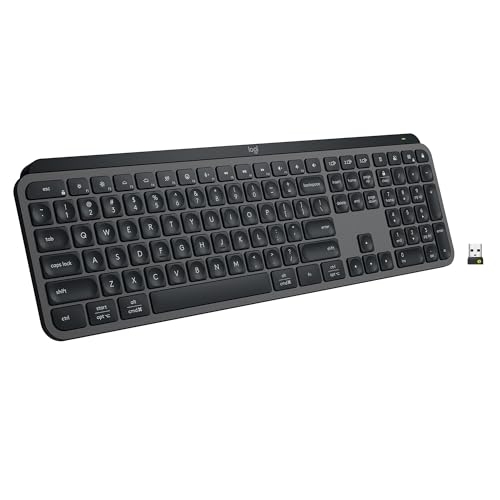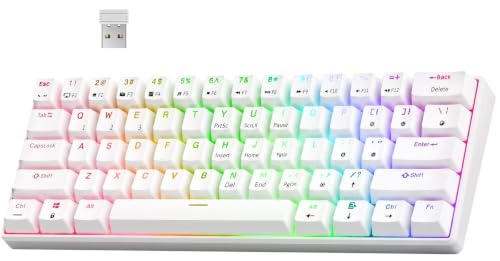
The mechanical vs membrane keyboard debate is really a debate about how a key press should feel and how long a board should last. Mechanical keyboards give every key its own switch; membrane keyboards press a rubber dome layer onto a shared circuit sheet. Neither is universally better — the right answer depends on your noise tolerance, budget, typing volume, and whether you enjoy customising your gear.
Here is the short verdict before the detail: choose mechanical if you type a lot, game seriously, or want a board you can repair and tune for years; choose membrane if you need quiet, cheap, spill-resistant simplicity for light use. The sections below compare the two across feel, sound, durability, gaming, and cost so you can place yourself confidently. If you are mid-purchase, How to Choose a Keyboard turns this comparison into a full buying method.
Disclosure: As an Amazon Associate, ilcastellomenu.com earns from qualifying purchases. Product details and availability can change; check the retailer listing before you buy.
Quick verdict: mechanical vs membrane keyboard at a glance
Mechanical boards win on typing feel, per-key durability, repairability, and customisation. Membrane boards win on price, quietness out of the box, and thin, light designs. For a shared bedroom or open office, a loud mechanical board can be the wrong choice no matter how good it feels to you; for a writer producing thousands of words a day, a mushy membrane board is its own kind of daily tax.
Hybrid designs blur the line — some membrane boards add tactile domes or partial mechanical switches — but the fundamental trade-off remains: individual switches cost more and do more; a shared membrane sheet costs less and asks less of you. Keep that frame in mind as the criteria below get specific.
In this guide
Feel and typing accuracy
A mechanical switch actuates partway through its travel with a defined feel — smooth for linears, a bump for tactiles, a bump plus click for clickies — so your fingers learn exactly when a press has registered. That consistency is why fast typists and programmers gravitate to mechanical boards, and why the switch menu in Keyboard Switch Types Explained matters: you are choosing a feel, not just a keyboard.
Membrane boards typically require a fuller press to the bottom of the key travel, and the rubber dome feel softens with age and use, so a membrane board’s feel drifts over its life while a mechanical board’s stays close to day one. For short daily typing sessions the difference is minor; across a working day of heavy typing, the mechanical board’s consistency is the difference people describe as ‘I did not know typing could feel like this.’
Accuracy follows feel. Membrane sheets can struggle with certain simultaneous key combinations, while mechanical boards are built for per-key registration — the rollover mechanics are unpacked in What is N Key Rollover. If your typing involves fast chords, shortcuts, or gaming inputs, that architectural difference is decisive rather than subtle.
Sound: the criterion that affects other people
Mechanical keyboards are louder, full stop — some switch types deliberately so. Clicky switches in a shared space are a genuine social problem, and even quiet mechanical builds carry bottom-out and stabiliser sounds a membrane board does not make. If your desk shares a room, weight this criterion heavily and read How to Fix a Loud Mechanical Keyboard before assuming you can tame any mechanical board later.
Membrane boards are naturally muted, which is why they dominate offices, libraries, and call centres. Their soft landing is also why some people find them comfortable for long sessions despite the mushiness: there is no hard bottom-out shock. Sound, like feel, is a preference with a context — your context includes everyone within earshot.
Durability, repair, and lifespan
Mechanical switches are individually rated for far more presses than a membrane sheet, and — crucially — they fail one at a time. On a hot-swappable mechanical board, a dead key is a thirty-second switch swap; the hardware behind that convenience is explained in What is a Hot Swappable Keyboard. A membrane board with a dead zone usually means replacing the whole keyboard, because the sheet is one component.
That repairability changes the economics over years. A mechanical board can be refreshed with new switches or keycaps and feel new again; a membrane board is a consumable. Neither approach is wrong — a cheap membrane board replaced every few years is a rational strategy — but buyers should choose the strategy consciously rather than discovering it at the first dead key, whose diagnosis steps live in How to Fix a Keyboard Key that is Not Working.
Gaming performance
For gaming, mechanical boards bring faster, more consistent actuation, full rollover, and a huge choice of layouts including the compact boards in best-60-percent-keyboards-for-gaming. Optical and magnetic mechanical variants push response further still, as compared in optical-vs-mechanical-switches. Serious and competitive players overwhelmingly choose mechanical for these reasons.
Membrane gaming boards exist and serve casual players perfectly well, often adding backlighting and macro keys at low cost. The honest line is intensity: if gaming is an occasional pleasure, a membrane board will not hold you back; if you play competitively or daily, the mechanical board’s consistency under fast, repeated, simultaneous inputs earns its price.
Cost and value over time
Membrane boards occupy the budget tier almost entirely, and at that level they are excellent value — a membrane board is the rational default for a spare machine, a child’s homework desk, or a hot-desking pool. Mechanical boards start higher and climb into enthusiast territory, but the mid-tier is crowded with boards that deliver the core mechanical advantages — good switches, hot-swap sockets, PBT keycaps — without flagship pricing.
Frame cost across lifespan: a membrane board is cheaper per purchase; a mechanical board is often cheaper per year because it lasts longer and can be repaired. The tier framework in keyboard-buying-guide helps you place a budget against the features that actually change daily experience rather than spec-sheet decoration.
Who should choose which
Choose mechanical if you type for a living, game regularly, dislike replacing hardware, or enjoy the idea of tuning a board to your taste over time. Choose membrane if quiet is non-negotiable, the board is for light or occasional use, budget is tight, or you prefer a slim, light board you never think about. Choose a quiet mechanical build — tactile or linear switches, damped case — if you want mechanical feel in a shared space and accept some setup effort.
Whichever you choose, verify it on arrival with the routine in how-to-test-a-keyboard, because both technologies ship with occasional duds and the return window is your friend.
The middle ground: hybrids, scissor switches, and laptop boards
Between the two camps sits the keyboard most people actually use daily: the laptop board, typically a scissor-stabilised membrane design with short travel. Scissor mechanisms steady each keycap and give membrane technology its crispest expression, which is why a good laptop keyboard feels respectable while a cheap desktop membrane board feels like a toy — the comparison is not membrane versus mechanical so much as engineered versus cost-cut.
Hybrid ‘mecha-membrane’ products add tactile domes or mechanical-style mounts to membrane sheets, narrowing the feel gap while keeping membrane economics and quietness. They are legitimate products for buyers who want some feedback without mechanical prices or noise, provided expectations stay calibrated: the shared sheet still governs rollover and repair, whatever the keycaps look like.
Optical and magnetic mechanical boards extend the mechanical side rather than bridging the gap, replacing contact sensing while keeping individual switches. The landscape is thus a spectrum with mechanical architecture at one end and sheet architecture at the other, and the honest buying question is where on it your budget, room, and typing volume place you — not which tribe you join.
Total cost of ownership, honestly counted
A membrane board’s price is its whole story: buy, use, replace. A mechanical board’s price is the first chapter: switches, keycaps, a cable, perhaps a case — the hobby’s optional economy that can refresh the board for years or, if you are susceptible, cost more than the board did. Count both honestly. A restrained mechanical owner spends little after purchase and owns the board for a decade; an enthusiastic one spends gladly and should budget gladly, as a hobby, not as a necessity.
Workplaces count differently again: a fleet of membrane boards is cheap to buy, cheap to replace, and uniform for support, while equipping staff with mechanical boards trades capital for longevity and individual satisfaction. Neither answer is wrong; they are answers to different questions, which is why this comparison resists a universal winner.
The environmental line belongs in the count too: a repairable board kept for ten years displaces several disposable ones. Buyers who weigh that will find the mechanical board’s repairability — switches, caps, cables all replaceable — a substantive argument, not a sentimental one.
Trying both before you commit
Because this decision is ultimately tactile, manufacture experience before spending: borrow boards, visit a shop with display models, or order a switch tester alongside a membrane board you may keep as a spare. Type the same long passage on each candidate and note accuracy, fatigue, and — if the room is shared — the reaction of everyone else in it. Ten honest minutes outweighs ten reviews, because your hands and your household are the review panel that matters.
If you cannot try, buy from a retailer whose returns are painless and treat the first board as a structured trial using the evaluation rhythm from the choosing guide: mechanical checks on day one, honest work across the week, a decision while the window is open. The worst outcome in this comparison is not choosing the ‘wrong’ technology; it is keeping a board your hands dislike out of inertia.
Environmental and practical edges worth knowing
Membrane boards quietly win several practical categories this comparison should record. They tolerate dust and crumbs with indifference, shrug off the minor splashes that send mechanical owners reaching for towels, and weigh little enough to travel without thought. Their sealed-sheet construction is a genuine engineering answer to hostile environments — workshops, kitchens, classrooms, and factory floors run on membrane for reasons that have nothing to do with price.
Mechanical boards answer with serviceability in those same environments only where hot-swap sockets let a contaminated switch be pulled and replaced — a real advantage, but one that assumes someone present is willing to perform the swap. Context, again, is the judge: the best technology is the one whose maintenance model matches the people actually present.
What gamers and typists each get wrong about the other side
Gamers sometimes dismiss membrane boards as unusable, which the evidence of millions of casual players refutes nightly; the honest claim is narrower — that competitive, chord-heavy play exposes membrane limits that casual play never reaches. Typists sometimes dismiss membrane as a typing experience beneath discussion, which the respectable scissor-switch boards in good laptops refute with every workday; the honest claim is that sustained, high-volume typing rewards mechanical consistency in a way short sessions never test.
Both corrections point at the same principle: this comparison’s verdicts are dose-dependent. Technologies reveal their differences under volume — of hours, of simultaneous keys, of years. Light use compresses every difference in this article toward irrelevance, which is why the cheapest adequate board is a rational purchase for light users of either camp.
The verdict, personalised in three questions
Question one: how many hours a day do your fingers spend on this board? Under one, buy whichever you like the look and price of. Several, weight feel and durability — mechanical’s home ground. Question two: who else hears it? If the answer includes sleepers, callers, or colleagues, membrane’s quiet or a silent mechanical build outranks every other criterion. Question three: when a key dies in year three, do you want a thirty-second swap, a repair bill, or a replacement purchase? Your honest answer to that question alone settles most real-world cases of this comparison.
There is no fourth question about which technology is ‘better’, because the first three dissolve it. Better is a relationship between a board, a pair of hands, a room, and a maintenance philosophy — and you are the only expert on three of those four.
A note on trying mechanical without commitment
The asymmetry of the modern market helps the undecided: mechanical boards are easy to trial because the ecosystem wants you to — switch testers, hot-swappable budget boards that accept a lifetime of later changes, and resale values that forgive a change of mind. A membrane board kept as the household spare makes the experiment riskless: the mechanical board must win its desk against a working alternative, not against an empty space.
Run that trial for a full month of real use before concluding, because mechanical feel has a learning curve disguised as first impressions — the first day’s novelty, good or bad, is the least reliable data of the whole month. Judge on week four’s ordinary Tuesday, when the board has stopped being an event and become a tool.

Scenario head-to-head: the open-plan office
Put both board types in the same open-plan office and the abstract comparison becomes concrete. The membrane board disappears socially: its soft, muted stroke barely registers across a desk pod, it tolerates the coffee that will eventually be spilled on it, and when it dies the office manager replaces it without a purchase order meeting. Its typist, though, pays a private tax — a mushy bottom-out on every keystroke, fingers working slightly harder to be sure each press registered, and a subtle end-of-day fatigue that is hard to attribute to a keyboard until you switch away from one for a week.
The mechanical board in the same office is a negotiation. Its owner types faster and with fewer errors, because every press confirms itself. Its neighbours hear that productivity. The outcome depends entirely on switch and board choice: a quiet tactile or linear switch in a well-damped case, on a desk mat, is a good citizen; a clicky board in the same pod is a recurring meeting agenda item. The lesson generalises — in shared spaces, the mechanical-versus-membrane question is really a noise question wearing a technology costume, and it is answered per switch and per case, not per category.
Scenario head-to-head: competitive gaming at home
At a home gaming desk the priorities invert. Nobody is asleep in the next room — or if they are, a door and a headset change the maths — and the membrane board’s weaknesses become the story. Rapid repeated presses on the same key, held keys combined with strafing keys, and long sessions all expose the membrane’s vague actuation point and its rollover limits. The mechanical board’s defined actuation, consistent switches under every key, and full rollover are not luxuries here; they map directly onto inputs doing what the player intended.
Yet the honest version of this scenario includes the player’s level. For casual and story-driven play, a membrane board holds nobody back — the games are not decided by actuation points. The mechanical advantage becomes real in fast competitive titles played seriously, where inputs are dense and simultaneous. Even there, it ranks below the mouse, the monitor, and practice. Choose mechanical for gaming because the feel sustains long sessions and the inputs stay honest at speed, not because it will promote you a rank by itself.
Scenario head-to-head: the writer and the ten-hour day
For someone who produces text as a profession, the comparison is decided by accumulation. A membrane board asks the fingers to bottom out to guarantee registration — the sheet must be fully pressed — so every keystroke ends in a small impact, tens of thousands of times a day. A mechanical board registers mid-travel, which lets a practised typist float: press to the actuation point, release, move on. The difference per keystroke is tiny. The difference across a novel, a codebase, or a year of support tickets is the difference between hands that end the day neutral and hands that end it aware of themselves.
Accuracy compounds the same way. Tactile feedback lets a writer catch errors by feel — the missed bump is information — which quietly reduces the proofreading burden. None of this makes membrane boards unusable for writing; generations of books were typed on worse. It means that for the person whose output is measured in words per day, the mechanical board is a professional tool in the same unglamorous way a decent chair is, and it should be budgeted as one.
Health and hands: what each design asks of your body
Neither technology is a medical device, and any claim that one prevents injury should be treated with suspicion. What can be said mechanically is this: membrane boards require a full press to the bottom of travel on every key, and they offer no feedback before that point, so most users press harder than necessary out of uncertainty. Mechanical boards allow lighter, confirmed presses, and offer switch weights across a wide range, so a user with tired or sensitive fingers can choose a light switch and type with minimal force. Force per keystroke, multiplied by a career, is a real variable even if it is not a diagnosis.
Posture dominates both, though. Board height, wrist angle, and layout width affect the body more than switch technology does, and a membrane board at the right height beats a mechanical board at the wrong one. If hands are the reason you are shopping, spend first on position — desk, chair, board height, a wrist rest used correctly during pauses rather than while typing — and then let switch choice fine-tune the force. Readers working through discomfort may also find the ergonomic angles in keyboards selected with sensitive hands in mind useful alongside this comparison, as a complement rather than a cure.
The five-year ownership diary: two boards, honestly followed
Imagine both boards bought on the same day. The membrane board’s diary is uneventful for two years, then the entries change tone: a couple of keys need a firmer press, the spacebar feels uneven, the legends have shone where fingers land. Nothing is repairable — the sheet inside is one component — so year three or four ends with a replacement, and the diary restarts. Total experience: perfectly pleasant, twice purchased, twice discarded.
The mechanical board’s diary has more incidents and a longer arc. A keycap set replaced for fun in year two. One switch swapped in ten minutes in year three when the E key began to double. A deep clean annually. By year five the board is personalised, fully functional, and — if it was a common model — still supported by a community that sells it parts. The ownership difference is not that mechanical boards never fail; it is that their failures arrive one replaceable part at a time, while membrane failures arrive as the whole product. Whether that matters to you depends on whether you keep things or cycle them, and both are legitimate ways to own a keyboard.
Edge cases where the usual verdict flips
Every general verdict has its exceptions, and knowing them is more useful than the verdict. Membrane wins outright in genuinely wet or dirty environments — workshops, kitchens, industrial desks — where sealed designs shrug off what would kill a mechanical board’s exposed switches. Membrane also wins for the traveller who needs a rollable or ultra-slim board in a laptop bag, a form factor mechanical switches physically cannot match. And membrane wins, quietly, for the user who types little: an hour of email a day never accumulates the fatigue that justifies the mechanical premium.
Mechanical wins its own unlikely cases. In a household where a board is shared by a gamer and a writer, one good mechanical board serves both better than two mediocre compromises. For a user who needs an unusual layout — split, ortholinear, heavily remapped — mechanical is effectively the only market that exists. And for anyone who has already owned and liked a mechanical board, the verdict flips permanently: going back to membrane feels like a downgrade in a way the reverse switch never does, which tells you something true about where the feel difference lives.
A simple decision flowchart, in words
If you type fewer than two hours a day and share your space with people who dislike noise, choose a good membrane or scissor board and spend the savings elsewhere. If you type most of the day, or game competitively, or have ever worn a keyboard out, choose mechanical — then spend your decision energy on switch and sound, which is where your daily experience will actually be decided. If you are between those poles, choose based on the room: quiet mechanical for shared spaces, any mechanical for a room of your own, membrane where spills and dust are the dominant risk.
Whichever you choose, choose the good version of it. The worst purchase in this comparison is not on either side; it is the bottom of either range — the membrane board with uneven keys, the mechanical board with rattling stabilisers and scratchy switches. A well-made example of the technology you did not prefer will make you happier than a badly made example of the one you did. If you are ready to look at specific mechanical models after settling the technology question, the shortlist of mechanical boards chosen for typing feel is a sensible next stop.
Children, students, and first computers: a scenario with its own rules
A first keyboard for a child or a student follows different logic from an adult’s work board. Durability against spills, snacks, and backpack transport matters more than feel refinement, because the board will be treated as furniture, not as an instrument. Legibility matters too: standard legends in the places a typing tutor expects them, on a layout that matches the school or library computers the student also uses, so skills transfer instead of conflicting. Membrane and scissor boards win most of these briefs on toughness and simplicity, and there is no shame in that verdict — it is the technology fitting the user.
The exception is the older student who types seriously — essays, coding classes, competitive gaming with friends — where the calculus quietly becomes the adult one, and a modest mechanical board can be both a tool and the kind of possession a teenager actually takes care of. Judge by the typing load and the care the specific student shows their other equipment, not by age alone. A board bought for the user someone is becoming, rather than the user they are today, is the one purchase in this category that regularly delights.
Schools and shared labs, buying in bulk, should stay membrane almost without exception: uniformity, wipe-clean surfaces, silent operation across a room of thirty typists, and replacement without paperwork are institutional virtues that outweigh any individual’s feel preference. The comparison only becomes personal when the desk does.
Resale, hand-me-downs, and the second life of each board
Mechanical boards have a second life that membrane boards mostly do not. A used mechanical board from a known maker sells to enthusiasts who will clean it, perhaps modify it, and use it for years; its switches, keycaps, and cable all have independent value. A membrane board’s second life is the drawer, the spare-parts shelf, and eventually the recycling bin — not because it is badly made, but because nothing about it is serviceable or sought after. If you rotate equipment often, the mechanical board’s resale value quietly closes much of its price gap; if you keep equipment until it dies, the relevant figure is not resale but the number of replacements avoided, which points the same direction.
Handing down reverses one detail, though: the board you give a parent, a child, or a community space should be the one that needs nothing explained. A membrane board asks nothing of its next owner. A mechanical board arrives with opinions — switch feel, perhaps a custom layout — that a non-enthusiast recipient may experience as quirks. Match the second life to the second owner, and both technologies end up exactly where they serve best.
A brief history that explains the present market
Membrane boards dominate unit sales for a historical reason worth understanding: they solved the cost problem of the personal computer era, when a keyboard had to be bundled with every machine at the lowest possible price, and they solved it brilliantly. Mechanical switches, the older technology, retreated to niches — industrial, enthusiast, gaming — where feel justified cost. The recent mechanical revival is not nostalgia; it is what happened when gaming and remote work made millions of people type and play enough hours to notice their keyboards, at the same moment manufacturing made good mechanical boards affordable at consumer scale.
Knowing the history inoculates against two marketing stories: that membrane is obsolete (it is the rational default for most of the world’s typing) and that mechanical is a luxury fad (it is the original technology, returning because the use case intensified). Technologies in this comparison are not progressing toward each other; they are specialised for different intensities of the same activity, and your intensity is the whole question.
Testing both in one afternoon: a fair protocol
If you can access one board of each type — a shop, a friend, a workplace — a fair comparison takes an afternoon and a method. Type the same passage on both, at your normal speed, three times each, alternating, and record errors rather than impressions; first impressions favour whichever board is more novel, while errors tell the truth. Type once more on each at the end of a long day, because fatigue is the condition your daily board must survive. Press the far corners of each board’s large keys, shake each board gently and listen, and type for two minutes with your eyes closed to feel which board your fingers trust.
Then apply the household tests: type during a call or beside a sleeping partner if that is your life, and spill nothing on either, but ask yourself honestly which board you would rather own after the inevitable spill. Write the verdict down before you leave, in one sentence naming the reason. Buyers who do this rarely return boards; buyers who skip it often buy the same decision twice.
Noise, measured in real rooms rather than in reviews
Review videos make every mechanical board sound like a typewriter and every membrane board sound silent, and both impressions mislead. In a real room, what carries is not the switch’s rated character but the sharpness of the sound: high, clicky transients travel through walls and microphones, while deep, muted ones stay at the desk. A membrane board’s sound is dull and low, which is why it disappears in offices even though it is not literally silent. A mechanical board’s sound can be tuned across almost the whole range between those poles by switch family, keycap thickness, case damping, and the desk surface underneath.
The practical test is the room you will actually use, at the hour you will actually use it. A board that is charming at noon in a busy house can be a relationship problem at midnight in a quiet flat. If you cannot test in your own room, weight the experience of people whose living situation resembles yours over reviewers filming in treated studios, whose rooms forgive sounds your walls will not.
Also remember the listener who matters most may be on a microphone rather than in the room. Modern call software suppresses steady noise well and sharp transients badly, which is the worst possible profile for clicky switches and a manageable one for everything else. If your work is calls, judge boards by a recorded call test, not by how they sound to your own ears at the desk.
Keycap and customisation ecosystems: the difference that grows over time
A mechanical board joins an ecosystem: standardised keycap mounts, switch footprints, and case conventions mean the board you buy is a platform you can revise for years. New keycaps change its look and its sound; new switches change its feel; a coiled or coloured cable changes its desk presence. None of this is necessary, and much of it is pure pleasure, but the option’s existence changes the purchase from a finished product into a starting point — which is why mechanical owners describe their boards as builds.
A membrane board is a finished product in the fullest sense. What you buy is what it will be on its last day, apart from wear. For many owners that is a virtue: no ecosystem to fall into, no accessory market quietly taxing the original purchase, no decisions left open. The customisation gap should therefore be read as a lifestyle difference, not a score. If you enjoy refining objects, mechanical’s ecosystem is a genuine, ongoing benefit. If you find open-ended hobbies expensive in attention, membrane’s completeness is equally genuine.
There is one functional corner where the ecosystem matters beyond pleasure: unusual needs. Non-standard legends, large-print caps, alternative layouts, one-handed arrangements — the mechanical ecosystem is where solutions to specific needs physically exist. A user with a specific requirement should check whether it is served before defaulting to either technology, because availability beats ideology when a need is concrete.
Power users and shortcuts: rollover in daily, non-gaming life
Rollover is usually sold as a gaming specification, but its daily-life appearances are mundane and frequent. Fast typists roll keys — releasing one as the next lands — and cheap membrane matrices can drop or reorder inputs at speed, producing errors the typist gets blamed for. Multi-key shortcuts in creative and development software stack modifiers with keys in combinations that exceed budget boards’ limits, failing silently in exactly the moments of highest concentration. Full rollover is therefore best understood as the absence of a class of weird, hard-to-diagnose errors, and its value is that you never think about it.
Mechanical boards are not automatically innocent here — rollover is a property of the board’s electronics and connection, not its switches, and plenty of membrane boards offer respectable rollover while some mechanical boards cut corners. The fair statement is that the mechanical market treats rollover as a headline feature and competes on it, while the membrane market treats it as a cost to minimise. Check the specification either way; do not let the switch technology answer a question it does not control.
The environmental ledger, kept honestly
Durability is an environmental argument, and it favours mechanical boards in the obvious way: a product kept for a decade, repaired at part level, and resold into a second life displaces several disposable purchases. The membrane board’s counter-ledger is also real: it uses less material and energy to make, contains no ecosystem of accessory purchases, and its owner’s total footprint includes none of the keycap sets, switch collections, and cables that enthusiast ownership accumulates. The greenest keyboard, as with most products, is the one that matches its owner’s actual behaviour — kept long and used fully — whichever technology that turns out to be.
Disposal tells the same two-sided story. A membrane board is one mixed-material object, difficult to recycle meaningfully. A mechanical board can be disassembled into material streams and its parts reused, but only if its owner actually does so rather than binning it whole. Buy the board you will keep, maintain the board you bought, and hand it on when you are done: those behaviours dominate the technology choice in the final accounting.
Questions to ask a seller, whichever side you choose
- For a membrane board: how many keys roll over simultaneously, and is the rollover figure for the whole board or only a gaming cluster?
- For a membrane board: is the design spill-resistant, and does that rating cover the whole board or only drainage channels?
- For a mechanical board: are the switches hot-swappable, and if so, which pin configurations does the board accept?
- For a mechanical board: are the stabilisers tuned or lubricated from the factory, and are replacement keycaps a standard size throughout, including the spacebar and bottom row?
- For either: what does the warranty cover, for how long, and does a single dead key count as a repairable fault or a full replacement?
- For either: are firmware or software required for basic functions, and does the board keep its settings on a computer where that software is not installed?
The answers separate serious products from specification theatre in both camps, and a seller who cannot answer them is telling you something about the support you would receive later. Keep the answers with your receipt; they become the baseline for any warranty conversation, and they are the notes your future self will want when this board is eventually replaced.
One last distinction: what you are really paying for
When the two boards sit side by side in a shop, the price difference can look like a tax on enthusiasm. It is more accurately a bill for separability. The mechanical board’s cost is the cost of a hundred individual switches, each with its own spring, housing, and contacts, assembled so each can be removed again. The membrane board’s economy is the economy of integration: three sheets doing the work of those hundred mechanisms at once. Neither is overpriced for what it is; they are different manufacturing philosophies priced accordingly.
That framing gives the final decision its cleanest form. Pay for separability if your life will use it — through years of service, repairs, adjustments, or sheer daily pleasure in the feel. Decline it, without any sense of settling, if your typing is light, your environment is hostile, or your desk is shared with people who value quiet over character. The boards will both be manufactured, sold, and happily used long after this comparison is forgotten, because both philosophies answer real needs. Yours is the only need in the room.
Gear mentioned in this guide
The products below are examples referenced in this guide. They were verified through the Amazon Creators API product pool for this site; use them as concrete reference points for the features discussed, not as a ranked list.
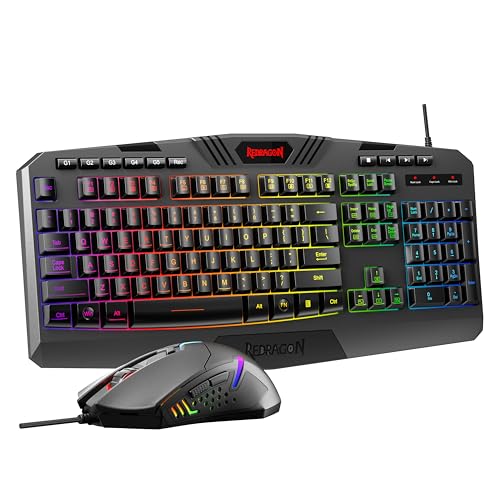
- Redragon S101-3 PRO Gaming Keyboard and Mouse, RGB Backlit Programmable Keyboard Mouse with Software, Independent Macro Record Keys, Value Combo Set, New Update Version — Check on Amazon
- Keychron K2 Version 2 Wireless Gaming Mechanical Keyboard, Bluetooth/USB Wired Compact 84 Keys RGB LED Backlit Aluminum Frame for Mac Windows, Gateron G Pro Blue Switch — Check on Amazon

Frequently asked questions
Is a mechanical keyboard worth it for office work?
For anyone typing several hours a day, usually yes — the consistent feel reduces fatigue and errors, and a quiet switch choice keeps colleagues happy. For light email-and-meetings use, a decent membrane board remains perfectly adequate.
Why do membrane keyboards feel mushy?
Because a rubber dome both provides the resistance and collapses to complete the circuit, the press has a soft, undefined middle. The dome material also ages, so the feel softens further over the board’s life.
Are mechanical keyboards always loud?
No. Clicky switches are loud by design, but linear and tactile switches in a damped case can be office-appropriate. They will rarely match a membrane board’s near-silence, yet the gap is manageable with the right build.
Which lasts longer, mechanical or membrane?
Mechanical, typically by a wide margin, and it can be repaired key by key. Membrane boards wear as a whole sheet and are replaced rather than repaired when keys begin to fail.
Can a membrane keyboard be good for gaming?
For casual play, yes. For fast or competitive play, its rollover limits and less consistent actuation become noticeable, which is why gaming lines from major brands are overwhelmingly mechanical.
What is a hybrid or ‘mecha-membrane’ keyboard?
A marketing category for membrane boards engineered to feel more tactile and responsive, sometimes with mechanical-style keycap mounts. They narrow the feel gap at low cost but keep the membrane’s shared-sheet limits for rollover and repair.
Related Guides
Keep exploring with these guides and roundups from the same desk and audio cluster: