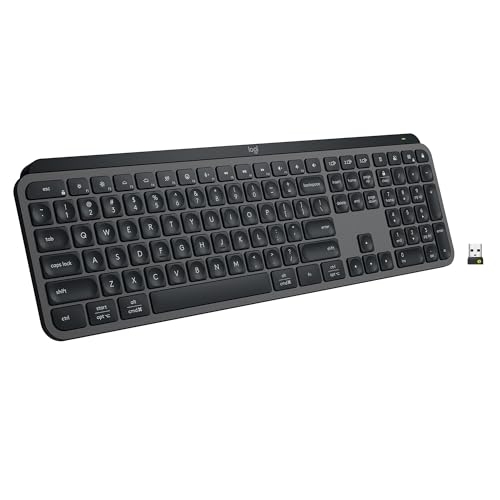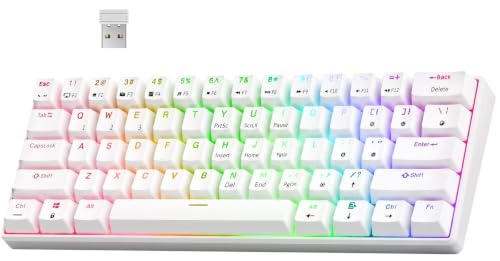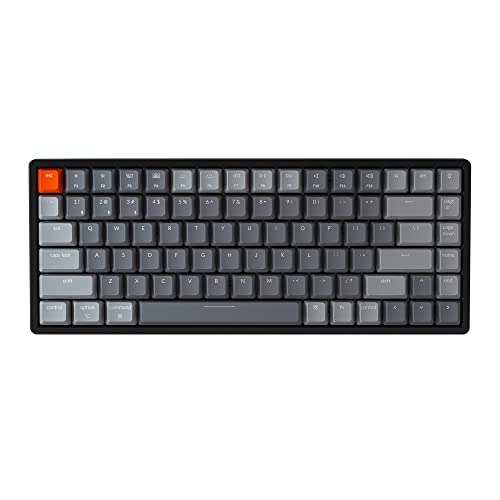
Keyboard switch types explained in one sentence: every mechanical switch is a spring-loaded stem in a housing, and the types differ in how that stem travels — smoothly (linear), over a bump (tactile), or over a bump with a click (clicky) — plus how heavy the spring is and where in the travel the press registers. Master those variables and the bewildering colour charts on switch packaging suddenly read like a menu you understand.
This explainer decodes the naming systems, the anatomy, the numbers that matter and the ones that are mostly marketing, and how to match a type to typing, gaming, or shared-space life. It pairs naturally with Mechanical vs Membrane Keyboard if you are still deciding whether mechanical is for you at all.
Disclosure: As an Amazon Associate, ilcastellomenu.com earns from qualifying purchases. Product details and availability can change; check the retailer listing before you buy.
The three families: linear, tactile, clicky
Linear switches travel straight down with consistent resistance and no interruption. They feel smooth and predictable, register presses quickly under repeated tapping, and are the default choice for gaming and for typists who like an uninterrupted stroke. If a switch name says ‘red’ or ‘yellow’ from most major brands, it is probably a linear — colour conventions are habits, not laws, which is why reading the family matters more than memorising colours.
Tactile switches insert a bump into the travel: resistance builds, yields, and the press registers around that yield. The bump is feedback your fingers can feel without looking, which many typists credit for fewer errors — you sense each registration. ‘Brown’ switches are the famous mild tactile; stronger tactiles make the bump the whole personality of the switch. Tactiles are the classic recommendation for a first mechanical board because the feedback teaches your fingers the board quickly.
Clicky switches are tactiles with a sound mechanism — typically a small jacket or bar that snaps as the press registers, producing a deliberate click. They are the most characterful and the most divisive type: deeply satisfying to the typist, potentially maddening to everyone else. If your keyboard shares air with other humans, treat clicky as a decision you are making for the room, and weigh How to Fix a Loud Mechanical Keyboard honestly before choosing them.
In this guide
Anatomy of a switch: stem, spring, housing, leaf
The stem is the coloured cross-topped piece the keycap sits on; its shape creates the family feel — a smooth profile for linears, a legged profile whose legs ride over the leaf to create the tactile bump. The spring beneath sets the resistance curve: how much force starts the press and how firmly the key pushes back at the bottom. Spring weight, more than any other variable, decides whether a switch feels light and nimble or deliberate and firm.
The housing holds everything and guides the stem on rails; friction between stem and rails is where scratchiness lives, and it is exactly what How to Lubricate Switches on a Keyboard treats. Inside the bottom housing sits the leaf — two metal contacts that meet to register the press in a conventional switch. Optical and magnetic switches replace the leaf with light or magnetic sensing, changing durability and features while keeping the same stem-and-spring feel architecture, as detailed in Optical vs Mechanical Switches.
Knowing the anatomy turns product descriptions into information: ‘factory-lubed’ means the rails carry lubricant from new; ‘long spring’ hints at a snappier return; ‘tight housing’ promises less stem wobble. None of these phrases requires a engineering degree — just the map you now have.
The numbers: actuation, travel, and force
Actuation point is how far you press before the key registers — commonly somewhere in the first half of travel. A shallower actuation feels eager and fast but can invite accidental presses when you rest your fingers; a deeper one feels deliberate. Total travel is the full distance to the bottom of the press; shorter-travel switches feel snappier, longer ones plusher. Neither number is ‘better’ — they are tuning, and gaming lines tend shallow and short while typing lines vary widely.
Force is quoted as actuation force and bottom-out force, and the curve between them matters more than either endpoint. Two switches with identical headline force can feel completely different if one ramps resistance early and the other late. This is why experienced buyers read force curves when available and why trying switches — in a shop, on a tester, or via a What is a Hot Swappable Keyboard board you can re-switch — beats any chart.
Treat extreme numbers sceptically. Ultra-light springs fatigue some users into accidental presses; ultra-heavy ones fatigue fingers outright across a long day. The broad middle of the force range is popular because it suits the broad middle of humanity, and there is no prize for typing on the heaviest switch you can physically operate.
Colour codes and brand languages, decoded
The colour system began as one manufacturer’s shorthand — red linear, brown tactile, blue clicky, black heavy linear — and the industry adopted it loosely. Today most brands gesture at the same code while adding their own shades for speed, silent, and optical variants, plus entirely separate naming for proprietary switches. The safe method: ignore the colour, find the three facts — family, actuation force, and any special trait like silence or optical sensing — and compare those.
Silent switches deserve their own note: they add soft dampening pads where the stem would strike the housing, trading a slightly softer landing for a dramatic noise reduction. For shared spaces they are the mechanical family’s best answer, especially combined with the case measures in the loud-keyboard guide. Speed switches are the opposite specialisation: a raised actuation point for the fastest possible registration, aimed at competitive play.
If a switch’s marketing name tells you nothing, search its family and force rather than reviews of its vibe. Vibes are real but personal; family and force are the transferable facts, and they are what the shortlists in Best Switches for Keyboards organise around.
Matching switch type to your life
For typing-first users, start with a medium tactile: the bump supports accuracy, the force avoids fatigue, and the sound stays civilised. For gaming-first users, start with a light-to-medium linear: smooth repeats, no bump interrupting rapid presses, and easy half-presses. For shared-space users, start with a silent linear or silent tactile and accept the slightly padded landing as the price of peace.
For the undecided — the largest group — the correct answer is a hot-swappable board with a mainstream tactile or linear, because it converts this entire decision from a marriage into a dating phase. Buy switches in small quantities, live with each for a week of real work, and let your fingers vote. That process, more than any explainer, is how enthusiasts found their favourites.
Whatever you choose, validate the whole board on arrival with how-to-test-a-keyboard, because switch type is only one ingredient; stabilisers, keycaps, and case decide whether a good switch becomes a good keyboard.
Common misconceptions about switch types
Misconception one: heavier switches are more ‘premium’. Weight is preference, not quality. Misconception two: clicky switches are more tactile — the click is sound added to a tactile event, and plenty of tactiles out-bump the clickies. Misconception three: linear switches are only for gaming; millions type happily on linears. Misconception four: switch type determines loudness alone — case, keycaps, desk, and your own typing force are co-authors of every sound your board makes.
Misconception five: there is a single best switch. There is a best switch for a person, a purpose, and a room. The hobby’s endless variety exists because hands differ — which is good news, because it means your switch is out there, and the map in this guide is how you find it without buying twelve keyboards.
Keyboard switch types explained through three typing scenarios
Scenario one: the novelist. Long sessions, accuracy prized, sound tolerated because the room is private. A medium tactile with a pronounced bump serves her best — every registration confirmed by feel, fatigue low at moderate force, and the board’s voice a companionable murmur she can tune with keycaps and a mat. Clicky would also serve; the room allows it, and preference, not propriety, decides.
Scenario two: the competitive player. Inputs are rapid, repeated, and often partial — keys hovered at the edge of actuation. A light linear, possibly a speed variant with a raised actuation point, matches the physiology: no bump to cross on the way down or back, nothing between intention and repetition. His switch budget is spent on consistency across the board, because one heavier switch in the movement cluster is a stutter he can feel.
Scenario three: the open-office analyst. The work is typing, the room is shared, the neighbours are close. A silent tactile at moderate weight is the professional answer: feedback for her fingers, near-membrane manners for the room, and no apology emails about the new keyboard. Her scenario is the one most often bought wrong — usually as a clicky — which is why this explainer keeps returning to the room as a specification.
Force curves: reading the graph like a buyer
A force curve plots resistance against travel distance, and three features tell the switch’s story. The starting slope shows initial resistance — how the press begins. A bump in the curve is the tactile event, its height and position describing the feedback’s strength and timing. The final rise is bottom-out, and the gap between actuation force and bottom-out force tells you how much ‘landing’ the switch has after registration.
Compare two tactiles by their bumps: an early, sharp bump feels assertive and suits deliberate typists; a later, rounder bump feels gentle and suits fast, light typing. Compare linears by their slope’s steadiness: a smooth ramp is the whole promise, and any grit in the line is the scratch you will hear and feel. Springs rewrite curves too — a longer spring steepens the late curve and snaps the return — which is why spring swaps are a real tuning dimension rather than a parts-bin accident.
You do not need to read curves to buy well, but they convert other people’s adjectives into comparable facts. When a review calls a switch ‘snappy’ or ‘mushy’, the curve shows what those words are standing on — and whether the same words, applied to your hands, would be praise or warning.
How switch choice ages with you
Hands change: a decade of typing, an injury, a new job’s volume, or simple evolving taste will move your ideal switch. The heavy tactile that felt precise at twenty-five may fatigue at forty; the light linear that felt twitchy to a beginner may feel perfect to the same person with five years of technique. This is not inconsistency — it is the normal biography of a daily tool, and it is the deepest argument for hot-swappable boards in this entire topic area.
Plan for the drift rather than pretending permanence: keep your replaced switches, note what you liked in each era and why, and treat switch choice as a renewable setting rather than a founding identity. Owners who do this describe their boards as long-term platforms with seasonal configurations, which is a healthier relationship with gear than the upgrade-or-regret cycle.
The explainer’s closing advice is therefore procedural, not prescriptive: learn the families, start in the broad middle of your family’s range, audition honestly, and keep the door open. Switch types are a menu, and menus are for returning to.
Optical and magnetic switches in the family tree
This explainer has treated the three mechanical families as the landscape, but the sensing variants deserve their branch. Optical switches keep the stem-and-spring mechanics and replace the contact leaf with a light beam; magnetic switches sense the stem’s position continuously and let software decide where actuation lives, enabling adjustable points and rapid re-triggering. Both feel like mechanical switches because, mechanically, they are — the family language of linear and tactile still applies, with tactile options thinner on the ground.
For a buyer, the practical translation is short: choose the feel family first, then the sensing technology, because you will feel the family on every press and benefit from the sensing mostly at the margins of speed and durability. Reversing that order — buying sensing first and accepting whatever feel came with it — is the modern version of buying a keyboard by its box art.
Switch weight and your hands over a working life
Force is the switch variable with a health dimension. Very light switches ask little of fingers but punish resting hands with accidental presses; very heavy switches give deliberate feedback at the cost of cumulative effort across thousands of daily presses. Neither extreme is wrong, but both should be chosen knowingly, and any user with finger, wrist, or joint complaints should treat the broad middle of the force range as the default and deviations as experiments with a return ticket.
Technique interacts with weight: a typist who bottoms out hard multiplies the effective load of any spring, while a floating typist can enjoy firmer switches without fatigue. If you are changing switch weight to solve fatigue, change technique in parallel — the pair together solve what neither solves alone, and both are free compared with a drawer of abandoned switch sets.
Building a personal switch reference set
Serious switch shoppers eventually build a reference: one switch of each serious candidate, kept in a labelled tester or a small frame, auditioned on the actual board before any full set is ordered. The cost is a handful of switches; the saving is every wrong full set never bought. Treat the reference as a living document — add new candidates as they release, retire the ones your taste has settled against, and note dates and impressions on the frame itself.
That modest discipline converts switch choice from a recurring gamble into an accumulating knowledge base, which is the real dividing line between enthusiasts and everyone else. Enthusiasts are not people who own more switches; they are people who remember what each switch taught them.
The explainer’s sixty-second summary
If this page must fit in a minute: switches come in linear (smooth), tactile (bump), and clicky (bump plus click). Weight decides effort; actuation decides eagerness; the room decides whether clicky is a personality or a problem. Colours are hints, not standards. Silent variants trade a softer landing for peace. Optical and magnetic are sensing choices layered on the same families. And the only universally correct switch is the one your fingers, in your room, for your work, keep choosing after honest trials — which is why swappable boards and sample switches exist.

From first principles: what a switch is actually doing
Strip a switch to its job description and it does three things: it waits, it decides, and it reports. It waits under your resting finger without firing. It decides, at a specific point in its travel, that a press has happened. And it reports that decision to the keyboard as an electrical event. Every switch type in this explainer is a different way of performing those three jobs — a different mechanism for the decision, a different feel for the waiting, a different sound for the reporting. Types are not grades; they are mechanisms, and mechanisms have characters.
The waiting matters more than newcomers expect. A switch spends nearly all its life being touched without being pressed — fingers resting on the home row, hovering, half-committing. How a switch behaves in that zone — firm and patient, or eager and hair-triggered — shapes typing confidence as much as the press itself. When you evaluate switches, spend as much attention on the pre-travel, the small give before actuation, as on the actuation event. It is the part of the stroke your fingers know best.
The reporting has a hidden subtlety too: a mechanical contact does not close cleanly, it bounces microscopically, and the keyboard must interpret that bounce — a process called debouncing that adds a small, deliberate delay. Optical and magnetic switches sidestep the bounce entirely, which is one reason they anchor the speed end of the market. The mechanism sections in the optical and mechanical comparison develop this fully; here it is enough to know that ‘how the switch decides’ reaches all the way into the keyboard’s electronics.
The spring is half the switch: weights, lengths, and progressive curves
Ask owners what a switch feels like and they describe the mechanism; measure the switch and half the description turns out to be the spring. The spring sets the force at the top of the stroke, the force at the bottom, and the shape of the increase between them. Two switches with identical stems and different springs are different typing experiences, and the thriving market in replacement springs exists because swapping a spring is the cheapest transformation in the hobby — a new feel without a new switch.
Spring descriptions use the bottom-out weight as their headline number, but the actuation weight — the force at the decision point — is the figure your fingers actually consult mid-stroke. Long springs compress more gradually and feel more even; short springs ramp quickly and feel snappier on return. Progressive springs, wound with varying spacing, resist gently at first and firmly at the bottom, discouraging hard bottom-outs. None of these is superior; they are tunings, and the existence of the tuning market tells you how personal the preference is.
A practical warning belongs here: spring ratings are not standardised across makers the way switch families are, and one brand’s medium is another’s heavy. Compare springs within a brand’s line confidently and across brands cautiously, and when you find a weight your hands love, record the actual switch and spring involved — ‘medium tactile’ is not a specification you can re-order from in three years.
Housings and materials: the switch’s body shapes its sound
The housing is the switch’s room, and rooms have acoustics. Housing material — the common plastics differ in density and stiffness — sets the pitch of the sounds the mechanism makes inside it: some materials produce a higher, sharper note, others a deeper, softer one, which is why switch descriptions borrow audio words like clack and thock. Housing tightness matters as much as material: a stem that fits its housing snugly travels straight and quietly, while a loose fit allows wobble — the side-to-side play you feel when you rest a finger on a key and rock it — and a faint rattle on every press.
Wobble deserves its own sentence because it is the trait newcomers feel without having a word for it. Some wobble is normal in every switch ever made; excessive wobble makes typing feel imprecise even when every press registers perfectly, because the keycap moves under your finger in directions you did not command. When you test switches, rock the cap deliberately. Your tolerance for wobble is personal, but knowing the word lets you read reviews accurately: ‘tight tolerances’ in a switch review is usually a wobble report in disguise.
Films — thin shims inserted between housing halves — exist to tighten housings that leave the factory loose, and their popularity tells you how common the variance is. A switch family with a reputation for consistency is worth real money to a buyer who does not want to film a hundred switches, which is a reminder that in this market you often pay not for a better design but for a narrower distribution around it.
Stem shapes and tactile profiles: reading the bump
The tactile bump is a shape before it is a sensation: a protrusion on the stem leg that resists the contact leaf, then yields. Small, rounded protrusions make gentle, rolling bumps felt early or late in the stroke depending on their position; large, abrupt ones make sharp, decisive bumps that some typists find satisfying and others find fatiguing. The same family name can hide meaningfully different shapes across brands, which is why tactile switches generate more disagreement than any other category — ‘tactile’ specifies that a bump exists and almost nothing about its personality.
Position matters as much as size. A bump placed high in the travel gives immediate feedback and pairs with light actuation for fast, confident typing. A bump placed lower asks the finger to commit further before confirming, which some typists experience as deliberateness and others as delay. When a tactile switch disappoints you, identify whether it was the bump’s size, sharpness, or position that missed; the answer points to a different replacement than a generic switch to ‘something more tactile’ would.
Clicky switches add a separate mechanism — usually a jacket or bar that snaps to produce sound — on top of a tactile profile, which is why their feel cannot be judged from their sound or vice versa. Judge a clicky switch in two passes: first by the bump under a fingertip with your ears covered by the room’s real noise, then by whether the sound pleases you in the room where it will actually live. Both passes must succeed; a click you love attached to a bump you dislike will annoy you twice per keystroke.
Matching switches to genres of game, not just to games
Gaming advice usually names titles; it is more durable to name input styles. Games built on rapid repeated presses of the same key — rhythm titles, certain shooters’ movement techniques — reward light, linear switches with short travel and quick return, because the switch is being used as a drum. Games built on held keys and combinations reward consistency and a weight that does not fatigue a finger holding a key for minutes. Games built on deliberate, sparse inputs — strategy, simulation — barely tax the switch at all, and the player’s typing preference should simply win.
The mixed-desk reality is that most gaming keyboards also type the player’s messages, coursework, and work. A switch chosen purely for a drum-style game can be a miserable messaging switch if its lightness produces constant accidental presses in chat. When one board serves both, bias the choice toward the activity with more keystrokes — almost always the typing — and let the gaming adapt, unless the gaming is competitive enough to have its own equipment budget, in which case it has its own board too.
Whatever you choose, keep the spacebar and the primary movement cluster consistent with the letter keys unless you have a specific reason to split them. Mixed boards are a legitimate tuning strategy, but accidental inconsistency — switches that differ because a set ran short — teaches your fingers nothing and irritates them daily.
Switch lifespan, honestly: ratings, reality, and what wears first
Switch ratings are published in tens of millions of presses, and the numbers are real as laboratory figures and misleading as lifespan predictions. What wears first in service is rarely the rated mechanism. Springs lose a whisper of their return over years. Stems and housings polish each other, gradually changing feel — usually toward smoothness, occasionally toward sloppiness. Contacts can oxidise in damp environments. Keycaps, technically not the switch at all, visibly age before any of it. A switch’s practical lifespan is therefore set less by its rating than by its environment and by whether its board lets you replace it when its feel drifts.
Distribution matters too: your most-pressed keys — the spacebar, the common letters, the gaming cluster — accumulate presses orders of magnitude faster than the rest of the board. A board does not wear out; a handful of its switches do, at different rates, which is precisely the failure pattern that replaceable switches were designed to answer. On a soldered board, the same pattern presents as a decision about repair. Knowing this in advance reframes lifespan shopping: the rating on the box matters less than the replaceability in the design, a point the hot-swap explainer develops from the board’s side.
Care extends everything modestly: keep grit out, keep liquids away, and a switch will usually outlast the computer it is attached to. That is the honest summary of switch longevity — long, unevenly distributed, and governed more by design and environment than by the headline number.
Building your own opinion: a tasting method that works
Because switch preference is personal and vocabulary is unreliable, the only trustworthy method is structured tasting. Obtain a small set of candidates spanning the families — a light and a medium linear, a gentle and a sharp tactile, one clicky if your environment permits — and install them in your real board, on real letter keys, a few at a time. Type the same passage on each configuration, note errors and impressions immediately, and live with each for at least a day before judging; first-hour impressions of switches are notoriously reversed by the third day.
Score against named criteria rather than global liking: actuation confidence, bottom-out comfort, return speed, sound in your room, wobble, and end-of-day finger state. A switch that wins on a scorecard you wrote beats a switch that merely felt exciting in a demo, because your criteria survive the novelty that demos trade in. Keep the losers, labelled: they are your future comparison set, your spares for keys where their traits suit better, and occasionally — when your taste changes, as tastes do — your next favourites.
If buying samples is impractical, borrow the method at smaller scale: a switch tester in a shop, a friend’s board, a workplace spare. The method’s essence is not the equipment but the discipline — same passage, written notes, a day of patience. Opinions about switches formed any other way are weather reports from a single hour.
The sixty-second version, for readers in a hurry
Switches divide by what you feel mid-press: nothing (linear), a bump (tactile), or a bump with a deliberate click (clicky). They divide again by mechanism — mechanical contacts, optical beams, magnetic sensing — which decides speed features and compatibility more than feel. Springs decide weight; housings decide sound and wobble; the board and keycaps decide at least as much of the total experience as the switch does. Choose the family by the feedback your fingers want, the weight by your end-of-day hands, and the specific model by tasting it in your own board if the board allows — and if you are choosing the board itself at the same time, start with the guide to choosing a keyboard, where switches are step two of a four-step decision, in their proper proportion.
Switches in the wild: five desks and what actually works on them
- The call-centre and shared-office desk runs quiet linears or soft tactiles in damped boards, because the binding constraint is other people’s ears and the user’s own eight-hour fatigue; feel refinement beyond ‘quiet and not tiring’ has no audience here.
- The novelist’s desk runs whatever switch disappears under the work — often a medium tactile whose bump confirms keystrokes without demanding attention — and its owner typically found it by the tasting method and has not changed it in years.
- The competitive gaming desk runs light linears or rapid-reset specialty switches on the movement cluster, chosen for return speed and consistency, with the rest of the board following the same set for simplicity.
- The programmer’s desk splits its vote: tactiles for the confirmation during long editing sessions are the plurality choice, with a devoted linear minority who value the absence of any event in the stroke.
- The household’s shared desk runs the switch nobody hates — usually a medium linear or gentle tactile — because a shared board is a compromise instrument, and its switch is chosen by the same diplomacy as its layout.
Read the five desks as evidence for the explainer’s recurring claim: there is no best switch type, there are only fits between a mechanism’s character and a desk’s constraints. Your desk has constraints; name them first and the shortlist writes itself. If two desks in your life conflict — the gaming desk and the shared desk, most commonly — that is an argument for two boards or a hot-swappable one, not for a switch that serves both masters at half strength.
Common shopping traps in the switch aisle
The first trap is buying by colour. Colour codes began as one maker’s shorthand and became an industry habit, but they are not a standard: the same colour from two brands can differ in weight, travel, and character, and a brand’s own line can contain several switches sharing a colour family name. Buy by the specification and the family — linear, tactile, clicky; actuation weight; travel — and treat colour as a nickname, never as the description.
The second trap is the single-switch demo. Pressing one bare switch with a fingertip tests a mechanism your finger will never meet in service: in the board, the switch is pressed through a keycap, at typing angle, at typing speed, surrounded by the case’s acoustics. Demos are useful for eliminating the obviously wrong; they cannot select the finally right. The third trap is the pre-lubed, pre-filmed premium variant bought before you know your preference: modifications refine a direction, and buying them before you have a direction is paying to have someone else’s taste applied at the factory.
The fourth trap is subtler: assuming the switch is the board. A superb switch in a hollow, rattly case will disappoint you daily, while a modest switch in a well-built board will satisfy you for years. When budget forces a choice between switch pedigree and board quality, choose the board — especially a hot-swappable one, which lets the switches be upgraded later for a fraction of the board’s cost. The reverse upgrade path does not exist.
Keeping a switch journal: the habit that ends switch confusion
Switch opinions decay faster than any other equipment knowledge, because feel is hard to store in memory and easy to overwrite with the most recent board. The cure is a journal so small it actually gets kept: for each switch set you live with, one dated entry naming the switch, the board, the spring if changed, and three sentences — what it does well, what it costs you, and the conditions (game, work, calls) under which you judged it. Five entries in, patterns emerge that no review could give you: your weight preference across brands, your true tolerance for tactility, the sound your room forgives.
The journal also disciplines purchases. Before ordering a new set, read the entries for the sets it resembles; half of all switch purchases are attempts to re-buy a feel the journal records you already owned and replaced for a stated reason. And when taste genuinely changes — it does, across years and hand health and living situations — the journal shows the direction of the change, turning a vague restlessness into a specification for the next set. Keep it where you keep the board’s other papers. It is the cheapest accessory in the entire hobby and, over a decade, the most valuable.
Switches and sound, revisited as a buyer’s checklist
Because sound decides so many purchases in practice, here is the switch contribution to it, isolated from the case and caps as far as honesty allows. Click mechanisms add a deliberate, sharp report that dominates everything else in the board. Bottom-out and top-out sounds — the switch’s moving parts arriving at the ends of travel — are the base note every switch contributes, deepened by heavier keycaps and softened by slower, lighter typing. Spring ping, a faint metallic ringing on release, appears in some switches and vanishes with lubrication or a spring change. Stem and housing fit decide the background rattle. A buyer who can name which of those four sounds they are hearing in a demo can predict, far better than most, how the switch will sound at home — remembering always that the board around it will rewrite the volume and much of the tone.
Record your own typing when you evaluate, on the phone you already own, from the distance a colleague sits. Switch sound is the trait most distorted by memory and by reviewers’ microphones, and your own recording in your own room is the only audition that cannot lie to you about the purchase you are actually making.
The explainer’s advice, compressed for the moment of purchase
Stand in the shop or sit at the listing with this sequence. Name the feedback your fingers want: none, a bump, or a bump with sound. Name the weight your hands want at the end of a long day, erring lighter if you bottom out hard and heavier if you rest your fingers on the keys. Check the board first — its build, its sound, its replaceability — and only then the switch pedigree, because the board is the experience and the switch is an ingredient. Taste before committing where the design allows it, in your own board, across a full day. And write down what you bought and why, in the journal this guide described, so that the next switch decision starts from evidence. Five steps, and the sprawling catalogue of switch types becomes what it should have been all along: a short list, personally filtered, with your own hands as the referee.
One last reassurance for the overwhelmed reader
The catalogue is large because the differences, while real, are small enough that the market can sustain many answers at once. That is good news disguised as complexity: it means the cost of a slightly wrong first choice is low. Any mainstream switch in the family your fingers prefer will serve you well while you learn what your preference actually is, and the second choice — informed by the first, recorded in your journal — is the one owners tend to keep for a decade. Choose the family, choose a sane weight, and begin. The types will still be here, better understood, when your hands have opinions of their own to bring to them.
Gear mentioned in this guide
The products below are examples referenced in this guide. They were verified through the Amazon Creators API product pool for this site; use them as concrete reference points for the features discussed, not as a ranked list.
- Keychron K2 Version 2 Wireless Gaming Mechanical Keyboard, Bluetooth/USB Wired Compact 84 Keys RGB LED Backlit Aluminum Frame for Mac Windows, Gateron G Pro Blue Switch — Check on Amazon
- Razer Huntsman V2 Optical Gaming Keyboard: Linear Optical Switches – 8000Hz Polling Rate – Doubleshot PBT Keycaps – Dedicated Media Keys & Dial – Ergonomic Wrist Rest – Snap Tap — Check on Amazon
- CORSAIR K70 CORE RGB Mechanical Wired Gaming Keyboard – QWERTY NA – Black — Check on Amazon


Frequently asked questions
What switch type is best for beginners?
A medium-weight tactile is the classic starting point: clear feedback, moderate sound, no extremes. If you game more than you type, a medium linear is equally valid. A hot-swappable board lets you change your mind cheaply either way.
What do switch colours actually mean?
Loosely: red usually linear, brown tactile, blue clicky, with many brand-specific additions. Colours are conventions, not standards, so always confirm the family and force in the specifications rather than trusting the colour alone.
Are silent switches really quiet?
They are dramatically quieter than standard switches because dampening pads soften the stem’s impacts. They will not match a membrane board’s hush, and their landing feels slightly softer, which most shared-space users happily accept.
What actuation force should I choose?
Stay in the broad middle unless you know your preference: very light switches invite accidental presses and very heavy ones fatigue fingers. Your current keyboard’s feel, if you like it, is the best reference point.
Can I change switch type later?
On a hot-swappable board, yes — pull the switches and fit another type in minutes. On a soldered board it requires desoldering every switch, which is why switch-curious buyers are steered to sockets.
Do optical switches come in the same types?
Optical switches offer linear and clicky variants and a smaller number of tactiles. The family language is the same because the stem mechanics are similar; only the sensing differs.
Related Guides
Keep exploring with these guides and roundups from the same desk and audio cluster: