What is a hot swappable keyboard? It is a mechanical keyboard whose switches sit in sockets rather than being soldered to the circuit board, so you can pull a switch out and push a new one in by hand — no soldering iron, no desoldering, no specialist repair bill. That one design choice turns the keyboard from a sealed product into a platform you can tune, repair, and refresh for years.
Hot-swappable boards have become the mainstream default because the benefit is so one-sided: identical typing performance to a soldered board, plus the freedom to change how it feels. This explainer covers how the sockets work, what you can and cannot swap, the few cautions sockets require, and how to tell whether a board you are eyeing actually has them. The head-to-head with soldered designs lives in Hot Swappable vs Soldered Keyboard.
Disclosure: As an Amazon Associate, ilcastellomenu.com earns from qualifying purchases. Product details and availability can change; check the retailer listing before you buy.
How hot-swap sockets work
Under each switch position on the circuit board sits a small metal socket — essentially a sprung receptacle that grips the switch’s two pins and connects them to the board’s circuitry. The switch itself is held by the socket’s grip plus the mounting plate above it. Press a switch in and its pins make contact; pull it out with a switch puller and the socket stays behind, ready for the next switch.
The ‘hot’ in the name borrows from hot-swappable electronics generally: components designed to be exchanged without special process. You should still swap with the keyboard unplugged or disconnected as a matter of tidy practice, but no heating, cooling, or curing is involved — the swap itself takes seconds per switch, and a full board re-switching is a relaxed hour rather than a workshop project.
Sockets are wear components, but durable ones. They are rated for many swap cycles, far more than most owners will ever use, and failures are usually caused by technique — forcing a switch whose pins are bent — rather than by the socket simply aging out. Straighten pins with tweezers, align carefully, support the board, and sockets will outlast your interest in any single switch set.
In this guide
What hot-swapping lets you do
First, it lets you change your mind. Switch feel is famously hard to judge from descriptions; a hot-swappable board lets you live with the stock switches, then trial a different set on a few keys — or the whole board — for the price of switches alone. That experiment is the gateway to the tuning culture described in Keyboard Switch Types Explained, and it rescues buyers from the most common mechanical-keyboard regret: loving a board and hating its switches.
Second, it makes maintenance a hobby instead of a repair. Switches can be removed for the deep servicing in How to Lubricate Switches on a Keyboard, cleaned after a dusty year, or replaced individually when one starts chattering. The dead-key scenario in How to Fix a Keyboard Key that is Not Working becomes a thirty-second swap instead of a soldering job or a new keyboard.
Third, it future-proofs the purchase. New switch designs arrive constantly, and a socketed board can adopt them. Owners routinely refresh a three-year-old board with modern factory-lubed switches and describe the result as a new keyboard — because functionally, at the fingertips, it is one.
What hot-swappable does not mean
Hot-swappable refers to switches, not everything. Keycaps are removable on virtually all mechanical boards regardless of sockets, so do not let a listing blur the two. Nor does hot-swap imply wireless, programmability, or any particular quality tier — budget and flagship boards both offer sockets, and a hot-swappable board can still have a mediocre case, stabilisers, or firmware.
Compatibility also has edges. Most sockets accept the standard switch pin layout used by the mainstream switch industry, but some switches use different pin arrangements or housing shapes that fit poorly, and optical boards use their own sensing-specific switches that are not interchangeable with standard mechanical ones — a distinction explored in Optical vs Mechanical Switches. Check switch-to-socket compatibility when you venture beyond mainstream switches.
Finally, hot-swap does not mean tool-free in the literal sense: you need a switch puller, a two-pronged tool often included in the box. It is a thirty-second tool, not a workshop — but fingernails are not a substitute, and pulling switches by hand risks bending pins and tearing sockets.
How to tell if a keyboard is hot-swappable
Product pages usually say so — look for ‘hot-swappable’, ‘hot swap’, or ‘swappable switches’ in the specifications, and treat silence on the subject as a ‘no’ until proven otherwise. Reviews and teardowns confirm it visually: a socketed board shows a distinct receptacle around each switch position when a switch is removed, while a soldered board shows the switch pins disappearing into solder joints.
Some boards are partially hot-swappable in spirit only — a few boards historically offered swappable switches on some positions or required brand-specific switches. Read the fine print for qualifiers like ‘supports 3-pin switches’ or brand-locked language. If you are buying specifically for swap freedom, the checklist in Keyboard Buying Guide treats full, standard hot-swap support as a line item to verify rather than assume.
If you already own a board and are unsure, remove one keycap and look at the switch: sockets do not change the view from above, so the reliable test is the product documentation or gently attempting a pull with a proper puller — if it resists like it is anchored, stop; it is soldered, and forcing it will damage the board.
Common misconceptions about hot-swappable keyboards
Misconception one: hot-swap boards feel worse or less solid. They do not — the socket changes connection method, not switch feel, and plate-mounted switches in sockets are as firmly held as soldered ones. Misconception two: swapping is risky and technical. With a puller and straight pins it is closer to changing a battery than to electronics work. Misconception three: you must plan to swap constantly for it to matter. One repair, or one switch change in the board’s whole life, already justifies the sockets.
Misconception four: hot-swap is a premium feature. It was once; today it appears across the market including entry boards, which is why how-to-choose-a-keyboard treats it as a default expectation rather than an upgrade. Misconception five: soldered boards are obsolete. They are not — the custom scene still values them, as the comparison article explains — but their advantages now serve specialists rather than general buyers.
Understanding these points reframes the purchase: you are not paying for a gimmick, you are buying optionality — the right to change your keyboard’s feel, fix its commonest fault, and adopt future switches, all without tools or risk to the board.
The bottom line: what a hot swappable keyboard is
A hot swappable keyboard is a mechanical keyboard built for change: switches in sockets, ready to be pulled and replaced by hand. It types like any other mechanical board on day one and diverges from soldered boards on every day after — every tuning idea, every repair, every refresh is easier because the switches were never permanently attached.
If you are shopping now, make hot-swap a default filter and spend your decision energy on layout and switch feel using @@how-to-choose-a-keyboard@@. When your board arrives, how-to-test-a-keyboard will confirm it is healthy — sockets and all.
What is a hot swappable keyboard in daily life?
In daily life, hot-swappable means your keyboard’s feel is a decision you can revisit. The board you bought with firm tactile switches for writing can wear light linears for a gaming season and return to tactiles in an evening, without a purchase larger than a bag of switches. Owners describe the sensation as the keyboard joining the category of things they maintain and tune — like a bicycle — rather than things they merely consume until failure.
It also changes how faults feel. A chattering key on a soldered board is a problem with a price tag; on a hot-swappable board it is a two-minute interruption with a puller. That emotional difference — faults as errands rather than expenses — is a large part of why owners rarely go back, and why the second-hand market treats socketed boards as renewable goods.
The daily-life caveat is small but real: switches can, very rarely, work slightly loose after many swaps or a knock, and a key that suddenly feels or sounds different is worth a reseat — push it home, test, move on. Thirty seconds, again. The technology’s entire personality is that its problems are sized in seconds.
Trying switches without buying a whole board
The ecosystem around sockets includes switch testers — small frames holding one of each switch type — and sample packs sold for exactly the experimentation hot-swap enables. A tester will not replicate a full board’s sound or feel, because case and keycaps co-author both, but it answers the threshold questions reliably: which family you like, roughly which weight, and whether clickies delight or horrify you.
The economical path many owners take is incremental: buy a small quantity of a candidate switch, fit it to the letter keys only, and type real work for a week with the rest of the board unchanged. Your hands vote under honest conditions, the cost of a wrong vote is a few switches, and the winner earns a full set. No other keyboard technology permits an audition process this faithful at this price.
Keep replaced switches. They are your spares for repairs, your trade goods within the hobby, and occasionally your future favourites when your taste cycles — as tastes in switch weight demonstrably do across years of typing. A small labelled box of switches is the hot-swap owner’s entire parts department, and it fits in a drawer.
Sockets, plates, and PCBs: the supporting hardware
Three components share the work of holding a switch. The socket grips its pins electrically; the plate (on plate-mount designs) grips its housing mechanically and sets the typing surface’s rigidity; the PCB carries the socket and the board’s circuitry. Understanding the trio explains the rare hot-swap failures: a switch can be electrically fine but mechanically loose if its housing and plate fit poorly, or mechanically snug but electrically silent if a pin missed its socket.
Mounting style interacts with feel: plate-mounted boards feel firmer and more uniform; PCB-mounted (plateless) builds feel softer and are the natural home of switch experimentation because switches swap without plate alignment fuss. Neither is a quality tier — they are tuning choices, and the explainer’s point is simply that ‘hot-swappable’ describes the socket layer of a system whose other layers still deserve your attention when buying.
When a swap goes wrong, diagnose by layer: reseat for the socket, check pins are straight and fully inserted, confirm the switch housing is not cracked at its clips. Ninety percent of swap problems are a bent pin announcing itself, and tweezers are the entire repair kit.
Hot-swappable on a budget versus a flagship
Sockets appear at every price, but the experience around them varies. Budget hot-swappable boards prove the concept — switches genuinely pull and swap — while sometimes skimping on socket durability, stabiliser tuning, or the puller included. Flagship boards refine everything around the same fundamental socket: better plates, gasket mounting, and switches worth keeping. The explainer’s point is that the feature itself is binary and democratic; what scales with price is the board the sockets live in.
That distinction protects budget buyers from a specific disappointment: expecting a flagship experience because a listing shouts hot-swappable. Read the feature as permission to experiment, then judge the rest of the board — case, caps, firmware — on the usual criteria. A budget socketed board with honest bones is a superb first platform precisely because its switches are the easiest part to upgrade later.
What to do in your first week with a hot-swappable board
Resist swapping anything for the first few days. Learn the stock board’s feel and sound as your baseline, because every later experiment is a comparison against it and a baseline never experienced cannot be compared to. Then, if curiosity persists, change the smallest meaningful unit: the spacebar’s switch, or the WASD cluster, and live with the difference for real sessions.
That graduated approach teaches the two skills the technology rewards — the physical swap itself, practised on a few switches, and the judgement of feel, practised against a known reference. Owners who begin this way rarely damage anything and quickly develop the confidence that makes a full re-switch an afternoon’s pleasure rather than a gamble. The board, meanwhile, has done what hot-swappable boards do best: it has started becoming yours.
Sockets in the wider modular future
Hot-swappable switches are part of a broader modular turn in keyboards: detachable cables, replaceable keycaps, swappable batteries on some wireless boards, and firmware the user controls. Each module extends the product’s life and the owner’s agency, and together they describe a category slowly shifting from sealed appliances to maintained equipment — closer to bicycles than to phones in philosophy.
That philosophy is the deepest answer to this explainer’s title question. A hot swappable keyboard is not merely a keyboard with a connector detail; it is a keyboard designed on the assumption that its owner will change their mind, learn new preferences, and keep the object through both. Buying one is buying into maintenance as a feature — and for a tool your hands touch all day, that is a philosophy worth the small print it takes to confirm it.
A quick glossary for socket shoppers
Listings compress the topic into jargon, so here is the crib. Socket: the receptacle on the PCB that grips a switch’s pins. 3-pin and 5-pin: switch pin counts — 5-pin switches add two plastic locating legs and can usually be clipped to fit 3-pin sockets. Plate-mount and PCB-mount: how the switch is stabilised, by the plate or by its own legs in the board. Mill-max: a premium aftermarket socket type hobbyists solder into boards that lacked sockets. Kailh socket: the common socket design used across much of the industry, named for its maker.
None of this needs memorising — it needs recognising at the moment a listing or a switch purchase raises the question, which is exactly when glossaries earn their keep. Keep this page; future you, mid-checkout with a bag of 5-pin switches in the cart, will be grateful.

A short history: how a repair feature became the hobby’s front door
Hot-swapping began as a serviceability idea: if switches are a keyboard’s main wear part, a technician should be able to replace one without a soldering station. Early implementations were niche and sometimes fragile, aimed at industrial and specialist boards. What changed the feature’s destiny was the enthusiast market discovering that a repair socket is also an experiment socket. Once boards could change switches in minutes, switches themselves became a product category with hundreds of varieties, and trying them stopped requiring a new keyboard each time.
Manufacturing followed the demand. Sockets became more durable and more compact, boards began advertising hot-swap as a headline feature rather than a footnote, and the price premium over soldered equivalents shrank toward zero on mainstream models. Today the feature is close to a default expectation in the mechanical market, which is precisely why understanding it matters: a default feature still has limits, variants, and failure modes, and the sections below exist so you can use it with your eyes open.
The history also explains the soldered holdouts. Some makers kept soldering for layout flexibility, rigidity, or simple tradition, and some buyers prefer it for the same reasons. The full trade-off is laid out in the direct comparison of the two construction styles; this explainer’s job is the prior question of what the hot-swap design actually is and does.
The socket under the microscope: how the contact really works
A hot-swap socket is a small metal receptacle soldered to the board’s circuit board, with two spring contacts shaped to grip a switch’s pins. When you press a switch in, the pins slide between those contacts and are held by friction and spring pressure; the electrical connection is exactly that grip. Nothing locks, latches, or solders. The switch is additionally steadied by the plate above the board or by plastic pins on the switch itself, which is why a properly seated switch feels solid despite being held, electrically, by two small springs.
This mechanism explains both the magic and the maintenance. The magic: a connection that can be made and broken by hand, hundreds of times, with no tools beyond a puller. The maintenance: any friction connection can loosen, oxidise, or be defeated by a bent pin, so the design trades the permanence of solder for convenience and accepts a small, manageable class of contact faults in exchange. Owners who understand the mechanism troubleshoot calmly — a flaky key is a grip problem until proven otherwise — while owners who imagine the socket as a kind of magic port can be baffled by a fault that a reseat fixes in seconds.
Socket quality varies by maker and generation, and it is one of the few components where brand reputation genuinely predicts experience. Good sockets grip firmly, release without tearing, and present their holes clearly so pins align easily. Poor ones are the source of most hot-swap horror stories. Since sockets cannot be judged from a product photo, this is a place where owner reviews of a specific board carry real information: search them for socket complaints specifically, rather than for general satisfaction.
Pin counts and mounting styles, translated for shoppers
Switch listings divide switches by pins, and the terminology confuses newcomers because two different things share the word. Every mechanical switch has two metal pins — those are the electrical contacts, and they are what the sockets grip. Some switches add two plastic legs, making them ‘5-pin’ in shop language, which locate the switch firmly in holes in the circuit board itself. ‘3-pin’ switches lack those legs and rely on the plate for alignment. The distinction matters practically: a board built for plate-mounted switches may let 5-pin switches wobble unless their plastic legs are clipped, a common and harmless modification, while a board with the locating holes accepts both styles natively.
Listings also divide boards by which style they accept, and the wise shopper checks this before ordering switches for an existing board, not after the parcel arrives. The check takes one minute: pull one switch from your board, look at its underside, and count. While the switch is out, look at the socket and the board holes; you will learn more about your keyboard’s construction in that minute than in an hour of reading about the category in general.
Keycap compatibility is a separate question that travels with switch shopping. Nearly all switches in this ecosystem share the same cross-shaped stem, so keycaps transfer freely between hot-swap boards — one more reason the design encourages a collection that outlives any single board.
What hot-swapping does to switch shopping: samples, sets, and strategy
Because switches can be changed freely, they can also be sampled intelligently, and sampling is the strategy that separates satisfied owners from collectors of mistakes. Switches are sold in small packs as well as full sets, and switch testers — small frames holding one of each variety — exist precisely for this market. The rational path for a new owner is to live with the stock switches for a fortnight, identify the specific trait to change (weight, tactility, sound, travel), then sample a handful of candidates aimed at that trait, ideally installed in the actual board on the actual letter keys, because a switch on a tester feels different from a switch under a keycap in a case.
Buy the full set only after a sample survives a week of real typing in the board. Keep the removed stock switches; they are your spares, your comparison baseline, and your restoration kit if a later experiment disappoints. Label bags with switch name and date — collections blur together within months, and an unlabelled bag of switches is a small mystery you will solve by throwing it away.
This strategy is also the honest answer to the hobby’s cost question. Hot-swapping can be nearly free after the board itself — one considered switch set, kept for years — or it can become a rolling programme of purchases. The socket does not decide which; the sampling discipline does. Readers planning the board purchase itself will find the wider framework in the keyboard buying guide, where hot-swappability is weighed among the other criteria rather than treated as a trump card.
Hot-swappable beyond keyboards: the modular idea in context
The design philosophy behind the socket — make the wear part replaceable by the user, with no special tools — is spreading through consumer electronics unevenly, and keyboards are its clearest success story. It succeeded here for specific reasons worth naming: the part is genuinely standardised, the replacement genuinely takes minutes, the failure it addresses genuinely happens, and no safety or sealing requirement forbids it. Where those conditions hold, modularity is a triumph; where they do not, it becomes a marketing word attached to designs that are modular in name only.
That lens is useful when shopping beyond keyboards. Ask of any ‘modular’ or ‘user-replaceable’ claim the questions this explainer has taught you to ask of sockets: replaceable with what tools, in how long, with parts sold where, at whose hands, and how many times before the receptacle itself wears? A hot-swappable keyboard answers all five questions well, which is exactly why it is the reference example. Products that answer two of the five are borrowing its reputation.
For the owner, the context cuts the other way too: because the design is proven and standard, buying into it is not an experiment. The switches you buy today will fit boards sold years from now, by makers who do not yet exist, because the socket’s dimensions are a settled standard. Few consumer technologies offer that kind of continuity, and it is a legitimate reason to prefer the design even if you never swap a switch for pleasure — you are buying into the standard, not just the feature.
Troubleshooting hot-swap boards: the three faults and their order
- The key does nothing. Reseat the switch first — pull it, inspect its two metal pins for bends, straighten a bent pin gently, and reinstall it aligned and firm. Most dead keys end here. If the fault follows the switch to another position, the switch has failed; if it stays at the position, suspect the socket.
- The key works intermittently, or only when pressed hard. This is the classic marginal-contact signature: the socket’s grip or the pin’s surface is not making clean contact at light pressure. Reseat, try a known-good switch in the position, and if the position misbehaves with every switch, the socket itself needs attention — sometimes a gentle cleaning, sometimes a repair.
- The key doubles or chatters. Swap the switch before investigating anything else; chatter usually lives in the switch’s own contacts. If a new switch chatters in the same position, update the board’s firmware and test on another computer before concluding the board is at fault.
Work in that order — reseat, swap, then investigate the board — and nearly every hot-swap problem resolves in the first two steps. The order matters because it runs from the most common and cheapest cause to the rarest and dearest, which is the shape of all good troubleshooting, and because each step’s result tells you where the fault lives: with the switch, with the position, or with the board as a whole.
When hot-swappable is the wrong answer
An explainer owes its subject its limits. Hot-swapping is the wrong answer when the board must be sealed against its environment — the sockets are openings, and dusty, wet, or corrosive settings punish them. It is the wrong answer when the layout you want exists only on a soldered board, a real category that includes some multi-layout customs. It is arguably the wrong answer for the buyer who knows, from their own history, that an open option becomes an open tab in their mind: some owners type better on a board that is finished. And it is no answer at all to problems it does not address — a rattly case, poor stabilisers, a layout your hands reject — because sockets change switches, and only switches.
None of that diminishes the design. It locates it. A hot-swappable keyboard is a keyboard whose most failure-prone, most preference-sensitive component can be changed by its owner in minutes, using parts from a deep and standardised market. For most buyers in most desks, that is a clear good. For the exceptions above, it is a feature priced into a board that would serve them worse. Knowing which buyer you are is the entire purpose of explainers like this one.
Glossary: the socket vocabulary in one place
- Socket: the metal receptacle on the board that grips a switch’s pins; the component that makes swapping possible and the one that wears with use.
- Switch puller: the tool that releases a switch’s retaining clips so it can be lifted out without damage.
- Plate: the rigid sheet above the circuit board that steadies switches on many designs; plate-mounted switches rely on it for alignment.
- Leaf: the contact assembly inside the switch itself — not to be confused with the socket’s spring contacts on the board.
- Hot-swap PCB: a circuit board fitted with sockets, as opposed to a soldered PCB with plain holes.
- South-facing and north-facing: socket orientations on the board, relevant to which keycaps clear the switch housings without interference — a detail worth checking before a keycap purchase.
With those six terms, you can read any listing or forum thread in this corner of the hobby without translation, and — more importantly — you can describe a fault precisely when you need help, which is when vocabulary earns its keep.
Your first swap, rehearsed: a calm walkthrough of the physical act
Knowing what hot-swappable means and performing a first swap are different kinds of knowledge, so rehearse the act in words before your hands do it. Power the board down or disconnect it. Remove the keycap of the switch you intend to change with a cap puller, lifting straight up. Look at the exposed switch: two small clips, top and bottom, hold it into the plate or board. The switch puller grips those clips; squeeze gently, rock the switch a fraction, and lift straight up with steady, modest force. Set the removed switch down and look into the socket: two holes, waiting. Take the new switch, orient it so its pins match those holes — the switch body only fits one way round on most boards — and press it straight down until it seats with a soft, definite stop. Refit the cap, reconnect, and test the key twenty times, lightly and firmly.
Every clause of that paragraph exists because a first-timer has stumbled on it: pulling at an angle and bending a pin, gripping the switch body instead of its clips, forcing a reversed switch, or forgetting to test lightly as well as firmly. None of the stumbles is costly if caught at the step where it happens, and the whole procedure, once done twice, becomes as unremarkable as changing a battery. That unremarkableness is the design’s real achievement: a repair that used to define a product category’s service model is now a two-minute household act.
Practise first on a corner key you rarely use, not on your spacebar or your most-typed letter. The practice switch teaches your hands the force involved — more than you expect the first time, less than you fear — and it does so where a bent pin costs you nothing but the lesson. Then, and only then, work on the keys that matter.
Hot-swap etiquette in the second-hand market and the hobby community
Because these boards are built to be opened and altered, the community around them runs on disclosure norms worth knowing whether you buy, sell, or simply ask for help. Sellers state the board’s switch history and any socket issues plainly; a board described as lightly used that arrives with three tired sockets is a breach of the norm, not bad luck. Buyers ask about swaps the way used-car buyers ask about servicing — routinely, without embarrassment. If you are new, asking marks you as careful, not as difficult.
Help forums follow the same spirit: a troubleshooting post that states what was swapped, when the fault appeared relative to the swap, and what a known-good switch does in the suspect position gets expert answers quickly, because it has done the diagnostic work the design makes easy. The hot-swappable board, in other words, comes with a culture of maintainability attached, and joining that culture — documenting your changes, disclosing them onward — is part of owning the design well. Your board’s next owner will thank you for the note you leave in its box listing what is installed and what was changed, and so will you, in two years, when the note’s reader turns out to be you.
The one-sentence answer, and when to stop reading
If this explainer must shrink to a sentence, it is this: a hot-swappable keyboard is one whose switches — its main wear part and its main feel decision — can be removed and replaced by hand, in minutes, without soldering, from a standardised market of alternatives. Everything else in these pages is the working-out of that sentence: what the socket is, what it permits, what it wears, what it cannot do, and which buyers it serves. If the sentence alone answers your question, you may stop here with the explainer’s blessing. If you are choosing switches for such a board, continue to the switch-family guidance; if you are choosing between this design and a soldered one, the comparison linked earlier is your next page. The sentence, though, is yours to keep — it is the definition to measure every listing’s claims against.
Hot-swappable keyboards in schools, offices, and other fleets
Fleet buyers — schools, offices, training centres — evaluate this design differently from enthusiasts, and their verdict is worth hearing because it is driven by maintenance budgets rather than taste. A fleet of hot-swappable boards converts the most common keyboard failure from a replacement purchase into a parts-drawer repair performed by whoever is on site. It also standardises the fleet’s feel: when a board is refreshed with new switches, it returns to service identical to its siblings, which matters in teaching environments where uniformity is a feature. Against that stand two fleet arguments for soldered or membrane boards: sealed designs tolerate institutional cleaning and abuse better, and no fleet manager loves a feature that invites users to disassemble their own keyboards.
The deciding factor is usually who maintains the fleet and how failures actually present. Fleets whose records show switch-level faults dominating will save real money with sockets; fleets whose failures are spills and cable damage will not, because sockets fix neither. It is the same lesson the home buyer learns, written at institutional scale: the design answers a specific class of problem, and it earns its place exactly where that class is the common one.
What to ask before buying your first hot-swappable board
- Which switch pin styles do the sockets accept, and will the switch set you have in mind fit without modification?
- Are replacement sockets or a repair path available if one socket is damaged, and does user swapping affect the warranty?
- Does the board include a switch puller and any spare switches, or should those be in the same order?
- Which way do the sockets face, and will the keycaps you own or intend clear the switch housings?
- Is the plate metal or plastic, and how firmly will it hold switches that rely on it for alignment?
Five questions, each drawn from a section of this explainer, and together they cover nearly every regret a first-time hot-swap buyer reports. Ask them of listings, of reviews, or of the maker directly — and keep the answers with the board, because the second owner, who may be you in a different mood two years from now, will ask them all again.
One last reassurance for the hesitant first-time buyer
If the cautions in this explainer have made the design sound delicate, rebalance them against the base rate: millions of these boards are swapped, daily, by owners with no training, and the overwhelming majority of swaps end with a working key and a satisfied owner. The cautions exist because the failures, when they happen, are specific and preventable — a pin aligned by eye, a puller used instead of fingernails, a first practice swap on an unimportant key. Respect those three habits and the design is exactly as friendly as its reputation. The socket is not a trap for the careless so much as a tool that rewards thirty seconds of attention, which is a fair description of most good tools, and a reasonable note on which to go and try one.
One practical footnote completes the picture: keep the board’s original switches even if you never expect to use them again. They are the control group for every experiment, the spares that match the board exactly, and the set a future buyer will ask about. A small labelled box costs almost nothing and quietly preserves every option the design was bought for, which is the fitting final detail in a design whose entire virtue is keeping options open.
Gear mentioned in this guide
The products below are examples referenced in this guide. They were verified through the Amazon Creators API product pool for this site; use them as concrete reference points for the features discussed, not as a ranked list.
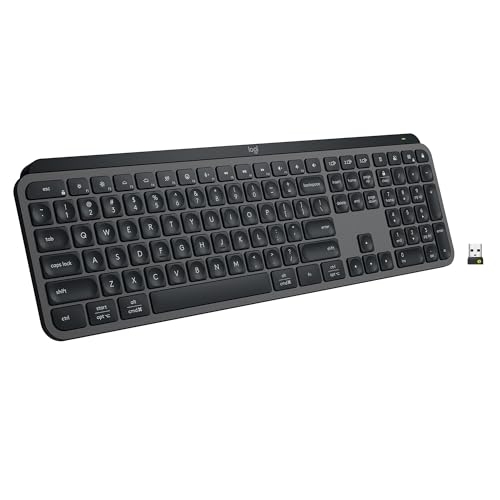
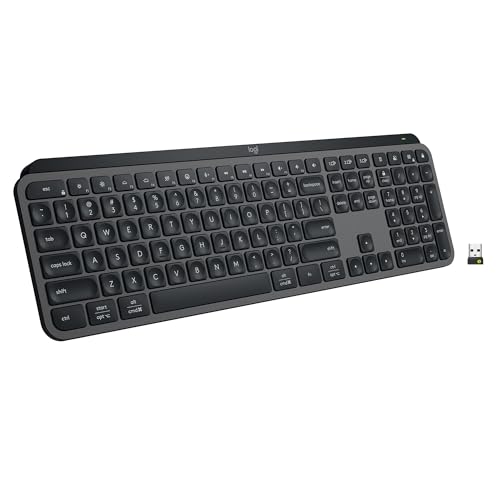
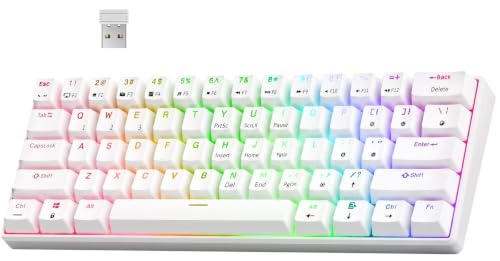
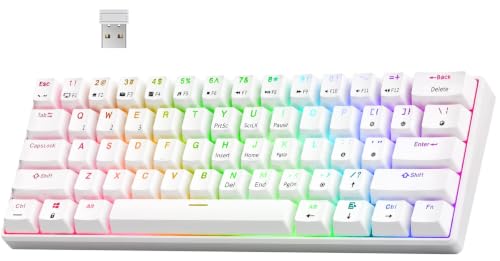
- RK ROYAL KLUDGE RK61 Wireless Mechanical Keyboard with Coiled Cable, White — Check on Amazon
- Keychron K8 Pro QMK/VIA Wireless Mechanical Keyboard, Hot-Swappable TKL Custom Programmable Macro Wired Keyboard with Gateron G Pro Blue Switch, White Backlit, PBT Keycaps for Mac Windows Linux — Check on Amazon

Frequently asked questions
Can you hot-swap switches while the keyboard is plugged in?
It is best practice to unplug or disconnect first. The swap is mechanical and quick, but working on a powered board risks shorting contacts with the puller or confusing the controller. Thirty seconds of caution is cheap.
Do all switches fit all hot-swap sockets?
Most mainstream switches share a standard pin layout and fit. Exceptions exist — some switches have different pin counts or housing shapes, and optical boards need their own switch type — so check compatibility for anything unusual.
Does hot-swapping wear out the keyboard?
Sockets are rated for many swaps and fail mainly through rough technique, like forcing bent pins. With straight pins and gentle, even pulls, sockets comfortably outlast typical ownership.
Is a hot-swappable keyboard more expensive?
Historically slightly, but sockets are now standard across most of the market including budget boards, so any premium has largely disappeared. Judge boards on overall quality rather than treating hot-swap as a luxury line item.
Can I mix different switches on one board?
Yes — a popular approach is firmer switches under large keys or a different feel on the WASD cluster. The board does not care; just keep track of what you fitted where if you like consistency.
How do I remove a switch safely?
Use a switch puller on the switch’s release tabs, squeeze gently, and rock the switch free with even pressure. Never yank, and straighten any bent pins before reinserting a switch.
Related Guides
Keep exploring with these guides and roundups from the same desk and audio cluster: