Hot-swappable vs soldered keyboard is a choice about how your switches attach — and therefore about how your keyboard can change over its life. Hot-swappable boards hold switches in sockets you can pull and replace by hand; soldered boards fix each switch to the circuit board with solder joints. The performance of the two is identical. Everything else — customisation, repair, price, and who should build your board — flows from that attachment method.
Short verdict: hot-swap is the right default for almost everyone in the current market, especially beginners and tinkerers. Soldered still makes sense for certain custom builds, specific switch choices, and buyers who know they will never change a switch. The criteria below show exactly where each approach earns its place, and What is a Hot Swappable Keyboard explains the socket hardware in detail if you want the mechanics first.
Disclosure: As an Amazon Associate, ilcastellomenu.com earns from qualifying purchases. Product details and availability can change; check the retailer listing before you buy.
Quick verdict: hot-swappable vs soldered keyboard
Hot-swap wins on flexibility, repair, and resale appeal; soldered wins on maximum switch compatibility in the custom scene and a certain build purity some enthusiasts prefer. Five years ago this was a genuine dilemma because hot-swap boards were the minority. Today most mainstream boards are hot-swappable, which tells you how the market judged the trade-offs.
The deciding question is simple: do you ever want to change how your keyboard feels without buying a new keyboard? If the answer is yes, maybe, or even ‘I do not know yet’, hot-swap is your answer, because it keeps the option open at no performance cost.
In this guide
Customisation and experimentation
Hot-swap turns switch choice from a purchase commitment into an experiment. Buy a board, live with its switches, then try a different set on a few keys — or across the whole board — for the cost of the switches alone. That freedom is the engine of the modern keyboard hobby: it is what makes projects like How to Lubricate Switches on a Keyboard practical for ordinary owners, since lubed switches can be fitted and removed at will.
Soldered boards can be customised too, but every change means desoldering and resoldering dozens of joints — an evening of skilled work with real risk of lifting a pad and damaging the board. Builders who solder typically do it once, deliberately, for a final build. Everyone else experiences solder as a wall between them and the switch set they are curious about.
Keycap and layout customisation is identical on both — sockets only govern switches — so the comparison is purely about the switch layer. But since switch feel is the soul of a mechanical board, as Keyboard Switch Types Explained makes clear, governing the switches means governing the board’s future.
Repair and maintenance
Switches are the main wear component of a mechanical keyboard, and they fail individually. On a hot-swappable board, a chattering or dead switch is a thirty-second fix with a puller and a spare — no tools beyond what ships in many board boxes. The fault-finding steps in How to Fix a Keyboard Key that is Not Working end very differently depending on which side of this comparison your board sits.
On a soldered board, the same fault needs a soldering iron, a solder sucker or wick, and the confidence to work on a live PCB design you cannot easily replace. Many owners sensibly pay a repair shop or retire the board instead. Neither outcome is a catastrophe, but multiplied across a board’s lifespan, hot-swap’s repair advantage is the most practical argument in this entire comparison.
Sockets themselves can wear or loosen after very many swaps, and a bent switch pin can damage a socket if forced — hot-swap is forgiving, not invincible. Treat sockets with the gentle technique described in the lubrication guide and they will outlast your interest in the board.
Switch compatibility and the custom scene
Here soldered fights back. A soldered PCB accepts any switch with the right pin layout, including switches whose housings or pin thicknesses fit sockets poorly, and it imposes no socket-alignment constraints on exotic builds. Dedicated custom keyboards — limited-run group-buy boards — have historically been soldered for exactly this freedom, plus the ability to offer multiple layouts from one PCB by soldering different positions.
Hot-swap sockets accept the overwhelming majority of mainstream switches, and the list grows yearly, but a small number of switches fit loosely or tightly enough to matter. If your heart is set on one specific niche switch, checking its socket compatibility is a real pre-purchase step, the same way How to Choose a Keyboard advises checking layout standards before ordering keycaps.
For the mainstream buyer this criterion is theoretical: the switches you can buy easily are the switches sockets are designed for. It becomes practical only deep in the custom hobby, at which point you will own a soldering iron anyway and the choice makes itself.
Cost, availability, and resale
Hot-swap boards dominate shop shelves at every tier, from budget boards to flagships, so availability and choice favour them overwhelmingly. Any price premium for sockets has effectively vanished in the mainstream market. Soldered boards persist in budget no-frills models and in the custom scene, where the soldering is part of the product’s identity rather than a cost saving.
Resale quietly favours hot-swap as well: a second-hand buyer can refresh a hot-swappable board with new switches and make it feel new, while a soldered board’s feel is fixed at whatever its switches have become. If you rotate gear often, that liquidity matters; if you buy one board for a decade, it matters not at all.
Either way, verify what you are buying — product pages do not always shout the socket situation, and ‘mechanical keyboard’ alone tells you nothing. The buying checklist in Keyboard Buying Guide includes socket type among its standard checks for this reason.
Who should choose which
Choose hot-swappable if you are new to mechanical boards, unsure of your switch preference, interested in lubing or tuning, or simply want repairs to be easy. Choose soldered if you are building a specific custom board around specific switches, enjoy soldering as part of the craft, or have found a soldered board whose stock feel you already know you love and never intend to change.
There is no wrong answer for a board you have tested and enjoy — the stock feel today beats hypothetical flexibility for some buyers. But for an untested purchase, flexibility is insurance, and hot-swap is the policy most buyers should hold. Confirm your new board’s health either way with how-to-test-a-keyboard when it arrives.
The second-hand and resale angle
Hot-swap changes what a used keyboard is. A second-hand hot-swappable board is a chassis awaiting switches of the buyer’s choice, so its value rests on case, PCB, and stabilisers — all inspectable, all durable. A second-hand soldered board is a feel frozen in time: its value rests on switches the buyer cannot easily change and cannot fully assess from photos, so it prices with a discount for uncertainty.
Sellers benefit symmetrically: a hot-swappable board can be sold with fresh, fashionable switches fitted, presenting as nearly new; a soldered board sells as it is. If you buy and sell within the hobby, this liquidity difference compounds across every transaction and quietly makes hot-swap the cheaper ecosystem to participate in, whatever the sticker prices say.
None of this matters to the buy-once owner, and this guide is not arguing it should. It matters to the growing share of buyers who treat keyboards as rotating equipment — and for them, socket choice is a financial decision wearing a technical costume.
Learning curves: what each choice asks of you
Hot-swap asks for minutes of learning: how to grip a puller, how to straighten a pin, how to seat a switch without forcing it. Soldering asks for an afternoon of learning plus equipment — iron, solder, extraction tools, ventilation sense — and a practice board’s worth of mistakes before the skill is trustworthy on hardware you care about. Both are learnable; they are simply different-sized doors, and buyers should choose the door they will actually walk through.
There is a real pleasure on the far side of the soldering door: building a board joint by joint is a craft experience hot-swap cannot replicate, and the custom scene’s loyalty to solder is partly this — the making is the hobby. If that sentence excites you, it is data. If it sounds like homework standing between you and typing, that is also data, and it points at sockets.
Schools of thought aside, the pragmatic hybrid exists: buy hot-swappable boards for daily use and, if curiosity grows, learn soldering on an inexpensive kit built for the purpose. Skills acquired on a kit endanger nothing you depend on, which is how crafts should be learned.
What breaks, what wears, and what it costs
Cost the failure modes honestly. Hot-swap’s characteristic failure is a damaged socket — rare, usually self-inflicted by forcing a misaligned switch, and sometimes repairable by a technician or worked around by retiring one position’s switch to a different role. Soldered’s characteristic failure is the lifted pad during desoldering — also usually self-inflicted, also technician territory. Both technologies punish haste; neither punishes normal use. The difference is frequency of exposure: hot-swap invites a hundred low-risk interactions, solder concentrates risk into a few high-skill ones.
Wear follows the same pattern. Sockets are rated for repeated swaps far beyond typical ownership; solder joints do not wear at all in normal service. A buyer performing weekly switch rotations is hot-swap’s design centre; a buyer performing one careful build is solder’s. Match the technology to your interaction frequency and both reliability stories become excellent.
Group buys, kits, and the hobby’s supply chain
The custom keyboard world runs on group buys and kits, and its socket choices explain the market’s direction: kits increasingly ship with hot-swap PCBs as standard because they widen the buyer pool to everyone unwilling to solder, while solderable PCBs persist as options for layout flexibility. Even the stronghold is converting, not from ideology but from arithmetic — more buyers can finish a hot-swap kit, so more kits get made.
For a newcomer, that arithmetic is a gift: the kit path — case, PCB, switches, caps assembled at home — now delivers a genuinely custom board with no iron involved. If the destination was always a board that is yours in a way retail cannot match, hot-swap has quietly become the road there, and solder remains the scenic route for those who want the journey itself.
Making the decision with a borrowed board
If you can borrow either type for a week, the experiment that settles this comparison is not typing — both type identically — it is the swap urge. Fit the borrowed hot-swappable board, live with it, and notice whether you once think ‘I wonder how this would feel with—’. If the thought never comes, solder’s permanence costs you nothing and its custom freedoms may serve you. If the thought comes twice, you have met your answer and it has sockets.
That small experiment outperforms this entire article, because the comparison is not really about hardware. It is about whether you are a person who iterates on tools or a person who selects them finally. Both are respectable; they simply shop differently, and the market — unusually — serves both well.
One last myth: that you must choose forever
Nothing prevents owning both: a hot-swappable daily driver that evolves with your taste, and a soldered custom build that embodies one perfect, finished idea. Many collections hold exactly that pair, because the technologies answer different desires — the workshop and the monument. Framing the choice as a lifetime allegiance flatters neither technology and burdens a simple purchase with false weight.
Choose for the board in front of you and the use in front of it. The next board gets its own decision, informed by this one, and that sequence of informed decisions — not any single verdict — is what a good setup is actually made of.

What actually happens when a switch dies: two repair stories
A switch failure is the moment this comparison stops being theoretical, so walk through it on both boards. On the hot-swappable board, the story is short. You notice the R key doubling during an evening’s typing. You pull the keycap with the tool in your drawer, pull the switch with the puller beside it, press in a spare from the small box every hot-swap owner accumulates, replace the cap, and type the sentence again. Elapsed time, perhaps four minutes, most of it finding the spare. The board never leaves the desk, the layout never changes, and the incident is forgotten by morning.
On the soldered board, the same doubling starts a project. The board must be opened — which on many designs means removing every keycap and several screws — the two joints of the faulty switch desoldered with a pump or wick, the switch freed without lifting a pad, a replacement aligned and soldered, and the board reassembled and tested. For a practised hand with tools on the bench, it is a satisfying half hour. For everyone else it is a repair bill, a borrowed board in the meantime, or a quiet decision to live with the fault until it justifies a new keyboard. Neither story makes one design better in the abstract; they reveal that the comparison is really about who performs repairs in your household, and with what tools already owned.
The experimenter’s ledger: what switch swapping actually costs in time
Customisation is the headline argument for hot-swap, and it is real — but it should be entered in the ledger honestly, in time as well as money. A full switch swap on a full-size board means pulling and replacing around a hundred keycaps and a hundred switches, testing each one, and reseating any that sit crooked. Budget an unhurried hour the first time, half that once practised. Trying three switch sets across a board in a month is three such sessions plus the decision fatigue of comparing feels you can no longer A/B directly, because the previous set is in a bag.
The soldered board’s experiment cost is higher per change — which produces an unexpected benefit: commitment. Soldered owners choose switches the way you choose a mattress, carefully and once, and then adapt to them completely. Hot-swap owners can fall into perpetual audition, where the board is never finished and typing is always partly an evaluation. Neither pattern is foolish, but know which person you are. If you finish projects, hot-swap is pure gain. If you tinker indefinitely when given the chance, a soldered board’s friction may protect your evenings better than any feature.
Socket wear, pin damage, and the maintenance hot-swap quietly requires
Hot-swap sockets are mechanical contacts, and they wear. Each insertion bends the socket’s leaves slightly; sockets are rated for many swaps, but enthusiastic swapping of the same few positions — the WASD cluster on a gaming board, the home row on a test board — ages those sockets fastest. A socket that has loosened announces itself as an intermittent key that works when pressed firmly and drops when struck lightly. The fix is usually gentle: reseat the switch, check its pins are straight, and if the pins show flat spots or bends, straighten or replace the switch before blaming the socket. Bent pins, in fact, cause more ‘dead socket’ reports than sockets do — a pin folded during insertion never reaches the contact at all.
Insertion technique is the prevention. Align the pins with the socket holes by sight before applying pressure, press straight down with even force, and stop if resistance feels wrong — forcing a misaligned switch is how pins fold and, in the worst case, how a socket is torn from the board. A torn socket is the one genuinely serious hot-swap injury, and it converts your no-solder board into a soldering job. Work lit, work slowly, and treat the first swap on any new board as the careful one that teaches your hands its tolerances.
The soldered board’s hidden virtues, taken seriously
Soldered boards are often described as hot-swap boards minus a feature, which undersells them. A soldered joint is electrically and mechanically definitive: no contact to oxidise, loosen, or be defeated by a bent pin, and a switch that cannot rock in a socket because it is fixed to the board. Some of the most rigid, consistent-feeling boards ever made are soldered, and some premium customs still offer soldered PCBs deliberately — for layout flexibility, since a soldered PCB can support multiple layouts on one board by offering alternative switch positions that sockets cannot economically cover.
That last point matters to layout enthusiasts: split backspace, stepped Caps Lock, alternative bottom rows — soldered PCBs often support combinations that hot-swap versions of the same board must fix at the factory. If your ideal layout is unusual, the soldered variant may be the only route to it. The honest framing, then, is not old versus new or limited versus free; it is a trade between serviceability and a particular kind of flexibility and solidity, and reasonable builders choose each side of it for good reasons.
Buying second-hand: how the distinction changes what to check
In the used market, the two designs age differently and should be inspected differently. A used hot-swappable board’s risk concentrates in its sockets and its history of swaps: ask how often switches were changed, then test the high-traffic positions — the gaming cluster, the home row, the spacebar switch — with deliberate light presses, hunting for intermittency. Pull a few switches and look at the pins and sockets; you are buying the contacts as much as the board. Also ask which switches are installed and whether the originals are included, since a board’s value rides partly on its current set.
A used soldered board’s risk concentrates in its joints and its modifier history. Look — or ask for photos — inside if the seller has opened it: reworked joints that are dull, blobby, or surrounded by scorched board tell a story of repairs done by learning hands. Ask directly whether any switch has been replaced and whether any key has ever doubled or died. A soldered board that has never been opened and tests perfectly is arguably the safest used purchase of all, because nothing about its electrical life has been disturbed. Either way, the systematic checks in the full keyboard testing routine apply unchanged, and they matter more on a board with a past than on a new one.
Kits, group buys, and building it yourself: where the choice is made for real
If you move from buying boards to building them, this comparison becomes a design decision you make personally, and the hobby’s infrastructure supports both answers. Kits ship with hot-swap PCBs as the default because they serve builders who want assembly without soldering equipment, and because a kit that can change switches suits the experimentation kits are bought for. Soldered kit PCBs persist for the layout reasons above and because some builders simply enjoy soldering — a legitimate reason that needs no further defence, since a hobby’s pleasures are part of its point.
First-time builders should weigh one practical factor above the philosophy: error recovery. A hot-swap build that misbehaves points at a switch or a seating, correctable in minutes. A soldered build that misbehaves may point at a joint, a diode, or a controller, and diagnosing it teaches electronics whether you wanted the lesson or not. Many builders therefore start hot-swap, learn what they like, and solder their second build with their preferences already known — using the first board exactly as the experiment platform the technology intends. If you are speccing a first build, the broader selection framework in the complete keyboard buying guide will help you place the PCB choice among the other decisions a kit demands.
Decision shortcuts for five common buyers
- The one-board-for-a-decade buyer: hot-swappable, because a decade guarantees at least one switch failure and several changes of taste, and both should be cheap.
- The layout perfectionist: possibly soldered, if your ideal layout needs the alternative positions only a soldered PCB offers — verify before assuming the hot-swap version matches.
- The renter of keyboards, who upgrades yearly: hot-swappable, because switch sets you keep across boards soften every upgrade, and used hot-swap boards sell easily to the next experimenter.
- The buy-it-and-forget-it professional: either, honestly — buy the board whose feel and layout are right, and let this distinction be the tiebreaker it deserves to be at this level of involvement.
- The parent buying for a shared family computer: hot-swappable, because the first spill or dead key becomes a five-minute fix instead of a replacement conversation.
- The aspiring builder: hot-swap first for error recovery, soldered later for pleasure and layouts — in that order, for the reasons above.
Underneath all five sits the same principle that runs through this whole comparison: the distinction matters in proportion to how much of your board’s life you intend to spend changing it. Answer that honestly and the choice makes itself, which is what a good comparison is for.
How many swaps is a socket’s life? Ratings, reality, and habits
Socket manufacturers rate their contacts for a number of insertion cycles, and the ratings are comfortably high for ordinary use — far beyond what a board sees when its owner changes switches a few times a year. The gap between rating and reality appears in two habits. The first is using one board as a switch tester, cycling the same sockets through dozens of switches at a sitting, repeatedly; testers and reviewers do this, and they are the users who report worn sockets. The second is careless insertion, which damages in one press what careful use would not damage in a hundred. For the ordinary owner — a full swap now and then, a single switch here and there — socket lifespan is not a planning factor, and worrying about it should not steer the purchase.
Soldered joints have the mirror-image profile: essentially unlimited life if never disturbed, and a small risk introduced each time they are reworked by heating. A soldered board desoldered once by a skilled hand is fine; a board desoldered five times by a learning one accumulates lifted pads and tired traces. Both technologies, in other words, tolerate their intended use indefinitely and punish repeated surgery. The choice between them is not about which survives use, but about which kind of surgery your life with the board is likely to involve.
The travel and spare-board angle
Hot-swappability quietly changes logistics beyond the main desk. A traveller who carries one board can carry two switch personalities — a quiet set for shared spaces, a preferred set for the hotel desk — in a pouch smaller than a phone, rather than carrying two boards. An owner with a hot-swap main board also owns, in effect, a diagnostic kit: any suspect switch can be tested in a known-good socket and any suspect socket with a known-good switch, which makes the troubleshooting method in the testing guides dramatically faster to execute.
The soldered counterpoint is that a soldered board is the better traveller in one respect: nothing can work loose. Switches cannot creep in sockets under vibration, because there are no sockets. For a board that lives in bags and venue desks, that solidity is worth something, and it is why some touring players solder deliberately. As ever in this comparison, the right answer follows from the life the board will actually lead, not from the feature list.
Resale and the used market, from the seller’s side
If you sell equipment on, the distinction affects your listing as much as your purchase. A hot-swappable board sells with its current switch set as part of the pitch, and unusual or premium switches can carry the value; it also sells to a wider pool, because buyers know they can change what they dislike. Disclose the swap history honestly — a board on its first set of switches and a board on its fifteenth are different goods — and include the original switches if you have them, since completeness prices well.
A soldered board sells on condition and originality. An unopened, unmodified soldered board with a clean test result is a simple, trustworthy listing. A soldered board with a history of repairs needs the repairs disclosed and, ideally, photographed well enough to show clean work; good soldering is visible, and showing it converts a liability into evidence of care. Either board, tested systematically and described accurately, finds its buyer — the used market for keyboards is deep precisely because both designs hold their value in their different ways.
What to do while you decide: living with the choice you have
Many readers of this comparison already own one of the two and are really asking whether to switch camps. The useful interim advice is to extract your current board’s version of the other side’s virtues. Soldered owners can approximate experimentation by trying switch testers and switch sample packs on a cheap hot-swap tester board before committing to any desoldering — learning their preferences at trivial cost and risk. Hot-swap owners can approximate commitment by choosing one set, installing it, and leaving the puller in a drawer for a season; many discover the auditioning was the hobby and the typing is better settled.
And if a soldered board you love develops a dead switch, do not let this comparison talk you into replacing the board. One switch replacement is the smallest job in soldering, repair cafés and electronics shops do it routinely, and a board you love is worth a single repair. The distinction between the designs matters at purchase time and across years of changes; it should never talk you out of a board that already makes you happy.
Group dynamics: what your household’s other typists inherit
A board’s serviceability is a household property, not just an owner’s. On a shared computer, a hot-swappable board means the person who notices a faulty key can fix it in minutes with the spare switches in the drawer, without waiting for the household’s designated technician or a repair budget. It also means a shared board can carry different switch personalities for different users only in theory — swapping a full set per user is nobody’s habit — but it can carry one repaired, consistent feel for everyone, maintained by whoever gets there first.
The soldered board on a shared desk offers the opposite social contract: nobody opens it, nobody adjusts it, and it presents the same face to every user until the day it is professionally repaired or replaced. Households that value appliances over instruments often prefer exactly that. Name which household yours is before the feature list decides for you.
The sound-tuning path on each design
Sound tuning is where hot-swap’s advantage compounds quietly. Tuning a board’s sound is an iterative process — change a variable, type, judge, change another — and switches are the largest single variable. A hot-swap owner iterates in an afternoon: three switch sets across the same case isolate the switch’s contribution from the case’s, which is the only way to learn what your board actually needs. A soldered owner iterates across purchases or not at all, and must therefore buy sound conservatively, choosing boards whose stock character is already documented to please them.
Case-side tuning — foam, films, tape, plate choices — is available to both, and for many boards it matters more than the switch. But the diagnostic clarity belongs to hot-swap: when you can change one variable at a time, you stop guessing. If sound is a major reason you are shopping, weight this heavily; if sound is a minor preference, the soldered board’s buy-it-right-first-time discipline is perfectly workable.
Warranty and support: reading the fine print that mentions you
Warranty terms interact with this choice in ways worth checking before purchase. On hot-swappable boards, confirm that user switch-swapping is explicitly permitted — on reputable boards it is the product’s purpose, but confirm anyway, and note whether switches you install yourself fall outside coverage while the board remains covered. On soldered boards, understand that any switch repair you perform yourself almost certainly ends the warranty, which converts the board’s repairability from a DIY virtue into a service-centre question: ask where repairs happen and how long they take before you need to know.
Support quality differs by maker more than by design, but one pattern holds: hot-swap makers expect user involvement and write their support accordingly, with guides and spare parts; soldered makers expect returns and write theirs accordingly, with processes and labels. Neither is better. Both are miserable when the maker does neither — so let the maker’s support reputation, easily sampled from owner communities, break ties that the technology comparison leaves open.
The beginner’s first year, simulated for both designs
Simulate the first year honestly. The hot-swap beginner buys a board, loves it for a month, reads about switches, orders a sample set, swaps the letter keys, swaps them back, tries a heavier spacebar switch, and ends the year with a board subtly but genuinely fitted to their hands, a small parts collection, and strong opinions. The soldered beginner buys a board, loves it or does not, adapts either way, and ends the year typing faster than they started with money unspent and evenings unclaimed. Both years are successes. They are successes for different definitions of the hobby — participation versus use.
The failure years are equally distinct. The hot-swap failure is the drawer of unfinished experiments and a board mid-project during a busy month. The soldered failure is the board whose one wrong trait — a switch too heavy, a sound too sharp — could not be corrected and was endured, then resented, then replaced whole. Choosing your design is, in the end, choosing which failure you are better protected against by temperament: guard against your own tinkering, or against your own intolerance of an unfixable trait.
A short glossary for the product listings
- Hot-swap socket: the receptacle soldered to the board that grips a switch’s pins; the part that wears, and the part a torn repair implicates.
- Mill-max and aftermarket sockets: socket hardware sometimes fitted to soldered boards to convert them; a specialist modification, not a beginner project.
- 3-pin and 5-pin switches: switch variants differing in extra plastic locating pins; most hot-swap boards accept both, sometimes with the extra pins clipped — check before ordering.
- Plate-mount and PCB-mount: how a switch is stabilised, by the plate or by those extra pins into the board; relevant to wobble and to which switches fit your board.
- Lifted pad: the classic desoldering injury, where a copper contact tears from the board; the fault that turns a switch replacement into a board repair.
- Switch puller: the small tool that releases a hot-swap switch’s clips; using anything improvised instead is how housings and plates get marked.
Keep the glossary beside you when reading listings, because sellers use these terms precisely when the detail matters and loosely when it does not. A listing that specifies socket type, pin compatibility, and plate style is a listing written by someone who expects an informed buyer — usually a good sign about the product behind it.
The environmental and longevity footnote
Longevity arguments usually favour hot-swap, and mostly they should: a board whose wear parts swap in minutes is a board with no scheduled death. But the full accounting includes the ecosystem’s consumption — the spare switch sets, the replaced keycaps, the accessories a serviceable board invites its owner to buy — against the soldered board’s austere single purchase. A soldered board kept for a decade, repaired once professionally, may consume less in total than a hot-swap board continuously refined. As with most footprint questions, the owner’s behaviour swamps the design’s contribution.
The disposal end is clearer. A hot-swappable board can be stripped into switches, caps, case, and electronics by hand, each stream reusable or recyclable, and its parts have a resale and reuse market that keeps them in service. A soldered board reaches the same end only with tools and effort most owners will not spend. If end-of-life matters in your purchasing, count it as one more point — a modest one — on hot-swap’s side of a ledger that this guide has tried to keep honest in both directions.
Either way, the longest-lived keyboard is the one its owner likes enough to maintain, and liking is decided by feel and layout long before it is decided by sockets. Choose the board you will keep; the design that serves it is the right design.
A final check before you commit
Before money moves, run the shortest version of this guide’s method. Ask how many times you realistically expect to change or replace a switch in this board’s life — honestly, from your history with your current board, not from your intentions tonight. Ask whether your ideal layout needs positions only a soldered board offers. Ask who would repair a dead key in your household, and with what tools already in the house. Three answers, and the design chooses itself: frequent changes and household repairs point one way, unusual layouts and professional servicing point the other, and a shrug on all three means the distinction should be the last tiebreaker you consult, after feel, layout, and sound have had their say.
That is the whole decision, and it takes less time than choosing the switches themselves.
Gear mentioned in this guide
The products below are examples referenced in this guide. They were verified through the Amazon Creators API product pool for this site; use them as concrete reference points for the features discussed, not as a ranked list.
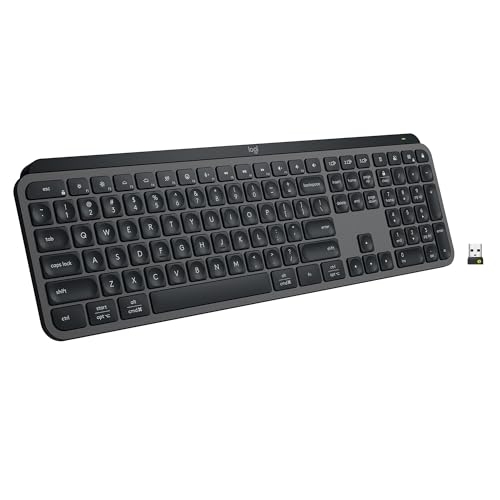
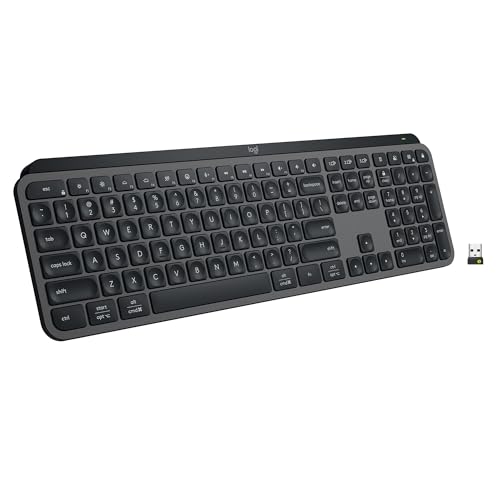
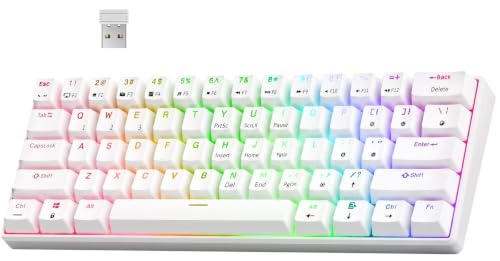
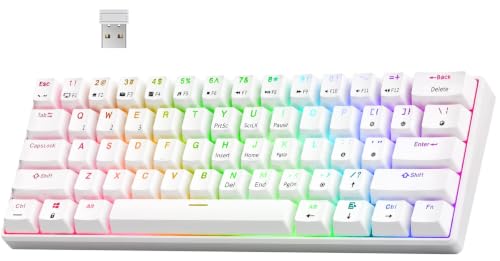
- RK ROYAL KLUDGE RK61 Wireless Mechanical Keyboard with Coiled Cable, White — Check on Amazon
- Keychron K8 Pro QMK/VIA Wireless Mechanical Keyboard, Hot-Swappable TKL Custom Programmable Macro Wired Keyboard with Gateron G Pro Blue Switch, White Backlit, PBT Keycaps for Mac Windows Linux — Check on Amazon

Frequently asked questions
Does hot-swap affect how a keyboard feels or performs?
No. The socket only changes how the switch connects. Feel, sound, and registration are identical to a soldered board using the same switches, plate, and case.
Can any switch go into a hot-swappable board?
Most mainstream switches fit, but a few have pins or housings that sit loosely or tightly in sockets. Check compatibility for niche switches, support the socket from behind on tight fits, and never force a switch — bent pins are the usual culprit when a swap goes wrong.
Is soldering a keyboard hard to learn?
Basic switch soldering is among the gentler electronics skills, and many builders learn on a first custom board. Desoldering for repairs is the trickier half. It is learnable, but it is equipment and practice that hot-swap owners simply do not need.
Why do custom keyboards still use solder?
Soldering frees the PCB from socket constraints, supports multiple layouts on one board, and accepts every compatible switch. In the custom scene those freedoms, and the build ritual itself, are features rather than inconveniences.
Can a hot-swap socket wear out?
Sockets tolerate many swaps but are not immortal; rough technique or forcing misaligned pins can loosen or damage them. Gentle, straight pulls and properly straightened pins keep sockets healthy for the life of the board.
Should a beginner pay more for hot-swap?
In the current market there is rarely a premium to pay — most boards at every tier include sockets. If you do face a choice at equal quality, hot-swap is the safer beginner purchase because your switch taste will evolve.
Related Guides
Keep exploring with these guides and roundups from the same desk and audio cluster: