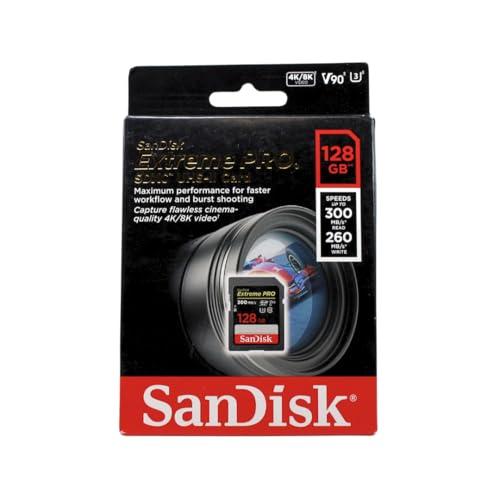
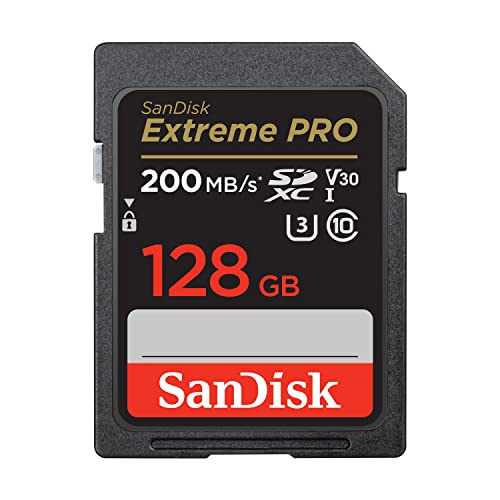
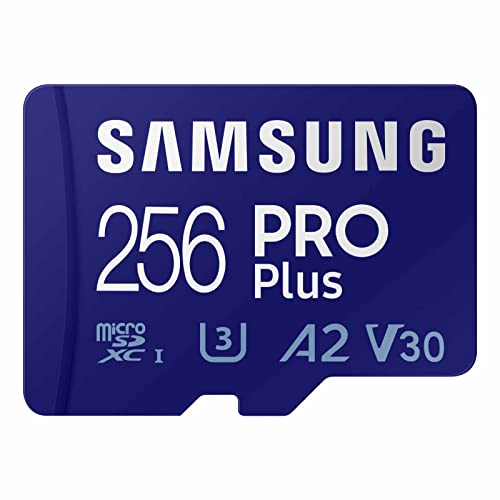
The UHS-I vs UHS-II SD card decision turns on one mechanical fact: UHS-II cards carry a second row of contact pins that roughly doubles the bus ceiling (and enables V60/V90 sustained-write classes), but that speed only exists when the camera or reader at the other end also has the second row — a UHS-II card in a UHS-I camera runs at UHS-I speed, and a UHS-I card in a UHS-II camera gains nothing either. So the verdict splits cleanly: if your camera is UHS-II and you shoot high-bitrate video or long bursts, UHS-II cards (V60 or V90) are worth it; if your camera is UHS-I, a top UHS-I V30 card is the smarter buy and the extra money belongs elsewhere.
Both standards share the same capacity families and the same V-class language, which is why they are confused so often. This comparison separates bus speed from write guarantees, because the two are independent: the bus is the width of the road, the V-class is the guaranteed cruising speed, and you need the right one of each for your camera. The selection framework is in How to Choose an Sd Card; the V-classes themselves are decoded in What is a V30 Sd Card.
Disclosure: As an Amazon Associate, ilcastellomenu.com earns from qualifying purchases. Product examples below link to Amazon, where you can check current availability and specifications; this guide itself lists no fixed prices because pricing and bundles change frequently.
UHS-I vs UHS-II SD card at a glance.
| Criterion | UHS-I | UHS-II |
|---|---|---|
| Contact pins | Single row | Second row added |
| Bus ceiling | Up to ~104MB/s class transfers | Up to ~312MB/s class transfers |
| Video classes available | V10, V30 | V30, V60, V90 |
| In a mismatched slot | Runs in UHS-II hosts at UHS-I speed | Runs in UHS-I hosts at UHS-I speed |
| Best use | Most cameras, 4K video, everyday bursts | High-bitrate video, fast bursts, rapid offload |
| Reader needed for full speed | Any UHS-I reader | UHS-II reader required |
| Typical price position | Mainstream | Premium, rising steeply at V90 |
What the Bus Difference Actually Buys
Faster ceilings, in both directions
UHS-II’s second row of pins doubles-plus the interface bandwidth, which shows up in two places. In the camera, writes can run faster — enabling the V60 and V90 sustained classes and letting burst buffers clear noticeably sooner, so the camera is ready for the next sequence while a UHS-I card is still digesting the last one. At the computer, a UHS-II reader empties a full card in a fraction of the time, which for a wedding or sports shooter ingesting hundreds of gigabytes is not a luxury but a schedule. Measure your own cards the way How to Test the Speed of an Sd Card describes and you will see the bus ceiling clearly: the same card, two readers, two completely different results.
What it does not buy: compatibility or magic
A UHS-II card does not make a UHS-I camera faster at anything — not recording, not bursts, not playback. Nor does bus speed change a card’s V-class guarantee by itself: a V30 UHS-II card guarantees the same 30MB/s sustained write as a V30 UHS-I card. Buyers routinely pay the UHS-II premium expecting a general speed-up in an incompatible camera and receive none of it. Check the camera’s specification for ‘UHS-II’ explicitly; if it is not printed there, it is not in the camera, whatever the card slot looks like.
In this guide
Video Classes: Where UHS-II Becomes Necessary
V30 covers most 4K; V60/V90 cover the rest
The majority of cameras recording 4K do so at bitrates a V30 card sustains comfortably, on either bus. The exceptions are high-bitrate modes — all-intra codecs, high-frame-rate 4K, 6K and 8K recording — whose data rates exceed the V30 floor; those cameras offer V60 or V90 requirements in their manuals and are almost always UHS-II bodies. This is a requirement, not an upgrade path: if the manual demands V60, a V30 card will stop recordings regardless of bus. The camera lists in Best Sd Cards for 4K Video and Best Sd Cards for Video sort cards by exactly these classes.
Stills shooters: bursts and buffer depth
For stills, the relevant figure is how fast the buffer drains, which tracks the card’s write speed in that camera. Sports and wildlife shooters on UHS-II bodies feel the difference immediately in long bursts; portrait and landscape shooters who rarely fire more than a few frames will not. Judge by your shooting, not by the flagship’s spec sheet — and if you are equipping a specific body, the tailored lists for cameras like those in Best Sd Cards for Sony A7iii and Best Sd Cards for Canon R5 already encode the right class.
Cost and the Sensible Buying Strategy
The premium is real, so spend it only where it lands
UHS-II cards cost meaningfully more than UHS-I at the same capacity, and V90 sits at the top of the range. In a UHS-II camera used to its abilities, that premium buys performance every single shoot. Everywhere else it buys nothing at all. The rational strategies: UHS-I camera — buy the best UHS-I V30 card and a fast UHS-I reader; UHS-II camera — buy V60 as the value point, V90 when your bitrates or burst habits demand it, and a UHS-II reader so offload speed completes the package. Do not mix the strategy halfway (flagship card, bargain reader) — the chain is only as fast as its slowest link, as How to Test the Speed of an Sd Card demonstrates.
Future-proofing, honestly assessed
Buying UHS-II cards today for a camera you might buy later is defensible only if the upgrade is genuinely planned: the cards work perfectly (at UHS-I speed) in the meantime, and card prices drift down over time, eroding the ‘investment’. For most buyers the money is better held until the camera arrives. What never makes sense is the reverse — equipping a UHS-II camera with UHS-I cards to save money, then blaming the camera for slow buffer clearing. Match the card to the body you own, using Sd vs Microsd Card if form factor is also in play, and revisit the question when the body changes.
Dual-Slot Cameras and Mixed Strategies
Many UHS-II cameras have two slots, and they are rarely identical — a UHS-II slot beside a UHS-I slot is a common layout. That asymmetry creates a strategy question this comparison should answer.
How to equip a mixed-slot body
Decide what the second slot is for. As overflow, it takes whatever card is next in the wallet, and a UHS-I card there costs nothing until the first card fills mid-event. As a backup writing every file twice, the pair writes at the slower card’s speed — a UHS-I backup quietly caps the UHS-II primary’s burst clearing, which may or may not matter to your shooting. As a format split (RAW to one, JPEG or video to the other), the video card’s class follows the video bitrate and the stills card follows your burst habits. There is no universal answer, but there is a universal method: identify which slot limits the job you care about, spend the UHS-II money there, and let the other slot be economical. The camera-specific lists, such as Best Sd Cards for Canon R5 and Best Sd Cards for Sony A7iii, encode exactly these judgements per body.
The reader completes the system
A UHS-II workflow with a UHS-I reader is a sports car with a garden gate: the offload, which for high-volume shooters is the largest single time cost, runs at the old speed. Budget the reader with the first UHS-II card, verify the whole chain with the method in How to Test the Speed of an Sd Card, and judge the upgrade by the full shoot-to-delivered time, not by the camera’s buffer alone. Upgrades evaluated end-to-end rarely disappoint; upgrades evaluated at one link often do.
Reading a Camera's Card Requirements Like a Professional
Manufacturers publish the answer to this entire comparison, per camera, in a place most buyers never open: the manual’s recording-media section and the bitrate table of its video modes.
The two pages that decide
Page one lists supported media: card types, buses, and any capacity ceiling. If UHS-II is absent there, this comparison is over for that camera. Page two lists each video mode’s bitrate; divide the highest you will use by eight and choose the V-class whose floor clears it — V30 to 240 megabits, V60 beyond, V90 for the flagship modes. Stills shooters add one judgement: burst depth tolerance. If you shoot short, considered bursts, buffer clearing speed is a convenience; if you shoot action in long sequences, it is the product. Two pages and one honest self-assessment — that is the entire decision procedure, and it generalises to every future camera, which is more than any single product recommendation can offer.
Offload Economics: What the Faster Bus Saves a Working Shooter
The in-camera differences get the headlines, but for high-volume shooters the reader-side arithmetic is where UHS-II pays its rent. Run the numbers on a real workflow.
An evening's ingest, costed in time
A wedding or sports day can produce several hundred gigabytes across cards. At UHS-I’s practical transfer rates, ingesting that volume is a long, attended chore at the end of an already long day; at UHS-II rates through a matched reader, the same ingest shrinks to a fraction — time returned to culling, editing, or sleep. Multiply by a season of events and the bus premium has purchased days. This is why the professional calculus differs from the hobbyist’s: the hobbyist buys UHS-II for the camera’s buffer, uses it twice a month, and may never recoup it; the professional buys it for the deadline, uses it two hundred times a year, and recoups it by spring. Neither is wrong — the comparison’s job is to make each buyer recognise which arithmetic is theirs, using their real shooting volume rather than the volume they aspire to.
The chain audit before you spend
Before buying into UHS-II, audit the whole chain for the link that will actually limit you: camera bus, card class, reader bus, computer port, and destination drive speed. A UHS-II card read through a UHS-II reader into a machine whose only free port is an old, slow one delivers UHS-I’s evening with UHS-II’s invoice. The audit takes ten minutes with specification pages and the testing method in How to Test the Speed of an Sd Card, and it routinely redirects the budget to the true bottleneck — sometimes the reader, sometimes the port, occasionally the humbling discovery that the camera was UHS-I all along and the correct purchase was a better UHS-I card and a faster reader for it.
Gear for This Guide
The examples below come from our Creators-API-verified product pool and illustrate the card classes discussed in this guide. They are examples, not a ranked list — use the ratings and checks in this article to judge any card, including newer revisions.
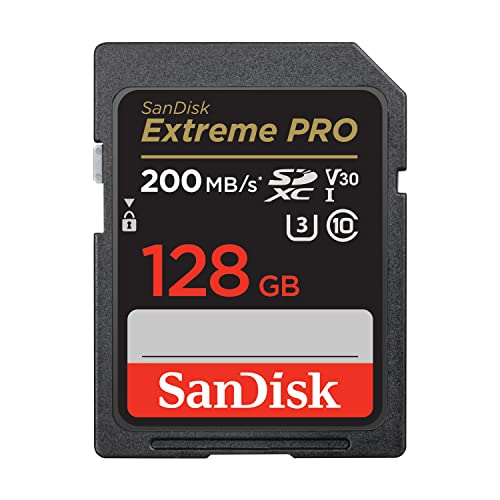
SanDisk 128GB Extreme PRO SD (UHS-I, V30)
The top of the UHS-I class: proof that a well-made UHS-I card covers 4K video in the great majority of cameras, with read speeds at the bus’s practical ceiling. SanDisk 128GB Extreme PRO SD (UHS-I, V30) — Check on Amazon

SanDisk 128GB Extreme PRO SDXC UHS-II (V90)
UHS-II with a V90 rating is the flagship combination — the card class for 8K-capable and high-bitrate cinema cameras and the fastest possible offloads through a UHS-II reader. SanDisk 128GB Extreme PRO SDXC UHS-II (V90) — Check on Amazon

Lexar 128GB Professional 1667x SD (UHS-II, V60)
A V60 UHS-II card occupies the value middle of the UHS-II range: the fast bus and buffer clearing, without the flagship V90 premium. Lexar 128GB Professional 1667x SD (UHS-II, V60) — Check on Amazon
UHS-I vs UHS-II SD card: The Short Version
UHS-II pays only when both ends have the pins: the camera, the card and the reader. Match all three to your actual bitrates and burst habits, and the premium becomes performance instead of decoration.
Scenario Head-to-Heads: Where the Second Row of Pins Earns Its Keep
The sports and wildlife shooter
This is UHS-II’s home fixture. Long bursts at full frame rate fill the buffer relentlessly, and the working day is measured in how little of it is spent watching a busy light. The faster bus clears the buffer in a fraction of the time, which compounds across hundreds of bursts into a different working rhythm — the camera is ready when the next moment arrives, not recovering from the last one. If your living is made in those margins, the card’s premium is not a luxury tax; it is the price of the moments the slower bus would have missed, and it should be evaluated against the value of one kept frame, not against the price of the UHS-I card it replaces.
The wedding and events shooter
Bursts here are shorter and the pressure is different: two bodies, two slots each, a day that cannot be reshot, and an offload at midnight that stands between the shooter and sleep. UHS-II earns its place in the primary bodies for buffer insurance during the ceremony’s unrepeatable peaks, and at the reader at midnight, where its read speed halves the ingest of a very long day. The second bodies and backup cards can honestly be UHS-I, because their bursts are lighter and their footage is the safety copy. This mixed fleet — flagship cards where the peaks live, honest cards everywhere else — is how most working event kits are actually built, whatever the marketing says about matching sets.
The hybrid shooter and the solo creator
Video sets this verdict, not stills. If your body’s demanding modes require the higher sustained classes that live on UHS-II cards, the bus question has already been answered by the recording specification, and UHS-I is not a saving but an incompatibility with the modes you bought the camera for. If your video is modest and your stills are unhurried, the reverse holds with equal force: UHS-II buys you an offload speed you will enjoy weekly and a buffer clearance you will rarely need, and the honest question is whether that convenience, priced across the several cards a working kit needs, beats the lenses, lights or audio gear the same money could become. Solo creators feel this trade most sharply because every pound does two jobs in their budget — and because their bottleneck is often not the card at all, but the edit, the upload or the next idea.
The Reader and the Rest of the Chain, Revisited as a System
A UHS-II card is a promise that three other components must keep. The camera’s slot must carry the second row of contacts — a fact to verify in the body’s specification rather than assume from its price, because respected cameras have shipped with UHS-I slots in UHS-II price brackets. The reader must be a true UHS-II reader, and the counterfeit-adjacent corner of the accessory market is full of readers that accept the cards physically while speaking only the slower bus, silently taxing every offload for years. And the computer’s port and storage must absorb the flow, because a fast reader feeding a slow drive through a slow port is a motorway ending at a toll booth. Audit the chain as one purchase: card, slot, reader, port, drive. The system performs at its weakest link, and the weakest link is very often the cheapest component in it — which is either reassuring, because the fix is inexpensive, or maddening, because the expensive card was never the problem. Test the chain with a stopwatch and a large offload before blaming any single link, and record the result in your kit notes, so the next upgrade targets the link that is actually slow.
Heat, Power and the Costs Nobody Puts on the Box
The faster bus is not free in physics either. UHS-II operation draws more power and produces more heat in both card and camera, which shows up in the margins of real work: slightly shorter battery runs in heavy burst sessions, a card that comes out of the slot noticeably warm after a long ingest, a small camera body working its thermal design harder on a summer assignment. None of this is a reason to avoid the bus — the amounts are modest and the engineering accounts for them — but it completes the honest ledger. UHS-II buys speed with money, power and warmth; UHS-I buys endurance, cool running and economy with time. A shooter choosing for a long day on small batteries, or for a body already known to run warm in video, is entitled to weigh those costs beside the buffer arithmetic, and a few do choose the slower bus for exactly those reasons, with their eyes open and their priorities in order.
Buying Strategy Over a Camera’s Lifetime
Think of the decision as a fleet plan rather than a single purchase, because a camera body lives for years and cards flow through it in generations. The pattern that serves most owners well is phased. Phase one, with the new body: one or two UHS-II cards if your work touches the bus’s benefits at all, sized to a day’s shooting, bought genuine and tested on arrival. Phase two, as the kit matures: UHS-I cards for the second slot’s backup role, for the second body, for travel spares — the duties where the bus’s premium buys nothing. Phase three, at replacement time: judge each ageing card on its own evidence, and let the fleet’s ratio drift toward whichever bus your work has actually rewarded. This phased approach spends the premium only where experience has proven it, keeps the total fleet cost sane, and avoids the two symmetrical errors — a drawer of flagship cards serving a landscape hobby, and a professional burst workflow starved on economy cards to save a sum the first missed moment would repay. The ranges for the demanding bodies, such as the best SD cards for Canon R5-class cameras, assume exactly this kind of phased, duty-based buying.
The Counterfeit Premium: Why Fast Cards Demand More Vigilance
One cost of the UHS-II tier hides in its market rather than its physics: the premium that makes the cards desirable makes them the counterfeiter’s favourite canvas, and a fake UHS-II card is doubly fraudulent — a small, slow card wearing both a capacity lie and a bus lie, often with a convincing second row of contacts printed or fitted to complete the costume. The defences are the standing ones, sharpened: buy the tier only from accountable channels, test capacity fully on arrival, and benchmark sustained speed through a known UHS-II reader, because a fake’s bus fraud collapses the moment a real UHS-II chain asks it to perform. A genuine UHS-I card from an honest seller serves you better in every way than a fraudulent flagship, and the price gap that makes the fake tempting is precisely the measure of the risk it carries. In this tier more than any other, the seller is part of the specification.
Second Slots and Mixed Buses: The Working Compromise in Detail
Many dual-slot bodies pair a fast slot with a slower one by design, and owners often read this as the maker short-changing them. Read it instead as the maker mapping the buses to the duties: the fast slot takes the primary card where bursts and demanding video live, and the slower slot takes the backup, where the write is a mirrored copy made in the background of the day. In backup mode the camera’s pace is set by the work, not by the second card, and a UHS-I card there is not a compromise but a correct specification. The arrangement only bites in the less common modes — overflow shooting that rolls onto the second card mid-burst, or simultaneous recording of demanding video to both — and the manual will tell you plainly if your body slows to the slower card in those modes. Know your body’s dual-slot behaviour before a big day, configure the slots to your intent, and the mixed-bus body stops being a limitation and becomes what it was designed as: two duties, two correct cards, one sensible bill.
Frequently Asked Questions
Will a UHS-II card make my UHS-I camera faster?
No. The card falls back to UHS-I operation in a UHS-I host — same recording behaviour, same burst clearing. The premium buys nothing until the camera also has the second row of pins. Check your camera’s specification for ‘UHS-II’ in so many words; if it is not printed, it is not there.
Does UHS-II change the V-class guarantee?
No — the V-class is an independent certification. A V30 UHS-II card guarantees the same 30MB/s sustained write as a V30 UHS-I card. What UHS-II adds is headroom above the classes and the V60/V90 tiers, which only exist on UHS-II. Bus and class are separate axes; What is a V30 Sd Card covers the class side.
Do I need a special reader for UHS-II cards?
For full speed at the computer, yes: a UHS-II reader. In a UHS-I reader the card works perfectly but transfers at UHS-I rates, which hides the offload advantage that is half the reason to own UHS-II. This is also why How to Test the Speed of an Sd Card insists on matching the reader to the card before benchmarking.
Which cameras actually need UHS-II?
Cameras whose recording modes exceed V30 — high-bitrate all-intra codecs, high-frame-rate 4K, 6K and 8K modes — and fast-burst flagship bodies whose buffers clear noticeably faster. Their manuals state V60 or V90 requirements plainly. Most 4K cameras are served completely by V30 on UHS-I, which is why the mainstream lists in Best Sd Cards for 4K Video are UHS-I cards.
Is V60 the sweet spot for UHS-II?
For most UHS-II owners, yes: it covers the high-bitrate modes of the majority of cameras that demand more than V30, at a noticeably lower price than V90. Choose V90 when your camera’s top modes require it or your burst-and-offload workflow monetises the difference. Buy to the manual, not to the flagship’s halo.
Should I buy UHS-II now to future-proof?
Only if a UHS-II camera is genuinely in your near plans. The cards work fine meanwhile (at UHS-I speed in your current body), but card prices drift downward, eroding the investment logic. Money held until the camera arrives usually buys the same cards for less — or better ones.
Will a UHS-II card make my older camera faster?
No — and this is the most expensive misunderstanding in the category. The bus is a conversation: the card offers the second row of contacts, but the camera must have the matching contacts and controller to use them. In a UHS-I slot, a UHS-II card speaks UHS-I, politely and completely, at exactly the speed the old camera always had. The card is not wasted — it will serve a future body at full speed and it offloads quickly through a UHS-II reader today — but if the purchase was made to speed up the current camera, it was made on a false premise. Check the slot before the card, always; the slot is the ceiling no card can raise.
How can I tell whether my reader is genuinely UHS-II?
Look inside the slot for the second row of contacts, then prove it with a stopwatch: offload a large, known set of files from a genuine UHS-II card and time it, then repeat with a UHS-I card in the same reader. A true UHS-II chain shows a dramatic difference; a reader that posts nearly identical times for both is speaking the slower bus regardless of its packaging. Keep the two timings in your kit notes as the reader’s verified character. The market’s vague labelling makes this five-minute experiment the only reliable specification sheet, and it doubles as the baseline that will later tell you whether the reader, the cable or the port has become the chain’s weak link.
Do I need UHS-II for high-resolution stills if I rarely burst?
Almost certainly not, and your honesty about the “rarely” is what saves the money. A large file written singly is a brief event the slower bus handles without drama; resolution alone does not strain a bus, because the camera’s own processing pace, not the card, sets the rhythm of single shots. What changes with UHS-II in your life would be the offload — large files in large numbers do add up at the reader — and only you can price your own evenings. If ingest time genuinely irritates you weekly, the bus pays its premium in reclaimed minutes; if you offload monthly over coffee, the same premium is buying speed you will never watch happen. Buy for the rhythm of your actual work, not for the specification of your largest file.
Are UHS-II cards less reliable because they run faster?
There is no evidence the bus itself shortens a card’s life; the flash inside obeys the same endurance physics as its UHS-I siblings, and the interface’s extra contacts are passive metal. What does differ is the population: UHS-II cards live harder lives, in the bodies of shooters who burst constantly, travel relentlessly and fill cards to the brim — a workload difference that masquerades as a reliability difference in anecdote. Judge any individual card by its own record in your registry, retire on evidence, and keep the two-card discipline on important work regardless of bus. Reliability is a property of the specific card and its history, not of the row of pins it carries.
Does UHS-II help with 4K video on a mid-range camera?
Only if the camera’s 4K modes demand it, which most mid-range bodies’ do not: their recording rates were specified to fit the UHS-I bus and its V30-class guarantees, precisely so owners would not need the premium tier. The tell is in the manual’s card requirements for each mode — where a mode lists UHS-II or a higher video class as required, the question is settled by the maker; where the modes ask only for V30, a UHS-II card records them identically to a good UHS-I card, because the camera writes at the rate the mode specifies, not at the rate the card could accept. Buy the class the modes require, and let bodies that genuinely need the fast bus say so in their own documentation.
Why are some UHS-II cards barely faster than UHS-I in reviews?
Because the bus is a ceiling, not a floor. A UHS-II card guarantees its video class like any other, and beyond that guarantee its maker may tune it for cost, thermals or a particular host rather than for headline benchmarks. Two cards sharing a bus logo can therefore post very different peak figures, and a modest UHS-II card can indeed sit close to a strong UHS-I card in some tests — while still offering the sustained classes and the buffer behaviour its buyers actually purchased. Read reviews for the sustained and buffer-clearing figures in bodies like yours, not for the peak read number in a synthetic test, and the apparent paradox dissolves: the bus sets what is possible, the card’s tuning sets what is delivered, and your camera’s requirements set what matters.
Should my travel spare cards match my main cards’ bus?
Match the duty, not the badge. A spare exists to step into a role, so ask which role: if it must inherit the primary slot during a burst-heavy day, it should be a bus match, because a slower substitute changes the camera’s behaviour at the worst moment. If it is the emergency card — the one that saves the day at any speed when the primaries are full, lost or suspect — a UHS-I spare is honest insurance at half the carrying cost, and its slowness will feel like a gift compared with the alternative of no card at all. Most travel kits quietly carry both kinds: a matched understudy for the primary role, and an honest emergency card beneath it. Pack for the failure you are actually insuring against.
Is UHS-III or SD Express going to make UHS-II a bad purchase now?
No purchasing decision should wait on them. Faster generations exist on roadmaps and in a few specialised products, but the installed world — the bodies on sale, the slots in owners’ hands, the readers on desks — speaks UHS-I and UHS-II, and standards in this industry enjoy very long overlaps. A UHS-II card bought today will be fully useful in every UHS-II body for that body’s whole life, and backward compatible beyond it. The owners who lose money to roadmaps are the ones who freeze a needed purchase awaiting a future standard, or who pay a pioneer’s premium for a bus their camera cannot use. Buy for the slot you own and the work you do this year; the future generations will introduce themselves when they arrive, at mature prices, to a fleet you managed sensibly in the meantime.
How do I verify my camera body actually has a UHS-II slot?
Three sources, in order of authority. The manual’s specification table names the slot’s bus outright — trust it over the marketing page. The slot itself shows the second row of contacts under a torch, set behind the main row; a slot with only one row of pins is UHS-I whatever the brochure implied. And the stopwatch test settles any remaining doubt: fill the buffer with a burst using a known UHS-II card, time the clear, then repeat with a strong UHS-I card, and compare. A body using the fast bus shows a clear difference in the card’s favour. Record the verdict in your kit notes, because this question will return with every card purchase for as long as you own the body, and it deserves a permanent answer rather than a recurring investigation.
With the slot’s verdict recorded, every later card decision for that body becomes arithmetic rather than research — the premium is justified exactly where the slot can spend it, and refused, without regret, everywhere it cannot.
Can mixing buses in one camera cause errors?
No — mixed fleets are a designed-for case, and bodies handle a UHS-II card in one slot and a UHS-I card in the other as a normal configuration, each slot speaking the fastest bus its card offers. The behaviours to know are performance behaviours, not errors: in certain dual-write modes the camera may pace itself to the slower card, and overflow shooting that rolls to the second slot inherits that slot’s speed. Both are documented, predictable and configurable. Errors, when they appear in mixed setups, trace to the usual suspects — a specific card, a contact, a firmware note for a specific body — and deserve the usual diagnosis rather than a suspicion of the mixture itself. The mixed fleet is not a compromise to apologise for; it is the industry’s own architecture, sold in the camera.
What is the cheapest honest way to feel the UHS-II difference before committing?
Borrow or rent one card for your heaviest real shooting day, and run your own stopwatch tests inside your own work: buffer-clear times on your longest bursts, and the evening’s offload timed end to end through your own reader and ports. A single day of your actual workflow prices the premium more truthfully than any review, because the benefit is rhythmic — it lives in how the day feels and how the evening ends — and rhythm cannot be benchmarked by strangers. If the borrowed day changes nothing you notice, the honest answer for your work is UHS-I, and you have bought that knowledge for a rental fee instead of a fleet.
Does the second row of pins wear out or bend more easily?
The extra contacts sit recessed behind the main row, sheltered by the card’s own geometry, and in normal service they neither bend nor wear at any rate owners can measure. The damage reports that do circulate involve grit in slots, forced insertions and cards used as pry tools — abuses that harm UHS-I cards in the same hands. Treat the slot as a precision connector in either generation: insert straight, never force, keep the bag’s grit away from the opening, and the pins will outlast the camera. Fragility is not among the fast bus’s real costs; money, warmth and a little power are, and those this guide has already charged to its account honestly.
If I upgrade cameras later, which of today’s cards carry forward best?
UHS-II cards carry forward into every current flagship workflow at full value, and UHS-I cards carry forward into backup slots, second bodies and travel kits indefinitely — which is to say, both carry forward, into different duties. The phased fleet this guide recommends is built on exactly that insight: today’s primary becomes tomorrow’s understudy rather than tomorrow’s waste, because the buses are backward compatible and the duties are tiered. The only card that fails to carry forward is the one bought for a specification no body you own can use, in a quantity no duty can absorb. Buy in phases, demote with honour, and a card fleet ages like a good lens collection — each piece still earning its place, at the level its years have earned.
Plan the fleet that way from your next purchase onward — phases, duties, honourable demotions — and the bus question stops recurring as a dilemma and becomes a line in a plan you wrote once and simply follow.
One last check: my camera lists both buses in its spec. What does that mean?
Usually that one slot is UHS-II and the other is UHS-I, or that the slot accepts both generations while running at the faster one’s speed — the manual’s per-slot table disambiguates in one line, which is why this guide keeps sending you there. Marketing summaries compress two slots into one phrase; specifications do not. Read the per-slot line, note it in the kit book, and buy each slot its correct card. Ten seconds with the table replaces every rumour, including the ones in camera-shop conversations, which are the least reliable specification source in the entire industry.
And if the manual and the stopwatch disagree about my slot?
Believe the stopwatch, then investigate the disagreement, because it is telling you something: a card that is not what it claims, a slot with a contact problem, a firmware quirk worth knowing about before a big day. Swap in a second known-genuine UHS-II card; if the difference appears, the first card was the story. If it does not, test the same card in a verified UHS-II reader to acquit it, and then treat the body as UHS-I in practice whatever the manual says, and mention the finding when the body next meets a service bench. Evidence outranks documentation in every workshop discipline, and your kit book should record the measured truth in ink beside the printed claim.
Record it, too, with the date and the cards used, so that the next owner of the body — or the next version of you, two card generations from now — inherits a measurement instead of a mystery.
That single page of notes is worth more than the premium on your next card, because it converts every future purchase from a fresh investigation into a lookup — and it is the habit, more than any bus or badge, that separates owners who buy cards well from owners who buy them often. Start the page with tonight’s offload, timed honestly, and the bus debate in your kit is settled from evidence from now on — by your own stopwatch, in your own workflow, at your own desk, where the answer was always going to have to live.
Related Guides
Keep exploring with these guides and roundups from the same SD-card collection: