Knowing how to test the speed of an SD card properly means testing it through a card reader at least as fast as the card, with a benchmark that measures sustained writes rather than a brief burst: insert the card in a quality UHS-I or UHS-II reader (matching the card’s bus), run a tool such as CrystalDiskMark or AmorphousDiskMark for headline figures, then run a longer sustained-write test — or simply copy a large file and watch the rate after the first gigabytes — because video recording cares about the speed the card can hold, not the speed it can touch. This guide covers setup, tools, and how to read the results against the card’s ratings.
Speed testing does double duty: it verifies a card you rely on for 4K video, and it is one of the strongest counterfeit detectors there is, because fake cards collapse under sustained writes. Pair it with the capacity verification in How to Check if Fake an Sd Card whenever a deal seemed too good. And remember the context from How to Choose an Sd Card: the number that protects your recordings is the V-class sustained-write guarantee, which your test should confirm, not the packet’s read headline.
Disclosure: As an Amazon Associate, ilcastellomenu.com earns from qualifying purchases. Product examples below link to Amazon, where you can check current availability and specifications; this guide itself lists no fixed prices because pricing and bundles change frequently.
Set Up a Test That Measures the Card, Not the Reader
The reader is the ceiling
A benchmark can never exceed the slowest link: card, reader, port, or cable. A UHS-II card in a UHS-I reader benchmarks as a UHS-I card; a fast reader on an old USB 2.0 port benchmarks as a slow one. Use a reader rated for the card’s bus, plugged directly into a modern USB port (not through an unpowered hub), and note the setup alongside your results. Built-in laptop SD slots are convenient but are often wired to slower internal buses — fine for a sanity check, misleading for judging a flagship card like the ones in UHS I vs UHS Ii Sd Card.
Prepare the card fairly
Test a card in a known state: back up its contents, format it (in a computer or with the SD Formatter, per How to Format an Sd Card), and test it empty. A nearly-full card, or one fragmented by months of camera deletions, writes slower than a fresh one — which is itself useful information, but know which condition you measured. Let a card that has been working hard rest a moment before testing; sustained-write behaviour on flash media also shifts with temperature, and a card fresh from a long copy is not at its best.
In this guide
How to Test the Speed of an SD Card: Tools and Method
Quick benchmarks for headline figures
CrystalDiskMark on Windows and AmorphousDiskMark on macOS are the standard free tools: run the sequential read and write tests with a file size large enough to matter (several gigabytes, not the 1GB default, if the card will hold video). Read results should land near the packet’s ‘up to’ figure in a correct setup; sequential write will be lower — that is normal and expected. Compare against the card’s class: a V30 card must sustain at least 30MB/s writes, and a healthy example typically does noticeably better in short tests.
The sustained-write test that actually matters
Short benchmarks can be flattered by cache effects: many cards write the first portion of data very fast, then settle to a lower sustained rate once internal buffers fill. Video recording lives at the settled rate. Measure it by copying a single large file (or a folder of large files) totalling a substantial share of the card — 20GB or more — and timing the whole transfer, watching whether the rate craters after the first few gigabytes. Dedicated tools such as H2testw (which also verifies capacity) write the entire card and report the true sustained figure. A card whose sustained write falls below its V-class is defective, fake, or worn — whatever the short benchmark said.
Random performance for phones and consoles
If the card will run apps or games, sequential figures are the wrong test: run the random 4K read/write tests in the same benchmark tools and compare with the card’s A1/A2 rating expectations. A card can post heroic sequential numbers and still make a phone feel sluggish. This is the metric that separates the picks in Best Micro Sd Cards for Android and Best Sd Cards for Switch from merely large cards.
Reading the Results and Acting on Them
What healthy results look like
A genuine, healthy card in a matched reader: reads near its advertised maximum, short-test writes comfortably above its V-class, sustained writes that settle at or above the V-class and stay there, and random figures consistent with its A-rating if it has one. Small shortfalls are normal — ‘up to’ figures are laboratory bests — but the class guarantees are floors, not aspirations. Keep a note of a new card’s results; a later retest that shows a collapse is an early warning of failure, the theme of How Long do Sd Cards Last.
What bad results are telling you
Reads fine but writes collapsing after a few gigabytes: classic counterfeit behaviour or a card with failing flash — verify capacity with How to Check if Fake an Sd Card before anything else. Uniformly slow in every test: suspect the reader or port first, retest in a known-fast setup, and only then blame the card. Errors mid-test, disappearing files, or a card that remounts itself: stop, copy anything precious off it, and retire it from important work; those are the opening symptoms in How to Fix a Corrupted Sd Card. A benchmark is a diagnostic, not just a score — read it like one.
Testing in the Device: The Benchmark That Cannot Lie
Synthetic benchmarks verify a card; the host device delivers the verdict that matters. Both belong in a complete test routine.
The camera test
Put the card in the camera, set the highest recording mode you actually use, and record a continuous clip long enough to matter — several minutes, not seconds — watching for the camera to stop, warn or drop the recording. Then shoot the longest burst your work involves and time how long the camera stays busy afterwards. A card that passes its class on the bench but fails in the camera has revealed a compatibility or thermal truth no benchmark could. Conversely, a card that records your top mode indefinitely has passed the only examination your work will ever set it. Do this with every new card before its first paid or unrepeatable job — the commissioning habit that the fake-card checks in How to Check if Fake an Sd Card complete from the other direction.
The console and phone test
For a card destined to hold games or apps, the device test is a load-time comparison: install or move a large title to the card and compare its loading behaviour against internal storage, and spend ten minutes actually playing from the card watching for hitching in streaming-heavy sections. Random performance shortfalls that a sequential benchmark hides announce themselves immediately in this test. If the card disappoints, it is not necessarily defective — it may simply lack the A2-class random performance the role wants, which is a selection error to fix at purchase, guided by How to Choose an Sd Card.
Keeping a Baseline: Retesting as Early Warning
A single test verifies a card today. A baseline turns testing into a failure-prediction system for the card’s whole life.
The two numbers to write down
When a card is new, record its sustained-write figure and its full-capacity verification result, with the date and the reader used. Retest when suspicion arises — a camera error, a slow offload, a corrupted file. A sustained-write figure that has fallen well below class, in the same reader, is worn flash announcing itself while the data is still copyable. That early warning is the practical payoff of the whole testing discipline, and it feeds directly into the retirement judgement described in How Long do Sd Cards Last: symptoms caught by measurement get acted on calmly; symptoms caught by data loss do not.
Benchmark Traps: Four Ways to Measure a Card Wrongly
Most misleading card-speed results come from method, not hardware. These are the traps, named so you can avoid them in your own testing and discount them in others’.
The tiny test file and the warm cache
A 100MB test measures the reader’s and the card’s caches more than the card. Flash controllers buffer writes aggressively, so short tests report the buffer’s speed; the card’s own sustained rate appears only after gigabytes. Always test with files large enough to exhaust buffering — several gigabytes minimum, tens for a video card. The mirror-image trap is testing a card stone cold versus heat-soaked and treating either as the truth: sustained-write behaviour shifts with temperature, and the honest figure for a dash cam’s card is the hot one, while for a photographer’s card the room-temperature sustained figure is the relevant truth. Match the test to the duty, as this guide’s device tests insist.
The fragmented card and the full card
A card at 95% capacity, fragmented by months of deletions, benchmarks far below its fresh self — and both numbers are real, describing different states. Report and interpret accordingly: a fresh-format figure verifies the card’s class; a worst-state figure predicts its behaviour at the end of a long shoot day. Professionals care about the second figure, which is why the V-class certification tests a fragmented card in the first place (see What is a V30 Sd Card). If your card’s in-service figure has sagged, an in-camera format restores the fresh state — the cheapest performance upgrade in photography.
Comparing across readers and calling it a card test
Two reviews of the same card can differ by a factor of two because one used a UHS-II reader and the other a laptop’s built-in slot. Whenever a speed figure matters, ask what it was measured through. Your own results should always record the reader and port alongside the numbers, so that a future retest is a comparison of the card with itself rather than of two unknown chains. Measurement hygiene sounds pedantic until the day it acquits a good card — or convicts a failing one early enough to matter.
Gear for This Guide
The examples below come from our Creators-API-verified product pool and illustrate the card classes discussed in this guide. They are examples, not a ranked list — use the ratings and checks in this article to judge any card, including newer revisions.

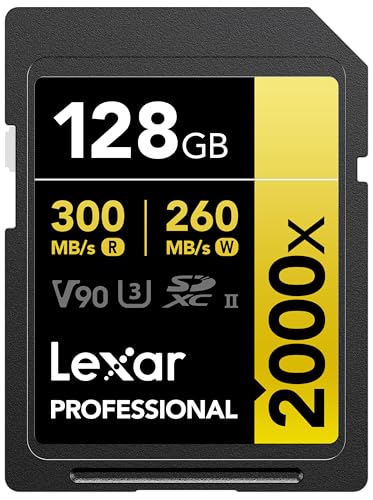
Lexar 128GB 2000x SD (UHS-II, V90)
A V90 UHS-II card is the ideal test subject for showing why the reader matters: in a UHS-I reader it will benchmark like a UHS-I card, and only a UHS-II reader reveals what it can actually do. Lexar 128GB 2000x SD (UHS-II, V90) — Check on Amazon

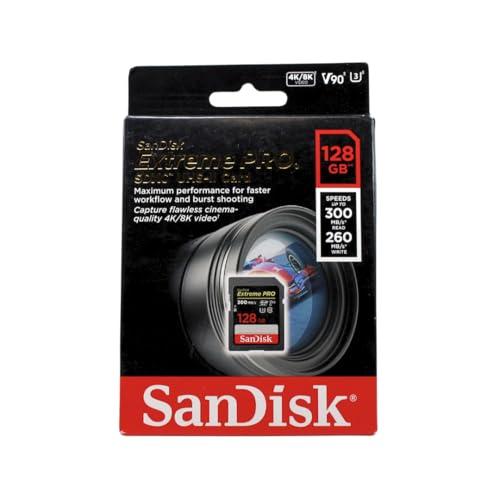
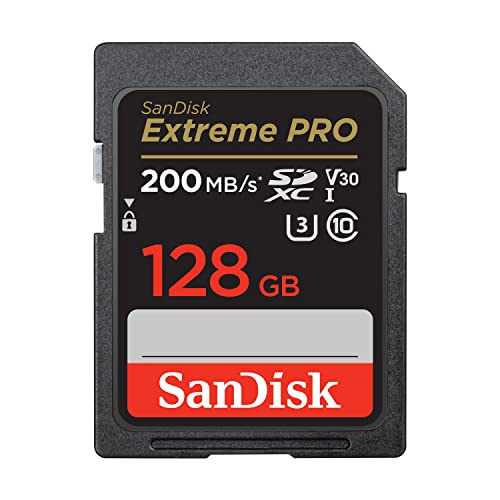
SanDisk 128GB Extreme PRO SDXC UHS-II (V90)
A second V90 example from a different maker — useful when comparing your results, because genuine cards from major makers land close to their class ratings in a correct setup. SanDisk 128GB Extreme PRO SDXC UHS-II (V90) — Check on Amazon
how to test the speed of an SD card: The Short Version
Match the reader to the card, measure sustained writes, and compare against the class guarantee — not the packet’s peak. A card that passes its class in a correct setup can be trusted; one that fails has told you early, while returning it is still easy.
What a Good Test Session Looks Like, Start to Finish
Assemble the whole method into one sitting and it looks like this. The card is formatted in the device it serves, then placed in the fastest reader you own, connected to the computer’s fastest port with no hub in between. You note the card’s labelled claims and its registry entry — purchase date and source — at the top of a fresh note. The first test is a large sequential write of several gigabytes, run twice: the first run exposes the card’s burst behaviour, the second, started immediately, exposes what remains when any cache is exhausted, and it is the second number you record as the card’s working write speed. A large sequential read follows, then a small-file test if the card’s job involves applications or an operating system. You finish in the device itself: a burst of photographs timed by feel, or a video recording at the device’s most demanding setting, run long enough to be boring — because boring is what success looks like in a card test. Every figure goes into the registry beside the card’s number. That session, perhaps twenty minutes, gives you a baseline that will serve for the card’s whole life: an acceptance test today, a comparison point when performance ever feels off, and evidence if a warranty conversation ever needs it.
Why the second run is the honest one
Many cards can write far faster than their sustained speed for a short burst, borrowing against a fast cache area before settling to the flash’s true pace. Product pages photograph the burst; cameras live in the sustained. A test that stops after a few hundred megabytes certifies the sprinter and hires it for a marathon. This is why the method above insists on volume and repetition: write enough to exhaust any cache — several gigabytes at least, more for large cards — and run it twice back to back, because a card already warm and already written is the card your longest recording will actually meet. The gap between a card’s first-run and second-run figures is itself diagnostic: a small gap describes an honest card with little cache theatre, while a collapsing second run describes a card whose marketing lives in the first thirty seconds. For video work especially, where the class guarantee is a sustained floor, the second run is not pedantry; it is the only run that resembles the job.
Testing for the Job You Actually Have
Photographers: the buffer-clearing test
Your meaningful number is not on any benchmark’s chart; it is how long your camera stays busy after a burst. Fill the buffer with a full-speed burst of raw files, start a mental count as you release the shutter, and note when the camera’s busy light dies and the buffer indicator empties. Repeat after changing one variable — the second card slot, a different card — and you have the comparison that decides what goes in the camera on the day. This test is crude in units and perfect in relevance, because it measures the entire chain you actually own: camera bus, card, and the file sizes your settings produce.
Video shooters: the long-take test
Your test is a single unbroken recording at your highest bitrate setting, run for at least as long as your longest real take, on a card formatted in the camera. A card that survives it without a dropped recording or a buffer warning has passed the only examination your work sets. Shorter tests can pass cards that fail at minute twelve, when a cache finally empties or a warm controller throttles — and minute twelve of the ceremony is not when you want the information. If your work involves takes of unknown length, test to the length of the card itself once; the boredom is the price of certainty, and it is paid once per card, at your desk, instead of once per career in the field.
System and gaming cards: the random test that matters
Cards that host operating systems, applications or game libraries live and die by small random transfers, so test those: a benchmark’s 4K random read and write figures, compared against the card’s A1 or A2 class expectations, tell you whether the system will feel responsive or treacly. Sequential numbers on such cards are nearly decoration. A card can be a sequential hero and a random disappointment, and only the random test — the one most buyers skip — predicts the experience of actually using the device every day. The ranges for handhelds, gathered among the best SD cards for Steam Deck and similar roundups, are ranked with exactly this in mind.
Temperature, Fullness and Other Honest Variables
A card’s speed is not a constant, and a good tester controls for the three variables that move it most. Fullness first: flash writes slow as a card fills, because the controller has fewer empty blocks to write into and more housekeeping to perform, so a card tested empty and deployed full is two different products. Test at a realistic fullness — half full is a fair working state — if you want numbers that resemble your life. Temperature second: a card and reader working hard in a warm room can throttle where the same pair in a cool room does not, and a reader that runs hot is a suspect in any mysteriously fading result. Fullness of the computer third: a benchmark competing with a backup job, a cloud sync and an enthusiastic antivirus is measuring the computer’s afternoon, not the card. Close what you can, note what you cannot, and keep the conditions written beside the figures. None of this requires a laboratory; it requires the same discipline as the rest of this guide — one variable at a time, conditions recorded, conclusions no grander than the test that supports them.
When the Numbers Disagree With the Label: A Decision Path
Your test says the card is slower than its class. Walk the path in order before concluding anything. First, eliminate the reader and the port by retesting in the fastest alternative you have, because the chain’s weakest link is more often on the desk than in the card. Second, reformat in the serving device and retest, because a card carrying a foreign or fragmented file system can underperform its own hardware. Third, run the sustained test properly — enough volume, second run — in case the first test measured a cache boundary rather than the card. Fourth, compare against the class’s actual guarantee, not the box’s largest number: a card is in breach of its promise when it falls below its certified sustained floor, not when it fails to live at its advertised peak. If the card still falls short at the fourth step, you hold evidence rather than a feeling: return it within the window if it is new, claim the warranty with your recorded figures if it is not, and demote it in your registry either way. And if the shortfall is dramatic — a fraction of the class, or a capacity that collapses under a full write — stop thinking about speed entirely and think about authenticity, because that pattern belongs to the fake-card investigation, where the capacity test, not the speed test, delivers the verdict.
Reading Speed, the Forgotten Half
Buyers obsess over write speed because cameras write, and then spend years reading the same cards at offload without ever testing the journey home. Read speed deserves its own measurement for two reasons. The first is workflow: a professional returning with several full cards feels read speed in minutes of every working day, and the difference between a card-and-reader pair that sustains its rated read and one that halves it is the difference between offloading during a coffee and offloading during lunch. The second is diagnosis: a card whose read speed has fallen from its baseline, or which reads in fits with pauses and retries, is often announcing controller or flash trouble earlier than its writes do, because reading exercises error correction hardest on ageing cells. Include the large sequential read in every baseline session, record it beside the writes, and let the pair of them age together in your registry. When one day the offload feels wrong, you will know — in numbers, not in vibes — whether the card, the reader or the afternoon is responsible.
Frequently Asked Questions
Why does my fast card benchmark slowly?
Almost always the chain, not the card: a UHS-I reader caps a UHS-II card, an old USB port caps a fast reader, and a hub caps everything. Test with a reader rated for the card’s bus plugged directly into a modern port. Built-in laptop slots are often slower than the cards they host. Retest in a known-fast setup before judging the card.
What speeds should a V30 card show?
Reads near its advertised ‘up to’ figure in a matched setup, short-test writes comfortably above 30MB/s, and — the figure that matters — sustained writes that settle at or above 30MB/s and stay there across a long transfer. A card whose sustained write falls below its V-class is defective, fake or worn, whatever the burst numbers say.
Which test matters for video recording?
The sustained-write test: a large copy (20GB or more) or a full-card tool such as H2testw, watched for a rate that craters after the first few gigabytes. Short benchmarks can be flattered by cache; a camera writes an unbroken stream and lives at the settled rate. That is the number to compare with the V-class, per What is a V30 Sd Card.
Can speed testing detect a fake card?
It is one of the two strong detectors. Fakes use small, slow flash: sustained writes collapse early and read/write errors appear under load. The conclusive test is a full write-and-verify of the entire capacity, covered in How to Check if Fake an Sd Card. Run both on any card whose price seemed impossible.
Should I test a card before using it for important work?
Yes — commissioning a new card with a full write test, a speed check and an in-device trial costs unattended time and converts trust into knowledge. Keep the results; a later retest showing collapse is an early failure warning. This routine is cheap insurance compared with discovering a bad card during an event you cannot reshoot.
Do benchmark numbers match real camera performance?
Approximately, with the sustained figures being the honest guide. Cameras write in their own patterns and a card also slows as it fills and fragments, so treat benchmarks as verification of class and health rather than a promise of exact in-camera rates. If a card passes its class tests, the camera will not be the bottleneck’s victim.
How large a test file is large enough?
Large enough to outlast the card’s cache and your patience’s first impression — in practice, several gigabytes for a sequential write test, and more for larger, faster cards whose caches scale with them. A one-gigabyte test on a modern card can complete entirely inside the fast zone and certify a speed the card cannot hold for a real recording. If your tool lets you set the test size, choose the largest you can tolerate waiting for, and prefer two consecutive runs over one heroic one, because the second run starts with the card already in its working state. The right size is ultimately the size of your real job: test at least as much data as your longest take or biggest burst will ever write in one go.
My card tests fast in the reader but slow in the camera. Which is lying?
Neither — they are measuring different chains. The reader test shows what the card can do when fed by a fast bus and a desktop processor; the camera test shows what your camera’s bus, processor and firmware can extract from it, which for an older or entry-level body may be a fraction of the card’s capability. The camera’s figure is the one your work experiences, and it is bounded by the device, not the card. This is why buying ever-faster cards for an old body stops paying: once the card exceeds the body’s bus, additional card speed is a gift to your next camera, not to this one. Test in both places, record both figures, and let each inform the decision it actually governs — the reader test judges the card, the camera test judges the pairing.
Should I test every card I own, or only new ones?
New ones always, because acceptance testing is your counterfeit filter and your return-window evidence. Working cards deserve a lighter touch: a retest when behaviour changes, when a card moves to a more demanding job, or on a slow annual rhythm for the cards in critical service. Testing is not free — a full write test spends a little of the card’s endurance and a lot of your time — so spend it where the information changes a decision. The registry makes this practical: with baselines recorded, a retest is a comparison rather than an expedition, and a card drifting from its own history is visible at a glance in a way a card measured once, against a stranger’s chart, never is.
Can speed testing damage or wear out a card?
A normal benchmark’s worth of writing is a trivial spend of a healthy card’s endurance — the same order as a busy day of photography — and no card in honest service was ever worn out by being measured occasionally. The caution belongs to the extremes: full-card write-and-verify tests run repeatedly, as a habit, do consume real endurance, and on an already-suspect card a punishing test can push marginal flash over the edge. That is arguably the test doing its job — better at your desk than in the field — but sequence your work accordingly: recover any needed data from a doubtful card before you stress it, never after. Measure freely, but rescue first.
Why do two benchmarks give me different numbers for the same card?
Because they are running different examinations and reporting them under the same word. One tool’s default may write a small file once, deep inside the cache; another may stream a large file and report the average; a third may show you the minimum it observed. Add different block sizes, different queue depths and different ideas about what “the speed” means — peak, average or floor — and disagreement is the honest outcome. The remedy is consistency, not consensus: pick one tool, one test size and one reader, and use them for every card you ever baseline. Your numbers will not match the internet’s, and they will not need to, because their job is comparing your cards against each other and against their own histories, which a private, consistent ruler does better than a public, variable one.
Is it worth testing a card inside every device I use it in?
Test it thoroughly in the device that makes the strictest demand, and spot-check it in the others. A card proven at your camera’s most demanding video setting has little left to prove to a music player. The spot-check that matters is behavioural: format in that device, record or play something real, and confirm the pairing is happy, because device quirks — an old reader’s bus, a console’s expectations — are compatibility questions more than speed questions. Reserve the full benchmark ceremony for the card’s primary job and for the day a symptom appears; a fleet tested to death is a fleet whose owner has confused measurement with use.
What is a realistic expectation for an older card’s speed today?
Judge an old card against its own class and its own baseline, not against this year’s products. Flash does not slow dramatically merely from age on the shelf, and a well-kept card from several generations ago should still meet the class it was sold under; what ages is its context — newer devices demand more, newer file sizes punish small caches, and its reader may have been replaced by a faster one that finally exposes the card as the bottleneck it always was. If your old card still passes its class floor and your device test, it is not slow; your workload has grown. That distinction decides whether the remedy is a new card for the demanding job — with the old one honourably demoted — or nothing at all.
Can I trust the speed shown by my camera’s own card test or warning?
Treat it as a well-informed opinion from an interested party. Cameras that test cards or warn about slow ones are measuring through their own bus and firmware, against the demands of their own recording modes, and their verdict — this card can or cannot sustain this mode — is exactly the verdict your work needs, even if the number behind it would not match a desktop benchmark. Where the camera and the desktop disagree, believe the camera about the camera’s jobs and the desktop about the card’s raw health. The two instruments answer different questions, and most testing confusion dissolves the moment you stop asking either of them to answer both.
How do I test a card when I do not own a fast reader?
Lean on the device tests, which need no reader at all: the buffer-clearing count for stills, the long-take test for video, and the responsiveness of the system the card hosts. A slow reader caps your desktop numbers at its own ceiling, which you can establish once by testing a card of known quality — if every card you own reports the same figure, you have measured the reader, and that figure is still useful as a consistency ruler even though it is not the cards’ truth. When a purchase or a warranty claim genuinely depends on the card’s raw speed, borrow or buy the reader then; a decent modern reader is among the cheapest instruments in photography, and it pays for itself the first time it acquits a good card or convicts a bad one.
Whichever instruments you end up using, keep them the same across your fleet and across the years, because a consistent ruler in a drawer beats a succession of better rulers whose readings cannot be compared with anything that came before them.
What should I do with a card that passes speed tests but feels unreliable?
Believe the feeling enough to investigate it, because benchmarks sample a card’s best behaviour in short, supervised bursts, while your unease may be noticing what they miss: an occasional long pause, a file that took two attempts, a device that once asked for the card again. Log the incidents with dates for a month. If they accumulate, the card is telling you something the averages conceal, and the correct response is demotion — out of critical service, into work whose failure costs nothing — with the registry updated so the suspicion is never forgotten and rediscovered the hard way. Instruments and instincts are both data; the registry is where they meet and agree.
Do I need to empty a card before testing it?
For a clean baseline, test it freshly formatted and empty, because that is the state every card’s published figures assume and the only state that compares fairly across a fleet. Then, if you want the working truth, run one more test at the fullness your job actually reaches — half or three-quarters full — and record that figure separately as the deployed speed. The two numbers together describe the card honestly: what it is, and what it becomes in your hands. Never test a card holding the only copy of anything, whatever its state, because a test is a workload and a workload is a risk, however small, that irreplaceable data should not be asked to take.
How often do readers and cables sabotage an otherwise good test?
Often enough that they should be suspects in every surprising result. A reader a generation behind the card caps the test at its own bus; a reader on a slow port, a charging cable doing data duty, or a hub shared with a busy drive each subtract their share silently; and a reader that has been dropped can develop an intermittent contact that looks exactly like a dying card. The control experiment costs two minutes: test a second, known card in the same chain. If it shows the same ceiling or the same stumbles, the chain is confessing and the card is acquitted. Keep one reader you trust as the reference instrument, and let every other reader in the house be judged against it before it is allowed to judge a card.
What is the minimum test kit I should keep?
One trusted reader matched to your fastest card’s bus, one benchmark tool you use consistently, and the registry where the results live. That is the whole laboratory. Everything beyond it — multiple tools, multiple readers, elaborate procedures — adds precision you will rarely use while subtracting the consistency that makes your figures comparable. The kit’s modesty is its strength: a test that takes twenty minutes with tools already on the desk is a test that actually happens, on arrival day for new cards and on suspicion day for old ones, and a measurement culture that happens beats a perfect one that lives in a bookmark.
Set that kit up once, this week, and run your current working cards through it while their behaviour is known and boring — the baselines you record on a quiet day are the evidence that will speak for the cards on the one loud day when it matters.
Should I test a card before a big trip or event even if it worked last month?
Yes, with the in-device test rather than the full laboratory. Record a long take or a burst series at your event settings, play it back, and offload a sample — five minutes that prove the whole chain you are about to depend on: card, camera, reader, cable. Cards rarely die dramatically between months, but they do get borrowed, formatted by other hosts, filled with other people’s material and returned with their history rewritten, and the pre-event test catches the mundane confusions as reliably as the failures. Professionals call this a kit check and do it without exception; the habit scales down to a family holiday unchanged, because the cost of the test is five minutes and the cost of skipping it is measured in photographs that do not exist.
What do I do with test results when everything passes?
File them and forget them, which is their purpose. A passing baseline is not a trophy; it is a reference that waits silently until the day a card feels slow, a purchase disappoints or a warranty agent asks for evidence, at which point it becomes the most useful document in your desk. Record the date, the reader, the tool and the figures, in the same registry as the card’s purchase details, and let the entry sit. Testing cultures fail when results live in screenshots scattered across phones; they succeed when one boring document accumulates the fleet’s whole history, one line per test, ready for the single occasion that justifies all of them.
Start that document with the next card you test, even if the fleet’s earlier history has to be reconstructed from memory and guesswork — a registry begun imperfectly today will be complete and authoritative within a single purchase cycle.
Within two purchases, in practice, because cards rotate through your hands faster than you expect once you start paying attention to them.
One last check: how do I know my test itself was valid?
Run the controls. A valid session can reproduce its own result within a small margin when repeated immediately, and it can explain every figure it produced: the reader’s ceiling, the test size, the card’s state. If a rerun disagrees wildly, or a figure exceeds what the chain’s slowest link could physically deliver, the session measured something else — a cache, a background process, a misread unit — and its results should be discarded and rerun under the discipline this guide describes. Validity is not a feeling of rigour; it is repeatability plus a chain whose limits you can name.
Related Guides
Keep exploring with these guides and roundups from the same SD-card collection: