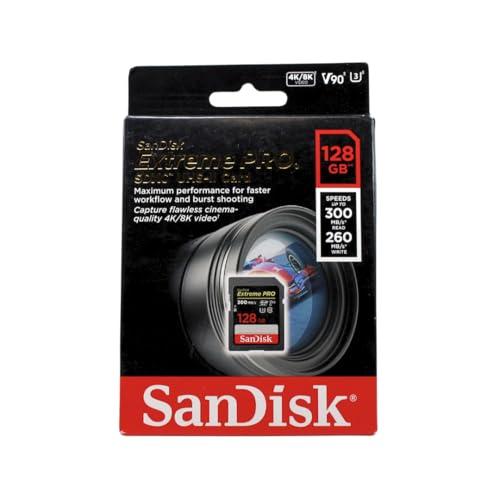
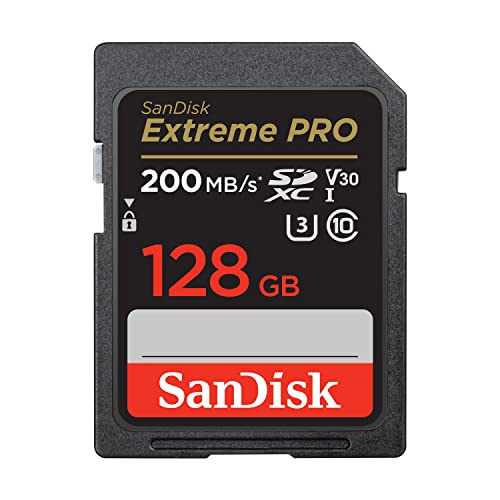
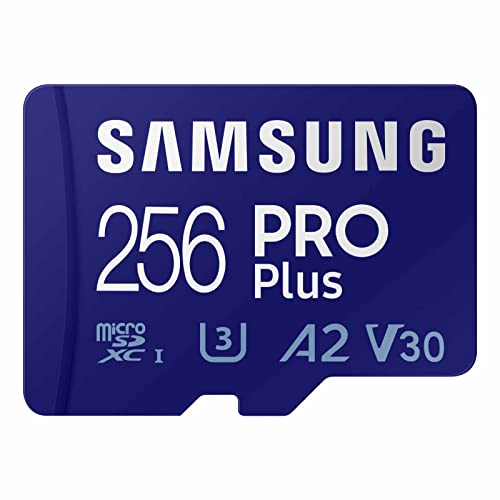
The SD vs microSD card comparison has a surprisingly simple core: they are the same technology in two sizes, with the same capacity families, speed classes and bus standards — a microSD card in its adapter is electrically an SD card, and at the same ratings the two perform alike. The real differences are practical: which slot your device has, how easy the card is to handle and label, the write-protect switch only full-size cards carry, and the fact that some device categories (phones, drones, handhelds) are microSD-only while most cameras are SD-only. Choose by device first, then by the handling trade-offs in this guide.
Because the standards are shared, everything else in our SD coverage applies to both: the ratings decoded in How to Choose an Sd Card and What is a V30 Sd Card, the bus question in UHS I vs UHS Ii Sd Card, and the capacity families in SDHC vs SDXC. What follows compares only what genuinely differs.
Disclosure: As an Amazon Associate, ilcastellomenu.com earns from qualifying purchases. Product examples below link to Amazon, where you can check current availability and specifications; this guide itself lists no fixed prices because pricing and bundles change frequently.
SD vs microSD card at a glance.
| Criterion | SD (full-size) | microSD |
|---|---|---|
| Physical size | 32 × 24mm — easy to handle and label | 15 × 11mm — easy to lose, hard to label |
| Typical devices | Cameras, laptops, card readers | Phones, drones, action cams, consoles, dash cams |
| Speed classes available | Full range incl. UHS-II V90 | Full UHS-I range; UHS-II microSD is rare |
| Write-protect switch | Yes, on the card | No (adapter switch exists but many readers ignore it) |
| Use in the other slot | Cannot shrink | Fits SD slots via the included adapter |
| Handling | Gloves-friendly, label you can write on | Fiddly; tweezers territory when dropped in a car |
| Price/capacity | Comparable at mainstream sizes | Comparable; dominates the largest capacities’ availability |
Performance: A Draw at Equal Ratings
Same classes, same guarantees
A V30 rating is a V30 rating in either size: the certification measures sustained write behaviour, not dimensions. Top microSD cards match top UHS-I SD cards rating for rating, and in one respect microSD leads — A1/A2 application-performance ratings are common on microSD (because phones and handhelds run software from them) and rare on full-size cards. The one genuine performance gap is at the very top: UHS-II, with its second row of pins, is a full-size stronghold, and microSD UHS-II cards are exotic. If your camera is UHS-II and you chase the fastest buffer clearing and offloads, native SD is the only practical route — the territory of UHS I vs UHS Ii Sd Card. For everything at UHS-I, buy the size your device takes and stop worrying.
The adapter does not slow the card down
A microSD adapter is a passive pass-through: the contacts connect straight to the card, with no electronics to bottleneck speed. A quality microSD in a quality adapter performs as itself. What the adapter adds is mechanical, not electrical: one more contact interface to oxidise or flex, one more small object to lose, and a combination that is slightly less rigid in a camera slot that gets knocked in a bag. For occasional use it is a non-issue; for a professional shooting daily, native cards remove a variable — the same reason the camera-focused lists in best sd cards for cameras and best sd cards for dslr are full-size cards.
In this guide
Handling, Durability and the Human Factors
Size cuts both ways
microSD’s tiny size is its superpower inside devices and its curse outside them: it vanishes into carpet, rolls off desks, and cannot be labelled with anything you can read. Full-size SD cards can be written on, colour-coded, stored in visible wallets and swapped with cold or gloved hands. Anyone who has changed a card on a mountainside or in a dark auditorium understands that this is not a trivial criterion. Conversely, a phone or drone gives you no choice at all, and a dash cam’s microSD may sit untouched for a year — handling matters in proportion to how often the card moves.
Write-protect and physical robustness
The little sliding tab on a full-size SD card sets a write-protect flag that most hosts honour — genuinely useful when handing a card to a client or plugging it into an unknown computer, and a nice safety during recovery work like How to Recover Photos From an Sd Card. microSD has no tab (some adapters do, and many readers ignore it). Physically, both formats are tough solid-state media; microSD’s monolithic construction is arguably the hardier of the two against water and bending, while full-size cards’ exposed contacts and sliding tab are their only real fragilities. Neither should be your only copy of anything — see How Long do Sd Cards Last.
Who Should Buy Which: The Verdict by Device
Your device's slot decides first
Cameras with SD slots: buy SD, unless budget or an existing microSD collection argues otherwise. Phones, drones, action cameras, Switch and Steam Deck (best sd cards for steam deck), dash cams (best micro sd cards for dash cam) and security cameras: microSD is the only fit. Laptops increasingly offer microSD or nothing, and a good USB reader makes the question moot at the computer end entirely.
Mixed kits and one-card strategies
If you shoot on SD cameras but your drone and action camera take microSD, standardising on high-quality microSD plus adapters for the cameras is a legitimate one-inventory strategy — with the handling caveats accepted and spare adapters in every bag. If your work is camera-first and paid, standardise on native SD for the cameras and treat microSD as the device-specific exception. Either way, buy ratings first and format second: the selection method in How to Choose an Sd Card and the formatting routine in How to Format an Sd Card apply identically to both sizes, because underneath the plastic, they were always the same card.
The Adapter Ecosystem and Reader Realities
In daily life the two formats meet at the reader, and the reader is where the comparison acquires practical texture.
Readers, slots and the state of laptops
Full-size SD slots were once standard on laptops and are now retreating; microSD slots survive on some machines, and USB readers have become the universal answer. A quality dual-slot reader makes the format question nearly moot at the computer end — both sizes ingest at full speed — which shifts the decision back to the devices and the handling, where it belongs. One caution: bargain readers and adapters are a disproportionate source of ‘card problems’, from slow transfers to intermittent detection (the territory of How to Fix an Sd Card that is Not Detected). If a card misbehaves, the reader is a suspect before the card is, in either format.
Labelling, wallets and workflow
Professional card workflow is a physical discipline: labelled cards, a wallet with a system (full cards face one way, empty the other), and enough cards that rotation is possible. Full-size cards support this discipline natively — there is room to write a number, a date, a name. microSD resists it: the labelling happens on the wallet slot or the adapter, never the card, and a dropped microSD in a venue is simply gone. Shooters who standardise on microSD for cameras compensate with stricter wallet habits and spare adapters in every bag. None of this appears on a spec sheet, and all of it appears in a working week — which is why this comparison weighs it alongside the electrical facts rather than beneath them.
Cost and Availability at the Extremes
At mainstream capacities the two formats price within a whisker of each other. At the edges of the catalogue, they diverge in instructive ways.
Where each format leads and lags
microSD dominates the largest capacities’ availability and the endurance lines for cameras and dash cams, because its devices demanded them. Full-size SD owns the professional video frontier — UHS-II V90 — because cinema cameras have the room and the need. A buyer at either extreme is therefore format-led by the catalogue itself: the biggest phone card is microSD by definition, the fastest cinema card is SD by definition. Between the extremes, buy the device’s native format at the ratings your work requires, verify it with How to Test the Speed of an Sd Card, and let the format war be one of the few technology arguments with a genuinely peaceful answer: both sides won, in different devices.
The Formats in Professional Practice
How working photographers and videographers actually organise around the two formats is the comparison’s most practical evidence — they have optimised under real penalties for error.
What the working kit looks like
The typical professional kit standardises ruthlessly: one card format for the cameras (native SD, increasingly UHS-II), bought in matched sets, numbered, rotated, and retired on schedule; microSD confined to the devices that demand it — drones, action cameras, audio recorders — with their own small, separate wallet and a stock of spare adapters treated as consumables. The separation is the lesson. Mixed inventories invite the two classic field errors: the adapter forgotten when the drone card must visit the camera, and the microSD rattling loose in an SD wallet, unlabelled and unidentifiable. Hobbyists with one camera and one drone can safely run the unified microSD-plus-adapters strategy this guide describes; anyone whose card failure costs money organises like the professionals, because the formats’ sameness ends exactly where the work begins.
Audio recorders, trail cameras and the long tail
Beyond the headline devices sits a long tail — audio recorders that sip power and write tiny files for days, trail cameras that sit in forests for months, industrial and medical devices with decade-old card controllers. The long tail is where format and family conservatism pays: modest capacities, SDHC where the host is old, endurance where the writing is constant (see Best Sd Cards for Game Cameras). The newest, largest, fastest card is frequently the wrong card for these hosts, and the comparison’s real teaching emerges again: the device dictates, the catalogue obeys, and the buyer’s job is translation, not ambition.
Gear for This Guide
The examples below come from our Creators-API-verified product pool and illustrate the card classes discussed in this guide. They are examples, not a ranked list — use the ratings and checks in this article to judge any card, including newer revisions.
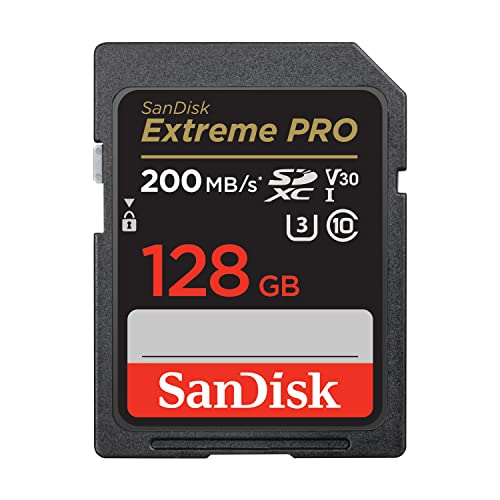
SanDisk 128GB Extreme PRO SD (UHS-I, V30)
The full-size format in its mainstream flagship form: native fit in camera slots, a write-protect tab, and handling that suits gloves, dark venues and tired hands at midnight. SanDisk 128GB Extreme PRO SD (UHS-I, V30) — Check on Amazon

SanDisk 128GB Extreme microSD (V30, A2)
The same class of performance in microSD form, with an A2 rating the full-size line often skips — because the devices microSD serves run apps and games from the card. SanDisk 128GB Extreme microSD (V30, A2) — Check on Amazon

SanDisk Extreme Pro microSDXC 128GB
Another reference point for microSD’s maturity: capacities and speeds that match full-size cards rating for rating, which is why this comparison turns on handling and devices, not performance. SanDisk Extreme Pro microSDXC 128GB — Check on Amazon
SD vs microSD card: The Short Version
Same technology, two sizes. Let the device’s slot decide, let handling break any remaining tie, and spend your attention on ratings — where the real differences between individual cards live.
Head-to-Head by Scenario: Seven Rooms, Two Formats
The camera bag that travels for work
Professional stills and video work defaults to full-size SD for reasons that have little to do with electronics: the card is large enough to label, to grip with cold fingers, to find in a dark bag by touch, and to survive being dropped on a location floor and noticed. Dual-slot cameras in this world are built around the full-size format, and the card cases, readers and workflows of an entire industry assume it. microSD appears here as the second-slot citizen in bodies that accept it through adapters, and as the native format of the action cameras and drones that accompany the main kit — each format in the slot its device was designed around, which is the pattern this whole comparison keeps arriving at.
The phone, the handheld and the single-board drawer
Everything small chose microSD so completely that the question answers itself: the format exists because a full-size card cannot fit the devices that define modern mobile computing. In this room the real comparisons are internal to microSD — capacity, application class, endurance for the recorder — and the full-size format’s only role is as the adapter-mediated guest when those cards visit a computer or a camera. Owners whose lives live in this room should optimise for microSD bought well, and keep one good adapter and one good reader, because their cards will meet full-size slots at desks for their entire lives.
The dashboard and the doorstep
Continuous recorders chose microSD for size and never looked back, and their lesson for this comparison is that format follows the device’s industrial design, not the user’s preference. What the owner chooses here is not the format but the endurance class within it, and the discipline of replacing the card on a schedule rather than on a failure. If a recorder ever offers both slots — a few do — take the format whose endurance lines are deeper and cheaper to rotate, which in practice is again microSD, and spend the difference on the second card that makes rotation possible.
The Adapter, Examined as a Component
Since the adapter is the bridge this comparison stands on, it deserves engineering respect rather than drawer contempt. A passive adapter contains no electronics — it is a shaped set of contacts extending the microSD’s pads to the full-size positions — which means it cannot slow the card, convert its class or forgive its sins; it can only connect well or connect badly. Connecting badly is its one talent: worn or dirty adapter contacts add resistance and intermittency, a cracked adapter flexes and loses contact mid-write, and a bargain adapter’s loose fit lets the microSD sit a fraction off its pads. The symptoms impersonate card failure perfectly — corruption, dropouts, a device that sees the card only sometimes — and the diagnostic is always the same: try a second adapter, or the card in a native microSD slot, before condemning the card. Keep adapters like instruments: one known-good unit in the working kit, replaced at the first sign of looseness, and never the free adapter that arrived with the cheapest card you own standing between a professional job and its only copy. The format war is a draw; the adapter is where the draw gets lost, and it is lost on a component worth almost nothing, which is why veterans own good ones on purpose.
Handling Realities: Loss, Labels and Cold Fingers
The human factors deserve a fuller accounting than they usually get, because cards are lost and mislabelled far more often than they are out-specified. A full-size card can be written on, numbered with a marker, colour-coded with a dot, and read across a desk. A microSD card can be — with patience and a fine pen — given a number, and that is roughly the end of its labelling career; its identity lives on its case, which means the case is part of the card for management purposes and the two should never be separated in your system. Size cuts both ways, though: a microSD in its case is the easier traveller, riding in a wallet or a phone case’s spare slot where a full-size card needs a dedicated home, and a lost microSD is at least a small financial event beside a flagship full-size card’s price. Cold, gloves, rain, haste and darkness all vote for the larger format at the moment of the swap; storage, carriage and the design of every small device vote for the smaller one the rest of the year. Neither vote is wrong. They are the same truth seen from the field and from the desk, and your life is lived in both places — which is why most real kits, examined honestly, contain both formats, each where it belongs.
Future Directions: Where Both Formats Are Heading
The formats’ futures are being written by two different pressures. Full-size SD carries the professional roadmap — faster bus generations and express variants aimed at cinema and high-end stills work, where the card’s size is an asset because the connector and the thermals have room to breathe. microSD carries the volume roadmap — capacities and application performance for the billions of small devices that will never have room for anything larger, with its own express future arriving more slowly because its hosts are phones and consoles rather than cinema cameras. The practical meaning for a buyer today is reassurance in both directions: neither format is being abandoned, adapters will keep bridging them, and a card bought well now will have hosts waiting for it for years. Choose by the device in your hand and the workflow in your life, and let the roadmaps take care of themselves — they have been converging on coexistence for a decade, and nothing in either standard’s direction suggests a victor, because the contest was never really between the cards. It was between the devices, and the devices have divided the world between them quite amicably.
A Buyer’s Shortcut for Mixed Households
If your home contains both ecosystems — and most do — standardise the management, not the format. One registry for every card regardless of size, one case system whose slots are labelled by the same numbering, one known-good adapter and reader at the desk, and one rule for guests: cards entering from outside, of either format, pass the capacity test before they hold anything that matters. Within that system, buy microSD for the devices born small and full-size for the devices born with the slot, and let the adapter mediate their meetings. The households that suffer format grief are never the ones with both kinds of card; they are the ones with no system — a microSD lost because its case went one way and the card another, a full-size card forced into a workflow it was never bought for. Formats do not cause those stories. Drawers do. The comparison this guide has run for thousands of words resolves, in the end, into a sentence about furniture: each card in the slot it was designed for, each card in a case with its name on it, and the argument is over.
The Write-Protect Switch and Other Full-Size Furniture
The full-size format carries one piece of furniture microSD lacks entirely: the sliding write-protect tab, a tiny mechanical switch that asks hosts to treat the card as read-only. Its value is real in specific moments — handing a card to a client or a lab with the tab set is a polite, physical statement that the contents are final; protecting a master card during recovery work; preventing a tired photographer from formatting the wrong card at 1 a.m. Its limits deserve equal clarity: the tab is a request the host may ignore, it is not a security feature, and it slides accidentally in bags often enough to have caused a thousand “my card is broken” panics that ended with a fingernail. microSD’s answer to the same needs is procedural — cases, labels, discipline — which is the formats’ whole relationship in miniature: what the large card does with hardware, the small card does with habits. Know which kind of protection your workflow actually uses, because a switch you never set protects nothing, and a habit you always keep protects everything, in either format.
Frequently Asked Questions
Is microSD slower than SD?
Not at equal ratings. A V30 microSD guarantees the same sustained write as a V30 SD card, and top microSD cards match top UHS-I SD cards class for class — plus microSD commonly carries A2 app ratings that full-size cards skip. The one real gap is at the very top: UHS-II is a full-size stronghold, and microSD UHS-II cards are rare.
Does using the adapter reduce performance?
No. The adapter is a passive pass-through with no electronics; the card performs as itself. What it adds is mechanical — one more contact interface and one more small part to lose — which is why heavy professional use prefers native cards, while occasional use through an adapter is a genuine non-issue.
Which lasts longer, SD or microSD?
Lifespan is governed by write volume and flash quality, not by size — see How Long do Sd Cards Last. Physically, microSD’s monolithic construction shrugs off water and bending well; full-size cards have exposed contacts and a sliding tab as their weak points. In practice, brand and workload decide longevity for both.
Can I put an SD card in a microSD device?
No — the full-size card physically cannot fit, and there is no shrinking adapter. The compatibility runs one way only: microSD (via adapter) into SD slots. If you maintain one inventory across both device types, standardising on quality microSD plus spare adapters is the workable strategy, with the handling caveats this guide describes.
Why do cameras use SD while phones use microSD?
Space and history. Phones, drones and handhelds are designed around the smallest possible slot; cameras have room for the larger card and benefit from its handling, labelling and write-protect tab, plus UHS-II at the high end. Neither device class is likely to switch — buy the format your device takes and choose ratings with How to Choose an Sd Card.
Is the write-protect switch useful?
More than it looks. It guards against accidental deletion or formatting when a card is in an unfamiliar computer, and it is a sensible precaution when handing a card to someone else or doing recovery work. Note that it is a flag hosts are asked to honour, not a physical lock — most do, but treat it as a strong hint rather than a guarantee.
Can I leave a microSD card in its adapter permanently in my camera?
Many owners do, and cameras generally accept the arrangement without complaint, but understand the small risks you are accepting. The adapter adds a second set of contacts that can oxidise, loosen or collect dust independently of the card, and it adds a thin, flexible component to a slot that expects a rigid one, so repeated removal of the combined unit wears the adapter rather than the card. For occasional use it is a perfectly reasonable home. For a camera that works for a living, the professional pattern is native cards in the working slots and the adapter kept for transfers and emergencies — not because the adapter fails often, but because on the day it does, it will choose a moment that matters, and the native card removes that entire category of day.
Which format is better for long-term photo storage in a drawer?
Neither, and the honest answer matters: both formats are flash memory with the same data-retention physics, the same need for periodic power and verification, and the same unsuitability as a sole archive. If a card must serve as one copy among several, the format is irrelevant beside the habits — store it labelled, in its case, in a cool dry place, and verify it on the same schedule as your other backups. The full-size card’s one archival edge is purely human: it is easier to label with its contents and date in characters a future archivist can read without a magnifier, which, across decades, is not a trivial advantage. But let no format choice substitute for the rule both formats obey: an archive that exists once does not, in the long run, exist.
Do drones and action cameras ever use full-size SD?
Essentially never in current designs, because their industrial design is the reason microSD exists — every cubic millimetre is spoken for by batteries, motors and cooling. This is worth internalising as the general law of the comparison: the smaller and more mobile the device, the more certainly it speaks microSD, and the larger and more stationary or professional the device, the more likely a full-size slot becomes. When you shop for a device, its card format is part of its design philosophy made visible; a camera maker that fits full-size slots is telling you the body was designed around handling and hot-swapping, and a maker that fits microSD is telling you size won. Believe both of them, and stock your bag accordingly.
Is there any speed class available in one format but not the other?
The classes themselves are format-blind — the standards define performance, not size — but the market’s shelves are not. The highest sustained-video classes and the newest bus generations tend to arrive first, and sometimes only, in the full-size format, because their hosts are professional cameras; the deepest application-class and endurance ranges live in microSD, because their hosts are phones and recorders. A buyer chasing an exotic specification may therefore find the format chosen for them by availability, which is the market quietly enforcing the same law as the devices: the specification follows the host. If your required class exists in both, buy by the slot; if it exists in only one, the question this whole guide debates has been answered upstream of you.
Why do some computers have only one of the two slot sizes?
Because the computer’s maker made the same bet your devices did, usually on the format their customers’ cameras used at the time of design. A laptop with a full-size slot serves photographers; a mini PC with a microSD slot serves the tinkerer and media crowd. The reader market exists to forgive all of these bets: a single good multi-format reader at your desk ends the slot question permanently, reads both formats at full bus speed, and outlives the computers it serves. If you work across both ecosystems, stop auditing laptops for their slots and buy the reader once — it is the diplomatic solution, and it travels between machines in a way no built-in slot ever will.
Can a microSD card wear out a camera’s slot through its adapter?
The wear story runs the other way: the adapter absorbs the friction that would otherwise meet the card, and adapters are cheap and replaceable while slots are neither. A quality adapter, fully seated, presents the same profile to the slot as a native card and cycles safely for years. The damage cases in the wild involve damaged adapters — cracked shells, bent contact springs — forced into slots they no longer fit, which is a maintenance failure rather than a format failure. Inspect the adapter as you would any tool, retire it when it loosens or cracks, and the slot will never know the difference between its guests.
Which format should a beginner buy first?
The one their first serious device uses natively — full stop. A beginner with a camera that takes full-size cards should build their habits, cases and spares around full-size; a beginner whose world is a phone, a drone and a handheld should standardise on microSD and a good adapter for desk work. The beginner’s real curriculum is not format loyalty but the transferable disciplines: buy genuine, test on arrival, label everything, rotate spares, back up before formatting. Those habits port between formats for free when the second ecosystem arrives, as it almost always does. Start where your device starts, learn the disciplines once, and the format question will never again feel like a decision — it will feel like reading a slot, which is all it ever was.
Do professional photographers really refuse microSD in adapters?
Many do in their primary slots, and their reasoning is operational rather than electronic: one less contact interface to fail during a paid shoot, one less fiddly component to handle with gloves, one less variable when a card misbehaves and the diagnosis must be instant. The same professionals cheerfully use microSD natively in their drones and action cameras on the same job, which tells you the refusal is about the adapter in a critical slot, not about the format. Take the lesson at the right size: for irreplaceable work, minimise interfaces; for everything else, a good adapter is a fine bridge, and the format in the card case matters far less than the system that put it there.
If both formats perform identically, why does the full-size card exist at all?
Because performance was never the only axis. The full-size format predates its miniature sibling and carries the professional ecosystem: the slots in working cameras, the handling in gloved hands, the label you can read, the switch you can set, and the physical headroom for the fastest bus generations, whose connectors and thermals benefit from the larger body. microSD exists because an entire universe of devices could not spare that room. Each format is the answer to a different design question, and their identical electronics are precisely the point — the standards bodies separated the performance from the packaging so that each device family could choose its packaging honestly. You are not choosing between two technologies; you are choosing between two sizes of the same technology, and size, in tools, is a real feature.
Choose your next card by that sentence — same technology, different size, the slot decides — and spend the attention you saved on the things that actually separate good cards from bad ones: class, category, provenance and the system that manages them after purchase.
What should I do with the adapter that came free with my microSD card?
Keep it as a spare and buy one good one for daily service. The bundled adapter is a courtesy item, built to a price, and it will usually work — until the day its loose fit or tired contacts choose your least convenient moment to matter. A quality adapter from a known maker costs very little, fits with a reassuring precision, and becomes the reference against which odd behaviour gets diagnosed: if a card misbehaves through the good adapter and behaves in a native slot, the interface is guilty; if it misbehaves everywhere, the card is. That diagnostic clarity alone repays the small purchase many times over a card collection’s life.
Does the adapter affect waterproofing or ruggedness ratings?
The card’s own ratings belong to the card; the combination’s practical ruggedness belongs to the weakest shell in the system, which is the adapter. A rugged microSD in a flimsy adapter, in a camera whose slot door is the real environmental seal, is a chain whose rating is set by the camera — which is the honest way to think about all such ratings in working systems. In native slots, each format’s rated cards protect themselves as specified. In adapted use, treat the assembly as ordinary equipment: keep it dry, keep it clean, and do not let a card’s heroic datasheet talk you into carelessness with the two humble components — adapter and slot — that its survival actually depends on.
How should I store microSD cards so they stop disappearing?
Give every card a named home and never let it travel naked. A hard case with numbered slots is the working standard: the card lives in its slot, the slot’s number is the card’s registry identity, and an empty slot in the case is a visible alarm that a card is somewhere it should not be. At home, the case lives in one place — the same drawer, the same shelf — because a storage system that wanders becomes a hiding system. Loose microSD cards in pockets, bags and car consoles are the format’s one genuine vice, and it is entirely a management vice: the card is small, so the system around it must be deliberate. Build the system once and the vanishing stops, because things with homes rarely get lost.
Is there a case for standardising my whole household on microSD plus adapters?
A real one, and many tinkerers live it happily: one card format to buy, stock and test, with adapters bridging the full-size slots. The costs are the adapter’s interface in critical slots and the handling penalty in cameras used with gloves or haste. Households whose photography is casual and whose devices are mostly small get the better of this bargain. Households with a working camera, a gloved shooter or a paid shoot in them should keep native cards for the camera and let microSD rule everywhere else. Standardisation is a means to simpler management, not an end in itself — the moment it complicates the one job that matters, it has stopped paying for its own elegance.
Decide that standardisation question by your most demanding device, not by your average one, and the rest of the household’s cards will fall into a system that serves both the camera bag and the gadget drawer without further argument.
What is the most common way people damage each format?
Full-size cards die by bending and by cracked shells at the switch and the contact end, usually in bags and tight slots; microSD cards die by disappearing, by being inserted upside down and forced, and by the slow crush of living loose in a pocket or a car. Both die by the same electronic causes at the same rates. The prevention lists differ accordingly: a hard case and a no-force rule for the small cards, a hard case and a no-flex rule for the large ones. Notice that the hard case appears in both — the cheapest insurance in either format is the box that keeps the card from meeting the world unprotected.
Final verdict in one sentence, for a reader in a hurry?
Buy the format your device was born with, at the class your work demands, from a source you trust — and if a card must cross between worlds, let a good adapter carry it and a labelled case remember it. Everything else in this comparison, across thousands of words, is the working-out of that sentence: the electronics are equal, the sizes are purposeful, and the owner’s system, not the card’s dimensions, decides whether either format ever causes a moment’s trouble in a whole career of use.
Keep that sentence taped inside your card case, next to the registry habit it implies, and the next format question anyone in your household asks will answer itself before it reaches you.
Does using an adapter void any warranty or support?
No mainstream card or camera maker voids support for adapter use — adapters are part of the standard’s own ecosystem, sold by the same brands — but support conversations do get longer when an adapter is in the chain, because the technician’s first diagnostic step will be to remove it. Save everyone the step: before reporting a card problem from an adapted setup, test the card in a native slot or through a second, known-good adapter, and report what you found. You will either solve the problem yourself, which is the common outcome, or arrive at support with the one experiment they were going to ask for already done.
That small pre-check — native slot first, adapter second, conclusions third — is the adapter era’s golden rule, and it will save you more time across a card collection’s life than any other single habit in this comparison.
Adopt it today, with the next card that misbehaves, and notice how many mysteries quietly resolve themselves at step one.
Most of the rest, experience shows, were never the card at all — they were the interface, the adapter, the slot, the cable — and each one you acquit the card of is a card you do not replace, reformat or mistrust without cause.
Related Guides
Keep exploring with these guides and roundups from the same SD-card collection: