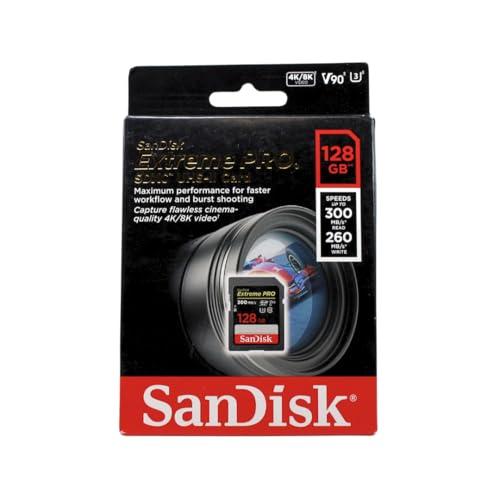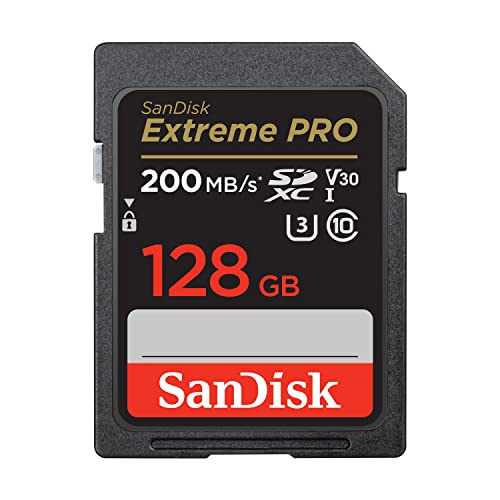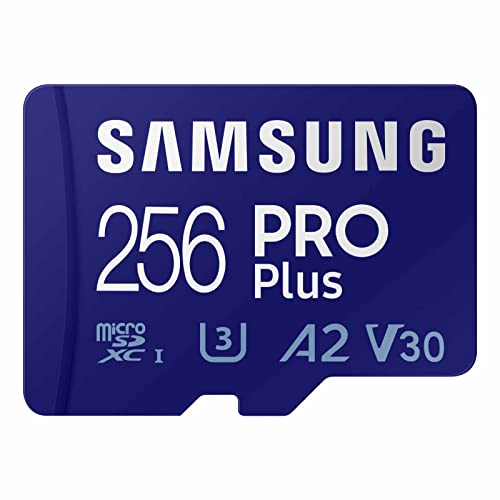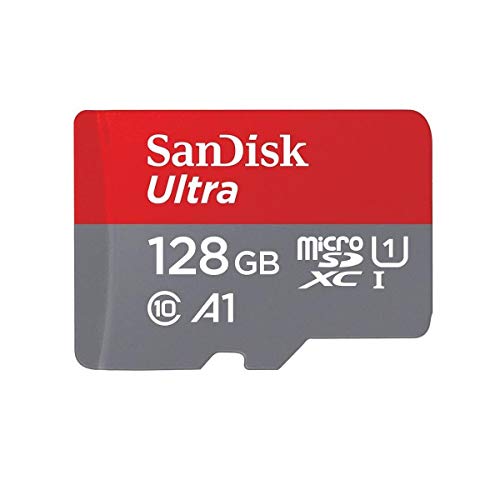
SDHC vs SDXC is not really a contest between two rival products — it is two generations of the same standard, split by capacity: SDHC (High Capacity) covers cards from 4GB to 32GB formatted as FAT32, while SDXC (eXtended Capacity) covers 64GB up to a theoretical 2TB formatted as exFAT. The practical consequence is compatibility: an SDXC card only works in a device that supports SDXC, while SDHC cards work almost everywhere — and the file-system difference matters too, because FAT32’s 4GB maximum file size splits long video recordings that exFAT handles as single files. Buy the family your device supports, at the capacity you need; this guide explains how to tell and what happens if you get it wrong.
The naming appears in both sizes — you will see SDHC/SDXC and microSDHC/microSDXC — and the rules are identical, as the format comparison in Sd vs Microsd Card notes. Speed is a separate axis entirely: either family can carry any speed class, which is why How to Choose an Sd Card treats family and speed as two independent checks.
Disclosure: As an Amazon Associate, ilcastellomenu.com earns from qualifying purchases. Product examples below link to Amazon, where you can check current availability and specifications; this guide itself lists no fixed prices because pricing and bundles change frequently.
SDHC vs SDXC at a glance.
| Criterion | SDHC | SDXC |
|---|---|---|
| Capacity range | 4GB – 32GB | 64GB – 2TB (largest common cards are 1TB class) |
| Default file system | FAT32 | exFAT |
| Maximum single file | 4GB (FAT32 limit) | Effectively unlimited for real recordings |
| Device support | Virtually universal | Requires SDXC support (most devices from the early 2010s onward) |
| Typical uses today | Older cameras, single-board projects, small-capacity utility roles | Everything mainstream: cameras, consoles, phones, drones |
| If used in an incompatible device | Works (in SDXC hosts too) | Card not recognised, or device demands a format it cannot use |
The Real Difference: File Systems and the 4GB Wall
Why FAT32 splits your videos
FAT32 cannot store a file larger than 4GB, full stop. A camera recording to an SDHC card therefore closes the file at 4GB and starts a new one, producing the familiar sequence of clips that must be joined in editing. For short clips this is invisible; for events, interviews and long-form recording it is a workflow tax on every shoot. exFAT, the SDXC standard, removes that ceiling, so a recording is one file from start to stop (some cameras still split files by choice for safety, but the file system no longer forces it). If long continuous recordings matter to you — the use case behind Best Sd Cards for Video Recording — SDXC is not optional.
Allocation and formatting consequences
Because the families standardise on different file systems, formatting tools and devices treat them differently: format an SDXC card as FAT32 with a third-party tool (some older devices demand exactly this) and the 4GB wall returns, whatever the card’s label says. This is why How to Format an Sd Card insists the host device should do the formatting — it applies the family’s standard automatically, and you get the behaviour the label promises.
In this guide
Compatibility: The One Rule That Matters
SDXC support is a device property, not a card property
A host must explicitly support SDXC to use these cards; support became common in the early 2010s and is now effectively universal in new devices, but older cameras, car stereos, printers and media players may accept SDHC only. The symptom of a mismatch is a card that is not recognised, or a device offering to format a card it will then still not read. Check the manual’s specification for the maximum supported capacity — it will state SDXC support or a 32GB ceiling plainly. The check belongs in every purchase, which is why it is step one in How to Choose an Sd Card.
Where SDHC still earns its place
SDHC is not obsolete so much as specialised: legacy devices that cap at 32GB, single-board computer projects that boot from FAT32 (the world of best sd cards for raspberry pi), and utility roles where 16–32GB is simply enough card. Buying SDHC for a modern camera, by contrast, usually means paying similar money for a fraction of the capacity and accepting the 4GB split — a false economy unless the device demands it.
Capacity Planning and the SDUC Footnote
How much capacity the work actually needs
Choose capacity from your recording format and shoot length, not from the biggest number on the shelf: stills shooters can estimate shots-per-gigabyte from their RAW file sizes, video shooters from bitrate (bitrate ÷ 8 × seconds = megabytes). Then add the discipline from Best Sd Cards for Wedding Photography: two mid-size cards rotated and backed up beat one enormous card carrying a whole event. Larger cards also take longer to verify in the full write test of How to Check if Fake an Sd Card — a real consideration at 1TB.
SDUC exists; you can ignore it for now
A fourth family, SDUC, extends the standard beyond 2TB up to a theoretical 128TB with its own host requirements. Cards and devices are not a mainstream shopping consideration today, and nothing you buy needs to anticipate it. It is worth knowing the name only so a specification table does not confuse you: for every real purchase, the choice remains SDHC for legacy and small roles, SDXC for everything else — with speed class chosen separately via What is a V30 Sd Card and bus via UHS I vs UHS Ii Sd Card.
The History in Brief: Why the Families Exist at All
The split is not arbitrary branding; each family marks the moment the previous one’s addressing ran out of road.
From SD to SDHC to SDXC
The original SD standard topped out at 2GB. SDHC raised the ceiling to 32GB and standardised FAT32, at a time when 32GB seemed like a warehouse. SDXC arrived when capacities and video files outgrew both the ceiling and FAT32’s 4GB file limit, standardising exFAT and a ceiling of 2TB that the market is still growing into — the largest cards commonly sold today sit at the 1TB class, half the standard’s allowance. Each transition kept the physical card identical and changed the host requirements, which is why compatibility — not size, not speed — is the family’s practical meaning, and why a card from any era still fits the same slot while not necessarily working in it. The physical constancy is a small miracle of standardisation; the host-support question it creates is the entire content of the rule this guide keeps repeating: check the device, then buy the card.
Why the names appear on both sizes
Because the families describe the card’s electronics and file system, not its dimensions, the same progression exists in miniature: microSD, microSDHC, microSDXC. A phone from the SDHC era has the same 32GB ceiling as a camera from the same era. When a listing says ‘microSDXC’, it is making the same promise and the same demand — 64GB-class capacity, exFAT, and a host that supports the family — as its full-size counterpart in Sd vs Microsd Card. Read the suffix as a compatibility statement and the whole naming scheme becomes a label you can use rather than a code you must memorise.
Edge Cases: When the Family Rules Bend
A few real-world situations complicate the tidy table, and knowing them prevents misdiagnosis when a card and device disagree.
Large cards formatted FAT32, and devices that lie about support
Some hosts — media players, car systems, single-board computers — require FAT32 regardless of capacity, and a computer tool can format a big SDXC card as FAT32 to satisfy them, accepting the 4GB file limit as the price. Conversely, some devices claim SDXC support but handle very large cards slowly or buggily in early firmware; a card that misbehaves in one host and perfectly in others (test it per How to Test the Speed of an Sd Card) may be meeting an immature host rather than failing itself. And a card partitioned by a console or an operating-system image can present as a tiny fraction of its size to a camera — not a family problem at all, but a layout problem that the SD Formatter resolves, as How to Format an Sd Card describes. Families explain most disagreements; layouts explain most of the rest.
Choosing Capacity Within a Family: The Sizing Judgement
Once the family is settled by the host, a second decision remains that the family names do not make for you: how large a card, and how many.
The case against the single giant card
One enormous card concentrates every risk this site’s guides exist to manage: loss, failure, corruption and theft each take the whole library with them, and a full write-verification of a very large card takes hours, tempting owners to skip the test that matters most (see How to Check if Fake an Sd Card). Two mid-size cards rotate the risk, let one be copying while the other shoots, and verify in half the time each. The counter-consideration is real: card swaps interrupt shooting, and video work hates interruptions. The working compromise is capacity sized to a natural session — a half-day’s shooting per card — so swaps land at breaks that already exist. Size cards to the rhythm of the work, not to the maximum the slot accepts, and the family question resolves into a quantity question with a human answer.
Price curves and the sweet spot
Card pricing is not linear: the largest capacity in any line carries a premium per gigabyte, the smallest capacities are oddly expensive per gigabyte too, and the middle capacities sit on the curve’s kind slope. The sweet spot moves as the market does, but the method of finding it does not — compare price per gigabyte across the line, and buy the largest capacity before the per-gigabyte price bends upward. Combined with the two-card discipline, this usually lands buyers one capacity step below the flagship, with better economics and better risk posture than either extreme. It is the same value logic the console lists in Best Sd Cards for Switch apply, where capacity hunger is at its most extreme.
Gear for This Guide
The examples below come from our Creators-API-verified product pool and illustrate the card classes discussed in this guide. They are examples, not a ranked list — use the ratings and checks in this article to judge any card, including newer revisions.

SanDisk 128GB Ultra MicroSDXC UHS-I
The ‘XC’ in microSDXC is doing real work in this product name: 128GB places it firmly in the SDXC family, formatted exFAT, with no 4GB file limit for long recordings. SanDisk 128GB Ultra MicroSDXC UHS-I — Check on Amazon

Lexar 128GB Professional 1667x SDXC (UHS-II, V60)
A professional SDXC card shows the family’s modern face — capacities and speed classes that did not exist when SDHC was the ceiling. Lexar 128GB Professional 1667x SDXC (UHS-II, V60) — Check on Amazon
SDHC vs SDXC: The Short Version
SDHC for legacy hosts and small jobs, SDXC for everything modern — with the exFAT bonus of un-split long recordings. Check the host’s support once, and the family question never troubles you again.
Scenario Head-to-Heads: Which Generation, Which Device
The legacy device that must keep working
A much-loved older camera, a car stereo from the format’s middle years, a relative’s camcorder: these are SDHC’s remaining kingdom, and the comparison resolves here into a simple act of respect — feed the device the generation it was born speaking, at the capacities its era intended, and it will usually reward you with years more service. Owners regularly ruin this arrangement by forcing the issue: reformatting an SDXC card down, partitioning tricks, firmware hopes. The card is not the expensive part of these systems; the device is, often irreplaceably. Buy the small, correct, inexpensive card, keep a spare while they are still common, and let the old machine live its life on its own terms.
The modern kit with mixed ages
Most households are archaeological: a new camera, a five-year-old console, a ten-year-old stereo, a recorder from somewhere between. The generations divide this kit naturally once you audit each device’s slot rather than assuming — SDXC for everything current, SDHC deliberately stocked for the elders, and labels that say which world each card belongs to, because the failure mode of the mixed household is not buying wrong but grabbing wrong: the big modern card carried hopefully to the old device on a day when the right card was at home. A two-colour case system — one colour per generation — ends that failure mode for the price of a second case, and the audit that sets it up takes one evening with the manuals. The fuller discipline for the modern side of the kit lives in the collection’s guide to best SD cards for cameras, where capacities are matched to bodies rather than to marketing.
The archive and the hand-me-down
Cards pass between generations of owners as well as devices: the photographer’s retired SDXC fleet becomes a teenager’s console storage, a parent’s recorder cards, a spare-parts drawer for the whole family. This circulation is healthy economics, with one rule imported from the compatibility law: the hand-me-down conversation must include the generation, because the receiving device may predate the card. A sentence at the handover — “this is an XC card; if your machine is older, it may not see it, and here is an HC card that will” — prevents the particular frustration of a gift that appears broken. Label the generation on the case in characters large enough to survive the handover, and the family’s card pool becomes a library instead of a lottery.
The Counterfeit and Confusion Corner Where Generations Collide
The generational boundary creates two specific frauds worth naming. The first is the capacity fake wearing an SDXC badge it never earned — an old, small card reprogrammed to claim the big generation’s sizes — which the standard arrival test exposes as it exposes every capacity lie. The second is subtler and legal-adjacent: no-name cards whose packaging blurs the generations entirely, sized and badged so ambiguously that the buyer cannot tell what they hold until a device refuses it. The defence in both cases is the same pair of habits: buy from accountable channels where the generation is stated plainly, and verify on arrival — capacity by the full test, generation by inserting the card into the oldest device it must serve. A card whose generation is a surprise is a card whose seller was careless with the truth in at least one place, and carelessness about labels is rarely confined to labels.
Reading a Card’s Face: The Generation at a Glance
Since the markings decide so much, learn to read them as a group rather than a logo hunt. The generation badge — HC or XC — sits in the card’s title block beside the capacity, and the two must agree: the capacity ranges each generation covers are fixed, so a card whose printed capacity falls outside its badge’s range is mislabelled, full stop, and should not be purchased or trusted. Around the badge, the speed and class marks belong to the performance standards and say nothing about generation; a fast SDHC card and a slow SDXC card are both entirely possible, and conflating “newer generation” with “faster card” is the beginner’s characteristic error here. Generation answers one question — how the card is organised and addressed — while class answers another — how fast it is guaranteed to write. Keep the questions separate, read both answers off the face, and the card in your hand has told you everything it knows about itself before it ever meets a slot.
When the Generational Rule Meets Real Life: Three Field Stories
The first story is the wedding guest’s camcorder: a decade-old machine, borrowed for the day, fed a modern high-capacity card that it could not see — discovered at the venue, with the correct small card sitting in a drawer at home. The fix that saved the day was a petrol-station SDHC card of modest size, and the lesson the family kept was the audit habit: any device borrowed or revived gets its slot checked and its correct card packed with it, in the same case, before the event. The second story is the car stereo that “died” twice: each death was a well-meaning owner feeding it a larger, newer card after the old one filled, and each resurrection was the same small SDHC card restored. The stereo now carries a label inside its fascia with its generation written on it, placed there by an owner who decided the machine should testify on its own behalf. The third story is the quiet one: a school’s box of donated cameras, each checked against the donated card pool, matched generation to device, and issued as working kits — an afternoon of auditing that turned a donation of frustrations into a donation of cameras. Three stories, one moral, which this whole comparison exists to teach: the generation question is asked once, on paper, or it is asked repeatedly, in the field, at the worst available moments.
A One-Evening Audit for Everything You Own
Here is the comparison converted into a single evening’s work. Gather every card and every card-using device in the house. For each device, note its generation from the manual or the slot’s behaviour with a known card, and write it on a line in a notebook or a note on your phone. For each card, note its generation and capacity from its face, test any card whose history you do not know, and assign it to the devices it can serve. Label the cases — two colours, or a stripe of tape for the older generation — and store each device’s correct cards with or near the device itself. Finish by listing the gaps: the device with no spare, the generation you are short of, the card that failed its test. The shopping list that falls out of an audit is short, exact and cheap, because it is the first card shopping list you have ever written from evidence. Repeat the audit when a major device arrives or leaves, and the generational boundary — the subject of this entire guide — becomes a line in a notebook rather than a recurring surprise.
The Second-Hand and Inherited Device Problem
Devices increasingly arrive without manuals — bought used, inherited, pulled from a relative’s cupboard — and their generation must then be discovered rather than read. The discovery protocol is gentle and ordered. First, look for the generation badge moulded or printed near the slot itself; makers often mark it there precisely for owners in your position. Second, search the maker’s support archive by the exact model name, where specification sheets survive long after paper manuals vanish. Third, test empirically with a known SDHC card, the generation every SDXC-era device also accepts: if the small card works and a known SDXC card is not seen at all, the device is an SDHC-era host, and you have your answer without risking anything. Never run this discovery in reverse — never probe an unknown slot with your only copy of anything — and write the discovered generation on a label affixed to the device, so the next owner inherits knowledge instead of a riddle. Inherited devices are how the older generation stays in service for decades, and a labelled slot is a small act of generosity toward the future.
Frequently Asked Questions
What is the difference between SDHC and SDXC in one line?
Capacity and file system: SDHC is 4–32GB formatted FAT32; SDXC is 64GB up to 2TB formatted exFAT. Everything else — speed classes, bus types — is an independent axis that either family can carry. The comparison table in this guide is the whole story at a glance.
Why does my camera split long videos into multiple files?
If it records to an SDHC (FAT32) card, the file system cannot store a file over 4GB, so the camera closes and restarts files automatically. On SDXC (exFAT) that ceiling disappears and recordings are single files unless the camera splits them by choice. For long-form recording, SDXC is effectively required — see Best Sd Cards for Video Recording.
Will an SDXC card work in my older camera?
Only if the camera supports SDXC — check the manual’s maximum supported capacity. Devices from before the early 2010s often cap at SDHC’s 32GB, and an SDXC card in them is simply not recognised. This is a standards limit, not a fault, and no formatting trick changes the host’s support — though some hosts that demand FAT32 can use a large card formatted FAT32, accepting the 4GB file limit.
Is SDXC faster than SDHC?
Not by definition. Speed is certified separately (V-classes, UHS bus), and a fast SDHC card outruns a slow SDXC card. In practice the newest, fastest cards are all SDXC because that is where the market is — but when comparing two cards, compare their class and bus marks, not their family names. How to Choose an Sd Card keeps the axes separate.
What is SDUC, and do I need to care?
SDUC is the next family, extending the standard beyond 2TB toward a theoretical 128TB, with its own host requirements. It is not a mainstream shopping consideration today — cards and devices are scarce and nothing you buy needs to anticipate it. Know the name so a spec table does not confuse you; buy SDHC for legacy roles and SDXC for everything else.
Can I format an SDXC card as FAT32?
Yes, with a computer tool (the built-in formatters may refuse above 32GB), and some devices — single-board computers, older media players — require exactly that. The cost is FAT32’s rules returning: the 4GB file ceiling and less efficient handling of large volumes. Do it when a device demands it, per How to Format an Sd Card, not by default.
Can I partition a large SDXC card down so an old device accepts it?
Tricks circulate — shrinking the visible partition, formatting a portion in the older style — and they occasionally appear to work on a forgiving device. Treat them as experiments, never as arrangements. The device’s controller may still mishandle the card’s addressing beyond its designed range, producing exactly the silent corruption this collection warns about elsewhere: files that list correctly and open as garbage. For a device that matters, the correct card costs little and is still manufactured; for a device that does not matter, the experiment risks nothing but its own footage. The line between the two is whether you would grieve the card’s contents, and it should be drawn before the experiment, not after its results come in.
Why do some devices list a maximum card size smaller than their generation allows?
Because the generation’s ceiling and the device’s tested ceiling are different promises. A maker validates a device against the cards available and affordable at its design time, writes that maximum into the manual, and support stands behind the tested figure. Larger cards often work — the addressing supports them — but “often works” is the owner’s risk, not the maker’s promise, and quirks cluster at the untested sizes: slow mounting, indexing oddities, a file system laid out in a way the device half-understands. For cameras and recorders whose contents matter, respect the printed maximum or test a larger card exhaustively in rehearsal before trusting it in performance. The manual’s number is the boundary of the maker’s knowledge, and beyond it you are the test department.
Is SDHC obsolete — should I throw those cards away?
No, on both counts. SDHC remains the living standard for a vast installed base of older devices that still work perfectly, and a healthy SDHC card in good service is an asset, not e-waste. Retire cards on evidence — failed tests, anomalies in your registry, physical wear — not on fashion. When a card does retire, its data duties end but its story should be closed properly: copy off anything it holds, then destroy or clearly mark it so it never re-enters service by accident. The drawer of unmarked retired cards is a future confusion waiting for a tired owner, in either generation.
Does the generation affect how long a card lasts?
Not in itself. Endurance belongs to the flash and the workload, and both generations contain cards built for a decade of camera duty and cards built for a year of light use. What the generation does affect is the company a card keeps: SDHC cards are, on average, older, so the population shows more age-related failures — a statistical shadow that owners mistake for a generational weakness. Judge the individual card by its history and its tests. A young SDHC card in light service will outlive an abused SDXC card in a recorder, and the registry that tracks both will tell you so in plain figures if you let it.
My device sees an SDXC card but corrupts files on it. What is happening?
You are likely standing in the grey zone: a host whose addressing reaches partway into the newer generation, or whose file-system handling diverges once the card grows past its tested sizes. Partial compatibility is more dangerous than outright refusal, because refusal is honest and partial success lies for weeks before it bills you. The remedy is retreat: return the device to a card inside its documented generation and maximum size, verify the combination with test recordings you actually open, and treat the experiment’s results as the device’s biography, recorded in your notes. Devices that half-work with the wrong generation do not improve with persistence; they merely postpone the corruption to a larger, sadder dataset.
Are microSD cards divided into the same generations?
Yes — the microSD family mirrors the same capacity generations under its own names, microSDHC and microSDXC, with the same boundaries and the same one-way compatibility rule, and adapters do not translate between generations. A microSDXC card in an adapter is an SDXC card as far as any host is concerned, and an old host will refuse it in either clothing. When auditing a mixed household, audit the micro cards with the same generational eye, because the drawer makes no distinction between the formats’ badges — and neither, unfortunately, does the confusion. The two-colour case system should therefore span both formats: colour by generation, and the whole pool becomes legible at a glance.
How can I tell a card’s generation if the printing has worn off?
By its capacity as reported by a computer, cross-checked against the generation boundaries. A card whose true, tested capacity falls in the older generation’s range and which formats itself in the older file system is, for every practical purpose, an HC card; a card beyond that range is XC-generation regardless of what its faded face once said. The capacity test you run on any unknown card answers the question as a by-product, which is one more reason unknown cards get tested before they get trusted. Once identified, write the generation on the card’s case in your own hand — your label outranks the manufacturer’s worn one, because yours is the one the household will actually read.
Should I still buy SDHC cards new, or only second-hand?
New, from a reputable maker, while they remain in production — and they do, precisely because the installed base of older devices is enormous. A new SDHC card brings a fresh endurance budget and a warranty to a device that may serve another decade; a second-hand card brings an unknown history to the one slot where you can least verify it in advance. The price difference at these capacities is small, and the older device’s irreplaceability argues for feeding it the freshest media available. Buy two while the buying is easy — the working card and its spare — because the real risk to legacy devices is not failure but orphanhood, the day the correct card becomes a collector’s item.
What does it mean when a new device refuses an old SDHC card?
Almost never a generational refusal — new hosts accept the old generation by design — so treat it as an ordinary card problem wearing a generational costume. The card may be failing, its file system may be in a state the new host dislikes, or its contacts may need cleaning. Test the card in a computer, test a second known-good card in the device, and let the swap test assign the blame. Owners waste remarkable amounts of time blaming the boundary for faults that live in a specific tired card, because the boundary is famous and the card is small. Diagnose the individual first; the generations are almost always innocent.
Keep that diagnostic order — card, then slot, then generation — taped beside the audit notebook, and most cross-generation mysteries will resolve at the first step, in the first five minutes, without a single new purchase.
Will SDXC devices always exist, or is the next generation imminent?
The successor generation exists on paper, as this collection notes, but the practical horizon is long: the current generation’s capacity ceiling is so high that mainstream devices have not approached it, and standards transitions in this industry are measured in decades of overlap rather than product cycles. Buy SDXC without anxiety for any current device, and expect your cards to remain host-compatible for the whole service life of the machines you own. When a future generation does arrive in earnest, it will follow the same one-way rule — new hosts reading old cards — because that rule is the standard’s social contract with its installed base, and it has now held across two transitions. Your audit notebook will gain a third colour of tape someday, and nothing you own today will be orphaned by the change.
What is the single most common SDHC–SDXC mistake?
Assuming the newer card is the safer gift — buying the biggest, newest card for the oldest device in the house, usually for a relative, and discovering the incompatibility at the moment of use. It is a generous error, which is why it recurs every holiday season. The correction is the audit habit applied to generosity: before buying a card for someone else’s device, learn the device’s generation and maximum, and let the present be correct rather than impressive. A small card that works is a gift; a large card that the machine cannot see is a puzzle, and nobody’s grandfather should receive a puzzle disguised as a memory card.
Does formatting an SDXC card in an old device ever make it compatible?
Occasionally a legacy device will offer to format a card it cannot properly address, and accepting is one of the category’s true traps: the format may complete, the card may even record for a while, and the addressing errors accumulate silently beyond the device’s real range until files begin vanishing into the unwritten territory. A format performed by a device outside its generation is not a compatibility bridge; it is a corruption schedule. Decline the offer, however friendly the prompt, and give the device a card from its own generation to format — a small ceremony that aligns the card’s organisation with the only host whose opinion matters.
How do I label generations so my family stops mixing them up?
Make the distinction physical and impossible to miss. Two case colours is the gold standard; failing that, a band of coloured tape across the HC cases and a large handwritten generation on every case in marker. Put the same mark on the device’s own label — “HC cards only” beside the slot of the old stereo ends more arguments than any household memo — and record the system in the audit notebook so a new helper can learn it in a minute. Systems survive when they are visible at the point of action: the hand reaching for a card should meet the colour before it meets the choice, and the eye should never be asked to read small print in a hurry.
Set that colour system up this week, while the audit is fresh, and the generational line that caused the confusion will become the most visible, least confusing feature of your entire card drawer.
What if a device’s manual is lost and its slot has no markings?
Run the discovery protocol from this guide’s main text: find the model number on the device’s body, search the maker’s archive for its specification, and if that fails, test empirically with a known SDHC card first — the safe direction — then with an SDXC card holding nothing precious. The pair of results identifies the generation conclusively in almost every case. Affix the answer to the device the moment you learn it. Manuals are lost once; a labelled slot teaches every future owner for free, and the five minutes you spend discovering the generation is a debt you pay once so that nobody in the device’s remaining life pays it again.
Do game consoles and media players follow the same generational rule?
Yes, with the additional wrinkle that consoles often add their own file-system and size requirements on top of the generational one, and their documentation states both. A console that accepts the generation may still demand a specific format or cap the usable size for its library features, which is a software rule rather than a hardware refusal. Read the console’s storage guide as a two-key lock — generation first, then the platform’s own requirements — and keep a card dedicated to the console rather than rotating it through cameras, because platforms are happiest with media that stays formatted to their expectations. The generational law gets the card recognised; the platform’s rules decide how happily it lives there.
What should I write on the label I stick on an older device?
Three things, in large characters: the generation it takes, its maximum card size from the manual if you know it, and the date you verified it. “SDHC only — max 32 — checked this year” beside a slot has ended more family tech disputes than any other sentence in this guide’s world, because it answers the question at the exact place and moment the question is asked, in the handwriting of someone who tested it. Add the same line to the audit notebook entry for the device. Labels fade and devices move house; the notebook is the backup of the label, and together they make the device’s requirements immortal even when its manual is long gone.
Write that label tonight for the oldest device you own, while the audit’s findings are warm, and you will have converted this entire comparison into the only form in which it will ever be needed at 9 p.m. before a family event: three facts, in marker, beside a slot.
Every other device in the house deserves the same courtesy in time — one label each, written as the audit reaches it, until the whole collection can speak for itself to anyone who picks it up, in any year, without you standing beside it translating. That is the whole ambition of the audit: knowledge that lives on the devices themselves, where it is needed, in characters that survive the drawer, the move and the decade — which is more than can be said for most manuals, and precisely why the label, and not the booklet, is the working document of a long-lived device. Keep the notebook anyway, as the label’s archive and the audit’s memory, and the system is complete at both scales — on the shelf, and on the page.
Related Guides
Keep exploring with these guides and roundups from the same SD-card collection: