The honest answer to how long do SD cards last is: it depends almost entirely on how much you write to them, because flash memory wears out by write volume, not by calendar. A card in a camera, written and emptied a few times a month, commonly serves five to ten years or more; the same card in a dash cam, overwritten continuously every driving hour, may be worn out in one to two years — which is exactly why high-endurance cards exist for that job. Sitting unused in a drawer, a card keeps its data for years but not forever, so cards are a working medium, not an archive. This explainer explains the wear mechanism, the lifespan by use case, and the warning signs that a card is approaching its end.
The practical conclusion matters more than any number: since every card eventually fails and the timing is unpredictable, the only robust strategy is copies — a card should never hold the sole copy of anything you cannot reshoot. The habits in this guide, plus the selection advice in How to Choose an Sd Card, turn card lifespan from a risk into a maintenance schedule.
Disclosure: As an Amazon Associate, ilcastellomenu.com earns from qualifying purchases. Product examples below link to Amazon, where you can check current availability and specifications; this guide itself lists no fixed prices because pricing and bundles change frequently.
Why Cards Wear Out: Flash Endurance in Plain Language
Each cell survives a limited number of rewrites
Flash memory stores data as charge in cells, and every write cycle degrades the cell’s insulation slightly. After enough cycles — the count varies by flash type, with the denser, cheaper flash used in large consumer cards tolerating fewer cycles — a cell can no longer hold charge reliably, and the card’s controller retires it and moves data elsewhere. Controllers also spread writes evenly across the card (wear levelling), which is why total bytes written over the card’s life, rather than how full it is on any day, is the real lifespan currency. A larger card under the same workload lasts longer in calendar time, because the wear spreads over more cells.
Reads are nearly free; writes are the cost
Reading data barely wears flash at all. A card used as a music library or game storage that is written once and read for years ages very slowly — the pattern behind the console cards in Best Sd Cards for Nintendo Switch lasting so well. The expensive pattern is constant rewriting: dash cams, security cameras and busy single-board computers logging to their cards (best sd cards for raspberry pi) consume endurance at a rate that surprises their owners. Match the card to the write pattern first and the calendar second.
In this guide
How Long Do SD Cards Last in Real Use Cases?
Cameras: years, usually outliving the body
A stills or video card that is filled, copied off and formatted in rotation experiences modest total writes. Quality cards in this duty routinely last many years — often the practical limit becomes capacity or speed envy rather than failure. Professional practice still rotates and retires cards on a schedule, because ‘routinely lasts’ is not ‘cannot fail during the wedding’. The two-card discipline in Best Sd Cards for Wedding Photography exists for exactly this statistical reality.
Dash cams and security: the endurance exception
Continuous loop recording is the harshest consumer workload there is: the card is full and overwriting every hour of operation. Ordinary cards in this duty can fail in months to a couple of years, and they often fail silently — the camera keeps ‘recording’ to a card that is no longer storing. High-endurance cards use flash and controllers specified for this cycle count and are the only correct choice here, per Best Sd Cards for Dash Cam and Best Sd Cards for Security Cameras. Whatever card you use, check monthly that recent footage actually exists and plays.
Storage and shelf life: the quiet limit
An unused card is not immortal either. Stored charge leaks slowly, faster in heat, so data left on a card in a hot car or attic degrades over years. Cards are therefore a terrible archive: copy material to a drive (the storage classes in best hard drives for backups exist for this), keep the card as a working copy, and refresh archives onto real storage with its own backup. If you retrieve an old card and files are corrupt, How to Recover Photos From an Sd Card is your first move — before plugging it into anything that might write to it.
Signs a Card Is Reaching the End
The early warnings
Treat any of these as a retirement notice for important work: files that corrupt or vanish between sessions, a camera intermittently reporting card errors, write speeds that have fallen well below the card’s class in a How to Test the Speed of an Sd Card retest, capacity that seems to shrink, or a card that occasionally fails to mount (the territory of How to Fix an Sd Card that is Not Detected). Flash failure is often progressive — the controller runs out of spare cells to hide the damage — so the first symptom is the cheap one to act on.
Retire, don't nurse
There is no maintenance that restores worn flash: formatting does not heal cells, and error-checking utilities cannot add endurance back. Once a card shows wear symptoms, copy everything off it, verify the copies, and demote the card to trivial duties or dispose of it. The economics are one-sided — a replacement card costs little; the shoot, trip or footage it might take with it is often irreplaceable. Buy the replacement with the endurance and brand criteria in How to Choose an Sd Card, and if the old card’s failure mode was corruption, read How to Fix a Corrupted Sd Card before assuming the new card inherits a clean world.
Endurance Ratings and What 'High Endurance' Actually Changes
The endurance category is not marketing garnish. It reflects different design choices at every level of the card.
Flash choice, overprovisioning and controller intent
Endurance cards use flash selected or binned for higher cycle tolerance, carry more spare area for the controller to retire worn cells into, and run firmware tuned for relentless sequential overwriting rather than bursty consumer patterns. Some makers state a rated recording-hours figure for their endurance lines — a number that exists precisely because the workload is so predictable: hours of continuous writing at a given bitrate maps directly onto write volume. When you shop the category — the cards gathered in Best Sd Cards for Security Cameras and the dash-cam lists — compare those stated endurance figures where offered, and treat the absence of any endurance language on a card destined for a camera that never stops writing as the loudest specification on the packet.
The economics of retiring early
Run the arithmetic of the two failure styles. A card retired on schedule costs its purchase price, once, at a moment of your choosing. A card that fails in service costs the footage or the shoot — unpriceable in the dash-cam case where the missing file is the entire point of the device, and merely devastating in the photography case. Against that asymmetry, the endurance premium and the early-retirement habit are not caution theatre; they are the cheapest insurance in the entire imaging chain, cheaper than any other component’s by an order of magnitude. Lifespan management is a budget line, and it is a small one.
Data Longevity: The Card as Archive, Examined
Because cards are cheap and capacious, they accumulate a role they are unsuited for: the archive of record. This section is the case against, with the alternative spelled out.
Why archives belong elsewhere
Three properties disqualify cards as archives. Charge leakage: stored data degrades over years, faster in heat, with no controller awake to refresh or correct it. Fragility of custody: a card is small, unlabelled or barely labelled, and lives in drawers and camera bags rather than in any system that tracks it. Silence of failure: a card does not warn before it becomes unreadable — the discovery is the loss. The correct architecture puts archives on drives with redundancy and periodic verification — the role the drives in Best External Hard Drives for Photos are bought for — and treats every card as a temporary vessel whose contents exist elsewhere. Photographers who internalise this stop asking how long cards last in the archive sense, because the question stops mattering: any card may fail, and nothing unique is ever aboard when one does.
Lifespan Myths and the Things That Do Not Matter Much
Card longevity attracts folklore. Clearing away the factors that barely matter sharpens attention on the ones that do.
Magnets, X-rays, water and other feared agents
Flash memory is not magnetic media: household magnets do not erase cards, and airport X-ray scanners do not measurably harm them — generations of photographers have flown their archives through both. Water is survivable more often than expected: a card that has been through a wash, dried thoroughly before powering, frequently reads perfectly, because the package is a sealed monolith (microSD especially). What actually kills cards is mundane: write volume, heat during heavy writing, counterfeit internals, and physical loss. The folklore matters because it misdirects care — owners who fear the scanner and ignore the dash cam’s overwrite cycle are guarding the wrong door. Guard the writes, mind the heat, buy genuine, keep copies: the unglamorous quartet that this entire explainer reduces to.
Brand tiers and the honesty of warranties
Within genuine cards, lifespan still varies with flash grade and controller quality, and the market’s tiers roughly track it: flagship and endurance lines are built and warranted like tools, budget lines like consumables. A warranty’s length is a maker’s own actuarial statement about expected life — read it as data. When a card’s warranty is measured in years and its maker’s replacement process is painless, the maker is telling you their failure-rate expectations in the only language that costs them money. Weigh it alongside the endurance language discussed earlier, and prefer the card whose maker has the most to lose if it dies young.
Gear for This Guide
The examples below come from our Creators-API-verified product pool and illustrate the card classes discussed in this guide. They are examples, not a ranked list — use the ratings and checks in this article to judge any card, including newer revisions.

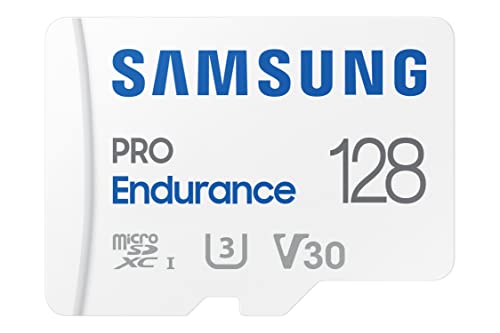
Samsung PRO Endurance 128GB microSDXC
An endurance-line card is the industry’s answer to the lifespan question for always-writing devices: flash and controller specified for continuous recording duty far beyond a consumer card’s design brief. Samsung PRO Endurance 128GB microSDXC — Check on Amazon

SanDisk 128GB High Endurance microSDXC (V30)
A second endurance example, aimed at dash cams and home monitoring — the two use cases where card lifespan is measured in months of overwrites rather than years of shelf life. SanDisk 128GB High Endurance microSDXC (V30) — Check on Amazon
how long do SD cards last: The Short Version
Cards die by writes, not birthdays. Match endurance to workload, watch for the early symptoms, keep copies of everything that matters, and retire cards on your schedule instead of theirs.
A Lifespan Budget: Planning Replacement Before Failure Plans It for You
The mature way to use everything in this guide is to convert lifespan from a surprise into a schedule. For each duty in your fleet, set a planned service life based on workload rather than hope: continuous recorders get calendar-based replacement while the cards still test clean, because their write volume is relentless and predictable; camera cards get a service window measured in years and outings, shortened for the cards that shoot bursts daily; system and boot cards get replaced at the first anomaly, because their failure mode is a dead device at an inconvenient hour. Write the planned retirement date in the registry at purchase, while optimism is cheap, and let the date — not the failure — trigger the replacement order. This feels wasteful the first time you retire a working card on schedule, and wise every time thereafter, because the retired card is not thrown away: it is demoted to duties where its failure would be a shrug, and the fleet’s average trustworthiness rises at both ends. Lifespan management is portfolio management, and the schedule is the whole strategy.
The Autopsy Habit: What Dead Cards Teach the Living Fleet
When a card does retire or fail, spend five minutes on its autopsy before it leaves. Note its age, its duty, its total service by your registry’s lights, and its manner of death — gradual anomalies, a sudden refusal, corruption under load, a clean test that lied. Record the verdict in the registry and close the entry. Across a few years, these short obituaries accumulate into the most valuable dataset a card owner can possess: your own fleet’s real lifespan distribution, by maker, line and duty, measured in your conditions rather than a laboratory’s. That dataset quietly governs your future buying better than any review, because it prices each maker’s promises in your currency — your cameras, your climate, your habits. Owners who perform autopsies stop having the same failure twice; owners who bin their dead without a word are condemned to re-enrol in the same lesson at retail prices.
Environment in Depth: The Four Slow Enemies
Heat over seasons
A card’s thermal life is written in summers: the car cabin in August, the camera bag on sunlit tarmac, the recorder in an unventilated enclosure. Each hot season spends retention and endurance at an accelerated rate that no single dramatic moment announces, which is why cards that live in vehicles age out of proportion to their write counts. The countermeasures are humble — shade, ventilation, rotation out of the hottest duties, retirement dates shortened for vehicle cards — and their common theme is respect for cumulative exposure. Judge a card’s age in summers survived as well as bytes written, and your lifespan estimates will stop being surprised by August.
Moisture and the contact interface
The flash inside a sealed card fears water less than the contacts and the slot do. Humidity corrodes the interface slowly, raising resistance until intermittent errors appear that impersonate flash failure perfectly. Cards stored in damp environments, carried in pockets against skin, or used in coastal and tropical work earn a contact inspection and cleaning as routine maintenance, and a storage habit — sealed case, dry place, a desiccant packet in the card box — that costs almost nothing. Many a card pronounced dead of old age was a healthy memory behind a dirty door, and the autopsy habit catches the pattern when the same “ageing” keeps striking cards that share a storage place rather than a birthday.
Vibration, shock and the working journey
Cards themselves are solid-state and shrug off shocks that would kill spinning media, but their working lives include slots, adapters and cases that do not. A drone card’s real wear includes a hundred insertions into a spring slot; a field card’s life includes drops onto stone inside a case that either protects it or doesn’t. Lifespan, in practice, is a property of the card’s whole travelling system. Hard cases, gentle insertion habits and slots kept free of grit extend the system’s life as surely as good flash extends the card’s, and the owner who budgets for both outlasts the owner who budgets for either.
Time itself: the shelf and the drawer
Finally, the enemy no workload creates: unpowered time. Data on flash fades by physics, faster when the card is worn and stored warm, and a card’s archive duty therefore has a lifespan measured from its last refresh rather than its manufacture. The collection’s guidance stands — verify and refresh stored cards on a schedule, keep archives on media designed for the purpose with cards as copies rather than originals — and the lifespan framing adds one nuance: a card’s data-retention life shortens as its write-endurance is spent, so the card you retire from heavy duty is precisely the wrong card to appoint as the family archive. Retire heavy cards to light active duties, and let fresh, cool-stored media carry the past.
Lifespan by Maker Tier: Reading Warranty as a Confession
Since endurance figures are rarely printed for consumer cards, the warranty remains the most honest lifespan document a maker publishes — it is the period across which they will stand behind the card’s survival, priced by their own failure data. Read product lines through it: the line with the long warranty is the maker’s confession of where the durable flash and careful controllers live, and the line with the short warranty is a confession of the opposite, whatever the shared speed marks claim. This is why the collection’s buying guides sort ranges the way they do — the best SD cards for dash cam and other endurance-led categories are, beneath the marketing, sorted by warranty and workload confession. Buy lifespan the way makers confess it, workload first and warranty as the tiebreak, and the fleet’s death rate becomes a chosen parameter rather than an ambient surprise.
The Retirement Ceremony: Closing a Card’s Service Properly
A card’s last day deserves the same orderliness as its first. Copy off anything it still holds that exists nowhere else — retirement day is a common moment to discover a forgotten folder that never joined the archive. Run one final full test, not to reprieve the card but to complete its record; the autopsy line in the registry should end with evidence. Then choose its exit: demotion to a light duty with its registry entry marked accordingly, destruction for cards whose failure mode was corruption or whose contents were sensitive, or the clearly labelled spares drawer for the merely old. What retirement must never be is ambiguous — an unmarked ex-service card drifting back into a camera bag is a failure scheduled by tidiness’s absence. Mark the case, close the entry, and the card’s story ends where you ended it, rather than at some future event where it reappears as an unexplained stranger in a slot.
Inheritance and Hand-Me-Downs: Lifespan Across Owners
Cards outlive their first duties and often their first owners, and the lifespan question follows them across the handover. When a card passes to a new owner — a child’s first camera, a colleague’s recorder, a donated kit — its remaining life is real but undocumented unless you document it. The honest handover includes the card’s age, its past duty and its last test result, in a sentence on the case or a note in the box. This is not pedantry; a card with two hard years in a dashcam is a poor gift for a wedding camera, and a fine one for a music player, and only the history distinguishes the two gifts. Households that hand cards down with their biographies attached get the full value of every card they buy, because each card spends its whole life in duties matched to its remaining strength — the fleet’s lifespan, managed across owners, is longer than any single card’s.
Frequently Asked Questions
How many years should I expect from an SD card?
In camera duty — filled, emptied, rotated — quality cards commonly serve five to ten years or more. In continuous-overwrite duty like a dash cam, an ordinary card may wear out in one to two years, while an endurance card is built for exactly that cycle. Calendar age alone predicts little; total writes are the real currency, which is why this explainer is organised by use case.
Do SD cards lose data if left unused?
Slowly, yes. Stored charge leaks over time, faster in heat, so a card in a drawer is a working copy, not an archive. Material that matters belongs on a drive with its own backup — the classes in best hard drives for backups — with cards refreshed as transport. If an old card reads with corrupt files, attempt recovery (see How to Recover Photos From an Sd Card) before writing anything to it.
What are the signs a card is wearing out?
Files corrupting or vanishing between sessions, intermittent camera card errors, write speeds fallen well below the card’s class on a retest, shrinking apparent capacity, or occasional failures to mount. Flash wear is progressive — the controller hides damage until its spare cells run out — so the first symptom is the cheap moment to copy everything off and retire the card.
Does formatting a card extend its life?
No. Formatting rebuilds the file system; it does not restore worn cells, and a full overwrite format is itself a card-wide write. Formatting in the device is good hygiene for reliability and performance, but lifespan is spent by writes, not saved by them. There is no maintenance that adds endurance back.
Why do dash cam cards fail so much faster?
Because loop recording is the harshest consumer workload: the card is perpetually full and overwriting, consuming write cycles every driving hour, often in a hot cabin. Worse, failures are frequently silent — the camera appears to record to a card that no longer stores. Use an endurance-rated card (see Best Sd Cards for Dash Cam) and verify monthly that recent footage exists and plays.
When should I replace a card that still works?
When it shows any wear symptom, when it has survived one unexplained corruption, or when it reaches an age and duty cycle where you would not forgive yourself for trusting it — before a wedding, a once-only trip, or any unrepeatable shoot. Rotation and scheduled retirement, as in Best Sd Cards for Wedding Photography, turn an unpredictable failure into a managed cost.
Can I extend a card’s life by formatting it often?
Formatting is housekeeping, not rejuvenation. An in-device format refreshes the file system’s organisation and gives the controller a clean map, which can restore orderly behaviour on a card that had grown fragmented and strange — but it writes almost nothing and erases no wear from the flash cells themselves. The lifespan ledger is kept in write volume, and no ceremony reduces it. Format for hygiene at the rhythm this collection recommends, by all means; just do not mistake the tidy desk for a younger worker. The card’s age is in its cells, and cells keep their own accounts regardless of how the paperwork looks.
Do larger cards last longer than smaller ones in the same duty?
Generally yes, and the mechanism is wear-levelling arithmetic: the controller spreads writes across the whole capacity, so a card twice as large endures roughly twice the written volume before its cells reach the same average wear, given identical flash quality. In a fixed daily-write duty like a recorder, capacity is therefore a lifespan purchase as much as a storage one, and the larger card can be the cheaper card per year of service. The qualification is “identical flash quality” — a large card built down to a price may carry flash that surrenders its advantage. Buy capacity within a line you trust, and the arithmetic works for you; buy capacity instead of quality, and it quietly stops working.
Should I rotate cards to spread wear, or dedicate them?
Both patterns are defensible, and the choice follows the duty. Rotation spreads wear evenly and keeps every card exercised and observable — good for camera fleets where cards are interchangeable and any card’s decline is visible in shared service. Dedication suits recorders and systems, where the card’s history belongs to one device and its replacement schedule is set by that device’s appetite. The pattern to avoid is the accidental one: the same favourite card absorbing every heavy duty while its siblings idle, ageing one card at five times the fleet’s rate with no schedule watching it. Whatever you choose, choose it on paper in the registry, so the wear lands where the plan intends.
How do I know a card died of age rather than abuse?
The autopsy usually tells you. Age deaths arrive gradually, in rising anomaly counts, on cards whose write history plausibly exhausts their class — the recorder card in its fourth summer, the boot card after years of logging. Abuse deaths arrive suddenly, at any age, with a story attached: a bend, a wash, a forced insertion, a corrupted removal. The distinction matters because the remedies differ — age deaths argue for schedule changes and tier upgrades, abuse deaths for case, handling and habit changes. Misdiagnosing one as the other spends money on the wrong fix and guarantees a sequel. Five minutes with the registry’s history separates them almost every time, which is why the autopsy is a habit and not a hobby.
Is a five-year-old unused card, still sealed, as good as new?
Nearly — with two footnotes. Unwritten flash ages slowly, and a sealed card stored cool has spent almost none of its endurance; its cells hold their factory freshness far better than any used card’s. The first footnote is retention of anything preloaded, which is irrelevant on a blank card. The second is the standard’s own drift: a very old sealed card may be of a capacity generation or speed era your newest devices have moved past, making it new but mismatched. Test it on arrival like any card — the full capacity test doubles as its christening — and enter its purchase-of-record date honestly in the registry, noting its sealed years, so its biography begins with the truth that it is old stock in young condition.
Do cards in rarely used devices still age?
Yes, on two clocks. The retention clock runs whenever the card sits unpowered, slowly fading stored data whether the device is used or not — the camera in the cupboard is forgetting its card’s contents at the same physics as any other. The environmental clock runs too, in the damp garage and the hot attic where rarely used devices live. The wear clock, alone, pauses. So the holiday camera’s card deserves a periodic wake: power the device a few times a year, verify the card reads, refresh its contents to the archive, and store the device somewhere kinder than the garage. Rare use is not suspended animation, and the owners who learn that from a dead holiday card learn it at the traditional price.
What lifespan should I expect from the card in my security camera?
Treat it as a consumable on a calendar, because continuous overwriting is the heaviest duty a consumer card can draw. An endurance-rated card in that service is commonly planned in seasons-to-a-few-years terms depending on its rating and the camera’s bitrate, while a standard card in the same slot is living on borrowed time from its first month. The professional habit is unglamorous and total: buy the endurance line, write the replacement date on the case and in the registry at installation, and swap on the date whether or not symptoms have appeared. A security camera whose card fails silently has not recorded the one night it existed for; the schedule is the difference between a camera system and a camera-shaped ornament.
Can a card’s remaining life be read by software?
Mostly no, and beware tools that claim otherwise. Unlike larger solid-state drives, SD cards expose almost no standardised health telemetry to hosts — no wear counters, no spare-block census that ordinary software can read. What software can do is test: write and verify the whole card and report whether it survived, which measures today’s honesty rather than tomorrow’s remaining budget. The owner’s registry is therefore the real health instrument for this medium — the accumulated record of tests, anomalies and workload from which a human can judge what a gauge would say if the card had one. It is less convenient than a percentage readout and more truthful than most of them.
Does deleting files wear a card as much as writing them?
Deletion itself is nearly free — it edits the file system’s index rather than rewriting the data — but the life that follows deletion is what wears cards: the new writes that refill the freed space. A card in a churn-heavy duty, constantly deleting and refilling, is therefore ageing at the pace of its refills, not its deletions. This is why the recorder that loops a small card ages it so quickly: the same cells’ worth of fresh data arrives every few days, forever. When estimating a duty’s appetite, count what gets written per week and ignore the deletions entirely; the write column is the lifespan column, and everything else is commentary.
Keep that write column for each working card, even roughly — a line per season is enough — and your replacement dates stop being guesses and become arithmetic the whole household can check.
What is the most reliable early-warning sign that a card is nearing its end?
A pattern, not an event: small anomalies that repeat — a file that needed a second copy attempt, a recording with one glitch, a mount that took two tries — clustering on the same card across separate outings. Single anomalies belong to the whole chain and usually acquit the card; a cluster with the card’s name on it is the card speaking in the only voice it has. The registry is what turns those whispers into a pattern you can see, because memory alone files each incident under the day it ruined rather than the card that caused it. When the pattern forms, promote the replacement from the schedule to the shopping list, and demote the card the same week. Cards rarely die without warning; they die without witnesses who were keeping notes.
Should I keep using a card that passes its test but is past its planned retirement date?
In a demoted duty, yes — that is what the demotion ladder is for. The retirement date governs the card’s critical service, not its existence, and a card past its date that still tests clean is a legitimate citizen of the light duties: the music player, the photo frame, the spare that only ever holds copies. What the date forbids is continued trust at the old level — the recorder slot, the single-card wedding, the boot duty of a device you depend on. Honour the date at the top of the ladder, enjoy the card’s second career below it, and let the final exit come when the tests, rather than the calendar, close the file. Schedules manage risk; they were never meant to waste honest service.
How should I dispose of a card that held personal data?
Physically, and without ceremony’s opposite — procrastination. A card retired with sensitive contents should not be given away, sold or binned intact, because deleted data on flash is recoverable by the next owner’s tools more often than intuition suggests. The reliable exits are destruction of the card itself — cut or snapped through the memory area — or, for the fastidious, a full overwrite with a secure-erase tool followed by destruction anyway, since flash wear-levelling can hide remnants from overwrites. Note the destruction in the registry to close the entry, and the card’s biography ends with its data’s privacy intact. Lifespan management includes the afterlife, and the afterlife of personal data should be short, deliberate and witnessed by you.
If I could track only one number per card, which should it be?
Its anomaly count — the running tally of every glitch, retry and oddity recorded against it, beside the dates. Capacity tests tell you about today; write volumes estimate the budget; but the anomaly tally is the card’s own testimony about its decline, accumulating in the only units that predict failure in practice. A card with a clean tally after years of work is a card to trust within its schedule; a card whose tally has begun to climb is telling you its remaining life in the most direct language available to it. One number, honestly kept, outperforms a dashboard of estimates — and it fits in the registry’s smallest column, which means there is no excuse for any fleet, however humble, to fly without it.
Add that column to your registry tonight, backfill it from memory as honestly as you can, and from tomorrow the tally keeps itself — one mark per incident, in the margin, where the truth about each card has always been trying to accumulate.
Does a card’s lifespan reset when it changes devices or owners?
Never — and believing it does is the hand-me-down trap in its purest form. The flash carries its wear invisibly; a new slot, a new device and a new owner all inherit the card’s accumulated age without any dial resetting. This is why the biography matters more than the card’s appearance: a pristine-looking card can be in its final season, and a scuffed one can be young. When you receive a card without a history, treat it as middle-aged until its tests and a probationary season say otherwise, and give it duties sized to that uncertainty. Cards do not get fresh starts; they get new chapters, and the wise owner reads the earlier ones before assigning the plot.
What lifespan promise should I make when lending a card?
None beyond its record — and say so cheerfully, with the card’s age and last test offered as its credentials. A lent card carries two risks: its own remaining life, which honesty covers, and the borrower’s handling, which a thirty-second briefing covers — how to remove it safely, why it must come back before it is formatted elsewhere, and what to do if a device complains about it. Loans that begin with that briefing return with their data and their friendships intact; loans that begin with a bare handover generate the genre of story this entire collection exists to retire. Lend the card, lend the knowledge with it, and both will come home in good condition.
Keep a small stock of lendable cards — tested, labelled, mid-life — for exactly these requests, so generosity never has to borrow from the cards your own critical work depends on.
Final answer in one line: how long will my card last?
Long enough, if you bought it for its duty, tested it on arrival, kept its record, and scheduled its replacement before its failure could schedule it for you — and not one important day longer than that discipline allows. Every figure in this guide, from recorder seasons to camera decades, is a variation on that sentence: lifespan is not a property cards have, it is a relationship between a card, a workload and an owner’s attention. Supply the attention, and the cards will supply the years — in the right duties, in the right order, with their retirements arriving as appointments rather than ambushes.
Begin the relationship deliberately with your next card: planned retirement date in the registry on day one, anomaly column open, and the whole question of its lifespan converted — from that first evening — into a schedule you control.
The cards already in your service deserve dates too — estimated from their purchase records and duties, entered at the same sitting — so the schedule covers the whole fleet from this week forward, not merely the cards lucky enough to be bought after you read this guide. An honest estimate, revised at each test, beats a precise fiction — the schedule’s job is to prompt the order in time, not to predict the day of death. Keep the estimates humble and the orders early, and the fleet will never test the difference — which is the quiet definition of a lifespan policy that works.
Related Guides
Keep exploring with these guides and roundups from the same SD-card collection: