Disclosure: As an Amazon Associate, ilcastellomenu.com earns from qualifying purchases. Product examples below link to Amazon, where you can check current availability and specifications; this guide itself lists no fixed prices because pricing and bundles change frequently.
Learning how to choose a gaming PC comes down to matching four things in the right order: the games you actually play, the resolution and refresh rate of your monitor, a graphics card chosen for that target, and a balanced system built around it. Players who start from a budget and a brand usually end up with an unbalanced machine; players who start from their screen and their library end up happy. This guide gives you that decision process step by step.
Whether you land on a prebuilt system or a parts list — a fork we examine honestly in Prebuilt vs Custom Gaming PC — the criteria are identical. By the end you will know how to read any gaming PC listing, spot where the money went and where it was saved, and judge whether a machine will still satisfy you in three years rather than three months.
How to Choose a Gaming PC, Step 1: Start With Your Monitor and Your Games
Your display defines the workload. A 1080p monitor at 60–144 Hz asks modest things of a graphics card; a 1440p high-refresh monitor roughly doubles the pixel work; 4K multiplies it again and adds interest in upscaling features. Decide your target resolution and frame rate before looking at a single PC, and be honest about whether a monitor upgrade is part of the plan — buying a PC for a screen you might get next year usually means overpaying now for performance you cannot see yet.
Your library refines the target. Esports titles are engineered to run fast on modest hardware and care more about high frame rates than visual settings; big open-world and cinematic games are the opposite, rewarding graphics power and storage speed. Simulation and strategy players should note the CPU column of their games’ requirements, since those genres lean on processing in a way shooters do not. Write your three most-played titles at the top of your notes; every later decision gets checked against them. Our Gaming PC Buying Guide turns this same thinking into a checklist you can take shopping.
In this guide
Step 2: Choose the Graphics Card for That Target
The graphics card is the heart of a gaming PC and should command the largest share of the budget — commonly the single biggest component cost in a well-balanced build. Choose it by performance at your resolution, not by its place in a product line: the question is never ‘is this a good card’ but ‘does this card hold my frame-rate target in my games at my resolution’. Independent benchmarks of your actual titles answer that better than any tier chart, and What GPU does a Gaming PC Need walks through the reasoning in depth, including how much video memory matters and when it does not.
Two supporting features deserve attention. Upscaling technology — the AI-assisted rendering every major GPU family now offers — effectively extends a card’s useful life at higher resolutions, and it is worth more in practice than small differences in raw specifications. Video memory capacity is the other longevity factor: cards age out through insufficient VRAM at rising resolutions sooner than through raw speed, which argues for choosing the more generously equipped model within a tier when the price gap is modest. Graphics card roundups organise the current field by exactly these criteria.
Step 3: Balance the CPU, RAM and Storage Around It
The processor’s job is to never be the bottleneck at your target: a modern mid-range CPU pairs correctly with a wide span of graphics cards, and overspending here while underspending on the GPU is the classic imbalance in both prebuilt listings and novice parts lists. What matters is that the CPU belongs to a recent generation with strong per-core performance; core counts beyond the mainstream help streaming, compiling and simulation workloads more than they help most games.
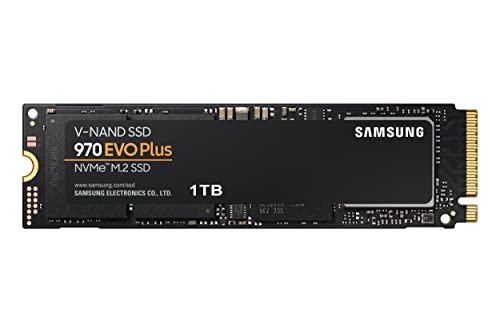
For memory and storage, the modern baseline is simple: 16 GB of RAM as a minimum with 32 GB the comfortable choice for longevity, and a solid-state drive — NVMe if the platform allows — as the only acceptable home for your operating system and games. How Much Ram does a Gaming PC Need explains the RAM reasoning game by game. Storage capacity fills faster than anyone predicts, so favour a board and case with a free slot for a second drive later; expandability is a feature, and it leads directly to the next step.
Step 4: Judge the Platform — Power, Cooling and Upgrade Room
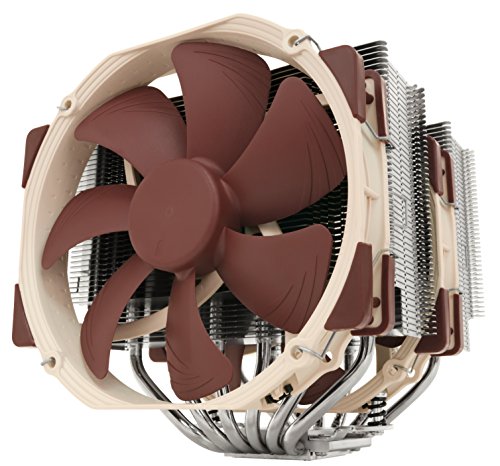
A gaming PC is a platform you will live with through upgrades, so judge the unglamorous parts. The power supply needs genuine headroom above the system’s draw, from a reputable maker, because it protects everything else and enables a future graphics card. The case needs real airflow — a mesh front beats a glass slab — and the cooling needs to keep temperatures and noise in check under sustained load, the subject of How to Cool a Gaming PC. The motherboard decides your upgrade paths: memory slots, storage slots and whether a stronger CPU can drop in later.
| Component | What to prioritise | Common trap | Longevity note |
|---|---|---|---|
| Graphics card | Performance at YOUR resolution | Paying for 4K power on a 1080p screen | VRAM capacity ages the card |
| CPU | Recent generation, strong per-core speed | Many cores, old architecture | Socket support decides upgrade options |
| RAM | 16 GB minimum, 32 GB comfortable | Fast-looking single stick | Two free slots beat two filled ones |
| Storage | NVMe SSD, generous capacity | Small fast drive plus huge hard drive for games | A spare M.2 slot is future-proofing |
| Power supply | Reputable brand, real headroom | Unbranded unit at exactly the rated need | A good PSU survives two builds |
| Case and cooling | Airflow first, then noise | Sealed glass box with lights | Cooling headroom enables future upgrades |
Apply the table to any listing and the marketing falls away: you will see at a glance whether a machine is balanced or whether a flashy processor is subsidised by a weak card, a mystery power supply and a sealed case. Listings that hide the power supply model or the exact graphics card variant are telling you something — believe them.
Step 5: Prebuilt or Custom — and the Final Checks
With criteria in hand, the build-versus-buy decision becomes practical rather than ideological: compare the prebuilt’s component list against the same parts priced individually, add the value of a single warranty and your own time, and decide with real numbers. The full comparison lives in our dedicated prebuilt-versus-custom guide. Whichever route you take, run the same final checks before money moves: confirm the exact GPU model and its memory, the RAM configuration (two sticks, not one), the SSD size, the power supply model, and the return policy.
Finally, sanity-check the complete package against complete-system roundups at your tier, not to copy them, but to catch anything your own process missed. A gaming PC chosen this way — screen first, card second, balance third, platform fourth — is not merely a good purchase; it is a machine whose every compromise you chose deliberately, which is the real definition of value.
Reading a Spec Sheet Like a Reviewer
Listings are written to sell, and the skill of reading them against the grain is worth more than any single buying tip. Watch for the unnamed: ‘high-performance graphics’ without a model, ‘fast SSD storage’ without a capacity or type, ‘RGB gaming case’ where the airflow description should be. Every omission is a decision — the part was chosen for cost, and its identity would not help the sale. Conversely, a listing that names its power supply model, its motherboard and its exact memory configuration is spending words on things most shoppers never check, which is the behaviour of a seller whose product survives checking.
Translate marketing quantities into the units that matter. Processor names encode generation in their numbering — learn the current generation’s pattern so a large number on an old architecture does not impress you. ‘Up to’ clock speeds describe a best case your cooling may never permit. Storage described in terabytes of combined drives may mean a small fast drive carrying the system and a large slow one carrying the marketing. None of this is fraud; all of it is framing, and your defence is the boring, wonderful habit of pricing the named parts individually and seeing what the unnamed ones would have to be for the total to make sense.
The Monitor Pairing Problem, Revisited
Because the display defines the workload, the PC and the monitor should be chosen as one system even when bought months apart. The classic mismatches bear repeating because shops commit them daily: a flagship PC on a basic 1080p 60 Hz screen, where most of the machine’s capability can never be displayed; and a premium high-refresh 1440p monitor fed by an entry PC that cannot fill it, leaving the owner lowering settings on the screen they just paid to enjoy. If you must sequence the purchases, buy the monitor you intend to keep and a PC that serves it honestly at slightly reduced settings — settings can rise with a future GPU, while a screen’s ceiling is fixed at purchase.
Refresh rate deserves the same realism as resolution. The step from 60 to 120-plus hertz is transformative and worth designing a system around; steps beyond that reward competitive players in specific titles and are wasted money for most libraries. Let your games arbitrate: if your most-played titles cannot sustain very high frame rates on any sane hardware, a very high-refresh display is a promise your PC will break nightly, and the balanced pairing is the more modest screen with the stronger PC behind it.
Planning the Three-Year Version of This Purchase
Choose today’s machine as the ancestor of the machine you will own in three years. That means a motherboard platform with processors still to come or at least a stronger sibling available, memory slots free for a second pair, an M.2 slot waiting for the inevitable storage expansion, and a power supply already sized for the graphics card class above yours. Each of those is a small or zero cost today and a fork in the road later: with them, year three is a satisfying single-component upgrade; without them, it is a full replacement conversation you did not intend to have.
It also means keeping the paperwork of the purchase — the exact parts list, the receipts, the warranty terms — somewhere findable. The future you who wants to know whether the power supply can feed a bigger card, or whether the memory kit matches the original, will be grateful. Choosing well is an afternoon’s work; choosing in a way that stays chosen-well is a filing habit, and it is the difference between a PC that ages gracefully and one that becomes a mystery box.
Three Buyers Walk Through the Method
Watch the method work on three different people. The first is an esports player with a 1080p high-refresh monitor and a modest budget. Screen first: the target is high frame rates at 1080p, which prices the graphics card at the mainstream class and warns against overspending on the processor’s core count. The build that emerges is deliberately plain — no visual theatre, an honest power supply, a case that breathes — and it will out-frame prettier machines costing more, because every decision was pointed at the one workload that matters to its owner.
The second buyer plays cinematic open-world games on a 1440p display and keeps machines for five years. The method pushes the graphics card up a class with generous memory, insists on the comfortable memory tier, and spends real attention on the platform: power headroom and slots for the mid-life upgrade that year three will want. The third buyer is equipping a teenager whose circumstances will change — school, possibly university, rooms not yet known. The method’s answer bends toward a smaller case, a mainstream card, and parts chosen for a machine that may move house repeatedly and be upgraded in stages as budgets allow.
Three budgets, three libraries, three correct machines that share almost no parts — and one identical process. That is the argument of this guide in miniature: there is no universally ‘best gaming PC’ hiding in a ranking, there is only the disciplined matching of a machine to a screen, a library and a life. Rankings can calibrate your sense of the market; the method is what you actually buy with.
Resolution, Refresh Rate and the Settings You Will Actually Run
The main method in this guide starts from your monitor and your games, and this section sharpens the monitor half of that equation, because two numbers on the monitor decide the PC more than any component choice you will make. The first is resolution — the pixel count the graphics card must fill every frame. The second is refresh rate — how many of those frames the screen can actually show per second. A PC is, in a real sense, a machine for feeding a specific monitor, and a build that is overpowered for a 1080p 60 Hz screen is not future-proofed so much as misallocated: the money sat in the GPU while the experience stayed capped by the display.
Be honest about the settings you will run, not the settings in benchmark videos. Reviewers test at ultra presets because they are comparable, but most players settle at high or a tuned mix — turning down the two or three settings that cost the most frames and buy the least visible quality. A PC chosen for honest settings can be a full tier leaner than one chosen for ultra-everything, and it will look nearly identical on your screen while running cooler and quieter. Choose for the player you are at 11 p.m. on a weekday, not for the benchmark channel’s methodology.
Also count the second display honestly if you run one. A side monitor showing video, chat or a stream adds a small but real load and, more importantly, argues for a GPU with the right outputs and enough memory headroom. Players who stream their own gameplay from the same machine should say so at the start of the choosing process, because encoding, capture and chat software move the sensible CPU and RAM choices up a step — it is far cheaper to choose for streaming now than to discover the requirement later.
The Noise and Heat Budget Nobody Puts on the Spec Sheet
Two PCs with identical frame rates can be completely different machines to live with, and the difference is the thermal and acoustic budget. A build crammed into a small case with a marginal cooler will hit its benchmark numbers in a review’s open test bench and then throttle, roar, or both, in a warm room under your desk. When you choose a PC, you are also choosing the noise floor of your room for the next several years, so treat cooling capacity and case airflow as performance specifications, not cosmetics.
Ask how the machine behaves at sustained load, not peak load. Games are marathons: a PC that holds its clocks quietly for three hours is a better gaming machine than one that is five percent faster for ten minutes and then spends the evening negotiating with its own temperature limits. Our guide on how to cool a gaming pc explains the airflow and fan-curve side of this in depth, and it is worth reading before you buy, because the cheapest time to own good cooling is in the original specification.
Room reality matters too. A PC in a small, warm bedroom lives a harder life than the same PC in a cool, ventilated office, and a PC under a desk in a carpeted corner breathes worse than one on the desk in open air. If your room is warm and your space is tight, weight your choice toward efficient components and a case with a genuinely open front — your future self, playing through a summer, is part of this purchase decision.
Operating System, Storage Layout and the Software Side of the Choice
Hardware lists dominate PC choosing, but the software arrangement decides how the machine feels on day two. Confirm what operating system licence is included and whether the storage is laid out sensibly: one fast drive is simpler and usually better than a small boot drive paired with a slow bulk drive, a layout that guarantees your games will eventually colonise the slow side. Ask how much of the advertised storage the system and recovery partitions consume, because the usable figure is the one your library will meet.
Bloatware deserves one direct question when buying a prebuilt: what is installed beyond the OS and drivers, and can it be removed cleanly? Trial suites, redundant updaters and manufacturer dashboards that duplicate Windows functions are not harmless — they are background load, pop-ups and occasionally genuine conflicts, and a clean system image is a feature worth preferring between otherwise equal machines. Custom builders and configurators usually win this category by default, which belongs in the prebuilt-versus-custom ledger even though it never appears in a frame-rate chart.
Finally, plan the data side of the purchase before the machine arrives. Moving a game library, saves and settings is a half-day of copying if it is improvised and an hour if it is planned: know which saves live in cloud services, which live in folders you must carry across manually, and whether your download speeds make re-downloading a library realistic. The best-chosen PC in the world delivers a miserable first week if its owner spends that week as a data porter.
Choosing for Someone Else: Gifts, Kids and Shared Family PCs
Choosing a PC for another person changes the optimisation target in ways worth stating. For a gift, reliability and support outrank the last increment of performance, because the recipient may not troubleshoot the way you would; a well-supported prebuilt with a clean warranty is often the kinder present than a marginally faster custom build whose support department is you, by phone, indefinitely. Buy the machine whose problems will be solved by someone other than the giver.
For a younger player’s first PC, choose for the upgrade path rather than the present moment. A solid platform — good power supply, a case with room, a motherboard with memory and storage expansion — lets the machine grow through birthday-GPU increments for years, and teaches the owner the upgrade habit on forgiving hardware. The worst first PC is a sealed dead end that must be replaced whole just as the player’s ambitions grow; the best is a foundation. Our guide on how to upgrade a gaming pc is the natural sequel to read once the foundation is in place.
For a shared family PC, the honest spec includes the family’s other jobs: schoolwork, photo storage, video calls, the occasional spreadsheet. Storage capacity and a quiet idle matter more in this household than in a pure gaming den, and multiple user accounts with sensible permissions will save more arguments than any component choice. A family PC is a compromise by design; make it a deliberate one, with the gaming target protected and the household duties honestly budgeted.
Red Flags in Listings: Reading Between the Specification Lines
Listings are written to sell, and a few patterns should raise a buyer’s guard instantly. The first is the headline component with a silent supporting cast: a strong GPU paired with an unnamed power supply, unspecified memory configuration and a storage drive described only by capacity. The parts a listing refuses to name are the parts where the margin was made, and unnamed power supplies in particular deserve suspicion, because everything else in the machine depends on that component’s honesty.
The second pattern is the mismatched generation story: a current GPU beside a several-generations-old CPU, presented as balance. Sometimes that pairing is a legitimate budget strategy; often it is inventory being cleared through your purchase. Check the platform’s age and its upgrade ceiling before paying current money for it. The third pattern is specification theatre — long lists of irrelevant numbers (port counts, lighting zones, software suites) padding a listing whose core five components could be described in two lines. Theatre is what a listing does when the substance is thin.
The antidote to all three is the checklist habit from the main guide: reduce every candidate to the same five lines — GPU, CPU, memory capacity and configuration, storage type and capacity, power supply identity and rating — and compare only machines you have reduced. Listings that resist reduction are telling you why they resist it.
Budget Allocation in Percentages, Not Prices
Prices move too fast for any fixed figures to stay honest, so allocate by proportion instead. In a balanced gaming build, the graphics card typically claims the largest share — roughly a third to two-fifths of the hardware budget — because it does the largest share of the gaming work. The CPU takes the next serious share, followed by the platform around it. Storage, memory, case, cooling and power divide the remainder, and the discipline is in the dividing: a build that starves the power supply and case to feed the GPU has bought performance it cannot house safely.
Adjust the proportions by your target rather than treating them as law. A high-refresh esports build at modest resolution shifts weight toward the CPU and cooling, because frames there are made by the processor’s speed and sustained clocks. A 4K build shifts weight further toward the GPU and its memory. A streaming build feeds the CPU and memory at the expense of the GPU’s tier. The percentages are a starting skeleton; your monitor, games and second jobs — the method from the main guide — put the flesh on it in the right places.
Reserve a slice outside the hardware entirely: the peripherals and software the machine needs to be usable, from a decent mouse to the games themselves, and the small humiliations budget — the cable, adapter or bracket that every build discovers it needs on a Sunday evening. A budget consumed entirely by the tower is a budget that has forgotten the tower must be connected to things.
Delivery Day: The First-Hour Inspection
However carefully you chose, verify what actually arrived. In the first hour, before migrating anything, confirm the machine contains what the listing promised: the GPU model, the memory capacity and configuration, the storage type and size, and the power supply’s identity if it is visible. Mistakes and substitutions happen in every channel, and they are painless to correct in week one and miserable in month three. Photograph the specification screens; they are your evidence and your future upgrade log’s first entry.
Then run the machine at load for a sustained period — a demanding game or a stress test — while watching temperatures and listening. A new PC should complete this without errors, throttling surprises or alarming noise, and it should do so in your room, in its intended position, not on an open bench. This is the burn-in that catches infant mortality while returns are still a formality. Our guide on how to fix a gaming pc that overheats is the reference if the numbers surprise you — but on a new machine, surprises are the seller’s problem to solve, not yours.
Only after the inspection passes should the migration begin. It feels slower; it is actually the fastest route to a machine you trust, because every later weirdness can be judged against a verified first day. Players who skip the inspection spend months unsure whether a problem was born or made. Players who run it know.
The Total Cost of Ownership, Counted Honestly
The purchase price is the first instalment, not the total. A gaming PC consumes electricity in proportion to its components’ appetites and your hours, and an inefficient build in heavy daily use quietly outspends a thriftier one over a three-year life — a consideration that matters more in regions with expensive power and in rooms where the waste heat must then be cooled by air conditioning you also pay for. Efficiency is a running-cost specification, and it is one of the few honest arguments for newer component generations even when their frame rates tie with older ones.
Add the consumables and the calendar: thermal paste and a cooler fan eventually, storage expansion as libraries grow, a replacement peripheral or two, and the mid-life GPU that the upgrade plan already foresees. None of these are arguments against buying; they are arguments for buying with a reserve. The player who spends the entire budget on the tower and nothing on its life will meet each small cost as a crisis. The player who holds back a modest reserve meets them as maintenance, which is what they are.
Finally, count your own time in the ledger, at whatever rate your honesty assigns it. A custom build costs a weekend the first time and an evening once you are practised; a prebuilt costs a phone call when it fails. Neither is free and neither is wasted — but they are different currencies, and choosing a PC means choosing which currency you would rather pay in. Players who love the bench should not apologise for paying in weekends; players who do not should not be shamed out of paying in money. The ledger balances either way, as long as it is kept honestly.
Gear for This Guide
The examples below come from our verified product pool and illustrate the product classes discussed in this guide. They are examples, not a ranked list — use the criteria in this article to judge any model, including newer revisions.
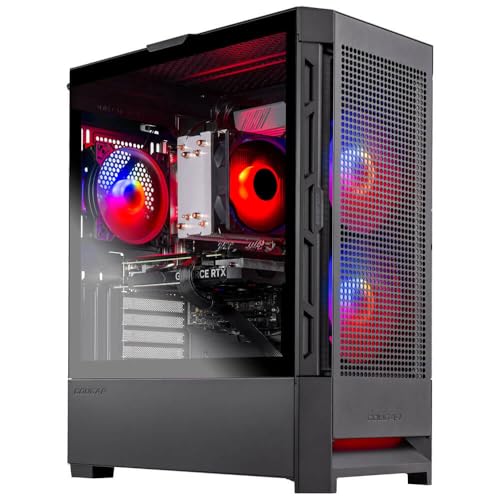
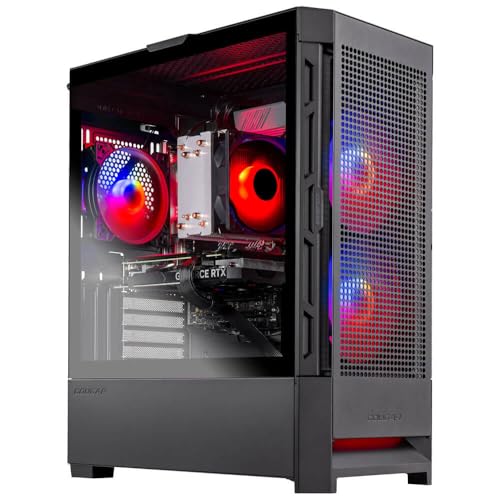
Skytech Gaming Nebula Gaming PC Desktop
A useful reference build for this process: a sensible CPU and graphics card pairing with an NVMe SSD — judge it against the table above and see how the method works. Skytech Gaming Nebula Gaming PC Desktop — Check on Amazon
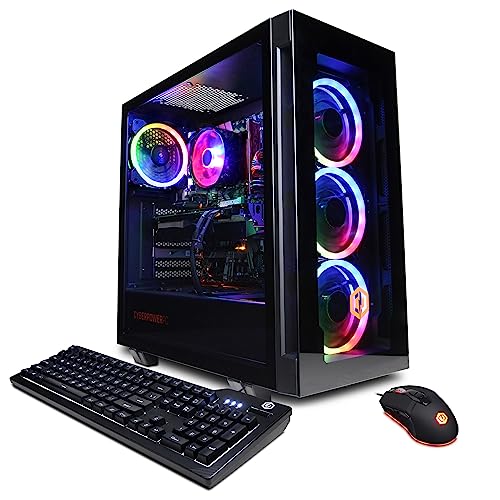
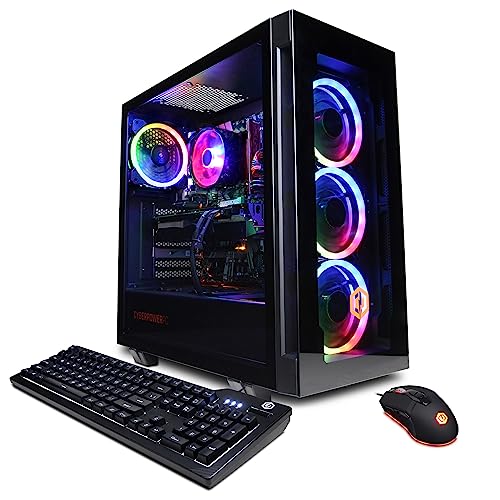
CYBERPOWERPC Gamer Xtreme VR Gaming PC
A step-up configuration to practise on: compare its component balance with the reference build and decide whether the differences serve your resolution target. CYBERPOWERPC Gamer Xtreme VR Gaming PC — Check on Amazon
Frequently Asked Questions
How long should a gaming PC last?
A well-balanced machine typically plays new games well for four to six years, with a graphics card upgrade around the middle extending that further. Longevity comes from platform choices — power headroom, slots and cooling — more than from buying the fastest parts today.
Is it better to buy once, expensively, or upgrade over time?
For most players, a balanced mid-range machine plus one mid-life GPU upgrade beats a single flagship purchase on both cost and average performance across the years. That strategy requires the upgrade room this guide emphasises.
What is the most common mistake when choosing a gaming PC?
Imbalance: a strong CPU paired with a weak graphics card, usually because processor names are easier to market. At any fixed budget, the graphics card should be the most expensive component in the machine.
Do I need a gaming PC for esports titles?
Esports games are deliberately lightweight and run well on modest hardware, including many laptops and older PCs. If they are your whole library, you can choose at the comfortable end of the market and prioritise a high-refresh monitor instead.
Should I wait for next-generation parts?
There is always a next generation. Buy when your current setup stops serving you, choose parts with upgrade room, and the machine will absorb future components gracefully — that is a better strategy than perpetual waiting.
How much of my budget should go to the graphics card?
In a balanced build it is the largest single component cost — at mid and high tiers it commonly rivals the rest of the core components combined. If a draft build spends more on processor, case and decoration than on the card, rebalance it before buying.
Bottom line: screen and games first, graphics card second, balance third, platform always. Read every listing against those criteria and you will choose a gaming PC that fits your play today and adapts tomorrow.
How long should a well-chosen gaming PC stay relevant?
A sensibly chosen mid-range machine should play new releases comfortably for three to four years, with settings gradually tuned down, and remain genuinely usable for five or more with one mid-life GPU upgrade. Longevity comes less from buying the fastest parts than from buying a platform with headroom — power supply capacity, memory slots, storage expansion — because headroom is what converts future upgrades from replacements into additions.
Is it better to choose a PC around one favourite game or a library?
Around the most demanding game you play regularly, with the library as a sanity check. Your favourite demanding title sets the performance floor that will decide your satisfaction; choosing for a lighter average leaves your most-played game underpowered, while choosing for a single outlier you boot twice a year overspends. If one game dominates your hours, it earns the casting vote.
Should I prioritise a better GPU or a better monitor if I cannot afford both?
Sequence them rather than choosing forever: the monitor defines the target and outlives several PCs, so if your current display is genuinely old, upgrading it first — and accepting modest settings until the PC follows — is defensible. If your display is already decent, the GPU delivers the immediate experience. What you should not do is pair a top GPU with a bottom-tier monitor permanently; that is paying for frames nobody will ever see.
Do I need to worry about which ports and connections a PC has?
Briefly, yes. Confirm the GPU has the outputs your monitors need, the case and motherboard offer the USB connections your peripherals and VR or capture gear require, and networking — wired Ethernet or modern Wi-Fi — matches your home. Port regrets are petty and permanent, and they are entirely avoidable with five minutes spent on the specification’s least glamorous lines.
Is an extended warranty worth it on a gaming PC?
It depends on who built the machine and who will service it. For a prebuilt bought by a non-technical owner, extended cover that includes labour can be rational, because the alternative is paid repairs or your own weekends. For a custom build you maintain yourself, the components carry their own warranties and the extended layer usually duplicates them. Judge it as insurance — priced against your ability to self-repair — not as a performance feature.
How do I compare two PCs with different CPUs and GPUs fairly?
Reduce both to your target: the resolution and frame rate you actually play at, in the games you actually play. Look for benchmark results in those titles at those settings rather than synthetic scores, and weight the machine that wins your games over the machine that wins the average. Where your exact games are untested, comparable titles on the same engine are the next best evidence — far better than a single headline number from either listing.
Is RGB lighting or a glass case a waste of money?
It is a purchase of appearance, and appearance is a legitimate thing to buy with open eyes. What it should not do is displace the unglamorous components — power supply quality, cooling capacity, storage speed — in a fixed budget. Fund the machine’s function first, then its looks, and be suspicious of listings where the lighting specification is longer than the power supply specification.
Should I buy a PC during a sale event or when I need it?
Buy when the need is real and the specification is right; sale events reward buyers who already know their target machine, because the discount applies to whatever you point it at, including the wrong PC. Decide the specification first, in a calm week, and then let a sale reduce its price if one conveniently appears. A discounted mistake is still a mistake, and it will sit on your desk far longer than the sale lasted.
What is the most common mistake first-time buyers make?
Buying the GPU’s reputation and the rest of the machine as an afterthought — then living with the weak power supply, single memory stick, slow storage and loud cooling that the afterthought contained. The graphics card decides the frame rate in the first hour; the supporting cast decides whether you still like the machine in the second year. Choose the whole PC, every time.
Does the brand of the PC matter as much as the components inside?
The components decide performance; the brand decides what happens when something goes wrong and how the machine was assembled. Two PCs with identical parts lists can differ in cable routing, thermal paste application, bloatware and warranty handling — all brand-level qualities. Read the parts list for the frame rates and the maker’s reputation for the ownership. Where a lesser-known builder offers a suspiciously better specification for the money, the difference is usually being taken from assembly quality or support, which are exactly the things a specification cannot show you.
How important is the case, really, if I never look inside?
More than its price suggests. The case decides airflow, which decides temperatures and noise; it decides whether future upgrades physically fit; and its front-panel connections are the ones you touch every day. A cheap case taxes every other component’s performance and every future upgrade’s options. You do not need a beautiful case, but you need an honest one — ventilated, standard-sized and built to tolerances that let parts seat properly.
Should I wait for the next GPU generation before buying?
Only if your current situation is genuinely tolerable and the wait is short and defined. There is always a next generation, and the waiting strategy repeated becomes a permanent state in which no PC is ever bought. Buy when your games demand it and the specification is right; the machine you own will still be playing your library on the day the next generation launches, and it will not get slower for the news.
What should I do in the first week with a new gaming PC?
Verify, then settle, then play. Verify the specification against the listing and run a sustained load test while watching temperatures, as the inspection section describes. Settle the machine into its real position, route its cables so airflow is not strangled, install your security and backup basics, and migrate your library and saves with the plan you made before it arrived. Then play — and during that first week, keep a small note of anything odd: a noise, a temperature, a hiccup. Patterns noted in week one are warranty gold if they develop, and peace of mind if they do not.
Can a gaming PC double as a quiet home-office machine?
Yes, and the two jobs are less opposed than they appear. Office work loads a PC so lightly that a well-cooled gaming machine idles nearly silently, especially with fan curves that keep fans stopped or slow at low temperatures. The conflicts are at the margins: office users may value a smaller case and no lighting, gamers the reverse. Choose the shared virtues — efficient components, good cooling, plenty of storage — and let the lighting be the household negotiation it probably already is.
One last check — what would you tell a friend buying tomorrow?
Write your target on paper first: the monitor, the games, the frame rate that would satisfy you. Reduce every candidate to the same five component lines and compare only those. Then buy the machine whose supporting cast — power, cooling, storage, warranty — you would be content to live with for four years, because you will.
Related Guides
Keep exploring with these guides and roundups from the same Gaming PCs collection: