Learning how to choose a sound card starts with admitting what problem you are solving, because a sound card is not one product — it is a family of solutions for weak onboard audio, noisy headphone outputs, surround sound, recording, and console compatibility. Choose for the problem you actually have and the choice narrows fast; choose by spec sheet and you will buy numbers you cannot hear.
This guide works through the decisions in order: internal versus external, the specifications that genuinely matter, headphone driving power, surround and software features, and the honest question of whether you need one at all — the same question Sound Card vs Onboard Audio tackles head-on. If you already know you want better sound, start here and finish with a shortlist, not a headache.
Disclosure: As an Amazon Associate, ilcastellomenu.com earns from qualifying purchases. Product details and availability can change; check the retailer listing before you buy.
Step 1: name the job the sound card must do
For cleaner headphone sound — hiss, interference whine that follows your mouse, or a front-panel jack that sounds like a radio between stations — the job is conversion and amplification quality. For driving demanding headphones, the job is amplifier power. For a home-theatre PC, the job is surround outputs and encoding. For streaming and voice, the job may be microphone processing and game/chat mixing. Each job points at different products, which is why ‘best sound card’ lists, including Best PC Sound Cards for Gaming, segment by use rather than crowning one winner.
Be specific about your transducers too. A sound card cannot outperform the headphones or speakers plugged into it, and money spent upgrading a modest headset usually beats money spent feeding it a pristine signal. Audit the whole chain — source files, sound device, headphones — and fund the weakest link first.
Write your job in one sentence before shopping: ‘quiet, powerful headphone output for gaming at my desk’ is a purchasable brief; ‘better audio’ is not. Every criterion below gets easier with that sentence in hand.
In this guide
Step 2: choose internal or external
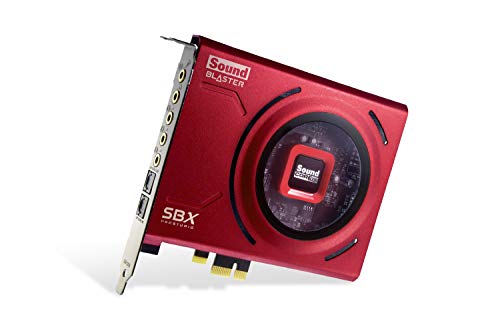
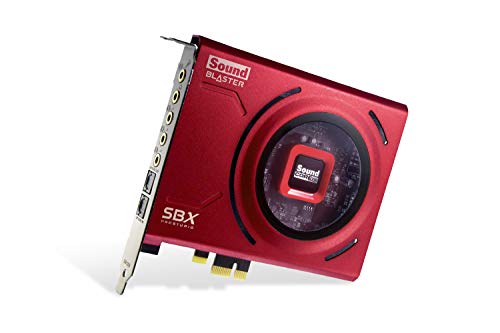
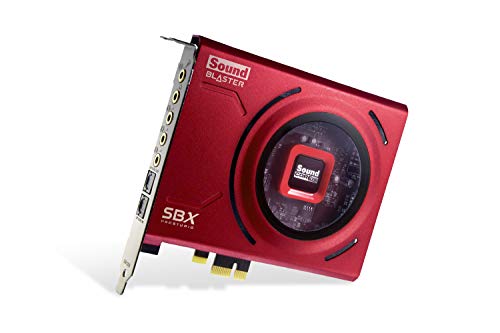
Internal PCIe cards live inside a desktop PC, draw clean power, offer the strongest amplifier and surround specifications at a given tier, and keep your desk clear. Their costs are installation, a free slot, and life inside an electrically noisy case — well-designed cards shield against it, but the environment is what it is. The full comparison is in Internal vs External Sound Card, and the fitting process is walked through in How to Install a Sound Card.
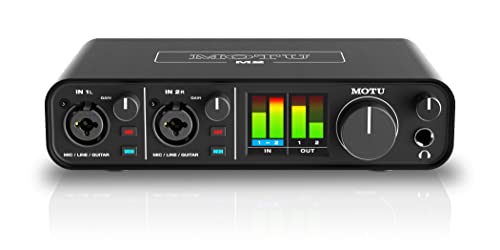
External USB sound cards and DAC-amps sit on the desk, move between machines and consoles, put a volume knob within reach, and escape case noise entirely. They suit laptops, console players, and anyone who upgrades PCs more often than audio gear. Their limits are desk space, a cable, and — on basic models — more modest amplification than strong internal cards.
There is no prestige order here, only fit. A desktop-only gamer with a free slot and big headphones leans internal; a laptop-and-console player leans external by necessity. Many enthusiasts end with an external unit simply because it survives every PC rebuild untouched.
Step 3: read the specifications that matter
Signal-to-noise ratio (SNR) describes how far the wanted signal sits above the device’s own noise; higher is cleaner, and it is the spec most connected to the hiss-and-whine complaints that send people shopping. Sample rate and bit depth (for example 24-bit/192 kHz) describe the digital formats the card handles — comfortably beyond human hearing at the top end, so treat them as compatibility checkboxes rather than quality ladders once you pass CD-level figures.
Total harmonic distortion figures similarly reward ‘low enough’ rather than endless comparison. The specifications that change daily life are less glamorous: headphone amplifier power and rated impedance range, whether outputs are amplified or line-level, microphone input quality, and driver and software stability on your operating system. A card with impeccable numbers and miserable drivers is a miserable card — check recent user reports for your OS version before buying.
Channel count matters only if you will use it: 5.1 and 7.1 outputs serve real surround speaker systems and virtual surround for headphones; a stereo listener gains nothing from channels they never connect. Buy the card your speakers and headphones can actually exercise.
Step 4: match the amplifier to your headphones
Headphones vary enormously in how much power they need. Easy earbuds and most gaming headsets run happily from almost anything; high-impedance studio headphones can sound quiet and thin from a weak output no matter how clean it is. Check your headphones’ impedance and sensitivity, then confirm the card’s headphone output is rated to drive them — manufacturers state supported impedance ranges, and staying inside them is the difference between headroom and disappointment.
A dedicated headphone amplifier stage, ideally with gain settings, is the feature to look for if demanding headphones are your present or future. Gain matters because too much amplification for sensitive earbuds raises the noise floor you were trying to escape; switchable gain serves both ends of a collection from one device.
If headphones are not your weak link — if you listen on powered speakers — prioritise a clean line output instead, and let the speakers’ own amplifiers do the power work. The music-focused shortlists in Best Sound Cards for Music weight exactly these qualities.
Step 5: surround, software, and extras that earn their place
Virtual surround processing can widen a game’s soundstage through ordinary stereo headphones, and implementations differ enough that it is worth reading user impressions for your games. If you own real surround speakers, discrete outputs and the right encoding support matter more than any virtual mode. Streaming features — game/chat balance, microphone EQ and noise tools, programmable profiles — are genuine value for creators and irrelevant weight for everyone else.
Software is half the product on a modern sound card. Budget time to learn the control panel, save profiles for your main uses, and keep drivers updated from the manufacturer rather than letting the OS guess. The setup walkthrough in How to Set Up a Sound Card turns a new card from ‘installed’ to ‘actually configured’, which is where most of the benefit hides.
Optical outputs, interchangeable op-amps, and RGB lighting exist across the market; buy them when they solve your problem (optical for isolating a noisy PC from an AV receiver, for instance) and ignore them when they are decoration. Decoration is not a sin — it is just not a criterion.
Common mistakes when choosing a sound card
Mistake one: buying a sound card to fix headphones that are themselves the problem. Mistake two: chasing sample-rate numbers past audibility while ignoring amplifier power. Mistake three: buying an internal card for a laptop, or an internal card without checking for a free PCIe slot and clearance from the graphics card. Mistake four: ignoring driver support for your exact operating system. Mistake five: expecting any sound card to fix audio that is bad in the source — compressed streams and poor game mixes stay poor, just more clearly reproduced.
The meta-mistake is skipping the baseline test: before buying, listen critically to your current onboard audio with your best headphones on a quiet recording. If you cannot hear a flaw, a sound card is a want, not a need — which is fine, but buy it as a want, at a want’s budget. The honest need-test is the whole subject of do-you-need-a-sound-card-for-gaming.
The bottom line on choosing a sound card
Name the job, pick the form factor that fits your machines, verify amplifier match for your headphones, and let SNR and software stability break ties. That method lands you on a card you will hear the benefit of every day, whether it lives in a PCIe slot or on your desk.
Once it arrives, install and configure it properly with @@how-to-install-a-sound-card@@ and @@how-to-set-up-a-sound-card@@, then verify the result with how-to-test-a-sound-card so your upgrade is measured, not imagined.
Matching a sound card to speakers, not just headphones
Speaker listeners should shop a different checklist from headphone listeners. Your priorities become clean line-level outputs, the right channel count for your speaker system, and configuration tools — distance, level, and bass management — that let the card tune the room’s geometry. Amplifier power, the headphone shopper’s headline, matters only if the card will drive passive speakers through a separate amplifier chain you already own.
Powered speakers simplify the purchase beautifully: the card is a source, and its virtues are purity and features. Passive-speaker owners must trace the whole chain — card to amplifier to speakers — and confirm each link’s levels and connections, because a sound card alone does not power passive speakers and product pages do not always shout that distinction.
Multi-purpose desks — headphones at night, speakers by day — want both paths served well and a painless way to switch between them, ideally a profile or a front-panel control rather than a cable swap. If that is your desk, switching convenience is a headline criterion; test it in reviews and manuals before the amplifier specifications seduce you past it.
Production and streaming: the specialist checklists
Music producers add requirements this guide’s gaming lens understates: low-latency driver performance for monitoring while recording, clean inputs with honest gain for microphones and instruments, and stability over long sessions. The production shortlists exist because a card can be a superb gaming device and a mediocre production one — the disciplines weight the same hardware differently, and shopping from the wrong list is an expensive category error.
Streamers shop for workflow: game/chat mixing within reach, microphone processing that survives a shout, monitoring without delay, and software that profiles per application. For them the sound card is broadcast infrastructure, and its value is measured in mid-stream adjustments that did not require alt-tabbing. If that is your use, demo the software mentally against your actual stream routine before comparing any audio specification.
Both specialists share one rule with everyone else: the card must disappear into the work. A device that demands attention during a take or a stream has failed its real specification, whatever its numbers say — which is why stability reports from users in your exact discipline outrank every other research you can do.
Reading sound-card reviews without being misled
Audio reviews split into measurement pieces and impression pieces, and each misleads in its own way. Measurements are honest about the device and silent about your headphones, room, and ears; impressions are honest about one listener’s system and quietly universalise it. Read measurements for competence — noise, distortion, power into stated loads — and impressions for character and software quality, and never let either substitute for the question your purchase actually turns on: what this device does in your chain, with your transducers, on your content.
User reviews add the dimension professionals cannot: months of driver behaviour across updates, support quality when something broke, and the small daily frictions no launch review lives long enough to meet. Weight recent, specific, same-operating-system reports most heavily, and treat both five-star rapture and one-star fury as weather rather than climate.
The second-hand and previous-generation option
Sound cards age gracefully — conversion quality plateaued years ago — which makes previous-generation and second-hand units a rational hunting ground, with two cautions. Driver support is the first: confirm the model still receives, or at least retains, working drivers for your current operating system, because an unsupported card is a paperweight with excellent specifications. The second is condition of the analogue parts: jacks and volume potentiometers wear, and a scratchy knob on a bargain unit is the sound of false economy.
Bought with those checks, a previous flagship often delivers the amplifier stage and feature set of a current mid-tier model for less, and the saving funds the headphones that will actually reveal it. The audio market’s slow frontier is the second-hand buyer’s friend; use it with your eyes open.
Your one-sentence brief, revisited
This guide began by asking you to write the job in one sentence. End by auditing candidates against it ruthlessly: every feature a card offers beyond your sentence is weight, cost, and software complexity you will carry for the product’s whole life. The best sound card for you is not the one with the most capabilities; it is the one whose capabilities and your sentence are the same list.
If two cards both match the sentence, let the tiebreakers be the unglamorous ones — driver reputation, support quality, return policy — because those decide the ownership experience after the honeymoon. Then buy, install carefully, set up properly, and test with your own ears at matched volume. The method, faithfully followed, is the product recommendation.
Start with the transducer: your headphones and speakers set the ceiling
Every sound card decision is downstream of one fact buyers routinely shop past: the card can only deliver what your headphones or speakers can reveal. A demanding headphone — high impedance, low sensitivity, or both — sets an amplifier requirement that no feature list can substitute for, and it should be the first specification you bring to the search. A modest headphone or powered speakers, by contrast, ask almost nothing of amplification, which frees the entire budget for conversion quality, features, or simply savings. Shopping in the other order — card first, transducer later — is how owners end up with an excellent card strangling on headphones it cannot drive, or an expensive amplifier stage performing for earbuds that cannot hear it.
So begin with an inventory, written down: every headphone and speaker set the card will serve, their impedance and sensitivity if published, and the one you use most. The most-used transducer is the design target; the others are compatibility checks. Note also what is coming: a planned headphone upgrade within the year is a legitimate reason to buy amplification headroom now, while a vague intention to upgrade someday is not — intentions have a poor record of arriving, and headroom bought for them sits unused.
This ordering principle generalises across the whole purchase and is worth stating once, plainly: in an audio chain, buy for the ends first. The ends — ears at one side, transducers at the other — are where sound becomes physical. The card in the middle serves them. A card chosen to serve known transducers will satisfy; a card chosen in the abstract will spend its life being adapted to, which is a different and lesser ownership.
The noise question, asked correctly: what you are actually trying to escape
Most sound card purchases begin as an escape from noise — hiss, buzz, interference that follows the graphics card’s workload — and the escape succeeds only if the noise’s actual address is identified first. Noise that enters through the computer’s internal electrical environment is cured by moving conversion away from it, which an external card does by geography and an internal card does by shielding and design. Noise that enters through a ground loop between devices will follow you to any card until the loop itself is broken. Noise that lives in the source material — a badly recorded stream, a noisy microphone — is not the chain’s fault at all and no purchase will remove it.
Diagnose before you shop, with the simple isolation tests this site’s testing guidance describes: does the noise change with system load, with cable routing, with which devices are connected, with volume at zero? Each answer points at a different cure, and several of the cures are free. The buyer who skips this step and buys on hope sometimes wins — the new card’s geography happens to solve it — and sometimes buys an elegant box that reproduces the identical buzz, now in higher fidelity.
If noise is your reason, let it also shape the internal-versus-external decision directly, rather than treating that choice as a matter of taste: the deeper treatment in the comparison of internal and external designs weighs electrical environment against desk reality in full. Choose the form that addresses your diagnosed noise, and let convenience break any remaining tie.
Inputs deserve equal billing: the microphone and recording side of the card
Product pages photograph outputs and buyers shop for listening, but half of a sound card’s life can be its inputs — and for streamers, musicians, podcasters, and anyone whose calls matter, the input side is the purchase. Judge it on its own criteria. The microphone input’s gain range decides whether your microphone can be driven to a healthy level without strain. Its noise floor decides whether that level arrives clean. The presence of a proper instrument or line input decides whether a guitar or an external mixer can join the setup without adapters and compromises. Monitoring — hearing yourself with no delay — decides whether recording sessions feel professional or maddening.
Match the input inventory to a named future, not to a fantasy studio. One microphone, well served, beats four inputs of which three gather dust; but a card bought for listening alone, three months before its owner starts a podcast, is the classic false economy of this category. If there is a realistic chance your use grows a microphone, buy the card whose input side you would have chosen for it, and let the listening side — which is forgiving across a wide range of cards — come along.
Also weigh the software that governs the inputs: gain staging, monitoring mixes, and processing live there, and a card whose control panel you dread will be a card whose inputs you underuse. Screenshots and manuals are available before purchase; read them as seriously as the specifications, because you will live in that panel weekly while the specifications merely sit in a drawer of your memory.
Surround and spatial audio: separating the formats from the feelings
Surround claims are where sound card marketing is least tethered, so buy this feature with unusual care. Distinguish three different things that share the vocabulary. True multichannel output — discrete signals to real speakers — is a hardware fact: the card either has the outputs and decoding or it does not, and it matters only if you own or will own the speakers. Virtual surround for headphones is a processing claim: the card renders multichannel game or film audio into a two-channel illusion of space, and its quality lives entirely in the processing, which varies more by implementation than by price. Positional features in games are increasingly handled by the game engines and operating systems themselves, which can make a card’s branded version redundant before you buy it.
The buyer’s method is to name the content first. Films on real speakers: verify the card’s decoding and outputs against your receiver or speaker system, or consider that a receiver may be the right device entirely. Competitive games on headphones: test the processing with your own ears if at all possible, because spatial preference is personal and the same processing that one player calls precise another calls smeared. Everything else — music, calls, general play — gains nothing from surround features, and a buyer whose content list is ‘everything else’ should let this entire section of the brochure pass unbought.
Note the upgrade asymmetry: processing features age as software, and software ages fastest. A card bought for its conversion and amplification will be as good in five years as today; a card bought for a branded spatial suite is hostage to that suite’s support. Weight your money toward the parts of the card that cannot be obsoleted by an update — a principle that recurs throughout this guide because it recurs throughout audio.
Reading measurements without becoming a measurement hobbyist
Sound cards are among the few computer components with a genuine measurement culture, and a buyer can borrow its benefits without joining it. Three ideas suffice. First, measurements describe a card’s electrical behaviour under test conditions; they are excellent at exposing real flaws — high noise, distortion under load, weak output — and poor at ranking good cards against each other, because past a competence threshold the remaining differences fall below what listening reliably detects. Use measurements as a screen, not as a league table.
Second, distrust any single number presented alone, especially the flagship figures on a box. A signal-to-noise figure without its measurement conditions, a power figure without the impedance it was measured into, a frequency response without its tolerance — each is a story missing its evidence. Independent reviews that publish their method are worth more than any specification sheet, and a maker who links to measured reviews is telling you something about their confidence. Third, remember what measurements cannot see at all: driver stability, control panel sanity, connector quality, and whether the card will still be supported when your operating system next changes. Owners report those; benches cannot.
Armed with that much, you can use the measurement world the way it deserves — as a veto. A card that measures badly is out, whatever its features. Among the cards that measure competently, choose by your transducer inventory, your inputs, your noise diagnosis, and your desk. That is not a lesser method than the hobbyist’s; for a buyer rather than a bench enthusiast, it is the correct one.
The second-hand and previous-generation option, weighed honestly
Audio ages slowly, which makes the used market for sound cards unusually rational. A previous-generation card’s conversion and amplification do not expire, its drivers are a known quantity — their stability proven or their abandonment already visible — and its price reflects a market that overvalues newness in a category where newness buys little. The risks are equally specific: driver support on your current operating system is the whole question, and it can be answered definitively before purchase from the maker’s pages and owner reports. Connector wear, especially on frequently swapped headphone jacks, is the second check. Warranty absence is the third, priced into your offer rather than discovered later.
There is one category exception: cards whose value lives in bundled or licensed software, where licences may not transfer and suites may not activate for a second owner. If the software is why you are buying, buy new or verify transferability in writing. If the hardware is why you are buying — as this guide keeps advising — the used market is where the value sits, and a card from the shortlists for your use case, such as cards shortlisted for gaming PCs or the music-production roundups, bought a generation old, is often the smartest version of this entire purchase.
A worked example: three buyers, three different right answers
Watch the guide’s method produce three different cards from three honest briefs. The first buyer: a competitive player with a demanding headset, a mediocre microphone, and audible buzz under graphics load. The brief writes itself — external geography for the noise, amplification with headroom for the headset, a microphone input with clean gain and monitoring for the calls and clips. Features beyond that brief are decoration, and the budget concentrates exactly where the brief points. The second buyer: a home musician recording guitar and vocals into a laptop, listening on studio headphones. The brief is input-led — instrument and microphone inputs with honest preamps, direct monitoring, stable drivers — and the listening side follows. The third buyer: a film lover with a real speaker system and a quiet room. Their brief may not contain a sound card at all: the honest answer might be a receiver, or the graphics card’s own digital output to an external processor, and a guide that cannot say ‘do not buy the product’ is a brochure, not a guide.
The example’s lesson is the guide’s whole argument in miniature: the right card is a function of a written brief — transducers, inputs, noise, content, desk — and the same shopper with a different brief should walk out with a different box. If your deliberations keep circling, the brief is not finished. Finish it on paper, in the order this guide gives, and the circling stops, because the card has effectively chosen itself.
After the choice: the first week with a new card
A sound card is not finished when it is installed; it is finished when it has survived a week of your real listening and been judged against the brief that bought it. Spend the first session on the structured listening this site’s testing guide lays out — known recordings, channel checks, silence checks — while the return window is wide. Spend the week noticing the unglamorous things: whether the control panel stays out of your way, whether the card wakes cleanly from sleep, whether your calls sound like you, whether the volume control’s range suits your headphones or leaves you living in its first few degrees of travel.
Keep the old audio path available during that week if you can. Comparison is the only honest judge in audio, and the ability to switch back instantly — to the onboard output, to the old device — converts vague satisfaction into knowledge. If the new card wins its comparisons and passes its week, retire the old path and file your notes: the brief, the verdict, the settings that mattered. If it does not win, the notes are your return’s evidence and your next brief’s first draft. Either way, the week was the purchase’s final step, and skipping it is how good cards get doubted and wrong cards get kept.
Compatibility homework: the checks that prevent the classic returns
A meaningful share of sound card returns are compatibility failures that a checklist would have caught in ten minutes, so here is the checklist, to be run before the order rather than after the parcel. Confirm the physical interface your machine actually offers — a free slot of the right type for an internal card, a suitable port for an external one — by looking at the machine, not at its marketing name. Confirm the operating system is on the maker’s supported list for this exact model, in its current version, because ‘the range is supported’ and ‘this model is supported’ are different sentences. Confirm the card’s outputs match your transducers’ inputs without a tower of adapters, and its headphone stage matches your hardest headphone’s published needs. Confirm any required supplementary power connector exists in your machine if the card wants one.
Then confirm the soft compatibilities, which fail more quietly: the control software’s reputation on your operating system, the card’s behaviour with the specific applications you live in — a quick search of owner reports naming your game, your call platform, your recording program — and the maker’s driver page, whose most recent update date is a compatibility forecast. A card whose drivers were updated this year is a card whose maker is still driving it. A card abandoned by its maker can still be the right purchase at the right price, but it should be bought as a finished artefact, with eyes open, not as a platform with a future.
The desk audit: where the card will live and who will reach it
Internal cards vanish into the machine, which is their convenience and their limitation: every control lives in software, every connection lives at the back of the PC, and a user who swaps headphones daily will spend their life reaching behind a tower. External cards invert the trade — desk space spent, everything within reach. Audit your desk before the form factor chooses itself by default. Measure the space an external unit would occupy and be honest about whether it stays clear in your real working clutter. Count how often you physically touch audio connections in a week; the count, more than any preference, is the desk’s verdict on where your card should live.
Households complicate the audit productively. A shared machine’s card gets its controls touched by everyone, and an external unit’s honest physical knob is a kindness to non-technical users that a buried software panel is not. A machine used by children argues the other way: internal and invisible survives childhood better than a tempting box with a dial. The audit takes five minutes and a tape measure, and like every audit in these guides, its job is to replace a taste argument with a set of facts about a specific desk.
Total cost of the decision: cables, adapters, and the accessories that follow
The card’s price is the beginning of its cost, and the remainder is predictable enough to budget honestly. An external card may want a longer cable to reach its proper place. A demanding headphone may want a balanced cable or an adapter. A recording ambition may want a microphone arm, a better microphone to deserve the input you bought, stands that place speakers where the setup guide insists they live. None of these are arguments against the card; they are the card’s true invoice, and a buyer who sees it whole can sequence the purchases sensibly — card first, the accessory that unlocks it second, the rest as named needs arise — instead of discovering the invoice line by line across a season of small surprises.
The same accounting, run in reverse, is the used-market buyer’s friend: sellers frequently bundle the cables and accessories their card accumulated, and a bundle priced near the card alone is the previous owner paying your invoice’s remainder for you. Ask what is included, and value the answer in the offer. Ownership costs, like noise floors, reward the buyer who measures them before committing rather than after.
Choosing for the machine’s next five years, not its last upgrade
A sound card typically outlives the build it joins, so choose it against the machine you will have, not only the one on your desk. Interfaces are the longevity question: a card on a current, standard connection will migrate to your next build without ceremony, while a card tied to a slot or port your next machine may not offer becomes a reason to keep an old machine alive or a sunk cost at upgrade time. If a platform change is visible in your future — a move to a laptop-centric life is the common one — an external card is the purchase that survives the move, and that survivability is worth real money in the comparison even if today’s machine would happily host an internal card.
Software longevity matters in parallel: a card whose maker supports it across operating system generations will cross your next upgrade untouched, while a card at the edge of its support life may strand you mid-migration, debugging audio when you should be enjoying a new machine. The driver page’s history, again, is the evidence. Buy the card whose support story and interface both point forward, and the purchase stops being a component and becomes what the best audio purchases are: a small piece of permanent infrastructure that follows you from machine to machine, quietly doing its one job, for longer than anything else in the build.
The decision, compressed: a five-line brief you can act on today
- My main transducer is named, with its impedance and sensitivity, and the card’s amplifier stage is chosen against it.
- My noise, if I have any, is diagnosed to an address, and the card’s form is chosen against that address.
- My inputs are listed — microphone, instrument, line — with the realistic future included and the fantasy excluded.
- My content is named — games, films, music, calls, creation — and every feature I am paying for serves a name on that list.
- My machine’s compatibility is verified, the maker’s driver page is alive, and the seller’s return window covers a week of real listening.
When all five lines are true, the remaining choice among the competent cards is small, and any of them will serve. That is the destination this guide has been walking toward from its first step: not the perfect card, which does not exist, but a decision so well-briefed that the card almost chooses itself — and an owner who can explain, in five lines, exactly why the box on their desk is the right one.
One last question to ask of every finalist
Before the order, put one question to each card still standing, and let its answer be the tiebreaker this whole guide has been building toward: if this card’s most-advertised feature vanished tomorrow — the spatial suite uninstalled, the branded processing switched off, the bundled software expired — would the remainder still be the right card for my brief? If yes, you are buying conversion, amplification, inputs, and manners, and the purchase is built on the parts of a sound card that do not age. If no, you are buying software wearing hardware’s clothing, and the honest comparison is not against other cards but against simply buying the software’s effect some other way. Ask it of the finalist you favour most, especially then. Favourites deserve the hardest questions, and a card that survives this one has earned its place on your desk in the only way that matters — by still being right when its marketing is subtracted.
Keep the five-line brief after the purchase, too. It becomes the first page of the card’s documentation — the standard the first week’s listening is judged against, the explanation a future upgrade will be measured by, and the proof, if the card is ever questioned, that it was chosen rather than merely bought. Decisions documented that well rarely need defending, and never need reconstructing.
Gear mentioned in this guide
The products below are examples referenced in this guide. They were verified through the Amazon Creators API product pool for this site; use them as concrete reference points for the features discussed, not as a ranked list.
- Creative Sound Blaster Z SE Internal PCI-e Gaming Sound Card and DAC, 24-bit / 192 kHz, 116 dB SNR, ASIO, 600Ω Headphones Amp, Mic EQ, Discrete 5.1 / Virtual 7.1, Supports Dolby Digital Live, DTS … — Check on Amazon
- Sound BlasterX G6 Hi-Res 130dB 32bit/384kHz Gaming DAC, External USB Sound Card with Xamp Headphone Amp, Dolby Digital, 7.1 Virtual Surround Sound, Sidetone/Speaker Control for PS4, Xbox One — Check on Amazon
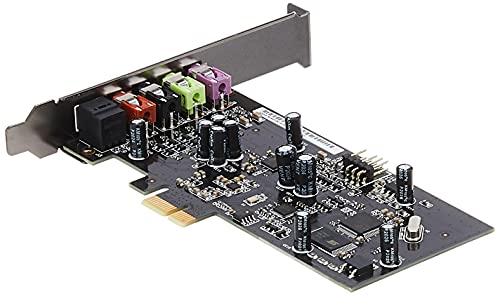
- ASUS XONAR SE 5.1 Channel 192kHz/24-bit Hi-Res 116dB SNR PCIe Gaming Sound Card with Windows 10 Compatibility — Check on Amazon

Frequently asked questions
Do I need a sound card if my motherboard is modern?
Maybe not for basic use — modern onboard audio is respectable. A dedicated card earns its place when you hear noise or interference, need more headphone power, want specific surround or streaming features, or run demanding headphones. Test your onboard honestly first.
What SNR should I look for?
Higher is cleaner, and figures comfortably above the onboard norm indicate a quiet output. Treat SNR as a threshold to clear rather than a score to maximise; amplifier match and driver quality will affect your daily experience more than small SNR differences at the top end.
Internal or external for a laptop?
External, necessarily — laptops have no PCIe slots for internal cards. USB sound cards and DAC-amps are built for exactly this, and they carry over to consoles and your next laptop unchanged.
Will a sound card improve my microphone?
It can: dedicated cards often offer cleaner mic inputs plus EQ, gain, and noise-processing tools that onboard inputs lack. Streamers and frequent voice-chat users are the main beneficiaries; check that the specific model invests in its mic path.
What sample rate do I need?
Standard high-resolution support such as 24-bit/96 kHz or 192 kHz covers music, games, and production needs with room to spare. Beyond format compatibility, higher numbers do not translate into audible quality differences for listeners.
Can a sound card drive studio headphones?
Yes, if its headphone amplifier is rated for their impedance and you set gain appropriately. Check the supported impedance range against your headphones’ specifications before buying; that match matters more than any other single figure.
Related Guides
Keep exploring with these guides and roundups from the same desk and audio cluster: