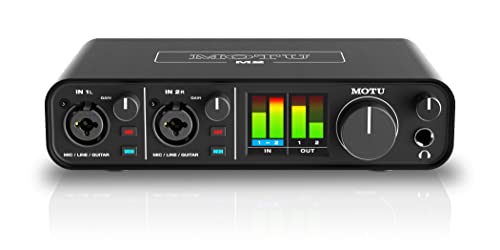
Sound card vs onboard audio is the comparison every sound-card buyer must pass through honestly, because modern motherboard audio is not the hissy afterthought it was twenty years ago. Onboard audio today is a competent, isolated, high-definition implementation on most boards — and a dedicated sound card still beats it in specific, testable ways. This guide separates the real gaps from the imaginary ones so you can decide whether your money buys sound or merely the idea of sound.
Short verdict: onboard is enough for many listeners, especially with easy-to-drive headsets on modern boards. A sound card earns its price when you can name its job: killing interference noise, driving demanding headphones, feeding surround speakers, upgrading a microphone path, or adding gaming and streaming features. If you cannot name the job, Do You Need a Sound Card for Gaming will help you interrogate the urge before you spend.
Disclosure: As an Amazon Associate, ilcastellomenu.com earns from qualifying purchases. Product details and availability can change; check the retailer listing before you buy.
Quick verdict: sound card vs onboard audio
The gap between onboard and dedicated audio has narrowed from a canyon to a ditch — crossable, worth crossing for the right reasons, and pointless to cross for the wrong ones. Onboard’s strengths are zero cost, zero installation, and ‘good enough’ performance that genuinely satisfies a large share of users. The sound card’s strengths are lower noise in hostile environments, real amplification, and features onboard simply does not offer.
Everything below is organised around testable differences, because this comparison is uniquely vulnerable to placebo: a louder output sounds ‘better’, a new device feels like an upgrade, and only the level-matched method in How to Test a Sound Card tells the truth. Hold that standard and the verdict for your desk will be obvious by the end.
In this guide
Noise and interference: the most real difference
Onboard audio lives on the motherboard, millimetres from power delivery and data traffic, and despite modern shielding and isolated audio sections, some builds betray it: hiss under the music, whine that follows the mouse, buzz that rises when a game loads the graphics card. Not every build suffers — many are clean — but the lottery is real, and losing it is the single commonest reason people buy sound cards.
A dedicated card attacks the problem by distance and design: an internal card moves conversion onto its own shielded board; an external unit leaves the case entirely, which is why Internal vs External Sound Card matters to noise sufferers. If your current background is silent at your listening volume, this entire advantage is theoretical for you. If it is not silent, it is the whole ballgame — no specification on any box matters more than a clean background.
Test before you buy: headphones on, nothing playing, volume at your normal level and a touch above. Whatever you hear in that silence is your onboard audio’s report card, and it decides whether this criterion is your headline or a footnote.
Amplification and demanding headphones
Onboard outputs are built for the average headset: modest power, fine for earbuds and most gaming headsets, quietly inadequate for high-impedance or low-sensitivity headphones, which emerge under-driven — quiet, thin, and dynamically flat — from a jack that is technically ‘working’. No setting fixes physics; the headphones need power the output cannot supply.
Dedicated cards bring real headphone amplifier stages, often with gain switching, rated for demanding loads — the matching exercise in How to Choose a Sound Card. For owners of serious headphones, this is not a subtle audiophile distinction; it is the difference between the headphones you bought and a muted sketch of them. Conversely, if your headset is easy to drive, this advantage is as theoretical as noise was for the lucky.
Speakers change the calculus again: powered speakers carry their own amplifiers, so the source’s job is a clean line-level signal — a job decent onboard audio often does well. The amplification argument is specifically a headphone argument, and it should be bought only by people wearing the headphones it describes.
Features: where onboard simply does not compete
Onboard audio plays and records sound. Dedicated cards build an ecosystem on top: virtual surround tuned for games, microphone EQ and noise tools, game/chat mixing, streaming features, discrete surround outputs with proper bass management, optical connections, swappable op-amps on enthusiast models, and control software with per-app profiles. If your use reaches for any of these, the comparison ends — you are not buying better stereo, you are buying capabilities onboard lacks at any quality level.
Recording is the sleeper feature. Onboard microphone inputs are frequently the weakest part of the whole audio chain — noisy, low-gain, and unprocessed — while dedicated cards invest in the input path. For streamers, remote workers, and anyone whose voice is their professional instrument, the input gap can exceed the output gap, a point the recording-focused lists in Best Sound Cards for Recording are built around.
Consoles and laptops extend the feature argument by absence: onboard does not exist as an upgrade path there at all, and an external sound card is the only way to bring dedicated audio to those machines.
Sound quality in plain stereo: the honest middle
Strip away noise, power, and features, and compare clean stereo reproduction at matched volume on easy headphones: the remaining difference between good onboard and a good sound card is small, and for many listeners inaudible. Conversion technology matured; the chips in both camps are competent, and the music does not know which box converted it.
This is the section marketing hopes you skip, and the one that saves the most money. Buyers whose onboard is quiet, whose headphones are easy, and whose needs are stereo music and video are buying very little with a sound card — and should either keep their money or redirect it to better headphones, which transform sound in a way no source swap at this level can. The hierarchy — transducers first, then power, then conversion — is the closest thing audio has to a law.
Where a difference does persist is consistency: a dedicated card sounds like itself on every PC you install it in, while onboard quality varies by motherboard model and build luck. Users who rebuild or upgrade PCs often buy that consistency deliberately, which is a rational, if unglamorous, reason.
Cost and the upgrade hierarchy
Onboard audio’s price is zero and its installation is complete, so a sound card must justify not just its cost but its slot, port, and setup time — the process in How to Install a Sound Card and how-to-set-up-a-sound-card. Against that bar, the justified purchases cluster exactly where this guide found real gaps: noise, power, inputs, features. Everywhere else, the same money outperforms in headphones, speakers, or a better microphone.
There is also an honesty discount to claim: if you want a sound card because audio is your hobby and tweaking it is fun, that is a legitimate purchase — hobbies need no acoustic justification. Buy it as a hobbyist, enjoy the profiles and processing, and skip the pretence that your motherboard was broken. The worst outcome in this comparison is not overspending; it is overspending while believing a story your own ears, properly tested, would not confirm.
Who should choose which
Stay with onboard if your background is silent, your headset is easy to drive, your needs are stereo, and your microphone passes muster with the people who hear it. Buy a sound card if you failed any of those tests, run demanding headphones or surround speakers, record or stream seriously, or want one audio device that follows you across machines and consoles.
Decide with evidence: run the onboard half of the test routine today — silence, level-matched familiar tracks, a voice recording — and write down the verdicts. If a card joins your setup, run the same tests against it. That discipline, more than any product, is what upgrades your sound.
A decision worksheet you can run in fifteen minutes
Sit down with headphones and run the worksheet. One: silence test at playing volume during a game load — clean or not? Two: volume headroom — do your headphones reach satisfying level with room to spare, at good quality? Three: voice test — record a paragraph and play it to the person who hears you most; acceptable or not? Four: feature inventory — write down anything you wished your audio did this month that it cannot. Five: transducer audit — honestly grade your headphones or speakers, because they cap everything.
Score it plainly. Any failure in one to three names a sound card’s job and justifies the purchase targeted at it. A pass everywhere plus an empty feature list means onboard wins and the budget moves to transducers or stays in your pocket. A great transducer grade plus any failure makes the card urgent, because your best component is currently being fed by your worst.
Keep the worksheet. Re-run it when you change headphones, motherboard, or habits — the verdict of this comparison is a property of your setup, not of the calendar, and setups change.
The generational view: why this comparison keeps moving
Onboard audio improves with each motherboard generation — better isolation, better codecs, better amplifier stages on gaming boards — while dedicated cards improve too, mostly in features and software. The gap therefore migrates: once it was raw quality, then noise, and increasingly it is inputs, processing, and workflow. Buyers researching with old articles should date-check the claims, because a verdict written when onboard was poor is a historical document, not advice.
That migration also means a sound card bought today should be bought for its durable advantages — the ones tied to physics and architecture, like external isolation, real amplification, and inputs — rather than for a stereo-quality gap that the next motherboard may close beneath it. Durable reasons make durable purchases.
Expect the endpoint to be segmentation, not victory: onboard serving the majority well, dedicated devices serving defined needs superbly. That is a healthy market, and this comparison’s job is simply to tell you which side of the line your desk is on — today, with your gear, by your own tests.
Two budgets, two honest recommendations
Imagine a modest budget and a failing worksheet — noise, weak drive, poor microphone. The disciplined spend is not the flagship card; it is the competent card that fixes the named failures, with the remainder held for the transducer upgrade the worksheet also flagged. Imagine the same failures with a generous budget: the disciplined spend barely changes, because failures have prices and excess specification does not fix them harder. Both budgets converge on fit, which is the sign of a comparison being done correctly.
Now imagine a clean worksheet at any budget: the recommendation is onboard, plus the best headphones the budget reaches, plus a standing invitation to re-run the worksheet when anything changes. Advice that sometimes says ‘buy nothing’ is the only advice worth trusting when it says ‘buy this’.
If you buy one anyway: making it earn its place
Owners who purchase a sound card on a clean worksheet — as a hobby, a gift to themselves, a platform for future headphones — can still make it earn its keep: configure it fully, use its features deliberately for a month, and run the level-matched comparison at day thirty. Sometimes the hobby purchase discovers a real benefit the worksheet missed, particularly in microphone quality heard by others; sometimes it confirms the worksheet, and the card becomes the household’s second machine’s upgrade. Either outcome is a success, because both were measured.
The fifteen-minute worksheet, expanded into a full diagnostic hour
This guide’s worksheet deserves a slower companion, because its fifteen minutes, honestly spent, are the most valuable quarter hour in the whole comparison — and an hour spent expanding them is worth more than a week of forum reading. Begin with the noise audit in its full form: silence through your main headphones with the machine idle, then under graphics load, then with every USB device you own connected, then with the volume raised past your range to find where the floor lives. Write each result down as a sentence. Onboard audio’s most common real crime will either confess itself in that hour — a buzz with an address, a hiss with a level — or it will not, and its absence is equally decisive evidence.
Continue with the drive audit: your most demanding headphone, your loudest honest listening, and the question of whether the onboard output reaches it with the volume control in a healthy position and the sound unstrained. Then the microphone audit: a recording, through the application your listeners use, judged as they judge it. Then the feature audit: the list of things you have wished your audio could do in the last three months, each one checked against what onboard already offers. Four audits, one hour, and the comparison stops being a debate about products and becomes a report about your machine — which is the only comparison that was ever going to predict your satisfaction.
Generational honesty: your onboard is not the onboard in old reviews
Much of the case against onboard audio was written against other decades’ motherboards, and quoting it against a current board is an error this guide refuses to make. Onboard implementations have improved along every axis the old case cited: isolation of the audio section on the board, better components in the output path, codec capabilities that cover the formats real content uses, and amplification that handles a far wider range of headphones than the token outputs of the past. The improvement is uneven — it varies by board tier and by maker, and the worst current onboard still trails the best — but the direction is not in doubt, and it moves the comparison’s centre of gravity every generation.
The practical consequence is a discipline: judge your onboard, the specific silicon on your specific board, by test, and treat general claims about ‘onboard audio’ — admiring or contemptuous — as claims about a category that no longer sits still long enough to deserve them. The sound card’s case, in the current generation, must be made against your board’s actual noise, drive, and features, and there are boards against which that case honestly fails. There are also boards against which it succeeds embarrassingly. The worksheet exists to tell you which board you own, and no review of someone else’s can substitute.
The upgrade hierarchy, examined rung by rung
This guide advises spending on transducers before electronics, and the advice deserves its reasoning laid out, because it is the comparison’s most consequential claim. The hierarchy rests on where differences live. Headphones and speakers convert electricity into sound with enormous, audible individuality — two models at the same price can sound like different instruments. Conversion and amplification, past competence, differ in ways that shrink toward the measurable-but-barely-audible. So a fixed sum spent upgrading the transducer buys a change you will hear in the first minute, while the same sum spent upgrading the middle buys a change you may need a test battery to confirm. That is not an argument that the middle never matters; it is an argument about sequence. Upgrade in the order of audibility, and stop when the remaining inaudibility is not worth its price.
The hierarchy has two legitimate exceptions, and naming them protects it from becoming a slogan. The first is the fault exception: a noisy or broken middle is not a refinement question, and fixing it jumps the queue ahead of any transducer improvement, because faults are audible in a way refinements are not. The second is the drive exception: a transducer you already own and love, which your current output cannot drive properly, makes the amplifier stage the bottleneck, and bottlenecks outrank hierarchies. Outside those exceptions, the rung order holds — headphones or speakers, then the room or the microphone position, then the middle — and a buyer who follows it will never own the classic mismatched chain: a superb card performing through headphones that cannot hear it.
Two machines, two verdicts: the same owner, honestly compared
The cleanest way to feel this comparison’s truth is to watch one owner meet it twice. In the first machine — an older build, a demanding headset, a graphics card whose coil whine sang through the onboard output — the sound card was a transformation: silence where the buzz had been, volume with headroom, a microphone the team stopped complaining about. In the second machine, built years later around a board whose onboard section was designed by people who cared, the same owner ran the worksheet out of habit and found the audits passing one by one. The card stayed in the old machine when it was sold. The new machine’s audio money went, correctly, into better headphones.
Neither verdict indicts the other, and that is the point the slogans miss. The sound card did not become a worse product between the two machines; the baseline moved. Comparisons in this category are photographs of a moving gap, and the only camera positioned correctly is the worksheet pointed at your own board, today. Owners who internalise that stop asking whether sound cards are ‘worth it’ in general — a question with no answer — and start asking the answerable one: what, specifically, is my current audio failing to do, and is a card the component that fixes that named failure? The shortlists, like cards chosen for production work, are best read after that question has a written answer.
The microphone case, given its full weight
Listening dominates this comparison’s airtime, but for a large class of owners the decisive argument runs the other direction: the sound card as a microphone upgrade. Onboard microphone inputs are the least-loved part of most motherboard audio — gain that strains, noise that sits under speech, processing that flatters nobody. A card with a proper input changes how its owner sounds to every listener in their life: clearer on calls, cleaner in game chat, presentable in recordings, without the microphone itself changing at all. For owners whose work or play is substantially heard by others, that change can outweigh every listening refinement in this guide combined, because it is the only upgrade in the chain that other people can hear.
Test it the way the testing guide prescribes: record the same sentences through both paths, through the real application, and judge as a listener. If your voice’s verdict is clear, the comparison may be over regardless of what the listening audits said — a legitimate outcome that pure fidelity discussions underrate because they model the user as an audience of one. Many users are a broadcast of one, and their audio chain should be bought accordingly.
When the verdict is ‘not yet’: living well on onboard while you wait
A worksheet verdict of ‘onboard is sufficient’ is not a life sentence, and the smart owner treats it as a monitoring brief. Keep the old audio’s known weaknesses written down — the headphone it cannot quite drive, the noise that appears in one specific game, the feature you wished for twice — and let life accumulate evidence. A transducer upgrade is the classic trigger that reopens the case, because better headphones reveal and demand more simultaneously. A new use — streaming, recording, a job’s worth of calls — is the other. Either trigger earns a fresh worksheet, run against the new facts, and the card bought then is bought on evidence at its strongest.
Meanwhile, onboard life can be lived well rather than endured: the staging discipline from the setup guidance, honest cables, the microphone placed like it matters. Many owners who do this discover the worksheet’s verdict was not a postponement but a destination — the onboard was, for their chain and their ears, simply enough. That discovery is a success of the method, not a failure of ambition, and this guide counts it among its happiest outcomes.
The verdict, compressed to the questions that actually decide it
- Does your onboard make a noise it should not — under load, at rest, or in your microphone — that you have located and cannot cure in place?
- Does it fail to drive the headphones you actually own to your honest volume, cleanly?
- Is there a feature your last three months genuinely needed — an input, a processing chain, a connection — that it does not have?
- Have you already spent on the transducers, so that the middle is truly your chain’s weakest link?
- Would the same money, spent on headphones, speakers, or the room, buy a change you would hear sooner?
Three yeses in the first four, with the fifth answered honestly, make the sound card’s case. Anything less makes the case for waiting, upgrading the ends, or fixing the specific fault in place. Print the questions with your worksheet results and keep both with the machine’s papers. They are the comparison, entire — everything else in these pages is their supporting evidence, and the evidence, as ever, is yours to gather on your own machine.
The cost conversation, done in whole-life numbers
The sound card’s price is the easiest number in this comparison and the least complete. The whole-life cost of the card includes the card, any cables or adapters its connections want, and the small ongoing tax of its drivers — updates to vet, settings to restore, a device to remember at every machine migration. The whole-life cost of staying with onboard is usually zero in money and occasionally real in kind: the recording redone because the microphone path hissed, the demanding headphone underdriven for a year before its owner understood why it disappointed. Neither ledger is dramatic, and that is the point — at this scale, the decision should be made on the audits, not on the invoice, because the invoice is the smallest part of either choice.
The exception is the professional edge, where time prices everything: a creator whose onboard microphone path costs them retakes, or whose calls suffer weekly, is not saving the card’s price by waiting; they are paying it in instalments of friction. If your audio is work, run the numbers as work — hours of friction against a single purchase — and the comparison often resolves faster than any listening test could resolve it.
Driver and software: the ownership tax each side charges
Onboard audio’s deepest advantage is one fidelity discussions never mention: it is maintained by the platform. Its drivers arrive with the operating system and the motherboard’s support, its control panel is the system’s own, and it asks its owner for nothing, forever. A sound card charges a small, perpetual ownership tax in exchange for its virtues: a maker’s driver to keep current, a control suite to learn, settings that can be disturbed by updates and must occasionally be reasserted, and a support relationship whose quality varies by maker and by year. For most owners the tax is minutes per year and cheerfully paid. For owners who prize a machine that simply works untouched — and for machines administered by someone else, like a family member you support by phone — the tax is real and should be entered in the comparison honestly.
The tax also has a failure mode worth naming: the abandoned card, whose maker stops updating drivers, becomes a liability at the next operating system change in a way onboard audio, riding the platform’s support, never does. Vet the maker’s support history before purchase, as the selection guide insists, and you have priced the tax’s worst case. A card from a maker with a decade of steady driver support is a different ownership proposition from a card whose maker’s page went quiet two versions ago, whatever their respective specifications claim.
The speaker owner’s version of this comparison
Headphones dominate this comparison’s examples, but speaker owners run it too, and their version has its own shape. With powered speakers or an amplifier downstream, the PC’s output is a line-level source, and the questions narrow: is the onboard line output quiet at the levels your system uses — speaker systems with their own volume controls can expose a noisy source mercilessly at low listening levels — and does the onboard output’s quality survive your amplifier’s honesty? Good downstream equipment is a revealer: it will present exactly what the source provides, which is why speaker owners sometimes hear their onboard’s flaws more plainly than headphone owners do.
Speaker owners also have an escape route headphone owners lack: the digital output. A PC’s digital audio sent to a receiver or an external DAC bypasses the onboard conversion entirely, which can make the sound card question evaporate for a speaker setup with a digital path already in place. If your speakers or receiver can accept it, test that path before shopping for a card; the comparison you need may be between your current digital chain and nothing at all. The sound card’s remaining speaker-side case is then its features — inputs, processing, convenience — judged on their own merits rather than on conversion quality you may already own.
Laptop and prebuilt owners: the comparison you cannot actually have
A large share of readers meet this comparison on machines where the internal-card option does not exist: laptops, prebuilts with no free slot or no permission to open them, work machines under someone else’s administration. For those readers the honest comparison is onboard against external — the card in a box on the desk, or a DAC — and every audit in this guide transfers unchanged: the noise, drive, microphone, and feature questions are identical, only the remedy’s shape differs. Do not let the internal-card framing of most discussions make the question feel closed on such a machine. It is not closed; it is merely external, and the worksheet will tell you whether it is worth opening at all.
Work machines add the permission layer: know whether external audio devices are yours to attach, and whether your calls run through systems with their own device rules. The audits cost nothing and require no permission — run them first, and let their evidence make the case, to yourself or to whoever administers the machine, with a specificity that requests for ‘better sound’ never achieve.
What to do the week after you decide either way
Decisions in this comparison benefit from a ratification week, whichever way they fall. If you bought the card: run the acceptance and testing batteries while the return window is wide, judge the card against the worksheet failures that justified it — the named noise, the named headphone, the named microphone — and confirm each failure is actually cured, because a card that does not cure the specific fault it was bought for has not earned its place even if it is, in general, a fine product. Keep the onboard path’s settings noted until the week passes, so retreat, if it comes, is a setting rather than a project.
If you decided for onboard: spend the week living deliberately on it — staging set properly, microphone placed well, the frozen playlist enjoyed rather than analysed — and write the worksheet’s results with the date. That dated ‘sufficient’ is a real finding, and it arms you against every future marketing wave. When a trigger arrives — new headphones, a new use, a new machine — rerun the audits against the new facts. The comparison is never settled forever; it is settled for a chain, and chains change. Owners who understand that stop relitigating and start monitoring, which is the calmest possible relationship with a question the internet argues about daily.
The shortest honest summary this comparison allows
Onboard audio is a competent, improving, zero-maintenance default that satisfies the majority of chains it serves. A sound card is a targeted remedy for named failures — noise with an address, a headphone underdriven, a microphone underserved, a feature genuinely missed — and a pleasure for owners whose chains have outgrown the default at both ends. The worksheet tells you which description is yours, the upgrade hierarchy tells you where money works hardest, and your own recordings outrank every opinion in the debate, including the opinions in this guide. That is the whole comparison, and it fits in a paragraph because the method, once learned, does the work that pages of product argument cannot: it points at your machine, your transducers, your ears, and asks the only questions that were ever going to decide it.
The resale and rebuild angle: what each choice is worth at upgrade time
When the machine is rebuilt or sold, the two choices settle their accounts differently. The sound card, if its interface and drivers survived, moves to the new build or sells into the builder market as a known, testable component — its value modest but real. The onboard years cost nothing and return nothing, which is not a criticism: a default that served for free and is retired with its motherboard has a perfect ledger of its own. The angle matters only to owners who rotate hardware often enough for residual values to compound, and for them the card’s portability across builds is one more small entry on its side of the worksheet — small, like most honest entries in this comparison, and worth exactly its size.
The rebuild moment is also the comparison’s natural recurrence: a new motherboard means new onboard audio, with a new worksheet to run, and owners who kept their dated results from the last build can watch the baseline move in their own handwriting. Few consumer questions reward record-keeping as directly as this one does, because the gap it tracks is generational and the generations keep arriving.
Silence as a system property: the fans, the room, and the floor beneath the floor
One humbling audit belongs in every version of this comparison: measure your chain’s noise against your room’s. In a typical home, the computer’s own fans, the room’s ambient hush, and the listener’s distance from both set a floor beneath which no audio noise can be heard, however poor the onboard’s bench figures look. Many owners who chase silence with a card discover their room was the floor all along — a discovery that redirects the next purchase toward quieter cooling or a machine placed further away, where the money audibly works. The card’s genuine silence advantage lives in the headphone case, where the room is shut out and the chain’s own floor is all that remains — which is why this comparison’s noise argument is strongest for headphone listeners in quiet rooms, and why everyone else should run the audit with their actual room in the evidence, not an anechoic fantasy of it.
For the reader who will not run the worksheet: a default recommendation
Some readers will not spend the diagnostic hour, and a guide that only serves the diligent fails them, so here is the default this comparison supports for the unmeasured case. Keep your onboard audio, spend nothing, and set it up properly — staging, defaults, microphone placement — because an unmeasured dissatisfaction is more often a setup fault than a hardware one. Buy the card when a specific, nameable failure survives proper setup: the buzz you can point to, the headphone you can name, the microphone your team can quote back to you. That rule — no card without a named failure — will keep most undecided readers correctly on onboard and send the rest to the card with a brief so clear that their purchase almost cannot disappoint. It is the worksheet, compressed into a sentence, for the readers the worksheet could not recruit. The diligent get a method; the hurried get a rule; both, followed honestly, arrive at the same desk.
One final scenario: the five-year-old machine that still has to work
Aim the comparison at an older machine, because that is where many readers actually live. A five-year-old PC’s onboard audio has five years of driver stability behind it and a known character; its weaknesses are documented by your own years of listening. Adding a sound card to such a machine is often the single most satisfying upgrade left in it — the noise that arrived with a graphics upgrade two years ago finally leaves, the good headphones finally get driven, the microphone finally sounds like its owner — precisely because every other part of the chain has already been chosen and kept. The worksheet on an old machine is also the easiest to run honestly, because nothing about the chain is hypothetical. If the audits fail there, believe them completely, and buy the remedy without the usual hesitation: on a mature machine, a named failure is as close to a certain diagnosis as this subject ever offers, and the card that cures it will be enjoyed every day the machine has left.
Keep the worksheet itself, dated, whichever way it came out. A ‘sufficient’ verdict is evidence you will want when the next upgrade wave markets at you, and a ‘failed audit’ verdict is the brief your purchase was built on. Either way, the paper is the comparison’s final product — more durable than any card, and the one part of this entire subject that appreciates with age.
File it beside the machine’s receipts and manuals, where the next person to face this question — most likely you, at the next upgrade — will actually find it.
Gear mentioned in this guide
The products below are examples referenced in this guide. They were verified through the Amazon Creators API product pool for this site; use them as concrete reference points for the features discussed, not as a ranked list.
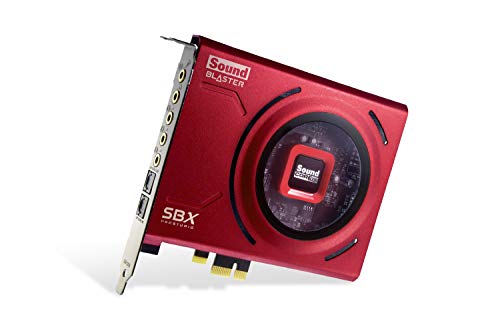
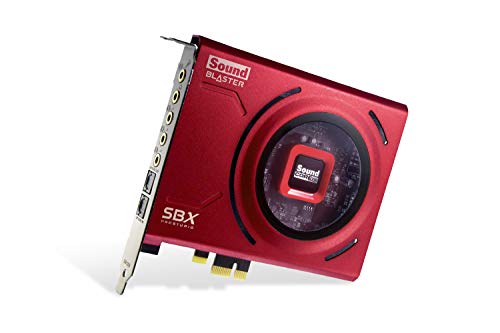
- Creative Sound Blaster Z SE Internal PCI-e Gaming Sound Card and DAC, 24-bit / 192 kHz, 116 dB SNR, ASIO, 600Ω Headphones Amp, Mic EQ, Discrete 5.1 / Virtual 7.1, Supports Dolby Digital Live, DTS … — Check on Amazon
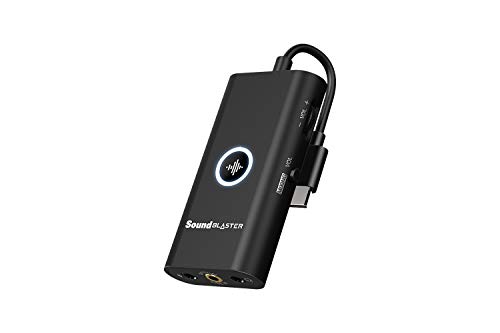
- Creative Sound Blaster G3 USB-C External Gaming USB DAC and Amp for PS4, Nintendo Switch, Ft. GameVoice Mix (Audio Balance for Game/Chat), Mic/Vol Control and Mobile App Control, Plug-and-Play — Check on Amazon
Frequently asked questions
Is onboard audio good enough in modern PCs?
For many users, genuinely yes — modern implementations are clean and capable with typical headsets. The exceptions are specific: interference noise in some builds, demanding headphones needing power, serious recording, surround outputs, and gaming or streaming features.
How can I tell if my onboard audio is the weak link?
Run three checks: silence at listening volume for hiss or whine, a familiar track at matched volume for clarity, and a voice recording for input quality. Failures point to specific sound-card strengths; passes suggest your money belongs elsewhere, likely headphones.
Will a sound card make cheap headphones sound great?
No. A sound card delivers a cleaner, stronger signal, but the headphones set the ceiling. Upgrade order matters: transducers first, then the power to drive them, then conversion refinement.
Does a sound card improve game performance or FPS?
No — audio hardware does not change frame rates. Its gaming value is positional processing, cleaner communication, and features like game/chat mixing, not performance in the rendering sense.
What if my only problem is headphone volume?
That is an amplification problem, and it is a legitimate, focused reason to buy: a sound card or DAC-amp with a proper headphone stage and gain options solves exactly it. Confirm your headphones’ impedance against the device’s rating before buying.
Should I disable onboard audio after installing a card?
Optionally, once the card is proven, to reduce device clutter. During setup and testing, keep onboard enabled — it is your comparison reference and fallback, and the A/B test needs it alive.
Related Guides
Keep exploring with these guides and roundups from the same desk and audio cluster: