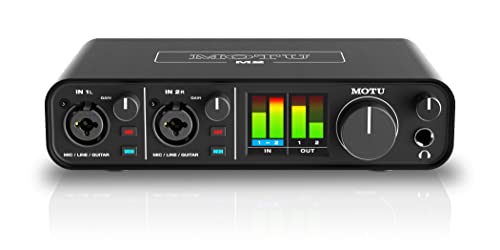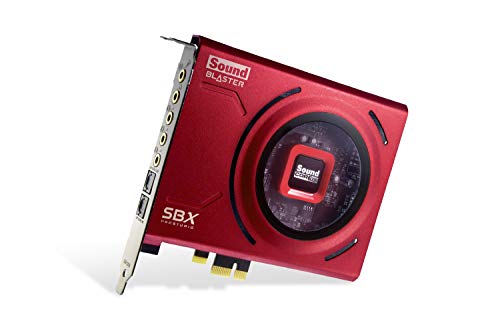
Do you need a sound card for gaming? For most players, honestly, no — modern onboard audio drives a gaming headset competently, and no sound card will raise your frame rate or your rank by itself. But ‘need’ has neighbours: if your audio crackles with interference, your headphones are starved of power, your teammates complain about your microphone, or you want positional processing and chat mixing your motherboard cannot offer, a sound card stops being a luxury and becomes the specific tool for your specific problem.
This explainer sorts gamers into those who should spend, those who should not, and those who should spend on something else first. It is deliberately the most sceptical article in this batch — because the best buying advice in gaming audio is usually a redirection. If you finish convinced you do need one, How to Choose a Sound Card is your next read; if you finish unconvinced, you have saved money at the cost of ten minutes, which is the best trade in this guide.
Disclosure: As an Amazon Associate, ilcastellomenu.com earns from qualifying purchases. Product details and availability can change; check the retailer listing before you buy.
The honest baseline: what onboard audio already gives gamers
A current motherboard feeds a gaming headset with clean-enough stereo, a workable microphone input, and every feature games themselves provide — and games do heavy lifting here, because modern titles mix positional audio in-engine and many include their own headphone surround modes. For a player with an easy-to-drive headset on a recent board, the in-game experience is already good, and the marginal card buys refinement, not revelation.
That baseline is why blanket claims that gamers ‘need’ sound cards collapsed as onboard audio improved. The full comparison in Sound Card vs Onboard Audio shows the gap narrowing to specific, testable territories — and a need claim should always be a territory claim: name the deficiency, then buy its cure.
Start, therefore, not with products but with an audit of your current setup’s actual failures. The next sections are that audit, organised by symptom.
In this guide
Symptom 1: noise that follows your games
If your headphones carry hiss in quiet menus, whine that rises when a match loads, or buzz that tracks your mouse, you are hearing your PC’s electrical life through an audio path that lives too close to it. This is the strongest gaming case for a dedicated card, because it is a defect, not a preference — and an external unit, which leaves the case entirely, is its most reliable cure, per Internal vs External Sound Card.
Verify the symptom properly before buying: silence at your playing volume with a game running, as in the noise test in How to Test a Sound Card. Noise that appears only at volumes far above your playing level is not a symptom; it is a measurement. Buy for the sound at the level you actually use.
Also eliminate impostors first: a faulty cable, a front-panel jack wired past the graphics card, or a ground issue with powered speakers can all mimic onboard noise. Swap to the rear jack and a different cable for one session; if the noise vanishes, your cure was free.
Symptom 2: headphones your motherboard cannot drive
Gaming headsets are built easy to drive, but many players graduate to proper headphones — including high-impedance studio models — plus a separate microphone. Those headphones from a motherboard jack can sound quiet, thin, and compressed even at full volume: not broken, just underpowered. A sound card with a real headphone amplifier stage and gain options is the direct fix, and for this player the upgrade is not subtle.
The tell is volume and body: if maximum volume is barely enough and bass feels absent compared with the same headphones on a phone or another source, power is your problem. Match any purchase to your headphones’ impedance using the method in @@how-to-choose-a-sound-card@@, because an amplifier mismatched the other way — too hot for sensitive earbuds — trades thin sound for hiss.
Note the alternative honestly: a DAC-amp solves this symptom too, and for a music-heavy player may solve it better. The sound card wins when this symptom arrives with company — microphone needs, surround wants, console play — which is the subject of Sound Card vs Dac.
Symptom 3: your microphone is letting the team down
Competitive gaming runs on communication, and onboard microphone inputs are the weakest link in many setups: low gain that forces shouting, noise that forces push-to-talk discipline, and no processing to help. A dedicated card’s input path — cleaner preamp, EQ, noise tools — upgrades every callout you make, and your teammates will notice before you do.
Before buying, exhaust the free fixes: microphone position (close, off-axis), input levels set without clipping, and the voice app’s own processing. If your voice still arrives thin or noisy after correct setup — the routine in How to Set Up a Sound Card applies to onboard too — the hardware case is real.
Streamers should weight this symptom double, because their microphone is broadcast equipment, and add the workflow features — game/chat mix, hardware mute, monitoring — that gaming sound cards and the picks in best-usb-sound-cards-for-gaming are built around. For a streamer, the sound card is not an audio upgrade; it is production gear.
Symptom 4: you want positional processing and features onboard lacks
Virtual surround implementations differ, and a good one on a sound card can sharpen positional cues beyond a game’s built-in stereo — particularly in titles with proper multi-channel output for the card to work from. This is the most subjective symptom: some players swear by it, others prefer clean stereo, and both are right about their own ears. Treat it as a try-if-possible feature, ideally tested within a return window, not a promised competitive edge.
The unambiguous features are workflow ones: game/chat balance on a knob, per-game profiles, console compatibility through an external unit, and optical connections for specific setups. If your gaming life spans PC and console, an external sound card that serves both — carrying your headphones’ sound signature and your settings with it — solves a problem onboard audio cannot touch, because onboard does not travel.
Players on surround speakers have the clearest feature case of all: discrete outputs and proper channel configuration are sound-card territory, full stop, and the home setups in best-pc-sound-cards-for-gaming assume exactly that hardware.
Who should not buy one (and what to buy instead)
If your headset sounds clean, loud enough, and clear to your teammates, a sound card is a want — and the same budget almost always upgrades gaming audio more in a better headset or headphones. Transducers first is the law from @@sound-card-vs-onboard-audio@@, and it applies with special force to gamers still using a bundled or ageing headset.
If your complaint is game audio design — muddy mixes, poor footsteps in one specific title — a card will reproduce that mud faithfully. Spend the money on a game with better audio, or on nothing. If your complaint is comfort during long sessions, spend it on earpads, a lighter headset, or a headphone stand and a break schedule; ergonomics outranks electronics for marathon players.
And if your PC is old enough that its onboard audio predates modern implementations, the honest comparison may be card versus motherboard upgrade — a decision with implications beyond audio that deserves its own research rather than a default in either direction.
The verdict framework
Need, in the strong sense, requires a named symptom from this guide: interference noise, underpowered headphones, a failing microphone path, missing features your play genuinely uses, or surround hardware to feed. One strong symptom justifies a card; two make it overdue. Zero symptoms make it a hobby purchase — legitimate, enjoyable, and best made with eyes open and a return policy checked.
If you buy, buy to the symptom: external for noise and consoles, amplifier-forward for demanding headphones, input-forward for voice and streaming. Then verify the cure with the same tests that diagnosed the disease, level-matched and honest. A sound card bought that way is never a disappointment, because it was never asked to perform magic — only to fix something specific, which it does very well.
The upgrade order that actually improves gaming audio
If this explainer talked you out of a card, spend in the order that physics rewards. First, the transducer: headphones or a headset whose sound you love, fitted comfortably enough for your longest sessions. Second, the fit and seal — earpads and positioning change bass and isolation more than most electronics. Third, the microphone path’s free wins: position, levels, and your voice app’s processing, correctly set. Fourth, and only then, the source: a sound card or DAC-amp matched to the headphones you now own, bought against a named symptom from this guide.
Notice what the order protects you from: a pristine signal feeding mediocre headphones, the most common wasted upgrade in gaming audio. Each step also raises the value of the next — better headphones reveal source flaws worth fixing; a fixed source honours better headphones — so the sequence compounds rather than merely adding.
Keep the receipts and the return windows in your favour at each step, and test as you go with the same game scenes. Gaming audio improves by audited increments, not by cart-sized leaps of faith.
Special cases: VR, racing rigs, and shared-room gaming
VR players should note that headsets carry their own audio paths, and a PC sound card serves the VR experience only when the headset’s audio routes through it — usually it does not. VR audio money belongs in the headset’s own fit and any platform-specific solutions, and this is one gaming niche where the honest answer is that the sound card mostly watches from the desk.
Racing and flight rigs invert the usual priorities: tactile transducers and multi-channel speaker arrays around a cockpit make discrete outputs and configuration tools the headline, and a sound card becomes rig infrastructure rather than an accessory. If your gaming involves a frame, pedals, and a seat, shop from the surround end of the catalogue and treat the card as part of the build.
Shared-room gamers — the bedroom desk, the family TV — should weight the external unit’s virtues: one device serving PC and console, a knob for the volume diplomacy that shared rooms demand, and headphone drive that keeps the room silent while the game is loud. Context, as everywhere in this batch, is the specification that decides.
The teammate test: the cheapest diagnostic in gaming audio
Before any purchase, run the diagnostic your squad provides free: ask the people who hear you most whether your voice is clear, loud enough, and free of noise or echo, and whether they ever miss your callouts for audio reasons. Teammates are brutally accurate instruments for the input half of this question, and their verdict — good or bad — is worth more than any product page, because they are the destination your microphone exists for.
Pair their verdict with your own on the output half — noise, headroom, positioning — and the purchase decision is usually complete. Gaming audio has exactly two audiences, your ears and your team’s, and a setup that satisfies both is, by definition, a setup that does not need a sound card. A setup failing either audience has its shopping list written by the failure.
A final word on marketing aimed at gamers
Gaming audio marketing sells transformation — hearing enemies through walls, superhuman awareness — and the honest products in this category sell something smaller and real: cleanliness, power, clarity, and control. Discount any claim that cannot be restated as one of those four, and the category’s genuine value stands in clear relief, neither inflated nor dismissed.
That is the spirit in which to finish this explainer: sound cards are good tools with specific jobs, onboard audio is a respectable baseline, and you — having audited your symptoms, consulted your teammates, and priced your transducers first — are now equipped to tell whether the tool and the job match. That equipment, more than any card, is what improves gaming audio.

The positional audio question, examined without the brochure
Positional audio is the feature gaming sound is sold on, so it deserves the explainer’s closest look. The chain of custody matters: a modern game engine already knows where every sound in its world is, and it renders that knowledge for your output device — speakers, or headphones through its own spatial processing, or a multichannel stream for something else to render. By the time audio reaches a sound card, the positional work is largely done or deliberately delegated. A card’s own spatial processing is therefore a second rendering opinion applied to the game’s output, not the source of the positioning itself. Sometimes that second opinion is better matched to headphones than the game’s own; sometimes it smears what the engine rendered cleanly. It is a preference, testable per game, not an upgrade in the chain’s knowledge.
The practical method follows: in each game you play seriously, test the audio configurations as configurations — the game’s own headphone mode alone, the operating system’s spatial option, the card’s processing, and plain stereo — on the same scenes, listening for the specific judgements you actually make in play: direction of footsteps, distance of gunfire, separation of a voice call from the world. Keep the configuration that serves those judgements in that game, and expect the answer to differ between titles, because engines differ. A player who has run that test owns their positional audio. A player who has not is renting an opinion from a product page, and the rent is due every match.
Competitive integrity and the settings other players actually use
Watch what serious players do rather than what advertisements say, and a pattern emerges that this explainer endorses: they simplify. The competitive setups that recur in practice favour a clean, unprocessed signal, a headset that is driven properly, and settings the player has kept constant long enough for their ears to calibrate against them. The calibration is the asset — a player’s ability to judge distance and direction is trained against a specific rendering, and changing the chain resets the training. This is why professionals resist audio changes mid-season with the same superstition athletes bring to equipment generally, and why the best time to change your gaming audio is between commitments, with practice hours budgeted for your ears to relearn the world.
It is also why the marginal-gains framing of gaming audio marketing should be discounted so heavily. In a field where the winning asset is a trained ear on a stable chain, novelty is a cost dressed as a benefit. Buy the card, if your symptoms justify one, for its quiet, its drive, and its microphone — the stable virtues — set it once, and then protect the setup from improvement for as long as you compete on it. Your future self, mid-match, reading a footstep correctly because the chain sounds exactly as it did in a thousand practice hours, will understand the doctrine completely.
The headset-first audit: why your current gear decides the answer
This explainer’s symptoms keep returning to the headset, so make the audit explicit and do it before any card is shortlisted. Name your headset’s demands: its impedance and sensitivity if published, or its behaviour in practice — does it reach your honest gaming volume from your current output with the control in a healthy position, and does it sound strained or thin when the action gets loud? Name its microphone’s reputation among the people who hear it, in their words if you can get them. Name its connection and whether it already carries its own electronics — many gaming headsets contain their own USB audio, in which case a sound card cannot touch their output at all, and the entire question collapses into whether you are also changing headsets.
That last case deserves emphasis because it voids so many purchases: a USB headset is its own sound card, sealed in the earcup, and a new card in the PC will be bypassed by it completely. The same is true, in the other direction, of wireless headsets with their own dongles. The card serves analogue headphones and headsets — the 3.5 mm world — and speakers. Audit the connection before the symptoms, because a player whose gear is self-contained needs a different conversation entirely: not ‘do I need a card?’ but ‘do I need to change headsets, and if so, to what?’ — a question the headset roundups, not this explainer, exist to answer.
Genre by genre: where gaming audio earns its keep
- Competitive shooters: the strongest case — dense positional judgements, voice chat under pressure, long sessions in headsets. The card earns its place here when it cures noise, drives the headset, or lifts the microphone; the spatial processing is a per-game preference on top.
- Battle royale and open-world play: a similar case at slightly lower intensity — awareness is survival, sessions are long, and the comfort of a properly driven headset compounds across an evening.
- Racing and flight simulation: the immersive case — engine notes, spatial sweep, and often speaker or multi-device setups where a card’s outputs and processing serve the rig rather than the ranking.
- Strategy, management, and turn-based play: the weakest case — audio is accompaniment and information at low density, onboard serves nearly everyone, and the card is a luxury of fidelity rather than a tool of the game.
- Story and single-player adventure: the fidelity case — the card is bought the way a music listener buys one, for the quality of an experience, and judged by the same honest tests as music.
- Party, co-op, and family play on speakers: the room case — the card matters if it matters to the room’s chain at all, and the television-and-console federation described in the sound card explainer usually governs instead.
Locate your hours honestly across the list — not your aspirations, your hours — and the explainer’s verdict framework has its input. A card bought for the genre you play is equipment. A card bought for the genre you stream yourself imagining is decor.
The teammate test, expanded into a full microphone protocol
The cheapest diagnostic in this explainer deserves its full protocol, because the microphone is half the case for the card and the half your teammates grade. Record yourself three ways on the same evening: through your current setup in your actual game or call platform, through the same platform with the microphone repositioned by the setup guidance — closer, off-axis, gain set against your loudest real sentence — and, if any alternative input exists in the house, through that. Send the recordings to the teammate whose ears you trust, without labels, and ask the only question that matters: which one would you want in your ear for a three-hour session?
The protocol’s power is that it prices the card’s microphone case before the card is bought. If repositioning alone closes most of the gap, your problem was never the input hardware and the card’s case must stand on its listening merits alone. If the current input still trails after honest placement, you have measured the exact deficiency a card purchase would cure, and you can shop for it by name — cleaner gain, better input — rather than by hope. Either outcome is a victory for the method: money saved, or money aimed.
Loud rooms, quiet rooms, and the shared-space gamer
Gaming does not happen in a laboratory, and the room votes on this purchase too. In a shared or thin-walled space, the gamer’s audio problem is often not fidelity but containment: open-backed headphones leak the game to the room and admit the room to the game, and no card addresses either direction. The money that would have bought a card may serve better spent on the headset side — closed-back isolation, a microphone that permits a quieter speaking voice at night — because the binding constraint is the household, not the chain. Conversely, the solo gamer in a treated room is the listener best placed to hear everything a card offers, and their case, symptom for symptom, is stronger than the same symptoms in a noisy flat.
Late-night gaming adds the volume dimension: at the low levels a sleeping household imposes, the chain’s noise floor and the volume control’s finesse become the whole experience, and a card with a clean, finely graded output genuinely transforms it. Judge your own room and hours as evidence in the case, not as background. This explainer’s symptoms are all, quietly, room-dependent — and the honest verdict has always been a property of a player, a chain, and a room together, never of a product alone.
The upgrade order, defended rung by rung for a gaming budget
This explainer advises an order — headset, then placement and setup, then the card — and the order deserves its defence, because it is the part readers most often skip on their way to the purchase. The headset defends its first place by being the transducer: it is where sound becomes physical, its differences are the largest in the chain, and a card performing through a poor headset is fidelity delivered to a device that cannot present it. Placement and setup defend second place by being free: the microphone moved, the gain staged, the game’s own audio mode correctly chosen have cured more gaming audio complaints than any product category, and they must be exhausted before their failure can be attributed to hardware. The card defends third place not by weakness but by role: it is the remedy for the specific, named failures that survive the first two rungs — the located noise, the underdriven headset, the input that still trails after honest placement.
Skipping rungs is occasionally right — a dead headset and a noisy onboard can be replaced together by a player who knows both diagnoses — but skipping them unknowingly is how the classic mismatched setup is born: the excellent card, the untouched placement, the disappointing headset, and an owner concluding that audio upgrades are a myth. They are not a myth. They are a sequence, and the sequence is most of the result. The shortlists of cards chosen for gaming PCs are the third rung’s catalogue; arrive there by the stairs and they will serve you exactly as promised.
The verdict, given as three shopping lists
- Buy nothing yet: your symptoms are absent or untested — run the teammate protocol, exhaust the free setup, and let a named failure, if one exists, introduce itself in writing.
- Buy the headset first: your current one is the chain’s weakest link, is self-contained USB or wireless and struggling, or cannot be driven and heard the way your games deserve — the card question reopens after it, against new facts.
- Buy the card: your noise is located in the machine, your good analogue headset is underdriven, or your microphone still trails after honest placement — and buy it by the selection guide’s method, transducer-first, with the return window used as a test bench.
Three lists, and the discipline to stand on the one your evidence assigns you. That discipline — not any product — is what this explainer has been selling from its first symptom, and it is free, transferable to every future audio purchase, and guaranteed to improve your gaming audio more reliably than the card itself: because the card, when it finally arrives on the third list’s authority, arrives as a cure for a diagnosed condition, and cures, unlike decorations, can be verified. Play a week, rerun the symptoms, and watch each one read ‘resolved’ in your own notes. That is what needing a sound card for gaming actually looks like, from the inside.
The latency question, settled at gaming length
Latency haunts gaming purchases, so give the audio version its thirty seconds of precision. The delays in a gaming audio chain — the game’s own processing, the system’s buffers, the connection’s transport — sum to a figure that matters in exactly one gaming situation: monitoring your own voice or instrument live, where delay is felt as a stumble in speech or play. For game sound arriving at your ears, the delay is small, stable, and compensated by the same brain that tolerates the far larger delays of displays without complaint; players do not lose gunfights to audio latency in any chain a shop can sell. A sound card’s contribution to the sum is minor in either direction, and ‘lower latency’ as a card’s gaming headline should be read as atmosphere rather than argument.
Where a card can matter to timing is stability, not speed: a chain that crackles or drops under load, as buffers starve, breaks a player’s concentration in a way no millisecond figure captures. If your current audio misbehaves under load — the load session in the testing guide will show it — that misbehaviour is a legitimate symptom for this explainer’s framework, filed not under speed but under reliability, and it is cured by the driver and buffer layer more often than by hardware. Diagnose it there first, and let the card be bought, if it is bought, for the symptoms that are actually its department.
Hearing safety: the symptom nobody lists and everybody should
One gaming audio problem never appears in marketing because no product can be sold against it directly: players listen too loudly, for too long, and the chain’s design can abet or restrain the habit. Competitive play pushes volume up — quiet cues feel like information that must not be missed — and long sessions remove the fatigue signals that would normally lower it. A chain with a clean noise floor and a well-driven headset helps indirectly, because clarity at moderate volume removes the main reason players reach for more: straining to hear through hiss, thinness, or distortion. In that specific sense, the upgrades in this explainer can be hearing care, not because they are quieter by nature but because they make moderate levels sufficient.
The discipline itself is the player’s: take breaks in silence, keep the loudest passages at a level where a teammate’s normal speech still sounds normal when you lift one earcup, and treat any ringing after a session as a finding to act on, not a trophy. No sound card decision in this guide outranks that paragraph, and it belongs in a gaming explainer precisely because gaming’s long, loud, concentrated sessions are where the risk concentrates. Buy fidelity for clarity, then spend the clarity on lower volume rather than on louder detail. That exchange is the best trade in gaming audio, and it costs nothing but attention.
The console and couch complication, for players who live in two worlds
Many gamers asking this explainer’s question split their play between a PC and a console, and the split changes the answer’s shape. A PC sound card serves the PC alone; the console’s audio lives behind its own outputs, usually reaching headphones through the television or a separate DAC. A player whose symptoms — noise, drive, microphone — afflict both worlds is therefore shopping for two remedies or for one of the federation arrangements the sound card explainer describes, and a card bought in the hope that it will somehow preside over the couch will disappoint by architecture, not by quality. Map the worlds before the purchase: which symptoms live in which world, which transducers serve both, and where a single device — most often a DAC at the television, or a headset with its own dual connections — can honestly preside.
The split also has a budget moral: money concentrated on the world where your competitive hours live buys more than money divided by loyalty to a single product category. If the ranked grind is on PC and the console is for stories on the couch, the PC chain gets the investment and the couch gets adequacy, and that is not a compromise — it is the verdict framework working exactly as designed, across a border the brochures prefer to blur.
What to borrow before you buy: the trial economy of gaming audio
Gaming audio has an underused resource: other players’ desks. A teammate’s card, a friend’s spare headset, a retailer’s return window used as a deliberate trial — each lets your own symptoms be tested against a remedy before money commits, and this explainer’s whole method argues for borrowing the evidence before buying the product. The trial protocol is short: your headset, your games, your loudest and quietest scenes, your own microphone judged by your regular teammates, across at least two sessions, because the first session is novelty and the second is data. Write the symptom list before the trial and grade against it during, or the trial will grade itself on whatever the new device happens to flatter.
Borrowing has one more dividend: it calibrates your expectations of magnitude. Owners routinely discover that the difference they were shopping for is smaller than the literature suggested — or, occasionally, that it is larger and entirely worth it — and either discovery is cheaper made at a friend’s desk than at a retailer’s returns counter. The community’s willingness to lend is one of gaming’s genuine virtues. Use it, document what it teaches, and buy, when you buy, as the rare customer who already knows.
The explainer’s last word: need is a diagnosis, not a demographic
Return, at the end, to the title’s grammar. ‘Do you need a sound card for gaming?’ invites a demographic answer — gamers, as a class, do or do not — and every section of this explainer has refused it, because the truth is diagnostic: this player, with these symptoms, in this room, on this chain, does or does not. The symptoms are checkable, the checks are mostly free, and the remedies are specific. That refusal is the most useful thing the explainer owns, worth more than its verdict on any individual reader, because it transfers: to the next headset, the next PC, the next genre, the next decade’s version of the same marketing wearing new vocabulary. Run the symptoms, respect the upgrade order, let the evidence assign you a shopping list — and the question in the title will never need to be asked again in its demographic form. You will already know how to answer it in its diagnostic one, which is the only form in which it was ever truly answerable.
One more population: the gamer who is also the household’s cinema
A final portrait, because it is so common: the gaming PC that doubles as the household’s film and music machine, on speakers, in a shared room. This player’s audio case is only partly a gaming case. The card that serves them must be judged against the room’s whole life — films whose dialogue clarity matters at low evening volume, music that fills a space rather than a headset, calls and co-op spilling from speakers without feedback — and its microphone case may vanish entirely if nobody streams from that machine. The verdict framework absorbs the portrait without strain: list the symptoms across all the machine’s lives, not just its gaming hours, and let the combined list shop. Players who skip that widening buy a card tuned for a headset they use a third of the time and wonder why the room’s films still disappoint. The machine has one audio chain and several audiences; the honest brief serves them all, in proportion to their hours — which is, for the last time in this explainer, the whole method: hours, symptoms, evidence, and only then a product.
One closing experiment gathers the whole explainer into an evening. Take your current setup, run the teammate protocol, set the microphone by the setup guidance, choose your game’s own audio mode deliberately, and play your regular session at a volume your ears thank you for afterwards. Then read your symptom list again. Whatever remains on it, in your own handwriting, is your answer — not this page’s, not a forum’s, yours — and it will point, with a precision no demographic verdict could match, at exactly the purchase or the patience your gaming audio actually needs. Keep the list. It is the explainer, personalised, and it stays true for as long as your chain does.
And if the evening’s verdict is that nothing remains on the list, accept the gift the method has given you: a gaming setup that was already right, now proven right, with the money unspent and available for the parts of the hobby — the games themselves, the headset when it truly wears, the room you play in — where it will certainly be heard. Proof that you do not need a thing is a result, not an anticlimax, and players who can reach it calmly are the ones whose eventual purchases, when the symptoms finally do arrive, are made with the confidence of people who have never once bought on a hunch. That confidence, compounded across a gaming life, is worth more than any single component it will ever evaluate.
That is the note to end on: evidence first, product second, and a chain you understand well enough to leave alone.
Play well, listen honestly, and let the symptoms decide.
Gear mentioned in this guide
The products below are examples referenced in this guide. They were verified through the Amazon Creators API product pool for this site; use them as concrete reference points for the features discussed, not as a ranked list.
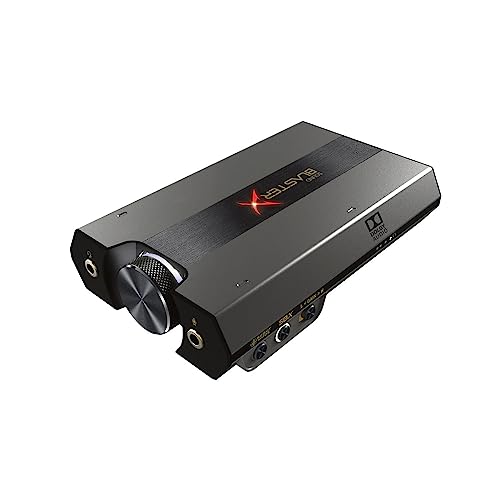
- Sound BlasterX G6 Hi-Res 130dB 32bit/384kHz Gaming DAC, External USB Sound Card with Xamp Headphone Amp, Dolby Digital, 7.1 Virtual Surround Sound, Sidetone/Speaker Control for PS4, Xbox One — Check on Amazon
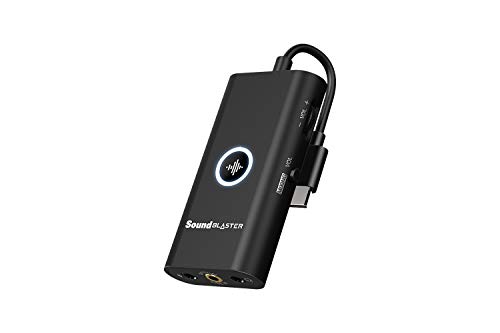
- Creative Sound Blaster G3 USB-C External Gaming USB DAC and Amp for PS4, Nintendo Switch, Ft. GameVoice Mix (Audio Balance for Game/Chat), Mic/Vol Control and Mobile App Control, Plug-and-Play — Check on Amazon
Frequently asked questions
Will a sound card improve my aim or reaction time?
No. It can improve how clearly you hear positional cues and how cleanly your team hears you, which supports awareness and communication. It does not change game performance, frame rates, or input latency in any meaningful way.
Is a sound card worth it with a gaming headset?
Usually the headset is easy to drive and onboard audio suffices, unless you have noise problems or want features like chat mixing or console use. With a basic headset, upgrading the headset itself typically improves gaming audio more.
What about USB gaming headsets with their own sound cards?
A USB headset contains its own conversion and bypasses both onboard and any internal card. If you love your USB headset, an internal sound card has nothing to plug into — an external unit only enters the picture with analogue headphones or headsets.
Do pro players use sound cards?
Setups vary widely; many use whatever clean, powerful output their headphones need, including external units, and prioritise a good microphone chain. The consistent pro pattern is not a product category — it is eliminating noise and ensuring their headphones are properly driven.
Should I buy a sound card or a better headset first?
Headset or headphones first in almost every case where your current audio is merely average. Buy the card first only when you have a named defect — interference, insufficient power for headphones you already own, or a failing microphone input.
Can a sound card help on console?
External models with stated console support can bring better amplification, chat mixing, and processing to console play. Internal cards are PC-only. Check the specific model’s console compatibility and connection method before buying.
Related Guides
Keep exploring with these guides and roundups from the same desk and audio cluster: