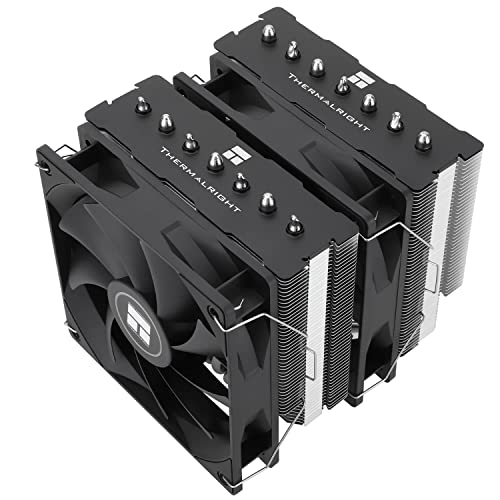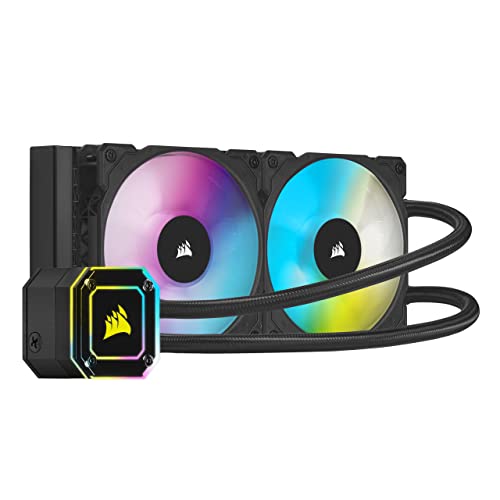
The AIO vs custom loop cooling verdict is unusually one-sided: a sealed all-in-one (AIO) cooler is the right choice for roughly ninety-five percent of builders, because it delivers most of a custom loop’s CPU cooling in under an hour of installation, with a warranty and no maintenance. A custom loop is not really a cooling product at all — it is a hobby project that also cools, justified when you want to water-cool the graphics card too, build something visually unique, or simply enjoy the craft of bending tubes and choosing fittings.
That framing matters because the two are often compared as if they were two models of the same thing. They are not: one is an appliance, the other is a system you design, build, and maintain yourself. This comparison scores them criterion by criterion — performance, cost of ownership, effort, risk and lifespan — so you can decide which category your build actually belongs to. If you are still at the air-versus-liquid stage, read Air Cooler vs Liquid Cooler first.
Disclosure: As an Amazon Associate, ilcastellomenu.com earns from qualifying purchases. Product examples below link to Amazon, where you can check current availability and specifications; this guide itself lists no fixed prices because pricing and bundles change frequently.
AIO vs custom loop cooling at a glance.
| Criterion | AIO (sealed all-in-one) | Custom loop |
|---|---|---|
| CPU cooling performance | Excellent; 360mm AIOs rival CPU-only loops | Excellent; scales further with more radiators |
| GPU cooling | Not included (separate hybrid cards aside) | Yes — the loop’s strongest argument |
| Installation time | 30–60 minutes | A full day or more, plus leak testing |
| Maintenance | Dust the radiator | Drain, flush and refill periodically; inspect fittings |
| Failure risk | Sealed unit; warranty covers the cooler | Every fitting is a joint you made; leaks are your problem |
| Expandability | Fixed; replace to change | Add blocks, radiators and sensors freely |
| Cost shape | One purchase | Pump, blocks, radiators, fittings, tubing, coolant — it adds up fast |
| Looks | Clean, manufactured finish | Unlimited: hard tubing, colours, distro plates |
Performance: The Gap Is Smaller Than Loop Fans Admit
On the CPU alone, a big AIO is nearly a loop
Heat removal is governed by radiator surface area and airflow, and a 360mm AIO has the same radiator class as a typical CPU-only loop. In practice a well-built CPU loop edges a 360mm AIO by a few degrees thanks to a stronger pump and larger coolant volume — a margin that matters to benchmark chasers and almost nobody else. Your CPU will not throttle on either. The performance story only changes when the graphics card joins the loop.
The GPU is the loop's real argument
A high-end graphics card can dump more heat than the CPU, and it does so through small, loud fans in most air-cooled designs. Putting the GPU under water transforms a system’s noise and temperatures in a way no AIO can, because AIOs cool the CPU only. If your goal is a near-silent flagship gaming PC, a loop covering both chips is the honest route — and the builds in Best PC Cases for Custom Water Cooling show the cases designed to house that much radiator. Just go in knowing you chose it for the GPU and the project, not for CPU temperatures.
In this guide
Effort, Maintenance and Skill
An AIO installs like an air cooler, plus a radiator
Unbox, mount radiator and fans, fit the block with paste, connect two headers, done — the same sequence as our install walkthrough, How to Install a CPU Cooler, with the radiator steps added. There is no filling, no bleeding air over hours, no leak test with the system powered off and paper towels at every joint. A first-time builder can finish before lunch and use the PC the same day.
A loop is a recurring commitment
Building a loop means selecting a pump, reservoir, CPU (and GPU) blocks, radiators, fans, tubing, a dozen or more fittings, and coolant — then assembling it without a single bad joint, filling and bleeding it, and leak-testing before the PC ever runs. Maintenance repeats on a cycle: coolant changes, fitting checks, and a full teardown if anything goes wrong. Enthusiasts enjoy this. Everyone else should count the hours honestly against the few degrees on offer, and remember that draining a loop to change a motherboard or GPU turns a ten-minute upgrade into an afternoon.
Risk and Cost of Ownership
Who carries the risk when water meets electronics
An AIO’s joints are factory-made and pressure-tested, and the unit carries a warranty; leaks are rare and are a manufacturer problem. In a custom loop, every compression fitting is a joint you tightened by hand, tubing can soften and creep with heat cycles, and a leak is your hardware and your repair bill. Careful builders run loops for years without incident — but ‘careful’ is doing real work in that sentence. Neither option belongs in a PC you cannot afford downtime on.
The true price of a loop
Compare like with like: a premium AIO is a single purchase, while a quality CPU-only loop — pump, block, one radiator, fittings, tubing, coolant, fans — typically totals several times that, before the GPU block that is the loop’s main justification. Add coolant and seals over the years. None of this makes a loop a bad purchase; project cars are not bad purchases either. It makes it a hobby budget, and it should be approved by your wallet on those terms. Builders watching value should start from Best CPU Coolers Under 100 and the case options in Best PC Cases for Water Cooling instead.
Who Each One Suits: The Verdict
Choose an AIO if you want liquid cooling
You want low temperatures and a clean build, you may upgrade parts without draining anything, and your maintenance appetite stops at dusting. That is most people, including most enthusiasts. Pick the largest radiator your case mounts well, from the classes in How to Choose a CPU Cooler, and spend the saved money and weekend on something else.
Choose a custom loop if you want a custom loop
You are water-cooling the GPU as well, you have a visual design in mind that no product ships, or the building is the point and the PC is the souvenir. Go in with a full parts list, spare fittings, and a leak-test plan. And if the honest answer is that you wanted lower CPU temperatures — buy the 360mm AIO, because that is what it is for. The middle path some consider, expandable AIOs, still behaves like an AIO for maintenance; the comparison with air in Air Cooler vs Liquid Cooler completes the picture.
Anatomy of a Loop: What You Would Actually Be Buying
AIO shoppers compare boxes; loop builders compare baskets. Knowing the parts list is the fastest way to feel the difference in commitment.
The components, one by one
A loop needs a pump (often combined with a reservoir that makes filling and bleeding possible), a water block for each component being cooled, at least one radiator per component with fans to match, tubing in soft or hard form, two fittings for every connection point — a build easily uses a dozen or more — plus coolant, a fill bottle, and the small hardware of adapters, splitters and temperature sensors that experienced builders add without thinking. Every item is a choice with compatibility consequences: fitting sizes must match tubing, tubing must match the block’s ports, the pump must be strong enough for the loop’s restriction. An AIO collapses this entire discipline into one line on a receipt, which is precisely its appeal and precisely what loop builders enjoy doing themselves.
Soft tubing versus hard tubing
Soft tubing is the pragmatic build: forgiving bends, fast assembly, easy maintenance, and a look that ranges from tidy to industrial. Hard tubing (acrylic or PETG) is the aesthetic build: ruler-straight runs and showcase geometry, bought with heat-bending, precise measuring, and fittings that punish small errors. Performance between them is identical — the coolant does not know what the tube is made of. Choose hard tubing only when the visual result is itself a goal you are funding, because it roughly doubles build time and most of the leak risk lives at its joints.
Living With a Loop: A Year in Maintenance
Ownership is where the comparison stops being theoretical. Here is the calendar each option actually imposes.
The AIO year, and the loop year
The AIO year contains one recurring event: dusting the radiator when you clean the PC, and glancing at temperatures occasionally. The loop year contains a coolant inspection rhythm (colour and clarity tell you its condition), a planned drain-flush-refill roughly annually depending on coolant type, fitting checks after any move of the PC, and a full drain before changing a graphics card, motherboard or block. None of this is heroic — owners fold it into the hobby happily. But it is a standing appointment the AIO never makes, and anyone whose PC time is scarce should count it honestly. The builder who wants liquid’s temperatures without liquid’s calendar has a clear answer, and it is the sealed unit this comparison keeps returning to.
Failure rehearsals
Ask of each option: what does its bad day look like, and can I handle it? The AIO’s bad day is a pump that stops or a fan that dies — the PC throttles or warns, you replace a unit under warranty, and an air cooler from the spares shelf covers the gap. The loop’s bad day is a leak at 2 a.m. — power off, towels, drain, find the joint, rebuild, refill, leak-test, and only then compute. Builders with a second machine shrug; builders whose only PC does their job should weigh that asymmetry heavily. It is not fear-mongering, it is the maintenance contract written out in full — the same honesty standard the air-versus-liquid comparison in Air Cooler vs Liquid Cooler applies to pumps and lifespans.
Resale, Upgrades and the Second Life of Each System
Cooling choices echo into every future upgrade. Trace both systems forward three years and the ownership difference sharpens.
What an upgrade looks like on each
On an AIO, a platform upgrade is an afternoon: unbolt the block, check whether the new socket needs a different bracket (often supplied or cheap), remount, done — the radiator never moves. A GPU upgrade is similarly clean because the GPU was never in the loop. On a custom loop, the same upgrades begin with a drain. A new graphics card means draining, removing the old block, fitting a new block (a model-specific part that must be sourced for that exact card), refilling and leak-testing; a motherboard swap can mean re-bending hard tubes whose runs no longer land. Enthusiasts schedule these as project weekends and enjoy them. Everyone else experiences them as the reason an upgrade sits in its box for a month. Neither response is wrong — but know which person you are before the loop, not during the drain.
End of life and disposal
An AIO retires as one sealed unit, typically after its pump fades; it cannot be economically repaired and is replaced whole. A loop retires in pieces, many of them reusable: radiators, pumps and fittings commonly serve a second and third build, and hold genuine resale value in the enthusiast market. This is the loop’s quiet economic counterweight — its components are capital, where an AIO is a consumable. A builder who loops for a decade across three machines may spend less per year than the AIO buyer who replaces units — provided the labour is counted as leisure rather than cost. The accounting only works if the hobby premise holds, which is this comparison’s refrain: the loop is a wonderful hobby and a questionable appliance.
The Middle Path, Examined: Expandable and GPU AIOs
Two product categories try to blur the line. Both deserve an honest paragraph before you consider either.
Expandable AIOs and hybrid GPU coolers
Expandable AIOs ship as sealed CPU units with quick-disconnect fittings that accept additional radiators or a GPU block later. In practice they behave like AIOs for maintenance — the coolant is still a sealed system’s charge, expansion parts are proprietary, and the ecosystem lives or dies with one maker’s catalogue. GPU AIOs — graphics cards with factory-fitted liquid coolers — are more successful: they deliver the loop’s headline benefit (a quiet, cool GPU) as a product, at the cost of radiator space and the same pump-lifespan arithmetic as any AIO. For the builder whose true goal was a silent flagship GPU, a hybrid card plus a CPU AIO assembles the loop’s outcome from two warranties and zero plumbing. It lacks the loop’s beauty and unity — and for many builders, that trade is the smartest one in this entire comparison.
Gear for This Guide
The examples below come from our Creators-API-verified product pool and illustrate the cooler classes discussed in this guide. They are examples, not a ranked list — use the criteria in this article to judge any model, including newer revisions.

Corsair iCUE H100i Elite Capellix
A sealed 240mm AIO is the complete liquid-cooling product: pump, block, radiator and fans in one box, installed in under an hour, with a multi-year warranty on the whole unit. Corsair iCUE H100i Elite Capellix — Check on Amazon

NZXT Kraken 240 RGB
Higher-end AIOs add displays and refined pump control — the point at which AIO features overlap what many builders think only custom loops offer. NZXT Kraken 240 RGB — Check on Amazon

ARCTIC Liquid Freezer III Pro 360
A 360mm AIO delivers most of the thermal performance a CPU-only custom loop would, which is the comparison that ends most loop ambitions before they start. ARCTIC Liquid Freezer III Pro 360 — Check on Amazon
AIO vs custom loop cooling: The Short Version
An AIO is liquid cooling as a product; a custom loop is liquid cooling as a project. If you want the temperatures, buy the AIO. If you want the project — GPU included, maintenance and all — build the loop with your eyes open.
The Real Dividing Line: Appliance Versus Hobby
Strip away the marketing and the two products are different categories of thing. An all-in-one is an appliance: sealed at a factory, installed in an hour, expected to work untouched until it is replaced. A custom loop is a project: designed by you, assembled by you, serviced by you, and — this is the part brochures underplay — enjoyed by its owners largely because it is a project. The performance gap between them is real but modest; the lifestyle gap is enormous. So the first question is not thermal at all. It is whether the idea of planning a loop layout on a quiet evening sounds like pleasure or like homework. Builders who answer “pleasure” should build the loop even if an AIO would cool within a few degrees, because they are buying the experience as much as the temperatures. Builders who answer “homework” should buy the AIO even if a loop would win on paper, because an unmaintained loop is the one genuinely bad outcome in this entire comparison — worse than either product properly owned.
Time is the currency that prices this honestly. An AIO asks for an hour at installation and nothing thereafter. A loop asks for a day of assembly and leak testing at the start, then a recurring tithe: coolant changes, fitting checks, the occasional teardown to clean a block’s microfins when performance drifts. Over a three-year ownership that tithe sums to days. If your hours are scarce or your PC is a tool that earns money while it runs, those days have a cost no temperature chart shows. If your hours at the workbench are recreation, the same days are the product. Neither answer is more rational; they are rational for different people, and recognising which person you are is the entire first half of this decision.
Inside the Loop: Component Choices an AIO Makes for You
Pumps: the heart you get to choose
An AIO’s pump is chosen by its maker, integrated into the block, and tuned for that loop alone. A custom build chooses between pump families with genuinely different characters. Compact high-pressure pumps suit dense loops with several blocks and radiators, pushing coolant through restriction with authority at the cost of a higher-pitched voice that needs careful mounting to stay quiet. Larger, quieter pumps move generous flow at low speed, decouple beautifully on foam or suspension mounts, and ask for more case room and a reservoir to feed them. The choice propagates: pump character decides your noise floor at idle, because at idle the fans stop mattering and the pump is the system. Builders chasing silence plan the pump and its mounting first and fit everything else around that decision — the opposite order from most first loops, which buy the pump last and discover its voice when everything else is already plumbed.
Metals, and the one rule you cannot break
Custom loops are plumbing, and plumbing has chemistry. Copper, nickel-plated copper and brass coexist happily in a loop. Aluminium does not coexist with them: mix aluminium components into a copper loop and galvanic corrosion begins, slowly eating the aluminium and shedding debris that clogs block microfins. Quality loop components are copper-family for exactly this reason, and the trap is the bargain aluminium radiator or fitting that looks identical on a shelf. An AIO sidesteps the entire subject — its internals are a matched, factory-controlled system with corrosion inhibitors in the coolant — which is worth naming as one of the sealed design’s underappreciated virtues. In a custom loop, the rule is absolute and worth repeating to anyone who will listen: know the metal of every wetted part before it goes in the basket, and let no unknown alloy into the water.
Tubing: soft, hard, and what each asks of you
Soft tubing forgives. It bends by hand, tolerates measurement errors, disassembles in minutes for upgrades, and its only costs are aesthetic and a slow plasticiser leach from some materials that can cloud clear coolant over a year. Hard tubing — acrylic or PETG — is the look most people picture when they dream of a loop, and it charges for the photograph in labour: every run measured, heated, bent, and remade when a bend lands two millimetres off, plus fittings at every joint. It also makes maintenance slower, because draining and part-swapping mean disturbing rigid geometry. The sensible first loop, the one veterans actually recommend, is soft tubing in a case with the panels on, built to learn the craft; hard tubing is the second loop, built by hands that already know where the water goes. An AIO, again, simply removes the question — its tubes are fixed, flexible and routed in the five minutes the manual allows.
The Graphics Card Decision That Doubles Everything
An AIO cools a processor. The moment your ambition includes the graphics card — the loudest, hottest component in most gaming PCs — the comparison changes shape, because there is no mainstream sealed answer for most cards, and a custom loop becomes the only route to a truly quiet high-end system. Water-cooling a graphics card is transformative in a way CPU cooling is not: a card that screamed under its air cooler runs cool and near-silent on a block, because the loop’s radiators dwarf the card’s original heatsink. It is also the riskiest and most model-specific step in the hobby: blocks are made per exact card model, fitting one voids comfort if not always warranty, and the card’s resale narrows to buyers who want that block. Decide this question early, because it decides the build. A loop planned for the processor alone and a loop planned for both chips differ in radiator count, pump choice, case choice and budget shape. Builders who know the card joins the loop later should buy the case and pump for that future now; builders who will never water-cool the card should ask whether the processor alone justifies a loop at all — and for many, that honest question is where the AIO wins the argument outright.
Leak Testing and Living Without Fear
The fear that keeps people from loops is water near electronics, and the hobby has evolved a disciplined answer: never let a new loop meet a powered system until it has proven itself dry. The modern method is an air-pressure tester, which pressurises the finished loop and watches a gauge; a loop that holds air for fifteen minutes will hold water, and you learn it without a drop being spilled. The traditional method still works too — fill, run the pump alone from an external supply or a jumped power connection with the rest of the system unpowered, paper towels at every fitting, and twenty-four patient hours. Either way, the principle is identical to the AIO’s factory advantage: an AIO arrives pre-tested by the thousand, while a loop is tested once, by you, and your test is the entire quality system. Do it properly and the residual risk is small and mostly lives at maintenance time, when fittings get disturbed — which is why experienced loop owners re-test after every teardown, however minor, and why they keep a towel and a torch in the loop’s parts box as permanent equipment.
Drainage is the other unglamorous design decision that separates pleasant loops from ordeals. A drain valve at the loop’s lowest point, planned on paper before a single fitting is bought, turns coolant changes from a juggling act over a tilted case into a ten-minute task with a jug and a tube. Loops built without one teach their owners to dread maintenance, and dreaded maintenance gets skipped, and skipped maintenance is how loops actually fail — not in a dramatic leak but in a slow decline of clogged blocks and tired coolant that the owner stops enjoying the machine enough to fix. If you take one sentence from this section into a loop build, take this one: design the drain before the decoration.
Noise Tuning: Where a Loop’s Advantage Is Won or Wasted
A loop’s theoretical silence is easy to squander. The pump must be decoupled from the case with foam, rubber or a suspension mount, because a pump screwed hard to a steel panel turns the whole case into its loudspeaker. Fan control should follow water temperature, not processor temperature: water warms and cools slowly, so radiator fans governed by a coolant sensor run at a near-constant, low speed instead of chasing every processor spike the way an AIO’s fans, slaved to the CPU, are prone to do. That single control difference is worth more real-world quiet than any component upgrade in either system, and it is available only to the loop builder, because only the loop exposes its water temperature to your control. Bubbles are the final acoustic enemy — a loop bled patiently, tilted and run at full pump speed for its first day, runs silent; a loop bled in a hurry gurgles at its high points for weeks. None of this is difficult. All of it is time, which returns us to the dividing line this comparison started with: the loop rewards exactly the temperament the AIO does not require.
Edge Cases Where the Usual Verdict Flips
Extreme overclocking with exotic cooling ambitions — multiple radiators, a chiller, cooling for components beyond the processor and card — exists only on the custom side; no AIO roadmap reaches it. The opposite edge also exists: the PC that must be serviced by someone else, shipped between sites, or warranted as a whole system by a builder — there the sealed unit’s single point of accountability wins, because a custom loop makes every future technician’s job harder and some will decline the machine entirely. Small-form-factor builds split the difference oddly: an AIO is often the only liquid that physically fits, yet the bravest compact builds are custom loops with external radiators, a configuration that is half plumbing, half sculpture. And the showcase build — the one built to be looked at through glass — flips the value equation entirely, because in that build the loop’s appearance is not decoration on the product; it is the product, and comparing it to an AIO on temperatures alone is like comparing a fountain to a tap on flow rate.
Where does that leave the undecided reader the buying guides, such as the best CPU coolers for gaming roundup, serve best? With a sequence rather than a verdict. Start with the AIO if your needs are thermal and your time is spoken for. Build the loop if the planning itself sounds like the hobby you have been looking for. And know that the two are not rivals so much as successive chapters — a great many loop owners arrived there from an AIO that taught them they liked water, wanted more of it, and wanted it theirs.
A Worked Layout: Planning One Loop on Paper
Watch the principles assemble into a plan. The build is a high-end gaming PC in a large mid-tower, processor and graphics card both to be cooled, silence valued, hard tubing deferred to a later rebuild. Radiators: a 360mm unit in the top exhausting, and a 360mm unit in the front drawing in — generous surface that lets every fan idle at low speed under gaming loads, which is where the silence is actually bought. Pump and reservoir: a combined unit mounted to the front radiator’s fan bracket on a decoupling pad, placed low in the case, feeding a loop order that runs pump, graphics card, processor, top radiator, front radiator and back — an order chosen for tidy tube runs, because within a loop the water temperature varies by only a degree or two around the whole circuit, and the folklore of perfect component order matters far less than bends that do not kink and fittings you can reach. Drain: a valve on a T-fitting at the pump’s outlet, the loop’s lowest neighbourhood, with a short length of spare soft tube and a barb fitting kept in the parts box for drain day. Fans: governed by a coolant temperature sensor fitted in the reservoir, set to hold water at a fixed target with the slowest possible response. Leak test: air-pressure gauge on the fill port, fifteen minutes, then a filled overnight run with the pump powered alone. Every element of that plan is a sentence from the sections above, and none of it is exotic — which is the point. A good loop is not a work of genius; it is a dozen unglamorous decisions, each made in the right order, on paper, before the water exists.
The AIO version of the same build, honestly specified
Fairness demands the same care for the rival. The AIO build takes a 360mm unit top-mounted as exhaust — chosen so the graphics card keeps the front’s fresh air — its pump on the board’s pump header at a fixed, quiet speed, its fans on a curve with a long delay so short processor spikes do not stir them. It will run the processor a few degrees warmer than the loop and the graphics card a few degrees warmer than a loop that cools the card directly, and in exchange it was finished before lunch on day one, carries a single warranty, and will ask for nothing until replacement day years from now. Presented at full strength, the choice between these two builds is not obvious at all — which is exactly why the deciding questions are about time, temperament and the graphics card, and not about the two degrees that separate them in a chart.
Frequently Asked Questions
Is a custom loop much better than an AIO at cooling the CPU?
No — a few degrees at most when both use similar radiator area, because heat removal is governed by radiator surface and airflow. A 360mm AIO is thermally very close to a CPU-only loop. The loop’s genuine performance advantage appears when it also cools the graphics card, which no CPU AIO can do.
How much maintenance does a custom loop need?
Coolant changes on a cycle of roughly a year, fitting inspections, and a drain-and-refill for most hardware changes. An AIO needs its radiator dusted and nothing else. If the maintenance schedule sounds like a chore rather than part of the fun, that is your answer — buy the AIO.
What does a custom loop actually cost compared with an AIO?
Several times more for a quality CPU-only loop once pump, blocks, radiator, fans, fittings, tubing and coolant are totalled — before adding the GPU block that is the loop’s main justification. Budget it as a hobby project, not as a cooling purchase, and it will not disappoint you.
Can I expand an AIO later into a custom loop?
Standard sealed AIOs are not expandable; they are closed units. A small number of modular/expandable products exist, but they still behave like AIOs for maintenance. If expansion is a real plan rather than a someday idea, that is one of the few practical arguments for starting with a loop — be honest with yourself about how likely the expansion is.
Which is safer for a first-time builder?
The AIO, by a wide margin. It installs in under an hour with no filling, bleeding or leak testing, and its joints are factory-made under warranty. A loop asks a beginner to make a dozen watertight joints next to live electronics and then maintain them. Plenty of people learn it happily — as a project, with time set aside.
Should I build a loop just for the looks?
That is a legitimate reason — hard tubing, coloured coolant and distribution plates achieve visual results no product ships. Just enter it with the full picture: cost, a day or more of building, leak testing, and recurring maintenance. If the honest goal was lower CPU temperatures, the 360mm AIO delivers them this afternoon.
How long does a first custom loop actually take to build?
Budget a full day for a soft-tubing loop and a weekend for a first hard-tubing build, excluding the leak test that follows. The hours go to planning made physical: mounting radiators, discovering that a fitting needs an angled adapter you do not own, re-routing a run that kinks, filling and bleeding. Experienced builders halve those times, but nobody honest promises an afternoon. Compare that with an AIO’s hour from box to boot, and schedule accordingly — a loop built against a deadline is a loop whose leak test gets shortened, which is precisely the step the whole safety case rests on.
Can I start with a small loop and grow it later?
Yes, and it is the wisest way in. A processor-only loop with one generous radiator, a pump chosen with headroom and a proper drain valve can accept a graphics card block and a second radiator later without replacing its core parts. The discipline is in the first purchase: buy the pump and case for the loop you will eventually want, accept soft tubing while you learn, and keep every spare fitting. What does not grow gracefully is a loop built at the minimum of everything, where each upgrade cascades into a new pump, new case and new radiators — that path costs more than deciding once.
What coolant should a beginner use, and how often does it change?
A clear, premixed coolant from an established maker, with corrosion inhibitors and biocide already balanced, is the beginner’s correct answer and remains most veterans’ answer too. Coloured and opaque show coolants photograph beautifully and demand more frequent changes, can stain tubing and blocks, and shed particles into microfins as they age — enjoy them with open eyes and a shorter service interval. Clear coolant in a healthy loop typically asks for a change every year or so, judged by clarity and performance rather than the calendar alone. The AIO comparison writes itself: its coolant is chosen, sealed and serviced by replacement, which is either a limitation or a liberation depending entirely on the owner.
Will a custom loop make my PC faster than an AIO will?
Only at the margins where cooling is the binding constraint. If your processor already holds its boost clocks under an AIO, a loop’s lower temperatures buy silence and headroom, not frames. Where a loop genuinely converts to performance is on the graphics card and in sustained, power-unlimited workloads, where an air or AIO solution may force clocks down over a long session and a big loop simply does not. Judge the claim by your own bottleneck: run your longest real workload and watch whether clocks sag as temperatures climb. If they never sag, the loop is a quality-of-life and hobby purchase — a perfectly good reason, stated honestly.
Is an AIO or a loop better for a PC that will be shipped to another country?
The AIO, and it is not close. A sealed unit travels as a single factory-tested object, its radiator screwed to the case and its block light on the socket. A custom loop must be drained before any serious transport — water adds sloshing mass, pressure changes in air freight stress seals, and a filled loop in a dropped box is a risk no insurer will love — and draining, shipping and refilling turns a move into a maintenance event at both ends. Owners who relocate often and love loops accept that ritual; everyone else should let the logistics vote, and the logistics vote AIO every time.
Do custom loops cool memory, drives or motherboard regulators too?
They can — blocks exist for memory, and monoblocks cover the processor and the motherboard’s voltage regulators in one piece — but each addition should justify itself. Regulator cooling earns its place in extreme overclocking, where those components genuinely run hot; in ordinary builds a monoblock mostly buys looks and a harder installation. Memory and drive water-cooling are almost purely aesthetic at desktop power levels. The loop’s expandability is real, but expansion for its own sake adds restriction, cost and failure points. Add a component to the water when its air cooling is measurably inadequate or unacceptably loud, and not before — the same discipline, incidentally, that an AIO enforces by design.
What is the most common beginner mistake in a first loop?
Skipping the drain and the leak test to save an hour, then paying for both omissions at the first coolant change and the first disturbed fitting. Close behind it is mixing metals unknowingly — one bargain aluminium part in a copper loop — because the damage is slow, invisible and expensive by the time it announces itself as debris in the blocks. The encouraging truth is that the beginner mistakes in this hobby are well catalogued and entirely avoidable with a paper plan, a pressure tester and the patience to use both. The AIO exists for the days you do not have that patience, and there is no shame in choosing it for exactly that reason.
Choose the system whose maintenance rhythm matches the life you actually live, and both of these technologies will serve you exactly as their designers intended — one silently, the other beautifully, each on its own terms.
That matching — between the machine’s demands and the owner’s habits — is the quiet variable behind every cooling success story and every abandoned loop alike, so weigh it first and weigh the temperatures second.
Do that, and whichever box arrives at your door will turn out to have been the right one for reasons a benchmark chart could never have shown you in advance.
Start with that honest inventory of your time, your temperament and your graphics card’s noise, and the technical comparison that follows will almost decide itself in a single sitting.
Related Guides
Keep exploring with these guides and roundups from the same CPU-cooling collection: