As an Amazon Associate, this site may earn an affiliate commission from qualifying purchases made through links on this page, at no extra cost to you.
In this guide
Quick picks: best by wifi extenders
| # | Product | Where to buy |
|---|---|---|
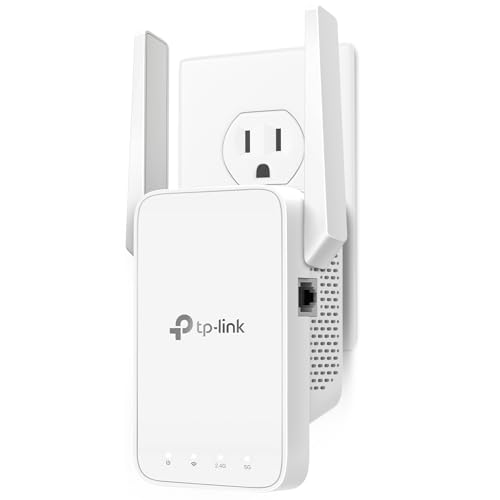
| 1 | TP-Link AC1200 WiFi Extender (RE315) | Check on Amazon |
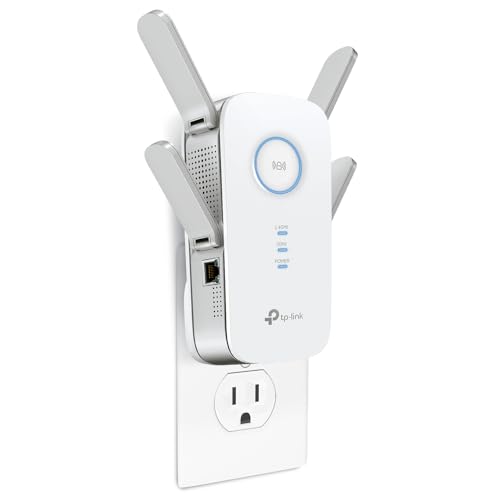
| 2 | TP-Link AC1900 WiFi Range Extender RE550 | Check on Amazon |
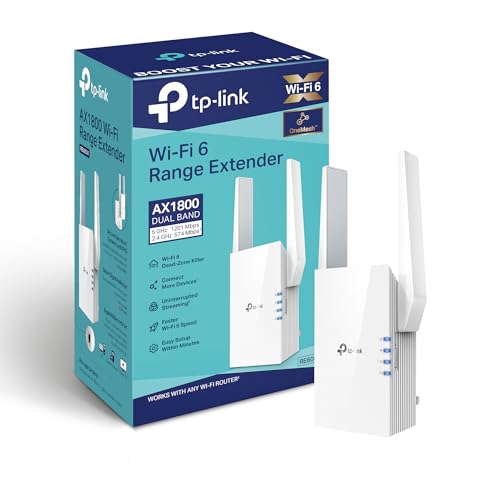
| 3 | TP-Link AX1800 WiFi 6 Extender (RE605X) | Check on Amazon |
| 4 | TP-Link RE615X AX1800 WiFi 6 Range Extender | Check on Amazon |
| 5 | NETGEAR WiFi Mesh Range Extender EX7300 | Check on Amazon |
| 6 | NETGEAR WiFi Extender EX6400 | Check on Amazon |
| 7 | ASUS RP-AX58 AX3000 WiFi 6 Range Extender | Check on Amazon |
When the router cannot reach the far room
The best by WiFi extenders are the ones that fix a real dead zone without creating a new problem. A bedroom that drops video calls, a garden office that barely loads a page, a top floor where the signal bars vanish: these are extender jobs, and the seven picks in this guide are the range extenders that handle them with the least fuss. Every pick below is a genuine plug-in or desktop range extender from TP-Link, NETGEAR or ASUS, verified against its full product listing.
An extender is not a replacement for a good router, and it is not a mesh system either. It takes the existing WiFi signal, repeats it, and pushes coverage further into the house. That makes it the right buy when the router is fine but one or two rooms are out of reach, and the wrong buy when the whole house has weak signal or the broadband itself is slow. The buying guide explains how to tell the difference before spending anything.
The picks are ordered by the job they do best, from a small flat to a large house, and from a budget plug-in to a WiFi 6 desktop unit. Coverage, speed, and the number of devices each extender can serve are all taken from the product listings, so the comparison table lets you match the extender to the size of your home and the number of devices on it.
How the picks were chosen
The shortlist started with type. Only genuine WiFi range extenders made the cut: mesh systems that replace the router, renewed listings, and generic unbranded boosters were set aside. A mesh node and an extender solve different problems, and a renewed extender is a gamble on a device that lives plugged in for years, so both were excluded even when they looked like bargains.
After type, the picks were judged on WiFi generation, coverage, speed, and the number of devices supported. WiFi 6 extenders handle more devices at once and cope better with a busy household than WiFi 5 models, while a gigabit Ethernet port matters for anyone who wants to wire a television or a console through the extender. Coverage figures come from the listings and assume open space, so the guide explains how walls and floors shrink them in practice.
The final check was ease of setup. An extender that needs an app, a web page, and a prayer is an extender that ends up in a drawer, so the picks below are all models with a straightforward setup flow: a button press, an app, or a simple web setup. Each pick also notes whether it works with any router, because an extender tied to one brand is a poor buy for most homes.
The best WiFi extenders, reviewed

1. TP-Link AC1200 WiFi Extender (RE315)
A dual-band AC1200 WiFi extender with 5GHz and 2.4GHz bands, up to 1.2Gbps, coverage up to 1600 square feet and 32 devices, with one Ethernet port and EasyMesh compatibility. The plug-in design fits a hallway socket without a cable.
Strengths
- Simple plug-in design: It plugs straight into a wall socket, so there is no cable, no stand, and nothing to find a shelf for.
- 1600 square feet: The coverage suits a flat or a small house, reaching the far bedroom or the kitchen without a second unit.
- EasyMesh compatible: EasyMesh lets it join a compatible mesh network later, so the extender is not wasted if the home network grows.
Trade-offs to weigh
- AC1200 speed ceiling: WiFi 5 speeds are fine for streaming and browsing, but a busy household with many devices will want WiFi 6.
- One Ethernet port: A single port wires one device, so a television and a console cannot both plug in at once.
- 32-device limit: Thirty-two devices sounds like plenty until phones, tablets, televisions and smart home gear are all counted.
Who it fits best
The pick for a flat or a small house with one dead zone, where a simple plug-in extender and a single wired device cover the need.
In daily use
In everyday use, the TP-Link AC1200 WiFi Extender (RE315) settles into a routine quickly. Set it up once, the way you like it, and give yourself a few days to adjust before judging it. The first session is about learning the layout and the feel; the second and third are where it starts to feel natural. Keep it clean, keep it in the conditions it was designed for, and it will stay consistent.
Before you buy
Before buying the TP-Link AC1200 WiFi Extender (RE315), check two practical things. First, measure and compare: check the dimensions, the capacity, and the compatibility details listed on the product page against what you already own and the space you have. Second, think about your routine — where it will live, how it will be stored, and what it needs to connect to.
Best for: Flats and small houses with one dead zone and a modest number of devices.
Not suited for: Large houses, or households with dozens of connected devices that need WiFi 6.
Check price on Amazon: TP-Link AC1200 WiFi Extender (RE315)

2. TP-Link AC1900 WiFi Range Extender RE550
A dual-band AC1900 WiFi range extender with a gigabit Ethernet port, coverage up to 2200 square feet and 32 devices, with app setup and EasyMesh support. The step up from the RE315 for larger rooms and faster connections.
Strengths
- 2200 square feet: The extra coverage reaches a far bedroom, a garden office, or a top floor that the smaller extenders cannot.
- AC1900 speed: The higher speed ceiling suits 4K streaming and large downloads better than an AC1200 plug-in.
- Gigabit Ethernet port: A wired port gives a television or console a stable connection through the extender instead of WiFi.
Trade-offs to weigh
- Still WiFi 5: AC1900 is fast WiFi 5, but it lacks the device-handling improvements of WiFi 6 in a crowded household.
- Needs a good spot: The extender must sit where it still receives a strong router signal, or it will repeat a weak signal faithfully.
- 32-device limit: The device limit is the same as the smaller model, so a smart-home-heavy house may outgrow it.
Who it fits best
A good fit for a medium house with a far room that needs 4K streaming, where the extender sits halfway between the router and the dead zone.
In daily use
Day to day, the TP-Link AC1900 WiFi Range Extender RE550 is the kind of product you stop thinking about, which is the highest praise it can earn. It does its job the same way every time, without quirks or surprises, and lets you focus on the work or the game instead of the hardware. That consistency matters more than any single feature.
Before you buy
A few checks before you order the TP-Link AC1900 WiFi Range Extender RE550 will save disappointment. Confirm the key details on the listing match what you expect — the exact model name, the included accessories, and the variant — since similar-looking models can differ in important ways. Check the return policy and the warranty terms so you know your options if it arrives damaged or does not suit you.
Best for: Medium houses where a far room needs faster streaming and a wired port for the television.
Not suited for: Very large houses, or homes with more than thirty connected devices.
Check price on Amazon: TP-Link AC1900 WiFi Range Extender RE550
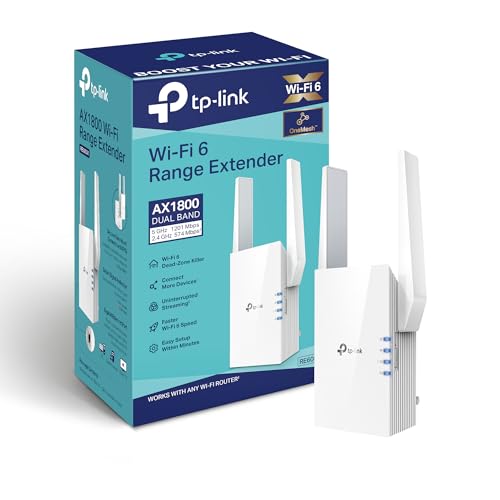
3. TP-Link AX1800 WiFi 6 Extender (RE605X)
A WiFi 6 AX1800 extender covering up to 1500 square feet and 30 devices, with dual-band speeds up to 1.8Gbps, AP mode, and a gigabit port. The WiFi 6 pick for a busy household that wants modern device handling.
Strengths
- WiFi 6 device handling: WiFi 6 manages many devices at once better than WiFi 5, so phones, tablets and smart home gear share the airtime fairly.
- AP mode included: Access point mode lets the extender run as a wired access point, which is useful where an Ethernet cable already reaches.
- Gigabit port: The gigabit port wires a device that needs a stable connection, such as a console or a work computer.
Trade-offs to weigh
- 1500 square feet: The coverage is smaller than the RE550, so a large house may need a second unit or a stronger model.
- 30-device limit: Thirty devices is enough for most homes, but a heavy smart-home setup should count its devices first.
- Needs a WiFi 6 router: The extender works with any router, but its best features show up paired with a WiFi 6 router.
Who it fits best
The pick for a busy household with many devices, where WiFi 6 handling matters more than maximum coverage, and where a wired access point mode is useful.
In daily use
Over a full week of use, the TP-Link AX1800 WiFi 6 Extender (RE605X) shows its character in small ways. The feel stays the same from the first day to the last, nothing loosens or rattles, and the finish holds up to regular handling. If you switch between tasks, you will appreciate that it does not need a different setup for each one: configure it once for the way you actually use it and leave it alone.
Before you buy
When the TP-Link AX1800 WiFi 6 Extender (RE605X) arrives, spend a little time setting it up properly. Follow the included instructions, check that everything listed as included is actually in the box, and test the main functions within the first day or two. Then leave the settings alone for a week. If something feels wrong after a few days, change one thing at a time so you know what actually helped.
Best for: Busy households with many devices that need WiFi 6 and a gigabit wired option.
Not suited for: Large houses where coverage matters more than device count, or homes with a very old router.
Check price on Amazon: TP-Link AX1800 WiFi 6 Extender (RE605X)

4. TP-Link RE615X AX1800 WiFi 6 Range Extender
A WiFi 6 AX1800 range extender with an Ethernet port, covering up to 2100 square feet and 64 devices, with dual-band speeds up to 1.8Gbps, app setup and EasyMesh support. The coverage and device-count leader among the TP-Link picks.
Strengths
- 2100 square feet: The coverage reaches across a large house, a garden office, or two floors without a second extender.
- 64 devices: Sixty-four devices covers a heavy smart-home household with room to spare, which is rare at this size.
- WiFi 6 throughout: WiFi 6 keeps a crowded network responsive, so video calls do not stutter when the washing machine reports in.
Trade-offs to weigh
- Larger plug-in: A stronger extender is a bigger unit, so it may block the second socket on a double outlet.
- App setup: Setup runs through an app, which is easy for most people but needs a phone and a few minutes of patience.
- Overkill for flats: A flat with one dead zone does not need 2100 square feet of coverage, and a smaller extender would do.
Who it fits best
The pick for a large house or a device-heavy household, where coverage and device count matter most and a single strong extender is the goal.
In daily use
In everyday use, the TP-Link RE615X AX1800 WiFi 6 Range Extender settles into a routine quickly. Set it up once, the way you like it, and give yourself a few days to adjust before judging it. The first session is about learning the layout and the feel; the second and third are where it starts to feel natural. Keep it clean, keep it in the conditions it was designed for, and it will stay consistent.
Before you buy
Before buying the TP-Link RE615X AX1800 WiFi 6 Range Extender, check two practical things. First, measure and compare: check the dimensions, the capacity, and the compatibility details listed on the product page against what you already own and the space you have. Second, think about your routine — where it will live, how it will be stored, and what it needs to connect to.
Best for: Large houses and smart-home-heavy households that need wide coverage and room for 64 devices.
Not suited for: Small flats, where a cheaper plug-in extender covers the dead zone just as well.
Check price on Amazon: TP-Link RE615X AX1800 WiFi 6 Range Extender
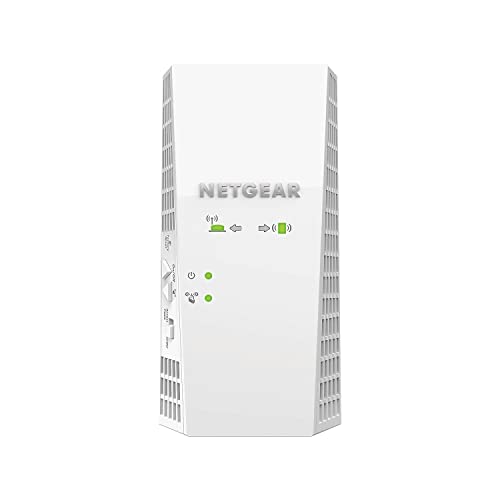
5. NETGEAR WiFi Mesh Range Extender EX7300
A NETGEAR Nighthawk mesh range extender with AC2200 dual-band speeds, coverage up to 2300 square feet and 40 devices, with mesh smart roaming. It extends the network as one seamless WiFi name rather than a separate network.
Strengths
- 2300 square feet: The widest coverage in this guide, suited to a large house or a house with a garden office.
- Mesh smart roaming: Devices move between the router and the extender without dropping, because the network behaves as one.
- AC2200 speed: The higher speed suits 4K streaming and large downloads in the far rooms of the house.
Trade-offs to weigh
- WiFi 5 generation: AC2200 is fast, but it is WiFi 5, so a very device-heavy household may prefer a WiFi 6 model.
- Mesh works best with NETGEAR: Smart roaming shines with a NETGEAR router, though the extender works with any router as a standard extender.
- Desktop size: This is a larger unit than a wall plug-in, so it needs a shelf or a table near a socket.
Who it fits best
The pick for a large house where the far rooms need the widest coverage and a seamless network name, especially in a home that already uses NETGEAR gear.
In daily use
Day to day, the NETGEAR WiFi Mesh Range Extender EX7300 is the kind of product you stop thinking about, which is the highest praise it can earn. It does its job the same way every time, without quirks or surprises, and lets you focus on the work or the game instead of the hardware. That consistency matters more than any single feature.
Before you buy
A few checks before you order the NETGEAR WiFi Mesh Range Extender EX7300 will save disappointment. Confirm the key details on the listing match what you expect — the exact model name, the included accessories, and the variant — since similar-looking models can differ in important ways. Check the return policy and the warranty terms so you know your options if it arrives damaged or does not suit you.
Best for: Large houses where one extender must cover the far rooms with a single seamless network.
Not suited for: Small flats, or households that want WiFi 6 device handling above all else.
Check price on Amazon: NETGEAR WiFi Mesh Range Extender EX7300

6. NETGEAR WiFi Extender EX6400
A NETGEAR WiFi extender with AC1900 speeds up to 1.9Gbps, coverage up to 2100 square feet and 35 devices, working with any router in a compact design. The mid-range NETGEAR pick for a medium to large home.
Strengths
- 2100 square feet: The coverage suits a medium to large house, reaching a far bedroom or a home office upstairs.
- Works with any router: There is no brand lock-in, so it fits a home with any router already in place.
- Compact design: The compact body fits a hallway or landing socket without dominating the space.
Trade-offs to weigh
- 35-device limit: Thirty-five devices is enough for most homes, but a heavy smart-home setup should count first.
- WiFi 5 speeds: AC1900 is quick for streaming, but it lacks the device-handling of a WiFi 6 extender.
- Single focus: This is a straightforward extender without mesh roaming extras, so it suits a simple job rather than a complex network.
Who it fits best
A good fit for a medium to large house with any brand of router, where a compact extender with wide coverage and honest speed is the brief.
In daily use
Over a full week of use, the NETGEAR WiFi Extender EX6400 shows its character in small ways. The feel stays the same from the first day to the last, nothing loosens or rattles, and the finish holds up to regular handling. If you switch between tasks, you will appreciate that it does not need a different setup for each one: configure it once for the way you actually use it and leave it alone.
Before you buy
When the NETGEAR WiFi Extender EX6400 arrives, spend a little time setting it up properly. Follow the included instructions, check that everything listed as included is actually in the box, and test the main functions within the first day or two. Then leave the settings alone for a week. If something feels wrong after a few days, change one thing at a time so you know what actually helped.
Best for: Medium to large houses with any router, where a compact extender with 2100 square feet of coverage is enough.
Not suited for: Households with more than thirty-five connected devices, or homes that need mesh roaming.
Check price on Amazon: NETGEAR WiFi Extender EX6400

7. ASUS RP-AX58 AX3000 WiFi 6 Range Extender
An ASUS AX3000 dual-band WiFi 6 range extender with AiMesh support, working with any WiFi router. The fastest extender in this guide, built for a household that wants WiFi 6 speed in the far rooms.
Strengths
- AX3000 WiFi 6 speed: The highest speed in this guide, suited to 4K streaming, large downloads, and gaming in a far room.
- AiMesh support: AiMesh lets it join an ASUS mesh network as a node, so it grows with the network instead of being replaced.
- Works with any router: It works with any WiFi router as a standard extender, so there is no need to change the router first.
Trade-offs to weigh
- Premium pick: The fastest extender is also the most capable, which is more than a small flat needs.
- Coverage not stated: The listing does not headline a square-foot figure, so placement matters: put it where the router signal is still strong.
- ASUS extras need ASUS: AiMesh roaming works best with an ASUS router, though the extender itself works with any router.
Who it fits best
The pick for a household that wants the fastest WiFi 6 speeds in a far room, especially a home that already runs ASUS networking gear.
In daily use
In everyday use, the ASUS RP-AX58 AX3000 WiFi 6 Range Extender settles into a routine quickly. Set it up once, the way you like it, and give yourself a few days to adjust before judging it. The first session is about learning the layout and the feel; the second and third are where it starts to feel natural. Keep it clean, keep it in the conditions it was designed for, and it will stay consistent.
Before you buy
Before buying the ASUS RP-AX58 AX3000 WiFi 6 Range Extender, check two practical things. First, measure and compare: check the dimensions, the capacity, and the compatibility details listed on the product page against what you already own and the space you have. Second, think about your routine — where it will live, how it will be stored, and what it needs to connect to.
Best for: Fast WiFi 6 in a far room, especially in homes with ASUS routers and AiMesh.
Not suited for: Small flats with one dead zone, where a cheaper extender gives the same result.
Check price on Amazon: ASUS RP-AX58 AX3000 WiFi 6 Range Extender
Quick comparison: the seven WiFi extenders at a glance
All seven extenders below are genuine range extenders from TP-Link, NETGEAR or ASUS. The differences are WiFi generation, coverage, speed, and how many devices each can serve.
| Product | What it is best at |
|---|---|
| TP-Link AC1200 WiFi Extender (RE315) | Simple plug-in for a flat, 1600 sq ft, 32 devices |
| TP-Link AC1900 WiFi Range Extender RE550 | Faster AC1900 plug-in, 2200 sq ft, gigabit port |
| TP-Link AX1800 WiFi 6 Extender (RE605X) | WiFi 6 with AP mode, 1500 sq ft, 30 devices |
| TP-Link RE615X AX1800 WiFi 6 Range Extender | WiFi 6 with wide coverage, 2100 sq ft, 64 devices |
| NETGEAR WiFi Mesh Range Extender EX7300 | Widest coverage, 2300 sq ft, mesh roaming, 40 devices |
| NETGEAR WiFi Extender EX6400 | Compact mid-range, 2100 sq ft, works with any router |
| ASUS RP-AX58 AX3000 WiFi 6 Range Extender | Fastest WiFi 6, AX3000, AiMesh support |
How to buy a WiFi extender
Start by finding the dead zone and the halfway point. An extender must sit where it still receives a good signal from the router, roughly halfway between the router and the dead room, not inside the dead room itself. An extender placed in a dead zone has nothing to repeat, and the result is a strong signal to a slow connection. Walk the house with a phone and find the spot where the signal drops to two bars: that is where the extender goes.
Match the extender to the house size. A flat needs 1500 square feet of coverage at most, a medium house needs around 2000, and a large house needs 2200 or more, or two extenders. The coverage figures on the listings assume open space, so walls, floors, and a thick chimney all shrink them. If the house has thick stone walls, put the extender closer to the router and accept a smaller boost rather than buying a stronger unit and placing it too far away.
Choose the WiFi generation by the device count, not by the speed headline. WiFi 6 matters when many devices share the network, because it schedules airtime more fairly, while WiFi 5 is fine for a household with a handful of devices. Count the phones, tablets, televisions, laptops, and smart-home devices before ordering, and pick an extender whose device limit leaves room to grow.
Check the Ethernet port if anything needs a wire. A television, a games console, or a work computer plugged into the extender gets a stable connection that WiFi cannot match, and a gigabit port is worth having even if only one device uses it. Access point mode is a bonus for homes with an Ethernet cable already run to the far room: the extender becomes a wired access point instead of a repeater.
Finally, set expectations honestly. An extender cannot make slow broadband fast, and it cannot fix a router that is failing. If every room has weak signal, the router or its placement is the problem, not the lack of an extender. Test the broadband speed next to the router first: if that is slow, call the provider before buying anything.
One more buying point is the network name. Most extenders can copy the router network name so devices see one network, or create a separate name such as the router name plus _EXT. A single name is more convenient, because devices move between the router and the extender on their own, but a separate name makes it obvious which unit a device is connected to when something goes wrong. Either works; the important thing is to know which one you chose, so a slow device can be checked against the right unit.
Setting up and living with a WiFi extender
Setup takes about ten minutes. Plug the extender in at the halfway point, connect to its setup network or open the app, and let it copy the router settings. Give the extended network the same name and password as the main network if the extender offers it, so devices roam between them without a manual switch. Once the extender light shows a good signal, test the dead room with a video call or a speed test before moving on.
Placement is worth an afternoon of experiment. Move the extender one socket closer to the router if the speed is poor, or one socket further away if the dead room still has no signal. The best spot is usually a hallway or landing socket, high on the wall and away from thick obstacles. A socket behind a television or inside a metal cabinet is a bad spot, because the signal has to fight through the obstacle twice.
Day to day, an extender needs almost no attention. Reboot it if the far room suddenly slows down, and check for a firmware update every few months through the app, since updates fix bugs and close security holes. Keep the extender plugged in and leave it alone: unplugging it to charge a phone is the usual reason a dead zone mysteriously returns.
If the extender stops helping, check the router first. A router that has been moved, a new neighbour network on the same channel, or a broadband fault can all look like an extender problem. Test the speed next to the router, then next to the extender, and compare the two: if the router is slow, the extender cannot fix it, and the provider or a new router is the answer.
Common mistakes with WiFi extenders
The most common mistake is placing the extender in the dead zone. An extender needs a good signal to repeat, so it belongs halfway between the router and the dead room, not inside the room with no signal. If the extender light shows a weak signal, move it closer to the router and try again.
The second mistake is buying a mesh system by accident. Mesh nodes replace the router and work as a system, while an extender repeats the existing network. A Deco or similar mesh pack is not an extender, and buying one when only a single room needs help is spending more than the job requires.
The third mistake is buying a renewed extender. A renewed unit may work, but an extender lives plugged in for years and a tired power supply or a worn socket is a poor saving. The picks in this guide are all new listings, and the full-title check in the research caught one renewed listing that the search results had hidden.
The fourth mistake is expecting an extender to fix slow broadband. An extender moves the existing connection further, it does not speed it up. Test the speed next to the router before ordering, and if the broadband itself is slow, fix that first.
These guides on this site cover neighbouring questions in more depth.
- Best WiFi extenders under 100
- Best WiFi extenders for 4K streaming
- Best WiFi extenders for 5G networks
The short answer
For most homes, the TP-Link RE615X is the best starting point: WiFi 6, 2100 square feet of coverage, and room for 64 devices cover a large house and a busy household in one unit. If the house is smaller, the RE315 does the same job for a flat at a lower cost. And if the far rooms need the widest coverage with a single network name, the NETGEAR EX7300 is the pick.
Whatever you choose, place the extender halfway to the dead zone, not inside it, and test the speed in the far room before calling the job done. A well-placed extender is the cheapest fix for a dead zone, and a badly placed one is a waste of money at any cost.
If the first spot does not work, move the extender one socket closer to the router and test again. Placement is the whole job with an extender: the right model in the wrong socket will disappoint, while a modest model in the right socket will quietly fix the problem for years. Buy the extender that matches the house size and the device count, place it with care, and leave it plugged in. A ten-minute test with a video call in the far room tells you more than any specification sheet.
Frequently asked questions
Where should I place a WiFi extender?
Halfway between the router and the dead zone, where it still receives a good signal. An extender placed inside the dead zone has nothing to repeat, so it will show full bars and deliver a slow connection.
Is a WiFi extender the same as a mesh system?
No. An extender repeats the existing router signal to reach further, while a mesh system replaces the router with several nodes that work together. An extender is the right buy when one or two rooms are out of reach.
Do WiFi extenders work with any router?
The extenders in this guide work with any router. Some features, such as EasyMesh or AiMesh roaming, work best with the same brand, but the basic extending function works with any router.
Will an extender make my internet faster?
No. An extender moves the existing connection further into the house; it cannot speed up slow broadband. Test the speed next to the router first, and fix slow broadband before buying an extender.
Should I buy a renewed WiFi extender?
It is better not to. An extender lives plugged in for years, and a renewed unit may have a tired power supply or worn components. The picks in this guide are all new listings.
What is the difference between WiFi 5 and WiFi 6 extenders?
WiFi 6 handles many devices at once more fairly than WiFi 5, so it suits a busy household with phones, tablets, televisions and smart-home gear. WiFi 5 is fine for a home with only a handful of devices.