The best 5GHz WiFi extenders fix the dead zone without rewiring the house: they pick up the router's signal, repeat it on the fast 5GHz band, and carry it into the room where the video buffers and the calls drop. The 5GHz band is the fast band, with less interference and higher speeds than 2.4GHz, but a shorter range, which is exactly why an extender matters: the router's 5GHz signal dies at the far bedroom, and an extender halfway there brings it back to life. This guide covers eight 5GHz WiFi extenders, from the TP-Link RE315 that suits a small flat to the NETGEAR Nighthawk EXS27 that suits a large house with dozens of devices, so whether the dead zone is one room or half the house, there is an extender here that fits.
What makes one 5GHz WiFi extender better than another is mostly a question of speed, coverage and device count, and the order matters. Speed decides how fast the extended network feels: an AC1200 extender gives up to 1.2Gbps, an AX3000 WiFi 6 extender gives up to 3Gbps, and a Wi-Fi 7 extender gives up to 5Gbps, but the real speed is always less than the headline, because the extender splits its time between talking to the router and talking to the devices. Coverage decides how far the signal reaches: a 1,500 square foot extender suits a flat, while a 2,200 square foot extender suits a house. Device count decides how many phones, laptops and smart devices can connect at once, and the guide gives the figure for every model where the listing states it.
Every extender in this guide is a genuine dual-band WiFi extender with 5GHz support, not a single-band 2.4GHz extender and not a mesh router system, and every one states its speed, its coverage and its 5GHz band in the listing. The single-band TP-Link RE105 and the Deco mesh system that appeared in the search results were excluded, because a single-band extender cannot carry 5GHz at all, and a mesh system is a router replacement, not an extender. Before you order, find the dead zone, check the router's brand and bands, and check the distance from the router to the extender, because an extender placed too far from the router repeats a weak signal, and an extender placed too close does not reach the dead zone.
In this guide
Quick picks: best 5ghz wifi extenders
| # | Product | Where to buy |
|---|---|---|
| 1 | TP-Link AC1200 WiFi Extender Dual Band 5GHz/2.4GHz (RE315) | Check on Amazon |
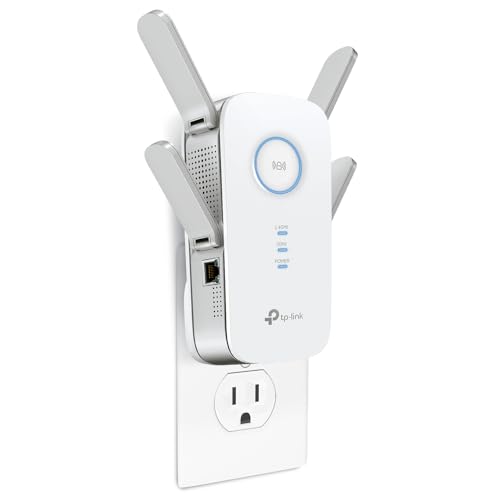
| 2 | TP-Link AC1900 WiFi Range Extender RE550 | Check on Amazon |
| 3 | TP-Link WiFi Extender RE220 with Ethernet Port | Check on Amazon |
| 4 | TP-Link AX3000 WiFi 6 Dual-Band Range Extender | Check on Amazon |
| 5 | TP-Link RE615X AX1800 WiFi 6 Range Extender | Check on Amazon |
| 6 | TP-Link AX1500 WiFi Extender Internet Booster WiFi 6 (RE500X) | Check on Amazon |
| 7 | NETGEAR Nighthawk WiFi 7 Extender EXS27 | Check on Amazon |
| 8 | NETGEAR Nighthawk WiFi Extender EAX17 | Check on Amazon |
How the picks were chosen
The picks were chosen from current 5GHz WiFi extender listings, with three hard filters. First, the product must be a complete dual-band WiFi extender with 5GHz support, not a single-band extender, a mesh system, a router or a cable: the single-band RE105 and the Deco X55 mesh system that appeared in the search results were excluded. Second, the listing must name the exact brand and model, so the TP-Link RE315, the TP-Link RE550 and the NETGEAR EXS27 are treated as the distinct models they are, not lumped together by speed. Third, the extender must be a current, new listing with its speed, coverage and 5GHz band stated.
Within those filters the guide favours variety: three TP-Link AC extenders at different speeds for the budget range, three TP-Link WiFi 6 and WiFi 7 extenders for the newest standards, and two NETGEAR Nighthawk extenders for the premium range. WiFi generation was weighed carefully: WiFi 6 extenders handle more devices at once than WiFi 5, and WiFi 7 extenders are the fastest available, but they need a WiFi 7 router to reach their full speed. Ethernet ports were weighed too, because a wired connection to a smart TV or a games console is faster and more stable than wireless, and the guide notes the port where the listing states it.
One judgement call is worth stating plainly. The speed figures in this guide are the manufacturers' figures from the listings, and they are combined totals across both bands, not the speed a single device will see. An AX3000 extender does not give 3Gbps to one phone; it gives up to 3Gbps shared across the 2.4GHz and 5GHz bands and all connected devices. The real speed also depends on the router, the distance and the walls. The guide states the headline speed and the coverage for every model, and it says where the listing is silent, so the buyer knows what is confirmed and what is not.
Quick comparison
| Product | Standout detail |
|---|---|
| TP-Link AC1200 WiFi Extender Dual Band 5GHz/2.4GHz (RE315) | AC1200, dual band 5GHz/2.4GHz, 1600 sq ft, 32 devices |
| TP-Link AC1900 WiFi Range Extender RE550 | AC1900, dual band, Gigabit Ethernet, 2200 sq ft |
| TP-Link WiFi Extender RE220 with Ethernet Port | Dual band 5GHz/2.4GHz, Ethernet port |
| TP-Link AX3000 WiFi 6 Dual-Band Range Extender | AX3000 WiFi 6, dual band, Ethernet port |
| TP-Link RE615X AX1800 WiFi 6 Range Extender | AX1800 WiFi 6, Ethernet port, 2100 sq ft |
| TP-Link AX1500 WiFi Extender Internet Booster WiFi 6 (RE500X) | AX1500 WiFi 6, 1500 sq ft, 25 devices |
| NETGEAR Nighthawk WiFi 7 Extender EXS27 | Wi-Fi 7, 1500 sq ft, 5 Gbps, 45 devices |
| NETGEAR Nighthawk WiFi Extender EAX17 | 3 Gbps, 1500 sq ft, 20 devices |

1. TP-Link AC1200 WiFi Extender Dual Band 5GHz/2.4GHz (RE315)
Key specs
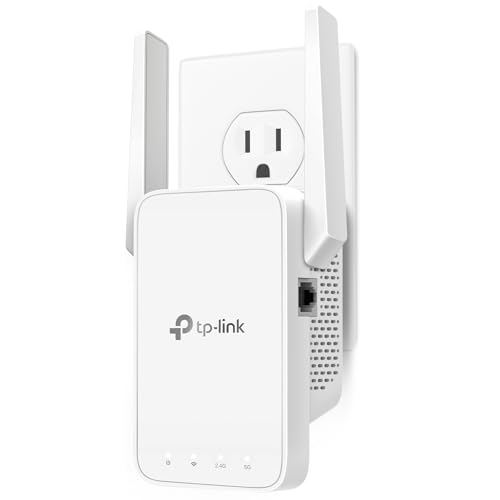
TP-Link AC1200 WiFi extender, dual band 5GHz and 2.4GHz (RE315), 1.2Gbps home signal booster, up to 1600 sq ft and 32 devices. The TP-Link RE315 is the value pick in this guide, with dual-band 5GHz at the lowest cost here.
Strengths
- Dual-band 5GHz and 2.4GHz covers fast devices and long-range devices in one extender.
- Up to 1600 sq ft and 32 devices suits a flat or a small house.
- TP-Link is a long-standing networking brand, with a simple setup app.
Trade-offs
- AC1200 is the slowest speed in this guide, so it cannot match the WiFi 6 models for heavy use.
- No Ethernet port stated in the listing, so a wired connection needs a different model.
- WiFi 5 generation handles fewer devices at once than WiFi 6.
Who it fits
Small flats and houses with a single dead zone and a modest device count.
Best for: a value dual-band 5GHz extender for a small home.
Not suited for: anyone with a large house, or dozens of devices.
In daily use
In daily use, the TP-Link RE315 is the extender for a flat with one dead zone. It plugs into a socket halfway between the router and the dead room, it repeats the 5GHz signal into the bedroom or the kitchen, and the video stops buffering. Its 1600 square foot coverage and 32-device limit suit a small home, and its TP-Link app makes setup a matter of minutes. It is not the fastest extender in this guide, and it does not pretend to be, but for a small home it is all that is needed. Place it halfway, not in the dead zone itself, and the signal will follow. It is the extender to buy when the budget is small and the dead zone is one room.
Check price on Amazon: TP-Link AC1200 WiFi Extender Dual Band 5GHz/2.4GHz (RE315)

2. TP-Link AC1900 WiFi Range Extender RE550
Key specs
TP-Link AC1900 WiFi range extender RE550, dual-band wireless repeater, amplifier with Gigabit Ethernet port, up to 2200 sq ft. The TP-Link RE550 is the coverage pick in this guide, with the widest AC coverage here.
Strengths
- Up to 2200 sq ft is the widest coverage among the AC models in this guide.
- Gigabit Ethernet port gives a wired connection to a smart TV or a games console.
- AC1900 speed is the fastest of the WiFi 5 extenders here.
Trade-offs
- WiFi 5 generation handles fewer devices at once than WiFi 6.
- Listing does not state a device count, so buyers should confirm it on the listing.
- AC1900 is slower than the AX3000 WiFi 6 models in this guide.
Who it fits
Medium houses with a dead zone far from the router who want wide coverage.
Best for: an AC1900 extender with wide coverage and a Gigabit Ethernet port.
Not suited for: anyone with dozens of devices, or who needs WiFi 6.
In daily use
In daily use, the TP-Link RE550 is the extender for a house where the dead zone is far from the router. Its 2200 square foot coverage reaches the far bedroom, its AC1900 speed handles video and calls without buffering, and its Gigabit Ethernet port wires a smart TV or a games console directly, which is faster and more stable than wireless. Place it halfway between the router and the dead zone, where the signal is still strong, and it will carry that signal the rest of the way. It is the extender to buy when coverage matters more than the newest WiFi standard.
Check price on Amazon: TP-Link AC1900 WiFi Range Extender RE550
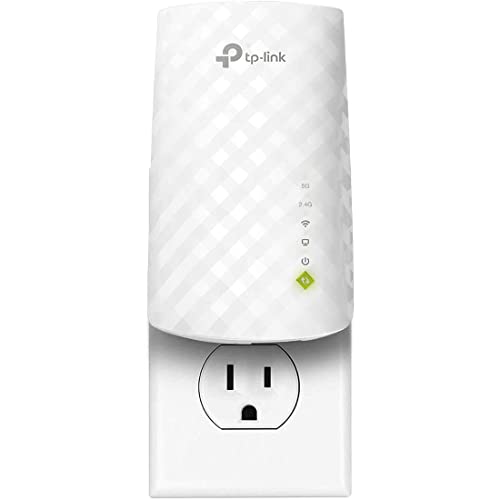
3. TP-Link WiFi Extender RE220 with Ethernet Port
Key specs
TP-Link WiFi extender RE220 with Ethernet port, dual band 5GHz and 2.4GHz, up to 44% more bandwidth than single band. The TP-Link RE220 is the simple pick in this guide, with an Ethernet port and dual-band 5GHz at a low cost.
Strengths
- Dual-band 5GHz and 2.4GHz gives up to 44% more bandwidth than a single-band extender.
- Ethernet port gives a wired connection to one device.
- TP-Link setup is simple, and the extender works with any router brand.
Trade-offs
- Listing does not state a speed or coverage figure, so buyers should confirm them on the listing.
- Older AC design is slower than the WiFi 6 models in this guide.
- No device count stated, so buyers should confirm it on the listing before ordering.
Who it fits
Buyers who want a simple, cheap dual-band extender with an Ethernet port.
Best for: a simple dual-band 5GHz extender with an Ethernet port.
Not suited for: anyone who needs a stated speed and coverage figure, or WiFi 6.
In daily use
In daily use, the TP-Link RE220 is the extender for a buyer who wants the job done cheaply. It plugs in halfway to the dead zone, it repeats the 5GHz signal, and its Ethernet port wires a smart TV directly, which is the fastest way to fix a buffering television. It is an older design, and it does not match the WiFi 6 models for speed or device count, but for a single dead zone and a modest number of devices it is enough. Confirm the speed and coverage on the listing before ordering. It is the extender to buy when the fix should be simple and cheap.
Check price on Amazon: TP-Link WiFi Extender RE220 with Ethernet Port

4. TP-Link AX3000 WiFi 6 Dual-Band Range Extender
Key specs
TP-Link AX3000 WiFi 6 dual-band range extender, wireless repeater with Ethernet port, up to 2400 sq ft. The TP-Link AX3000 is the WiFi 6 pick in this guide, with the fastest WiFi 6 speed here.
Strengths
- AX3000 WiFi 6 is the fastest WiFi 6 speed in this guide, for heavy video and gaming.
- WiFi 6 handles more devices at once than WiFi 5, which suits a smart home.
- Ethernet port gives a wired connection to a smart TV or a games console.
Trade-offs
- Listing does not state a device count, so buyers should confirm it on the listing.
- WiFi 6 needs a WiFi 6 router to reach its full speed, though it still works with older routers.
- Costs more than the AC extenders in this guide.
Who it fits
Homes with many devices who want WiFi 6 speed and a wired port.
Best for: an AX3000 WiFi 6 extender with an Ethernet port.
Not suited for: anyone on a tight budget, or with only a few devices.
In daily use
In daily use, the TP-Link AX3000 is the extender for a smart home. Its WiFi 6 radio handles dozens of devices at once, phones, laptops, cameras and speakers, without slowing down, its AX3000 speed carries 4K video without buffering, and its Ethernet port wires the television directly. It works with an older router too, though it needs a WiFi 6 router to reach its full speed. Place it halfway to the dead zone, set it up in the app, and the far rooms get the same fast network as the router room. It is the extender to buy when the home has many devices and the network should be fast everywhere.
Check price on Amazon: TP-Link AX3000 WiFi 6 Dual-Band Range Extender

5. TP-Link RE615X AX1800 WiFi 6 Range Extender
Key specs
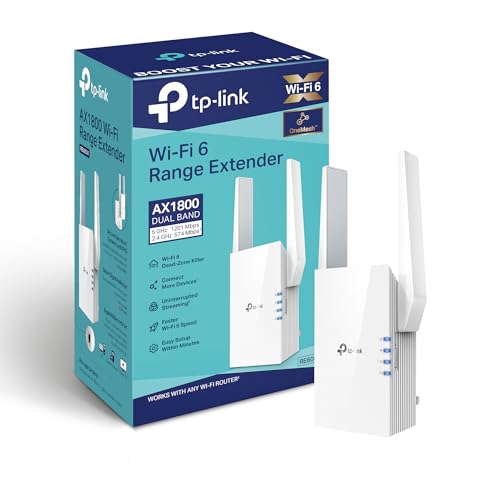
TP-Link RE615X AX1800 WiFi 6 range extender with Ethernet port, 1.8G dual-band wireless repeater amplifier, up to 2100 sq ft. The TP-Link RE615X is the mid-range WiFi 6 pick in this guide, with AX1800 speed and wide coverage.
Strengths
- AX1800 WiFi 6 gives fast dual-band speed for video and calls.
- Up to 2100 sq ft covers a medium to large house.
- Ethernet port gives a wired connection to a smart TV or a games console.
Trade-offs
- AX1800 is slower than the AX3000 model in this guide.
- Listing does not state a device count, so buyers should confirm it on the listing.
- WiFi 6 needs a WiFi 6 router to reach its full speed.
Who it fits
Medium to large houses who want WiFi 6 speed with wide coverage.
Best for: an AX1800 WiFi 6 extender with 2100 sq ft of coverage.
Not suited for: anyone who needs the fastest WiFi 6 speed, or a stated device count.
In daily use
In daily use, the TP-Link RE615X is the extender for a house that is too big for a budget model. Its AX1800 speed handles 4K video and video calls, its 2100 square foot coverage reaches the far rooms, and its Ethernet port wires the television directly. WiFi 6 handles the phones, the laptops and the smart devices at once, without the slowdown that WiFi 5 shows under load. It is the extender to buy when the house is large and the network should be WiFi 6 throughout.
Check price on Amazon: TP-Link RE615X AX1800 WiFi 6 Range Extender

6. TP-Link AX1500 WiFi Extender Internet Booster WiFi 6 (RE500X)
Key specs
TP-Link AX1500 WiFi extender internet booster WiFi 6 (RE500X), range extender covers up to 1500 sq ft and 25 devices, dual band. The TP-Link RE500X is the compact WiFi 6 pick in this guide, for a small home with WiFi 6.
Strengths
- WiFi 6 in a compact extender, for a small home that wants the newest standard.
- Up to 1500 sq ft and 25 devices suits a flat or a small house.
- TP-Link setup is simple, and the extender works with any router brand.
Trade-offs
- AX1500 is the slowest WiFi 6 speed in this guide.
- 1500 sq ft and 25 devices are the smallest figures among the WiFi 6 models here.
- No Ethernet port stated in the listing, so a wired connection needs a different model.
Who it fits
Small homes who want WiFi 6 speed in a compact extender.
Best for: a compact AX1500 WiFi 6 extender for a small home.
Not suited for: anyone with a large house, or who needs an Ethernet port.
In daily use
In daily use, the TP-Link RE500X is the extender for a flat that wants WiFi 6 without a large device. Its AX1500 speed handles video and calls, its 1500 square foot coverage reaches the far room, and its 25-device limit suits a small household. It is the smallest WiFi 6 extender in this guide, and it does not pretend to cover a large house, but for a flat it is exactly the right size. Place it halfway to the dead zone, and the network follows. It is the extender to buy when the home is small and the WiFi should be new.
Check price on Amazon: TP-Link AX1500 WiFi Extender Internet Booster WiFi 6 (RE500X)
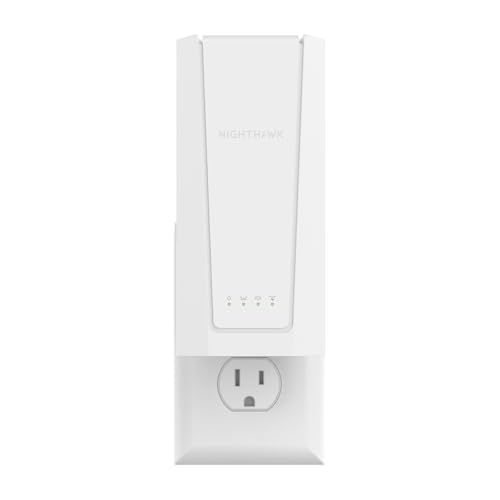
7. NETGEAR Nighthawk WiFi 7 Extender EXS27
Key specs
NETGEAR Nighthawk WiFi 7 extender EXS27, up to 1,500 sq ft, 5 Gbps, signal booster for home, easy setup, 45 devices. The NETGEAR EXS27 is the fastest pick in this guide, with Wi-Fi 7 and 5Gbps speed.
Strengths
- 5 Gbps is the fastest speed in this guide, for the most demanding use.
- Wi-Fi 7 is the newest standard, with the lowest latency for gaming and calls.
- 45 devices suits a smart home with many connected devices.
Trade-offs
- Wi-Fi 7 needs a Wi-Fi 7 router to reach its full speed.
- 1500 sq ft is less coverage than the TP-Link RE550 and RE615X in this guide.
- Premium pricing puts it above every other extender here.
Who it fits
Buyers who want the fastest extender available, with Wi-Fi 7 and 45 devices.
Best for: a Wi-Fi 7 extender with 5Gbps speed for a demanding home.
Not suited for: anyone on a tight budget, or who needs the widest coverage.
In daily use
In daily use, the NETGEAR EXS27 is the extender for a home that wants the fastest network available. Its 5Gbps speed and Wi-Fi 7 radio carry 4K video, gaming and calls without a stutter, its 45-device capacity covers a smart home, and its Nighthawk name carries the reputation for performance. It needs a Wi-Fi 7 router to reach its full speed, though it still works with older routers, and its 1500 square foot coverage suits a flat or a medium house rather than a large one. It is the extender to buy when speed is the whole point.
Check price on Amazon: NETGEAR Nighthawk WiFi 7 Extender EXS27

8. NETGEAR Nighthawk WiFi Extender EAX17
Key specs
NETGEAR Nighthawk WiFi extender EAX17, up to 1,500 sq ft, 3 Gbps, signal booster for home, easy setup, 20 devices. The NETGEAR EAX17 is the premium WiFi 6 pick in this guide, with 3Gbps speed and Nighthawk performance.
Strengths
- 3 Gbps is the joint-fastest WiFi 6 speed in this guide.
- Nighthawk performance and easy setup suit buyers who want a premium extender.
- Up to 1500 sq ft covers a flat or a medium house.
Trade-offs
- 20 devices is fewer than the TP-Link RE315 in this guide, so it suits a smaller household.
- 1500 sq ft is less coverage than the TP-Link RE550 and RE615X here.
- Premium pricing puts it above the TP-Link WiFi 6 models.
Who it fits
Buyers who want a premium Nighthawk extender with 3Gbps speed.
Best for: a premium Nighthawk WiFi extender with 3Gbps speed.
Not suited for: anyone with many devices, or who needs the widest coverage.
In daily use
In daily use, the NETGEAR EAX17 is the extender for a buyer who wants Nighthawk performance in a WiFi 6 package. Its 3Gbps speed handles 4K video and gaming, its easy setup gets the network extended in minutes, and its 1500 square foot coverage reaches the far room. The 20-device limit suits a household with a modest number of devices, and the premium price buys the Nighthawk name and the performance behind it. It is the extender to buy when the brand and the speed both matter.
Check price on Amazon: NETGEAR Nighthawk WiFi Extender EAX17
Buying guide: best 5ghz wifi extenders
Place it halfway, not in the dead zone
The most important rule of extenders is placement: put the extender halfway between the router and the dead zone, where the router's signal is still strong. An extender placed in the dead zone itself has nothing to repeat, because the signal there is already too weak, and it will repeat a weak signal slowly. An extender placed too close to the router does not reach the dead zone at all. Halfway is the rule, and most extenders show a signal light that turns green when the placement is right.
5GHz is fast, 2.4GHz is far
The 5GHz band is fast and clean, with less interference, but it does not travel far or through walls well. The 2.4GHz band is slower and more crowded, but it travels further and through walls better. A dual-band extender uses both: 5GHz for speed in the same room, and 2.4GHz for range through walls. If the dead zone is far away or behind thick walls, the 2.4GHz band may be the one that actually reaches it, and the extender should be dual-band, as every model in this guide is.
Speed is shared, not per device
The speed figures in this guide are combined totals across both bands, not the speed a single device will see. An AX3000 extender does not give 3Gbps to one phone; it gives up to 3Gbps shared across the 2.4GHz and 5GHz bands and all connected devices. The real speed also depends on the router, the distance and the walls. Buy the speed for the use, not the number: AC1200 suits browsing and video, AX3000 suits 4K video and gaming, and 5Gbps suits a home where everything happens at once.
WiFi generation and device count
WiFi 6 handles more devices at once than WiFi 5, because it schedules them efficiently instead of letting them fight for airtime, which is why a smart home with dozens of devices should buy WiFi 6. WiFi 7 is faster still, with lower latency, but it needs a WiFi 7 router to reach its full speed. Device count matters too: an extender rated for 20 devices will struggle with 40, so count the phones, the laptops, the cameras and the speakers before ordering, and buy the count with room to spare.
Ethernet and mesh
An Ethernet port on the extender gives a wired connection to a smart TV or a games console, which is faster and more stable than wireless, and it is worth having where the television buffers. If the whole house has dead zones, not just one room, a mesh system may be a better answer than a single extender, because mesh nodes talk to each other and hand devices over smoothly. But a mesh system replaces the router, while an extender works with the router you already have, which is why an extender is the right fix for a single dead zone.
Usage and care
Set up a WiFi extender by plugging it into a socket halfway between the router and the dead zone, where the router's signal is still strong, and waiting for the signal light to turn green. Connect it to the router with the app or the WPS button, give the extended network a name, and test the speed in the dead zone with a phone. If the speed is still slow, move the extender closer to the router and test again, because placement matters more than any setting. Once the speed is good, leave the extender where it is, and do not move it, because the network depends on its position.
Keep the extender working well by updating its firmware when the app offers it, because firmware updates fix bugs and improve speed, and by keeping it clear of metal objects and large appliances, which block the signal. Do not plug it into a socket behind a television or inside a cabinet, because the signal cannot pass through metal and wood well. Restart the extender and the router together once a month, because a fresh start clears the memory and restores the speed, and check the speed in the dead zone after any change to the router or the house.
Common mistakes
The most common mistake is placing the extender in the dead zone itself, where the router's signal is already too weak to repeat. Another is buying a single-band extender for a 5GHz dead zone, because a 2.4GHz-only extender cannot carry 5GHz at all. A third is expecting the headline speed on a single device, because the speed is shared across both bands and all devices. And do not forget the device count: an extender rated for 20 devices will struggle with 40, so count the devices before ordering.
Do not buy a WiFi 7 extender for a WiFi 5 router and expect full speed, because the extender cannot exceed the router. Do not hide the extender behind a television or inside a cabinet, because the signal cannot pass through. Do not use the same network name for the router and the extender without checking, because some devices will cling to the weak router signal instead of switching to the strong extender. And do not ignore the firmware: an extender with old firmware is slower and less secure than one that is updated.
Extenders and smart home devices
A smart home is the hardest test for an extender, because the devices are numerous, they are always on, and many of them only use the 2.4GHz band. Cameras, doorbells, thermostats and smart speakers mostly connect on 2.4GHz, because the band travels further through walls, while phones and laptops use 5GHz for speed. A dual-band extender handles both, but the device count matters: an extender rated for 20 devices will struggle with a house that has 40, because every camera and speaker counts. Count the devices before ordering, buy the count with room to spare, and put the cameras and doorbells on the 2.4GHz band where the signal is strongest, because a camera that drops its connection is a camera that misses the delivery.
When an extender is not enough
An extender fixes one dead zone, but it cannot fix a house where the router is too weak, the walls are too thick, or the dead zones are everywhere. If every room has a weak signal, the router itself may be the problem, and a newer router or a mesh system is the better answer. If the walls are thick stone or concrete, no extender will carry the signal through them, and a wired access point or a powerline adapter is the better fix. If the internet connection itself is slow, no extender will make it fast, because the extender can only repeat what the router gives it. Test the speed next to the router first: if it is slow there, the problem is the connection, not the coverage, and an extender will not help.
Final recommendation
For most homes, the TP-Link AX3000 WiFi 6 extender is the best 5GHz WiFi extender in this guide: fast WiFi 6 speed, an Ethernet port, and enough coverage for a medium house. If the budget is tight, the TP-Link RE315 gives dual-band 5GHz for the lowest cost, and the RE550 gives the widest AC coverage with a Gigabit port. If the house is large, the TP-Link RE615X covers 2100 square feet with WiFi 6.
For the fastest speed available, the NETGEAR Nighthawk EXS27 gives Wi-Fi 7 at 5Gbps, and the Nighthawk EAX17 gives 3Gbps in a premium WiFi 6 package. For a small home that wants WiFi 6, the TP-Link RE500X is the compact pick. Whichever extender you choose, place it halfway to the dead zone, buy the speed and the device count with room to spare, and test the speed before deciding the job is done.
Frequently asked questions
Where should I place a WiFi extender?
Place it halfway between the router and the dead zone, where the router's signal is still strong. An extender placed in the dead zone itself has nothing to repeat, and one placed too close to the router does not reach the dead zone. Most extenders show a signal light that turns green when the placement is right.
Is 5GHz better than 2.4GHz for an extender?
5GHz is faster and cleaner, with less interference, but it does not travel far or through walls well. 2.4GHz is slower but travels further. A dual-band extender uses both, and every extender in this guide is dual-band, so the fast devices use 5GHz and the far devices use 2.4GHz.
Will a WiFi 6 extender work with a WiFi 5 router?
Yes, a WiFi 6 extender works with an older router, but it cannot exceed the router's speed. It needs a WiFi 6 router to reach its full speed. The same applies to WiFi 7: an EXS27 works with an older router, but it needs a WiFi 7 router for 5Gbps.
How many devices can a WiFi extender handle?
The extenders in this guide handle 20 to 45 devices, where the listing states a figure. Count the phones, the laptops, the cameras and the speakers before ordering, and buy the count with room to spare, because an extender rated for 20 devices will struggle with 40.
Should I buy an extender or a mesh system?
Buy an extender for a single dead zone, because it works with the router you already have. Buy a mesh system if the whole house has dead zones, because mesh nodes talk to each other and hand devices over smoothly. A mesh system replaces the router, while an extender extends it.
Will a WiFi extender help my smart cameras?
Yes, if the extender is dual-band, because most cameras and doorbells use the 2.4GHz band, which travels further through walls. Count the devices before ordering, because an extender rated for 20 devices will struggle with a house that has 40, and every camera and speaker counts.
When should I buy a mesh system instead of an extender?
Buy an extender for a single dead zone, because it works with the router you already have. Buy a mesh system if the whole house has dead zones, because mesh nodes talk to each other and hand devices over smoothly. If the speed is slow next to the router, the problem is the connection, not the coverage, and neither will help.
More from ilcastellomenu.com
Best WiFi Extenders Under 100: WiFi extender picks