Disclosure: This article contains affiliate links. If you buy through a link on this page, we may earn an affiliate commission at no extra cost to you. Our guides are built from manufacturer documentation, published specifications, and buying research — the commission never changes which products appear or how they are ranked.
Most gaming mouse roundups are organised around sensors and prices, as if the part of the mouse your hand actually touches were a footnote. This one is organised around the opposite priority. Every pick below earned its place because of a specific, physical grip feature documented by its manufacturer: a sculpted thumb rest that gives the thumb a shelf to sit on, side grips you can swap to change the shape, a contoured right flank that parks the ring finger in a defined groove, or — in one deliberate exception — grip tape supplied in the box for players whose style needs friction more than furniture. If a mouse had nothing for your thumb and fingers to hold on to, it did not make this list, no matter how fashionable its sensor or how light its shell.
That framing matters because grip is where long sessions are won or lost. A sensor either tracks or it does not, and at the level of the six models here, they all track superbly. What differs is how your hand stays in control during the four-hundredth flick of the evening: whether the thumb drags against the mousepad or rests on a wing, whether the ring finger slides down a smooth flank or settles into a ledge, whether the shell coating stays grippy when palms get warm. Those are shape and surface questions, and they are answered by the geometry of the mouse, not by its spec sheet headline numbers.
The six picks span the three grip styles manufacturers design for — palm, claw, and fingertip — and they span wired and wireless connections, because a cable has never stopped a thumb rest from working. Two of them (the Razer and the Logitech) are the established ergonomic benchmarks with fixed thumb wings. One, the Corsair, lets you physically swap its side grip to change how the mouse holds your outer fingers. One, the SteelSeries, wraps a versatile shell around an unusually generous thumb-button panel. One, the Glorious, lets you rearrange its magnetic side buttons to suit your thumb’s reach. And the HyperX closes the list as the control case: a featherweight fingertip mouse with no thumb rest at all, included so the trade-off is stated honestly rather than hidden — some players grip better with less mouse, and the grip tape in its box is its grip feature.
One more thing before the details: the order below is not a countdown from worst to best. It is a tour of grip philosophies, from the most fixed and supportive to the most adjustable to the most minimal, because a grip-first shortlist ranked any other way would smuggle a verdict in through the numbering. The right question for each pick is never “is this the best mouse here” but “is this the mouse built for the way my hand already works.” Read the picks that match your grip style closely and the others quickly — they are included so the boundaries of each philosophy are visible, and so a player still discovering their style can see the whole map before choosing a territory.
In this guide
Quick picks: best gaming mouse with good thumb grip and finger grip
| # | Product | Where to buy |
|---|---|---|
| 1 | Razer Basilisk V3 | Check on Amazon |
| 2 | Logitech G502 X Plus | Check on Amazon |
| 3 | Corsair Dark Core RGB Pro | Check on Amazon |
| 4 | SteelSeries Rival 5 | Check on Amazon |
| 5 | Glorious Model I 2 | Check on Amazon |
| 6 | HyperX Pulsefire Haste 2 | Check on Amazon |
The short version: six mice, six answers to the same hand problem
If you already know your grip style, the table below is the whole article in miniature. Palm players who want maximum thumb support start with the Basilisk V3 or the G502 X Plus. Players who like to experiment start with the Dark Core RGB Pro or the Model I 2, because both let you change the grip hardware itself. Players who switch grips by genre look at the Rival 5. Fingertip players who find thumb wings clumsy look at the Pulsefire Haste 2 — and accept, going in, that its grip comes from tape and texture rather than from a rest.
| Pick | Signature grip feature | Grip styles it serves | Connection | Weight class |
|---|---|---|---|---|
| Razer Basilisk V3 | Fixed thumb wing with textured side grips | Palm, claw | Wired | Standard |
| Logitech G502 X Plus | Sculpted thumb rest, rubberised side panels | Palm, claw | Wireless | Standard |
| Corsair Dark Core RGB Pro | Interchangeable side grips, one with a finger rest | Palm | Wireless or wired | Heavy |
| SteelSeries Rival 5 | Contoured thumb shelf, five-button side panel | Palm, claw, fingertip | Wired | Light |
| Glorious Model I 2 | Thumb rest plus magnetic swappable side buttons | Palm, claw | Wireless or wired | Light |
| HyperX Pulsefire Haste 2 | No thumb rest; grip tape included in the box | Fingertip, claw | Wired | Featherweight |
What to look for when grip is the priority
Grip is not one feature but a system of them, and the six subsections below separate the system into its parts: the thumb’s shelf, the outer fingers’ flank, the surface treatment, the ageing of that surface, the weight the grip must manage, and the buttons the thumb operates. A mouse can win on some parts and concede others — several picks here do exactly that, openly — but a mouse that concedes all of them has no business on a grip-first shortlist, whatever its other virtues.
The thumb rest: a shelf, a wing, or nothing at all
The thumb does more work than any other digit on a mouse. It braces the shell against lateral movement, it lifts the mouse during repositioning swipes, and on most gaming mice it also operates the side buttons. A thumb rest — the ledge or wing that extends from the lower left flank of a right-handed mouse — gives that thumb a horizontal surface to press down on instead of a vertical wall to squeeze. Razer and Logitech both build pronounced rests into their ergonomic flagships, and the practical effect is that the thumb can relax between movements: the mouse is supported by the shelf rather than held up by constant pinch pressure. Players who notice thumb fatigue or who catch their thumb dragging on the pad during wide swipes are usually the ones a rest helps most.
The counter-argument is real, and it is why one pick here has no rest at all. A fixed wing adds width and a small amount of weight, and fingertip players — who steer with their fingers and barely touch the mouse with their palm — often find a rest intrudes on the space their thumb wants to move through. Neither answer is wrong; they are answers for different hands. What is wrong is buying a rest-equipped mouse for a fingertip grip, or a bare symmetrical shell for a relaxed palm grip, and then blaming the mouse.
The right flank: where the ring and pinky fingers live
Roundups talk endlessly about the thumb side and forget that two fingers ride on the opposite flank. The ring finger and pinky provide the counter-pressure that keeps a mouse stable during lifts, and their comfort depends on the shape of the right side of the shell: a defined groove or ledge gives them a parking spot, while a smooth, outward-sloping flank lets them slide and forces constant micro-adjustments. Corsair’s swappable grip on the Dark Core RGB Pro exists precisely for this flank — one of the included grips adds an extended rest on that side. When a manufacturer publishes a recommended grip style, it is usually this flank geometry, as much as the thumb side, that the recommendation is based on.
Surface and coating: matte, texture, and rubber
Two mice with identical silhouettes can feel completely different in the hand because of what covers them. Textured or rubberised side panels — the Basilisk V3 and G502 X Plus both use them — add friction exactly where the thumb and fingers apply pressure, so the mouse stays planted without extra squeeze. Smooth matte shells feel cleaner and are easier to wipe down, but they ask more of your grip strength, especially in warm rooms. A middle path has emerged in the lightweight category: a smooth shell plus adhesive grip tape in the box, which is the HyperX approach, letting the player add texture only where their own fingers land. There is no universal winner; there is only the match between a surface and a player’s hands, which is why this guide names the surface treatment of every pick instead of treating it as decoration.
How surfaces age: the second year of a grip
A grip is not a permanent property; it is a surface, and surfaces change. Rubberised side panels, the most effective grip treatment when new, slowly polish smooth under years of thumb pressure and can eventually turn tacky in warm climates. Matte coatings wear shiny exactly where the fingers sit, which is harmless cosmetically but measurably slicker than the surrounding shell. Fine moulded texture — the kind cut into the plastic itself rather than applied over it — ages the slowest, because there is nothing to wear through. Grip tape sits at the opposite extreme: it wears quickest of all and is also the only treatment here that is renewable, peel-and-replace, which converts a lifespan problem into a small recurring errand. None of this disqualifies any pick, but a player who keeps a mouse for five years should weigh it: a grip that depends on a coating is borrowing against the calendar, while a grip built into the shell’s geometry — a rest, a ledge, a groove — will feel the same in year four as it did in week one.
Weight and balance: the grip multiplier
Weight changes how much grip a mouse needs. A heavier shell — the Dark Core RGB Pro sits at the heavy end of this list — generates its own stability: it stays where it is put, and a thumb rest under it feels like a handle on something substantial. A featherweight shell like the Pulsefire Haste 2 asks the fingers to do all the stabilising, which is precisely why its maker includes grip tape. Balance matters as much as the headline figure: a mouse that is nose-heavy will try to rotate out of a loose grip during lifts, while a centred balance lets a relaxed hand stay relaxed. Manufacturer weight figures are quoted in each pick below because, on a grip-first shortlist, they are grip information, not trivia.
There is also a floor below which lightness stops helping the grip and starts taxing it. An extremely light mouse offers so little inertia that every micro-tremor in the fingers arrives at the cursor unfiltered, and some players answer by gripping harder — the exact outcome the light shell was meant to prevent. This is why the list’s lowest-weight pick still ships with grip tape, and why moderate weights remain the ergonomic mainstream: the goal is not the least possible mass but the least possible effort, and those two targets part company sooner than the marketing suggests.
The thumb cluster: buttons your thumb can find without looking
Side buttons live where the thumb lives, so their placement is a grip feature too. A well-designed cluster puts the primary buttons above the thumb rest, reachable by rolling the thumb upward rather than by shifting the whole grip. The Rival 5 goes furthest here with a five-button side panel including a flick toggle; the Basilisk V3 and G502 X Plus answer with large, distinctly shaped buttons that are easy to tell apart by touch. The Glorious Model I 2 takes a third route: two of its side buttons are magnetic and swappable, so the shape under your thumb can be changed to match its reach. If you bind game abilities to side buttons, cluster design deserves the same attention as the rest itself.
Matching the mouse to your hand and grip style
Manufacturers publish recommended grip styles for a reason, and this guide records them for every pick in the manufacturer’s own documentation. The honest method is unglamorous: measure your hand from fingertip to wrist crease, watch how your hand naturally lands on your current mouse, and notice whether your palm contacts the shell (palm), hovers with arched fingers (claw), or barely touches at all (fingertip). Then buy the geometry that matches, in the connection type you prefer. Every pick below states plainly which styles it serves and which it does not, because a grip-first guide that fudges that line would be useless.
Left-handed players deserve an honest paragraph rather than a footnote. Five of these six mice are right-handed designs with no mirrored version, which reflects the market rather than this guide’s preference. The Pulsefire Haste 2’s symmetrical shell is the partial exception — its shape works in the left hand, though its side buttons sit on one flank only, so left-handed use means giving those up. A left-handed player set on a true thumb rest will have to look beyond this list, and a grip-first guide should say so plainly instead of pretending a right-handed wing fits everyone.
The picks: six gaming mice chosen for thumb and finger grip

1. Razer Basilisk V3 — the thumb wing benchmark
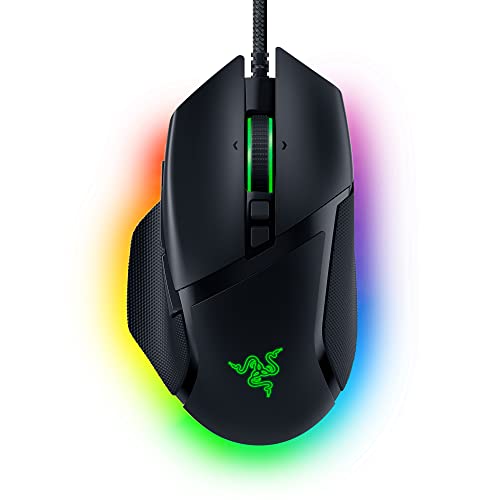
The Basilisk V3 is the mouse this category is measured against, because its thumb wing is the most deliberate in mainstream gaming mice: a broad, sculpted shelf that extends from the lower left flank, giving the thumb a genuine resting surface rather than a suggestion of one. Razer’s own documentation aims the shape at palm and claw players, and the rest of the shell supports that aim — a high, supportive hump for the palm, textured side grips where the thumb and ring finger apply their pressure, and flared main buttons that keep the index and middle fingers located without thought. At roughly 101 grams by Razer’s specification, it has enough mass to feel planted on the pad, and its Focus+ optical sensor, rated to 26,000 DPI, is well beyond the point where tracking quality differentiates anything.
The grip details repay attention. The side panels carry a fine texture that stays effective when hands warm up, and the thumb wing is shaped so the thumb’s resting position sits just below the two main side buttons — rolling the thumb up reaches them, resting it back down returns it to the shelf, and the grip never has to open to make the trip. A third button, the multi-function trigger on the thumb side, sits further forward for occasional actions. The HyperScroll wheel adds a tactile and free-spin mode, useful far beyond gaming, and the eleven programmable buttons make the mouse a genuine productivity tool as well. It is wired only, which will settle the question for some readers immediately: this is the benchmark for the thumb rest itself, and Razer sells the wireless evolution of the idea under different model names that are separate products, not this one.
Strengths: The most supportive fixed thumb rest in its class; textured side grips that keep working in warm rooms; a thumb cluster arranged so the grip never has to break; a dual-mode scroll wheel that earns its keep in documents and timelines as well as games; optical switches that remove double-click degradation from the list of long-term worries.
Trade-offs: Wired only — the cable is flexible, but it is still a cable. The weight and the wing both work against fingertip players, who will find the mouse wide and deliberate where they want narrow and nimble. The shape is right-handed with no left-handed counterpart. Razer’s Synapse software is where the deeper customisation lives, and players who dislike companion software will use only the surface of what the mouse can do.
Who it suits: Palm and claw players with medium-to-large hands who play long sessions and feel it in their thumb; players who rest their thumb rather than hover it; anyone whose current mouse leaves their thumb dragging on the pad. If your thumb does the bracing in your grip and you want the shelf it has been asking for, this is the first mouse to check price on Amazon.
Check price on Amazon: Razer Basilisk V3

2. Logitech G502 X Plus — the sculpted wireless all-rounder
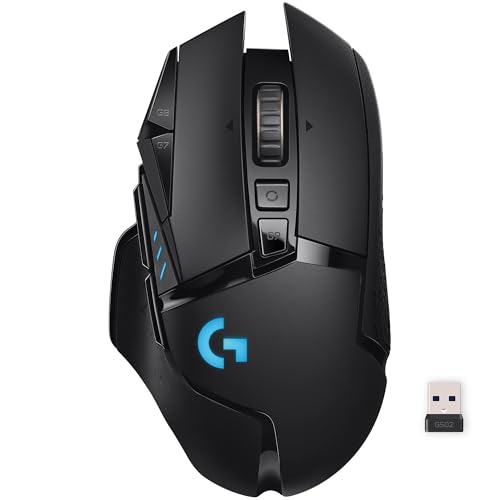
The G502 line has been the default ergonomic gaming mouse for a decade, and the G502 X Plus is its current wireless flagship: a sculpted right-handed shell with a defined thumb rest, rubberised side panels, and a silhouette that fills a palm or supports an arched claw without forcing either. Logitech specifies it at 106 grams, pairs the shape with its HERO 25K sensor, and builds the main clicks on LIGHTFORCE hybrid optical-mechanical switches, which combine an optical actuation path with a mechanical click feel. The LIGHTSPEED wireless connection is the same technology family Logitech supplies to professional players, and the Plus version adds LIGHTSYNC RGB over the plainer Lightspeed sibling — a cosmetic difference on an otherwise shared platform, worth knowing about because the three G502 X variants are separate products that listings sometimes blur together.
For grip specifically, the X generation refined the original in the right places. The thumb rest is broad and slightly cupped, the rubberised panels sit exactly where thumb and ring finger land, and the removable DPI-shift button on the thumb side can be taken out and replaced with a blank cover if your thumb keeps finding it by accident — a small, telling detail that shows the cluster was designed around real thumbs rather than a spec sheet. The main buttons are large and separated enough to locate blind. Balance is centred, so the mouse lifts flat instead of tipping, which matters more to a relaxed grip than any sensor figure. Battery life stretches across days of play between USB-C charges, so the wireless freedom does not come with nightly cable rituals.
Strengths: A thumb rest and side panels shaped by a decade of iteration on the same basic silhouette; the removable thumb button, which respects thumbs that disagree with the default layout; hybrid switches with a crisp, consistent click; centred balance that lifts predictably; wireless performance that removes the last practical argument for a cable.
Trade-offs: At 106 grams it is a standard-weight mouse in an era that celebrates featherweights, and fingertip players will find both the weight and the sculpted shape working against them. The RGB of the Plus is the only real difference between it and its plainer sibling, so players who do not care about lighting are paying for decoration. The shape remains unapologetically right-handed and fairly large; small hands in palm grip may find the hump arrives too late to support them.
Who it suits: Palm and claw players who want the ergonomic benchmark without a cable; players whose thumbs rest low and need a shelf that meets them there; anyone upgrading from an older G502 who wants the same hand position with modern switches and sensor. Wireless players who want their thumb supported as seriously as their aim should check price on Amazon.
Check price on Amazon: Logitech G502 X Plus
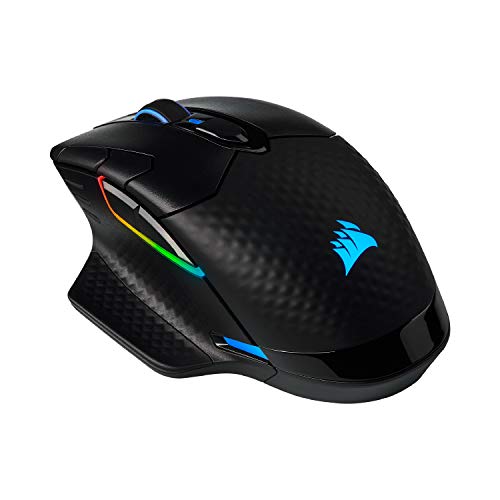
3. Corsair Dark Core RGB Pro — the one with swappable side grips
Every other pick on this list asks you to choose the grip the factory chose. The Dark Core RGB Pro asks a better question: it ships with two interchangeable side grips for the outer flank, one contoured and one carrying an extended finger rest, and the player swaps between them with a magnetic-free, tool-free fit to decide which shape their ring and pinky fingers prefer. That single feature makes this the most literally grip-focused mouse here, and it is aimed squarely at palm players — Corsair’s contoured shell is large, supportive, and unapologetic about it. At 133 grams by Corsair’s specification it is the heavyweight of this list, and its PixArt optical sensor is rated to 18,000 DPI, comfortably past the threshold where sensitivity figures stop meaning anything in play.
The size deserves its own sentence, because it cuts both ways in the hand. The Dark Core’s shell is tall and long enough that a large palm can settle without fingers spilling over the front, and the main buttons sit far enough apart that a broad index and middle finger each get their own territory. Players accustomed to compact mice will find the first evening strange — the hand rests more than it grips, which is precisely the sensation the design is selling, and it either converts you or it does not.
The connection story is the most flexible here: Corsair’s SLIPSTREAM wireless for low-latency play, Bluetooth for the second machine on the desk, and a wired mode that charges as it goes.
The thumb side carries a three-part cluster including a low, forward sniper button that drops sensitivity while held — placed where a resting thumb can find it without disturbing the two main side buttons above. The interchangeable grip deserves one more sentence of explanation, because its benefit is on the finger side rather than the thumb side: the extended rest gives the pinky a ledge, and players whose outer fingers currently slide down a smooth flank and cramp by the second hour are the ones it exists for. Trying both grips costs an evening; living with the wrong flank costs every session.
Strengths: The only pick whose grip geometry is adjustable hardware rather than fixed opinion; the extended side grip genuinely changes how the outer fingers rest; three connection modes including a genuinely fast wireless radio; a thumb cluster with a dedicated sniper button that stays out of the way until wanted; a substantial shell that palm players can rest their whole hand on.
Trade-offs: The weight is the headline caveat — 133 grams is heavy by current fashion, and players who lift constantly in low-sensitivity shooters will feel it by the end of a session. The size rules out small hands and most fingertip grips entirely. The swappable grip system, while simple, is one more small part to keep track of. Players who want a featherweight need not apply; this mouse’s stability comes from mass, and it knows it.
Who it suits: Palm players with medium-to-large hands whose ring and pinky fingers have never found a flank they liked; players who suspect their ideal grip sits between two factory shapes; desk setups where one mouse must serve a gaming PC and a work laptop. If the idea of swapping side grips to fit your hand sounds better than adapting your hand to the mouse, check price on Amazon.
Check price on Amazon: Corsair Dark Core RGB Pro

4. SteelSeries Rival 5 — the five-button thumb panel
The Rival 5 is the diplomat of this list: a right-handed ergonomic shell, specified at 85 grams, that SteelSeries explicitly positions for palm, claw, and fingertip grips rather than marrying one of them. Its grip feature is not a dramatic wing but a well-judged thumb side — a contoured shelf where the thumb rests, topped by the most ambitious side panel here: five buttons, including a two-way flick toggle and a low-profile sniper button, arranged so the thumb can work them by rolling and pressing without the hand re-seating itself. The TrueMove Air sensor, rated to 18,000 CPI, and the matte finish round out a mouse that treats versatility as its specification.
That versatility is a grip argument, not just a marketing one. Players rarely hold one grip for an entire evening: a relaxed palm in a strategy game becomes a claw in a shooter and a fingertip nudge in a photo editor, and a shell sculpted too aggressively for one style punishes the others. The Rival 5’s contours are present but moderate — the thumb shelf supports without dictating, the right flank is shaped without a deep groove, and the moderate weight means a fingertip player can still steer it while a palm player can still rest on it. The side panel is the one place it stops being moderate: five thumb inputs is a lot, and players in button-heavy genres will map them all, while the flick toggle in particular rewards a thumb that likes to stay busy. It is wired, which keeps the weight down and the price class honest, and the cable is a soft micro-weave that drags less than older braided designs.
Strengths: The richest thumb cluster here, placed so the grip survives using it; a shell that serves three grip styles honestly instead of one style exclusively; a matte surface that stays neutral and grippy; light enough for fingertip steering, supportive enough for palm resting; crisp switches with a consistent feel across the main buttons.
Trade-offs: The moderate sculpting is also its limit — players who want a deep, committed thumb wing will find the shelf polite rather than supportive, and should look at the Razer or Logitech instead. Five side buttons can crowd a clumsy thumb into accidental presses until muscle memory forms. It is wired only, and the shape, while versatile, is still right-handed. Players with very large hands may find the shell a touch compact for a full palm rest.
Who it suits: Players who change grips with the game in front of them; MMO, MOBA, and strategy players who will actually use five thumb buttons; medium hands that found the flagship ergonomic mice too opinionated. Players who want one shell that survives every grip change a long session throws at it should check price on Amazon.
Check price on Amazon: SteelSeries Rival 5

5. Glorious Model I 2 — magnetic buttons you can rearrange
The Model I 2 starts from the same ergonomic insight as the flagships — a right-handed shell with a real thumb rest — and then does something none of them do: it makes part of the thumb side modular. Two of its side buttons are magnetic and swappable, and Glorious includes alternative button shapes in the box, so the surface your thumb presses can be a pronounced button, a slimmer one, or a flush cover, depending on how your thumb is built and how it travels. The wireless version is specified at 69 grams, light enough to change the character of the ergonomic shape entirely: the support of a sculpted shell without the momentum of a heavy one. Its BAMF 2.0 sensor is rated to 26,000 DPI, and the connection is a three-way choice of 2.4 GHz wireless, Bluetooth, and wired.
The rest of the grip story is conventionally good, which is the point: the thumb rest is present and properly placed, the right flank is contoured so the ring finger has a defined place to sit, and nine programmable buttons give the thumb and fingers plenty to do. What the swappable buttons change is the failure mode of ergonomic mice. On a fixed mouse, a side button that sits a few millimetres wrong for your thumb is a permanent tax on every press; here it is a five-minute experiment with the alternate shapes. Players who have returned an otherwise good mouse over one badly placed button are the audience. One caution belongs in the open: the magnetic buttons are small parts, and a household that loses small parts should keep the spares in the box they arrived in.
Strengths: A thumb rest combined with genuinely customisable side-button shapes — the only pick offering both; light weight in an ergonomic shell, a pairing the flagships do not offer; three connection modes; a full nine-button layout for players who bind heavily; textured sides that keep the light shell from feeling slippery.
Trade-offs: The swappable buttons introduce a small-parts management problem and a faint risk of a button seating imperfectly if swapped carelessly. The ergonomic shape is medium-sized; very large hands in a full palm grip may want more shell than this. Glorious’s software is functional rather than beloved, and the deepest customisation depends on it. Players who want a fixed, nothing-to-configure mouse should take the Razer or Logitech and be done.
Who it suits: Palm and claw players who love the ergonomic idea but have been burned by one badly placed side button; tinkerers who enjoy dialling hardware to their own anatomy; players who want flagship grip features at a light weight. If you would rather rearrange the buttons than retrain your thumb, check price on Amazon.
Check price on Amazon: Glorious Model I 2

6. HyperX Pulsefire Haste 2 — the fingertip pick with no thumb rest
This pick is here to keep the guide honest. The Pulsefire Haste 2 has no thumb rest, no finger ledge, and no sculpted flank: it is a symmetrical, featherweight shell specified at 53 grams in wired form, and its grip feature is a set of adhesive grip tapes that HyperX includes in the box, cut for the main buttons and sides. For fingertip and claw players, that combination is not a compromise but a preference. A thumb wing would intrude on the space their thumb moves through; a sculpted flank would argue with fingers that steer the mouse directly. What they need from a surface is friction, and grip tape applied exactly where their own fingers land delivers more of it than any factory texture.
The rest of the specification supports the style: the HyperX 26K sensor is rated to 26,000 DPI, the main switches are tactile and built to a high durability specification, and the flexible HyperFlex 2 cable is soft enough to behave almost like no cable during fingertip steering, which is mostly small, quick movements rather than long sweeps. The shell’s low profile keeps the fingers in charge — the palm barely participates — and at 53 grams there is almost no inertia to fight when a flick changes direction. Players raised on ergonomic mice should read the trade-offs below carefully, because this mouse will feel empty to a resting palm; that emptiness is the design, not a defect, and the players it suits would not trade it for a wing and double the weight.
Strengths: The lowest-weight grip here, with friction the player applies personally via the included tape; a symmetrical shape that never tells the fingers where to go; a cable soft enough to disappear during small movements; fast, tactile main clicks; a shape that also works for the rare left-handed fingertip player, side buttons aside.
Trade-offs: No thumb rest and no finger support of any kind — palm players will feel unsupported within minutes, and players with thumb fatigue should choose literally any other pick here. Grip tape wears and eventually needs replacing, and applying it neatly takes a steady hand. The symmetrical shell means the side buttons live on one side only, so left-handed use is partial. There is nothing to customise and nothing to adjust; the mouse is what it is.
Who it suits: Fingertip and claw players with small-to-medium hands who steer with their fingers and rest nothing; players who add grip tape to every mouse they own and would rather start with it in the box; anyone who tried a thumb wing and hated it. If your grip is all fingers and you would rather add tape than carry a rest, check price on Amazon.
Check price on Amazon: HyperX Pulsefire Haste 2
How the six divide when you stand back
Looked at together, the six fall into three camps, and the camps matter more than the individual models. The fixed ergonomic camp — the Basilisk V3, the G502 X Plus, and in a gentler register the Rival 5 — bets that a well-researched shape will fit most hands of the right style, and asks nothing of the player after purchase. The adjustable camp — the Dark Core RGB Pro and the Model I 2 — bets that fit is personal enough to deserve hardware options, and asks a little setup in exchange for a shape tuned to one specific hand. The minimal camp — the Pulsefire Haste 2 alone, by design — bets that the best grip furniture is none, and that friction plus low weight beats geometry for the players it serves. The practical shortcut follows directly: if you know your grip style and it is ordinary, a fixed mouse will almost certainly satisfy you; if you have already returned a mouse over fit, go adjustable rather than repeating the experiment; if your palm never touches the shell, skip both camps and take the minimal one seriously.
Wired or wireless, seen through the grip
Connection type is usually debated as a latency question, but on a grip-first page it deserves a grip answer. A cable, however flexible, applies a small sideways pull during wide sweeps, and the fingers answer that pull with extra squeeze — which is why wired players often prefer a slightly more supportive shell, and why the wired picks here, the Basilisk V3 and Rival 5, both carry real thumb support. Wireless removes the pull entirely and lets the grip relax to exactly what steering requires, but it pays for the freedom in battery weight: the G502 X Plus carries its cells inside the same ergonomic idea the wired Basilisk expresses at a similar mass, while the Model I 2 shows how far wireless weight has fallen when the shell is designed around it. The Dark Core RGB Pro, offering both radios and a cable, quietly makes the most grip-friendly argument of all — try it each way and keep the one your hand prefers, because the hand, not the spec sheet, can actually tell the difference.
How to check your own grip before you buy
The cheapest research in this category requires no equipment beyond your current mouse and a minute of honesty. Sit down, put your hand on the mouse the way you actually play — not the way posture diagrams suggest — and take three observations. First, contact: if your palm rests fully on the shell, you are a palm player and the top half of this list was written for you; if your palm hovers and your fingers arch, you are a claw player and almost everything here can serve you; if only your fingertips touch, the HyperX and the Rival 5 are your natural home. Second, the thumb: notice whether it presses against the mouse’s flank, rests on the desk, or drags on the pad during wide movements — dragging and pressing are both arguments for a proper thumb rest. Third, the outer fingers: if your ring finger and pinky feel homeless on your current mouse, the Corsair’s swappable flank deserves your attention before anything else on this page.
Hand size refines the answer. Manufacturers design these shells around medium hands unless stated otherwise, and the two big ergonomic flagships — the Basilisk V3 and G502 X Plus — assume a hand that can fill them. Small hands in a palm grip often do better with the lighter, slightly more compact Rival 5 or Model I 2, while large hands that feel cramped everywhere should start with the Dark Core RGB Pro and its generous shell. None of this requires precision instruments; it requires noticing, once, how your own hand behaves, and then believing it over a spec sheet.
The surface under the mouse belongs in the same check, because the pad quietly sets how hard your grip has to work. A slow, high-friction cloth pad forgives a loose grip — the mouse resists drifting on its own — while a fast, hard pad removes that safety net and asks the fingers to supply all the control, which fingertip players love and tired palms resent. If your current setup pairs a fast pad with a smooth, rest-free shell, your hand is doing double duty, and changing either half of that pairing can feel like a new mouse. It is worth deciding which half you actually dislike before spending on the other.
Grip by genre: what different games ask of your hand
Shooters: lifts, resets, and the working thumb
Tactical and arena shooters make the thumb a labourer. Low sensitivities mean constant lifting and resetting, and every lift is a small grip event: the thumb and pinky pinch, the mouse rises, travels, and lands where the fingers set it down. A thumb rest turns that pinch into a scoop, which is why shooter players gravitate to the Basilisk V3 and G502 X Plus shapes, while the featherweight Haste 2 serves the other shooter school — players who never really lift because their sensitivity and fingertip steering keep the mouse in near-constant light contact. Both schools are coherent; mixing them, a heavy mouse steered by fingertips or a bare shell lifted five hundred times an hour, is where fatigue stories come from.
MOBA and MMO play: the thumb as a second keyboard
Where abilities multiply, the thumb cluster stops being a convenience and becomes the interface. The Rival 5’s five-button panel and the Basilisk V3’s eleven programmable buttons exist for these genres, and the grip question changes with them: the issue is no longer whether the thumb can rest, but whether it can work — pressing, rolling, and flicking — for hours without the hand re-seating and losing its bearings on the shell. A defined rest actually helps here too, as a home position the thumb returns to between abilities, the same way a typist’s fingers return to a home row. Players in these genres should weigh cluster design as heavily as the rest itself.
Strategy, simulation, and the long workday
Slow games and office hours ask the least of a sensor and the most of a palm. Hours of low-intensity contact reward total support — the full hump of the Dark Core RGB Pro, the filled palm of the G502 X Plus — and punish minimalism, because a fingertip grip maintained through a six-hour strategy session is an endurance exercise nobody signed up for. The dual-mode scroll wheel on the Basilisk V3 earns a mention here as well: free-spin scrolling through long documents and build queues is a grip-adjacent comfort, reducing the repetitive finger work that accumulates across a day. Players who split their desk time between games and work should buy for the longer of the two sessions.
Setting up the mouse around your grip
A well-fitting mouse can still be undermined by its configuration, and two settings deserve attention from grip-minded players. The first is button mapping: assign frequent actions to the buttons your thumb reaches without re-gripping, and move rare ones to the buttons that require a shift, rather than accepting the factory layout as fate. On the Model I 2, this principle extends into hardware — swap the magnetic button shapes until the reach feels inevitable, not approximate. The second is the DPI-shift or sniper function, present in some form on the Logitech and Corsair picks: placed under a resting thumb, it can be a precision tool; placed where your grip squeezes during lifts, it becomes an accidental sensitivity change at the worst moment, and disabling or relocating it is a legitimate setup step, not an admission of defeat. Sensitivity itself is a grip variable too — a setting so low that every turn is a lift marathon argues for support and moderate weight, while a high setting that lives in the fingertips argues for the opposite.
Care and longevity: keeping a grip grippy
Grip surfaces repay modest care. Rubberised panels and textured sides should be cleaned with a lightly dampened cloth and nothing stronger; solvents and alcohol wipes attack the very compounds that make them grippy, and a panel cleaned harshly ages faster than one never cleaned at all. Grip tape, when its edges lift or its texture smooths out, should simply be replaced — that renewability is its entire premise. Mouse feet belong in this conversation too: as feet wear, glide becomes uneven, and uneven glide is quietly paid for in grip effort, because the fingers compensate for every inconsistency in the slide. A player whose mouse feels subtly harder to control after a year is often feeling worn feet and a polished coating rather than a failing sensor, and both are cheaper to address than a replacement mouse — until the day the shell itself has worn smooth, at which point the geometry argument starts over with this list.
Frequently asked questions
Is a thumb rest actually better, or just different?
Different, with a bias. A thumb rest reduces the pinch force needed to stabilise and lift the mouse, which is why palm and claw players with long sessions tend to prefer one once they have tried it. It offers a fingertip player nothing and can actively get in their way. The rest is better if your thumb currently works for a living; it is worse if your thumb currently dances.
Can grip tape replace a sculpted shell?
For fingertip and claw players, largely yes: tape supplies the friction those grips actually use, and it can be placed where your fingers land rather than where a designer guessed. What tape cannot supply is structure — a shelf for the thumb or a ledge for the pinky. Palm players who need support need geometry, not texture, which is why this list contains both philosophies rather than declaring a winner.
Does grip style matter more than sensor quality at this level?
Yes, and it is not close. Every sensor in these six mice tracks far beyond human thresholds, so the practical differences in play come from how the shell fits the hand using it. A perfectly tracked flick with a slipping grip is still a missed flick. Buy the shape first and let the sensor be the tiebreaker it has quietly become.
Should I match the mouse to my current grip, or train a new one?
Match the mouse to the grip you actually have. Players do change grips over years, but they change them gradually and for their own reasons; buying an ill-fitting mouse as a training device mostly trains frustration. The one exception is the player whose current grip causes pain or fatigue — that is a signal to change something, and a thumb rest or a lighter shell is a reasonable first experiment.
Are swappable grips and buttons a gimmick?
They are a solution to a real problem: hands differ by millimetres in exactly the places side buttons and flanks sit. The Corsair’s interchangeable flank and the Glorious’s magnetic buttons both convert a permanent mismatch into an adjustable one. They add small parts and a little complexity, which is a fair trade only if you use them — set them up once, properly, and the customisation disappears into a mouse that simply fits.
The last word on grip
The decision sequence, compressed, runs like this. Name your grip style from observation, not aspiration. Decide whether your thumb needs a shelf, your outer fingers need a ledge, or your fingers need nothing but friction. Then choose between fixed geometry, adjustable hardware, and minimalism, and let connection type and sensor fall where they may — at this level, they will not rescue a bad fit or ruin a good one. Every pick above was chosen to make one of those branches easy to take with confidence.
Sensors will keep improving on a schedule, and next year’s headline numbers will make this year’s look modest. Hands do not follow that schedule. The mouse that serves you for years is the one whose thumb rest, flanks, and surface agree with the hand you already have — so name your grip, choose the geometry built for it, and let everything else about the mouse be ordinary.