Disclosure: This article contains affiliate links. If you buy through a link on this page, we may earn an affiliate commission at no extra cost to you.
Buying a used 5G phone is one of the smartest ways to get flagship hardware without paying flagship money. A phone that launched as a premium device two or three years ago still has a fast processor, a good camera, and a bright OLED screen, and on the used market it typically changes hands for a fraction of its original launch price. The catch is that a used phone is not a single, uniform product. Two listings for the exact same model can be wildly different purchases depending on battery health, software support left in the tank, carrier lock status, and whether the device was refurbished by a certified program or simply wiped down by a reseller. This guide focuses on six models that hold up genuinely well as second-hand buys, and just as importantly, it walks through the checks that separate a bargain from a headache.
Every pick below earned its place for the same core reasons: it supports the 5G bands that actually matter on US carriers, it still receives security updates with a reasonable runway ahead, its battery can be replaced affordably if the original has worn down, and it is common enough on the refurbished market that you can find graded, warrantied units rather than gambling on a stranger’s listing. Where a model has a real weakness — a shorter update window, a modem that runs warm, a screen that is a step behind — that is stated plainly in its trade-offs rather than glossed over.
One thing to set expectations on early: with used phones, the model name is only half the decision. The other half is the individual unit and the channel you buy it through. A mid-tier phone in excellent condition with a healthy battery, bought from a certified refurbished program with a warranty, is almost always a better purchase than a higher-tier phone in rough shape from an anonymous marketplace seller. Read the buying-safety sections of this guide even if you skim the reviews, because that is where most used-phone purchases succeed or fail.
It is equally worth saying who should skip the used market entirely. If your employer or bank requires the newest security hardware, if you keep phones for five or six years and want the full span under your own ownership, or if a multi-year carrier installment deal makes a new phone effectively cheaper for your situation, buy new without guilt. The used route rewards buyers on a two-to-four-year horizon who are willing to run a handful of checks; the six phones below are the ones that reward that effort most reliably.
What to look for in a used 5G phone
Battery health is the single most important number
Lithium batteries wear out with charge cycles, and a phone that has been used daily for three years will not hold a charge like it did when new. On iPhones, the Battery Health percentage in Settings gives you a direct reading: anything at 85 percent or above is generally fine for another couple of years of normal use, 80 to 84 percent is workable but will show by late afternoon, and below 80 percent you should budget for a replacement or negotiate accordingly. Android phones are less consistent about exposing this figure. Samsung and Google have added battery health information in recent software versions, but on many used Android devices you will need a third-party diagnostic app or a seller who has run one and can show the result. Certified refurbished programs test batteries against a stated threshold, which is one of the strongest arguments for buying through them. Also ask whether the battery is original. A phone whose battery was already swapped with a cheap third-party cell can behave unpredictably, and on iPhones a non-genuine battery triggers a persistent service message.
How much software support is left
A used phone’s remaining update runway determines how long it stays secure and compatible with current apps. Apple supports its phones the longest: the iPhone 12 and 13 families are still receiving current iOS releases and security patches, and historically Apple provides roughly six to seven years of major updates from launch. Google’s Pixel 6a and Pixel 7 sit on a shorter but clearly published schedule — five years of security updates from launch — which still leaves usable runway, though you should count the years from the model’s release date, not from the day you buy it. Samsung’s Galaxy S21 and S22 families were promised four years of major Android updates and five years of security patches, so an S22 bought now still has meaningful support ahead, while the S21 FE is closer to the end of its window. The practical rule: never buy a used phone whose security updates have already ended, no matter how cheap it is, because banking, email, and two-factor apps increasingly refuse to run or warn on unpatched systems.
IMEI checks and carrier lock status
Before money changes hands, get the IMEI and run it through a blacklist checker. An IMEI that appears on a lost/stolen or unpaid-bills blacklist will be blocked by US carriers and the phone becomes a Wi-Fi-only tablet. Reputable refurbished sellers check and guarantee clean IMEIs; with private sellers, insist on the number in advance and verify it yourself. Just as important is lock status. A carrier-locked phone only works on that carrier’s SIMs and eSIMs, which limits you and crushes resale value later. Listings should state “factory unlocked” clearly, and on arrival you can confirm on an iPhone under Settings, General, About, where “No SIM restrictions” is what you want to see. On Android, inserting a SIM from a different carrier is the simplest test. If a seller is vague about lock status, treat the phone as locked and price it that way — or walk away.
5G band compatibility with your carrier
Not all 5G is equal, and used phones add a wrinkle: some models were sold in carrier-specific variants with different band support. The mid-band spectrum (often called C-band on Verizon and AT&T, and the 2.5 GHz band on T-Mobile) is where most real-world 5G speed and coverage lives in the US. All six picks in this guide support sub-6 GHz 5G including the important mid-bands in their US unlocked variants, but if you are looking at an imported or carrier-variant unit, check the model number against your carrier’s band list. Millimeter-wave 5G is fast but rare outside dense urban cores and stadiums, and several otherwise excellent phones — the Pixel 6a from some channels, for instance — shipped in versions without it. For most buyers that trade is fine, but know which version you are getting.
eSIM, dual SIM, and the physical SIM tray
All six picks support eSIM in their US configurations, and the two iPhones and the Pixels can run two lines at once using eSIM combinations, while the Samsung models pair one physical SIM with one eSIM. This matters when buying used for two reasons. First, a phone whose previous owner never removed their eSIM profile can arrive with setup friction — a factory reset done properly clears it, so confirm the device has been fully reset and shows a clean setup screen. Second, if you plan to travel, an unlocked used phone with eSIM lets you add a local data plan abroad without hunting for a physical SIM, which is one of the strongest practical arguments for insisting on factory unlocked rather than accepting a carrier-locked bargain.
Condition grades, storage, and what “refurbished” really means
Refurbished grading is not standardized across the industry. One seller’s “excellent” is another’s “very good,” so read what the grade actually promises about screen scratches, frame wear, and battery threshold rather than trusting the label. Prefer listings that describe the screen specifically, since that is what you look at all day and the most expensive part to replace. On storage, buy more than you think you need: none of these six phones accept microSD expansion — expandable storage has vanished from this class entirely — so a 128 GB unit fills up fast if you shoot video, and the step up to 256 GB on the used market is usually modest. Finally, understand the difference between “seller refurbished,” which can mean nothing more than a factory reset and a wipe with a cloth, and manufacturer or carrier certified refurbished programs, which run multi-point diagnostics, replace worn batteries and parts with genuine components, and back the result with a real warranty.
The return window is part of the product
Treat the seller’s return policy as a feature of the phone itself, because on a used device it functions as your inspection period and your insurance against the defects no listing photo can show. A window of at least two weeks is the minimum worth accepting, and thirty days is meaningfully better, since slow battery drain, intermittent charging faults, and overheating under load often take several days of normal use to reveal themselves. Check who pays return shipping and whether the warranty covers battery failure specifically, since some defect warranties quietly exclude the component most likely to disappoint. A seller who makes returns difficult is telling you something about the phones they ship.
In this guide
The six picks at a glance
| Phone | Positioning | Standout strength | Main watch-out | Update runway |
|---|---|---|---|---|
| iPhone 13 | Premium tier | Long support, strong battery for its size | 60 Hz screen only | Longest of the six |
| Samsung Galaxy S22 | Premium tier | Compact flagship with a telephoto camera | Small battery wears fastest | Solid, mid-pack |
| Google Pixel 7 | Mid-range tier | Camera quality and clean software | Modem efficiency is a step behind | Clearly published schedule |
| iPhone 12 | Budget tier | Cheapest route into Apple’s ecosystem | First-gen 5G battery drain | Still supported, shorter runway |
| Samsung Galaxy S21 FE | Budget tier | Big 120 Hz screen for the money | Update window closing soonest | Shortest of the six |
| Google Pixel 6a | Budget tier | Compact, capable, easy to find refurbished | 60 Hz screen, slow charging | Fair for the tier |
The table is deliberately qualitative. With used phones, quoting precise figures would be misleading anyway, because the individual unit in front of you — its battery, its screen, its history — matters more than the spec sheet it shipped with. Use the table to shortlist, then use the detailed reviews and the inspection checklist to judge the actual device you are about to pay for.
iPhone 13: the safest used buy of the six
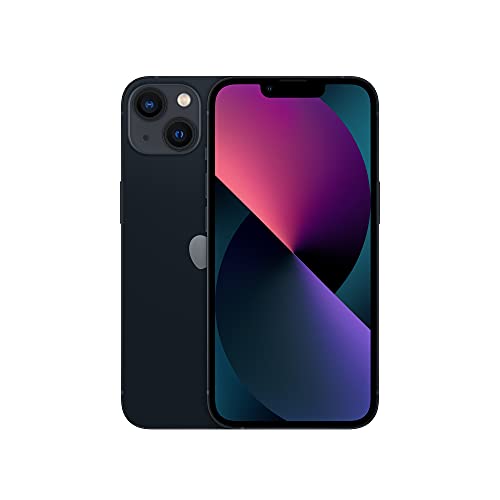
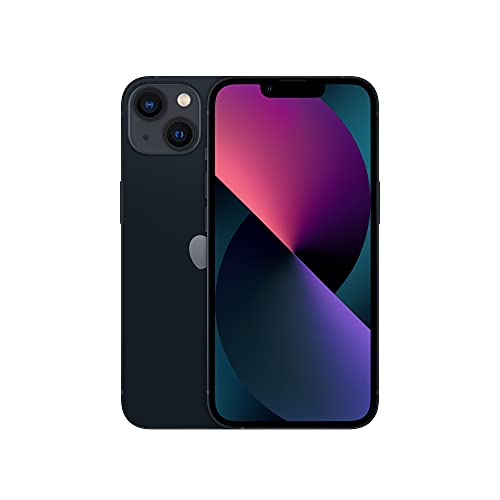
If you want a used 5G phone that behaves as close to a new phone as possible, the iPhone 13 is the default recommendation. It sits in the premium tier of this roundup, and it earns that position on longevity more than on any single feature. Apple’s A15 chip remains fast enough that day-to-day use — maps, messaging, photo editing, mobile games — shows no meaningful slowdown, and because Apple supports its phones longer than any Android maker, a used iPhone 13 still has years of iOS updates and security patches ahead of it. That combination of a still-quick processor and a long support tail is exactly what you are shopping for in the used market.
The 6.1-inch OLED display is sharp and color-accurate, and the dual-camera system is the one most former flagship owners will recognize as genuinely good rather than merely adequate: the main camera handles low light confidently, Cinematic mode and Photographic Styles carried over from the Pro line’s software generation, and video recording remains a class strength. Battery life was a headline improvement when this model launched, and a unit with a healthy battery still gets most users through a full day without anxiety — something that cannot be said for its predecessor.
Strengths
- The longest remaining software support of any phone in this guide, which protects both security and resale value.
- Battery endurance that holds up well in real use when the cell is healthy, and inexpensive genuine battery replacement through Apple if it is not.
- Excellent video recording and a reliable main camera that still embarrasses many new mid-range phones.
- MagSafe compatibility opens a large accessory ecosystem of chargers, wallets, and car mounts.
- Face ID, an IP68 rating, and a ceramic-hardened front glass that tends to survive used life better than most.
Trade-offs
- The screen refreshes at 60 Hz, which looks noticeably less fluid next to the 120 Hz Android picks here if you are sensitive to it.
- Charging is slow by modern standards, and there is no charger in the box when buying new-old stock — budget for a USB-C power adapter if you do not own one.
- Base 128 GB storage is the common used configuration, and there is no expansion slot.
Who it suits: buyers who want the longest-lived, lowest-drama used phone and are happy inside Apple’s ecosystem — especially anyone coming from an older iPhone who wants their apps, messages, and accessories to carry straight over. It is also the pick for parents buying a first phone for a teenager, where the long update runway matters more than spec-sheet bragging rights. Check the Battery Health reading before you commit, aim for 85 percent or higher, and check price on Amazon.
Availability note: the current listing for this pick is a renewed unit, professionally inspected and restored rather than factory-new.

Samsung Galaxy S22: the compact Android flagship
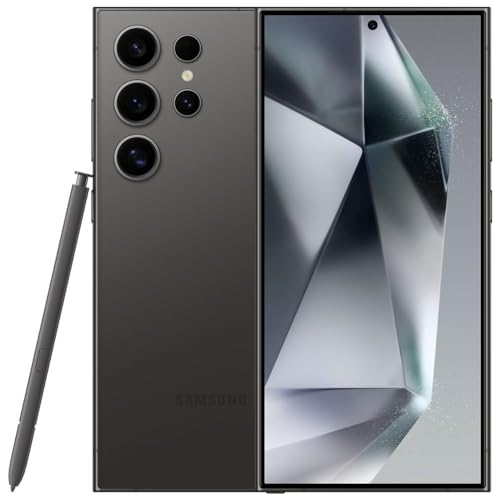
The Galaxy S22 is the small Android flagship that the market has largely stopped making, and that scarcity is part of its used appeal. It packs a bright 6.1-inch AMOLED screen with a 120 Hz adaptive refresh rate into a body that is genuinely one-hand friendly, then adds something none of its direct rivals here offer: a real 3x optical telephoto camera alongside the main and ultrawide lenses. For buyers who find modern phones too large but refuse to accept mid-range cameras, a used S22 in good condition fills a niche almost nothing else does. It sits in the premium tier of this guide alongside the iPhone 13.
Samsung’s build quality on this generation is excellent — an aluminum frame, Gorilla Glass Victus+ on both faces, and an IP68 rating — and the ultrasonic fingerprint sensor is fast and works with slightly damp fingers. Software support was promised at four years of major Android updates and five years of security patches from launch, so a unit bought now still has a respectable, if not class-leading, runway. The phone’s Snapdragon 8 Gen 1 processor (in US models) is powerful, though it is known to run warmer and less efficiently than the chips in the other premium pick here, which interacts with the S22’s one real weakness.
Strengths
- A true telephoto camera in a compact body — a combination that has nearly disappeared from newer lineups.
- Bright, smooth 120 Hz AMOLED display that still looks modern next to current releases.
- Premium materials and water resistance that help used units feel less tired than plastic-backed rivals.
- Samsung’s long parts and repair availability makes screen and battery service easy to find in most cities.
Trade-offs
- The battery is the smallest in this premium pair, and on a used unit with a worn cell, heavy users will feel it by evening. Battery condition matters more on this pick than any other.
- The processor’s heat and efficiency are a generation behind; sustained gaming throttles sooner than on the iPhone 13.
- Wired charging is mid-pack and wireless charging is slow, so top-ups are not quick.
Who it suits: Android loyalists who want a genuinely pocketable flagship with a versatile camera, and who are disciplined about checking battery condition before buying. If you take a lot of photos at concerts, kids’ games, or travel distances where digital zoom falls apart, the telephoto alone justifies this pick. Prioritize certified refurbished units with a stated battery threshold, and check price on Amazon.
Worth knowing: the listing linked here is renewed stock, a pre-owned unit checked and restored to full working order.

Google Pixel 7: the camera-first mid-range pick
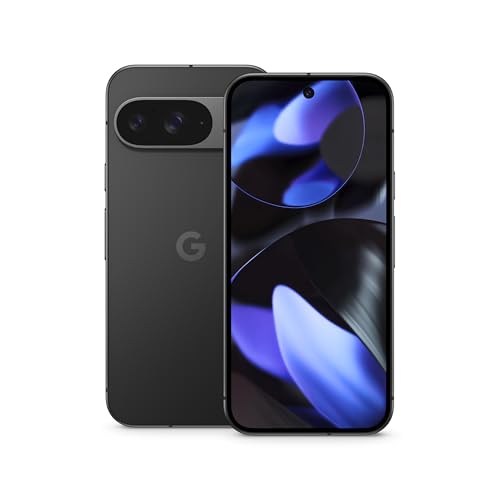
The Pixel 7 is where this guide steps down from the premium tier into mid-range money, and it is arguably the best value-per-photo on the list. Google’s computational photography means the Pixel 7’s main camera produces images that rival or beat the premium picks in tricky light, and features like Night Sight, Magic Eraser, and Photo Unblur remain genuinely useful rather than gimmicky. If your priority is a phone that takes great pictures of people, pets, and dim restaurants without any effort on your part, this is the used phone to hunt for.
Beyond the camera, the Pixel 7 offers the cleanest Android experience in this roundup: no duplicate apps, no heavy skin, and features like Call Screen and Hold For Me that quietly save time every week. Google publishes its update commitments clearly — the Pixel 7 receives five years of security updates from its launch — so you can calculate exactly how much runway a used unit has left rather than guessing. The 6.3-inch OLED screen runs at 90 Hz, a middle step that looks smoother than 60 Hz without the battery cost of 120 Hz, and the Tensor G2 chip handles everything except sustained high-end gaming with ease.
Strengths
- Camera quality that punches well above its used-market tier, especially for portraits and low-light scenes.
- Clean software with useful call-management features and a clearly published end date for security updates.
- IP68 water resistance and wireless charging — features budget-tier phones usually skip.
- Plentiful refurbished supply, because Pixels sell in large numbers through carrier trade-in programs.
Trade-offs
- The Tensor G2’s modem is a generation behind Qualcomm’s best on signal efficiency, and some users in fringe coverage areas report faster battery drain on 5G.
- Charging speeds are unhurried, both wired and wireless.
- The fingerprint sensor is optical and under the display; it is fine when the screen is clean and dry, less happy in rain.
- Google’s support runway is shorter than Apple’s, so this is a three-to-four-year phone from today, not a five-year one.
Who it suits: photo-first buyers on a mid-range budget, and anyone who values a clean, uncluttered Android phone that answers spam calls so they do not have to. It is also a sensible pick for a family member whose main uses are pictures, messaging, and social apps. Confirm the unit is a US model with the mid-band 5G support your carrier needs, and check price on Amazon.
Quick note: this pick is currently sold as a renewed model, inspected and refurbished through the seller’s renewal program.

iPhone 12: the budget doorway into Apple
The iPhone 12 is the budget-tier way into this guide’s Apple side, and despite being the oldest design here, it remains surprisingly easy to live with. It introduced the flat-edged design Apple still uses, a bright OLED screen across the whole lineup, MagSafe, and 5G across the range. A used iPhone 12 in good health delivers the full current iOS experience — the same apps, the same iMessage and FaceTime, the same AirDrop — and for many buyers that ecosystem access, not raw hardware, is the entire point of the purchase.
Honesty about its age matters, though. The iPhone 12 was Apple’s first 5G phone, and its modem and battery combination shows it: on 5G with a worn battery, endurance is the weakest of the six picks here, and a battery replacement should be considered part of the purchase price if the health reading is in the low eighties. Its remaining update runway is real but shorter than the iPhone 13’s, so the honest way to frame this phone is as a two-to-three-year device rather than a long-term hold. Priced with that expectation, it makes sense; priced close to a used iPhone 13, it does not.
Strengths
- The most affordable entry into Apple’s ecosystem with a modern design, OLED screen, and MagSafe.
- Still receiving current iOS releases and security updates, with Apple’s long support history behind it.
- Light, slim body that many users prefer to the heavier recent generations.
- Huge supply on the refurbished market, which means competitive pricing and plenty of graded, warrantied units.
Trade-offs
- Battery life on 5G is the weakest here; plan on a battery health check and possibly a replacement.
- The main camera is good rather than great in low light compared with the iPhone 13 and Pixel 7.
- The base configuration shipped with modest storage, and 64 GB units — common on the used market — are tight for anyone who shoots video.
- 60 Hz screen, like the iPhone 13, and no telephoto camera at any point in this generation.
Who it suits: buyers who need an iPhone — for iMessage, FaceTime with family, or an Apple Watch pairing — at the lowest sensible cost, and who are realistic that this is a shorter-term hold. It is also a reasonable first smartphone for a younger teen. Skip 64 GB units unless the user is genuinely light on apps and photos, verify the battery health in person or through a certified listing, and check price on Amazon.
One detail to flag: the current listing is a renewed version, professionally restored and covered by the renewed program’s guarantee.

Samsung Galaxy S21 FE: big screen, budget tier, one big caveat
The Galaxy S21 FE (“Fan Edition”) was Samsung’s attempt to distill its flagship formula into a cheaper package, and as a used buy it delivers the things big-screen fans care about: a spacious 6.4-inch AMOLED display with a 120 Hz refresh rate, a capable triple-camera system including a real telephoto lens, and an IP68 rating that phones at this tier often drop. Scrolling, video, and games all look fluid on that screen, and for buyers whose phone is primarily a media device, the S21 FE gives the most display for the money in this entire guide.
The caveat, and it is significant, is time. The S21 FE launched later than the rest of its generation with a support promise of four years of major updates and five years of security patches counted from its release, which means its runway is the shortest of the six picks here. That does not make it a bad purchase — it makes it a purchase to price correctly. As a phone you intend to keep for about two years, bought at budget-tier money, the math works. As a phone you hope to hand down in four years, it does not, and the Galaxy S22 above is the better Samsung answer.
Strengths
- Large, bright 120 Hz AMOLED screen that makes video and reading genuinely pleasant.
- Telephoto camera included, which budget-tier rivals almost never offer.
- IP68 water resistance and a solid in-display fingerprint sensor.
- Lightweight plastic back shrugs off drops that would crack a glass-backed phone, and used units often look fresher for their age.
Trade-offs
- The shortest remaining software support of the six picks — count the runway before you buy, not after.
- Charging is slow and there is no charger included; wireless charging is present but unhurried.
- The processor is a generation behind the S22’s and can run warm under sustained load.
- Plastic construction feels less premium in hand than the glass-and-aluminum picks.
Who it suits: buyers who want the biggest, smoothest screen for the least money and who replace phones on a roughly two-year rhythm anyway. It is a particularly good fit as a media-and-messaging phone for a family member who will not be storing sensitive work data on it long-term. Buy it at a price that reflects its shorter runway, favor units with documented battery health, and check price on Amazon.
Note on availability: this model is presently listed in renewed condition, not as brand-new factory stock.

Google Pixel 6a: the compact budget all-rounder
The Pixel 6a rounds out the guide as the budget-tier pick for buyers who want Google’s software and camera smarts in a smaller, lighter phone. It uses the same Tensor processor generation as the flagship Pixels of its year, which means the camera processing, voice typing, and call features that define the Pixel experience are all present here — this is not a cut-down experience in the ways that matter day to day. Its 6.1-inch size makes it one of the few genuinely comfortable one-handed phones in this roundup.
As with the S21 FE, the honest framing is about expectations. The screen is a 60 Hz OLED — perfectly sharp and colorful, but without the fluid scrolling of the 90 Hz and 120 Hz picks — and charging is slow. Google’s five years of security updates from launch give the 6a a fair runway for a budget phone, longer than the S21 FE’s remaining window in practical terms for most buyers. Refurbished supply is excellent because the 6a was sold aggressively through carriers, so graded units with warranties are easy to find, and that availability is itself a real advantage when you are shopping used.
Strengths
- Pixel camera quality and software features at the lowest tier in this guide.
- Compact, light design that suits smaller hands and front pockets.
- Clean Android with a published security update schedule and no carrier bloatware on unlocked units.
- Deep refurbished supply makes it easy to buy from a channel with a warranty and return window.
Trade-offs
- 60 Hz display feels a step behind if you are coming from a high-refresh phone.
- Slow wired charging and no wireless charging at all.
- Some US variants lack millimeter-wave 5G; irrelevant for most users, but check the model number if your carrier plan leans on it.
- The under-display fingerprint reader is the slowest of the six picks.
Who it suits: budget buyers who take a lot of photos, prefer a smaller phone, and want clean software without paying mid-range money. It also works well as a reliable backup or travel phone. Choose a certified refurbished unit with a stated battery standard where possible, and check price on Amazon.
Availability note: the current listing is a renewed international version, professionally inspected before resale; confirm band support and warranty terms for your country first.
Update runway, in plain terms
Because support windows decide how long a used phone stays safe and useful, it is worth laying out where these six models stand relative to each other, in plain language rather than version numbers. The iPhone 13 has the longest road ahead: Apple historically keeps its phones on current software for six to seven years from launch, and this model is the newest Apple device in the guide, so it combines the longest past support pattern with the latest starting point. The iPhone 12 shares Apple’s generous pattern but started a year earlier, so its runway is a year shorter — still respectable, and the reason it remains recommendable at budget money while many Android phones of its vintage are not.
On the Android side, the Galaxy S22 and Pixel 7 occupy the middle ground: both were sold with clear multi-year commitments, and both still have meaningful security support ahead, measured in years rather than months. The Pixel 6a’s five-year security window from launch gives it a fair remaining span for a budget device. The Galaxy S21 FE is the outlier to watch: its support clock started with its generation, not its later release, so its window closes soonest. None of this makes the S21 FE a bad phone today — it is fully patched and secure right now — but it caps how long you should plan to keep it, and its price should reflect that cap. The general discipline is simple: decide how many years you intend to keep the phone first, then eliminate any pick whose security support ends before that date.
Carrier notes: using these phones on Verizon, AT&T, and T-Mobile
All six picks work on all three major US carriers in their factory unlocked US variants, but a few carrier-specific points are worth knowing. Verizon’s network leans on its C-band mid-band 5G for most real coverage gains, and every pick here supports it in US configuration; Verizon also historically required phones to be whitelisted by IMEI, which clean certified refurbished units satisfy automatically, while gray-import variants sometimes do not — another reason to buy US models. AT&T maintains its own approved-device list, and again the US unlocked versions of these six are on it, whereas international variants of the same model names occasionally are not. T-Mobile’s 5G runs heavily on its 2.5 GHz mid-band, which all six support, and T-Mobile is generally the most permissive of the three about activating unlocked devices.
Two practical warnings apply across carriers. First, carrier-specific variants of these phones — the ones originally sold locked by a carrier — sometimes differ in band support or software from the factory unlocked version, and they carry the lock and financing risks described earlier; the model name alone does not tell you which variant you are holding, so check the exact model number in Settings against the seller’s description. Second, features like Wi-Fi Calling and visual voicemail occasionally need the carrier to provision the line for an unlocked device; a quick call or chat with support resolves it, but do not mistake a provisioning hiccup in the first hour for a defective phone.
The hidden costs of going used
A used phone’s sticker price is not its total cost, and budgeting honestly makes the purchase feel better later. The most common addition is a battery replacement: if the unit you love sits at 81 percent health, a genuine battery service through the manufacturer or an authorized shop restores it to like-new endurance, and on the premium picks that is usually money well spent rather than a reason to reject the phone. Factor in a case and screen protector from day one — used phones often arrive without either, and a phone that has already survived one owner deserves protection for its second life. Chargers are the third quiet cost: most of these models shipped without a power adapter even when new, and refurbished units typically include only a cable, so confirm you own a USB-C adapter with enough output for the phone’s fast-charging standard.
There are also costs that argue for the used route. Insurance and carrier protection plans are priced against new-device values, so a used phone is cheaper to protect or easier to self-insure. Depreciation has already happened on someone else’s watch: a two-year-old flagship loses far less additional value over your ownership than a new phone loses in its first year, which is why the iPhone 13 in particular tends to hold its used price stubbornly well. And if the phone is for a child, a relative, or a job site, the financial sting of a loss or a cracked screen is simply smaller. None of these points changes which model to buy, but together they explain why the total-cost math of a well-chosen used phone beats a new mid-range device more often than the sticker prices suggest.
Matching the pick to the buyer
Abstract rankings matter less than fit, so here is how the six sort out by the buyers who most often shop this category. For a parent buying a teenager’s first phone, the iPhone 12 and Pixel 6a are the natural shortlist: both are fully supported, both are inexpensive enough that a loss is painful rather than catastrophic, and the iPhone wins if the family group chat runs on iMessage while the Pixel wins if the teen takes a lot of photos. For a professional who needs one dependable device for work apps, email, and calls, the iPhone 13 is the conservative answer and the Galaxy S22 the Android equivalent, with the Samsung’s telephoto and compact size as the differentiators and its battery as the thing to verify twice.
For a photography enthusiast on a budget, the Pixel 7 is the standout — it is the only mid-range pick whose camera output regularly embarrasses the premium tier — while a media-first user who streams video on trains and reads on the couch should look hardest at the Galaxy S21 FE’s big 120 Hz screen, accepting its shorter support window as the trade. Frequent travelers should weight unlock status and eSIM flexibility above everything else, which points back to the iPhone 13 or Pixel 7 bought factory unlocked. And for anyone buying a backup phone to live in a drawer against the day their main device dies, the Pixel 6a’s combination of low cost, clean software, and deep refurbished supply makes it the easiest recommendation in the whole guide.
How to inspect a used phone before you keep it
However you buy, run the same inspection during the return window, while you can still send the phone back. Start with identity: confirm the IMEI on the device (dial *#06# or check Settings) matches the listing and the box if one is included, and re-run the blacklist check on the actual number in your hand. Confirm lock status by inserting a SIM from a different carrier than the seller’s, or checking the restriction field in settings on an iPhone. Then work through the hardware methodically: play a video at full brightness and look for burn-in, dead pixels, or discoloration on a plain white and a plain black screen; test every camera including the front one and the flash; record a short voice memo and play it back to test the microphone and speaker; make a real call to check the earpiece and proximity sensor; test Wi-Fi, Bluetooth, GPS with a maps app, and both wired and wireless charging if supported; and press every button and confirm Face ID or the fingerprint reader enrolls your face or finger without errors.
Pay special attention to signs of previous repair or water exposure. Mismatched screen color at the edges, a display that sits slightly proud of the frame, or screws with chewed heads near the charging port all suggest the phone has been opened. Water-damage indicators inside the SIM tray turn red or pink when wet on most models. None of these is automatically disqualifying at the right price, but undisclosed repairs should be, because they void manufacturer service options and often explain suspiciously low listings. Finally, charge the phone fully and use it normally for two or three days inside the return window; a battery that drops oddly fast, a phone that gets hot idle, or random restarts are all reasons to return rather than troubleshoot a device you just bought.
best cameras for podcasting vs phone
Certified refurbished vs. marketplace listings
The channel you buy through matters as much as the model. Manufacturer and carrier certified refurbished programs — Apple’s Refurbished store, Samsung’s Certified Re-Newed, and the major carriers’ certified pre-owned lines — test devices across dozens of checkpoints, fit genuine parts and fresh or verified batteries, and include a warranty that typically runs a full year. You pay a modest premium over raw marketplace prices, and in exchange the three biggest used-phone risks (bad battery, hidden damage, blacklisted IMEI) are essentially removed. Reputable large refurbishers on major marketplaces occupy a useful middle ground: graded devices, stated battery thresholds, and return windows of a month or more, though grading standards are their own.
Private-party listings are where the lowest prices live, along with nearly all of the risk. If you buy this way, meet in a public place, insist on testing the phone with your own SIM before paying, check the IMEI on the spot, and have the seller sign out of their Apple or Google account and factory reset the device in front of you — an account-locked phone (Activation Lock on iPhone, Factory Reset Protection on Android) that the seller cannot unlock is worthless, and this is the single most common way used-phone buyers get burned. Never pay by wire transfer or gift card for a phone you have not held, and treat listings priced far below every comparable unit as the warning sign they almost always are.
Battery replacement and repairs: what to know for each brand
One underappreciated advantage of buying a popular used phone is that every repair shop in the country knows it and stocks parts for it. All six picks here qualify. For iPhones, Apple and its authorized network fit genuine batteries and displays, and the phone’s software recognizes them properly — a genuine battery shows its health percentage and a genuine display keeps True Tone. Independent shops can be excellent too, but ask whether the battery is a quality cell with its health reporting intact, because a cheap no-name battery is the most common source of “my refurbished phone dies at 20 percent” stories. Samsung’s service network is comparably broad, and its partnership with national repair chains means an S22 or S21 FE battery or screen swap is a same-day errand in most metro areas. Google’s parts availability has improved through its official repair partnerships, though Pixel screens can take longer to source in smaller markets.
Two repair rules apply to any used purchase. First, a phone with an already-replaced third-party screen may have lost its water resistance and sometimes its fingerprint or face-unlock calibration, which is why the inspection checklist above includes testing biometrics and looking for a display that sits unevenly. Second, water resistance is not a permanent property: the seals on a three-year-old phone have aged, and a phone that has been opened for repair should be treated as splash-resistant at best. Buy the IP68 rating as peace of mind against rain and spills, not as permission to take any used phone swimming.
Used-phone myths worth unlearning
A few persistent myths distort used-phone shopping, and clearing them away sharpens every decision in this guide. The first is that a refurbished phone is just someone else’s problem in a new box. That describes the worst seller-refurbished listings, but certified programs reject a meaningful share of the devices they intake, replace wear items, and warranty the result — the failure rates of certified refurbished phones are far closer to new phones than to private-party gambles. The second myth is that battery health below 90 percent means a phone is worn out. In reality, health percentage declines fastest in the first year and then flattens; a well-kept phone at 86 percent often delivers a perfectly full day, and the figure matters mainly as a negotiating and planning tool, not a pass-fail grade.
The third myth is that 5G support on the box guarantees good 5G in your neighborhood. Coverage and band fit matter more than the logo, which is why this guide keeps returning to mid-band support and US variants rather than headline millimeter-wave claims. The fourth is that a carrier-locked phone can always be unlocked later with a quick call. Unlocking requires the original account to be in good standing and the device paid off — conditions a second-hand buyer cannot control — so a locked phone bought cheaply can stay locked permanently. Finally, there is the myth that last year’s flagship is automatically a better buy than this year’s mid-range phone. Often it is, particularly for cameras and screens, but the flagship’s shorter remaining update runway and older battery are real costs, and a pick like the Pixel 7 exists in this guide precisely because the balance sometimes tips the other way.
When to buy: how refurbished supply and pricing move
Used-phone pricing follows the new-phone calendar, and a little patience is worth real money. The deepest supply of refurbished flagships arrives in the weeks after a major launch — Apple’s September iPhone event and Samsung’s Galaxy launches — when trade-ins flood the refurbishers and last-generation devices suddenly compete with thousands of identical units. Prices for the outgoing generation typically soften at exactly that moment, so if your target is an iPhone 13 or a Galaxy S22, the smartest shopping window opens right after its successor’s successor is announced, not before. Carrier promotions create smaller echoes of the same effect whenever a popular model is offered with aggressive trade-in credit.
Seasonal sales events matter less in the certified refurbished world than in new retail, but large refurbishers do run promotions around the major holiday periods, and marketplace prices tend to dip when new-old stock is cleared. The countervailing force is condition: the best-graded units sell first in any supply wave, so waiting for the absolute lowest price often means choosing between visibly worn devices. The balanced approach is to set your target model, grade, and battery threshold in advance, buy from a channel with a genuine return window, and act when a unit meeting all three appears at a fair price rather than chasing the last few dollars of a falling market. A phone you will keep for three years should be bought on condition, not on timing heroics.
Frequently asked questions
How much battery health is acceptable on a used phone?
On an iPhone, 85 percent or above is the comfort zone for a phone you plan to keep two years or more; 80 to 84 percent is acceptable at a discount with the understanding that a replacement may come due; below 80 percent, price in a battery swap or choose a different unit. On Android phones that do not expose a percentage, buy from a channel that guarantees a minimum battery capacity as part of its refurbishment standard, and use the return window to judge real-world endurance.
Is it safe to buy a used phone that no longer gets updates?
For a phone that will hold your email, banking, and two-factor authentication, no. Once security patches stop, newly discovered vulnerabilities stay open permanently, and financial apps increasingly block or warn on unpatched devices. Every pick in this guide still receives security updates today, but check the remaining runway against how long you plan to keep the phone — the Galaxy S21 FE, for example, suits a shorter ownership window than the iPhone 13.
What does “factory unlocked” actually guarantee?
It means the phone is not restricted to one carrier and will accept SIMs and eSIMs from others, provided it supports their bands. It does not guarantee the IMEI is clean or that the phone is paid off — those are separate checks. Verify lock status and IMEI independently, and be wary of “unlocked” listings for phones that were originally carrier-financed, since an unpaid balance can lead to blacklisting months after your purchase.
Should I buy the extended warranty or protection plan offered at checkout?
It depends on the phone’s tier and who it is for. On a premium-tier pick like the iPhone 13 or Galaxy S22, a cracked screen can cost enough that a reasonably priced plan makes sense, particularly for a teenager’s phone. On budget-tier picks, the plan’s cost is often a large fraction of the phone’s value, and self-insuring — keeping the money aside for a replacement — is usually the better arithmetic. Either way, a seller warranty of at least a few months on defects should be standard, not an upsell.
How do I move my data to a used phone safely?
Back up your old phone fully first — cloud backup plus a local backup if you have important photos or messages. During setup, use the manufacturer’s transfer tool (Apple’s Move to iOS or Quick Start, Samsung Smart Switch, or Google’s setup transfer), then verify the essentials before wiping anything: photos, messages, authenticator apps, and banking apps, which often need fresh enrollment on the new device. Only factory reset and remove your account from the old phone after a few days of confirming the new one works, and if you later sell the old phone, sign out of your accounts before resetting so the next buyer is not blocked by activation locks.
Whichever of these six you choose, the pattern that separates a satisfying used-phone purchase from a regrettable one is never the model badge — it is a verified IMEI, an unlocked device, a battery with honest life left in it, and enough update runway for the years you actually plan to keep it, so buy the unit and the seller as carefully as you buy the phone.