Disclosure: As an Amazon Associate, ilcastellomenu.com earns from qualifying purchases. Product links on this page may earn a commission at no extra cost to you.
This hard drive buying guide exists to make one purchase boring: by the end, you will know which criteria actually matter, how to read a specification sheet without a translator, and how to place any drive into its proper tier — entry, mid-range or high-end — by design and duty rather than by price tags. Boring is the goal, because storage bought calmly rarely needs buying twice.
Work through the criteria in order, use the checklist before you pay, and keep the mistakes section open while you shop; it names the traps that catch experienced buyers too. For live examples of each category as you read, Best Hard Drives for Storage and Best Hard Drives for PC show the current landscape this guide teaches you to judge.

Gear mentioned in this guide
The products below are examples that fit the situations described in this article. They are mentioned so you can picture the kind of hardware involved, not as a claim that one model suits every computer, console or NAS. Check the form factor, interface and capacity against your own system before you buy anything.
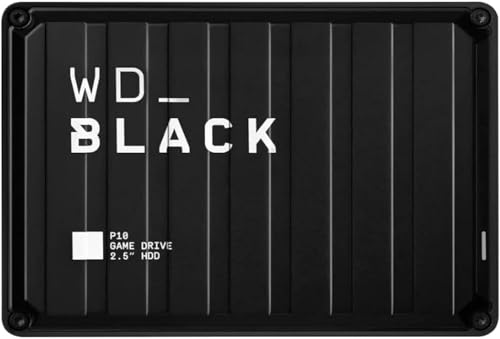
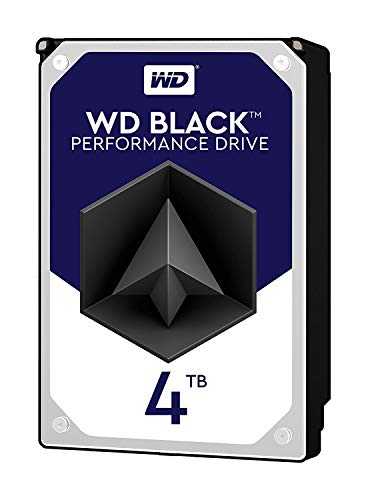
WD Black 4TB Performance HDD — Western Digital 4TB WD Black Performance Internal Hard Drive HDD – 7200 RPM, SATA 6 Gb/s, 256 MB Cache, 3.5″ – WD4005FZBX. Check on Amazon

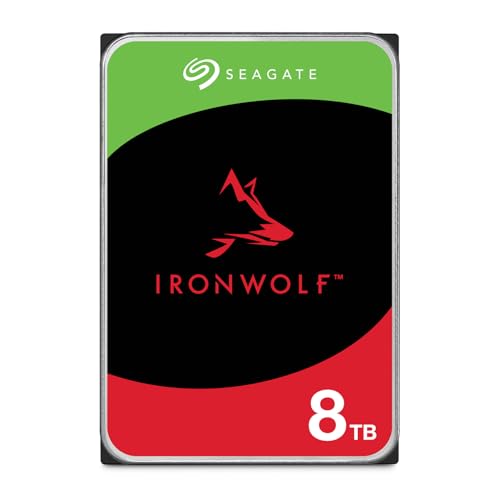
Seagate IronWolf 8TB NAS HDD — Seagate 8TB IronWolf Internal NAS Hard Drive | SATA 6 Gb/s (ST8000VNZ04) | 24/7 NAS-optimized HDD. AgileArray, All-CMR, RV sensors for multi-bay, 180TB/year. 3-Year Warranty + 3-Year Rescue. Check on Amazon

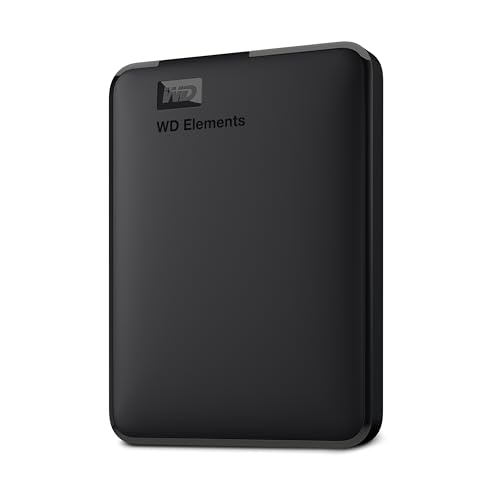
WD Elements 2TB Portable — WD 2TB Elements Portable External Hard Drive for Windows, USB 3.2 Gen 1/USB 3.0 for PC & Mac, Plug and Play Ready – WDBU6Y0020BBK-WESN. Check on Amazon
In this guide
Start with the job and the tier it implies
Every sensible purchase begins with the job sentence: this drive will hold backups for a family laptop, or serve as the media heart of a NAS, or expand a console, or archive video projects. The job implies a tier. Entry-tier drives serve light, single-device duties with data that exists elsewhere. Mid-tier drives — the desktop performance lines and entry NAS lines — serve daily work and home servers with warranties and ratings to match. High-tier drives serve continuous multi-bay arrays, heavy workloads and roles where downtime is genuinely expensive. Buying above your tier wastes money; buying below it borrows trouble.
Capacity planning belongs in this first step too. Measure the library, double it for growth if it is alive, and treat the result as your floor. Backup targets need extra room for multiple generations of files; archives need room for the projects you have not started. A drive bought at exactly today’s need begins its life nearly full, and nearly full drives are awkward to organise, slow to reorganise and first in line for an unplanned second purchase.
The criteria that matter, in order
Fit first: form factor, interface and device compatibility decide whether the drive can be used at all. Job fit second: the product line must match the duty cycle and environment. Recording technology third: CMR for arrays and sustained writes, SMR acceptable for light backup duty. Then capacity, then warranty and workload rating as the manufacturer’s own statement of intent, and only then the refinements — spin speed and cache — that the explainers in this batch, including Hard Drive Cache Explained, put in their proper, modest place. Price per terabyte judges value among drives that pass all the earlier tests; it should never promote a drive past a test it failed.
Reading a specification sheet without being fooled
Retail listings emphasise what is easy to print: capacity, a transfer figure, sometimes a speed class. The specification sheet on the manufacturer’s site carries the rest: recording technology, workload rating, duty statement, bay rating for NAS lines, warranty term and operating temperature range. Learn to fetch the sheet by exact model number, because families share names across very different members. The five minutes this takes is the highest-value research in the entire purchase, and it is the step that separates buying a drive from buying a description of one.
Treat missing information as information. A NAS-destined drive whose listing will not state its recording technology requires the manufacturer’s document, not a guess. A drive with a strikingly low price and a short warranty is telling you its tier plainly. Conversely, a longer warranty and a higher workload rating are the manufacturer putting contractual weight behind the design brief — the closest thing to a promise the industry offers, and worth more than any adjective in a listing.
Tiers without prices: entry, mid and high
Entry tier means basic desktop and portable lines: honest drives for documents, media and backups where the data also lives elsewhere or the duty is light. Their warranties are shorter and their ratings modest, which is fair, because their jobs are modest. Most households need more entry drives than any other kind — the rotating backup portable is an entry-tier hero — and there is no shame in the tier when the job matches it.
Mid tier is where most deliberate purchases land: performance desktop drives with larger caches and faster spin for machines that work all day, and NAS lines rated for small enclosures and continuous duty. High tier means the heavy NAS and enterprise-adjacent lines: the highest workload ratings, validation for many bays, the longest warranties, and features for environments where a failure is an incident, not an errand. Place your job honestly and the tier follows; the commonest buying error in storage is purchasing a tier by aspiration — enterprise iron for a drawer backup — or by false economy in the opposite direction.
Consoles, creators and other special cases
Consoles reward drives chosen by platform guidance: externals for library expansion, with rules about what plays from where, covered in lists like Best External Hard Drives for Ps5 and the internal options for older machines. Creators reward capacity and sustained-write honesty: video work punishes drives that sag during long transfers, so CMR and desktop-performance or NAS tiers earn their place, and working drives should be separated from archive drives so a failure cannot take both the project and its only copy.
Surveillance and always-on recorders want their own continuous-duty lines, cousins of the NAS family tuned for constant sequential writing. Laptops want the right thickness before any other specification. Each special case is the same lesson in costume: the device and duty define the drive, and generic ‘best’ labels dissolve on contact with a specific job. When a seller’s page does not mention your device class at all, that silence is guidance — look for the line that names your job in its design brief.
The pre-purchase checklist
Run this checklist for any drive, in any tier, before paying. It takes minutes and catches every classic error this guide has described.
Step 1: Job and tier written down
You can state the drive’s job in one sentence and name the tier that job implies. If you cannot, you are not ready to compare models, because every later criterion depends on this one. Write it on the same note as your capacity floor so the whole specification travels together while you shop.
Step 2: Fit confirmed against the device
Form factor, thickness where relevant, interface, bay or port, and any device-specific capacity or compatibility limits are checked in the device manual or the enclosure maker’s list. For NAS purchases, the exact drive model appears on the enclosure’s compatibility list, or you have consciously accepted the small risk of an unlisted model.
Step 3: Recording technology and duty verified
The manufacturer’s specification sheet confirms CMR for array or sustained-write duty, and the drive’s stated duty cycle matches the hours it will actually work. The workload rating brackets your expected use with room to spare. Any drive that fails this step is out, regardless of its price or capacity, because this is the step that predicts behaviour in year two.
Step 4: Warranty and returns understood
You know the warranty term, how claims are made, and the seller’s return window. You have planned to register the drive and keep the receipt and serial photograph with your records. A drive is a multi-year relationship; buying it from a seller whose returns process you trust is part of the specification, even though it never appears on the box.
Step 5: Backup pairing decided
You know where this drive’s contents will be copied, or what it will serve as a copy of. A drive bought without a pairing plan is a future single point of failure with a delivery date. Decide now, while capacity choices are still easy, and size the pairing into the same order if the budget allows.
Step 6: First-week tasks scheduled
Health baseline on arrival, in-service date labelled, backup job pointed at the drive, and a note to re-check health after the first week. Purchases end at delivery for most people; for storage, the first week is part of the purchase, because early-life failures are a known pattern and catching one inside the return window is the cheapest outcome available.
Common mistakes to avoid
Shopping by price per terabyte alone
The cheapest terabyte from the wrong tier is the most expensive drive you can buy, because it will be replaced early or fail in a role it was never designed for. Use price per terabyte only to judge value among drives that have already passed the fit, duty and recording tests. Order of operations is the entire discipline of this guide.
Buying one giant drive instead of a working pair
A single huge drive holding everything is a single point of failure holding everything. Two appropriately sized drives — working storage plus backup — protect the data and usually cost less than the regret. Capacity is seductive; copies are safety. Budget for the pair and let each drive be smaller and better chosen.
Ignoring the device maker’s compatibility list
NAS enclosures, consoles and recorders all publish tested models. An unlisted bargain that behaves oddly costs more in evenings than it saved in money. Compatibility lists are free research performed by the manufacturer on your exact device; declining free, relevant research is the purest false economy in storage shopping.
Practical tips that make a real difference
Keep a one-page storage register
A simple note listing each drive, its job, purchase date, serial and backup pairing turns future purchases into informed upgrades. When a drive ages or a new need appears, the register tells you what you own and what it is for, which prevents both duplicate purchases and the mystery-drive problem that plagues drawers everywhere.
Time purchases to projects, not sales
A drive bought for a defined job at the moment the job starts gets specified correctly. A drive bought because it was cheap gets a job invented for it afterwards, usually the wrong one. Let projects drive purchases and let sales merely discount decisions you had already made on the merits.
Hard drive buying guide: three households go shopping
Watch the framework work. The first household needs backup for two laptops and a photo library that lives on one of them. Their job sentence produces an unglamorous, correct list: two portable drives of comfortable capacity, bought as a rotation pair, plus a cloud tier for the photos alone. No NAS line, no performance tier, no single giant drive — because the job is copies, and copies want numbers and separability more than specifications. The second household is building a four-bay NAS to hold the family archive and serve media. Their list is NAS-line drives from the enclosure maker’s compatibility page, CMR confirmed, sized with years of headroom, plus one external drive to back the NAS itself up.
The third household is a creator whose video projects are both livelihood and archive. Their list separates the roles the guide insists on: a performance-tier working drive for active projects, a large archive drive for finished work, and a backup arrangement that copies both, because a failure that takes the project and its archive together is the scenario the whole purchase exists to prevent. Three households, three lists, almost no overlap — and each list is defensible line by line from its job sentence. That is what a buying guide is for: not a universal answer, but a method that produces your answer and can show its working.
Warranties, returns and the first month of ownership
The purchase does not end at checkout, and treating the first month as part of the buying process catches the failures that cluster in early life. Register the drive, photograph its label, and keep the receipt with your storage register. Exercise the drive with real work in its first weeks — a drive with a latent weakness usually declares it young, while the return window is open and the migration back is still easy. Read its health baseline, then read it again at a month; a counter that has moved already is information you paid for and should not waste.
Choose sellers with the same deliberateness as drives. A reputable seller’s return process, warranty handling and packaging quality are part of what you are buying, because a drive shipped loose in an oversized box has begun its life with the handling this batch keeps warning against. When two sellers differ only in price, the difference is rarely only in price. And when a drive does fail early, claim without rancour and replace without superstition: early failures are a known statistical country, every manufacturer’s drives visit it, and the correct response is a prompt exchange and a health check on the replacement — not a lifelong grudge against a logo.
The long view: buying into a system, not a shelf
A household’s storage accretes over years: the system drive, the portable, the NAS, the retiree in the drawer. Purchases made as a system — with a register, labelled roles, backup pairings and a replacement rhythm — compound into something that quietly never loses data. Purchases made as isolated bargains compound into a drawer of mysteries and a crisis every few years. The difference is not budget; the system households in these examples spend ordinary money. The difference is that every drive they buy arrives with a job, a pairing and a place in the record, and leaves by evidence rather than by surprise.
So let this guide’s last word be the register. Start it today with the drives you already own: model, role, age, health, pairing. Every future purchase then begins from knowledge instead of archaeology, every replacement is scheduled instead of improvised, and the buying criteria in this guide have a document to live in. Storage is the least glamorous part of computing and the part that holds everything else. Buying it as a system is how the unglamorous part earns the trust the glamorous parts place in it every day.
A final word on deciding and stopping
Every framework in this guide ends at the same skill: deciding, then stopping. Storage research has a gravitational pull — one more comparison, one more forum thread, one more sale to wait for — while the data the drive will protect sits unprotected on ageing hardware. Set the job, run the checklist, buy the drive that passes, and close the tabs. A correctly chosen drive installed this week protects more data than a theoretically perfect drive installed next month, because risk accrues daily and specifications differ marginally. The checklist exists to make ‘good enough, verified’ a confident stopping point rather than a compromise you apologise for.
Frequently asked questions
What is the most important specification on a hard drive?
After physical fit, it is the match between the product line’s design brief and your job: duty cycle, environment and workload. That match predicts years of behaviour. Capacity is the most visible specification and recording technology the most underrated, but line-to-job fit is the one that decides whether the drive is working within its design or outside it for its entire life.
How much warranty should I expect?
It varies by tier, from shorter terms on entry desktop and portable lines to longer terms on NAS and high-tier lines. Read the warranty as the manufacturer’s own tier label: it correlates with workload ratings and design intent. A longer warranty does not protect your data — only backups do — but it does protect your wallet and signal the drive’s intended service.
Should I buy the largest drive I can afford?
Buy the capacity your measured library and growth require, with headroom, and put remaining budget into the backup pairing or the correct tier. The largest affordable drive is often the wrong purchase twice over: oversized for the job and alone in the world. Right-sized and paired beats huge and solitary in every scenario that involves keeping data.
Are refurbished or used drives a good idea?
For expendable data and test roles, they can be, with health checks before trust. For anything irreplaceable or for array duty, new drives with full warranties are the responsible default, because a used drive’s history — hours, handling, environment — is unknowable. If you buy used, let the SMART report and a week of probation decide its role, and never let it hold a sole copy.
Which brands should I buy?
The major manufacturers all produce competent lines across the tiers, and line-to-job fit matters more than the logo. Choose the tier first, then compare the equivalent lines from the makers your enclosure or device vendor has validated. A well-matched line from any major maker will serve better than a mismatched flagship from your favourite one.
When should I choose an SSD instead of following this guide?
When the job is responsiveness: operating systems, applications and active project files. This guide governs the capacity purchases — archives, backups, media, NAS bulk — where hard drives remain the rational tool. Most complete setups use both, and the comparison HDD vs SSD helps you draw that line job by job.
The bottom line
Buy the job, not the listing: state the work, match the tier and product line, verify recording technology and duty on the manufacturer’s sheet, confirm compatibility, and pair every drive with its backup. Follow that order and a hard drive purchase becomes what it should be — a calm, years-long non-event, chosen once and chosen correctly.
Criteria deep-dives: how to judge each specification like a buyer, not a spectator
Capacity is judged against a measured library plus a growth allowance, never against the shelf’s largest number or the household’s vague anxiety. The judging method matters more than the figure it produces: audit what you have by category, project each category at its own growth rate, add working headroom so the drive lives its life below the zone where fullness slows everything, and let that arithmetic — not a promotion, not a neighbour’s purchase — set the size. Form factor is judged against the bay, the tray and the enclosure you actually own, measured rather than assumed, with laptop heights checked to the millimetre and desktop cages confirmed to exist behind the panels you have not opened in years. Interface is judged against the ports your machine truly offers and the bridge chips in between, because the finest drive in the world performs through the worst link in its chain.
The subtler specifications reward the same treatment. Recording method is judged against your write pattern: sustained, array-wide writing vetoes shingled media whatever its capacity promises, while an archive written once and read forever may never notice it. Workload rating is judged against your calendar — the hours the drive will actually run, estimated honestly from your power habits rather than your intentions. Warranty is judged as the maker’s actuarial statement and as a service you may one day use, which means reading its terms for your region, its replacement process and its data position — no warranty returns your files, only your hardware’s value, and buyers who understand that sentence buy backups with the money other buyers spend on extended coverage. Cache, spin speed and transfer figures are judged last and lightest, as character references for a decision the first five criteria have already made.
Scenario shopping: five carts, five logics
The student furnishing a first real system buys for the semester’s reality: a modest, well-reviewed drive for the library and coursework archive, an external for the backup that travels home at holidays, and nothing whose loss would end an education — the logic is replaceability, and every choice subordinates capacity to the copies. The photographer buys for the shoot’s irreversibility: fast working storage for the current season, capacious patient drives for the archive, a rotation whose members are labelled by year, and the discipline that no card is formatted until two copies exist — the logic is that her product cannot be re-manufactured at any price. The home-office professional buys for Monday morning: mirrored or diligently backed-up storage whose failure is an errand, drives from lines whose warranty process she has read, and a spare on the shelf because her downtime is billed to clients — the logic is continuity. The media household buys for the sofa: quiet, cool, capacious drives that serve films without being heard over them, in an enclosure with air around it — the logic is domestic peace. The NAS builder buys for the array’s worst day, as this site’s other guides insist: matched, compatible-listed, conventionally recording drives whose firmware behaves during rebuilds — the logic is the collective. Five carts, no overlap in reasoning, and not one of them started with a brand. That is what buying by criteria looks like when it leaves the page.
Second-hand and refurbished, judged properly
The used market rewards the buyer who judges by evidence and punishes the one who judges by story. Evidence, in order: the full health report, read for surface integrity first and hours second; the exact model number, checked against fleet reputation and compatibility lists; the warranty position, assumed to be zero unless documents prove otherwise; and the seller’s willingness to provide all three, which is itself evidence. Assign used drives to duties whose failure you can absorb — the second backup copy, the replaceable media library, the scratch space — and let them earn promotion through months of clean logs in your own service. Refurbished drives from the manufacturer, with a stated warranty, occupy a middle tier: the evidence is thinner than a new drive’s promise but the remedy is real, and for bulk, backed-up roles they can be the rational buy. What never changes across the tiers is the rule that a used drive’s first job in your house is to be tested — extended self-test, full surface pass, baseline logged — before it holds anything whose loss you would feel. Our round-up of hard drives for modest budgets keeps its recommendations inside lines whose new prices already respect a careful wallet, which is the right first stop before the used market’s gambles.
The first month of ownership: a buyer’s aftercare programme
A purchase is not finished at the till; it is finished when the drive has survived its first month in your service with its baseline logged and its role proven. Week one is verification: the extended self-test passed, a large copy written and read back, the reported capacity and model confirmed against the order, the health baseline saved. Weeks two and three are observation: the drive under your real workload, its temperatures in its real home, its voice learned well enough that a change would register. Week four is administration: the purchase record completed with serial and warranty dates, the backup that includes the new drive tested by an actual restore, and the old drive — if this was a replacement — promoted, demoted or retired according to the plan rather than drifting into a drawer as an unlabelled mystery. Owners who run this programme catch the fleet data’s early failures while returns are painless, and they own drives whose biographies are documented from birth. Owners who skip it own drives whose histories begin, as far as anyone can prove, on the day something goes wrong.
Buying for a system that does not exist yet
Some purchases precede their machines — the drives bought during a planned build, the NAS filled bay by bay across a year, the archive drive bought against a library still being digitised. These purchases argue for restraint in a specific direction: buy the component whose specification is stable — capacity, form factor, product line — and defer the components whose context may change, because a drive bought for a machine that is later redesigned becomes either a compromise inside it or a resident of the drawer of good intentions. Where the plan is firm, buying ahead during a genuine saving is rational; where the plan is a mood, the drive should wait for the machine. The exception is the backup drive, which is never bought too early, because the data it protects exists today, in full, already at risk. Systems can be postponed. Copies should not be.
Buying-guide questions that arrive after the order
The drive I ordered has been replaced by a newer model mid-shipment. Should I care?
Care about the model number above all: if the newer model differs in recording method, form factor or line, it is a different product wearing your order’s clothes, and you are entitled to the drive you chose. If it is the same line with a routine revision, verify the specifications that mattered to your decision and accept it with the baseline tests this guide prescribes. Substitutions are judged by criteria, never by novelty.
How many drives should a household actually own?
Count roles, not drives: a working home for each library that matters, a backup copy for each of those that does not share its fate, and a spare’s worth of capacity somewhere for the next failure’s logistics. Most households land between three and six drives once externals and NAS members are counted, and the number matters far less than the property that every important file exists on at least two of them, in at least two places.
Is it worth waiting for the next generation before buying?
For storage, almost never on the timeline households actually face. Generations improve capacity economics gradually, while a needed drive — the full one, the failing one, the missing backup — charges its fee daily. Buy the current, proven model whose fleet record can be read, and let the next generation be evaluated by the fleets first. The exception is a purchase with no job waiting for it, which should not be made in any generation.
My shortlist has three drives and I cannot separate them. What now?
Then the criteria have done their work and the decision is genuinely among equals: choose by warranty in your region, by the retailer’s returns process, by the compatibility list’s explicit blessing — and choose today. The remaining differences are smaller than the risk carried by the drive you are replacing or the backup you have not yet made, and a week of deliberation spends the wrong currency entirely.
The buyer’s closing checklist, in the order of the money
Before any order, read these back against your shortlist, in this order, because the order is the argument. The job is named, in a sentence, with its library measured. The fit is proven — bay, tray, port, enclosure, compatibility list. The line matches the life: hours, company, redundancy, duty. The recording method survives your write pattern, including the array’s worst day if there is an array. The capacity carries the growth you projected plus working headroom. The warranty’s terms in your region are read, and its limits understood — hardware remedied, data never. The backup that this drive joins, or that will protect it, exists and has been restore-tested. The baseline ritual is scheduled for its first week, and the record-keeping — model, serial, date, role — has a home prepared. Nine checks, none of them about the logo on the box. A drive that passes them is not guaranteed a long life, because no honest guide promises that. It is guaranteed something better: that its life, however long, will be spent in the right job, in a system that expects its ending, beside copies that make the ending a footnote. That is the whole of buying well, and it is entirely within an ordinary reader’s reach.
Retail literacy: reading the listing like the seller wrote it — because they did
The final buying skill is reading the shop itself. A listing’s headline is an advertisement; its specification table is a document; its model number is the truth. Train yourself to read in that order reversed: model number first, to know exactly which drive is on offer; specifications second, checked against the manufacturer’s own datasheet for the same model, because retailer tables inherit errors and occasionally inherit the wrong product entirely; headline last, for entertainment. Watch for the quiet substitutions the market loves — the external drive whose internal specification is unstated because the maker reserves the right to change it, the bundle whose value lives in accessories you already own, the previous generation wearing this generation’s photographs. None of these is necessarily a trap, but each is a decision being made for you in the dark, and the buyer’s whole discipline, across this entire guide, is to make decisions in the light instead.
Reviews deserve the same literacy. Read them for patterns across many owners — the model that runs hot in small enclosures, the line whose packaging invites shipping damage, the retailer’s habit of sending drives loose in a box, which is a genuine and underrated cause of early failures — and discount the individual dramas in both directions, because a single drive’s story is an anecdote and fifty owners’ shared detail is data. Fleet reports, NAS community threads and the manufacturer’s own forum, read in that order of scale, will tell you more about the drive you are about to own than any star-shaped summary ever printed, which is why this guide has never once asked you to consult one.
Buying the system, not the drive: a last reframing
Step back from the shortlist one final time and look at what you are actually purchasing. Not a drive: a year of not thinking about storage, a backup that happens without negotiation, an archive that survives its hardware, a machine that boots into work instead of into errands. Every criterion in this guide — the measured library, the matched line, the honest warranty, the tested copy — prices a piece of that peace, and every shortcut borrows against it at rates the failure stories elsewhere on this site describe in detail. Buy the system, of which the drive is merely the most visible component, and the purchase tends to disappear into years of unremarkable service. Buy the drive alone, however brilliantly specified, and it will introduce itself to you again — at the rebuild, at the restore, at the click in the night — asking for the rest of the system it always needed. The checklist above is short. The peace it purchases is long. That exchange is the best one in all of storage, and it is available at every budget this guide serves.
A note for the buyer purchasing on behalf of someone else
Many drives are bought by the household’s designated technical person for machines they will not use daily, and that distance changes the right answer in one consistent direction: toward the boring. Choose the line with the clearer health reporting, because you will be reading it remotely or by description. Choose capacity generously, because the call that begins ‘it says the disk is full’ costs more than the headroom did. Choose the retailer and warranty you would want to deal with on someone else’s behalf at a distance. Document the purchase in the machine’s own notes, where the owner can find it without you, including what the drive holds, when its warranty ends and what the backup arrangement is. And resist, firmly, the experimental, the exotic and the merely interesting, however strong the temptation at the shelf: a drive bought for another person’s machine should be the one that generates the fewest conversations, and in storage, as in plumbing, the highest praise a component can earn from its installer is that they never hear about it again.
Keep this guide beside the shortlist it produced, and revisit both when the next drive’s turn comes — for it will come, on the schedule your log predicts rather than the one a failure would impose. The criteria will not have changed. The library will have grown, the roles will have rotated, the shelf will wear new names over the same honest categories, and a buyer who learned to judge by job, fit, line and evidence will read the new shelf in minutes. That fluency, more than any single drive, is what a buying guide exists to sell — and unlike the drives, it does not wear out, does not click in the night, and never needs its data recovered.
So buy once, buy by the criteria, and buy the backup in the same basket — then let the whole question go quiet for years, which is the sound of storage working. When the household’s next library outgrows its home, or a veteran drive’s log begins its final chapter, you will return to a method rather than a mystery, and the purchase will take an afternoon instead of a season. That is the destination every page of this guide has been driving toward: not a perfect drive, for there is none, but a competent buyer, for there can be — and the second of those, unlike the first, is entirely within your control.
Begin with the audit tonight — five folders, four numbers, one dated note — and the rest of the method will follow as naturally as it has throughout these pages, one honest measurement at a time.
The guide in one breath
Name the job and measure the library. Prove the fit in the machine you own, not the one in the photograph. Match the product line to the life the drive will live — its hours, its company, its worst day. Check the recording method against your writing, the capacity against your growth, the warranty against your region. Arrange the backup before the first important file arrives, log the baseline in the first week, and keep the log for the drive’s whole service. Then stop shopping, because the decision is made, and made the way professionals make it: by criteria, in order, in writing. Everything else in this guide — the scenarios, the retail literacy, the aftercare — exists to defend those few sentences against the shelf’s considerable powers of distraction. Hold them, and the shelf loses.
And with the shelf defeated and the system bought, close the research tabs without a backward glance. The drive will arrive, pass its baseline, take up its role and disappear into the household’s infrastructure — the highest honour storage can earn, and the surest sign that this guide, and its reader, did their work.
Welcome to the quiet years. May your drives be boring, your backups automatic and your logs uneventful — the three blessings of every well-bought byte.
That quiet, maintained year after year by nothing more exotic than attention, is the true product. Everything in the basket was merely its delivery mechanism.
Buy it once, tend it lightly, and let it compound.
The years will do the rest, silently.
Exactly as planned.