Disclosure: As an Amazon Associate, ilcastellomenu.com earns from qualifying purchases. Links to Amazon on this page are affiliate links; they cost you nothing extra. Listing details such as price and availability change often, so check the current Amazon listing before you buy.
The integrated vs dedicated graphics question decides more PC purchases than any other: do you need a separate graphics card at all, or will the graphics built into your processor do the job? The short answer is that modern integrated graphics are genuinely good — far better than their reputation — for everyday computing, media, and light gaming, while a dedicated card remains essential for serious gaming, 3D work, and AI. This guide explains how each works, where the real performance lines fall, and how to tell which side of the line your own usage sits on.
First, how to tell what you have: open Task Manager’s Performance tab. If the GPU listed is Intel UHD/Iris Xe, AMD Radeon Graphics (with a CPU model name), or Apple graphics, you are on integrated. A separately named GeForce, Radeon RX, or Arc card means dedicated. Many laptops and some desktops have both — integrated for battery life, dedicated for load — and switch automatically. That hybrid setup confuses diagnosis later (a game running on the wrong GPU is a classic fault), so knowing your hardware matters beyond the purchase decision; How to Test a Graphics Card shows how to confirm which GPU a game is actually using.
Quick verdict
For office work, browsing, video, school, and light or older games, integrated graphics are enough — save the money. For modern gaming at good settings, 3D rendering, video production at pace, streaming while gaming, or local AI, buy a dedicated card. The interesting middle ground — casual gaming, esports, photo editing, a family PC — is where this guide earns its keep, because modern integrated graphics handle more of it than most people expect, but not all of it, and the details decide.
In this guide
Side-by-side comparison
| Criterion | Integrated graphics | Dedicated graphics card |
|---|---|---|
| Where it lives | Inside the CPU (or SoC) | Separate card in a PCIe slot / discrete laptop chip |
| Memory | Shares system RAM | Its own fast VRAM (GDDR) |
| Gaming performance | Esports and older/lighter titles; low settings in modern games | Modern games at high settings, high resolutions and refresh rates |
| Ray tracing | Minimal to none in practice | Hardware-accelerated on RTX/Radeon RX/Arc |
| Power draw & heat | Very low — a few watts to tens of watts | Tens to several hundred watts under load |
| Cost | Included with the CPU | A separate purchase spanning budget to flagship |
| Upgrade path | Only by replacing the CPU/platform | Swap the card alone |
| Multi-monitor & outputs | Limited by motherboard/laptop ports | Multiple DisplayPort/HDMI, high-refresh and 4K friendly |
| Creative & AI acceleration | Basic; some media encode/decode | CUDA/tensor and mature app acceleration |
How integrated graphics actually work
Integrated graphics (iGPUs) are a GPU built into the same package as your CPU. They share the computer’s main memory instead of having their own, which is their fundamental limitation and their efficiency advantage in one: no separate card to power, cool, or buy, but memory bandwidth — the resource games crave — is shared with the CPU and far lower than a dedicated card’s VRAM. The memory story in What is Vram on a Graphics Card explains why that matters so much for textures and resolution.
Not all iGPUs are equal. Recent AMD Ryzen processors with Radeon graphics and Intel’s Iris Xe / Arc-branded integrated graphics are dramatically stronger than the basic Intel UHD graphics of older office PCs — strong enough for esports titles at 1080p and many older AAA games at modest settings. Apple’s M-series chips blur the line further with unusually powerful integrated graphics. The practical rule: the newer and higher-end the processor, the more its integrated graphics can do — and fast system RAM (dual-channel, higher speeds) noticeably helps iGPUs, since it is their memory too.
What dedicated graphics add
A dedicated card is a self-contained computer for graphics: its own processor, its own high-bandwidth VRAM, its own cooling, and a power budget an iGPU cannot approach. That is what buys high resolutions, high refresh rates, ray tracing, and the headroom for tomorrow’s games. It also buys capability beyond gaming — GPU-accelerated rendering and encoding, multiple high-end monitors (the setups in Best Graphics Cards for Multiple Monitors assume dedicated hardware), and the CUDA/tensor ecosystem for creative and AI applications discussed in Nvidia vs Amd Graphics Cards. The costs are literal and physical: purchase price, power draw (see Graphics Card Power Consumption Explained), heat, noise, and case space.
Gaming: where the line actually falls
Concrete cases beat abstractions. Integrated graphics (modern, higher-end iGPU): comfortable with League of Legends, Valorant, CS2 at reduced settings, Rocket League, Minecraft, indie games, and older AAA titles; playable-but-compromised in recent big releases, often needing low settings and upscaling at 720p–1080p. Dedicated entry-level card: modern games at 1080p medium-high, esports at high refresh. Dedicated mid-range: 1080p ultra / 1440p high, ray tracing with upscaling. If your favourite game is a recent flagship release and you dislike turning settings down, you are a dedicated-card user; the shortlists in best graphics cards for 1080p gaming start exactly at that need.
Work, media, and everyday use
For the non-gaming majority, integrated graphics are not a compromise at all. Office suites, browsing with dozens of tabs, 4K video playback, video calls, and photo editing all run perfectly on a modern iGPU — media decode is hardware-accelerated on both sides. Video editors cutting long 4K timelines, 3D artists, architects, and anyone running local AI models cross into dedicated territory because their applications are built to exploit a real GPU. Students and home users should also weigh the laptop angle: integrated-only laptops are thinner, quieter, cheaper, and run far longer on battery, which for many people is worth more than gaming headroom they will never use.
Who should choose which
- Integrated is enough if: your gaming is esports, indie, or older titles; the PC is for work, study, and media; battery life and quiet matter (laptops); or budget saved now can become a dedicated card later in a desktop with a free PCIe slot and adequate PSU.
- Dedicated is necessary if: you play modern releases at 1080p high settings or above; you target 1440p/4K or high refresh; you stream while gaming; you edit/render/3D/AI seriously; or you run multiple high-resolution monitors.
- The upgrade path: a desktop bought with a decent CPU and power supply can start integrated and gain a card later — one reason how to choose a graphics card stresses checking PSU and case before that day comes.
Final recommendation
Decide by naming your most demanding regular task, not your most demanding imaginable one. If it is a modern game at settings you’d actually enjoy, or a creative application that lists a GPU requirement, buy dedicated and size it with graphics card buying guide. If it is honestly documents, media, and light games, integrated graphics will serve you silently for years — and in a desktop, the door stays open to upgrade later, which is the most underrated feature of the integrated choice.
Integrated vs dedicated graphics in laptops: the special case
Desktops let you change your mind — a PCIe slot waits patiently for a future card. Laptops mostly do not: the graphics configuration you buy is the one you keep, which raises the stakes of this decision and adds variables desktops ignore. A dedicated GPU in a laptop brings real gaming and creative power, but also more heat in a small chassis (expect audible fans under load), shorter battery life when the discrete GPU is active, extra weight from cooling, and a higher price. Integrated-only laptops invert every one of those: thin, quiet, cool, long-running, cheaper — and capped at light gaming. Hybrid designs try to give both, using the iGPU for desktop work and the discrete chip on demand, and mostly succeed; the failure mode to know is a game mistakenly running on the iGPU, fixed in graphics settings in a minute once recognised. For a laptop bought mainly for study, work, and media with occasional light gaming, integrated graphics — especially the stronger modern iGPUs — are not the compromise option; they are the correct engineering choice for the brief.
Desktop buyers face the friendlier version of the same logic, plus one strategic option laptop buyers lack: staging. A desktop built around a strong CPU with capable integrated graphics, a decent power supply, and a free x16 slot is a complete, useful computer today and a one-part upgrade away from a gaming machine tomorrow. That staging spreads cost across time without wasting any of it — the iGPU remains as a backup display source and troubleshooting ally even after the card arrives, as our no-display guide appreciates. The only way staging fails is skimping on the foundations (PSU, case space) that the future card will need; plan those for the card you intend, and the integrated years cost you nothing.
Myths that distort this decision
- ‘Integrated graphics can’t game at all.’ A decade out of date. Modern iGPUs run the world’s most-played games — which are deliberately lightweight — perfectly well.
- ‘A dedicated card makes everything faster.’ It accelerates games and GPU-aware applications. Browsing, documents, and general snappiness are CPU, RAM, and storage stories; a card changes none of them.
- ‘More shared memory fixes integrated graphics.’ iGPUs are limited mainly by bandwidth and compute, not the size of the pool Windows shows. Fast dual-channel RAM helps modestly; nothing turns an iGPU into a card.
- ‘Professional work always needs a discrete GPU.’ Plenty of professional work is CPU-bound. What needs a GPU is specific: 3D, video effects and exports, AI, CAD viewports at scale. Check your actual applications’ requirements, not their marketing.
- ‘Having both is wasteful.’ The iGPU earns its keep as a low-power desktop driver, an extra display output, an encoder for streaming on some platforms, and a diagnostic fallback. Hybrid is a feature.
Strip the myths away and the decision becomes almost disappointingly practical: list what you actually run, note the most demanding item, and check which side of the line it sits on. The line moves every year — integrated graphics keep improving — which is why this guide describes capabilities and workloads rather than naming permanent winners.
The cost accounting nobody shows you
Integrated graphics are not free and dedicated cards are not merely their sticker price; honest accounting runs both ways. The iGPU’s hidden costs: it consumes system RAM (the operating system reserves a share, and games draw from the same pool), it rewards spending on faster dual-channel memory to feed it, and on some processors choosing the variant with stronger integrated graphics carries its own price step. The dedicated card’s hidden costs: the card itself, a power supply that may need upgrading to feed it, the electricity of tens to hundreds of extra watts across years of use, and the case airflow attention its heat demands. Run honestly, the comparison still usually favours integrated for light users by a wide margin — the entire point is that the margin is computed, not assumed. It also reveals the staged desktop’s elegance: today’s iGPU costs are mostly shared foundations (good RAM, adequate PSU) that tomorrow’s card will use anyway, so almost nothing spent in the integrated phase is wasted when the upgrade arrives.
Troubleshooting the hybrid: when the wrong GPU shows up
Systems with both graphics processors occasionally route work to the wrong one, and the symptoms are dramatic enough to panic the unprepared: a capable gaming laptop or desktop suddenly running a game at slideshow pace, fans silent, the dedicated card idle in monitoring tools. The cause is almost always a power-saving preference — Windows’ graphics settings, the vendor control panel, or a laptop’s battery profile deciding the iGPU should handle the game. The fix takes a minute: set the game or application to ‘high performance’ in Windows Settings > Display > Graphics, or in the NVIDIA/AMD control panel, and confirm with a monitoring overlay that the dedicated GPU now carries the load. Remember this failure mode before concluding any hybrid machine is defective; it is the single most common ‘broken gaming laptop’ that was never broken. It is also, not coincidentally, why the testing method in this series begins with verifying which GPU is actually doing the work.
The environmental footnote
A quieter consideration, worth one paragraph: integrated graphics are the sustainable option by construction. A PC that does its work on a few dozen watts instead of a few hundred, built without a large additional card’s materials and shipping weight, and kept longer because its owner’s needs never outgrew it, is the greener machine by every measure. This decides nothing for a user whose work needs a GPU — a render farm of integrated graphics helps no one — but for the genuinely light user, ‘enough’ is not just cheaper and quieter; it is lighter on the world too. Buying the capability you will use, rather than the capability you might admire, is the through-line of this entire guide series, and it happens to be good citizenship as well as good shopping.
The decision, distilled to a flow you can run in a minute
- Name the most demanding thing you do weekly. If it is documents, browsing, media, or video calls — integrated, done, spend the savings on RAM, storage, or a better screen.
- If it is gaming: are your titles esports, indie, or older releases, at 1080p with modest settings acceptable? A strong modern iGPU qualifies; anything heavier, or any ‘no’ — dedicated.
- If it is creative work: do your applications list GPU acceleration as a requirement or a major feature (3D, video effects, AI)? Dedicated, sized by the application’s own recommendations.
- If it is a laptop: weight the battery, noise, and permanence heavily — you cannot upgrade later, so buy for the demanding case only if it is truly regular.
- If it is a desktop and the answer is ‘not yet, but soon’: build the staged machine — good iGPU now, PSU and case ready, card when the need becomes real.
Run honestly, that flow lands the large majority of buyers on the right side of the line in less time than the checkout page takes to load. The line itself will keep moving — integrated graphics improve every generation, and games keep asking more — but the flow does not age, because it asks about you rather than about the hardware. Your workload is the specification; the graphics are just the answer it produces.
What reviewers mean by ‘playable’, translated
One vocabulary gap poisons this whole topic online, so close it here. When a review says a game is ‘playable’ on integrated graphics, it usually means an average around thirty frames per second at low settings and possibly reduced resolution — a standard inherited from console-era expectations. When an enthusiast says ‘playable’, they often mean sixty or more at settings they respect. Both are using the same word for different experiences, and a buyer reading the first with the second’s expectations is a disappointment being scheduled. Before trusting any iGPU verdict — including the favourable ones in this guide — check the settings, resolution, and frame rate behind the adjective, and compare them against your own floor. Your floor is a legitimate preference, not a failing: some players happily tour a beautiful world at thirty frames, others find it unplayable in the literal, personal sense. The hardware question is only ever whether a given option clears your floor in your games, and that is a measurement, not a debate.

Gear mentioned in this guide
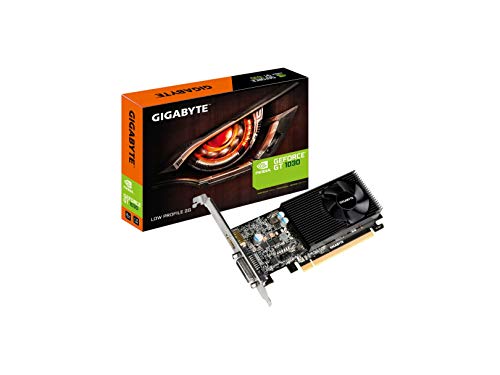
Two ends of the dedicated-card spectrum relevant here: a low-profile GT 1030, the classic minimal upgrade over integrated graphics, and Intel’s Arc A770 for readers jumping straight to a modern mid-range card.
- GIGABYTE GeForce GT 1030 Low Profile 2G — Check on Amazon
- Intel Arc A770 Limited Edition 16GB — Check on Amazon

Scenario by scenario: where each side quietly wins
The main comparison draws the broad line. These scenarios show where it bends, because real machines are bought for specific lives, not averages.
The home office and family PC
For browsing, documents, video calls, streaming video and photo organisation, integrated graphics are not a compromise — they are the correct engineering. The machine runs cooler and quieter, costs less to buy and to run, has fewer drivers to think about, and handles several monitors for productivity perfectly well. A dedicated card in this machine mostly adds a fan that spins for no benefit. The exception is the household that also games or edits video in the evenings, which is a different scenario wearing the same desk.
The student laptop that must do everything
Students ask one machine to take notes all day and play games all evening, and the hybrid design exists for exactly them. Integrated graphics carry the lectures on battery; the dedicated chip wakes for games and creative coursework. The buying skill is sizing the dedicated side honestly: a modest dedicated GPU transforms the gaming side of student life compared with integrated alone, while an ambitious one mostly transforms the price, the weight and the fan noise in the library. Check which subjects you study, too — engineering, architecture, film and design courses may specify GPU-accelerated software that makes the dedicated chip a course requirement rather than a luxury.
The living-room PC and the home theatre
Driving a television is a decode and output job before it is a graphics job. Modern integrated graphics handle high-resolution streaming, local media playback and light party games with ease, and their low heat suits a cabinet under a TV. Step up to a dedicated card when the living room becomes a real gaming space — big-screen titles at high settings, VR in the open floor area — or when an older integrated solution lacks the output standard your television needs for its full resolution and refresh. Our roundup of the best graphics cards for multiple monitors covers the output-count side of this decision for desk setups as well.
The creator on a budget
Photo editing is surprisingly comfortable on strong integrated graphics, especially with fast system memory, while video editing splits: cuts and colour work on modest timelines are fine, but effects, noise reduction, high-resolution timelines and AI-assisted tools increasingly call the dedicated GPU by name. The honest test is your own software’s documentation — developers publish which features are GPU-accelerated, and if the features you use weekly are on that list, the dedicated card is a work tool, not a toy. The same logic governs 3D and local AI, where the dedicated card’s own memory is usually the deciding specification, as the VRAM explainer on this site details.
Memory: the shared pool versus the private pool, in daily life
The technical difference — integrated graphics borrow system RAM, dedicated cards carry their own VRAM — produces practical consequences worth spelling out. When integrated graphics borrow memory, the amount is dynamic and shared, so a game and your browser tabs are negotiating over one pool; a system with generous, fast memory in a dual-channel configuration feeds integrated graphics dramatically better than the same processor with a single slow stick. This is why two laptops with the same chip can game very differently, and why the cheapest meaningful upgrade to an integrated-graphics desktop is often a proper matched memory kit rather than anything with a fan on it.
Dedicated memory is private, faster and sized for the card, which is why dedicated cards scale to high resolutions and texture loads that no borrowing arrangement matches. But privacy cuts both ways: when a dedicated card’s memory fills, it cannot borrow more, and the stutters described in the gaming section arrive. Understanding which pool a workload drinks from explains most of the behaviour in this entire comparison — the integrated side is limited by sharing and bandwidth, the dedicated side by a fixed, faster capacity — and it tells you where your upgrade money works hardest in each design.
Troubleshooting the boundary: when the wrong graphics do the work
The main article touches on hybrid mix-ups; here is the fuller field guide, because this is the most common real-world problem in systems that have both. Symptoms of an application running on the wrong GPU include a game performing far below its expected level while the dedicated card sits idle and cool, a laptop draining its battery at desktop tasks because the dedicated chip never sleeps, and external monitors behaving differently from the internal display because the ports are wired to different GPUs. The fixes follow a reliable order. Confirm which GPU the application is using, in Task Manager or the vendor control panel, rather than guessing. Assign the application explicitly in Windows graphics settings or the vendor panel. Check whether the display cable is plugged into the motherboard — integrated — or the card, on desktops where that choice exists. Update both drivers, because hybrid switching is a duet and a stale partner causes missed cues. Only after those steps should you suspect hardware. Nine times out of ten, the boundary problem is configuration, and it yields to method rather than money.
Planning an upgrade path that respects both designs
The wisest builds treat this comparison as a sequence rather than a verdict. Starting with a processor with capable integrated graphics gives you a working PC on day one, a fallback display path if a dedicated card ever fails, and a troubleshooting tool for the life of the machine — plug the monitor into the motherboard and you instantly learn whether a fault is the card or everything else. Adding a dedicated card later is a single-component upgrade when the power supply and case were chosen with it in mind. Conversely, a machine bought with a dedicated card gains a second career when the card is removed at upgrade time: the integrated graphics carry it into quiet office or family service while the card moves to a new build or a sale. Designing for these handoffs — adequate power supply, a processor with integrated graphics unless there is a specific reason otherwise, a case that fits real cards — costs little at purchase and pays out for years, which is why the choosing guide treats the integrated-versus-dedicated question as one step in a longer plan rather than a fork in the road.
The second-hand and hand-me-down angle
Integrated graphics quietly make the used-PC market work. A second-hand office desktop with a decent processor and integrated graphics is a complete, honest computer for study, work and media the moment it is plugged in, and its lack of a gaming card is reflected fairly in its price. The same machine becomes a budget gaming rig with one addition — a modest dedicated card matched to its power supply — which is why these systems are the classic first build for younger players. When you evaluate such a machine, judge the platform, not the present graphics: processor generation, memory capacity and configuration, storage type, and whether the power supply and case can accept a real card. The integrated graphics are the bridge that lets the machine earn its keep while the upgrade is saved for.
The reverse journey matters too. When a gaming PC retires, removing its dedicated card for sale or reuse leaves an integrated-graphics machine that remains genuinely useful — a parent’s office PC, a kitchen media system, a server for files and backups. Owners who plan these handoffs when they first build, rather than improvising them at upgrade time, consistently get more total years out of the same hardware spend. It is the least glamorous advice in this article and, measured in years of service per purchase, among the most valuable.
Power bills, heat and the room you sit in
The environmental footnote in the main article deserves one practical expansion, because the difference shows up in daily comfort, not just principle. An integrated-graphics desktop doing office work draws a small fraction of what a gaming system under load draws, and in a small or warm room that difference is the difference between a PC you forget and a PC that heats your legs by evening. Multiplied across a household — a work machine on all day, a family PC, a media box — choosing integrated graphics for the machines that do not game is one of the few optimisations that is simultaneously cheaper to buy, cheaper to run, quieter and cooler. Save the dedicated card’s appetite for the machine whose job justifies it, feed it properly with the power guidance in our power consumption explainer, and the whole household’s computing gets calmer. That, in the end, is the mature reading of this entire comparison: not a contest with a winner, but a matching exercise between appetite and assignment, repeated for every machine you own.
Two cautionary tales from the upgrade bench
Experience teaches this comparison faster than theory, so consider two composite stories drawn from very common real situations. In the first, a keen player buys a strong dedicated card for a PC whose processor is several years old and whose memory is a single modest stick, expecting transformation. The games improve — then plateau oddly, with busy scenes stuttering despite the new card loafing at partial utilisation. The card was never the only limit; the processor and the single-channel memory were queuing behind it. The fix is not regret but sequencing: the memory kit first, and the honest acceptance that the platform will set the ceiling until it is replaced. The card was still a good purchase — it will move to the next build — but the lesson is that dedicated graphics amplify a balanced system rather than redeeming an unbalanced one.
In the second story, a writer buys a laptop with a powerful dedicated GPU for gaming, then discovers the battery life is poor for her actual day of libraries and lectures. Investigation shows the dedicated card waking for applications that never needed it — a browser, a launcher, a utility — because hybrid switching was left on automatic with old drivers. Twenty minutes of explicit assignments, telling each everyday application to use the integrated side, restored the machine she thought she had bought. Neither story is about a bad product. Both are about the boundary between the two designs, which is where nearly all real-world dissatisfaction in this comparison lives — and why this article spends so much of its length on configuration, memory and planning rather than on the headline performance gap, which is the one part everyone already understands.
The one-question version of this entire comparison
If you remember nothing else, remember the question that decides most real cases: what is the most demanding thing this machine must do well, every week, for the next three years? If the answer is browsing, documents, media and light games, integrated graphics are not the cheap option but the right one, and money saved belongs in memory, storage and the screen. If the answer names modern games at high settings, serious video or 3D work, or local AI, a dedicated card is not an indulgence but the tool the task specifies, and the rest of the system should be planned around feeding it. Most unhappy purchases come from answering a different question — what might I someday do, or what does a benchmark reward — instead of that one. Answer it honestly, and the comparison resolves itself.
What to check on a spec sheet, in order, for either design
Product pages bury the deciding facts, so use a fixed reading order. For a processor with integrated graphics, find the graphics model name and its generation first, then the maximum memory the system supports and whether the machine you are buying uses both memory channels — the listing for a complete PC or laptop may require real detective work here, and it is worth it, because that single detail swings integrated performance more than small processor differences do. Then check the display outputs actually fitted, since the chip may support more monitors than the manufacturer wired up. For a dedicated card, the order is chip model, memory capacity, power requirement and connector, physical dimensions, and outputs. Reading in a fixed order stops the marketing headline — usually a boost clock or a brand badge — from answering questions it knows nothing about, and it takes under two minutes per product once the habit forms. Compare the two designs only after both spec sheets have been read this way; most apparent bargains and most apparent rip-offs dissolve at this stage, before a single benchmark is consulted.
The resale and repair view, briefly and honestly
Two practicalities close the comparison. Repair: when integrated graphics fail, the fault is almost always the processor or the motherboard, and the repair is a platform repair; when a dedicated card fails, it is one removable component, diagnosable in minutes by substitution and replaceable without disturbing anything else. Owners who value easy, cheap failure recovery get a quiet point in favour of the dedicated design in a desktop — and in favour of warranty length in a laptop, where both designs are equally captive. Resale: a desktop with a known dedicated card is easier for a second buyer to value, while integrated systems sell on the strength of the whole machine — processor, memory, storage, condition. Neither pattern should drive a purchase, but both reward the same behaviour: keep the boxes, the receipts and a note of what is inside the machine. A PC whose contents are documented sells faster, repairs faster and troubleshoots faster than an identical machine that has to be opened and identified first — a truth that outlives any particular graphics decision.
A short decision recap to screenshot
Boil the whole comparison down to the checklist owners actually use at the moment of purchase. Name the machine’s hardest weekly task. If it is office work, media and light play, choose integrated graphics and spend the difference on memory in two channels, storage and the display. If it is modern gaming, serious creative work or local AI, choose a dedicated card sized to your monitor, and plan the power supply, case and cooling around it from the start. If the machine must do both across a long day, prefer a hybrid laptop or a desktop whose integrated graphics remain available as the fallback and troubleshooter. Whatever you choose, write down which GPU each of your main applications should use, set those assignments once, and keep both drivers current. That paragraph, followed literally, prevents nearly every regret this comparison was written about.
One last habit ties the two designs together peacefully in any household: label each machine, in your notes if not on the case itself, with which graphics it has and which tasks it is for. The office PC stops being judged by gaming standards, the gaming PC stops being borrowed for all-day video calls that drain nothing but patience, and every future upgrade conversation starts from what each machine actually is. Most graphics dissatisfaction is really assignment dissatisfaction — the right hardware on the wrong job — and a label, written once, is the cheapest fix in this entire guide.
And when the next machine arrives, revisit the question fresh rather than copying the last answer. Workloads move house between devices over the years, children grow into gamers, jobs change, and the design that was wrong for a machine five years ago is sometimes exactly right for its replacement today.
Frequently asked questions
Can I add a dedicated card to a PC with integrated graphics later?
Yes, in almost any desktop with a free PCIe x16 slot, enough case space, and a power supply with the wattage and connectors the card needs. The integrated graphics simply step aside (and can even remain available for extra monitors). Check PSU and clearance first — those are the usual blockers.
Is integrated graphics bad for gaming?
No — it is limited, not bad. Modern higher-end iGPUs run esports and older games at 1080p enjoyably, which covers a huge share of actual gaming. They struggle with recent demanding releases at high settings, where a dedicated card’s own VRAM and power budget make the difference.
Why does my laptop have both integrated and dedicated graphics?
For efficiency: the iGPU handles desktop and light work sipping power, and the dedicated GPU wakes for games and heavy apps. Occasionally a game launches on the wrong one — set its preference to the high-performance GPU in Windows graphics settings or the vendor control panel if performance seems impossibly low.
Does more system RAM help integrated graphics?
Yes, more than most tweaks. iGPUs share system memory, so dual-channel RAM (two sticks) at decent speeds can meaningfully improve game performance, and having enough total RAM prevents the GPU and system from fighting over a small pool. It is the one upgrade that specifically flatters integrated graphics.
Can integrated graphics run two monitors?
Usually yes, within the limits of the motherboard or laptop’s physical ports and the iGPU’s maximum resolution/refresh support. Demanding combinations — dual 4K high-refresh, for example — are dedicated-card territory.
Do integrated graphics wear out or slow down a CPU?
No. The graphics portion is a designed part of the processor, sharing its power and thermal budget rather than damaging it. Under a combined heavy load — a game using both CPU and integrated GPU hard — the chip manages a shared power limit, so each side may run slightly below its solo peak. That is normal power management, not wear, and it is one reason a dedicated card, with its own power and cooling, scales further for gaming.
Can integrated and dedicated graphics work together to make games faster?
In normal consumer systems, effectively no. Hybrid designs assign each application to one GPU or the other; they do not pool their power for a single game. A few specialised technologies and professional workflows can split specific tasks across GPUs, and your operating system may use the integrated side for displays while the dedicated side renders, but buying decisions should assume one GPU per application. If a game needs more than your integrated graphics offer, the answer is a dedicated card doing the whole job.
Which matters more for integrated graphics: a faster CPU or faster RAM?
For the graphics side specifically, memory configuration is usually the bigger lever: dual-channel memory of a decent speed can lift integrated gaming performance dramatically compared with a single stick, because the GPU drinks from that pool. A faster processor helps the CPU side of games and general responsiveness. If a system with integrated graphics feels slow at everything, check the memory configuration first — it is the most common and most fixable cause.
Is a mini PC with integrated graphics a real alternative to a desktop?
For the workloads integrated graphics suit — office work, media, light and older games, emulation of classic systems — yes, and their size and quietness are genuine advantages. The limits are the ones this article describes: no path to a dedicated card in most designs, shared memory, and cooling that caps sustained loads. Buy one with your eyes open about the ceiling, with generous memory fitted from the start, and it can be the most satisfactory computer in the house for everything except demanding gaming and heavy creative work.
The bottom line
Integrated graphics are the right answer for everyday computing and light gaming; dedicated graphics are the right answer the moment modern games, high resolutions, or GPU-accelerated work enter your life. Name your most demanding regular task, check which side of the line it falls on, and spend accordingly — and if you land on the dedicated side, how to choose a graphics card turns that decision into a specific card.