Disclosure: As an Amazon Associate, ilcastellomenu.com earns from qualifying purchases. Links on this page are affiliate links; they cost you nothing extra. Prices and availability change often, so check the current Amazon listing before you buy.
Key Takeaways
This thermal pad review starts with the honest summary: a thermal pad is not a performance upgrade in the glamorous sense, it is a gap-filling consumable that quietly decides whether your graphics card memory, voltage regulators and storage drives run at their intended temperatures or throttle and age early. A good pad, cut to the right size and fitted at exactly the thickness the hardware was designed around, restores the contact that dried, cracked factory pads lose over years of heat cycles. A bad pad, or a good pad in the wrong thickness, can make temperatures worse than the worn originals it replaced.
Our verdict after working through the category in depth: replacing tired pads is one of the most satisfying maintenance jobs on an ageing gaming PC, provided you measure first, buy once, and treat the job as precision work rather than guesswork. It suits owners of graphics cards that are a few years old, small-form-factor builders fighting trapped heat, and anyone whose memory temperatures climb while the core stays cool. It does not suit anyone still inside a warranty they care about without checking the maker’s terms first, or anyone hoping a pad will fix a problem that is actually airflow, dust or a failing fan.
- Best for: owners of ageing graphics cards with hot memory, builders refreshing a used card, and small builds where components sit close to a heatsink or backplate.
- Not suited for: flat chip-to-heatsink interfaces that were designed for paste, anyone unwilling to measure the original pads, and cards still covered by a warranty that pad replacement would void.
- The one rule that matters: match the original thickness. Too thick lifts the cold plate off the core; too thin leaves an air gap, and air is an insulator.
- Expect consumable behaviour: pads dry out, harden and lose performance over years of heat cycles, so a repad is maintenance with a lifespan, not a permanent fix.
In this guide
What a Thermal Pad Is and Where It Fits
A thermal pad is a soft, slightly squishy sheet of silicone-based material loaded with thermally conductive filler, sold in sheets you cut to size or in pre-cut pieces for specific jobs. Its whole purpose is to bridge a gap: the space between a hot component and the heatsink, cold plate or backplate that is meant to carry its heat away. Components such as graphics memory chips and voltage regulator modules are not all exactly the same height, and their coolers are machined flat, so a compressible pad fills the tolerance stack and gives heat a continuous path instead of a pocket of trapped air.
That gap-filling role is what separates pads from thermal paste, and confusing the two is the most common beginner mistake in this category. Paste is designed for two flat, closely mating surfaces, such as a processor die and its cooler, where the ideal layer is extremely thin and any gap is a defect. Pads are designed for real, intentional gaps where surfaces sit visibly apart and something soft must conform to both sides at once. Using paste where a pad belongs leaves most of the gap unfilled, and stacking pads where paste belongs adds a thick, inefficient layer. Every well-cooled device uses each material where it fits, and our companion guide to the neighbouring category explains the heatsink side of the partnership in our NVMe SSD heatsink review.
Inside a typical graphics card you will find pads in several places at once: over the memory chips surrounding the core, over the voltage regulator modules that feed the card power, and sometimes under the backplate, where the plate itself becomes a secondary heatsink. Laptops use thinner pads over memory and power stages squeezed under a shared heat pipe assembly. Game consoles, single-board computers, routers and NVMe enclosures all use the same principle at smaller scales. If a component is warm, uneven in height, and close to metal that is cooler than it is, there is very likely a pad in between.
Pads are also consumables, and treating them as permanent is why so many older cards run hot. The silicone carrier slowly dries under years of heat, the material hardens and shrinks slightly, and the once-conforming surface stops conforming. Some factory pads weep a clear oily residue as they age, which is the carrier separating; it looks alarming on a board but is a well-known sign that the pad is past its best. When contact degrades, memory and regulator temperatures creep up long before anything fails outright, which is why a repad is best thought of as scheduled maintenance, closer to replacing a fan filter than to an upgrade. The wider storage and cooling context sits in our guide to choosing an NVMe SSD heatsink.
Design, Build and Setup: Thermal Pad Review in Detail
Judging a thermal pad as a product means judging four things: the material itself, the range of thicknesses offered, how cleanly it cuts and handles, and how honestly it is specified. The material is almost always a soft silicone matrix carrying ceramic or similar conductive filler. Softer pads conform beautifully to uneven components and are forgiving of small measurement errors, but they tear more easily during fitting and can be squeezed out of shape by heavy clamping. Firmer pads hold their shape, survive being repositioned, and suit repeated test fitting, but they demand that your thickness measurement be right, because they will not squash down to rescue a mistake.
Thickness range is the specification that decides whether a brand is even a candidate for your job. Graphics cards in particular use several different pad thicknesses on a single card, one for memory, another for regulators, sometimes a third under the backplate. A brand that sells only one or two thicknesses forces you to mix brands mid-job, which is workable but untidy. The better ranges cover the span from the thinnest laptop duties to the thick, soft pads some backplates need, in fine steps, because being half a step out is exactly the failure mode this whole category exists to avoid. Treat any headline conductivity figure as a rough guide rather than a promise: makers test under different conditions, and in real cards the quality of contact usually matters more than the number printed on the packet.
Handling is the underrated specification. A pad that arrives on a firm backing sheet, cuts cleanly with scissors or a craft knife, and peels without stretching will produce neat, accurate pieces. A pad that sticks to itself, stretches like warm toffee and tears at corners will waste material and patience, and stretched material is thinner material, which quietly changes the fit you measured for. Protective films on both faces are a good sign; they keep dust and fingerprints off the contact surfaces until the moment of fitting, and a pad that has picked up dust and hair from a workbench has already lost some of the contact you are paying for.
Setup, in pad terms, is really preparation. The work is measuring the original pads before you throw them away, noting which thickness sat on which component, photographing the layout, and cleaning the old residue from chips and cold plate until the surfaces are bare and dry. None of that needs exotic tools: a ruler or basic caliper for measuring, scissors, isopropyl alcohol and lint-free wipes for cleaning, and tweezers for placing small pieces without finger oils. The fitting itself is the shortest part of the job. Our step-by-step companion guide on how to install a thermal pad walks the full process in order, and it is worth reading before your first card is in pieces.
Performance in Real Use
Graphics Card Memory and Regulators
The classic repad job is a graphics card whose core temperature looks fine while its memory runs hot enough to throttle or produce errors in long sessions. Because memory chips sit around the core under the same cold plate, their pads are the only thermal path they have, and when those pads dry out there is no fan curve that compensates. A careful repad at the correct thickness restores that path, and the change shows up exactly where it should: memory temperatures settle, sustained boost behaviour steadies, and the card stops behaving like two different products depending on the season. The core, cooled by paste, should be repasted during the same teardown, since you have already done the hard part of opening the card.
Regulators are the quieter beneficiaries. Voltage regulator modules work hard, sit under small pads of their own, and rarely have a temperature readout the user ever sees, so their pads can be the most degraded on the card without any symptom except instability under load that gets blamed on drivers or power supplies. Replacing regulator pads while the card is open costs minutes and a few small offcuts, and it is the main reason a full repad, rather than a memory-only patch, is the right scope for the job. If you are shopping for a card to apply this to, the gaming storage guides in the best NVMe SSDs for gaming cover the rest of the build.
Laptops, Consoles and Small-Form-Factor Builds
In laptops and consoles the same principles apply in thinner, tighter form. Pads here bridge memory and power stages to a shared heat pipe plate, clearances are smaller, and the penalty for a too-thick pad is immediate: the plate sits proud, screws resist, and the processor contact suffers. The reward for getting it right is a machine that stops ramping its fans under light loads because a secondary component was cooking in silence. Small-form-factor desktops sit between the two worlds, with desktop-grade parts in laptop-grade spaces, and they reward the same discipline: measure, match, and test before final assembly.
Storage, Networking and Hobby Boards
Not every pad job involves a graphics card. NVMe drives in enclosures, high-end routers, and single-board computers all use small pads to move heat into a case or heatsink, and the jobs are smaller, cheaper and lower risk, which makes them ideal practice before your first graphics card teardown. The enclosure and heatsink side of that world is covered in our NVMe SSD heatsink reviews, and the drives themselves in the best internal SSDs for PS5. The lesson transfers directly: a pad is a measured component, not a generic accessory, whatever the size of the job.
The Models in This Thermal Pad Review
Five ranges cover almost every realistic job, and because availability and listings change, treat this as a guide to what each range is for rather than a league table. Each pick below is described at the level of its range, handling and best use, with its tier stated in words.
Thermalright Odyssey Thermal Pad — Premium All-Rounder
Thermalright’s Odyssey range is the name most repad guides reach for first, and the reason is breadth: a wide span of thicknesses in fine steps, a material firm enough to handle test fitting without tearing, and sheets sized generously enough for a full graphics card with offcuts to spare. It sits at the premium tier of the category, and earns it on range and consistency rather than on any single headline figure. Best for: a first full graphics card repad where you want one brand to cover every zone on the card. Not suited for: anyone whose card needs an unusually soft, highly conforming pad for a delicate backplate job, where a softer specialist range is the safer hand.
Gelid Solutions GP-Extreme Thermal Pad — Soft and Conforming
Gelid’s GP-Extreme is the soft option in this group, a pad that yields under light pressure and settles into uneven surfaces with real forgiveness. That softness makes it a favourite for memory chips of slightly varying height and for backplate duties, where conformity beats firmness. The trade-off is handling: soft pads stretch if you pull them, so cut generously, lift with tweezers, and never drag a piece into place. It sits in the mid-to-premium tier. Best for: uneven component fields and backplates. Not suited for: heavy-handed first attempts, because it punishes rough handling more than firmer ranges.
Arctic TP-3 Thermal Pad — The Sensible Stackable
Arctic’s TP-3 takes a different approach to the thickness problem: a soft pad designed so that layers can be stacked to build up the exact height a job needs, which is genuinely useful when a card uses an in-between thickness no single sheet matches. Arctic’s wider reputation for honest, no-drama PC cooling carries into this range, and pricing positioning is at the accessible end of the serious brands. Best for: odd thicknesses and budget-conscious full repads. Not suited for: anyone who wants a single exact sheet per zone and dislikes the idea of layered pads on principle, a defensible preference the firmer ranges serve better.
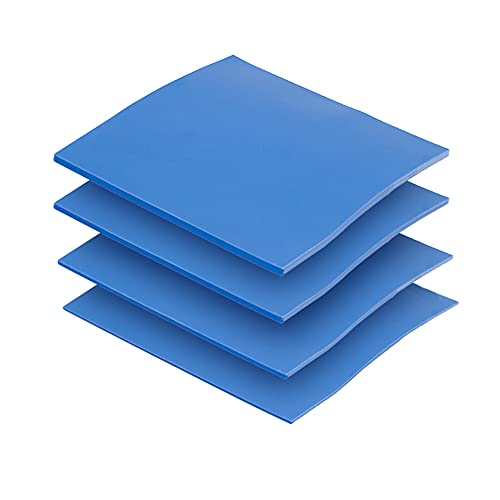
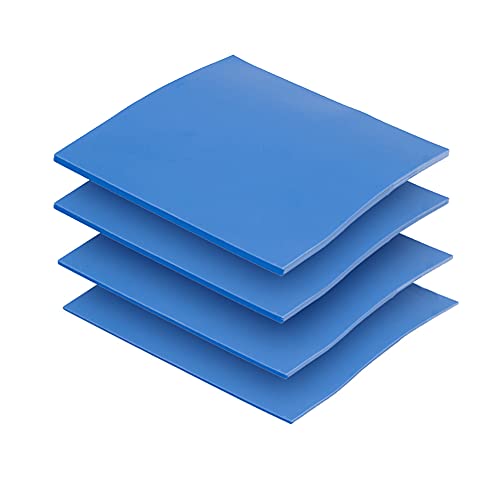
OwlTree Thermal Pad — Value Sheets for Practice and Small Jobs
OwlTree sells generous sheets at the entry tier, and that positioning makes the range the natural choice for practice cuts, small jobs on routers and hobby boards, and the spare material every workbench should have for the piece you inevitably cut wrong. The material is serviceable rather than exceptional, and for low-heat duties that is entirely sufficient. Best for: learning the craft, small electronics, and keeping spare stock. Not suited for: the main memory field of a flagship graphics card, where the premium ranges justify themselves. More on how the tiers shake out in our thermal pad buying guide.
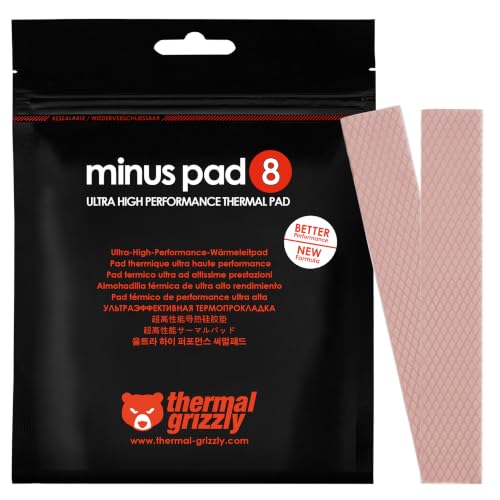
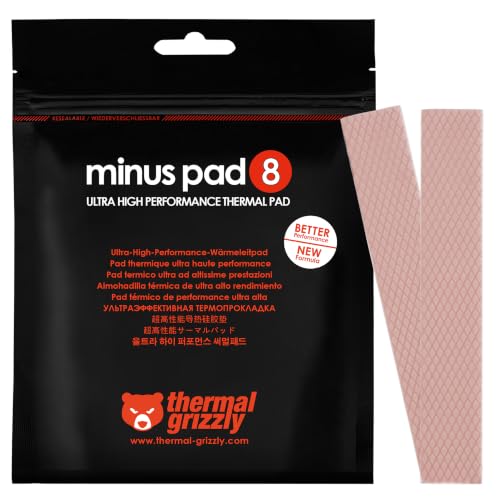
Thermal Grizzly Minus Pad 8 — Enthusiast Staple
Thermal Grizzly built its name on enthusiast thermal materials, and the Minus Pad 8 range is its long-running pad line: firm, clean-cutting, and specified with the seriousness the brand applies to its pastes. It sits at the premium tier alongside the Odyssey, and choosing between them usually comes down to which range stocks the exact thicknesses your card needs on the day. Best for: enthusiasts who already trust the brand’s pastes and want one ecosystem. Not suited for: bargain hunting, because the premium is real even if it is justified.
Strengths and Trade-Offs
- Strength — restores lost cooling without new hardware: a repad returns a card’s memory and regulators to their designed temperatures for the cost of sheets and an afternoon.
- Strength — no skill ceiling beyond care: the job rewards measuring and patience, not expensive tools or rare talent, and the techniques transfer to laptops, consoles and boards.
- Strength — quiet, passive and permanent while it lasts: no moving parts, no software, no noise; a fitted pad simply works until age catches up with it.
- Trade-off — thickness is unforgiving: the wrong thickness is worse than the old pad, in both directions, and there is no way to know you are wrong except temperatures afterwards.
- Trade-off — it is a consumable: pads dry and harden over years, so the job will need doing again; anyone promising a lifetime fix is selling something.
- Trade-off — warranty and risk sit with you: opening a card can void its warranty with some makers, and a slipped screwdriver is your problem, so the job belongs on hardware whose value justifies it.
How It Compares
The honest comparison for a thermal pad is not only against other pads but against the materials people wrongly substitute for one. The table below summarises the landscape in words; the detailed reasoning sits in thermal pad pros and cons.
| Option | Best at | Watch out for | Tier |
|---|---|---|---|
| Premium pad ranges (Odyssey, Minus Pad 8) | Full graphics card repads, wide thickness choice | Cost adds up across several thicknesses | Premium |
| Soft conforming pads (GP-Extreme) | Uneven chips, backplates | Stretch during fitting | Mid to premium |
| Stackable pads (TP-3) | In-between thicknesses | Layering needs care | Accessible |
| Thermal paste | Flat, close interfaces like a CPU die | Cannot fill a real gap | n/a |
| Thermal putty | Very uneven fields, factory-style fills | Messy, hard to service later | Mid |
Putty deserves a sentence of its own, because it tempts many first-time repadders: it conforms to anything and forgives measurement entirely. Factories use it for exactly that reason. The costs arrive later, in a gummy teardown, uncertain reassembly heights, and material migrating where it was not invited. For a home job you intend to service again, pads remain the cleaner craft. Paste, meanwhile, is not a rival but a partner: every graphics card teardown should end with fresh paste on the core and fresh pads everywhere else, each material doing the job it was designed for.
Who Should Buy It and Who Should Skip It
Buy pads when the evidence points at them: memory temperatures far adrift of core temperatures, a card old enough that its pads have had years of heat cycles, oily residue or crumbling edges visible at inspection, or a second-hand card of unknown history you are refurbishing before use. Buy with confidence when you have measured the originals or found your exact card model’s documented pad layout from a trustworthy teardown, and when the card is out of warranty or from a maker whose terms allow servicing.
Skip the job, for now, when the card is new and under a warranty you value, when temperatures are actually fine and the urge is curiosity rather than need, or when the real problem is clearly elsewhere: dust-choked fins, a dead fan, or a case with no airflow will not be rescued by fresh pads. Also skip it if you cannot identify the original thicknesses and have no reliable source for them; guessing at thickness is how a healthy card becomes a worse one. The decision framework is expanded in how to choose a thermal pad.
- Measure or document every original pad’s thickness and location before disposal.
- Confirm your warranty position with the card maker before opening anything.
- Order every thickness the card uses, plus one spare sheet of the memory thickness.
- Plan fresh paste for the core in the same session.
- Set aside unhurried time and a clean, static-safe workspace.
- Know your fallback: the old pads, kept intact until the new fit is proven.
Setup, Care and Maintenance Essentials
Care for pads begins before fitting: store sheets flat, sealed, away from heat and sunlight, and they will keep their properties on the shelf far longer than they will on a hot card. During fitting, handle pieces by their edges with tweezers, keep the protective films on until the moment of placement, and never reuse a pad that has been compressed on a card; once squeezed and heated, its thickness and surface are no longer what the packet promised. Offcuts of unused material, kept sealed and labelled by thickness, are genuinely useful spares.
After the job, maintenance is mostly observation. Note the memory and core temperatures under a familiar load before and after the repad, and keep the after figures as your baseline. A slow climb over the following years is the pad ageing, not a mystery fault, and it tells you when the next service is due. Keep the card’s fins dust-free so the pads’ work is not wasted, and if you ever open the card again for any reason, treat the pads as single-use and replace them rather than reseating disturbed material. Storage upgrades pair naturally with this maintenance mindset, as the best 500GB SSDs for a desktop shows for the rest of the system.
Final Verdict
A thermal pad is the least glamorous component in a gaming PC and one of the most consequential. This thermal pad review lands where the evidence lands: the category earns a strong recommendation for owners of ageing or second-hand hardware who are willing to measure carefully, choose a reputable range in the exact thicknesses their hardware needs, and accept that the job is maintenance with a lifespan of years rather than a permanent cure. Done that way, a repad is cheap, quiet and deeply satisfying. Done by guesswork, it is the rare downgrade you install yourself. Measure first, and the pads will do the rest.
Reading Your Temperatures After a Repad
A repad should be judged the way engineers judge any intervention: same load, same conditions, before and after. Run the workload that provoked the job, a long gaming session, a render, a stress pattern you trust, and watch three things. Memory temperature is the headline, and it should return toward the behaviour the card showed when it was younger, settling rather than climbing indefinitely. Core temperature should be unchanged or better on its fresh paste; if the core got worse while memory improved, the plate is being propped by an over-thick pad somewhere, and the job needs a second, calmer pass. Fan behaviour is the third witness: a card whose cooling paths work again reaches its temperatures at lower, steadier fan speeds, and the difference is audible in a quiet room.
Give the result a week of ordinary use before the final verdict. Pads settle under their first heat cycles, screws hold or reveal themselves, and a temperature picture taken across several sessions is worth more than one triumphant screenshot. Record the settled figures with the date and the materials used, and file them where the card’s paperwork lives. That small act of bookkeeping converts this repad from an event into the opening entry of a maintenance history, and it is the difference between owners who notice the next decline in its first month and owners who notice it in its second year.
What a Repad Cannot Fix
Honesty about limits belongs in any serious thermal pad review, because pads are prescribed for far more than they can cure. A repad cannot fix a heatsink whose fins are matted with dust, a fan with a failing bearing, a case that recirculates its own exhaust, or a card whose power delivery is genuinely degrading. It cannot lower temperatures below the design’s intent; it restores a path, it does not redesign one. And it cannot compensate for an overclock that pushes memory beyond what the cooling was built to carry. Diagnosing before opening is what keeps pads in their proper role: the cure for a broken contact, prescribed when the evidence, hot memory against a cool core in a clean case, actually points at contact.
The corollary is equally important: when the evidence does point at contact, nothing else on the list will substitute. Owners sometimes spend on case fans, aggressive curves and external cooling while a dried pad quietly insulates the memory from all of it, because air-side improvements cannot repair a component-side break. The discipline is symmetrical. Match the intervention to the fault, and let temperatures, not hope, arbitrate which fault you have.
Second-Hand Cards: The Strongest Case for a Repad
If one use case deserves its own section in this review, it is the used graphics card. A second-hand card arrives with an unknown thermal history: years of heat cycles, possibly in a dusty case, possibly mined or rendered around the clock, its pads aged by all of it and its seller’s assurances worth exactly what assurances are worth. A measured repad converts that unknown into a known quantity. The pads you fit are new, their thicknesses are recorded, and the temperature baseline you take afterwards is genuinely yours. For the price difference between a used card and a new one, that conversion is routinely the best-value step in the whole purchase.
The used-card repad also has a diagnostic dividend: opening the card tells you the truth about its life. Dust patterns, pad condition, oily residue from separating carrier material, and the state of the paste all narrate how the card was kept. A card whose pads crumble at a touch was run hot for years; a card whose pads lift away supple was kept kindly. Either way you learn it before the card is trusted with your system rather than after, and the inspection costs nothing beyond the service you were already performing.
Noise, Comfort and the Lived Experience of a Cooler Card
Temperature tables understate what a successful repad feels like, because the benefit a user actually lives with is acoustic. Graphics cards manage heat with fans, and a card fighting a broken thermal path runs those fans harder and longer for the same work. Restore the path and the same game is played at lower fan speeds, with fewer surges as memory-heavy scenes arrive. In a living room, a small room, or a shared space, that difference is the difference between a machine that announces itself and one that disappears into the evening. It is also why console and laptop repads, where the fans are small and shrill, can feel transformative out of all proportion to the degrees involved.
There is a steadiness benefit too. Memory that runs near its thermal limit behaves inconsistently under sustained load, and the user experiences that as a machine that is fast in the first hour and ragged in the third. A repadded card holds its behaviour across a long session, which for anyone who plays, renders or computes in long stretches is worth more than any peak figure. Cooling, done properly, is not about the best minute your hardware can produce; it is about the fourth hour feeling like the first.
The Economics of Sheets, Spares and Doing It Once
A repad’s material cost is dominated not by the headline sheet but by the list: several thicknesses, a spare, paste, cleaning supplies. That list tempts economising in exactly the wrong places. The spare sheet is the classic false saving, deleted from the order and then desperately needed when a soft piece tears at the final placement, with the card in pieces and the shop a delivery away. The premium range is the other false saving on valuable hardware, where consistency and ageing behaviour are the entire purchase. The places economy is safe are the glamorous ones: nobody needs the largest printed conductivity figure, the biggest sheet in the catalogue, or a different brand for every zone out of novelty.
Doing the job once is the other economic principle. Every teardown carries small risks and real time, so the repad that replaces every pad, renews the paste, cleans every surface and records everything is cheaper in the only currencies that matter than the patch job that returns six months later for the zone it skipped. Buy the whole list, take the whole afternoon, close the card once. The review’s verdict stands on that economics as much as on any temperature: pads are cheap, thickness is priceless, and attention is the scarcest material on the bench.
A Closer Look at Materials: What Is Inside a Pad
Open the specification of any pad, figuratively, and you find the same architecture: a silicone carrier chosen for softness and heat tolerance, loaded with fine conductive particles that do the actual thermal work. The carrier decides how the pad feels, cuts, ages and conforms; the filler decides how willingly heat crosses once contact is made. Makers tune the balance differently, which is why two pads of identical stated thickness can behave like different species on the bench, one settling like dough over a memory field, the other sitting up like a gasket and demanding to be measured twice. Neither tuning is wrong. They are answers to different questions, and the reviewer’s job is to say which question each answers.
Ageing lives in the carrier. Heat cycles slowly change the silicone, driving off the lighter fractions that keep it supple, which is why old pads harden, why they can leave an oily trace where the material has begun to separate, and why a pad’s service life is set more by chemistry than by the component it cools. A maker with a long track record has, in effect, published their carrier’s ageing curve across thousands of cards and years, whether or not they ever printed it. That unpublished data is a large part of what the premium tier buys, and it cannot be assessed from a fresh sheet, which is why this review weights history as heavily as handling.
Fit Across the Card: Zones Behave Differently
A graphics card is not one thermal job but several sharing a plate, and a pad review that ignores zones misleads by averaging. The memory field wants uniformity: many chips, one height family, a premium firm sheet laid in identical pieces. The regulator row wants respect for heat: these parts work brutally hard, sit in the card’s least glamorous corner, and are often fitted from the factory with the pad most likely to be found dried and crumbling at teardown. The backplate wants conformity and patience, because its contact points are many, its surface is rarely machined, and its contribution, while real, is the first thing a sloppy job loses. Judged zone by zone, the ranges in this review stop competing and start specialising, which is how experienced repadders actually hold them in mind.
There is a practical consequence for buyers: the best purchase is often a basket, not a box. A firm premium sheet for the field, a soft sheet for the plate, a stackable spare for the odd corner is not indecision; it is the category working as designed. The reviews of individual ranges above should therefore be read as casting rather than ranking, each material auditioned for the zones it suits, with the final verdict in the temperature log you keep afterwards.
The Reviewer’s Bench Notes
Small observations from the bench, offered because they rarely survive into formal reviews. Pads pick up dust with static enthusiasm, so open packets late and close them early. A piece that lands adhesive-side down on a workbench is retired, not rescued, because the grit it collected is now part of its contact surface. Cutting mats outlive cutting boards for this work because the blade’s bite stays honest. Tweezers with smooth, wide tips place pads better than pointed ones, which dig into soft material. And the single most useful bench habit costs nothing: say the zone and thickness aloud as each piece is placed, because the ear catches mismatches the eye, three hours into a careful job, has stopped seeing.
Seasonal Behaviour and the Honest Baseline
One refinement separates careful reviewers from casual ones: a temperature is meaningless without its room. A card measured in a cool spring room and again in a summer heatwave will show different figures with identical pads, and more than one good repad has been doubted, and more than one bad one forgiven, by that simple confusion. The reviewer’s habit, and the habit this review recommends to every owner, is to note the room alongside the readings and to compare like seasons with like, or at least to know when the comparison is unfair. Baselines recorded with their conditions are data; baselines recorded without them are folklore with numbers attached.
That discipline completes the picture this thermal pad review set out to draw. The material is simple, the physics is honest, and the variables that decide outcomes, thickness, contact, cleanliness, conditions, are all within the owner’s control. A category that rewards measurement and punishes guessing this reliably is a friendly category to learn, because the feedback is quick and the lessons stick. Fit the right sheet, at the right thickness, on a clean surface, and the hardware will say so in figures you can trust, season after season, until the material’s own slow ageing asks, politely and with plenty of warning, for the job to be done again.
One Last Word on Expectations
Set the expectation correctly and a repad cannot disappoint: the goal is restoration, not transformation. A card that ran as its maker intended when new should run that way again, with memory and regulators back inside their designed envelope and fans behaving as they did before the pads dried. Owners who expect a repad to outrun the original design are asking a gap-filler to be a redesign, and the material, honest as it is, will decline. Owners who expect restoration get exactly that, plus the quieter dividends this review has catalogued: steadier long sessions, calmer acoustics, and a machine whose maintenance history is known rather than guessed. In a hobby that sells transformation relentlessly, restoration is an underrated pleasure, and this unglamorous sheet of filled silicone delivers it more reliably than most upgrades deliver theirs.
A Note on Reviewing the Unreviewable
Some of what matters most about a thermal pad cannot be reviewed at all in the ordinary sense, and a candid review should end by admitting it. The pad that will be in your card five years from now is being decided today by chemistry no fresh-sheet test can interrogate, and the contact it will make is being decided by a cold plate no reviewer owns. What a review can do, and what this one has tried to do, is narrow the field to materials with the range, consistency and history to deserve your hardware, and then hand the verdict to the only instruments that can deliver it: your measurements before the job and your temperatures after it. Everything between those two acts is shopping. Everything after them is knowledge.
Keep that standard and the category stays simple for as long as you own hardware: a soft sheet, honestly specified, exactly as thick as the gap it fills, replaced when the years have dried it and not a day before the evidence asks. Everything else in this review is commentary on that sentence, and the sentence is enough to work by.
Checking a Thermal Pad Listing Against Reality: Variant, Contents and First Use
When you check a single thermal pad closely, work from the outside in: condition and finish first, then controls and connections, then behaviour during a real task from start to finish. Check the underside, back or hidden face of the thermal pad as part of your inspection, because labels, vents, switches and fasteners often live where first impressions never look. Plan where the cables or materials connected to this thermal pad will run when the room is tidy, not just while you are testing on an empty surface. Write the exact model name and variant from the packaging into your notes, so replacement parts, accessories and support conversations start from certainty rather than guesswork.
As a concrete listing check, take the Thermalright Odyssey Thermal Pad and the Gelid Solutions GP-Extreme Thermal Pad named earlier in this article and confirm, line by line, that each variant offered matches the size, connection and contents described for it here. Measure the place where a thermal pad will actually live, including the clearance you need to reach cables, doors, trays, vents or controls without moving everything else first. Write down the oldest and the newest device you expect this thermal pad to work alongside, because compatibility problems usually appear at the edges of a setup rather than in the middle of it. Look for the failure you would notice first if you chose badly: a port you cannot reach, a part that will not fit, a control you cannot see, or a routine that becomes slower instead of easier. Compare what the listing promised with what the box actually contained, item by item, and treat any mismatch as a reason to pause before the return window closes.
Revisit the decision after the novelty fades: the right thermal pad should feel almost boring in use, doing its job without negotiation every single time. Picture the busiest version of your week and ask whether this thermal pad still fits when other people, other tasks and other equipment compete for the same space. If you work in more than one place, decide whether this thermal pad stays fixed in one spot or travels, and judge its size, weight and setup time accordingly. Ask whether the benefit you want survives your least favourite conditions, such as low light, a crowded desk, a warm room or a rushed start to the day.
Keep the instructions somewhere you can find them months later, since the setting or step you skip today is often the one a future problem sends you hunting for. Keep a short note of what worked, what annoyed you and what you adjusted, because that note is more useful than memory when you later replace or add another thermal pad. The strongest sign in a hands-on check is consistency: the same input should produce the same result on the first attempt and on the twentieth. Give a new thermal pad a fair trial in the position it was bought for before improvising workarounds, since many early complaints disappear once placement is corrected. Think about the next purchase this one commits you to, whether that is matching accessories, consumables, a bigger surface or a different connection, and count that commitment honestly.
Clean and inspect the area around a thermal pad on a simple schedule, since dust, loose fasteners and tangled leads cause many problems that get blamed on the product itself. Look closely at seams, edges, hinges, threads or contact points when the thermal pad arrives, because build quality is easiest to judge before everyday wear hides the evidence. A calm final test is to walk away mid-task, come back later, and see whether the setup still makes sense at a glance without reconstructing what you were doing.
Consider who else will use, move or clean around this thermal pad, because a choice that only works for one careful owner often frustrates everyone else in the household or team. Note the moment you first had to think about the thermal pad instead of your work, since that moment usually reveals more than any summary of features can. When a specification is stated in unfamiliar terms, translate it into your own routine: how long, how often, how far, how loud in practice, before letting it sway you. Keep the packaging and any small adapters, feet, brackets or fasteners together until the thermal pad has survived a full week of ordinary use in its final position.
Frequently Asked Questions
How long do thermal pads last before they need replacing?
Expect years rather than months, but not a lifetime. Pads slowly dry, harden and lose conformity under repeated heat cycles, so a hard-worked gaming card may benefit from fresh pads after a few years, while a lightly used machine can go far longer. Rising memory temperatures against a stable core temperature are the practical signal. Treat the pad as a consumable with a long service interval, and keep your post-repad temperature notes so the next change is visible early.
Can I use thermal paste instead of a thermal pad?
No, not where a pad was fitted by design. Paste suits flat surfaces that meet closely, and it cannot bridge the deliberate gap a pad fills; a paste layer thick enough to span that gap performs poorly and can pump out under heat cycles. The reverse is equally true: a pad does not belong on a processor die. Most devices use both materials, each where it belongs, and a proper service replaces both at the same time, paste on the core and pads on memory and regulators.
What happens if I fit a pad that is too thick or too thin?
Both directions fail, differently. A pad that is too thick props the cold plate away from the processor core, so core temperatures suffer and screws may not seat evenly; on memory it can flex the board. A pad that is too thin never truly contacts both surfaces, leaving an air gap that insulates the very component you are trying to cool. This is why the original thickness must be measured or documented before ordering, and why close enough is not a standard this category accepts.
Will replacing thermal pads void my graphics card warranty?
It can, depending on the maker, the region and the terms attached to your card. Some manufacturers allow opening the cooler for maintenance, others treat broken seals or opened cards as grounds to refuse service, and the position is not uniform enough to summarise safely here. Check your specific maker’s current terms before you start, and if the card is new, valuable and still covered, weigh a few degrees against the whole warranty. The safe default is to repad hardware that is out of coverage or explicitly serviceable.
How do I know which thickness my card needs?
Measure the originals as you remove them, before they are thrown away: note each pad’s thickness and exactly which components it covered, and photograph the layout for reference. If the originals are missing or destroyed, look for a documented teardown of your exact card model from a trustworthy source, because thicknesses vary between models and even between revisions of one model. Never transfer measurements from a different card, however similar it looks, and when a measurement falls between sizes, prefer the documented figure over your estimate.
Do expensive pads actually cool better than cheap ones?
Up to a point, and the point arrives quickly. Reputable ranges earn their premium through consistent thickness, clean handling, honest specification and materials that keep their properties for years, all of which show up in real temperatures. Beyond that tier, headline conductivity figures are tested under differing conditions and predict real-world results poorly; contact quality and correct thickness dominate. The sensible spend is a known range in exactly the right thicknesses, not the highest number on a packet, and not mystery sheets whose thickness tolerance you cannot trust.
Related Guides
Continue with our thermal pad reviews roundup, the hands-on companion how to install a thermal pad, step by step, and the storage cooling context in the best external SSDs for Mac.