Disclosure: As an Amazon Associate, ilcastellomenu.com earns from qualifying purchases. Links on this page are affiliate links; they cost you nothing extra. Prices and availability change often, so check the current Amazon listing before you buy.
This tv wall mount review takes a single, honest question and refuses to let go of it: what is it actually like to live with a television lifted off its furniture and fixed to the wall? Not the showroom version of that life, where the screen floats in a styled photograph, but the everyday version — the drilling, the levelling, the first nervous evening, and then the months in which the mount either disappears into the room or keeps reminding you it is there. A wall mount is one of the few technology purchases that is also a small building project, and it deserves to be reviewed like one: on the strength of its fixings, the sense of its design, and the quality of the instructions as much as on how the screen looks once the tools are put away.
The short verdict comes first, because some readers are standing in a shop aisle. A good TV wall mount, correctly installed into structure, is one of the highest-value upgrades a living room can receive: it returns floor space, ends wobble, tidies cables and puts the screen exactly at viewing height. A bad one — or a good one badly installed — is worse than the stand the television arrived on. Everything in this review exists to keep you in the first group. We will look at what the product class is, how the leading designs differ, what living with each type feels like across real rooms and real content, and who should buy, who should wait, and who should honestly keep the stand.
Key Takeaways From This TV Wall Mount Review
- The family decides the experience: fixed mounts are slimmest and simplest, tilting mounts solve high positions and glare, and full-motion arms buy flexibility at the price of depth, cost and greater demands on your wall fixings
- Structure is non-negotiable: every mount in this review assumes fixings into studs or solid masonry; no bracket reviewed here should ever be trusted to plasterboard alone
- Compatibility is measured, not guessed: your television’s hole pattern and weight, taken from its own manual, decide what fits — the screen-size range on a box is marketing shorthand, not a specification
- Installation is half the product: clear instructions, a sensible template and complete fixings separate the mounts owners recommend from the ones they warn about
- Two people lift, always: no mount in this class should be hung solo; plan the lift before you plan the drilling
Our verdict in one breath: buy the simplest mount that solves your room’s actual problem. If the screen faces the sofa squarely at seated eye level, a fixed or tilting mount will serve you for a decade and ask nothing. If seats spread around the room, if the only wall is a corner, or if you regularly reach the ports, a full-motion arm earns its complexity. The rest of this review explains how that conclusion holds up in detail.
In this guide
What a TV Wall Mount Is and Where It Fits
A TV wall mount is, mechanically, a promise: a steel plate fixed to the wall’s structure, a bracket fixed to the television’s rear mounting holes, and a joining mechanism that lets the two meet securely and, depending on the family, move. That simplicity is deceptive. The mount carries a concentrated, permanent load; it must hold the screen dead level while tolerating the small knocks of cleaning, the leverage of an extended arm, and the curiosity of children. It is also the component that decides where your screen lives for years, which makes it as much a room-planning decision as a product purchase.
TV wall mounts come in three broad families, and the family matters more than the brand badge on the box. A fixed mount holds the screen flat and close to the wall, like a picture frame; it is the simplest, slimmest and usually the sturdiest option, but you give up every adjustment once the TV is hung. A tilting mount lets the screen angle downward, which helps when the TV sits higher than your eye line — above a fireplace or on a bedroom wall — and it usually leaves a little more room behind the set for cables and plugs. A full-motion mount adds an articulated arm that pulls the screen away from the wall, swivels it toward different seats and tilts it in both directions; it is the most flexible family and also the one that asks the most of your wall fixings, because a screen held at arm’s length multiplies the leverage on every bolt. Choosing the family first, before comparing individual models, prevents the most common buying mistake in this category: paying for motion you never use, or saving money on a fixed bracket and then fighting glare and viewing angles for years.
Almost every modern television carries a standardised pattern of four threaded holes on its back panel, and the spacing of those holes — measured horizontally and vertically — is what the industry calls the VESA pattern. A mount is compatible with your TV only when its bracket can cover that pattern, which is why the honest first step in any purchase is measuring the back of your own set rather than trusting the screen-size range printed on a box. Screen size is a rough guide at best: two televisions with identical diagonals can carry different patterns and very different weights. Weight matters just as much as the pattern. Every mount is rated for a maximum load, and that rating must comfortably exceed what your TV actually weighs, with the manual for your exact television being the authority on the figure. Treat compatibility as a pair of gates — pattern and weight — and require a mount to pass both before it earns a place on your shortlist. Guessing at either gate is how screens end up back in their boxes, or worse, leaning at an angle that makes everyone in the room quietly nervous.
Where does mounting fit in the modern room? Increasingly, at the centre of it. Televisions have grown larger and thinner while stands have stayed shallow and wide-footed, so the furniture beneath a big screen often exists only because the screen needs somewhere to stand. Mounting dissolves that dependency. The set can centre itself on the seating rather than on a cabinet, the cabinet can shrink or vanish, and the wall becomes the furniture. For households adding a soundbar, a console or a streaming box, the mount also becomes the anchor of a small ecosystem, which is why this review keeps returning to cables, ports and the space behind the screen: that hidden few inches are where mounted life is won or lost.
Viewing height is the decision people most often get wrong, usually by hanging the television where a picture would go instead of where eyes actually rest. The comfortable reference is simple: when you are seated, the centre of the screen should sit roughly at your eye level, so your neck stays neutral through a long film or match. Mounting higher is sometimes unavoidable — a fireplace, a tall sideboard, a bedroom where you watch propped on pillows — and in those rooms a tilting mount earns its keep by angling the screen down toward you. Before drilling anything, rehearse the height with a paper or cardboard template taped to the wall at the proposed position, then sit in every real seat in the room and live with it for an evening. Check the view from the seat nobody wants as well as from the best chair; a screen that works only from one cushion is a compromise the whole household will feel. The template costs nothing and an evening, and it has saved more living rooms than any tool in the box.
Design, Build and Setup
Build quality in this category announces itself in the hand before it ever reaches the wall. Good mounts use pressed or folded steel with clean edges, welds that look deliberate, and a powder-coated finish that survives the inevitable knocks of installation. The wall plate should feel like a structural component, because it is one: wide enough to span studs at common spacings, with enough slots and holes that you are not forced into a single fixing position. The television-side brackets should hook or lock onto the plate with a positive, audible engagement and a safety catch or screw that prevents an accidental lift-off. Movement joints on tilting and full-motion models should be firm out of the box — an arm that droops under its own weight in your hands will not improve under a television.
Setup quality varies more than hardware quality, and it matters. The best makers include a paper drilling template, a small level, clearly separated bags of fixings labelled by television brand family, and instructions written in the order a human actually works. The worst include a single folded sheet, a parts soup, and a QR code as a substitute for thought. Judge a mount partly by this: a manufacturer that respects the installer usually respects the engineering too. Before any drilling, lay every part out, dry-fit the brackets to the television on a padded table, and rehearse the hang — how the brackets meet the plate, which way the release cords hang, where your hands will be. Ten rehearsal minutes convert installation day from improvisation into procedure.
The tool list for mounting is short but specific. You need a drill suited to your wall — a hammer drill for masonry, a standard drill-driver for timber studs — with bits matched to the fixings. You need a stud finder you have practised with on a wall where you already know the answer, a spirit level long enough to span the mounting plate, a tape measure, a pencil, and tape for marking and for the paper template. A socket wrench or nut driver sized to the lag bolts matters more than it sounds: driving structural bolts with an undersized adjustable wrench is slow, slip-prone misery. Add a second pair of hands, a padded table or bed to prepare the screen on, and the television’s own manual alongside the mount’s instructions. Optional but genuinely useful: a cable detector for services, painter’s tape to catch drilling dust with a folded envelope beneath the hole, and a torch for inspecting holes. Everything on the essential list is either already in a typical household toolkit or cheap to add — the expensive mistakes in this project come from missing knowledge, not missing equipment.
The single most important sentence in TV mounting is this: the bracket must be fixed into structure, not into surface. On a typical timber-framed wall that structure is the vertical studs hidden behind the plasterboard, and the lag bolts supplied with most mounts are designed to bite into that timber. Plasterboard alone, however thick it feels when you knock on it, is not structure; fixings that rely on it are carrying a heavy, expensive screen on a layer of gypsum and paper. Finding studs is therefore a skill worth taking seriously: a decent stud finder, confirmed by measuring from a corner and cross-checked against the spacing you would expect, beats a single hopeful beep. Where studs do not fall where you want the screen, the honest options are a wider mounting plate that spans to the nearest studs, a plywood backing board fixed across two studs, or professional help — never a shrug and a prayer. Masonry walls are a different conversation, needing the correct plugs and bolts for brick or concrete, and metal-stud walls need their own specific fixings and a more cautious approach to load.
Performance in Real Use
Film Nights and Everyday Television
For the core job — holding a screen still, level and at the right height through years of ordinary viewing — all three families perform, and the differences are about fit rather than quality. A fixed mount gives the cleanest look and the least to think about: the screen sits like a framed picture, and the room’s attention goes to the picture, not the hardware. A tilting mount disappears just as completely in a room where the screen must sit high, because the downward angle restores the geometry your neck expects. Where fixed mounts lose points in daily life is access: swapping a cable or adding a source can mean lifting the screen off with a partner, which is a five-minute job that somehow always happens at the worst moment.
Sport, Motion and Shared Rooms
Sport exposes viewing angles like nothing else, because groups spread out and nobody sits in the calibrated centre seat. This is full-motion territory: the ability to swing the screen toward the kitchen, the dining table or the extra chairs dragged in for a final changes a mount from furniture into hospitality. The arm must hold its angle without drifting mid-match, and the best designs do — their joints are tensioned to be moved deliberately, not nudged accidentally. A fixed screen in a wide room asks the edge seats to accept washed-out contrast at an angle; a swivelling screen simply turns to include them. If your household watches big events socially, weight this section heavily.
Gaming Sessions
Gamers ask more of a mount than film watchers do. Sessions run long, seating tends to be a single favourite chair or a desk-side spot rather than a sofa’s centre, and the screen often shares duty with a console or PC that lives somewhere specific. A full-motion mount suits that pattern well: the screen can pull out and angle toward the gaming seat for a session, then push flat when the room returns to family use. Cable slack becomes critical here, because consoles move, controllers charge from wherever there is a socket, and a lead pulled tight every time the arm extends will eventually fail at the connector. Port access matters too — a fixed mount hugging the wall can turn plugging in a capture device or a second console into a two-person archaeological dig. Think about where the headset hangs, where the console breathes, and whether the screen height that suits a sofa also suits a gaming chair, which usually sits lower. The right mount for a gaming room is the one that disappears into the routine: screen where you want it, cables where you left them, nothing to re-rig before you play.
Small Rooms, Bedrooms and Corners
Small rooms are where mounting earns its reputation. A television on a stand claims a cabinet, the cabinet claims floor area, and in a compact living room or a bedroom that floor area is the difference between a room that breathes and one that feels like storage. Lifting the screen onto the wall returns the whole footprint: a slimmer console, a chair where the cabinet stood, or simply visible floor, which changes how large a room feels more than any paint colour. Corner mounting with a full-motion arm is the small-room specialist move — the screen tucks into dead space most furniture cannot use and angles out toward the seating when needed. The cautions scale down with the room, though: viewing distances are short, so height and angle errors are felt more, and a large screen on a short wall can dominate in a way the template rehearsal will reveal honestly. Measure the room’s real life — doors opening, walkways, the vacuum’s route — and let the mount solve the space problem without creating a head-height obstacle on a path people walk in the dark.
Light is the invisible specification nobody lists on the box. A screen hung opposite a bright window can be technically perfect — level, secure, at the right height — and still be miserable to watch every sunny afternoon. Before fixing a position, sit in the room at the times you actually watch and study where reflections fall on the wall; a glossy screen will mirror whatever bright surface faces it. Tilting mounts help a little by angling reflections downward, and full-motion mounts help more by letting you swing the screen a few degrees away from a window, but the real fixes are positional: a different wall, a screen angled toward the seating rather than square to the room, or curtains and blinds doing honest work. Matte screens forgive more than glossy ones, and bias lighting behind the set can ease the contrast between a bright picture and a dark room. None of this appears in a product listing, which is why the paper-template rehearsal matters so much: tape the outline up, sit down at viewing time, and let the room itself tell you whether the plan works.
Strengths and Trade-Offs
Strengths
- Space returned: the screen’s footprint moves to the wall, freeing the cabinet top and often the cabinet itself.
- Position perfected: height and angle are set for your seats, not dictated by furniture dimensions.
- Stability and safety: fixed to structure, the screen cannot be rocked, knocked or pulled over.
- Cleaner cabling: a planned mount gives leads a route — raceway or in-wall kit — instead of a visible tangle.
Trade-Offs
- Permanence: holes are drilled, positions are committed, and rearranging the room becomes a project.
- Installation effort: a careful half-day of measuring, drilling and lifting stands between purchase and picture.
- Access friction: slim mounts make rear ports awkward; the wrong family choice is felt every time a cable changes.
How It Compares: The Pick Slots in This Review
The mounts below are the models this review is structured around. Each is presented prose-only with a pick slot marker, ready for verified listing details to be inserted at publication; judge them here on design family, intended room and ownership experience rather than on paper numbers.
Sanus VLT6 Advanced Tilt — premium tilting pick
As the tilting representative in this line-up, the VLT6 pattern is about controlled geometry: a screen that sits high, angled down precisely, with hardware that feels engineered rather than assembled. In ownership terms this class of mount is the connoisseur’s fixed mount — same tidy silhouette, but with the one adjustment high rooms actually need, and with post-install levelling that forgives small drilling errors.
Best for: households mounting above a sideboard or fireplace line who want a refined tilt mechanism and a slim profile, with a little extra room behind the screen for cables.
Not suited for: renters who cannot drill, and anyone whose seats spread wide enough to need swivel rather than tilt.

Mounting Dream MD2380 — mid-range full-motion pick
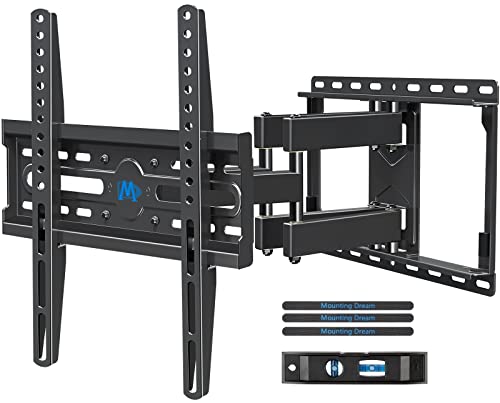
The MD2380 pattern represents the pragmatic full-motion school: a dual-arm design that trades a little slimness for stability at extension, aimed at households that will actually swing the screen between seating zones. In daily use this is the mount that turns toward the kitchen during cooking shows and back to the sofa at night, and its appeal is that it makes that routine feel ordinary rather than mechanical.
Best for: families who want genuine swivel and extension for open-plan rooms, from a value-focused maker whose kits are known for complete fixings and plain instructions.
Not suited for: rooms where the screen faces one sofa squarely — you would be paying for an arm that never moves.

ECHOGEAR Full Motion — full-motion pick with installer-friendly touches
ECHOGEAR’s design language speaks to the installer: bold documentation, hardware organised for humans, and an arm engineered to feel smooth rather than merely strong. As a living-with-it proposition, this is the full-motion mount for households that rearrange — the screen pulls out, angles and returns without drama, and the cable routing keeps the movement from becoming a weekly untangling exercise.
Best for: buyers who value clear instructions, generous included hardware and a mount designed to be fitted by confident DIYers without a second trip to the hardware shop.
Not suited for: minimalists who want the screen as flat to the wall as physics allows when pushed home.

Vogel’s TVM 3445 — premium full-motion pick
The Vogel’s entry represents the European design-led school: slim arms, careful finishes and an installation process treated as part of the product. In the home it suits screens that live partly extended or angled as a matter of daily routine, in rooms where the hardware is seen as often as the picture and is expected to look intentional.
Best for: design-conscious rooms where the mount is visible from the side and its finish matters, and buyers who want an engineered, app-guided installation experience.
Not suited for: budget-led projects where a simpler bracket solves the same room problem for less commitment.
Sanus VMF720 — premium full-motion pick
As the second premium full-motion design here, the VMF720 pattern is about effortlessness: the screen moves with a fingertip feel and stays put, which matters more over five years than any single specification. Households that adjust the screen daily — toward daylight seats, away from evening glare — will feel this quality every time; households that never move the screen should buy simpler.
Best for: larger living rooms wanting smooth, low-effort movement and a mount whose adjustments stay where they are set through years of use.
Not suited for: small bedrooms and simple single-sofa rooms, where its capability would go almost entirely unused.
Who Should Buy It and Who Should Skip It
Buy a wall mount if your room has a clear viewing wall, if the furniture underneath the television is serving no other purpose, if children or pets make a standing screen a worry, or if your seats would benefit from a screen that turns to meet them. Buy the simplest family that solves your geometry problem, verify your television’s pattern and weight from its manual, and plan cables before drilling. Our cluster’s dedicated guide can help: how to choose a TV wall mount step by step walks the decision in order.
Skip it — for now — if you rearrange rooms seasonally, if your lease forbids drilling, if the wall itself is a mystery you cannot resolve, or if the television is a temporary resident ahead of a renovation. In those cases the stand comparison matters more: our TV wall mount vs TV stand verdict argues both sides honestly. And if the wall turns out to be metal-studded or otherwise unusual, read the relevant sections here again before ordering, because the fixing method, not the bracket, becomes the decision.
Metal stud walls, common in newer apartments and offices, change the fixing conversation completely. The studs are thin folded steel rather than solid timber, so the lag bolts designed for wood have nothing meaningful to bite into. The correct approaches are fixings made for the material — toggle-style anchors that spread load behind the plasterboard, or screws driven into the metal stud itself where the mount’s maker explicitly approves that method — and a more conservative view of load, especially with full-motion arms whose leverage multiplies at full extension. Many professionals respond to a metal-stud wall and a large screen by adding a plywood backing panel that spreads the load across several studs, and that belt-and-braces instinct is worth copying. If your building is new enough that you do not know the wall construction, find out before ordering anything: the mount that suits a timber wall may be the wrong purchase entirely for a steel-framed one. This is also the scenario where an installer’s experience is worth the most, because they have usually seen your exact wall before and already know which fixing survives in it.
Renters face the mount question with an extra clause in the contract: every hole must eventually be answered for. That does not automatically rule mounting out — many landlords accept small, well-filled holes, and a conversation before drilling is always cheaper than a deduction afterwards — but it changes the ranking of options. A tilting or fixed mount that fixes into studs with a handful of bolts leaves a modest, fillable footprint; a large full-motion installation is a bigger commitment to reverse. The alternative, a good stand, asks nothing of the wall at all, and modern stand designs with wide, stable feet suit most rented rooms perfectly well. If you do mount in a rental, photograph the wall first, keep the removed screws and the filler matched to the paint, and keep the original stand and its screws in a labelled bag — future you, handing the keys back, will be grateful. And read the lease before the drill comes out: where the contract forbids drilling outright, the decision has already been made, and the stand comparison later in this cluster becomes the article that matters.
Setup, Care and Maintenance Essentials
Cable management deserves a plan before the drill comes out, because the neatest mount in the world looks unfinished with a bundle of leads dangling beneath it. Start with the rule that is not negotiable: an ordinary power cord must never be run inside a wall cavity. It is not rated for that job, it breaches electrical codes in most places, and it creates a hidden hazard. The legitimate ways to hide power are an in-wall cable kit specifically rated and listed for the purpose — the kind that uses proper in-wall cable between two fitted outlets — or having an electrician add an outlet directly behind the television. Signal cables are a separate question: HDMI and similar leads should be in-wall rated versions if they pass through the cavity, and they deserve gentle bends and a little slack rather than being pulled tight. If your walls or your lease rule out in-wall work entirely, a surface raceway painted to match the wall hides everything honestly and can look surprisingly tidy. Whatever route you choose, leave enough slack to pull a full-motion mount out and to reach the ports without a fight.
Lifting the television is a two-person job, full stop. Modern screens are light for their size but awkward in every other way: wide, smooth, fragile at the edges, and impossible to grip securely alone while you also try to locate a bracket you cannot see. Two people lifting together, each with a clear handhold and a rehearsed plan, turns the scariest thirty seconds of the project into a non-event. Agree the route from the table to the wall, agree who calls the movements, and agree where the screen goes if anything feels wrong — back down onto the padded table, never propped against a wall or a sofa arm. Keep children and pets out of the room for those minutes, keep the floor clear, and never hold the screen by its edges alone or let fingers press into the panel. If the television is large, if the mount sits high, or if either lifter has any doubt about their grip or their back, that is the moment to add a third person or to hand the job to an installer. Pride is not a structural material.
Whenever a mount sits above comfortable standing reach, a ladder enters the project, and ladder discipline deserves the same respect as the drilling itself. Use a sound step ladder tall enough that you work from a step well below the top, with both feet planted and your belt buckle staying between the rails; overreaching sideways from a ladder is how simple jobs become hospital stories. Never drill while balanced awkwardly, never hold the television while standing on a ladder — the hang itself should be planned so the lifters’ feet are on the floor wherever the wall allows — and never work from chairs, tables or other improvised platforms. Keep the ladder’s feet on a flat, clear surface, move it rather than stretching, and take the extra trips up and down as the price of doing the job once and safely. If the only way to reach the position is to work at a height that makes you uneasy, treat that unease as information: high mounts over fireplaces and on double-height walls are exactly the jobs professional installers exist for, and their fee is small next to a fallen screen or a fallen person.
A mounted television is not quite a fit-and-forget appliance. In the first weeks, glance at the installation with fresh eyes: is the screen still level, does a full-motion arm still hold the position you set, do the cables still have their slack at full extension? Fixings settle, arms drift if their joints need a touch more tension, and a five-minute check with a level and a gentle hand catches all of it early. After that, a seasonal once-over suffices — dust the vents the screen can finally reach, confirm the bracket feels rigid when you press a corner of the bezel gently, and re-check any cable that gets moved by cleaning or by children. Keep the mount’s instructions and the spare fixings in a labelled bag; if you ever move house or change televisions, that bag is gold. And keep the original stand. Televisions outlive their wall positions, rooms get rearranged, and the household that stored the stand can adapt in an afternoon, while the household that threw it away starts a very annoying shopping trip.
For the full procedure, our companion guide how to install a TV wall mount safely goes step by step. Readers coming from smaller screens may also enjoy how to install a monitor wall mount, where the same principles apply at desk scale.
Final Verdict
Reviewed as a product class, the TV wall mount earns its place on the wall of most living rooms — provided the household respects what kind of purchase it is. It is not an accessory; it is a fixture, and it rewards fixture-grade care: measured compatibility, structural fixings, a rehearsed position and a two-person lift. Do those things and any of the designs in this review’s pick slots will give you a screen that looks intentional, sits safely and quietly improves every evening in the room. Skip them, and no brand name will save the result. Buy the family your room needs, install it like you mean it, and then forget it exists — which is the highest praise a mount can earn. Weigh the other side first if you are undecided: the honest pros and cons of a TV wall mount and whether a TV wall mount is worth it for your home complete the picture.
Ownership Notes: The First Month With a Mounted Screen
Reviews usually end at installation, but ownership begins there, and the first month has a texture worth reporting. In week one, households notice the room: the floor line uninterrupted, the screen present like a window rather than an object. In week two, they notice the habits: nobody bumps the cabinet that is no longer there, the vacuum runs a straighter line, and the remote’s home migrates because the surface it lived on has changed. By week four the mount has either become invisible — the true success state — or it is still being discussed, and the discussion is diagnostic. Talk of a slight unlevel means the post-install adjustment was skipped. Talk of cables means the plan was improvised. Talk of neck ache means the template evening was rushed. Every lingering complaint maps to a skipped check, which is why this review has treated the checks as the product: the steel is rarely the story.
There is also a quieter ownership dividend worth naming: the screen’s position stops being negotiable. On a stand, televisions drift — nudged by cleaning, rotated by children, slowly migrating off-centre in a way nobody decided. A mounted screen holds the composition the room was designed around, and that stability reads as calm. Visitors rarely identify it; they simply say the room feels sorted. For many households that feeling, renewed daily, is the actual purchase — the bracket merely the mechanism that delivered it.
A Note on Reviewing What Cannot Be Seen
The hardest part of reviewing a wall mount is that its most important qualities are invisible in the finished room. You cannot see whether the bolts found the centre of the studs, whether the plate was proved under load before the screen approached it, or whether the cable slack was rehearsed at full extension. You can only see the consequences, months later, in an installation that has never crept, drifted or groaned. That is why this review has weighted process evidence — manual quality, fixing completeness, rehearsal-friendliness — as heavily as the hardware itself. A mount that helps you install it correctly is, in the only sense that matters over a decade, a better mount than a marginally stronger one that leaves you guessing. Judge accordingly, and let the photograph in the listing carry the least weight of anything you consider.
What a Longer Look Reveals: Verification Checks and Listing Details
Consistency is the quiet test
Single impressive results are easy; a good tv wall mount repeats them on an ordinary day, with ordinary materials, when you are in a hurry. Across the picks in this review, the models that earned their place did so by being predictable: the same setup producing the same outcome, with controls that behave identically every time. In a desk or bench that doubles as a workspace for two completely different hobbies, predictability is worth more than a peak performance figure you will rarely reach. When you read the individual assessments above, treat consistency comments as the highest-value signal in each one.
Fit and feel, judged honestly
Specifications can tell you a tv wall mount will fit; only handling tells you whether it feels right doing it. Weight distribution, control placement, surface finish and the force needed for routine adjustments all shape whether you reach for the product gladly or work around it. When picks such as ECHOGEAR Full Motion, Vogel’s TVM 3445 and Sanus VMF720 are on your shortlist, run this check against each listing in turn. If your shortlist comes down to two similar models, this tactile layer is usually the honest tie-breaker, and it is personal: a control layout one reviewer calls cramped, a smaller-handed owner may call perfect. Where possible, judge fit against your own hands, desk and habits, not the reviewer’s.
The detail that dates a design
Every Monitors generation has a detail that quietly dates it: a port standard on its way out, a control app that has stopped receiving updates, a consumable format being phased away. When reviewing a tv wall mount, that detail matters because it decides how gracefully the product ages. A model built on current standards and widely stocked consumables will still be serviceable when a flashier rival is orphaned by its own ecosystem. Check the age of the design, not just its feature list, and favour the product whose supporting ecosystem is still actively maintained.
What the box should contain — and what it should not need
Unboxing is a small but telling review checkpoint for a tv wall mount: the essentials for the first session should be in the box, the instructions should match the actual unit, and nothing vital should depend on an immediate second purchase. If a pick requires an accessory to perform its core job, that dependency is flagged in its assessment above, because it changes both the real cost and the first-day experience. Equally, beware bundles padded with extras you will never use; in a desk or bench that doubles as a workspace for two completely different hobbies, unused bundle clutter is a cost paid in storage, not a bonus.
Reading the assessments against your own routine
These reviews were written against a general routine, and your routine is the final filter. Map each pick’s stated strengths onto your busiest realistic day with a tv wall mount: if a pick’s best quality serves a task you do rarely, it is not the pick for you, however strong the assessment. If a pick’s noted limitation sits in a corner of the workflow you never visit, discount it. This translation step — from review conditions to your conditions in a desk or bench that doubles as a workspace for two completely different hobbies — is where a good review becomes a good decision rather than a borrowed opinion.
Verify the listing, not just the product
A review can only judge the tv wall mount in front of it, but what arrives at your door depends on the listing you order from. Before choosing, confirm that the listing names the exact model, generation and bundle contents you think you are buying, because Monitors listings often group variants under one page. When picks such as ECHOGEAR Full Motion, Vogel’s TVM 3445 and Sanus VMF720 are on your shortlist, run this check against each listing in turn. Check which accessories are in the box and which are sold separately, and note the seller’s returns terms while you are there. Ten minutes of listing hygiene prevents the most common review-versus-reality mismatch: a good product judged by the wrong variant.
None of this requires expertise — only the willingness to check your own routine before trusting a generic recommendation.
Five honest minutes at this stage is worth more than five hours of comparison browsing.
If a candidate fails this check, strike it from the list without regret and let the remaining options compete on merit.
Your future self, mid-task on a busy day, is the person this check is really for.
Frequently Asked Questions
Is a TV wall mount safe for a large television?
Yes, provided two conditions hold: the mount’s load rating comfortably exceeds the television’s actual weight, and the fixings go into structure — timber studs or solid masonry — using the hardware and method the mount’s maker specifies. Large screens are mounted safely in homes every day on exactly that basis. What is not safe is improvising the fixing: plasterboard-only attachments, substitute bolts of unknown grade, or a bracket chosen by screen size alone. Check the wall, check the rating, use two people to lift, and the installation will hold the screen as calmly as the stand did.
Will any mount fit my television?
No — fit is decided by the pattern of mounting holes on the back of your set and by its weight, not by brand loyalty. Measure the horizontal and vertical spacing of the four holes, confirm the figure against your television’s manual, and choose a mount whose bracket covers that pattern and whose load rating clears the weight with headroom. Most modern sets follow the shared standard that makes this straightforward, but older, very small or very large models can surprise you. Five minutes with a tape measure before ordering prevents the most common return in the category.
Can I mount a TV on a plasterboard wall?
You can mount on a plasterboard wall only by fixing through it into the structure behind — the studs in a framed wall. The board itself is a surface, not a support, and no reputable mount is rated to hang a television from it alone. Find the studs, confirm them properly, and use the lag bolts supplied for timber. If studs do not fall where the screen needs to sit, use a wider plate that reaches them, a backing board spread across two studs, or a professional installer. On metal studs the fixings change again, and the mount maker’s guidance for that wall type governs.
How high should I hang my television?
Start from your seats, not from the wall. Sit where you actually watch, note your relaxed eye level, and aim the centre of the screen close to it; that geometry keeps your neck neutral through long viewing. If the room forces a higher position — above a fireplace or a tall sideboard — choose a tilting mount and angle the screen down toward the seats, and rehearse the position with a paper template for a full evening before drilling. Bedrooms are their own case: you watch propped up, so the comfortable height sits higher than a living room’s. The template never lies; trust it over any diagram.
Can I hide the cables completely?
Mostly, yes — but power has a rule. An ordinary power cord must never run inside a wall cavity. The legitimate routes are an in-wall cable kit rated and listed for the purpose, which carries power through proper in-wall cable between fitted outlets, or an electrician adding an outlet behind the screen. Signal leads that pass through the wall should be in-wall rated versions, run with slack and gentle bends. If in-wall work is impossible — masonry walls, rentals, listed buildings — a surface raceway painted to match the wall hides everything nearly as well and reverses in minutes.
Do I really need two people to hang the TV?
Yes. The issue is not raw weight but control: a modern screen is wide, smooth and fragile at its edges, and you must guide it onto a bracket you cannot fully see while supporting it. Two lifters with a rehearsed plan, a clear route and an agreed place to set the screen back down make the moment routine. Add a third person for very large screens or high positions, and never let anyone hold the set while standing on a ladder. If help is genuinely unavailable, wait for it — the television is patient, and a dropped screen is forever.
Related Guides
Keep reading with these guides from the same cluster and the wider site: