Disclosure: As an Amazon Associate, ilcastellomenu.com earns from qualifying purchases. Links on this page are affiliate links; they cost you nothing extra. Prices and availability change often, so check the current Amazon listing before you buy.
An hdmi switch review has to start with the small daily irritation that makes the product exist: you own more screens’ worth of sources than your screen has inputs. A game console, a work laptop, a streaming stick, a media player and maybe a second computer all want the same television or monitor, and the display offers only a couple of ports — ports that are usually wedged against a wall, behind a stand, or underneath a desk where no adult hand comfortably reaches. This review treats the HDMI switch as a product class in depth: what it does, how the designs differ, which features genuinely matter, and which type of buyer each style of switch suits.
The short version is reassuring. An HDMI switch takes several source devices — many sources, one destination — and lets you choose which one is shown on a single display at a time, from a button or a remote instead of by swapping cables. It is the opposite direction from an HDMI splitter, which sends one source to several displays at once, and confusing the two is the single most common buying mistake in this corner of the catalogue. Get the direction right and the rest of the decision is about input count, switching style, and how politely the switch behaves with the control features your other equipment expects.
Key Takeaways From This HDMI Switch Review
- Best for: one television or monitor fed by several consoles, computers, players or streaming devices, where reaching the display’s own ports is awkward or impossible.
- Not suited for: anyone who wants the same picture on two screens at once — that is splitter territory — or anyone hoping a switch will add inputs to a display with none free in a different direction.
- Count your sources honestly, then buy one input more than you have today; the spare port is the cheapest future-proofing in home entertainment.
- Automatic switching sounds magical and mostly is, until a device that never fully sleeps keeps stealing the screen — a manual override matters.
- Control handshakes matter more than headline format support: HDCP, CEC and ARC or eARC behaviour decide whether the switch feels invisible or argumentative.
- A switch is only as good as the cables around it; tired, over-long or damaged HDMI leads cause more “faulty switch” returns than switches do.
Our verdict up front: for the classic living-room stack or the single-monitor desk with a console and a computer competing for it, a well-chosen switch from an established accessories brand is a small, set-and-forget upgrade that removes a daily friction completely. The rest of this review explains the class properly — how the designs differ, where the cheap ones cut corners, and how to match one to your room — before walking through the specific designs worth shortlisting.
In this guide
What an HDMI Switch Is and Where It Fits
An HDMI switch is a small box with several HDMI inputs on one side and a single HDMI output on the other. You plug your sources into the inputs, run one cable from the output to your television or monitor, and from then on the switch decides — at your command, or automatically — which source’s picture and sound reach the screen. Think of it as a railway junction for one track: many lines arrive, one line leaves, and the points are set to exactly one route at a time. Only the selected source is displayed; the others wait, powered or sleeping, until their turn.
That direction — many sources into one display — is the whole definition, and it is worth contrasting with the two neighbours it gets confused with. An HDMI splitter does the reverse: one source in, the same picture out to several displays simultaneously, the tool for showing one match on two televisions. An AV receiver or soundbar with multiple inputs is, among its other jobs, a large and capable switch, and if you already own one with spare inputs the humble standalone switch may be unnecessary. The standalone switch earns its place when the display is the hub of the room — a television with a soundbar on its audio return channel, or a desk monitor — and the sources have simply outgrown the ports provided.
Within the class, designs divide along a few honest axes. Input count is the obvious one: compact models serve a couple of sources, mid-size models serve a small entertainment stack, and large models serve media rooms, test benches and retail displays. Control style is the second axis: a button on the box, a small infrared remote, automatic switching when a source wakes, or some combination of all three. Power is the third: some switches sip power from the HDMI connection itself, while others use an external supply, which tends to make them more reliable citizens with long cable runs and fussy sources. None of these axes is a quality ladder in itself — the right combination depends entirely on where the box will live and whose hands will use it.
Where the switch fits in a real setup also decides which compromises matter. Behind a television in a family living room, a remote control and forgiving automatic behaviour matter more than anything. On a desk, where the box sits within arm’s reach, a satisfying top button and a clear indicator light may beat a remote that will inevitably vanish into the sofa of the workspace, the desk drawer. In a rack or media cupboard, external power and predictable behaviour after a power cut matter most. Keep your own room in mind through every section that follows; this review will keep returning to those three settings because they genuinely lead to different shortlists.
hdmi hubs for running several monitors
Design, Build and Setup
An HDMI switch is not furniture, and nobody chooses one for its beauty, but build quality still announces itself the moment you pick one up. The better designs feel dense and stay planted: a metal or well-finished casing with some weight, ports that grip a cable firmly without wobbling, and buttons with a positive, deliberate action. The weaker designs feel hollow, skate across the shelf whenever a cable is nudged, and use ports that loosen their grip within a year of swaps. Because a switch lives its life being tugged by stiff HDMI cables — which behave like short lengths of garden hose with opinions — weight and port solidity are functional features, not cosmetic ones. A feather-light box on a glass TV stand will slowly migrate and twist under cable tension until one input sits at a strained angle; a heavier box, or one tucked where cables hang slack, simply never has the problem.
Ports, Indicators and the Honest Front Panel
The front panel tells you how a switch will feel at midnight when you are swapping from a film to a game. A clear indicator light per input, numbered to match the ports, turns “which one is it on?” into a glance. Numbering that matches between the box, the remote and the on-paper diagram sounds trivial until you meet a design where they disagree. Remote sensors matter too: the infrared receiver needs a line of sight to your seat, so a switch destined for a closed cupboard needs either a wired sensor extension or a control method that does not depend on infrared at all. None of this is exotic engineering; it is the difference between a product designed by people who used it in a dark room and one designed from a spreadsheet.
Setup: One Cable Out, Everything Else In
Setup follows the direction of the device and takes minutes when done in the right order. Connect the switch’s single output to a free input on your display. Connect each source to a numbered input on the switch, making a note — mental or masking-tape — of which source lives on which number. Connect power if the model uses an external supply. Then wake each source in turn and select it, confirming picture and sound arrive before moving on. That one-source-at-a-time check is the whole secret: if something misbehaves, you know exactly which link in the chain to suspect, instead of facing a fully wired stack and a black screen with no suspects. The dedicated walkthrough in this cluster covers the process step by step, including the order in which to power devices so their handshakes succeed first time.
the step-by-step setup walkthrough in this cluster
Performance in Real Use
Switching Speed and the Black-Screen Pause
Every switch imposes a pause when you change sources: the display and the newly selected source must recognise each other, agree on a format and re-establish the protected handshake that modern content requires. In daily life that pause is a brief black screen — long enough to notice, short enough to forgive — and its exact length depends as much on your television and source as on the switch itself. What separates good designs from frustrating ones is consistency. A good switch renegotiates cleanly every time, so the ritual is always the same short pause. A poor one occasionally fails the negotiation, leaving a screen that stays black until you toggle away and back, which transforms a two-second pause into a small ceremony of remote juggling. When you read owner feedback on any model, that pattern — not raw speed — is the signal to look for.
Picture and Sound: Passing Through, Not Improving
A switch is a conduit, not a processor. It does not upscale, sharpen, convert or enhance; it passes the selected source’s signal to the display, and its quality is measured by how completely it disappears. That means two things for buyers. First, a switch cannot rescue a weak source or an ageing panel, and any marketing implying otherwise is decoration. Second, the switch must be transparent to the most demanding format your sources and display share — the highest resolution and refresh combination, the richest colour and audio formats — because the chain settles at the level of its least capable link. In practice you match the switch’s stated format support, as a class, to the formats your own equipment actually uses today, with a little headroom for the console or player you expect next. Chasing support for formats nothing you own can produce buys you nothing but a larger box.
HDCP, CEC and ARC: The Handshakes That Decide Everything
Three sets of initials decide whether a switch feels invisible. HDCP is the copy-protection handshake between source, switch and display: every link in the chain must cooperate, or protected content refuses to play. A switch that handles HDCP cleanly is simply one where films and streams start when they should. CEC is the feature that lets devices talk over HDMI — the television remote adjusting a player’s volume, a console waking the screen when it powers on. Switches vary in how faithfully they pass CEC commands, so in a setup built around one-remote living, CEC behaviour is worth checking in owner reports for your combination of devices. ARC and eARC are the audio return paths that let a television send sound back down an HDMI cable to a soundbar or receiver. A switch sits on the source side of the display, not in that return path, but buyers with soundbars should map their whole chain before buying: the soundbar usually belongs on the display’s ARC or eARC port, and the switch feeds a different input. None of these features needs deep technical study — they need one careful diagram of your own equipment before money changes hands.
Automatic Switching: Delightful, With One Known Gremlin
Automatic switching promises a switch you never touch: power on a console and the screen jumps to it; turn it off and the display falls back to the previous source. When every device in the chain sleeps honestly, it works beautifully and is the feature owners praise most. The gremlin is the device that never fully sleeps — a streaming box that keeps its output alive in standby, a computer that wakes for updates at 3 a.m. A switch watching for activity sees that device as permanently “on” and may keep returning to it, or refuse to leave it. The mature designs handle this with sensible priorities and, crucially, a manual override that always wins. If your stack includes a known insomniac device, weight that override — a good remote and a clear top button — more heavily than the automation itself.
hdmi switch pros and cons, weighed honestly
Strengths and Trade-Offs
Strengths
- Turns one display input into several, ending cable-swapping behind the television for good.
- Lets every source live in one place with one short cable run to the screen.
- Remote and automatic models make source changes a sofa-level activity, not a furniture expedition.
- Protects the display’s own ports from the wear of constant plugging and unplugging.
- Small, cool-running and silent — no fans, no meaningful heat, no presence in the room.
- One purchase serves consoles, computers, players and streaming devices impartially.
Trade-Offs
- Adds one more handshake to the chain, so format or HDCP mismatches anywhere can surface as a black screen.
- Only one source reaches the display at a time — by design — so it never replaces a splitter for multi-screen viewing.
- CEC behaviour varies, and a one-remote setup may lose a few tricks through some switches.
- Automatic switching can be bullied by a source device that never truly sleeps.
- The box needs power and a home within cable reach of everything it serves.
- Very cheap designs skimp on port grip and casing weight, and cables slowly drag them around.
The Designs Worth Shortlisting
The picks below are presented as design archetypes from established accessories brands, described by their design character and the buyer each suits. Treat each as a shortlist entry to confirm against its current listing — input count, control style and stated format support — before buying, because model line-ups change and the listing is the final word on any specific unit.

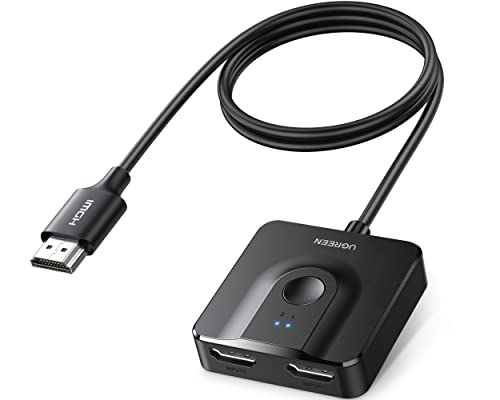
UGREEN HDMI Switch — The Polished All-Rounder
UGREEN built its name on cables and small connectivity gear, and its switch designs carry that house style: tidy metal-feeling casings, clear numbering, and a remote in the box on the models aimed at living rooms. As an archetype it represents the sensible centre of the market — the switch you buy when you want the category’s standard features executed without drama, for a stack of a console or two, a streaming device and a spare port for a laptop. Its designs tend to treat the remote as a first-class citizen rather than an afterthought, which is exactly right for a box that will live behind a television.
Best for: the typical living-room stack of mixed consoles and players, controlled from the sofa. Not suited for: very large source counts, or a cupboard installation where an infrared remote cannot see the box. In tier terms this is the mid-range benchmark of the category — the design family against which cheaper switches must justify their savings and pricier ones their premium.

Kinivo HDMI Switch — The Living-Room Traditionalist
Kinivo has sold HDMI switches for a long time, and its designs reflect a living-room-first philosophy: generous automatic switching, a proper remote, and indicator lights you can read from across the room. This archetype suits households where the television stack changes hands all day — children with a console, parents with a streaming box, a media player for films — and where nobody wants to learn the system. The automation does the remembering; the remote settles disputes. Designs in this family are also a natural first check for buyers whose priority list starts with “it should just work when someone presses power”.
Best for: busy family televisions and anyone who values automatic switching with a real remote behind it. Not suited for: desk setups where a remote is clutter and a top button would serve better. It sits in the accessible-to-mid range, selling ease rather than exotic format support, and for its intended room that is the correct trade.
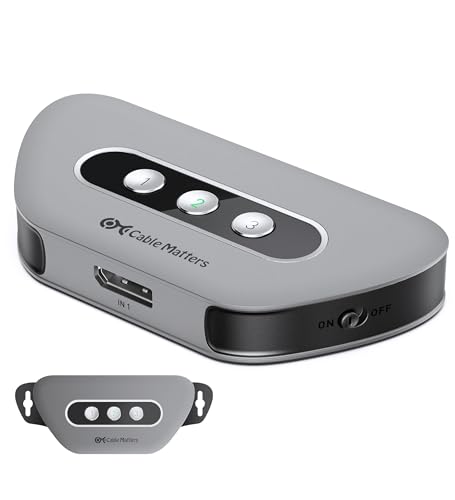
Cable Matters HDMI Switch — The Specification-First Option
Cable Matters comes from the connectivity trade, and its switch designs read that way: clearly labelled, sensibly laid out, and documented like infrastructure rather than entertainment. This is the archetype for the buyer who has a list — a particular console generation, a computer that outputs demanding formats, a monitor with specific expectations — and wants a switch whose stated support can be checked line by line against that list. It is also a comfortable choice for desk and office installs, where the box may sit in plain sight and its job is to be ignored for years.
Best for: desk setups, mixed computer-and-console stacks, and buyers who shop by verified specification. Not suited for: buyers wanting the warmest living-room automation experience above all else. Positioned in the mid range, it spends its money on correctness and clarity rather than ceremony.

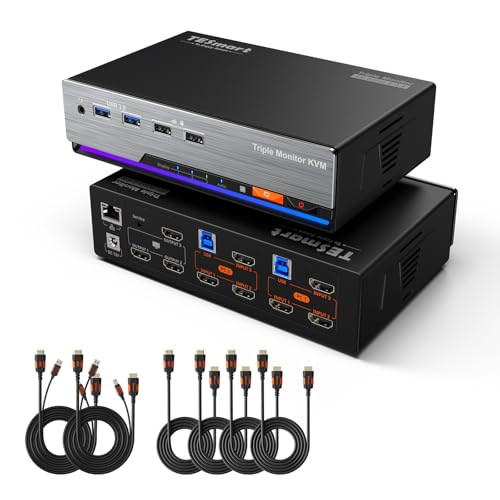
TESmart HDMI Switch — The Big-Stack Specialist
TESmart’s background is in KVM and multi-source switching for desks and benches, and its HDMI switch designs scale accordingly: more inputs, rack-friendly thinking, and control options aimed at setups where sources outnumber a typical living room’s. This archetype is the one to examine when your count runs past the usual handful — multiple consoles across generations, a couple of computers, test devices, a media server — or when the switch will live in a media cupboard serving a whole house’s worth of gear through one display. The designs assume the owner enjoys a system and wants it organised, not merely connected.
Best for: large source stacks, media cupboards, test benches and retro-plus-modern console collections. Not suited for: a simple two-source television, where its scale is pure surplus. It occupies the premium end of the standalone switch market, and earns it through capacity and control rather than decoration.

Zettaguard HDMI Switch — The Value All-Rounder
Zettaguard’s switch designs aim at the value heart of the category: several inputs, a remote, automatic switching, and a compact case, assembled for the buyer who wants the problem solved this weekend without a research project. As an archetype it represents the respectable budget-to-mid tier — the level at which the essential features are all present and the savings come from simpler casing and presentation rather than missing function. For a bedroom television, a spare-room setup or a first switch bought to learn what you actually need, this family is the natural starting point.
Best for: bedroom and secondary televisions, first-time switch buyers, and modest stacks on a sensible budget. Not suited for: the most demanding format combinations or very large stacks. Entry-to-mid in tier, and honest about it.
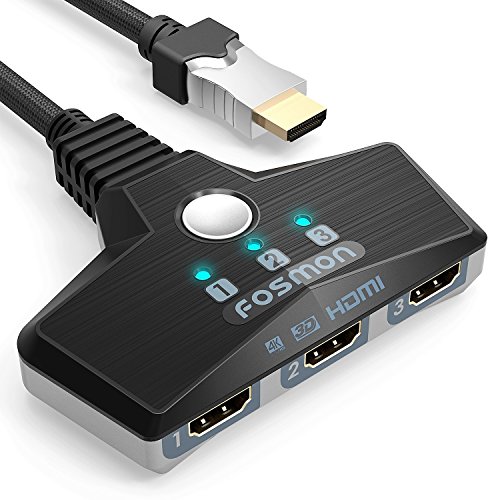
Fosmon HDMI Switch — The Compact Minimalist
Fosmon’s designs in this category lean small and simple: compact boxes, straightforward manual or lightly automated switching, and a footprint that disappears behind a monitor or a small television. This archetype serves the desk corner and the modest setup — a monitor shared by a work laptop and a console, a small TV with two devices — where a big living-room switch would be overkill and its remote one more object to lose. Simplicity is the feature here: fewer sources, fewer decisions, a button you can reach.
Best for: single-monitor desks and small televisions with two or three sources. Not suited for: growing entertainment stacks, where you will outgrow the input count quickly. It defines the entry tier of the category and, within its brief, that is a compliment.
How It Compares With the Alternatives
Three alternatives compete for the same money, and each wins in its own house. A new television with more inputs solves the problem at display-replacement prices and is the right answer only when the screen itself is due for replacement. An AV receiver is the superior hub when serious sound is part of the plan, because it switches sources and powers speakers in one box — but it is a large, warm, comparatively expensive citizen, and overkill for a soundbar household. A manual cable swap — one lead, moved by hand — is free and remains rational for two sources used in long, predictable blocks, though it wears the display’s ports and your patience in proportion to how often the blocks change. The standalone switch sits in the wide middle: it solves the port shortage completely, at accessory prices, without touching the rest of the system. That is why the category exists and why it keeps selling.
The comparison that matters most, though, is with its mirror image. If your real wish is one console shown on the television and a monitor at once, or a media player feeding two rooms, no switch will satisfy you — read the splitter side of this cluster before buying anything, because the two devices look alike, cost alike and do opposite things.
hdmi switch vs hdmi splitter, the full comparison
splitters for showing one source on two monitors
Who Should Buy One, and Who Should Skip It
Buy a switch if your display’s inputs are full or unreachable, if two or more sources compete for the screen weekly, or if you are tired of the behind-the-television crouch. Buy one size up from your current source count. Buy a remote-controlled model if the box will live out of arm’s reach, an externally powered model if your cable runs are long or your sources are known fusspots, and a model whose automatic switching can be overridden if any of your devices sleeps badly. Skip the purchase if you genuinely use one source, if your receiver already has the spare inputs, or if what you actually want is the same picture in two places — in which case the splitter cluster is your reading list.
Setup, Care and Maintenance Essentials
Once installed, a switch asks for almost nothing. Keep its vents — where present — unburied under other warm equipment. Use cables of sensible length: enough slack that nothing hangs off a port at an angle, not so much that coils of spare cable strangle the airflow and the tidiness behind the set. Label the inputs once, on a strip of tape under the box, and every future source change becomes a ten-second job. If a picture problem ever appears, the diagnostic order is always the same: reselect the input, reseat that source’s cable at both ends, then try a different cable — because in this category the cable is the usual culprit and the switch is usually innocent. A full step-by-step lives in this cluster’s setup guide.
Final Verdict
An HDMI switch is the rare accessory that does exactly one thing, completely, and then disappears. Choose the direction correctly, count your sources with one spare, match the control style to the room, and respect the handshakes — HDCP cooperation, CEC behaviour that suits your remotes, and a soundbar plan that keeps the audio return path where it belongs. Do that and the behind-the-screen era of your viewing life simply ends. Our shortlist above spans the sensible centre of the market: UGREEN and Kinivo for the living room, Cable Matters for the specification-minded desk, TESmart for the big stack, Zettaguard for value, and Fosmon for the compact corner.
Living With a Switch: Three Rooms, Three Lessons
The Family Living Room
The living room teaches you that a switch is a social device. Its users are not one careful owner but a rotating cast — a partner who watches films from a media player, a teenager whose console lives on input two, a grandparent who just wants the streaming stick and cannot be expected to learn anything. In this room the winning features are forgiveness features: automatic switching that follows whoever powered a device on, a remote with big honest buttons, and indicator lights that announce the current state in a language of numbers everyone can read aloud over the phone. The lesson this room teaches is to set the system up once, label it plainly, and then optimise for the least technical user who will ever touch it. If that person can get their programme on screen unaided, the switch has done its real job, whatever its specification sheet says.
The Single-Monitor Desk
The desk teaches the opposite lesson: here the switch is a precision instrument for one person. A work laptop docks in the morning, a personal machine or console takes over in the evening, and the monitor — chosen carefully, calibrated, positioned exactly — is far too good to duplicate and too port-poor to share unaided. In this room, reach and certainty beat automation. The box sits beside the keyboard where a finger finds the button without looking, the indicator confirms the state at a glance, and the whole exchange takes two seconds inside a workflow that repeats daily. Desk users also learn the cable lesson fastest: short, flexible leads in a managed bundle make the switch feel like part of the desk, while stiff over-length cables turn it into a small daily wrestling match conducted at ankle height.
The Media Cupboard and the Retro Shelf
The third room is really a cupboard: the enthusiast’s stack, where consoles from several generations, a media server, a disc player and a streaming box queue for one excellent display. Here the lessons are capacity and power discipline. Input count is destiny — buy for the collection you are honestly building, not the one you have this month. External power stops being optional, because a cupboard of devices waking and sleeping on its own schedule will find the limits of bus-powered cleverness. And after a power cut, the stack should return to a known, sane state without a rescue expedition. Buyers in this room also label obsessively, because the difference between a system and a pile of equipment is whether you can say, six months later, exactly what lives on input five.
Troubleshooting the Complaints Everyone Meets Once
A Black Screen After Switching
The black screen is the category’s rite of passage, and it is almost never the switch dying. Work the chain in order. First, wait a full few seconds — the handshake between a new source and the display takes longer than impatience allows. Second, toggle to another input and back, which forces a fresh negotiation. Third, reseat the source’s cable at both ends; an HDMI plug that looks inserted can sit a fraction out after the cable was tugged. Fourth, swap in a different cable, because cables fail silently and often. Only after all four steps should the switch itself stand accused — and even then, testing the source directly into the display settles the question in one move.
Picture Arrives, Sound Does Not
Sound failures are usually routing misunderstandings wearing a disguise. If the television sends sound to a soundbar over its audio return channel, confirm the soundbar sits on the correct display port and that the television’s audio output setting still points there — a setting that can change when inputs are reconfigured. If a source outputs sound in a format the display passes through reluctantly, setting that source to a plainer audio mode for a test separates a format argument from a hardware fault. The switch’s role in sound is simply to pass what the selected source sends; when the path beyond the display is set up correctly, it does so without opinion.
The Remote That Stopped Working
Infrared remotes fail for embarrassingly physical reasons: something new on the shelf blocks the sensor’s view of the room, the box rotated when a cable was moved, or the remote’s batteries faded. Check sight lines before settings. If your switch lives in a closed cupboard, no remote troubleshooting will save the arrangement — the honest solutions are a wired sensor eye placed outside the door, a switch with an alternative control path, or relocating the box to where its sensor can see the sofa. Designing the control path when you install, rather than discovering it afterwards, is the difference between a system and a grievance.
One Source Looks Worse Than the Others
When a single source disappoints through the switch, suspect its settings and its cable, in that order. Sources often renegotiate their output when they meet a new chain, and a computer or console may settle on a plainer format than the display can accept — its display settings are worth one careful visit. The cable feeding that input is the second suspect, especially if it is the longest or oldest in the stack. Swap cables between inputs: if the problem follows the cable, you have your answer; if it stays with the input number, try the source on a different input before concluding anything about the switch.
Before You Buy: The Ten-Minute Audit of Your Own Stack
Every disappointing switch purchase we have ever traced began with a skipped audit, so here is the one this review recommends, in the order that matters. First, stand behind your display — or as close as dignity allows — and count: how many HDMI inputs does it have, how many are occupied, and how many sources are currently exiled to a drawer or a friend’s house because there was nowhere to plug them in? That gives you today’s true source count. Second, name the next source. A console generation turns over, a work laptop arrives, a media player gets inherited — one specific, plausible addition should be in your count, because it converts the spare-port advice from a slogan into a number.
Third, trace the sound. Where does audio go today — the display’s own speakers, a soundbar on the audio return port, a receiver? Sketch it on paper if the stack has grown organically, because the switch joins this system and must not be asked to reroute it. Fourth, decide who operates the system and from where. A box behind a television in a shared room is a remote-control product; a box on a desk is a button product; a box in a cupboard is a planning product. Fifth, measure the cable reality: the distance from the switch’s likely home to the display and to the farthest source, honestly, around furniture rather than through it. Long runs argue for an externally powered design and for the best cables in the purchase, in that order.
Sixth and last, interrogate your sources’ manners. Which of them wakes the television by itself? Which never sleeps? Which renegotiates its picture settings when the chain changes? You may not know the answers yet — most people learn them in the first week of ownership — but knowing the questions turns that first week from a troubleshooting saga into a calibration exercise. A switch chosen after this audit fits its home so well that it becomes boring, and boring, in this category, is the sound of a product doing its entire job.
What This Review Deliberately Does Not Promise
Honesty about limits is part of the product’s story. A switch will not make an old display sharper, a weak source stronger or a room’s sound richer; it moves signals, it does not improve them. It will not show two sources at once — picture-in-picture is a display feature, not a switch feature — and it will not merge a games console’s picture with a computer’s, side by side, on one screen. It will not extend a signal over a long distance by itself; long runs are a cable-and-power conversation. And it will not fix a source that misbehaves on its own: a streaming box that crashes directly into the television will crash through a switch too, only now with an alibi. What it promises is narrower and, for the right household, transformative: every source you own, available on your best screen, at the press of a button, with the cables plugged in once and never touched again. Judge it — and every claim made for it, including ours — against exactly that promise.
A Note on Buying the Cables at the Same Time
One final piece of review advice, offered because it prevents more disappointment than any model choice: whatever switch you buy, let the same order include the cables it deserves if your current leads are old, unlabelled or of unknown origin. A switch installation concentrates every source’s signal through a handful of connections, and it will expose the weakest cable in the stack within the first evening. Arriving at that evening with fresh, sensibly sized leads already in hand turns a potential troubleshooting saga into a finished job — and if the old cables turn out to have been fine, you own spares, which in this category is the closest thing to a guarantee of a calm year.
Keep that sentence somewhere near the television. It is the whole review in one line, and it will still be true when the next source arrives and takes the spare port you were wise enough to buy.
And if you take only one practical step after reading this review, let it be the audit: count your sources, name your next one, sketch your sound, and measure your cables. Ten minutes with a notebook will choose a better switch than ten hours with a catalogue, because the right switch was never a secret hidden in a product listing — it was the shape of your own stack, waiting to be written down.
Beyond the First Impression: Checks That Separate the Picks
Reading the assessments against your own routine
These reviews were written against a general routine, and your routine is the final filter. Map each pick’s stated strengths onto your busiest realistic day with a hdmi switch: if a pick’s best quality serves a task you do rarely, it is not the pick for you, however strong the assessment. If a pick’s noted limitation sits in a corner of the workflow you never visit, discount it. This translation step — from review conditions to your conditions in a small rented room where drilling, permanent fixings and bulky extras are off the table — is where a good review becomes a good decision rather than a borrowed opinion.
Verify the listing, not just the product
A review can only judge the hdmi switch in front of it, but what arrives at your door depends on the listing you order from. Before choosing, confirm that the listing names the exact model, generation and bundle contents you think you are buying, because Monitors listings often group variants under one page. When picks such as Kinivo HDMI Switch, Cable Matters HDMI Switch and TESmart HDMI Switch are on your shortlist, run this check against each listing in turn. Check which accessories are in the box and which are sold separately, and note the seller’s returns terms while you are there. Ten minutes of listing hygiene prevents the most common review-versus-reality mismatch: a good product judged by the wrong variant.
Consistency is the quiet test
Single impressive results are easy; a good hdmi switch repeats them on an ordinary day, with ordinary materials, when you are in a hurry. Across the picks in this review, the models that earned their place did so by being predictable: the same setup producing the same outcome, with controls that behave identically every time. In a small rented room where drilling, permanent fixings and bulky extras are off the table, predictability is worth more than a peak performance figure you will rarely reach. When you read the individual assessments above, treat consistency comments as the highest-value signal in each one.
Fit and feel, judged honestly
Specifications can tell you a hdmi switch will fit; only handling tells you whether it feels right doing it. Weight distribution, control placement, surface finish and the force needed for routine adjustments all shape whether you reach for the product gladly or work around it. When picks such as Kinivo HDMI Switch, Cable Matters HDMI Switch and TESmart HDMI Switch are on your shortlist, run this check against each listing in turn. If your shortlist comes down to two similar models, this tactile layer is usually the honest tie-breaker, and it is personal: a control layout one reviewer calls cramped, a smaller-handed owner may call perfect. Where possible, judge fit against your own hands, desk and habits, not the reviewer’s.
The detail that dates a design
Every Monitors generation has a detail that quietly dates it: a port standard on its way out, a control app that has stopped receiving updates, a consumable format being phased away. When reviewing a hdmi switch, that detail matters because it decides how gracefully the product ages. A model built on current standards and widely stocked consumables will still be serviceable when a flashier rival is orphaned by its own ecosystem. Check the age of the design, not just its feature list, and favour the product whose supporting ecosystem is still actively maintained.
What the box should contain — and what it should not need
Unboxing is a small but telling review checkpoint for a hdmi switch: the essentials for the first session should be in the box, the instructions should match the actual unit, and nothing vital should depend on an immediate second purchase. If a pick requires an accessory to perform its core job, that dependency is flagged in its assessment above, because it changes both the real cost and the first-day experience. Equally, beware bundles padded with extras you will never use; in a small rented room where drilling, permanent fixings and bulky extras are off the table, unused bundle clutter is a cost paid in storage, not a bonus.
Treat it as part of the purchase itself, not as homework to do after the box arrives.
None of this requires expertise — only the willingness to check your own routine before trusting a generic recommendation.
Five honest minutes at this stage is worth more than five hours of comparison browsing.
If a candidate fails this check, strike it from the list without regret and let the remaining options compete on merit.
Frequently Asked Questions
Does an HDMI switch reduce picture quality?
A properly functioning switch passes the selected source’s signal through without processing it, so the picture your display receives is the picture the source sent. Quality problems traced to a switch setup almost always turn out to be a cable that cannot carry the format being asked of it, or a format mismatch between source and display settings. If a demanding source misbehaves through a switch, test it with a short, known-good cable directly into the display; that isolates the chain link at fault within minutes.
What is the difference between a switch and a splitter?
Direction. A switch takes several sources and sends one chosen source to a single display. A splitter takes one source and sends it to several displays at the same time, showing the same picture on each. The two are mirror images, often look nearly identical on a shelf, and cannot substitute for each other. Decide which direction your problem runs — too many sources, or too many screens — and the correct device chooses itself.
Will a switch work with my soundbar?
Usually, yes, with the layout drawn correctly. The soundbar normally connects to the television’s ARC or eARC port so the television can send it sound from every input, and the switch feeds one of the television’s other inputs with your sources. The switch itself sits before the display and does not interrupt the return path. Problems arise when a setup routes sound in an unusual order, so sketch the chain — sources, switch, display, soundbar — before buying, and check the switch maker’s notes on ARC behaviour for your layout.
Why does my switch keep jumping to the wrong input?
The usual suspect is a source that never fully sleeps. Some streaming boxes and computers keep their HDMI output alive in standby, and an automatic switch reads that as a device asking for the screen. The fixes are to use the manual override or remote to assert your choice, to change the always-on device’s sleep or CEC settings so it truly idles, or to move it to the switch’s lowest-priority input if the model assigns priorities. A switch with a decisive manual mode never loses this argument for long.
How many inputs should I buy?
Count the sources you own today, add the one you are realistically likely to add — a next console, a work laptop, a media player — and buy that number. One spare input is the sweet spot: it absorbs the future without paying for a media-room box you will never fill. Households that collect consoles across generations, or desks that host test machines, should count more generously, because input count is the one specification you cannot upgrade later without replacing the whole switch.
Can I use a switch with a computer monitor instead of a TV?
Yes — a monitor is simply a display, and a switch feeding it is one of the most satisfying desk upgrades available: a work laptop, a personal machine and a console sharing one good screen, swapped with a button instead of a cable crawl under the desk. Check that the switch’s stated format support covers the most demanding combination your computer and monitor use together, keep the cables short as desks allow, and prefer a model with a reachable top button, since a desk switch is operated by hand far more than by remote.