Disclosure: As an Amazon Associate, ilcastellomenu.com earns from qualifying purchases. Links on this page are affiliate links; they cost you nothing extra. Prices and availability change often, so check the current Amazon listing before you buy.
Learning how to choose an hdmi switch is mostly learning how to describe your own setup accurately, because the right switch is never a mystery product — it is the one whose input count, control style and manners match a specific room, a specific stack and a specific cast of users. This guide turns that matching into steps. By the end you will have counted your sources with the headroom they deserve, chosen controls by geography rather than brochure, checked the handshakes your equipment depends on, matched format support to your chain instead of to a headline, and picked a design family you can defend. No step requires technical training; all of them together are the difference between the owners who forget their switch exists and the owners who review it angrily at midnight.
Key Takeaways
- The deciding criteria, in order: direction, input count, control style, handshake behaviour, format match, power.
- Count today’s sources, add the next device you can already name, and buy that number of inputs.
- Let the room choose the controls — remote across the room, button within reach, a planned path out of a closed cupboard — and insist on a manual override behind any automation.
- Match format support to the most demanding combination your own sources and display actually use, with modest headroom.
- Choose external power when cable runs are long, sources are fussy, or the stack lives in a cupboard.
- Established accessories brands earn their place through handshake track records you can check, not through badge prestige.
In this guide
What You Need to Know Before Comparing
An HDMI switch routes several sources into one display: many in, one out, one source shown at a time. Its mirror image, the splitter, routes one source out to several displays at once. Everything in this guide assumes the switch direction; if your problem is too many screens rather than too many sources, stop here and read the splitter side of this cluster, because no amount of careful choosing will make the wrong-direction device right.
Three conversations run through every HDMI chain and will shape your choice. HDCP is the copy-protection handshake between source, switch and display; when it fails, protected content refuses to play, and the only defence is a maker whose designs have a long record of cooperating. CEC is the command channel that lets devices wake each other and share one remote; switches vary in how faithfully they relay it, and behaviour depends on your whole combination. ARC and eARC carry sound from the display back to a soundbar or receiver; the switch does not sit in that path, but your layout must keep the soundbar on the display’s return port and the switch on another input. You do not need to master these systems. You need to know they exist, because they — not the box’s colour or its banner claims — are what you will actually live with.
Finally, know your chain’s demanding edge: the most capable combination of picture and sound formats that your sources and display genuinely share. A chain settles at its least capable link, so the switch must sit at or above that edge — and need not sit anywhere near the theoretical maximum of the standard. With those three foundations laid, the steps themselves are quick.
How to Choose an HDMI Switch in Seven Steps
Step 1: Confirm the Direction of Your Problem
Write one sentence: “I have ___ sources and ___ screen(s), and I want ___.” If the sentence ends with every source available on one screen, you are choosing a switch and this guide is yours. If it ends with one source visible on several screens at once, you are choosing a splitter. If it ends with different sources on different screens simultaneously, you may need a second display input, a second display, or a matrix device beyond this guide’s scope. Do not skip this step because it feels obvious: the category’s return counters are paved with obvious steps skipped, because the two devices look alike, cost alike and sit on the same shelf.
Step 2: Count Sources, Then Add the Next One
List every source that wants the screen: consoles current and previous, streaming devices, disc players, computers, media boxes, the laptop that visits. Count them. Now add the device you can already name as likely — the next console generation, the work machine, the rescued retro system. That total is your input requirement, and it is the one specification in this guide that cannot be upgraded later: a full switch is replaced, not expanded. Resist overshooting into media-room counts for a settled stack; surplus inputs are furniture. But never buy exactly today’s count, because today’s count is the one number in this process guaranteed to grow.
Step 3: Let the Room Choose the Controls
Decide where the box will live and where the humans will be. Box behind the television, humans on the sofa: a remote-controlled design, installed so its infrared sensor can see the seating. Box on a desk: a top button, reachable without looking, beats any remote. Box in a closed cupboard: plan the control path before buying — a wired sensor eye, an alternative control route, or a different home for the box. Then decide the household’s automation temperament. Shared screens and mixed technical confidence argue for automatic switching; a single expert user may prefer to command every change personally. Whichever you choose, require a manual override that always wins, because automation has one known blind spot and the override is its answer.
Step 4: Interrogate the Handshakes
Ask three questions of any candidate. Does the maker have a track record of clean HDCP behaviour across televisions and players — the kind visible in years of uneventful owner reports? How does the design treat CEC, and does that suit a household that lives by one remote? And does your sound layout survive it — soundbar on the display’s ARC or eARC port, switch feeding a different input, nothing asked to be in two paths at once? A candidate that answers all three boringly is a candidate that will bore you pleasantly for years. A candidate whose listing is silent on all three is asking you to beta-test its manners at your own expense.
Step 5: Match Format Support to Your Chain
Take the demanding edge you identified earlier — the richest combination your sources and display actually share — and require the switch’s stated support to cover it with modest headroom for the named next device. That is the whole step, and its discipline is mostly refusal: refuse to pay for support aimed at equipment you do not own and cannot name, and refuse to accept a switch that sits below your chain’s edge and would cap it. Remember that the chain includes cables: the formats you choose here must be carried by the leads you actually run, over the distances you actually run them, which is why this step and the next one lean on each other.
Step 6: Decide the Power Question
Bus-powered designs draw what they need from the HDMI connections and suit short, simple, cooperative setups. Externally powered designs bring their own supply and behave more decisively with long runs, stingy sources and cupboards full of independently sleeping devices. Choose by your geography: the longer the runs and the more autonomous the stack, the stronger the case for external power. It is the cheapest reliability in the category, and the step most often skipped by buyers who later describe their switch as “temperamental” when it was merely underpowered for its working conditions.
Step 7: Choose the Family, Then the Model
Only now — direction confirmed, count set, controls chosen, handshakes interrogated, formats matched, power decided — does brand enter, and it enters as families with known temperaments. The all-rounder family for the typical living room. The automation-first family for the shared household. The documented infrastructure family for the desk. The capacity family for the collection. The honest value family for the second room. The compact family for the small, settled corner. Pick the family whose temperament matches your steps one to six, then pick the model within it whose listing answers your checklist questions most cleanly. Buyers who reverse this order — badge first, fit later — are the category’s unhappy reviewers, almost without exception.
Gear for This Guide
The shortlist below is organised by the steps above: each entry names the situation it is the answer to. Confirm the exact configuration on the current listing before buying.

UGREEN HDMI Switch — The Answer When Your Steps Point to “Typical Living Room”
Balanced controls, tidy build, manners that bore pleasantly. Best for: the stack of consoles and players shared by a household. Not suited for: counts beyond the comfortable middle.

Kinivo HDMI Switch — The Answer When Step 3 Says “Nobody Should Have to Learn This”
Automation-first, with a proper remote for the exceptions. Best for: family televisions with several users. Not suited for: desks, or stacks whose central device never sleeps and whose owner refuses the override habit.

Cable Matters HDMI Switch — The Answer When Step 4 Matters Most
Documented, decisive, infrastructure-grade behaviour for desks and specification shoppers. Best for: monitors shared by computers and a console. Not suited for: buyers whose step three demanded sofa-first magic above certainty.

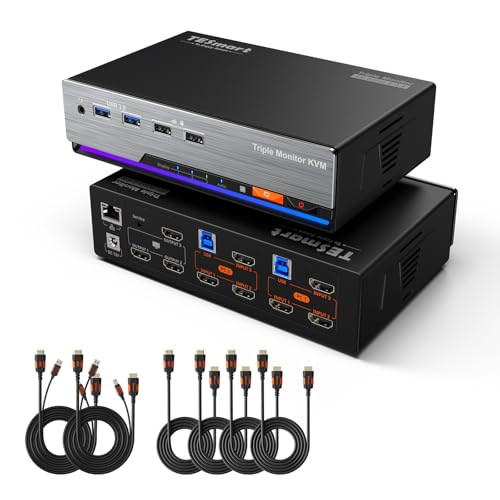
TESmart HDMI Switch — The Answer When Step 2 Produced a Big Number
Capacity and control depth for stacks that are still growing. Best for: collectors and media cupboards. Not suited for: any room whose step two ended at three.
Common Mistakes
The five errors this guide exists to prevent, collected in one place. Choosing by badge before fit, which inverts step seven and every step before it. Buying today’s exact input count, which converts step two’s one act of foresight into next year’s replacement purchase. Choosing controls from the brochure instead of the room’s geography, which hides remotes in cupboards and buttons behind televisions. Ignoring the sound layout until the soundbar argues, which a one-line sketch at step four prevents entirely. And strangling the chosen switch with the household’s oldest cables, which manufactures faults that every subsequent step gets blamed for. Each mistake is free to avoid at choosing time and mildly expensive afterwards — the entire economic argument for a guide like this one.
Pro Tips
From the installers’ side of the counter: label the inputs at installation, in the household’s words, on tape under the box — the ten minutes that pays out for years. Put the everyday source on the input every thumb learns first, and the never-sleeping device where the automation treats it as home. Keep one known-good spare cable in the drawer nearest the stack; it converts every future fault into a five-minute diagnosis. Photograph the finished wiring before the furniture goes back. And run the power-cycle test on a calm afternoon, so the system’s recovery behaviour is a fact you own rather than a surprise a storm delivers.
Worked Examples
The Family With Two Consoles and a Streaming Stick
Step one: many sources, one television — a switch. Step two: two consoles, a stick, a visiting laptop, and a next-generation console already being saved for — five inputs. Step three: the box hides behind the set and the users are four, of four ages — remote control with automation, override required. Step four: the soundbar lives on the television’s return port; the switch takes another input; one-remote tricks will be tested in week one. Step five: match the consoles’ and television’s shared edge, with headroom for the incoming generation. Step six: runs are short, sources are mainstream — either power style serves, with external power as cheap insurance. Step seven: the all-rounder or automation-first family. The purchase writes itself once the steps are answered, which is the point of having steps.
The Consultant With One Monitor and Three Machines
Step one: three machines, one excellent monitor — a switch. Step two: work laptop, personal desktop, console — three today, a test machine plausible — four inputs. Step three: the box sits beside the keyboard and the user is one expert — a top button, automation optional. Step four: computers renegotiate eagerly, so documentation and decisive behaviour matter; no soundbar in the chain. Step five: the monitor-and-computer combination sets a demanding edge — match it exactly. Step six: short runs, but fussy sources — external power earns its place. Step seven: the infrastructure family, and the desk gains a two-second changeover where a cable crawl used to live.
The Collector With a Shelf of Decades
Step one: many sources, one great screen — a switch, emphatically. Step two: the honest count is large and the trend is upward — capacity with genuine headroom, no apology. Step three: the stack lives in a cupboard — control planned accordingly, with a sensor path or an alternative route decided before ordering. Step four: older machines arrive through their own converters and behave idiosyncratically; a maker with patient, well-mannered handshakes is worth more here than anywhere. Step five: the modern machines set the edge; the classics will accept whatever the chain offers. Step six: external power, unconditionally. Step seven: the capacity family, a labelling session, and a shelf transformed from a pile into a system.
Going Deeper on the Two Steps Buyers Rush
The Count, Done Like an Auditor
Step two fails more purchases than any other, and it fails by optimism. Buyers count the sources on the shelf and forget the sources in the house: the console in the child’s room that migrates to the big screen for family games, the media player on the bedroom set that hosts the good film library, the work laptop that has started joining presentations, the camera or camcorder that appears twice a year and causes a full rewire both times. Audit the house, not the shelf. Then audit the calendar: which purchases are already being saved for, discussed or promised? Those devices are not speculation; they are scheduled arrivals, and the input count that excludes them is a count with an expiry date. The discipline costs nothing at choosing time — the difference between adjacent sizes in this category is modest — and it is the only step whose failure cannot be softened by settings, arrangement or good cables. Count like an auditor, add like a pessimist, and the box will still have a welcome ready when the next machine comes home.
The Handshakes, Done Like a Diplomat
Step four fails by abstraction: buyers nod at the initials and move on, then meet them personally in the first week. Make it concrete before you buy. List your chain’s diplomats: the display, each source, the soundbar if present. Ask which of them are known characters — the console that wakes screens, the streaming box that never sleeps, the computer that renegotiates its output whenever the chain changes. Your switch will spend its life mediating among exactly these personalities, so choose mediation qualities: a maker whose owner reports, across many combinations, use words like “invisible” and “forgot it was there”, rather than words like “eventually works”. Diplomacy cannot be read off a specification table, but it can be read off a track record, and in this category the track record is the specification that matters most after the count.
Reading a Product Listing Like an Engineer
Listings in this category are written to be skimmed, so read them against the grain, in the order of your steps. Find the input count in the specifications, not the banner, and note whether the count includes the port the photograph is hiding. Find the control methods and check for the sentence that matters — whether automatic switching can be overridden or disabled — because its absence is information. Find the power arrangement: included supply, optional supply, or bus power only, and match it against your step six. Find the format statements in the detailed specifications and set them beside your chain’s edge, ignoring any claim that cannot be tied to a specific combination your equipment uses. Find the maker’s own notes on CEC and on soundbar layouts; makers who write those notes are makers who have answered those support emails, which is its own kind of track record. Finally, read the owner reports with a reviewer’s discipline: weight the ones that describe a whole chain and a resolution, discount verdicts without stories, and look for your own scenario — your room, your kind of sources — among them. A listing that survives that reading has earned its place in your home; one that dissolves under it has saved you a return.
Two Rooms, Two Decision Trees
The Living Room Tree
Begin with the users. If more than one person operates the screen, automation with an override is your trunk; everything else is branches. If the television is wall-mounted, add the single-run consideration: the switch earns value beyond its inputs, and the spare port becomes precious because reopening the installation is a project. If a soundbar is present or planned, draw the return path before any model is shortlisted. If the household includes a known insomniac streaming device, decide now whether it will live as the automation’s home base or be managed by its own sleep settings — either works, but choosing in advance converts the category’s most common complaint into a non-event. The living room tree ends, for most households, at the all-rounder or automation-first family with one input spare and a labelling session scheduled.
The Desk Tree
Begin with the machines. If a computer is among the sources, documentation and decisive renegotiation outrank every living-room virtue, because computers are the chain’s most talkative negotiators. If the monitor is the desk’s crown — chosen, positioned, calibrated — the switch’s job is to protect that investment’s ports and to stay beneath notice, beside the keyboard, at fingertip distance. If play joins work on the same screen, count the console from the start rather than as an afterthought, and give it the input next to the machines so the evening changeover is one press from the day’s. The desk tree ends at the infrastructure family, externally powered, with the shortest cables the layout allows and the map taped beneath the box.
Choosing for a Household That Will Change
The final consideration in this guide is time. Households are not static: children grow into gamers, partners arrive with their own machines, work moves home, parents move in, rooms change purpose. A switch chosen only for today’s photograph of the stack will be re-chosen at every one of those events, while a switch chosen with the guide’s headroom habits — the spare input, the travelling control style, the format match with room in the direction of travel — absorbs them silently. You cannot predict the changes, and this guide does not ask you to. It asks you to buy the version of the product whose capacity points the same way your life does: outward. In a category this modest, that single orientation is the difference between a purchase and an investment, and it costs, at most, one size up.
The Ten-Minute Worksheet: This Guide on One Page
Everything above compresses into a worksheet you can complete on paper in ten minutes, and this guide recommends literally doing so, because written answers choose better than remembered ones. Line one: the direction sentence from step one, with its numbers filled in. Line two: the source list, every device in the house that wants the screen, counted and totalled. Line three: the named next device, and the new total. Line four: the box’s home and the humans’ location, and the control style those two facts dictate. Line five: the chain’s characters — the waker, the insomniac, the renegotiator — and what each implies. Line six: the sound sketch, one line long, soundbar placed. Line seven: the chain’s demanding edge, in plain words, and the headroom direction. Line eight: the power decision and its reason. Line nine: the family, chosen last, as it should be. A worksheet with those nine lines filled in is a purchase specification that no salesperson’s banner and no reviewer’s enthusiasm can improve on — it is your own room, described accurately, and in this category an accurate description is nine-tenths of the choosing.
What Good Choosing Feels Like From the Other Side
Readers who have followed a process like this one describe the purchase itself as almost anticlimactic, and that is the correct emotional signature. The box arrives, installs in under an hour by the setup guide’s ritual, calibrates within the week, and then — nothing. No drama to report, no review to write, no story for the group chat. The category’s satisfied majority is silent precisely because good choosing produces silence. If you want a preview of that silence, it sounds like this: a film starts when it should, a console appears when it wakes, a grandparent operates the system unaided, a new device moves into a waiting port, and a power cut rearranges nothing. Choose by the steps, and that quiet is the most likely review you will ever give your switch: none at all.
Choosing When Two Households Share One Screen
Shared houses, multigenerational homes and holiday properties add a wrinkle the earlier steps only touched: the stack serves two households’ worth of habits, and the choosing must be done for the least technical regular user, not the most. That principle reorders the steps in practice. Control jumps from third place to first: automation with an unmissable override, indicators that can be read aloud over a phone, inputs labelled with names rather than numbers. The count grows a second spare, because two households acquire devices on independent schedules and neither audits the other’s arrivals. The sound sketch gets drawn and taped inside a cupboard door, because the person who designed the layout will not always be the person standing in front of it. And the family choice tilts toward whichever design’s behaviour is most predictable on the worst day — a guest, a storm, a power cut — rather than the finest on the average one. Choose for the least technical user and the worst evening, and the system will serve every user on every evening, which is the whole ambition of a shared screen.
The Guide’s Last Word: Choose Once
Every section of this guide has quietly argued for the same outcome: a single, well-matched purchase that never needs revisiting. The category rewards that outcome generously, because its products are simple enough to be chosen correctly in one pass and durable enough to honour the choice for years. So take the ten minutes, fill in the nine lines, and choose once — with the count generous, the controls geographical, the handshakes interrogated, the formats matched to your real chain, the power decided by your distances, and the badge chosen last of all. Then install it like you mean it, and join the silent majority of this category’s owners: the ones with nothing to report, because nothing ever goes wrong.
Three Shortcuts That Are Safe, and Three That Are Not
Not every reader will work all seven steps, so this guide closes by licensing the shortcuts that preserve the outcome and naming the ones that destroy it. Safe shortcut one: if your stack is the statistical centre of the category — a few consoles and players, one television, a household of users — the all-rounder family at one size up is a defensible purchase with only steps one to three performed. Safe shortcut two: if a trusted household shaped exactly like yours owns a switch happily, copying their homework is rational; chains behave alike in alike homes. Safe shortcut three: if the choice is between two adjacent models in the right family, choose the one whose listing answers your questions more plainly, and stop optimising — the difference will not survive contact with your first film night. Unsafe shortcut one: choosing by the largest format banner, which buys an irrelevant ceiling and often a neglected everything-else. Unsafe shortcut two: choosing by the smallest price in the category, which purchases the unbranded floor and its manners. Unsafe shortcut three: skipping the direction question because the boxes look the same — the one shortcut that converts a careful process into a guaranteed return. Take the safe three freely. The unsafe three are how this category manufactures its unhappy owners, and now you know their names.
If You Are Choosing on Someone Else’s Behalf
Adult children choose switches for parents, partners for partners, the technical friend for everyone — and choosing for another household changes the ethics of the steps in one important way: your convenience in installing must never outrank their independence in using. Interview the household, briefly and kindly. Which device do they reach for daily? Which do they fear? What has defeated them before — a menu, a remote, a cable? Then weight the answers as if they were your own steps one to six, because for the system’s real user, they are. Choose automation that asks nothing, labels that use their words for their devices, and an input arrangement that puts their daily source where the system wakes up. Leave the map in large print. A switch chosen that way is not a gadget imposed on a less technical home; it is a small act of respect, engineered — and it will be operated, unaided, long after the choosing is forgotten.
Choose once, choose for the real users, and choose with the worksheet filled in — and the next time this category appears in your life, it will be as the person whose system simply works, explaining to a friend why theirs does not have to be a nightly negotiation either.
A Note on Choosing in the Shop Versus Choosing at Home
Where you choose changes what you notice. In a shop or on a listing page, the visible differences are size, count and claims — the things that photograph. At home, the differences that matter are behavioural: the pause that is always the same, the remote that can be found by touch, the automation that follows the household instead of interrupting it. Since you cannot audition behaviour in a shop, the steps in this guide are a proxy audition: each one forces the invisible qualities into the open before money moves. The count question exposes capacity. The geography question exposes control. The diplomats question exposes manners. The worksheet is, in effect, a way of living with the switch for ten minutes in imagination, accurately enough that the real first week holds no surprises. Buyers who skip the proxy audition are not choosing faster; they are merely postponing the choosing to the returns desk, where it is done with worse information and a film night already spoiled.
The Checklist to Carry Into the Actual Purchase
When the worksheet is done and the family is chosen, one final pass protects the purchase at the moment of ordering. Confirm the exact model variant: input counts in this category often differ between near-identically named versions, and the variant in the basket should be the variant on your worksheet. Confirm what is in the box — remote, power supply, any sensor extension your geography requires — so the installation is not paused by a missing accessory. Confirm the cables in the same order if yours are old, in the lengths your measured routes demand. Read the return terms once, not because you expect to use them but because a maker confident in its manners tends to write confident terms. And keep the worksheet with the receipt: if anything in the first week surprises you, that sheet is the fastest diagnostic document in the house, because it records what the system was designed to be.
When the Steps Disagree With Each Other
Occasionally the steps point in two directions at once: the count says capacity family, the room says compact; the budget says value, the chain’s edge says certainty. Resolve conflicts by the guide’s hierarchy. Direction outranks everything, because it cannot be compromised at all. Count outranks control, because a missing input is a hard failure while a suboptimal remote is a soft one. Handshake manners outrank format headroom, because you will negotiate handshakes nightly and use the headroom rarely. And present needs outrank speculative ones at every tie: buy for the household that exists, with headroom pointed at the future you can name, rather than for an imagined household with an imagined stack. Follow that hierarchy and even a conflicted worksheet resolves into a defensible purchase — one you can explain, line by line, which is the true test of having chosen rather than merely bought.
That is the whole method, and it fits on the worksheet you have already filled in: describe the room honestly, let the description choose, and spend the money once. The switch that results will not be the most impressive one on the shelf. It will be the one still quietly working, unremarked and unreplaced, when the shelf itself has been redecorated twice.
One Last Exercise: Describe Your Current System in One Sentence
Before you order, try the exercise that ends every good choosing process in this cluster: describe your current system — sources, screen, sound, users, frustrations — in a single sentence, out loud. If the sentence comes easily and ends with the switch’s specification, you have chosen. If it trails off at the sound layout, or hesitates at the count, or cannot name the next device, the worksheet has a line still blank, and ten more minutes with it will save a return. Choosing an HDMI switch was never a test of technical knowledge. It is a test of self-knowledge about a room you already know better than any reviewer — and this guide’s steps exist only to make that knowledge legible, one line at a time.
Fill the blank line, and the choosing is done — not approximately, but in the way this category rewards most: once, correctly, and for years.
The Worksheet, Completed Aloud: A Final Worked Example
To leave the method in its most usable form, here is one last household choosing in real time. The direction sentence: “Four sources, one television, every source welcome on the big screen” — a switch, settled in line one. The audit finds two consoles, a streaming stick and a player on the shelf, a laptop in the house that visits monthly, and a console generation already being saved for: six inputs would be luxury, five is the honest count with its spare. The room: box behind the set, four users on the sofa — remote control, automation welcome, override non-negotiable. The diplomats: the stick never sleeps, so it takes the home-base input; the older console wakes screens, so its waking setting will be tamed at installation. The sound sketch fits on one line, soundbar on the return port. The chain’s edge is set by the current consoles and the television together, with headroom toward the incoming generation. Power: external, because one run crosses the room. Family: the all-rounder, chosen last and almost incidentally, because by line nine the worksheet had already made the decision and the badge was merely where it landed. That is choosing as this guide teaches it — and the household’s review, a year later, was the category’s favourite kind: none.
Nine lines, ten minutes, one purchase that never needs revisiting. That is the entire offer of the choosing process — and for a category whose failures are almost all failures of fit rather than of product, it is an offer with an unusually reliable record of being kept.
Choosing Under Time Pressure: The Emergency Version
Sometimes the choosing happens in a doorway — a console arriving as a gift tonight, relatives landing tomorrow — with no evening for worksheets. The emergency protocol keeps the hierarchy and drops the paperwork. Say the direction sentence aloud; if it does not end in choosing, stop and buy the other device. Count the sources in the room plus the arriving one, and add one more in your head. Ask where the box will sleep and who will hold the remote; let the answer pick the control style on the spot. Take the externally powered model in the right family from an established maker, in the count you just computed, and take cables with it if the household’s are unknown. Install by the setup guide’s ritual, which was designed for exactly this haste, and do the worksheet’s finer work — the labels, the map, the personality-taming — within the week. Emergency choosing done this way is not a compromise of the method; it is the method, compressed to its load-bearing walls.
The emergency protocol and the full worksheet are the same animal at two speeds — and a household that knows both will never again stand in a shop doorway, or a listing page, genuinely unsure which little black box its evening requires.
Two speeds, one method, zero returns: that is the choosing craft in this category, and it is now yours at whichever pace your evening demands.
Two speeds, one method, zero returns — and, a year from now, one quiet system that nobody in the house can quite remember installing, which is the surest possible evidence that the choosing was done well.
Getting It Right the Second Time: Adjustments and Troubleshooting
Small calibrations, repeated on schedule
Most hdmi switch techniques drift gradually rather than failing suddenly, which means small scheduled checks beat occasional heroic fixes. Pick the two or three quick checks relevant to your setup — alignment, cleanliness, tightness, levels, or whatever your model’s manual names — and attach them to a rhythm you already keep, such as the start of the month or the end of a big job. In a busy shared workspace where several people use the same setup across the day, a two-minute check on schedule prevents the slow decline that owners often misread as the product wearing out, when it is really just an adjustment that was never made.
Document your working settings
The moment a hdmi switch job goes exactly right, write down the settings, materials and steps that produced it — on paper, in a note on your phone, anywhere you will actually find it again. Memory rewrites these details within weeks, and the next difficult job will have you guessing at a recipe you once knew. A personal settings log is the single highest-value habit in the whole Monitors category: it turns one success into a repeatable process and turns troubleshooting into comparison against a known-good baseline instead of guesswork.
Know when the problem is not technique
Some failures are the product telling you something: a part at the end of its life, a consumable past its best, or a task beyond the model’s design limits. If the same failure survives correct setup, fresh consumables and careful settings, stop refining your technique and inspect the hardware, or check whether the job needs a heavier-duty hdmi switch than the one you own. Recognising that boundary is a skill in itself. Persisting with technique fixes for a hardware problem is how an afternoon disappears, and how a basically sound product earns an unfair reputation.
Teach the second user
In a busy shared workspace where several people use the same setup across the day, you may not be the only person who operates the hdmi switch, and a technique that lives only in your head is a fragile one. Once your process is stable, walk the other user through it once, then let them run it while you watch for the step where your instructions were ambiguous. Their mistakes are diagnostic gold: they show exactly which step depends on tacit knowledge you have not written down. Fix the written version, not just the user, and the whole household’s results become as consistent as your own.
Diagnose before you adjust
When a hdmi switch task goes wrong, the temptation is to change three things at once and hope. Resist it. Work through the likely causes in order of probability — setup, materials or media, settings, then the hardware itself — and change one variable at a time, noting what each change does. In a busy shared workspace where several people use the same setup across the day, most failures trace back to the first two categories, which are free to fix. This ordered approach feels slower for ten minutes and saves hours across the life of the product, because you build a personal map of cause and effect instead of a pile of superstitions.
The recovery sequence for a job gone wrong
Mid-task failures with a hdmi switch follow a pattern worth memorising: stop safely, preserve whatever state you can, identify the earliest point where things diverged, and restart from the step before that point rather than from the beginning. Rushing a restart from zero wastes materials and often repeats the same error at the same step. If the failure damaged a consumable or a wear part, replace it before retrying; a compromised part makes the next attempt fail in a new, confusing way that sends your troubleshooting in the wrong direction entirely.
Keep the notes with the product’s paperwork; they become the baseline every later adjustment is judged against.
Write the conclusion of that check down before you order, so the decision survives contact with a tempting listing.
That single habit separates owners who stay pleased with their choice from owners who quietly start shopping again within a season.
Treat it as part of the purchase itself, not as homework to do after the box arrives.
None of this requires expertise — only the willingness to check your own routine before trusting a generic recommendation.
Five honest minutes at this stage is worth more than five hours of comparison browsing.
If a candidate fails this check, strike it from the list without regret and let the remaining options compete on merit.
Frequently Asked Questions
What is the most important factor when choosing an HDMI switch?
Fit, in a specific order. Direction first — many sources into one display — because the wrong-direction device cannot be rescued by any other virtue. Input count second, because it is the one choice that cannot be revised without replacing the box. Control style third, because it decides whether the system fits the room’s geography or fights it nightly. Everything else — handshake manners, format match, power, brand family — refines a choice those three have already made correctly.
How do I know if a switch supports my console properly?
Compare the switch’s stated format support, in its specification details, against the most demanding combination your console and display actually use together — and remember the chain includes your cables, which must carry the same formats over your distances. Consoles are cooperative citizens in this category; the failures buyers meet are ceiling failures, where a switch or a cable sits below the combination being asked of it. Match all three links to the same edge and the console will never know the switch is there.
Should I choose an automatic or a manual switch?
Choose by who operates the system and from where. Shared living-room screens reward automation: the display follows whoever powered a device on, and nobody learns the input menu — provided the design includes a manual override for the device that never sleeps. Single-user desks reward the manual button: faster than any automation, impossible to lose, operated by touch. Many households land happiest in the middle, with an automatic design whose override they use on the exceptional evenings.
Does brand matter for something this simple?
Yes, but for behavioural reasons rather than prestige. The product of a switch is its manners — clean renegotiations, cooperative copy-protection handshakes, predictable recovery — and manners are a track record before they are a feature list. Established accessories brands have records you can inspect in years of owner reports; the unbranded floor of the category has only promises. In a category where the price spread is modest, buying the record instead of the promise is the closest thing to a free upgrade the process offers.
Can I choose a switch now that will suit my next TV?
Mostly, yes, if you choose with the headroom this guide prescribes: an input spare beyond your named next source, format support matched to your chain’s edge with room in the direction your equipment is travelling, and a control style that works in more than one room. Switches are among the longest-lived citizens of the stack — no batteries, no software, no accounts — and a well-chosen one routinely serves two displays in sequence. Buy for the stack you can describe, present and near-future, and the next television will inherit a junction that already works.
What should I check in the first week after choosing?
Run the calibration week deliberately. Confirm each source renegotiated to the formats and audio behaviour you expect. Learn which device never sleeps and arrange it where the automation treats it as home. Test the household’s favourite one-remote tricks and adjust settings while the purchase is fresh. Power the whole stack down and back up once. By the end of that week a well-chosen switch has become furniture — and if it has not, the problem is almost certainly arrangement, settings or a cable, each fixable in an hour.