Disclosure: As an Amazon Associate, ilcastellomenu.com earns from qualifying purchases. Links on this page are affiliate links; they cost you nothing extra. Prices and availability change often, so check the current Amazon listing before you buy.
Key Takeaways
A thermal pad buying guide has one job: to stop you buying the wrong sheet confidently. The essentials fit on an index card. A thermal pad fills the gap between a hot component and its heatsink; its thickness must match the gap the hardware was designed around; too thick is as harmful as too thin; pads are consumables that dry out over years; and the reputable ranges differ mainly in thickness coverage, softness and handling, not in magic. Everything else in this guide is the working-out behind those five sentences, plus the picks that cover real jobs.
If you read nothing else, read this: measure the original pads before you order anything, or find your exact hardware model’s documented layout, and never transfer measurements from a similar-looking model. More repads fail at the shopping stage than at the screwdriver stage, because a wrong thickness bought in good faith cannot be fitted into correctness. With the right thicknesses in hand, the category becomes friendly: several good ranges, honest tiers, and a job well within a careful beginner’s reach.
- Decide by thickness first: the range that stocks every thickness your job needs beats a nominally better range that stocks most of them.
- Match softness to the surface: firm pads for flat, precise gaps; soft pads for uneven fields and backplates; stackable pads for in-between heights.
- Budget in tiers, not bargains: premium for flagship card memory, mid for general service, entry for practice and low-heat jobs.
- Plan the whole service: fresh paste for the core, pads for memory and regulators, cleaning supplies, and unhurried time.
In this guide
What a Thermal Pad Does and the Main Types
A thermal pad is a soft sheet of silicone-based material carrying conductive filler, made to be compressed between a component and a heatsink so heat crosses a gap that air would otherwise insulate. You will find pads on graphics card memory and voltage regulators, under laptop heat plates, inside consoles, and on drives, routers and hobby boards. Wherever two surfaces must exchange heat but cannot be machined to meet perfectly, a pad is the peacemaker. The types below are distinguished by the properties you actually shop for: firmness, format and intended duty.
Firm, Precision Pads
Firm pads hold an exact thickness under clamping, cut cleanly and survive test fitting, which makes them the natural choice for the main memory field of a graphics card, where the gap is designed, documented and consistent. Their demand is accuracy: they will not squash down to forgive an over-thick purchase, so they belong in jobs where the original thickness is measured or documented with confidence. Most premium ranges are firm pads, and their consistency from sheet to sheet is what the premium buys.
Soft, Conforming Pads
Soft pads trade precision for forgiveness. They settle over components of slightly uneven height, fill backplate duties where the plate must contact many points at once, and rescue jobs where the cold plate is not perfectly flat. The costs are handling and discipline: soft material stretches when pulled and tears when rushed, so it rewards tweezers, generous cutting and a lower-into-place technique. For uneven fields there is no substitute, and experienced builders keep a soft range in the drawer alongside their firm default.
Stackable Pads
Stackable pads exist for the long tail of hardware whose gap matches no single sheet. A soft base pad is layered until the built height equals the gap, the layers acting as one working pad. It is the pragmatic answer for odd revisions, older cards and mixed shopping lists, and a sensible spare even when your current job has exact sheets available. The discipline is cleanliness and patience: each layer must be clean, aligned and fully seated before the next is added.
Pre-Cut and Specialist Pieces
Alongside sheets sit pre-cut sets for specific popular hardware and small pads sold for drives, chipsets and single-board computers. Pre-cuts trade money for certainty about shape, though never about thickness, which you must still verify against your revision. Small-format pads for storage and networking duties are the low-stakes end of the category and a good place to learn the craft. The neighbouring storage world, including our NVMe SSD heatsink review, uses these small pads constantly.
Thermal Pad Buying Guide: Top Picks at a Glance
Five ranges cover the realistic shopping list. Tiers are stated in words, because listings change; fit and purpose are the durable facts. The hands-on assessments behind this table are in our thermal pad reviews.
| Pick | Badge | Best job | Tier |
|---|---|---|---|
| Thermalright Odyssey | Best Overall | Full graphics card repads, wide thickness coverage | Premium |
| Gelid Solutions GP-Extreme | Best for Uneven Surfaces | Backplates and varied component heights | Mid to premium |
| Arctic TP-3 | Best for Odd Thicknesses | Stacking to in-between heights | Accessible |
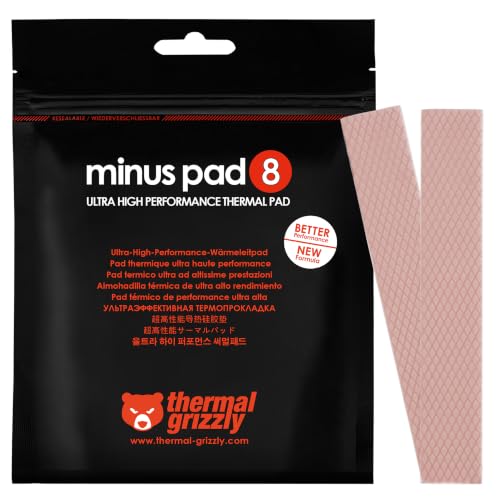
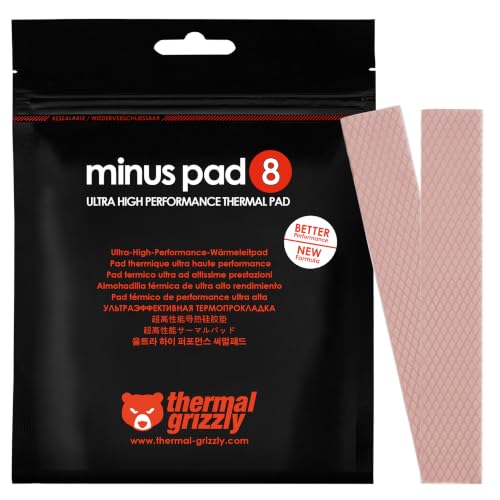
| Thermal Grizzly Minus Pad 8 | Best Enthusiast Standard | Consistent premium sheets for regular builders | Premium |
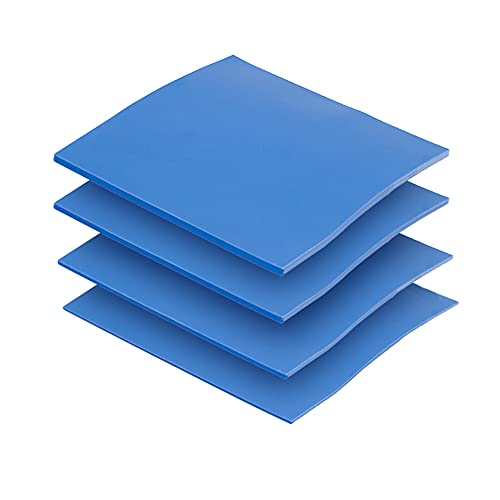
| OwlTree | Best for Practice and Spares | Learning, small electronics, workbench stock | Entry |
How Thick Does Your Thermal Pad Need to Be?
This is the question the whole purchase turns on, and it has exactly one correct method: the thickness of the pad you remove, measured before disposal, or the documented figure for your exact hardware model and revision. Gaps are designed, not improvised. A thicker pad does not cool better; it props the heatsink away from every other surface it must touch, most critically the processor core on a graphics card, and it can flex the board under screw pressure. A thinner pad does not clamp harder; it simply fails to touch, leaving the component insulated by the air gap you paid to eliminate.
Measure each zone separately, because one card routinely uses two or three thicknesses, and photograph the layout as you strip it. If an original pad has compressed or crumbled, measure an intact section and cross-check against a documented teardown of the same model. When sources disagree, trust the maker’s service documentation over forum memory, and trust your own careful measurement over both. This single discipline is worth more than every other choice in this thermal pad buying guide combined, and the choosing framework is expanded in how to choose a thermal pad.
How Much Does Softness Matter?
Softness decides how a pad behaves on imperfect real-world surfaces. Component heights vary by small amounts across a memory field; cold plates are flat within tolerances, not absolutes; backplates are often pressed or cast rather than machined. A soft pad absorbs those variations and maintains contact everywhere at once, which is why soft ranges dominate backplate and laptop work. A firm pad holds a precise, repeatable thickness on a well-made card and is easier to handle while doing it. Neither property is a virtue in isolation: the question is always what your specific surfaces need, and mixed jobs legitimately use both, firm on the memory field and soft under the backplate.
What Should You Make of Conductivity Figures?
Every packet prints a conductivity figure, and this guide’s advice is to treat the printed numbers as rough orientation only. Makers measure under different pressures, thicknesses and methods, so the figures are not comparable across brands in the way a shopper naturally assumes. Within one maker’s range, a higher figure usually does indicate the better material; across brands, contact quality, correct thickness and material consistency predict your temperatures far better than the number on the packet. Buy the range with the right thicknesses, the handling you can manage and a track record of ageing well, and let the headline figures go. Chasing the largest printed number is the most reliable way to overspend and under-fit at the same time.
How Much Material Do You Need?
More than the card’s footprint, always. You will cut pieces for memory, regulators and possibly the backplate; you will miscut at least once while learning; and a spare sheet of the memory thickness turns a ruined piece from a re-order into a shrug. Sheets are sold in sizes from small squares for drives and boards to generous sheets for full cards, and the economical pattern is one main sheet per thickness your job uses, plus the spare. Keep the offcuts afterwards, sealed and labelled by thickness: the next job, or the next service of the same card years later, starts ahead because of them. Underbuying is the false economy of this category, because a job stalled mid-teardown with the card in pieces is worth far less than a leftover offcut.
How to Prioritise by Use Case
The Ageing Gaming Card
Prioritise range completeness and longevity. Your card will likely need two or three thicknesses, its memory field deserves a premium firm sheet, its backplate may deserve a soft one, and the job is worth doing once with materials that will age slowly. Add fresh paste for the core and cleaning supplies to the same order. If the card is still under a warranty you value, check the maker’s terms before the order, not after the teardown.
The Laptop or Console Refresh
Prioritise softness and thin, exact sizes. Clearances are tight, plates are shared, and an over-thick pad announces itself immediately in screws that will not seat. Established ranges matter here because these machines are opened rarely; fit materials whose ageing you trust. Work slowly, photograph every stage, and keep every screw mapped, because compact machines punish improvisation more than desktops do.
The Small-Form-Factor Build
Prioritise conformity and completeness in a confined space. SFF machines run warm by design, their boards are rarely perfectly flat, and a working backplate is a real heatsink rather than a decoration. Soft pads earn their place, and a stackable spare covers the odd gap that compact layouts specialise in. Pair the work with the storage cooling in our guide to choosing an NVMe SSD heatsink.
Drives, Routers and Hobby Boards
Prioritise value and availability. Heat is modest, gaps are small, and entry or mid-tier sheets are entirely sufficient. This is also the learning tier: the builder who has fitted pads on a router and an enclosure arrives at their first graphics card with hands that already know the material. Stock the drawer here and the expensive jobs get cheaper everywhere else.
The Picks in Detail
Thermalright Odyssey — Best Overall
The Odyssey range is the default because it is complete: a wide thickness span in fine steps, sheets sized for real cards, and a firm material that beginners can handle and veterans can trust. Best for: full graphics card repads and any job where one brand should cover every zone. Not suited for: maximum conformity on a very uneven backplate, where a soft specialist sheet is the better tool. Tier: premium, and justified by consistency.
Gelid Solutions GP-Extreme — Best for Uneven Surfaces
The soft option, and the right answer wherever surfaces refuse to be flat: backplates, varied component fields, compact builds. Handle it gently, cut generously, place with tweezers. Best for: conformity problems. Not suited for: rushed first attempts without practice. Tier: mid to premium.
Arctic TP-3 — Best for Odd Thicknesses
The stackable problem-solver for the gap no single sheet matches, and the most useful spare sheet in the category. Best for: in-between heights and mixed lists. Not suited for: purists with a mainstream card whose exact sheets exist. Tier: accessible.
Thermal Grizzly Minus Pad 8 — Best Enthusiast Standard
A premium peer of the Odyssey from a maker whose reputation is thermal materials alone: firm, clean-cutting and consistent. Best for: regular builders standardising their bench. Not suited for: strict budgets on low-value hardware. Tier: premium.
OwlTree — Best for Practice and Spares
Generous entry-tier sheets for learning the craft and servicing small electronics, with the honesty that flagship memory fields deserve better. Best for: practice, spares, routers and boards. Not suited for: the main field of a high-end card. Tier: entry.
First Setup and Care Essentials
First setup is a workbench discipline: machine fully powered off and unplugged, basic static care observed, originals measured and photographed before disposal, surfaces cleaned to bare and dry, films left on pads until placement, and pieces lowered into place with tweezers rather than slid or stretched. Tighten cooler screws gradually and evenly, in a cross pattern, so pressure spreads as the designer intended. Then test under a familiar load and record temperatures as your baseline. Care afterwards is storage and observation: spare sheets sealed, flat, cool and labelled; the card kept dust-free; and a slow temperature climb over years read correctly as the consumable ageing, not as a new mystery. The full walkthrough is how to install a thermal pad.
Mistakes to Avoid
The catalogue of repad failures is short and repetitive. Guessing thickness, or borrowing it from a similar model. Fitting a thicker pad in the belief that more material cools better. Reusing compressed pads because they look fine. Stretching soft pads into place and silently thinning them. Leaving protective film on a fitted pad, which happens more often than anyone admits. Opening a card under warranty without checking the maker’s terms. And blaming pads for problems that are actually dust, dead fans or a sealed case. Every one of these is avoided by the same habits: measure, document, work clean, and check the cautions in thermal pad pros and cons before you begin.
Final Verdict
Buy the range that stocks your exact thicknesses, in the softness your surfaces need, at the tier your hardware’s value justifies, with a spare sheet for the zone that matters most. That sentence is the whole of this thermal pad buying guide, and the pages above are its evidence. Do that, and the fitting itself becomes the calm, satisfying job it should be. For the rest of the build, the best NVMe SSDs for gaming and the best internal SSDs for PS5 cover storage, and the seasonal offers are worth a look before any big upgrade.
Understanding Sheet Sizes, Formats and What Is Actually in the Packet
Packets in this category vary more than their photographs suggest. Sheets range from small squares intended for a drive or a chipset to generous rectangles that cover a flagship card with offcuts to spare, and some ranges sell the same material in several sizes at once, which matters because the economical purchase is the smallest sheet that covers your zones with cutting room, not the largest sheet on the page. Check the stated dimensions against your zone list before ordering, and remember that a card’s pads are many small pieces: what you need is total area plus waste, in the right thicknesses, not a single dramatic rectangle.
Also read what the packet does not say. A listing that states thicknesses plainly, names the material family and shows the sheet on a backing with protective films is telling you its maker expects scrutiny. A listing built entirely on dramatic figures and adjectives is telling you the opposite. Neither guarantees the contents, but in a category where the product is a dimension wrapped in a material, the maker’s attitude to dimensions is the most honest marketing there is.
Buying for a Specific Card: A Worked Method
Suppose the patient is a mid-range gaming card, a few years old, out of warranty, memory running hot. The method runs like this. First, research: find a documented teardown of the exact model and note every pad location it shows. Second, verify at the bench: open the card, photograph the layout, measure each original as it lifts, and reconcile the two records, trusting your own measurements where they disagree with the document and your model matches it exactly. Third, write the list: zones, thicknesses, softness per zone, areas. Fourth, shop the list against the ranges: a premium firm range for the memory field, a soft sheet if the backplate works for its living, a stackable spare if any zone’s figure looks unusual. Fifth, add the service consumables, paste, alcohol, wipes, and the spare sheet of memory thickness. That order of operations, research, verify, list, shop, is the whole method, and reversing it is how wrong boxes arrive.
Notice what the method never does: it never asks which pad is best. It asks what the card needs, in what sizes, with what handling properties, and then finds the ranges that answer. Buyers who start from rankings end up negotiating between their card and a stranger’s verdict; buyers who start from the card end up with a list that several good ranges can fill, which is a far stronger negotiating position with reality.
When to Buy Pre-Cut, When to Buy Sheet, When to Buy Both
Pre-cut sets earn their place when your exact model is popular, its layout is stable across revisions, and your time is worth more than your money. Sheet earns its place everywhere else, and in every workshop that services more than one device. The combination purchase is underrated: a pre-cut set for the card on the bench, plus a sheet of the memory thickness as the workshop’s insurance, covers both the job and the job’s surprises. What never earns its place is the pre-cut set bought on a model’s name alone, without checking that its contents match your revision’s thicknesses, because a beautifully cut pad of the wrong thickness is still the wrong thickness.
The Quality Signals Worth Paying For
Consistency is the first signal: sheet after sheet measuring true, batch after batch behaving alike. It is invisible in a single purchase and decisive across a hardware-keeping life, and it is the main thing the premium tier actually sells. Clean manufacture is the second: even surfaces, no embedded debris, films that protect rather than adhere permanently, edges that cut without crumbling. The third is range support: a maker who stocks the unglamorous thicknesses alongside the popular ones is a maker who understands the category’s actual work. The fourth is a track record long enough to include ageing, because a pad is a promise about years, and only years can grade it.
The signals not worth paying for are equally listable. Headline figures measured under unstated conditions. Packaging that promises transformation rather than restoration. Thickness tolerances left vague in a product whose entire function is a thickness. And novelty formulations with no service history, bought for the main field of a card you cannot afford to experiment on. Experiment on the router; the flagship gets the known quantity.
Stocking a Workbench: The Drawer That Saves Jobs
Serious keepers of hardware eventually stop buying per job and start stocking a drawer: a firm premium sheet in the common card thicknesses, a soft sheet for backplates and surprises, a stackable sheet for the gaps nobody stocks, an entry sheet for practice and small electronics, all sealed, flat and labelled. The drawer changes the economics of every future fault. A hot drive, a loud console, a friend’s ageing card stop being shopping expeditions and become afternoon jobs, and the measuring discipline this guide insists on becomes easier, because the temptation to make do with the wrong thickness, the mother of all repad failures, disappears when the right one is already in the house.
Label the drawer like you mean it: thickness and softness on every sheet and every worthwhile offcut, because an unlabelled pad is a measurement waiting to be fudged. The drawer is also where this buying guide’s philosophy becomes physical. You are not collecting brands; you are stocking dimensions and properties, the way a carpenter stocks timber sizes rather than loyalties.
Seasonal and Second-Hand Buying Notes
Pads are not a seasonal product, but the hardware they service is bought seasonally and second-hand all year, and both facts shape sensible buying. A card bought used deserves its pads in the same order as its first cleaning supplies, because its thermal history is the one thing the seller cannot show you. A card bought new deserves no pads at all until evidence or expiry of coverage says otherwise. And a machine being prepared for a long, hot summer of heavy use deserves its service in spring, when the work is unhurried, rather than in the first heatwave, when every other owner has had the same idea and the exact thickness you need is the one out of stock.
How Designers Choose Pads, and Why You Should Copy Them
It is instructive to know how the pads in your card got there. A designer with a landscape of components at varying heights specifies a gap-filler per zone: thickness from the mechanical stack-up, softness from the height variation the line must tolerate, material from the temperature the zone will live at. Nothing in that process consults a ranking of brands, and nothing chases the largest conductivity figure in the catalogue, because the design either meets its thermal budget with a known, consistent material or it does not ship. The home buyer who copies that process, stack-up first, variation second, material third, brand last, is not being precious; they are using the method the hardware itself was built by, and it is no accident that this guide is organised in the designer’s order.
The designer’s other habit worth copying is margin. Production pads are specified with tolerance in mind, because lines vary and field service exists. Your equivalent of margin is the spare sheet, the stackable option for the zone whose figure you trust least, and the decision to measure twice at the bench rather than once at the desk. Margin is what separates a plan from a hope, and in a category where the whole job can stall on one missing thickness, margin is the cheapest line in the budget.
Counterfeit, Confusion and the Too-Good Listing
A mature category attracts murky listings: sheets of unstated composition wearing famous adjectives, dimensions that wander between the headline and the packet, figures copied from other products entirely. The buyer’s defences are boring and effective. Buy established ranges from sellers who state contents plainly. Measure what arrives, before the teardown, while returning it is still an option; a sheet that does not measure at its stated thickness has failed its only examination and should not be promoted to a graphics card. And treat any listing whose promises outrun physics as entertainment. The genuine ranges in this guide have survived by being measurable; hold everything you buy to the same standard and the murky end of the market loses its power over your hardware.
Buying Once for a Machine You Will Keep
There is a version of this purchase made by people who keep hardware for a decade, and it looks different from the one-job basket. It buys the drawer described earlier in this guide, sizes it generously, and treats the first job as the drawer’s founding rather than its purpose. It prefers the ranges with the longest ageing record even where a newer sheet matches them fresh, because the decade keeper is buying the second and third services as surely as the first. And it writes everything down, because a ten-year machine will outlive the buyer’s memory of any single afternoon. If that is your relationship with your hardware, buy for the keeper’s horizon; the premium tiers were designed by and for people like you.
The Guide in One Shopping Trip
Compress this buying guide into a single trip and it runs as follows. Arrive with a list written from measurements, not from memory: zones, thicknesses, softnesses, areas. Leave with a reputable range covering every line of that list, a spare of the critical thickness, paste and cleaning supplies, and receipts you file with the list itself. Decline, politely and completely, the larger figure, the thicker sheet, the bargain with vague dimensions and the extra product the listing insists your card needs. Get home, measure what arrived, and only then schedule the teardown. A buying guide can be judged by whether its trip is boring, and this one aspires to boredom, because in thermal materials boring is what correct feels like from the outside.
The years will grade the trip. If the card settles to its designed temperatures and stays there, if the drawer yields its labelled spares without archaeology, if the next service begins from a record instead of a research project, then the buying was done well, and it was done well at the desk, before a single screw turned. That is the quiet thesis of every page above: in this category, purchasing is not the prelude to the work. Purchasing, done by measurement, is most of the work.
Delivery, Storage and the Shelf Life of an Unopened Sheet
A buying guide should follow the product home. Sheets travel best flat, and a packet that arrives bent, creased or crushed has been insulted in exactly the dimension you are paying for; inspect on arrival, measure while returns are still simple, and store the survivors flat, sealed, away from radiators, sunny shelves and the top of warm equipment. Unopened, a quality sheet keeps its properties for a long shelf life, because the ageing that matters is driven by heat cycles in service, not by quiet months in a cool drawer. Opened material ages faster and collects the room, so reseal offcuts promptly, ideally with their thickness written on the packet in your own hand, because the factory print has a way of being on the piece you cut off.
Gifts, Builds for Others and the Ethics of the Spare Sheet
Pads appear in other people’s builds more often than the category admits: the parent refreshing a child’s first gaming PC, the friend whose loud laptop ruins their calls, the small seller refurbishing cards for resale. Each context sharpens a buying virtue. For family hardware, buy the established range and leave the record, because you are appointing yourself that machine’s future technician. For refurbished resale, buy honestly and disclose the service, because a repadded card sold as untouched is a small fraud that the temperatures will eventually expose. For the friend, buy the spare sheet without being asked, because the difference between a finished favour and an open card on their kitchen table is usually one torn piece of soft pad.
The Accessories Shelf, Priced in Attention
Around the pads themselves gathers a small economy of accessories, and a buying guide should sort it by attention rather than by novelty. The caliper earns its place permanently, because measuring is the job. Quality tweezers earn theirs, because placement is the other job. A cutting mat, a sharp blade, lint-free wipes and proper cleaning alcohol are consumables of the craft and should be stocked like it. Beyond that shelf, returns diminish quickly: elaborate kits bundle the useful with the theatrical, and the buyer who owns the short list above owns everything a repad has ever actually required. Spend the remainder of the budget where this guide has insisted throughout, on the spare sheet and the unhurried afternoon.
There is one more purchase that belongs on the accessories shelf, though no shop sells it: a notebook, physical or digital, dedicated to the machines you maintain. Every buying decision in this guide becomes easier the second time because of it, and by the third service it has paid for the caliper, the tweezers and several spare sheets in avoided archaeology. Buy the notebook first, in a sense, because the guide you are reading is, at bottom, an argument that in thermal materials the scarcest commodity is not conductivity. It is information about your own hardware, recorded while it was knowable.
The Buying Guide Applied: Three Baskets
Abstract advice hardens into usefulness when it is spent, so here are three baskets this guide would sign. For the ageing flagship card, kept for years: a premium firm range covering every documented thickness, a soft sheet for the backplate, a spare of the memory thickness, paste, cleaning supplies, and a caliper if the drawer lacks one; nothing in that basket is decorative and nothing essential is missing. For the mid-range card and the family laptop in one order: a mid or premium range sized to both lists, the stackable spare for whichever machine’s figures are less certain, shared consumables; the basket teaches the household’s whole fleet in one delivery. For the beginner stocking a drawer: an entry sheet for practice, one firm and one soft sheet in the common sizes their hardware actually uses, the stackable insurance, and the notebook; that basket buys capability rather than a single job, and it is the one this guide would hand to its own younger self.
Set the three baskets side by side and the guide’s philosophy is visible in them: every one is written from a list of needs, every one contains a spare and the means of measurement, none contains a product chosen for its packet’s adjectives, and the tiers rise and fall with the hardware’s value rather than with the buyer’s enthusiasm. That consistency, across budgets and machines, is the test of a buying method. Methods that change with mood are not methods, and prices that change with listings are not standards; dimensions, surfaces and records are the stable currency here, and the baskets above are simply that currency, spent three ways.
What to Do When the Exact Sheet Is Out of Stock
Stock-outs happen, usually to the exact thickness of the exact range on the exact week of a heatwave, and the guide’s counsel is patience with one sanctioned detour. The detour is the equivalent range: the other premium firm maker, the other soft specialist, chosen by the same list, because the list outranks the label. The counsel is never substitution of dimension: a neighbouring thickness bought because the right one is missing converts a delay into a defect, and a card reassembled wrongly to beat a delivery date will be reopened on a worse one. Wait for the dimension, or switch the maker; those are the whole of the lawful moves, and a buyer who makes only lawful moves in this category will be repaid in cards that close once and stay closed.
The Purchase as a Promise to the Hardware
It may seem grand to call a sheet purchase a promise, but consider what the order actually commits. It commits the hardware to another term of years at its designed temperatures, the owner to an afternoon of careful work, and the future to a service that will begin from records rather than from archaeology. Bought by measurement, the humble packet keeps all three commitments almost by itself. Bought by adjective, it breaks them in the order they were made. This buying guide has no further advice to give beyond the discipline it has repeated in every section, because the discipline is the advice: let the card write the list, let the ranges compete to fill it, and let nothing, not a figure, not a saving, not a season, edit the list on the card’s behalf.
Two closing cautions belong to every basket this guide approves. The first is to distrust urgency, including the manufactured kind: pads do not sell out forever, cards do not need opening tonight, and a purchase made to beat a countdown is a purchase made without the list. The second is to distrust completeness claims, your own included: re-read the zone list against the card one final time before paying, because the zone forgotten at the desk is discovered at the bench, under the worst possible lighting, with the cooler already off. A buying guide can ask for many virtues, but those two, patience and a second reading, repay their keep on every single order.
File the order confirmation with the list it filled. Months or years later, when the drawer is opened and a sheet’s identity is in question, that small filing habit answers in seconds what memory would debate for an evening. Buying well, in this category, includes buying the paperwork.
Consider, as the guide’s last worked example, the buyer with no current job at all: a machine running well, a drawer empty, a suspicion that someday a card in the house will run hot. This guide’s advice to that buyer is unfashionably calm. Buy nothing yet except the means of knowing: keep temperature baselines on the machines you own, note their ages and coverage dates, and let the evidence ripen. When it does, the list will write itself in an afternoon, and every section above will be waiting, unchanged, because dimensions do not go out of fashion. The best buyers in this category are not the fastest or the best funded. They are the ones whose purchases arrive exactly when the hardware asks for them, in exactly the sizes the hardware specified.
That is the standard this guide sets, and it is achievable by anyone willing to measure. The packets will keep changing their adjectives. The gaps will keep their dimensions. Buy for the gaps.
And if the list, the basket and the drawer all sound like a great deal of ceremony for a soft sheet, remember what the ceremony is protecting: a plate engineered to sit at exact distances from the most expensive silicon in the machine, asked to cool a landscape of parts through the one material that can take up their differences. Ceremony is proportionate when the stakes are machined to tolerances. Buy accordingly.
The gaps, after all, are patient. They will wait for the right sheet, at the right thickness, bought for the right reasons, and they will reward it without negotiation. Few purchases in a computer’s life offer terms that fair.
Buy for the gaps, keep the record, and the material will do the rest, quietly and for years.
The Last Check Before Buying a Thermal Pad: Space, Connections and Edge Cases
Buy for the setup you have today plus one realistic upgrade, not for a complete rebuild you may never do, and the shortlist usually becomes much clearer. Measure the place where a thermal pad will actually live, including the clearance you need to reach cables, doors, trays, vents or controls without moving everything else first. If you work in more than one place, decide whether this thermal pad stays fixed in one spot or travels, and judge its size, weight and setup time accordingly. Keep the packaging and any small adapters, feet, brackets or fasteners together until the thermal pad has survived a full week of ordinary use in its final position.
As a concrete listing check, take the Thermalright Odyssey Thermal Pad and the Gelid Solutions GP-Extreme Thermal Pad named earlier in this article and confirm, line by line, that each variant offered matches the size, connection and contents described for it here. Look closely at seams, edges, hinges, threads or contact points when the thermal pad arrives, because build quality is easiest to judge before everyday wear hides the evidence. Decide in advance what good enough looks like for your use, so a minor cosmetic flaw does not distract you from performance that genuinely meets the brief. Keep the area underneath and behind the thermal pad reachable for cleaning, since the spots you cannot reach become the spots where dust and lost small parts collect. If a listing leaves a basic question unanswered, treat that silence as a cost, since you will pay for the uncertainty later in time, returns or improvised accessories.
When a specification is stated in unfamiliar terms, translate it into your own routine: how long, how often, how far, how loud in practice, before letting it sway you. Picture the busiest version of your week and ask whether this thermal pad still fits when other people, other tasks and other equipment compete for the same space. Consider who else will use, move or clean around this thermal pad, because a choice that only works for one careful owner often frustrates everyone else in the household or team. A calm final test is to walk away mid-task, come back later, and see whether the setup still makes sense at a glance without reconstructing what you were doing.
Write down the oldest and the newest device you expect this thermal pad to work alongside, because compatibility problems usually appear at the edges of a setup rather than in the middle of it. Think about the next purchase this one commits you to, whether that is matching accessories, consumables, a bigger surface or a different connection, and count that commitment honestly. Use the models named in this guide as reference points for checking a listing page carefully, confirming the exact variant, the included parts and the stated compatibility before you commit. Ask whether the benefit you want survives your least favourite conditions, such as low light, a crowded desk, a warm room or a rushed start to the day. When something behaves oddly, return to the basics first: power, connection, position, cleanliness and the last setting you changed, in that order, before assuming a fault.
Look for the failure you would notice first if you chose badly: a port you cannot reach, a part that will not fit, a control you cannot see, or a routine that becomes slower instead of easier. If two options look identical on paper, choose the one whose controls, layout or handling you understood fastest, since clarity in daily use beats a longer feature list you never touch. Recheck the return window and the condition requirements before you discard any packaging, especially for a thermal pad whose fit only becomes clear after several real sessions.
Check the connection points you rely on every day, and note which ones are already occupied, shared or awkward to reach once furniture is back in place. For a buying decision, turn the shortlist into a short written brief: the job, the space, the connections and the one result that would make you recommend this thermal pad to a friend.
Frequently Asked Questions
How do I know which thickness to buy?
From the original pads, measured as you remove them, zone by zone, or from documented information for your exact hardware model and revision. There is no universal thickness and no safe borrowing from similar models, because designers choose gaps per product. If the originals are damaged, measure an intact section and cross-check two trustworthy sources before ordering. This measurement step is the single highest-value action in the entire purchase, worth more than any brand decision that follows it.
Is a higher conductivity rating always better?
No. Conductivity figures are measured under conditions that differ between makers, so the printed numbers are not a reliable cross-brand ranking, and they say nothing about whether the pad will fit your gap or keep its properties over years of heat. Correct thickness, full contact and a consistent, reputable material predict real temperatures better than any headline figure. Use the numbers as rough orientation within a brand’s own range, and choose between brands on range coverage, handling and track record.
Can one sheet do a whole graphics card?
One sheet can, if the card uses a single thickness throughout, but many cards use two or three different thicknesses across memory, regulators and backplate, and each zone needs its own correct material. Budget for a sheet per thickness your card uses, plus a spare of the memory thickness for the inevitable miscut. Measure first and let the card’s actual layout write the shopping list; assuming a single sheet is how jobs stall halfway with the hardware in pieces.
Are pre-cut pad sets worth buying?
They can be, for popular hardware, because they remove the cutting work and the shape uncertainty in one purchase. They do not remove the thickness question: verify the set’s stated thicknesses against your exact model and revision, since line-ups change and one model’s name can cover several layouts. If the set matches your revision from a reputable seller, it is a legitimate convenience. If its contents are vague about thickness, a sheet and a pair of scissors is the more knowable purchase.
How long will a new set of pads last?
Years, under normal gaming loads, with the exact span depending on how hot the hardware runs and how often. Pads are consumables: the carrier dries and hardens slowly under heat cycles, conformity fades, and temperatures creep upward long before anything fails. Keep your post-repad temperature baseline and watch for the creep; that is your service indicator. Lightly used machines may go far longer between services, and a card that lives at high memory temperatures will ask sooner. Either way, plan on the job recurring, not on it being permanent.
What else should I buy with the pads?
Fresh thermal paste for the processor core, because the cooler is coming off anyway and paste and pads age together. Isopropyl alcohol and lint-free wipes for cleaning old residue. A basic caliper if you do not own one, because measuring is the job. Tweezers for placing small pieces without finger oils. And time: the most commonly under-bought item in this category is an unhurried afternoon, because every repad mistake in the catalogue is a haste mistake wearing different clothes.
Related Guides
Next reads: our thermal pad review, the best external SSDs for Mac, and our guide to installing an NVMe SSD heatsink.