Disclosure: As an Amazon Associate, ilcastellomenu.com earns from qualifying purchases. Links on this page are affiliate links; they cost you nothing extra. Prices and availability change often, so check the current Amazon listing before you buy.
So, is a computer tool kit worth it for you, specifically? The short answer is that it is worth it if devices keep arriving on your bench with small or security fasteners, and it is not worth it if one borrowed-driver job a year is your whole repair life. This article works through what you actually get, the real costs beyond money, the owner profiles it pays off for, the profiles it does not, and a plain checklist, so the decision rests on your devices rather than on anyone’s enthusiasm, including ours.
Is a Computer Tool Kit Worth It: Short Answer and Key Takeaways
Worth it if you upgrade, clean, or repair more than one device, value organised screws and undamaged cases, and will follow the safety habits: powered off, unplugged, strap on, guide open. Not worth it if your only job is a single one-off fix, or if you expect tools to make a power supply or a swollen battery safe to open, which nothing does. Key Takeaways: value compounds across jobs; the first job rarely justifies a kit alone.
In this guide
What You Actually Get
Stripped screws deserve an honest paragraph in any discussion of kits, because they are where cheap tools reveal themselves. Prevention is almost everything: use the exact bit profile, press firmly and squarely, turn slowly on the first movement, and stop the instant a bit starts to ride out of the head. Once a head is damaged, options narrow quickly and some of them risk the device itself. A kit with well-cut bits and full profile coverage is, in a very real sense, insurance against the worst afternoon in hobby repair.
Desktop work and laptop work ask for different things, and a good kit respects both. A desktop build is mostly standard fasteners, cable work, and the occasional standoff, done at a bench with room to organise. A laptop teardown is a long sequence of tiny, varied screws, hidden clips, and fragile connectors, done slowly with constant reference to where each part came from. Judging a kit only by one of those jobs will mislead you about the other, so think about which bench your own devices will actually meet.
Phones and tablets raise the stakes again. Adhesive, glass, and extremely small fasteners mean the driver is only part of the job; suction handling, careful prying, and patience around batteries matter just as much. Batteries in particular demand respect: never lever against a soft-cell battery, never puncture or bend one, and if a battery is swollen, stop and treat it as a replacement-and-disposal problem rather than a repair challenge. A kit supports careful work, but it never makes careless work safe.
Game controllers and consoles are an underrated reason to own a kit. Drift fixes, battery swaps, fan cleaning, and shell work all sit behind small security fasteners that household tools cannot touch. These are satisfying, bounded jobs for a beginner: the device is off, unplugged, and on the bench, the screws are organised on the mat, and the result is a controller that works again instead of an expensive replacement. Many owners buy a kit for a computer and quietly get their money’s worth from everything around it.
Case design is not vanity. A case that holds every bit visibly, in a fixed place, is a case you can audit at a glance before you close it, and that audit is how bits stop going missing. Roll-up pouches save space but hide what is absent; rigid cases protect and display but take a drawer. Think about where the kit will live, because a kit stored in another room will lose, every single time, to the wrong tool that happens to be within arm’s reach of the desk.
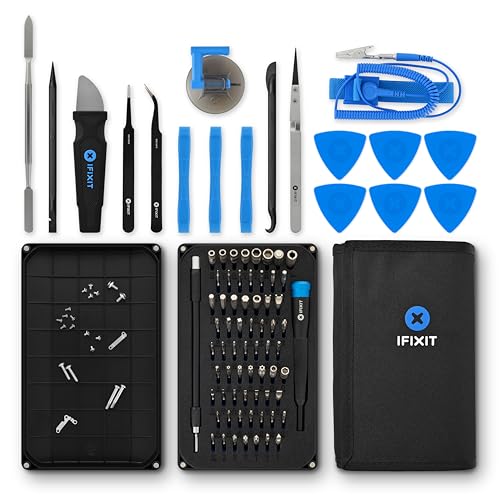
Think of a kit as three layers rather than one purchase. The first layer is drivers and bits, the fastener coverage that decides which devices you can open at all. The second is access: pry tools, spudgers, suction, and tweezers, the things that get you inside without damage. The third is organisation and discipline: the mat, the case, the strap, the habit of laying work out in order. Kits that look similar on a listing can be strong in completely different layers, and your own weak layer is the one to shop for.
There is a learning curve, and pretending otherwise helps nobody. Your first teardown will be slow, you will photograph every step, and you will still hesitate at reassembly. That is normal, and it is also temporary. What a kit changes is that the learning is about technique rather than improvisation: you are practising with the correct bit seated properly, instead of teaching yourself bad habits with a near-enough tool that slips. Skills compound; so does damage. The kit tilts which one you accumulate.
The Real Costs Beyond Money
Maintenance of the kit itself is simple but not optional. Bits that live loose in a drawer get damaged edges, and a damaged edge damages screw heads. Wipe tools down after dusty work, keep the case closed, replace a bit that has visibly rounded rather than letting it ruin one more fastener, and keep pry tools that have cracked or bent out of the rotation before they snap inside a seam. Ten minutes of care a few times a year protects every device the kit will ever touch.
Consider who else will use the kit. In a shared household or a small office, a single well-organised kit prevents the familiar chaos of borrowed drivers that never come home and mystery bits in every drawer. It also sets a standard: the person who opens the family laptop uses the strap, the mat, and the right bit, because that is simply how the kit is laid out. Good organisation is a teaching tool, and in shared spaces that may be worth as much as the steel itself.
Repair guides and a kit belong together. A guide tells you which fasteners and clips a specific device hides and in what order to meet them; the kit gives you the means to follow it. Reading the guide for your exact model before you open anything is the single highest-value habit in this hobby. It tells you where the fragile cable runs, which screw is longer than its neighbours, and which step people usually break things on, and it costs nothing but a few minutes of reading.
Environmental honesty belongs in this conversation too. Every successful battery swap, fan cleaning, drive upgrade, and controller fix is a device that stays in service instead of being replaced, and a kit is one of the cheapest enablers of that outcome. That does not make every repair wise: a device with board-level damage or a swollen battery may belong with a professional. But the ordinary failures, the ones that fill drawers with retired hardware, are very often one organised hour and the right bit away from being fixed.
Storage drives and memory upgrades are the classic first jobs, and they are classic for a reason. The device is powered off and unplugged, the cover comes away with a handful of screws, the work itself is forgiving, and the improvement is immediate and obvious. If you are deciding whether a kit fits your life, picture those jobs first rather than the most intimidating teardown you can find. Most owners live at the upgrade-and-cleaning end of the spectrum, and a kit chosen honestly for that work will satisfy for years.
Cleaning is the unsung half of ownership. Dust-choked fans and vents make machines loud, hot, and short-lived, and reaching them usually means opening the case properly rather than blasting air through a slot and hoping. With the machine off and unplugged, the cover removed, screws organised, and a strap on your wrist, a careful clean is one of the safest and most rewarding jobs a kit enables. Hold fan blades still while you clean them, work gently around connectors, and let the mat keep the fasteners honest.
Who It Pays Off For
The Household With Several Ageing Devices
Do not overlook the humble extension and flexible shaft problems. Some screws sit deep in wells, behind brackets, or at angles a rigid driver meets badly, and forcing a straight tool onto a crooked approach is how heads get chewed. Kits approach this differently: some include flexible extensions, some rely on longer bits, some simply expect you to remove the obstructing part first, as a good guide usually advises. Knowing which approach a kit takes tells you a lot about the work it was designed around.
A word about magnets, because they confuse new buyers. Magnetised bits are genuinely useful: they hold a tiny screw on the tip while you guide it into a deep or awkward hole, which prevents drops inside the device. The old fear that a driver magnet will wipe a modern drive is out of date for the storage most people now use, but common sense still applies. Keep loose magnetic parts organised on the mat, and never go fishing inside a device with anything while it is powered or plugged in.
The Upgrader and Cleaner
Fit and finish on the small things predicts the big things. Look at how cleanly bits seat in the handle, whether the case latches positively, whether markings are printed where you can read them in poor light, and whether the most common profiles are easy to reach rather than buried. None of these details photographs well, and all of them decide whether you reach for the kit with confidence or with a small sigh. Reviewers who have lived with a kit talk about these things because daily friction, not headline coverage, is what ownership feels like.
There is also a real difference between a kit bought for one named job and a kit bought as a standing capability. If a single battery replacement is the entire plan, borrowing tools or paying a shop may honestly be the better economics. A kit earns its shelf space when the jobs keep coming: the family laptops, the controllers, the console fans, the drive upgrades, the friend’s machine on your bench. Judging the purchase against your actual queue of devices, rather than one dramatic repair, gives you the honest answer either way.
The Beginner Building a Skill
Work lighting and magnification are not in most kits, and the gap is worth noticing. Tiny fasteners under a desk lamp’s shadow are how screws get lost and profiles get misread, and a misread profile is a damaged head waiting to happen. A simple lamp you can angle, and magnification if your eyes ask for it, do more for repair quality than an extra handful of rarely used bits. When you budget attention for a purchase, save some for the bench itself, not only for the case that sits on it.
Finally, keep perspective on what a kit is. It is not expertise, and it does not make a risky repair safe. It is a well-organised set of correct interfaces between your hands and small, precise fasteners, plus the tools that get you to them without damage. Used with power off, parts organised, a guide open, and the humility to stop at a power supply or a swollen battery, it turns a whole class of jobs from intimidating to routine. That transformation, repeated across years of devices, is the entire case for owning one.
Who Should Skip It
The most useful thing a dedicated kit gives you is not any single driver. It is the moment, halfway through a repair, when the screw in front of you is not the one you expected and the right bit is already within reach. That moment is the whole argument for a kit over a lone screwdriver, and it is also the moment that separates a calm repair from a damaged screw head, a cracked clip, or a job abandoned until a parcel arrives days later.
Start every job the same way, before any tool comes out of the case. Shut the device down completely, unplug it from the wall, and remove the battery where the battery is designed to be removable. A sleeping laptop is not an off laptop, and a plugged-in desktop can still carry standby power to parts of the board. This habit costs less than a minute and it removes an entire category of avoidable accidents from everything that follows.
One safety rule in this whole topic is absolute, and it deserves to be stated plainly rather than softened. Never open a power supply unit, not with these tools, not with any tools, not out of curiosity and not to clean it. The capacitors inside a power supply can hold a dangerous charge long after the cord has been pulled from the wall. If a power supply is faulty, noisy, or suspect, the correct repair is to replace the whole unit, never to open it.
Strengths and Trade-Offs of Owning One
Strengths
- Value repeats: every later job is done with tools already on the shelf and habits already learned.
- Repairs happen when you choose, at your bench, instead of waiting on a shop queue for simple work.
- Devices stay in service longer, which is both the economic and the environmental win.
Trade-offs
- The purchase only pays back across several jobs; a single fix rarely justifies it on its own.
- Storage, organisation, and a small learning curve are real costs in time and space.
- Ownership can tempt you toward jobs, like anything involving a power supply, that should stay closed forever.
Alternatives to Consider
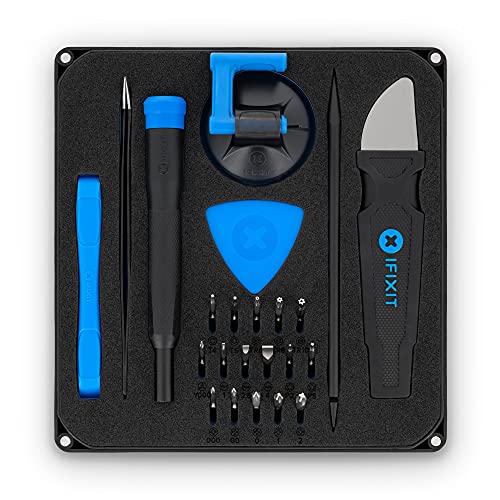
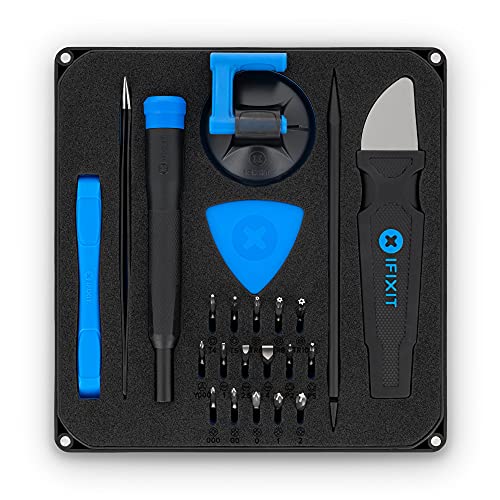
iFixit Essential Electronics Toolkit
Best for: the middle path: a focused kit for owners whose queue is real but modest. Not suited for: anyone expecting one kit to make advanced or unsafe repairs safe; no kit changes the rule against opening a power supply, and no kit replaces a model-specific repair guide. This is a mid-tier option in qualitative terms; check the current listing before you buy.
Judge the iFixit Essential Electronics Toolkit the way experienced repairers judge any kit: by the cleanliness of its bit edges after real work, by whether its pry tools let you open a clipped case without marking it, and by whether its case lets you see at a glance that everything is back in place. Those qualities, not headline claims, decide whether it becomes the kit you reach for or the kit you route around.
Static electricity is the quiet risk in electronics work. You rarely feel the small discharges that can stress a sensitive component, which is exactly why discipline matters more than sensation. An anti-static wrist strap used properly, a mat that gives parts a safe place to rest, and the simple habit of touching a grounded metal surface before you begin all belong to the same idea: make static control a routine you follow on easy jobs, so it is already automatic on the expensive ones.
A magnetic parts mat sounds like a minor accessory until you have watched a tiny screw roll off a desk and disappear into carpet. Screws from a single device often look identical and are not. They differ in length and thread, and putting a long screw back into a short screw’s hole can damage what sits underneath. Laying each screw on the mat in the pattern it came out, group by group and step by step, turns reassembly from a memory test into a simple reversal of the teardown.
Bit quality is where honest differences between kits actually live. A well-made bit fits the screw head fully, with clean edges that engage instead of skating across the surface. A soft bit does the opposite: on a tight factory screw it can round over, chew the head, and leave you with a far harder extraction problem than the repair you started. This is why experienced repairers judge a kit by how its most-used bits look after real work, not by how impressive the case looks on day one.
computer tool kit pros and cons
How to Get the Most Value If You Buy
Security bits are, for many buyers, the real reason a kit exists at all. Modern devices are held together with fasteners chosen partly to keep casual owners out: unusual profiles, pin-in-centre designs, and small sizes that no household driver set includes. A single ordinary screwdriver cannot help you there no matter how good it is. A kit that covers those profiles turns a locked door into a routine step, and a kit that skips them leaves the most interesting repairs exactly as closed as they were before you bought it.
Opening a device can affect its warranty, and that should be said plainly before any cover comes off. Rules differ by maker and by region, and a seal or sticker is a sign to pause and check the current terms for your specific product rather than assume either way. For a device that is still covered and still valuable, reading the warranty position first is not timidity. It is part of the repair, and a kit does not change that calculation in either direction.
Pry tools teach a beginner more about repair than drivers do. Cases, screens, and covers are usually held by clips as well as screws, and the instinct to lever with a metal driver is how housings get scarred and clips get snapped. Plastic spudgers and opening picks flex, slip into seams, and sacrifice themselves before the device does. A kit that includes a thoughtful range of pry tools is telling you it was designed by people who have actually opened modern, glued, clipped-together hardware.
The Decision Checklist
Answer honestly. Do you have at least a few devices likely to need opening in the next couple of years? Do those devices use small or security fasteners? Will you work powered off and unplugged, with a guide open? Will you check warranty terms before opening covered devices? Will you store the kit where the work happens? Do you accept that a power supply stays closed no matter what? Mostly yes answers mean a kit will pay. Mostly no answers mean borrow, or pay a shop, with a clear conscience.
Tweezers earn their place quietly. Connectors inside laptops and phones are small, ribbon cables are fragile, and fingertips are simply too large and too oily for some of the work. A decent pair of tweezers lets you seat a connector squarely instead of pressing it at an angle, lift a screw out of a deep well without tipping the device, and hold a tiny part steady while the other hand drives. It is unglamorous equipment, and most repairers would give up almost anything else in the case first.
Handle comfort decides whether a long job stays accurate. A driver handle that spins freely at the cap lets you apply steady downward pressure with one part of the hand while the fingers turn, which keeps the bit seated and reduces the cam-out that damages heads. Grip diameter matters too: too slim and your hand tires and wobbles, too bulky and fine work on small fasteners feels clumsy. You cannot judge any of this from a photograph, which is why honest reviews talk about long sessions rather than first impressions.
Deeper Notes From the Bench
The most useful thing a dedicated kit gives you is not any single driver. It is the moment, halfway through a repair, when the screw in front of you is not the one you expected and the right bit is already within reach. That moment is the whole argument for a kit over a lone screwdriver, and it is also the moment that separates a calm repair from a damaged screw head, a cracked clip, or a job abandoned until a parcel arrives days later.
Static electricity is the quiet risk in electronics work. You rarely feel the small discharges that can stress a sensitive component, which is exactly why discipline matters more than sensation. An anti-static wrist strap used properly, a mat that gives parts a safe place to rest, and the simple habit of touching a grounded metal surface before you begin all belong to the same idea: make static control a routine you follow on easy jobs, so it is already automatic on the expensive ones.
Security bits are, for many buyers, the real reason a kit exists at all. Modern devices are held together with fasteners chosen partly to keep casual owners out: unusual profiles, pin-in-centre designs, and small sizes that no household driver set includes. A single ordinary screwdriver cannot help you there no matter how good it is. A kit that covers those profiles turns a locked door into a routine step, and a kit that skips them leaves the most interesting repairs exactly as closed as they were before you bought it.
Tweezers earn their place quietly. Connectors inside laptops and phones are small, ribbon cables are fragile, and fingertips are simply too large and too oily for some of the work. A decent pair of tweezers lets you seat a connector squarely instead of pressing it at an angle, lift a screw out of a deep well without tipping the device, and hold a tiny part steady while the other hand drives. It is unglamorous equipment, and most repairers would give up almost anything else in the case first.
Stripped screws deserve an honest paragraph in any discussion of kits, because they are where cheap tools reveal themselves. Prevention is almost everything: use the exact bit profile, press firmly and squarely, turn slowly on the first movement, and stop the instant a bit starts to ride out of the head. Once a head is damaged, options narrow quickly and some of them risk the device itself. A kit with well-cut bits and full profile coverage is, in a very real sense, insurance against the worst afternoon in hobby repair.
Game controllers and consoles are an underrated reason to own a kit. Drift fixes, battery swaps, fan cleaning, and shell work all sit behind small security fasteners that household tools cannot touch. These are satisfying, bounded jobs for a beginner: the device is off, unplugged, and on the bench, the screws are organised on the mat, and the result is a controller that works again instead of an expensive replacement. Many owners buy a kit for a computer and quietly get their money’s worth from everything around it.
There is a learning curve, and pretending otherwise helps nobody. Your first teardown will be slow, you will photograph every step, and you will still hesitate at reassembly. That is normal, and it is also temporary. What a kit changes is that the learning is about technique rather than improvisation: you are practising with the correct bit seated properly, instead of teaching yourself bad habits with a near-enough tool that slips. Skills compound; so does damage. The kit tilts which one you accumulate.
Repair guides and a kit belong together. A guide tells you which fasteners and clips a specific device hides and in what order to meet them; the kit gives you the means to follow it. Reading the guide for your exact model before you open anything is the single highest-value habit in this hobby. It tells you where the fragile cable runs, which screw is longer than its neighbours, and which step people usually break things on, and it costs nothing but a few minutes of reading.
Cleaning is the unsung half of ownership. Dust-choked fans and vents make machines loud, hot, and short-lived, and reaching them usually means opening the case properly rather than blasting air through a slot and hoping. With the machine off and unplugged, the cover removed, screws organised, and a strap on your wrist, a careful clean is one of the safest and most rewarding jobs a kit enables. Hold fan blades still while you clean them, work gently around connectors, and let the mat keep the fasteners honest.
Fit and finish on the small things predicts the big things. Look at how cleanly bits seat in the handle, whether the case latches positively, whether markings are printed where you can read them in poor light, and whether the most common profiles are easy to reach rather than buried. None of these details photographs well, and all of them decide whether you reach for the kit with confidence or with a small sigh. Reviewers who have lived with a kit talk about these things because daily friction, not headline coverage, is what ownership feels like.
Finally, keep perspective on what a kit is. It is not expertise, and it does not make a risky repair safe. It is a well-organised set of correct interfaces between your hands and small, precise fasteners, plus the tools that get you to them without damage. Used with power off, parts organised, a guide open, and the humility to stop at a power supply or a swollen battery, it turns a whole class of jobs from intimidating to routine. That transformation, repeated across years of devices, is the entire case for owning one.
One safety rule in this whole topic is absolute, and it deserves to be stated plainly rather than softened. Never open a power supply unit, not with these tools, not with any tools, not out of curiosity and not to clean it. The capacitors inside a power supply can hold a dangerous charge long after the cord has been pulled from the wall. If a power supply is faulty, noisy, or suspect, the correct repair is to replace the whole unit, never to open it.
Bit quality is where honest differences between kits actually live. A well-made bit fits the screw head fully, with clean edges that engage instead of skating across the surface. A soft bit does the opposite: on a tight factory screw it can round over, chew the head, and leave you with a far harder extraction problem than the repair you started. This is why experienced repairers judge a kit by how its most-used bits look after real work, not by how impressive the case looks on day one.
Pry tools teach a beginner more about repair than drivers do. Cases, screens, and covers are usually held by clips as well as screws, and the instinct to lever with a metal driver is how housings get scarred and clips get snapped. Plastic spudgers and opening picks flex, slip into seams, and sacrifice themselves before the device does. A kit that includes a thoughtful range of pry tools is telling you it was designed by people who have actually opened modern, glued, clipped-together hardware.
Torque is a skill the kit cannot give you, but a good kit makes it easier to learn. Small electronics screws need to be snug, not forced. Overtightening strips threads in plastic posts and cracks mounting points, and the damage often only shows itself at the next repair, when the screw simply spins. Working with a driver that communicates feedback through the handle, rather than a bulky tool that overwhelms it, helps a beginner develop the light, consistent touch that keeps devices serviceable for years.
Phones and tablets raise the stakes again. Adhesive, glass, and extremely small fasteners mean the driver is only part of the job; suction handling, careful prying, and patience around batteries matter just as much. Batteries in particular demand respect: never lever against a soft-cell battery, never puncture or bend one, and if a battery is swollen, stop and treat it as a replacement-and-disposal problem rather than a repair challenge. A kit supports careful work, but it never makes careless work safe.
Think of a kit as three layers rather than one purchase. The first layer is drivers and bits, the fastener coverage that decides which devices you can open at all. The second is access: pry tools, spudgers, suction, and tweezers, the things that get you inside without damage. The third is organisation and discipline: the mat, the case, the strap, the habit of laying work out in order. Kits that look similar on a listing can be strong in completely different layers, and your own weak layer is the one to shop for.
Consider who else will use the kit. In a shared household or a small office, a single well-organised kit prevents the familiar chaos of borrowed drivers that never come home and mystery bits in every drawer. It also sets a standard: the person who opens the family laptop uses the strap, the mat, and the right bit, because that is simply how the kit is laid out. Good organisation is a teaching tool, and in shared spaces that may be worth as much as the steel itself.
Storage drives and memory upgrades are the classic first jobs, and they are classic for a reason. The device is powered off and unplugged, the cover comes away with a handful of screws, the work itself is forgiving, and the improvement is immediate and obvious. If you are deciding whether a kit fits your life, picture those jobs first rather than the most intimidating teardown you can find. Most owners live at the upgrade-and-cleaning end of the spectrum, and a kit chosen honestly for that work will satisfy for years.
A word about magnets, because they confuse new buyers. Magnetised bits are genuinely useful: they hold a tiny screw on the tip while you guide it into a deep or awkward hole, which prevents drops inside the device. The old fear that a driver magnet will wipe a modern drive is out of date for the storage most people now use, but common sense still applies. Keep loose magnetic parts organised on the mat, and never go fishing inside a device with anything while it is powered or plugged in.
Work lighting and magnification are not in most kits, and the gap is worth noticing. Tiny fasteners under a desk lamp’s shadow are how screws get lost and profiles get misread, and a misread profile is a damaged head waiting to happen. A simple lamp you can angle, and magnification if your eyes ask for it, do more for repair quality than an extra handful of rarely used bits. When you budget attention for a purchase, save some for the bench itself, not only for the case that sits on it.
Start every job the same way, before any tool comes out of the case. Shut the device down completely, unplug it from the wall, and remove the battery where the battery is designed to be removable. A sleeping laptop is not an off laptop, and a plugged-in desktop can still carry standby power to parts of the board. This habit costs less than a minute and it removes an entire category of avoidable accidents from everything that follows.
A magnetic parts mat sounds like a minor accessory until you have watched a tiny screw roll off a desk and disappear into carpet. Screws from a single device often look identical and are not. They differ in length and thread, and putting a long screw back into a short screw’s hole can damage what sits underneath. Laying each screw on the mat in the pattern it came out, group by group and step by step, turns reassembly from a memory test into a simple reversal of the teardown.
Opening a device can affect its warranty, and that should be said plainly before any cover comes off. Rules differ by maker and by region, and a seal or sticker is a sign to pause and check the current terms for your specific product rather than assume either way. For a device that is still covered and still valuable, reading the warranty position first is not timidity. It is part of the repair, and a kit does not change that calculation in either direction.
Handle comfort decides whether a long job stays accurate. A driver handle that spins freely at the cap lets you apply steady downward pressure with one part of the hand while the fingers turn, which keeps the bit seated and reduces the cam-out that damages heads. Grip diameter matters too: too slim and your hand tires and wobbles, too bulky and fine work on small fasteners feels clumsy. You cannot judge any of this from a photograph, which is why honest reviews talk about long sessions rather than first impressions.
Desktop work and laptop work ask for different things, and a good kit respects both. A desktop build is mostly standard fasteners, cable work, and the occasional standoff, done at a bench with room to organise. A laptop teardown is a long sequence of tiny, varied screws, hidden clips, and fragile connectors, done slowly with constant reference to where each part came from. Judging a kit only by one of those jobs will mislead you about the other, so think about which bench your own devices will actually meet.
Case design is not vanity. A case that holds every bit visibly, in a fixed place, is a case you can audit at a glance before you close it, and that audit is how bits stop going missing. Roll-up pouches save space but hide what is absent; rigid cases protect and display but take a drawer. Think about where the kit will live, because a kit stored in another room will lose, every single time, to the wrong tool that happens to be within arm’s reach of the desk.
Maintenance of the kit itself is simple but not optional. Bits that live loose in a drawer get damaged edges, and a damaged edge damages screw heads. Wipe tools down after dusty work, keep the case closed, replace a bit that has visibly rounded rather than letting it ruin one more fastener, and keep pry tools that have cracked or bent out of the rotation before they snap inside a seam. Ten minutes of care a few times a year protects every device the kit will ever touch.
The Ownership Maths of a Computer Tool Kit: Time, Hassle and Recurring Frustration
Add up the hidden costs of ownership in time and attention, including setup, cleaning, storage and the accessories you will inevitably want, before deciding it earns its keep. Make one change at a time during the first days, so that when something improves or gets worse you know which change caused it. Run one deliberately awkward task early on, the kind you usually avoid, and see whether this computer tool kit handles your edge cases or only your easiest work. When you compare notes with other owners, match their comments to setups like yours, because advice from a very different room, workload or routine can mislead.
As a concrete listing check, take the iFixit Essential Electronics Toolkit named earlier in this article and confirm, line by line, that the variant offered matches the size, connection and contents described for it here. Prefer a setup you can explain to another person in a minute, because simple arrangements are easier to troubleshoot, share and repeat than fragile clever ones. Start this final check away from the listings, with the space, the equipment and the routine you already have written down in plain terms. Take a quick photo of the working setup before you change anything, so cable routes, positions and settings can be restored exactly if the new arrangement disappoints. A computer tool kit is worth it when it removes a recurring frustration completely, and much harder to justify when it only makes an occasional minor annoyance slightly smaller.
Avoid forcing a connector, bracket or moving part that resists you, because resistance is usually information about alignment or fit rather than an invitation to push harder. Consider who else will use, move or clean around this computer tool kit, because a choice that only works for one careful owner often frustrates everyone else in the household or team. If two options look identical on paper, choose the one whose controls, layout or handling you understood fastest, since clarity in daily use beats a longer feature list you never touch. Plan where the cables or materials connected to this computer tool kit will run when the room is tidy, not just while you are testing on an empty surface.
Keep the instructions somewhere you can find them months later, since the setting or step you skip today is often the one a future problem sends you hunting for. When something behaves oddly, return to the basics first: power, connection, position, cleanliness and the last setting you changed, in that order, before assuming a fault. Compare it honestly with the workaround you use now, describing that workaround in the same detail, because vague dissatisfaction makes almost any purchase look worthwhile. Write the exact model name and variant from the packaging into your notes, so replacement parts, accessories and support conversations start from certainty rather than guesswork. Measure the place where a computer tool kit will actually live, including the clearance you need to reach cables, doors, trays, vents or controls without moving everything else first.
Check the underside, back or hidden face of the computer tool kit as part of your inspection, because labels, vents, switches and fasteners often live where first impressions never look. Check that nothing you place on, under or beside the computer tool kit blocks airflow, movement, visibility or access that the design quietly depends on. Look for the failure you would notice first if you chose badly: a port you cannot reach, a part that will not fit, a control you cannot see, or a routine that becomes slower instead of easier.
Decide in advance what good enough looks like for your use, so a minor cosmetic flaw does not distract you from performance that genuinely meets the brief.
Frequently Asked Questions
Will opening my device void its warranty?
It can, and the honest answer is that it depends on the maker, the product, and your region. Some manufacturers publish clear positions on owner servicing; others treat seals and unauthorised opening as grounds to refuse cover. Before opening anything still under warranty and still valuable, check the current terms for that specific product. For out-of-warranty devices the question disappears, which is one reason many owners quite sensibly learn their repair skills on older hardware first.
Why do bits strip screws, and how do I prevent it?
Bits strip screws when the profile is slightly wrong, the bit steel is soft, or the driver is not pressed squarely and firmly as it turns. Prevention is a routine: choose the exact profile, seat the bit fully, press down with steady pressure, and turn slowly for the first movement. Stop immediately if the bit starts to ride out of the head. Quality bits with clean, hard edges resist rounding far longer, which is why bit quality matters more in practice than how many exotic profiles a case contains.
What is an ESD wrist strap actually for?
It equalises electrical potential between you and the device so static charge does not discharge through a sensitive component as you work. The small discharges you cannot feel can still stress parts, so the strap is discipline rather than drama: wear it, attach it as its instructions direct, and combine it with sensible habits like working on a mat and handling boards by their edges. It is inexpensive, slightly inconvenient, and one of the cheapest forms of insurance in the whole repair process.
How do I keep track of all the tiny screws?
Use a magnetic mat and treat it as a map. As each group of screws comes out, place it on the mat in the same relative pattern it occupied in the device, and work through the teardown in stages rather than emptying every fastener into one pile. Photograph each stage. Screws that look identical often differ in length, and returning a long screw to a short hole can damage what lies beneath. At reassembly, simply reverse your own map, stage by stage, and nothing depends on memory.
Is a bigger kit always better?
No. Coverage of the profiles your devices actually use matters far more than raw abundance. A kit padded with duplicates and profiles you will never meet adds cost, bulk, and hunting time, while a leaner kit with hard, well-cut bits, good pry tools, and a case you can audit at a glance will serve you better every week. Judge by fit with your own devices, bit quality, access tools, and organisation. Bigger is only better when the extra pieces are ones your real repair queue will genuinely call for.
Do I need a kit if I already own a household screwdriver set?
Usually, yes, if your devices are modern. Household sets cover larger, standard fasteners well, but laptops, phones, and controllers use small precision profiles and security fasteners that household drivers simply do not include. A household set also lacks pry tools, tweezers, and a way to organise tiny screws. If your work is furniture and appliances, the household set is enough. If your work is electronics, the profiles, the access tools, and the organisation are exactly what you are missing, and no single driver fills that gap.
Related Reading
computer tool kit buying guide
how to choose a computer tool kit