The best WiFi only tablets are the simplest tablets to own. A WiFi only tablet is the simplest kind of tablet to own. There is no SIM card to buy, no monthly cellular bill to pay, and no carrier to argue with when the tablet moves between the kitchen table, the sofa and a hotel room. The tablet connects to the WiFi that is already in the house, and that is the whole arrangement. For a reader, a student, a traveller with a phone hotspot, or a parent buying a first tablet for a child, that simplicity is the point.
The catch is that the words WiFi only are not always printed on the listing. Plenty of tablets are sold in both a WiFi version and a cellular version, and the two look identical in the photos. The listings in this guide were checked for the WiFi wording: every pick below is the WiFi model, with no cellular radio and no carrier plan attached. The Samsung picks are the US WiFi versions, the iPads are the WiFi configurations, and the smaller tablets are WiFi-only by design.
Eight tablets made the list, from an 11-inch iPad with the A16 chip down to a 7-inch budget tablet that costs less than a family takeaway. They cover reading, streaming, note-taking, schoolwork and travel, and each one was chosen because its WiFi model is clearly identified in the listing. What follows is what each one does well, where it falls short, and who should buy it. The eight tablets below were all checked the same way: the listing had to name the WiFi model plainly, with no cellular version hiding behind the same photos.
In this guide
Quick picks: best wifi only tablets
| # | Product | Where to buy |
|---|---|---|
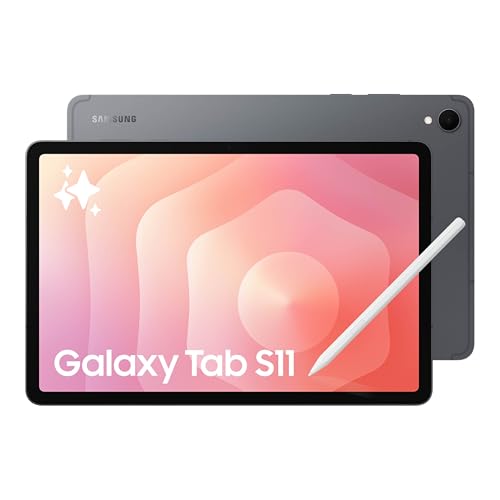
| 1 | Samsung Galaxy Tab S10 FE 128GB WiFi Android Tablet, US Version | Check on Amazon |
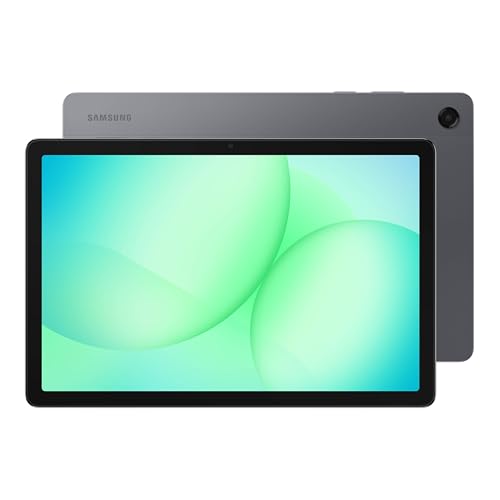
| 2 | Samsung Galaxy Tab A11+ 8GB RAM, 256GB Storage | Check on Amazon |
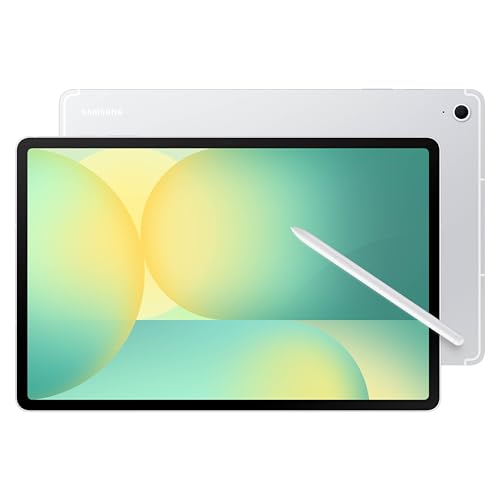
| 3 | Samsung Galaxy Tab A11+ 6GB RAM, 128GB Storage, Expandable Storage | Check on Amazon |
| 4 | Apple iPad 11-inch: A16 Chip, 256GB, Wi-Fi 6 | Check on Amazon |
| 5 | Apple iPad 11-inch: A16 Chip, 128GB, Wi-Fi 6 | Check on Amazon |
| 6 | Samsung Galaxy Tab A11 WiFi Model, 8.7 Inches, 64GB + 4GB | Check on Amazon |
| 7 | Lenovo Idea Tab, 11-inch 2.5K IPS Touchscreen, 90Hz, 4GB Memory, 128GB | Check on Amazon |
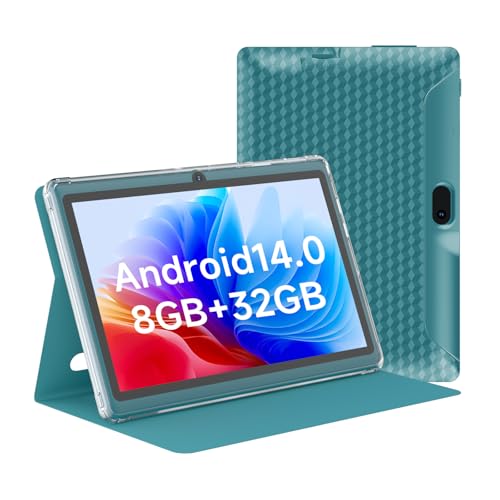
| 8 | HOTTABLET Tablet 7 Inch Android 14.0 with Protective Case | Check on Amazon |
How the picks were chosen
The picks were chosen from the site's own product search, looking only at tablets whose listings state a WiFi model. A tablet was dropped if the listing was for the cellular version, a renewed unit, or a bundle that hid which version was inside. The remaining tablets were sorted by screen size, memory and storage, because those three numbers decide how a tablet feels in daily use more than any other specification.
Screen size comes first. An 8.7-inch tablet is a reader and a traveller's tablet; an 11-inch tablet is a note-taker and a video tablet. Memory comes second: 4GB is enough for one app at a time, 8GB is the comfortable minimum for switching between apps without reloads. Storage comes third, and it matters less than it used to, because every Samsung pick here takes a memory card and the iPads rely on cloud storage.
Finally, each tablet was checked against the way it will actually be used. A tablet that never leaves the house does not need a huge battery, but a tablet that flies in a bag does. A tablet for a child needs a case and a screen that survives a drop. A tablet for school needs a keyboard option and a stylus option, even if neither is bought on day one. The notes below say which use each tablet fits.
Quick comparison
| Product | Standout detail |
|---|---|
| Samsung Galaxy Tab S10 FE 128GB WiFi Android Tablet, US Version | Large screen, US WiFi version |
| Samsung Galaxy Tab A11+ 8GB RAM, 256GB Storage | Best balance of memory and storage |
| Samsung Galaxy Tab A11+ 6GB RAM, 128GB Storage, Expandable Storage | Value A11+ with expandable storage |
| Apple iPad 11-inch: A16 Chip, 256GB, Wi-Fi 6 | A16 iPad, 256GB WiFi |
| Apple iPad 11-inch: A16 Chip, 128GB, Wi-Fi 6 | A16 iPad, 128GB WiFi |
| Samsung Galaxy Tab A11 WiFi Model, 8.7 Inches, 64GB + 4GB | Small 8.7-inch WiFi reader |
| Lenovo Idea Tab, 11-inch 2.5K IPS Touchscreen, 90Hz, 4GB Memory, 128GB | Sharp 90Hz college tablet |
| HOTTABLET Tablet 7 Inch Android 14.0 with Protective Case | Cheapest 7-inch starter tablet |

1. Samsung Galaxy Tab S10 FE 128GB WiFi Android Tablet, US Version
Key specs
128GB of storage, WiFi only, US version with the Exynos 1580 chip, a large display and long battery life.
Strengths
- The large display makes video and split-screen work comfortable.
- The US WiFi version needs no carrier plan or SIM card.
- 128GB of storage holds plenty of apps, books and downloaded video.
Trade-offs
- The tablet is large for one-handed reading.
- The charger and accessories are sold separately.
- The screen is not as bright as a flagship tablet outdoors.
Who it fits
A buyer who wants a big-screen Samsung tablet for the sofa, the kitchen and the train, and who will use WiFi everywhere.
Best for: Big-screen streaming and split-screen work on WiFi.
Not suited for: One-handed reading or use as a phone replacement.
In daily use
Charge it overnight and it lasts through a day of video, reading and browsing. Keep the brightness at half indoors and the battery stretches further. On a train, prop it on the tray table and the large screen makes video comfortable without headphones at full volume. At home it lives on the kitchen counter as a recipe screen and a video call screen in one.
The S10 FE is the large-screen pick in this guide, and its size is the reason to buy it: video, documents and two apps side by side all fit without squinting. The large display also makes the S10 FE the best tablet here for two apps side by side: a document on one side and a browser on the other, or a video call beside notes. The Exynos 1580 chip handles that split without stuttering, and the battery lasts through a working day of it.
Check price on Amazon: Samsung Galaxy Tab S10 FE 128GB WiFi Android Tablet, US Version

2. Samsung Galaxy Tab A11+ 8GB RAM, 256GB Storage
Key specs
8GB of RAM, 256GB of storage, AI assist features, slim and light build, WiFi only.
Strengths
- 8GB of RAM keeps several apps open without reloading.
- 256GB of storage is generous for a tablet at this level.
- The slim build slips into a bag pocket easily.
Trade-offs
- There is no cellular option for buyers who later want one.
- The cameras are basic and best used for video calls only.
- The screen resolution is modest for close-up photo work.
Who it fits
A student or a family buyer who wants one tablet to do everything on WiFi, with enough memory and storage to last years.
Best for: Everyday all-round use: school, streaming and browsing.
Not suited for: Heavy photo editing or professional video work.
In daily use
Set up the tablet on home WiFi and add a memory card only if the 256GB ever fills, which for most people it will not. The AI assist features are worth switching on for note summaries. In a school bag it survives the day in a sleeve, and in the evening it is the streaming screen for the whole family. The slim build means it goes everywhere the phone goes, only with a screen worth looking at.
With 8GB of memory and 256GB of storage, this is the best-balanced tablet in the guide, and the one most buyers should start with. The 256GB of storage is the quiet advantage: apps, games, downloaded shows and photos all fit without the memory-card juggling the smaller models need. For a family tablet shared by two people, that room matters, because two people's apps fill a tablet twice as fast.
Check price on Amazon: Samsung Galaxy Tab A11+ 8GB RAM, 256GB Storage

3. Samsung Galaxy Tab A11+ 6GB RAM, 128GB Storage, Expandable Storage
Key specs
6GB of RAM, 128GB of storage with room to expand, WiFi only, grey finish.
Strengths
- Expandable storage means the 128GB is a starting point, not a limit.
- 6GB of RAM handles everyday apps and streaming smoothly.
- The price sits below the 8GB version for the same screen and design.
Trade-offs
- 128GB fills quickly if lots of video is downloaded.
- The finish shows fingerprints on the back.
- There is no bundled charger in the box.
Who it fits
A buyer who likes the A11+ but does not need the larger memory and storage, and who is happy to add a memory card later.
Best for: Budget-friendly everyday tablet use on WiFi.
Not suited for: Buyers who download whole seasons of video at once.
In daily use
Add a memory card from the start if the tablet will hold offline video, and set downloads to the card in the settings. The 6GB of memory is enough for streaming, reading and browsing together. Keep a memory card in it from the start and the 128GB stops being a limit. On a flight, download two films to the card and the tablet is a cinema for the whole journey.
The 6GB model is the value version of the A11+: the same tablet experience, with storage that grows by memory card instead of by paying more up front. The expandable storage is the feature that makes the 6GB model work long term: a memory card costs little and doubles the room for video. Buyers who stream rather than download will never need it, but buyers who travel with offline shows will be glad it is there.
Check price on Amazon: Samsung Galaxy Tab A11+ 6GB RAM, 128GB Storage, Expandable Storage

4. Apple iPad 11-inch: A16 Chip, 256GB, Wi-Fi 6
Key specs
11-inch Liquid Retina display, A16 chip, 256GB, Wi-Fi 6, 12MP front and back cameras.
Strengths
- The A16 chip keeps the iPad fast for years of updates.
- 256GB of storage suits large apps, games and offline video.
- Wi-Fi 6 connects quickly to modern home routers.
Trade-offs
- There is no cellular version in this configuration.
- Accessories such as the stylus and keyboard cost extra.
- The 11-inch size is large for reading in bed.
Who it fits
An Apple household buyer who wants the current iPad with room to grow, and who uses WiFi at home, at school and at work.
Best for: A long-lasting main tablet for Apple users.
Not suited for: Buyers who need a cellular connection away from WiFi.
In daily use
Back up to iCloud and keep the current project on the tablet; the 256GB holds the rest. The 12MP front camera is good enough for video calls without a separate webcam. On a desk it pairs with a keyboard and becomes a light laptop for writing and email. In a bag it is the travel computer, and the battery lasts a full day of mixed use without hunting for a charger.
The 256GB iPad is the buy-once option: the A16 chip and the storage mean it will still feel fast when the cheaper tablets in this guide feel old. The 256GB iPad is also the best tablet here for creative apps: drawing, photo editing and music apps all want storage, and 256GB gives them room. The A16 chip keeps those apps smooth, and the 12MP cameras cover scanning documents and video calls.
Check price on Amazon: Apple iPad 11-inch: A16 Chip, 256GB, Wi-Fi 6

5. Apple iPad 11-inch: A16 Chip, 128GB, Wi-Fi 6
Key specs
11-inch Liquid Retina display, A16 chip, 128GB, Wi-Fi 6, 12MP front and back cameras.
Strengths
- The same A16 chip and screen as the 256GB model for less money.
- 128GB is enough when photos and files live in the cloud.
- Wi-Fi 6 and the 12MP cameras cover calls, classes and streaming.
Trade-offs
- 128GB cannot grow, so heavy downloaders should choose the 256GB model.
- There is no cellular option in this configuration.
- The charger is basic and charges slowly.
Who it fits
A buyer who wants the current iPad and uses cloud storage, so 128GB is plenty.
Best for: A first iPad, or a school and travel tablet.
Not suited for: Buyers who store large video libraries offline.
In daily use
Turn on cloud photo storage and offload unused apps automatically, and 128GB lasts a long time. The tablet is light enough to carry in a small bag all day. For school, load the term's books and notes and leave the rest in the cloud. The tablet is light enough to carry all day, and the screen is big enough to read a textbook without zooming.
This is the sensible iPad in the guide: the same chip and screen as its bigger brother, with storage sized for people who live in the cloud. The 128GB model suits buyers whose photos and files already live in iCloud, because the cloud is the real storage and the tablet is the window onto it. Turn on optimised storage and the tablet manages the space itself, keeping recent files local and the rest a tap away.
Check price on Amazon: Apple iPad 11-inch: A16 Chip, 128GB, Wi-Fi 6

6. Samsung Galaxy Tab A11 WiFi Model, 8.7 Inches, 64GB + 4GB
Key specs
8.7-inch display, 64GB of storage with 4GB of memory, model number SM-X133, WiFi only.
Strengths
- The 8.7-inch size is ideal for one-handed reading.
- The WiFi model has no cellular bill attached.
- The small size fits in a jacket pocket or a small bag.
Trade-offs
- 64GB of storage needs a memory card for offline video.
- 4GB of memory means one app at a time works best.
- The screen is small for split-screen work.
Who it fits
A reader, a traveller, or a parent buying a small tablet for a child, where size and simplicity matter more than power.
Best for: Reading, travel and bedside use on WiFi.
Not suited for: Heavy multitasking or large-screen work.
In daily use
Keep the tablet for one job at a time: a book, a show, a video call. Add a memory card and download books and shows before a trip, and the small storage stops mattering. Slip it into a coat pocket and it is there for the commute, the waiting room and the queue. The small size means it is used more often than a big tablet, because it is always within reach.
The smallest tablet in this guide is also the most portable, and for reading and travel that is exactly the right trade to make. The 8.7-inch size is also the right size for a bedside tablet: it sits on the nightstand, reads in the dark without lighting the room, and charges from a phone charger. For buyers who read before sleep, the small screen is a feature, not a compromise.
Check price on Amazon: Samsung Galaxy Tab A11 WiFi Model, 8.7 Inches, 64GB + 4GB

7. Lenovo Idea Tab, 11-inch 2.5K IPS Touchscreen, 90Hz, 4GB Memory, 128GB
Key specs
11-inch 2.5K IPS touchscreen at 90Hz, MediaTek Dimensity 6300, 4GB of memory, 128GB of storage, WiFi only.
Strengths
- The 90Hz screen scrolls more smoothly than most tablets at this level.
- The 2.5K display is sharp for reading and video.
- The tablet is pitched at college use, with a keyboard option.
Trade-offs
- 4GB of memory limits heavy multitasking.
- The tablet is a newer name, so cases and accessories are fewer.
- There is no cellular version for use away from WiFi.
Who it fits
A college student who wants a sharp 11-inch screen for notes, reading and video on campus WiFi.
Best for: Study, reading and streaming on a budget.
Not suited for: Running many apps side by side.
In daily use
Use it with a Bluetooth keyboard for notes and the 90Hz screen makes long reading sessions easier on the eyes. Keep the tablet on WiFi and the 128GB is enough for a term of documents. In a lecture hall it sits beside a notebook, showing slides while notes are written by hand. In the library it is the research screen, with the 90Hz display making long documents easy to scroll.
The Idea Tab is the dark horse of this guide: a sharper, smoother screen than its price suggests, in a tablet built for student life. The 90Hz screen is the Idea Tab's real advantage for students: scrolling through notes and documents feels smoother, and long reading sessions are easier on the eyes. The 2.5K resolution keeps small text sharp, which matters when the tablet is a textbook.
Check price on Amazon: Lenovo Idea Tab, 11-inch 2.5K IPS Touchscreen, 90Hz, 4GB Memory, 128GB
8. HOTTABLET Tablet 7 Inch Android 14.0 with Protective Case
Key specs
7-inch Android 14 tablet, 8GB of memory with 3GB plus 5GB expansion, 32GB of storage, IPS screen, protective case included.
Strengths
- The protective case is included, so it is ready for a child or a bag.
- The 7-inch size is the most portable in the guide.
- Android 14 keeps the tablet current for everyday apps.
Trade-offs
- 32GB of storage is small and needs a memory card.
- The screen is basic compared with the Samsung and Apple picks.
- The brand is unfamiliar, so support is a question mark.
Who it fits
A buyer who wants the cheapest usable WiFi tablet, for a child, a kitchen, or a bag, and who does not want to worry about it.
Best for: A first tablet, a kids tablet, or a spare.
Not suited for: A main tablet for work or study.
In daily use
Put it in its case, add a memory card, and install only the apps it will actually use. It is a spare and a starter, and it should be treated as one. In the kitchen it is a recipe screen in its case, propped on the counter. For a child it is a first tablet that can be dropped without a crisis, and that is exactly what a first tablet should be.
The HOTTABLET is the cheapest way into this guide, and it earns its place by being honest about it: a small, cased, WiFi-only tablet for light use. The included protective case is worth more than it sounds: it means the tablet is ready for a child or a bag on day one, with no extra purchase. The case also props the tablet up for video, which is how a small tablet is most often used.
Check price on Amazon: HOTTABLET Tablet 7 Inch Android 14.0 with Protective Case
Buying guide: best wifi only tablets
Check the model number, not the photo
Two tablets can look identical and differ only in the model number. The WiFi version and the cellular version share the same photos, the same box and the same screen. The listing title and the model number are the only reliable check, and the picks in this guide were chosen because the WiFi model is named in the listing. Before buying, confirm the listing says WiFi, WiFi only, or WiFi model, and that no SIM tray or carrier is mentioned. The model number is printed on the back of the tablet and on the box, so it can be checked twice.
Size the screen to the job
An 8.7-inch tablet is a reader. An 11-inch tablet is a worker. The difference is not just inches: it is whether two apps fit side by side, whether a document reads without zooming, and whether the tablet disappears into a bag. Buyers who read and watch should buy small; buyers who write, study and work should buy 11 inches. If two people in the house use the tablet differently, buy for the heavier user, because the lighter user will be happy either way.
Memory matters more than storage
Memory decides how many apps stay open. With 4GB, switching apps reloads them. With 6GB, two or three apps stay live. With 8GB, the tablet stops getting in the way. Storage, by contrast, can grow with a memory card on the Samsung and Lenovo picks, or live in the cloud on the iPads. Spend the extra money on memory first. Memory is the one specification that cannot be added later, so it deserves the most attention at purchase time.
WiFi 6 is worth having
A tablet bought today will live on home routers for years, and WiFi 6 routers are now the norm. The iPads in this guide have Wi-Fi 6, and the newer Android tablets support modern WiFi standards too. It does not change what the tablet can do, but it makes downloads and video calls smoother on a busy home network. A tablet that supports the latest WiFi standard will also work on older routers, so there is no downside to buying current.
A case and a screen protector first
Tablets are dropped more than any other device in the house, usually onto a hard floor from sofa height. Buy the case before the tablet arrives, not after the first drop. The HOTTABLET includes one; the others need one bought separately, and a screen protector costs less than a single repair. The case should be bought with the tablet, not after the first drop, because the first drop always comes sooner than expected.
Plan for the second year
A tablet's second year is decided by updates. Apple supports iPads for many years, Samsung supports its tablets for several, and the cheaper brands for less time. A tablet that stops receiving updates is still usable, but it should not be used for banking or school logins. Buy the tablet whose update record matches how long it will be kept. A tablet that is still receiving updates is a tablet that can still be trusted with logins and banking.
Use the phone as the hotspot
A WiFi only tablet is not cut off away from home. A phone hotspot gives it internet on a train, in a car, or in a hotel with poor WiFi. Set the hotspot up once, teach the tablet to join it automatically, and the missing cellular radio stops mattering for most trips. A hotspot uses the phone's battery quickly, so carry a power bank on long trips if the tablet will rely on it.
Buy the storage you will actually fill
Most buyers overestimate how much storage they need. Apps, books and a few downloaded shows fit in 64GB; a term of documents and photos fits in 128GB; a large game library needs 256GB. Check the current phone's storage use before deciding, and buy the tablet that matches it.
Buy the keyboard with the tablet
A tablet with a keyboard is a different device from a tablet without one. The keyboard turns the tablet into a writing machine, and the cost of adding one later is the same as buying it now. If the tablet will be used for school or work, buy the keyboard at the same time, because a tablet without one is a tablet that is never used for writing.
Check the update promise
A tablet's life is decided by updates, and the makers differ. Apple supports iPads for many years, Samsung for several, and the cheaper brands for less. A tablet that stops receiving updates still works, but it should not be used for banking or school logins afterwards. Buy the tablet whose update record matches how long it will be kept.
Usage and care
Set the tablet up on home WiFi before it leaves the house: accounts signed in, updates installed, and the apps it will actually use downloaded. A tablet that is set up in five minutes on the sofa is ready for the trip; a tablet set up on hotel WiFi is a chore.
Charge the tablet with the charger it came with, or a known-good one, and avoid leaving it at full charge on a hot windowsill. Lithium batteries age fastest when hot and full, and a tablet that lives on a sunny sill will lose battery health in a year.
Clean the screen with a soft cloth and a little water, never with window cleaner or paper towels. A screen protector takes the scratches, and the cloth takes the fingerprints. A tablet that is wiped weekly looks new for years. A tablet that is updated monthly and backed up to the cloud is a tablet that survives a lost or broken device without losing anything.
Common mistakes
The most common mistake is buying the cellular version by accident. The listings look the same, the price is close, and the cellular tablet then demands a plan or sits with a feature that is never used. Check the model number twice, once when ordering and once when the box arrives.
The second mistake is buying too little storage. A 32GB tablet with no memory card slot fills in a month of app installs, and a 64GB tablet fills in a term of downloaded video. Count the storage on the current phone first, then buy the tablet that matches it, or one with a memory card slot.
The third mistake is skipping the case. A tablet without a case is a tablet waiting for a cracked corner, and the corner always cracks on the most expensive tablet in the house. The case is the cheapest insurance a tablet ever gets. A fourth mistake is buying the tablet for the wrong person: a child's tablet needs a case and limits, while a student's tablet needs a keyboard and storage, and the two are not interchangeable.
Tablets for children
A child's tablet should be the cheapest one that does the job, because it will be dropped, sat on, and left in the rain. The 7-inch HOTTABLET with its included case is the right shape for this, and the small Samsung is the next step up. Set up a child profile, turn on the app limits, and keep the tablet on the home WiFi so there are no surprise bills.
Tablets for travel
For travel, small and light wins. The 8.7-inch Samsung and the 7-inch HOTTABLET fit in a jacket pocket and a seat-back pocket, and both charge from a standard phone charger. Download books, shows and maps before leaving, and the tablet works on a plane, a train and a beach without any connection at all.
Tablets and e-books
A tablet is not an e-reader, and buyers who read for hours should know the difference. An e-reader's screen is easier on the eyes and its battery lasts weeks, while a tablet's screen is brighter and its battery lasts a day. The small Samsung in this guide is the closest a tablet gets to an e-reader: light, small, and easy to hold for an hour. Buyers who read for hours every day should consider an e-reader as well, and use the tablet for everything else.
Sharing one tablet
A tablet shared by a family needs separate profiles, or it becomes a mess of apps, photos and logins. Android tablets support multiple users, and iPads support separate accounts in apps, if not full profiles. Set the profiles up on day one, because untangling a shared tablet later takes far longer than setting it up properly at the start.
When WiFi is not enough
A WiFi only tablet has one real weakness: a long trip with no WiFi and no phone hotspot. For most trips the phone hotspot covers it, but for a week in a cabin or a flight without WiFi, the tablet is limited to what was downloaded beforehand. Download books, shows and maps before leaving, and the limitation disappears.
Tablets for reading in bed
A tablet for bedtime reading should be small, light and dimmable, because it will be held above the face and read in the dark. The 8.7-inch Samsung and the 7-inch HOTTABLET are the right shape for this, and the iPad's night mode keeps the screen from lighting the room. A big tablet held overhead gets heavy quickly, and a bright screen keeps the reader awake, so small and dim is the right choice for the last hour of the day.
Final recommendation
If one tablet has to win this guide, it is the Galaxy Tab A11+ with 8GB of memory and 256GB of storage, because it balances memory, storage and price better than anything else here. The 256GB iPad is the buy-once alternative for Apple households, and the small 8.7-inch Samsung is the best second tablet for reading and travel.
For most buyers, the choice comes down to the household. Apple households should buy the iPad; Android households should buy the Samsung; students on a budget should look at the Lenovo. The WiFi only part is the same in every case: no SIM, no plan, no bill.
Whatever tablet is chosen, buy the case with it, check the model number when the box arrives, and set it up on home WiFi before the first trip. A tablet is a simple device, and keeping it simple is what makes it good. Check the model number, buy the case, and set the tablet up on home WiFi before the first trip, and the simple device stays simple.
Frequently asked questions
What does WiFi only mean for a tablet?
It means the tablet connects to the internet only through WiFi. There is no SIM card slot, no cellular radio and no monthly mobile plan. It works at home, at school, at work and anywhere with WiFi, and it can use a phone hotspot when there is no WiFi nearby.
Can a WiFi only tablet use the internet away from home?
Yes, through a phone hotspot. Turn on the hotspot on the phone, join it from the tablet, and the tablet has internet anywhere the phone has signal. It is not as convenient as built-in cellular, but it costs nothing extra.
Is 128GB enough for a tablet?
For most people, yes. Apps, books and documents fit easily in 128GB, and photos and files can live in the cloud. Buyers who download lots of video or large games should choose 256GB, or a tablet with a memory card slot.
Which is better, the iPad or the Samsung tablet?
It depends on the household. The iPad suits Apple households, with the A16 chip and years of updates. The Samsung tablets suit Android households, with expandable storage and a lower price. Neither is better in the abstract; the right one is the one that matches the phones already in the house.
Do WiFi only tablets need a case?
Yes, every tablet needs a case. Tablets are dropped more than any other device, and a case costs far less than a screen repair. The HOTTABLET includes one; the others need one bought separately.
Can children use a WiFi only tablet?
Yes, and it is often the best choice for a child, because there is no cellular bill and no way to use mobile data by accident. Set up a child profile, turn on the app limits, and keep the tablet on the home WiFi.
Can I use a WiFi tablet on a plane?
Yes. Download books, shows and music before the flight, and the tablet works without any connection. Most airlines also offer WiFi on board, which the tablet can join like any other WiFi network.
Is a memory card as good as built-in storage?
For photos, video and downloads, yes. For apps, mostly: some tablets allow apps on the card and some do not. Buy the built-in storage for apps, and use the card for media, and the combination works well.