As an Amazon Associate, this site may earn an affiliate commission from qualifying purchases made through links on this page, at no extra cost to you.
In this guide
Quick picks: best wireless gaming mouse recharge
| # | Product | Where to buy |
|---|---|---|
| 1 | Logitech G502 LIGHTSPEED Wireless Gaming Mouse | Check on Amazon |
| 2 | Logitech G502 X Lightspeed Wireless Gaming Mouse | Check on Amazon |
| 3 | Logitech G Pro X Superlight 2 Lightspeed Wireless Gaming Mouse | Check on Amazon |
| 4 | Razer DeathAdder V3 HyperSpeed Ergonomic Wireless Gaming Mouse | Check on Amazon |
| 5 | Logitech G703 LIGHTSPEED Wireless Gaming Mouse | Check on Amazon |
| 6 | Razer Basilisk V3 Pro Customizable RGB Wireless Gaming Mouse | Check on Amazon |
| 7 | Corsair Harpoon v2 Wireless Gaming Mouse | Check on Amazon |
A gaming mouse should never die mid-match
The best wireless gaming mouse recharge options solve the one problem that ruins wireless gaming: a dead battery at the worst moment. A rechargeable mouse has a built-in battery you top up over USB, usually USB-C, or on a wireless charging pad, so there are no disposable batteries to buy, no battery door to fumble with, and no mid-game swap. Every mouse in this guide is rechargeable, and every one was checked against its full product listing before it made the list.
That check mattered. Several popular wireless gaming mice run on AA or AAA batteries, including the Razer Basilisk V3 X and the SteelSeries Rival 3 Wireless, and they were left out of this guide even though they are good mice, because they are not rechargeable. The seven picks below all charge over a cable or a pad, and the battery life figures come from their listings, so you can compare them honestly.
The picks cover the main shapes and grips in competitive gaming: a heavy customisable mouse with adjustable weights, an ultralight esports mouse, an ergonomic right-handed shape, and a compact ambidextrous option. Sensor quality, switch type, and button count are all taken from the listings, and the buying guide explains how to match the shape to your hand before ordering. Battery life is the other thread through this guide, because a mouse that needs charging every day is a mouse that will let you down eventually.
How the picks were chosen
The shortlist started with the battery. A mouse only made the cut if its listing showed a built-in rechargeable battery, USB-C charging, or PowerPlay wireless charging. Mice that run on disposable AA or AAA batteries were excluded, as were wired mice and accessories such as replacement dongles. That rule removed two well-known models and kept the guide honest to its keyword.
After the battery, the picks were judged on sensor, weight, shape, and switch type. A modern optical sensor with high tracking resolution keeps aim consistent at any sensitivity, while weight decides how fast the mouse can flick: ultralight mice under 60 grams suit fingertip players, and heavier mice with adjustable weights suit palm players who want stability. Switch type matters too, because optical switches and mechanical switches feel different under the finger and last differently over years of clicks.
The final check was the charging experience itself. A mouse that charges over USB-C while still in use is more practical than one that must sit on a dock, and a mouse that works with a wireless charging pad is more convenient still. Battery life figures come from the listings and assume typical use, so the guide notes where a figure depends on lighting or polling rate, and where a mouse needs its cable nearby for a long session.
The best rechargeable wireless gaming mice, reviewed

1. Logitech G502 LIGHTSPEED Wireless Gaming Mouse
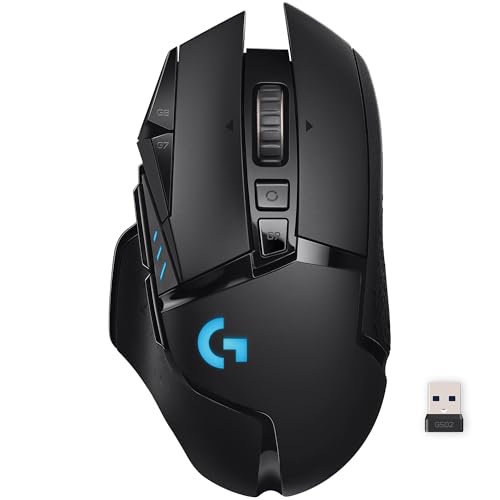
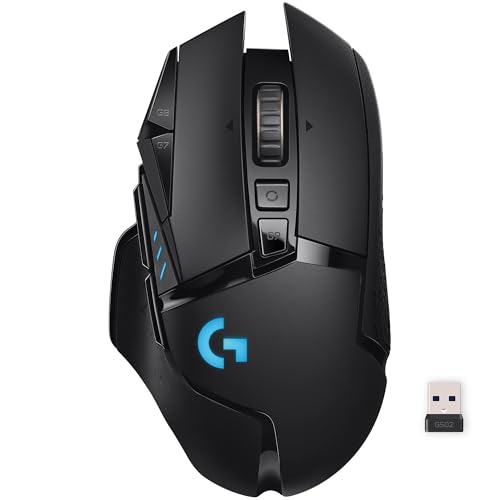
A wireless gaming mouse with RGB lighting, adjustable weights, 11 programmable buttons, POWERPLAY compatibility, on-board memory, and a Hero 16K sensor. The rechargeable battery charges over USB or on a PowerPlay pad, so the mouse never needs a battery swap.
Strengths
- Adjustable weights: Tunable weights let you add or remove heft until the mouse feels right, which suits players who want stability over flick speed.
- 11 programmable buttons: Eleven buttons cover abilities, macros, and shortcuts without reaching for the keyboard, which suits MMO and strategy players.
- POWERPLAY charging: On a PowerPlay pad the mouse charges while you play, so the battery question disappears entirely during a session.
Trade-offs to weigh
- Heavier than ultralights: With weights fitted this is a substantial mouse, so fingertip players who flick fast may prefer a lighter model.
- PowerPlay pad costs extra: The charging pad is a separate purchase, so the wireless-charging convenience needs a second buy to unlock.
- Shape divides opinion: The sculpted right-handed shape fits a palm grip well, but claw and fingertip players should check the fit first.
Who it fits best
The pick for a player who wants one mouse for everything: adjustable weight, plenty of buttons, and charging that never interrupts a game.
In daily use
In everyday use, the Logitech G502 LIGHTSPEED Wireless Gaming Mouse settles into a routine quickly. Set it up once, the way you like it, and give yourself a few days to adjust before judging it. The first session is about learning the layout and the feel; the second and third are where it starts to feel natural. Keep it clean, keep it in the conditions it was designed for, and it will stay consistent.
Before you buy
Before buying the Logitech G502 LIGHTSPEED Wireless Gaming Mouse, check two practical things. First, measure and compare: check the dimensions, the capacity, and the compatibility details listed on the product page against what you already own and the space you have. Second, think about your routine — where it will live, how it will be stored, and what it needs to connect to.
Best for: All-round players who want adjustable weight, 11 buttons, and PowerPlay wireless charging.
Not suited for: Ultralight esports players who count every gram and want the lightest mouse possible.
Check price on Amazon: Logitech G502 LIGHTSPEED Wireless Gaming Mouse

2. Logitech G502 X Lightspeed Wireless Gaming Mouse
A wireless gaming mouse with optical switches, 13 buttons, under 140 hours of battery, USB-C charging, an infinite scroll toggle, and PowerPlay charging. The updated G502 with a lighter body and a modern USB-C connection.
Strengths
- Under 140-hour battery: The long battery life covers a full week of play before a charge, so the cable stays in the drawer most days.
- Optical switches: Light-optical switches click faster and avoid the double-click faults that mechanical switches can develop over time.
- USB-C charging: USB-C charging means the same cable as a phone or laptop, and the mouse keeps working while it charges.
Trade-offs to weigh
- Still a large mouse: The G502 shape is broad and tall, so small hands may find the reach to the side buttons long.
- Infinite scroll learning curve: The free-spinning scroll wheel is useful for documents but takes getting used to in games.
- No weight tuning: Unlike the original G502, this version drops the tunable weight system, so the feel is fixed.
Who it fits best
A good fit for a G502 fan who wants the modern version: USB-C, optical switches, and a battery that lasts the week.
In daily use
Day to day, the Logitech G502 X Lightspeed Wireless Gaming Mouse is the kind of product you stop thinking about, which is the highest praise it can earn. It does its job the same way every time, without quirks or surprises, and lets you focus on the work or the game instead of the hardware. That consistency matters more than any single feature.
Before you buy
A few checks before you order the Logitech G502 X Lightspeed Wireless Gaming Mouse will save disappointment. Confirm the key details on the listing match what you expect — the exact model name, the included accessories, and the variant — since similar-looking models can differ in important ways. Check the return policy and the warranty terms so you know your options if it arrives damaged or does not suit you.
Best for: G502 fans who want USB-C charging, optical switches, and a battery that lasts for days.
Not suited for: Players with small hands, or anyone who wants tunable weights in their mouse.
Check price on Amazon: Logitech G502 X Lightspeed Wireless Gaming Mouse

3. Logitech G Pro X Superlight 2 Lightspeed Wireless Gaming Mouse
An ultralight wireless gaming mouse with LIGHTFORCE hybrid switches, a HERO 2 sensor at 32,000 DPI, five programmable buttons, and USB-C charging. Built for competitive players who want the lightest mouse that still tracks flawlessly.
Strengths
- Ultralight build: The light body flicks fast and tires the wrist less over a long session, which is the whole point of a Superlight.
- HERO 2 sensor, 32,000 DPI: The top sensor tracks precisely at any sensitivity, with no acceleration or smoothing to fight against.
- LIGHTFORCE switches: Hybrid optical-mechanical switches combine a crisp click with the reliability of an optical actuation.
Trade-offs to weigh
- Only five buttons: Five programmable buttons suit competitive shooters, but MMO players will want more.
- No RGB lighting: There is no lighting to drain the battery, which is good for battery life and bad for anyone who wants glow.
- Premium price tier: An ultralight flagship costs more than a mid-range mouse, so it is a buy for serious players rather than casual ones.
Who it fits best
The pick for competitive shooter players who want the lightest, most precise mouse available, and who charge over USB-C between sessions.
In daily use
Over a full week of use, the Logitech G Pro X Superlight 2 Lightspeed Wireless Gaming Mouse shows its character in small ways. The feel stays the same from the first day to the last, nothing loosens or rattles, and the finish holds up to regular handling. If you switch between tasks, you will appreciate that it does not need a different setup for each one: configure it once for the way you actually use it and leave it alone.
Before you buy
When the Logitech G Pro X Superlight 2 Lightspeed Wireless Gaming Mouse arrives, spend a little time setting it up properly. Follow the included instructions, check that everything listed as included is actually in the box, and test the main functions within the first day or two. Then leave the settings alone for a week. If something feels wrong after a few days, change one thing at a time so you know what actually helped.
Best for: Competitive FPS players who want an ultralight mouse with a top sensor and USB-C charging.
Not suited for: MMO players who need many buttons, or anyone who wants RGB lighting on their mouse.
Check price on Amazon: Logitech G Pro X Superlight 2 Lightspeed Wireless Gaming Mouse

4. Razer DeathAdder V3 HyperSpeed Ergonomic Wireless Gaming Mouse
A 55-gram ergonomic wireless gaming mouse with a Focus X 26K optical sensor, optical switches Gen-3, HyperSpeed wireless, up to 100 hours of battery, and USB-C charging. The lightest ergonomic DeathAdder yet, built for long sessions.
Strengths
- 55 grams, ergonomic shape: A light body in the classic DeathAdder ergonomic shape suits palm and claw grips for hours without fatigue.
- Up to 100-hour battery: A hundred hours of battery covers weeks of play, so charging becomes a rare chore rather than a routine.
- Focus X 26K sensor: The high-resolution sensor tracks cleanly at low and high sensitivity alike, with no smoothing to learn around.
Trade-offs to weigh
- Right-handed only: The ergonomic shape is made for right hands, so left-handed players need a different mouse.
- No RGB lighting: There is no Chroma lighting on this model, which keeps the weight down but removes a Razer signature feature.
- Fewer buttons: The button count is modest, so players who bind many abilities may want a mouse with more controls.
Who it fits best
The pick for a right-handed player who wants the DeathAdder shape at its lightest, with a battery that lasts for weeks.
In daily use
In everyday use, the Razer DeathAdder V3 HyperSpeed Ergonomic Wireless Gaming Mouse settles into a routine quickly. Set it up once, the way you like it, and give yourself a few days to adjust before judging it. The first session is about learning the layout and the feel; the second and third are where it starts to feel natural. Keep it clean, keep it in the conditions it was designed for, and it will stay consistent.
Before you buy
Before buying the Razer DeathAdder V3 HyperSpeed Ergonomic Wireless Gaming Mouse, check two practical things. First, measure and compare: check the dimensions, the capacity, and the compatibility details listed on the product page against what you already own and the space you have. Second, think about your routine — where it will live, how it will be stored, and what it needs to connect to.
Best for: Right-handed players who want a light ergonomic mouse with a 100-hour battery and USB-C charging.
Not suited for: Left-handed players, or anyone who wants RGB lighting and a dozen programmable buttons.
Check price on Amazon: Razer DeathAdder V3 HyperSpeed Ergonomic Wireless Gaming Mouse
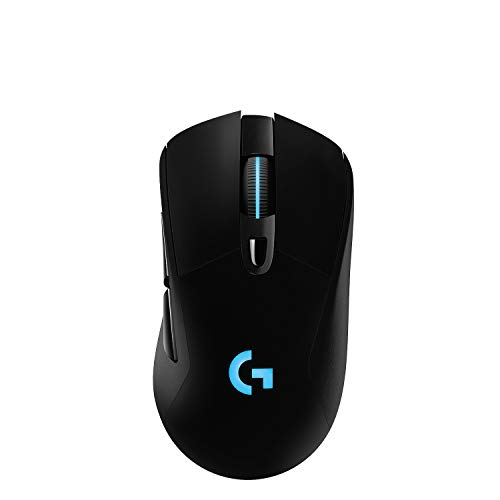
5. Logitech G703 LIGHTSPEED Wireless Gaming Mouse
A lightweight wireless gaming mouse with a Hero 25K sensor, PowerPlay compatibility, Lightsync RGB, and a 100 to 25,600 DPI range, with rubber side grips. The ergonomic rechargeable option for players who liked the classic G403 shape.
Strengths
- Hero 25K sensor: The high-resolution sensor tracks precisely across a wide sensitivity range, from low-sensitivity arm aimers to high-sensitivity wrist players.
- PowerPlay compatible: On a PowerPlay pad the mouse charges during play, so the battery never becomes a concern mid-match.
- Rubber side grips: Rubber grips keep the mouse secure in sweaty hands, which matters in long competitive sessions.
Trade-offs to weigh
- Older design: The G703 is an older shape than the Superlight line, so it is heavier and less minimalist.
- Lightsync uses battery: RGB lighting looks good but shortens the battery life, so competitive players often turn it off.
- PowerPlay pad separate: Wireless charging needs the separate PowerPlay pad, which is an extra purchase on top of the mouse.
Who it fits best
A good fit for a player who wants a comfortable ergonomic mouse with a proven sensor and the option of wireless charging.
In daily use
Day to day, the Logitech G703 LIGHTSPEED Wireless Gaming Mouse is the kind of product you stop thinking about, which is the highest praise it can earn. It does its job the same way every time, without quirks or surprises, and lets you focus on the work or the game instead of the hardware. That consistency matters more than any single feature.
Before you buy
A few checks before you order the Logitech G703 LIGHTSPEED Wireless Gaming Mouse will save disappointment. Confirm the key details on the listing match what you expect — the exact model name, the included accessories, and the variant — since similar-looking models can differ in important ways. Check the return policy and the warranty terms so you know your options if it arrives damaged or does not suit you.
Best for: Ergonomic-grip players who want a proven Hero sensor and PowerPlay charging.
Not suited for: Ultralight chasers, or players who want the newest sensor and the lightest body available.
Check price on Amazon: Logitech G703 LIGHTSPEED Wireless Gaming Mouse

6. Razer Basilisk V3 Pro Customizable RGB Wireless Gaming Mouse
A customisable RGB wireless gaming mouse with optical switches Gen-3, a HyperScroll tilt wheel, 11 programmable buttons, a Focus Pro 30K optical sensor, and a 150-hour battery. The feature-packed rechargeable pick for players who want everything.
Strengths
- 150-hour battery: The long battery life means charging is a weekly job at most, even with the lighting on.
- HyperScroll tilt wheel: The tilt wheel scrolls freely or in steps and tilts for side scrolling, which suits browsing as well as gaming.
- 11 programmable buttons: Eleven buttons cover abilities, macros, and media controls without touching the keyboard.
Trade-offs to weigh
- Heavier than ultralights: A feature-packed mouse carries more weight, so fast flick players may prefer a lighter model.
- Software for full features: The best features need Razer software to configure, so the first setup takes a few minutes.
- Charging dock separate: A charging dock is available separately, so out-of-the-box charging is over USB-C rather than a dock.
Who it fits best
The pick for a player who wants every feature: a long battery, a tilt wheel, RGB lighting, and eleven buttons in one rechargeable mouse.
In daily use
Over a full week of use, the Razer Basilisk V3 Pro Customizable RGB Wireless Gaming Mouse shows its character in small ways. The feel stays the same from the first day to the last, nothing loosens or rattles, and the finish holds up to regular handling. If you switch between tasks, you will appreciate that it does not need a different setup for each one: configure it once for the way you actually use it and leave it alone.
Before you buy
When the Razer Basilisk V3 Pro Customizable RGB Wireless Gaming Mouse arrives, spend a little time setting it up properly. Follow the included instructions, check that everything listed as included is actually in the box, and test the main functions within the first day or two. Then leave the settings alone for a week. If something feels wrong after a few days, change one thing at a time so you know what actually helped.
Best for: Feature-hungry players who want a 150-hour battery, a tilt wheel, and 11 buttons.
Not suited for: Minimalist esports players who want the lightest mouse and nothing else.
Check price on Amazon: Razer Basilisk V3 Pro Customizable RGB Wireless Gaming Mouse

7. Corsair Harpoon v2 Wireless Gaming Mouse
A wireless gaming mouse with 26K DPI, an asymmetrical shape, six programmable buttons, and up to 140 hours of battery. The compact rechargeable pick for smaller hands and travel bags.
Strengths
- Up to 140-hour battery: The long battery life covers weeks of use, so the mouse rarely needs its cable.
- Compact asymmetrical shape: The smaller body suits small to medium hands and slips into a laptop bag without fuss.
- 26K DPI sensor: The high-resolution sensor tracks cleanly at any sensitivity a player is likely to use.
Trade-offs to weigh
- Six buttons only: Six programmable buttons suit shooters, but MMO players will want a mouse with more controls.
- No RGB lighting: There is no lighting on this model, which helps the battery but removes a Corsair signature look.
- Compact for large hands: Players with large hands may find the body too small for a comfortable palm grip.
Who it fits best
The pick for smaller hands, laptop gamers, and anyone who wants a compact rechargeable mouse with a very long battery life.
In daily use
In everyday use, the Corsair Harpoon v2 Wireless Gaming Mouse settles into a routine quickly. Set it up once, the way you like it, and give yourself a few days to adjust before judging it. The first session is about learning the layout and the feel; the second and third are where it starts to feel natural. Keep it clean, keep it in the conditions it was designed for, and it will stay consistent.
Before you buy
Before buying the Corsair Harpoon v2 Wireless Gaming Mouse, check two practical things. First, measure and compare: check the dimensions, the capacity, and the compatibility details listed on the product page against what you already own and the space you have. Second, think about your routine — where it will live, how it will be stored, and what it needs to connect to.
Best for: Small to medium hands and laptop gamers who want a compact mouse with a 140-hour battery.
Not suited for: Large-handed palm players, or MMO players who need many programmable buttons.
Check price on Amazon: Corsair Harpoon v2 Wireless Gaming Mouse
Quick comparison: the seven rechargeable gaming mice at a glance
All seven mice below are rechargeable wireless gaming mice with built-in batteries. The differences are weight, shape, sensor, button count, and battery life.
| Product | What it is best at |
|---|---|
| Logitech G502 LIGHTSPEED Wireless Gaming Mouse | Adjustable weights, 11 buttons, PowerPlay charging |
| Logitech G502 X Lightspeed Wireless Gaming Mouse | USB-C, optical switches, under 140-hour battery |
| Logitech G Pro X Superlight 2 Lightspeed Wireless Gaming Mouse | Ultralight esports mouse, HERO 2 sensor, 32,000 DPI |
| Razer DeathAdder V3 HyperSpeed Ergonomic Wireless Gaming Mouse | Light ergonomic shape, 55g, 100-hour battery |
| Logitech G703 LIGHTSPEED Wireless Gaming Mouse | Ergonomic shape, Hero 25K, PowerPlay compatible |
| Razer Basilisk V3 Pro Customizable RGB Wireless Gaming Mouse | Feature-packed, 150-hour battery, tilt wheel, 11 buttons |
| Corsair Harpoon v2 Wireless Gaming Mouse | Compact shape, 140-hour battery, 26K DPI |
How to buy a rechargeable wireless gaming mouse
Check the battery type first, because it is the whole point of this guide. A rechargeable mouse has a built-in battery and charges over USB-C, Micro-USB, or a wireless pad. A mouse that runs on AA or AAA batteries is not rechargeable, even if the listing calls it wireless, and it will cost a steady stream of batteries over its life. The listings for the picks above all confirm rechargeable charging, and the two well-known AA models were left out for exactly this reason.
Match the shape to your hand and grip. Palm players need a taller, longer body that fills the hand, claw players need a shorter body with a defined hump, and fingertip players need a small, light body they can lift easily. A mouse that fits your grip will feel right in a minute; a mouse that does not will never feel right, whatever its sensor can do. If possible, try the shape in a shop, or measure your hand against the dimensions on the listing.
Weigh the mouse against your game. Ultralight mice under 60 grams flick faster and tire the wrist less, which suits competitive shooters, while heavier mice with adjustable weights feel more stable and suit players who value control over speed. There is no right weight, only the weight that matches your arm and your sensitivity, and a mouse that is too light can feel as wrong as one that is too heavy.
Read the battery figure with care. Battery life depends on lighting, polling rate, and use, so a figure quoted with RGB off and a low polling rate will shrink in real play. A mouse rated for 100 hours with lighting off may give half that with lighting on, and a mouse that charges over USB-C while in use is more forgiving than one that must sit on a dock. Pick a battery life with margin, and keep the cable in the desk drawer rather than in a box.
Finally, check the software and the switches. Most gaming mice need software to remap buttons and adjust sensitivity, and that software usually runs on Windows and macOS only, so Linux players should check before buying. Optical switches avoid the double-click faults that mechanical switches can develop, while mechanical switches offer a click feel some players prefer. Neither is better for everyone, but knowing which one a mouse uses avoids a surprise.
One more buying point is the cable that comes in the box. A rechargeable mouse is only as convenient as its charging cable, and a short or fragile cable will be a daily annoyance. Check whether the mouse charges over USB-C or an older connector, and whether the cable is long enough to reach from the computer to the desk while you play. A mouse with USB-C and a decent cable is a mouse that can be charged from the same cable as a phone, which is one less cable to carry.
Charging and living with a rechargeable gaming mouse
Charge the mouse before the first session, and let it reach a full charge so the battery calibration starts correctly. Most rechargeable mice run for days on a charge, so a nightly top-up is unnecessary; charge when the software warns you, or once a week as a habit. A mouse that charges over USB-C can keep working while it charges, so a low battery mid-game costs a cable, not a match.
Keep the receiver close and the sensor clean. A wireless receiver plugged into the back of a desktop can struggle through the case, so use the extension adapter or a front USB port if the connection stutters. Wipe the sensor lens with a dry cloth every week or so, and keep the mouse feet free of dust and crumbs, because a dirty sensor or sticky feet will ruin aim more surely than a weak sensor.
Day to day, a rechargeable mouse needs almost no care. Update the firmware when the software offers it, because updates fix sensor and battery behaviour, and keep a spare cable in the bag for travel. If the battery starts holding less charge after a year or two, that is normal wear on a lithium cell; a mouse with a replaceable battery is rare, so treat the battery gently by avoiding full discharges.
If the mouse starts disconnecting or the battery drains fast, check the simple causes first: a low polling rate setting, lighting left on, or a receiver buried behind a metal case. Move the receiver, turn the lighting down, and test again before assuming the mouse is faulty. Most wireless problems are placement problems, not hardware problems.
Travel deserves a thought too. A rechargeable mouse goes in the bag with its cable and its receiver, and the receiver needs a safe place so it is not lost: a slot in the mouse body, a small case, or a USB port on the laptop. Keep the mouse switched off in the bag, because a mouse that wakes up and tracks inside a bag will drain its battery before the game starts.
Common mistakes with rechargeable gaming mice
The most common mistake is buying a battery-powered mouse by accident. A wireless mouse that takes AA or AAA batteries is not rechargeable, and the difference is easy to miss when the listing headline just says wireless. Check the battery section of the listing before ordering, and if it mentions AA or AAA, it is not the mouse this guide is about.
The second mistake is choosing by sensor numbers alone. A 30K sensor is not better than a 26K sensor in any way a human can feel, because both track far beyond what a hand can use. Shape, weight, and switch feel decide whether a mouse is good, and the sensor only needs to be modern and clean.
The third mistake is ignoring the grip. A palm player who buys a small fingertip mouse will cramp, and a fingertip player who buys a large palm mouse will drag. Match the shape to the grip first, and let the sensor and the buttons follow.
The fourth mistake is running the battery flat every time. Lithium batteries last longest when they are kept between roughly a fifth and full, so charge when the software warns you rather than waiting for the mouse to die mid-game. A mouse that dies in a match costs more than the few minutes a top-up takes.
These guides on this site cover neighbouring questions in more depth.
- Best gaming mouse under 10
- Best top 10 gaming mouse under 50
- Best wireless keyboard and mouse combo for gaming
The short answer
For most players, the Logitech G502 X Lightspeed is the best starting point: USB-C charging, optical switches, thirteen buttons, and a battery that lasts the week cover almost every game. If competitive shooters are the whole job, the G Pro X Superlight 2 is the lighter, sharper tool. And if the budget matters or the hand is small, the Corsair Harpoon v2 gives a long battery and a clean sensor in a compact body.
Whatever you choose, confirm the listing says rechargeable before ordering, match the shape to your grip, and keep the charging cable where you can reach it. A rechargeable mouse that fits your hand is a mouse you stop thinking about, and that is exactly what a gaming mouse should be. Charge it when the software warns you, not when it dies, and it will be ready every time you sit down to play.
Frequently asked questions
Are all wireless gaming mice rechargeable?
No. Many wireless gaming mice run on AA or AAA batteries, including the Razer Basilisk V3 X and the SteelSeries Rival 3 Wireless. Check the battery section of the listing: rechargeable mice have a built-in battery and charge over USB or a pad. When in doubt, search the listing for the word rechargeable before you buy.
How long does a rechargeable gaming mouse battery last?
The mice in this guide range from about 100 hours to 150 hours per charge, depending on lighting and polling rate. Turning RGB lighting off and using a standard polling rate extends battery life noticeably.
Can I use a rechargeable mouse while it charges?
Yes, if it charges over USB-C or a cable. The mouse keeps working while plugged in, so a low battery costs a cable rather than a match. Mice that only charge on a dock must sit out while charging.
What is PowerPlay charging?
PowerPlay is a Logitech wireless charging system: a charging mousepad powers the mouse while you play, so the battery stays topped up without a cable. It needs a compatible mouse and a separate PowerPlay pad.
Do I need software for a gaming mouse?
Most gaming mice need the maker software to remap buttons, adjust sensitivity, and update firmware. Basic use works without it, but the best features need the software, which usually runs on Windows and macOS.
Is a lighter mouse always better?
Not always. Ultralight mice suit fast flicks in competitive shooters, but a heavier mouse with adjustable weights feels more stable to many players. Match the weight to your game and your arm, not to the specification sheet.