As an Amazon Associate, this site may earn an affiliate commission from qualifying purchases made through links on this page, at no extra cost to you.
In this guide
Quick picks: best wireless noise cancelling headsets
| # | Product | Where to buy |
|---|---|---|
| 1 | Sony WH-1000XM6 Wireless Noise Cancelling Headphones | Check on Amazon |
| 2 | Bose QuietComfort Headphones | Check on Amazon |
| 3 | Bose QuietComfort 45 Bluetooth Wireless Noise Cancelling Headphones | Check on Amazon |
| 4 | Jabra Evolve2 85 Wireless PC Headset | Check on Amazon |
| 5 | Sennheiser MOMENTUM 4 Wireless Headphones | Check on Amazon |
| 6 | Poly Voyager Focus 2 UC USB-A Headset | Check on Amazon |
| 7 | Beats Studio Pro Over-Ear Headphones | Check on Amazon |
Silence you can switch on
The best wireless noise cancelling headsets do two jobs at once: they silence the world around you, and they keep you connected to the call, the music, or the game. A good pair makes an open office feel like a private room, a long flight feel shorter, and a busy household fade into the background. The seven picks in this guide are wireless headsets with active noise cancelling, verified against their full product listings, and they cover work calls, travel, and focused listening.
The picks split into two families, and the difference matters. Music-first headsets from Sony, Bose, Sennheiser, and Beats prioritise sound quality and the strength of the noise cancelling, while work-first headsets from Jabra and Poly add a boom microphone and a USB adapter for clear calls on a computer. Both families are wireless and both cancel noise, but the right one depends on whether the headset spends its day on calls or on music.
Every pick below states its battery life, its charging, and its noise cancelling approach from the listing, so the comparison table lets you match the headset to the day you actually have. The buying guide explains the difference between active and passive cancelling, why a boom microphone matters for calls, and how to judge battery life honestly.
Price is the other thread through this guide. A flagship headset costs more than a mid-range one, and the extra money buys stronger cancelling, a longer battery, and a better microphone array. Whether that is worth it depends on the hours the headset will work: a headset worn eight hours a day, five days a week, earns a flagship price far faster than one worn on a monthly flight.
How the picks were chosen
The shortlist started with type. Only wireless headsets with active noise cancelling made the cut: wired headsets, earbuds, and accessories such as replacement earpads and microphone cables were set aside, because they are not the product this guide is about. Renewed listings were also excluded, including renewed Sony WH-1000XM5 and XM6 units that appeared in the search results.
After type, the picks were judged on noise cancelling strength, battery life, microphone quality, and comfort. A headset that cancels noise well but hurts after an hour is a poor buy, and a headset with a great microphone but a short battery is a poor buy for a working day. The listings give battery figures and microphone details, and the trade-offs under each pick say where it falls short, so a reader can choose with open eyes.
The final check was the use case. A headset for calls needs a boom microphone or a strong beamforming microphone array, while a headset for music needs sound quality and a transparency mode for hearing announcements. The picks below cover both, with two work-first headsets and five music-first headsets, so the guide serves a commuter, a home worker, and a frequent flyer alike.
The best wireless noise cancelling headsets, reviewed

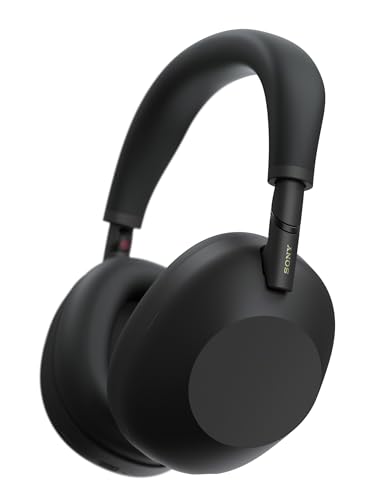
1. Sony WH-1000XM6 Wireless Noise Cancelling Headphones
Sony flagship wireless noise cancelling headphones with the HD NC Processor QN3, twelve microphones, an adaptive NC optimiser, and up to 30 hours of battery. The newest and most capable noise canceller in this guide.
Strengths
- Strongest noise cancelling: Twelve microphones and the QN3 processor adapt the cancelling to the room, the flight, or the street, which is the closest to silence in this guide.
- 30-hour battery: Thirty hours covers a working week of calls and music, or several long flights, before the headset needs a charge.
- Adaptive optimisation: The adaptive optimiser adjusts the cancelling as the environment changes, so the headset stays quiet without manual tweaking.
Trade-offs to weigh
- Flagship size: A flagship headset is a full-size over-ear, so it needs room in the bag and is not a pocketable travel companion.
- No boom microphone: The microphones are built into the earcups, so call quality is good but not as focused as a boom-microphone headset.
- Premium pick: The newest flagship costs more than the older models, so it is a buy for someone who wants the best cancelling available.
Who it fits best
The pick for a frequent flyer or a home worker who wants the strongest noise cancelling available, with a battery that lasts the week.
In daily use
In everyday use, the Sony WH-1000XM6 Wireless Noise Cancelling Headphones settles into a routine quickly. Set it up once, the way you like it, and give yourself a few days to adjust before judging it. The first session is about learning the layout and the feel; the second and third are where it starts to feel natural. Keep it clean, keep it in the conditions it was designed for, and it will stay consistent.
Before you buy
Before buying the Sony WH-1000XM6 Wireless Noise Cancelling Headphones, check two practical things. First, measure and compare: check the dimensions, the capacity, and the compatibility details listed on the product page against what you already own and the space you have. Second, think about your routine — where it will live, how it will be stored, and what it needs to connect to.
Best for: Frequent flyers and home workers who want the strongest noise cancelling and a 30-hour battery.
Not suited for: Call-centre work where a boom microphone matters, or buyers who want a compact travel headset.
Check price on Amazon: Sony WH-1000XM6 Wireless Noise Cancelling Headphones

2. Bose QuietComfort Headphones
Bose wireless Bluetooth headphones with active over-ear noise cancelling and a microphone, USB-C charging, deep bass, and up to 24 hours of playtime, in a Twilight Blue limited-edition colour. The comfortable all-rounder in this guide.
Strengths
- Bose comfort: Bose headsets are known for light clamping and soft earcups, so this one suits long wearing better than most.
- Deep bass sound: The deep bass tuning suits music and films, giving the headset a warm, full sound for travel and relaxing.
- USB-C charging: USB-C charging means the same cable as a phone or laptop, and a quick top-up covers a commute.
Trade-offs to weigh
- 24-hour battery: Twenty-four hours is good, but shorter than the Sony and Sennheiser picks in this guide.
- Limited-edition colour: The Twilight Blue colour is a limited edition, so the colour may not be available in every listing.
- No boom microphone: The microphone is built in, so call quality is fine for a home office but not as sharp as a boom headset.
Who it fits best
A good fit for someone who wears a headset all day and values comfort above all else, with strong cancelling and a warm sound.
In daily use
Day to day, the Bose QuietComfort Headphones is the kind of product you stop thinking about, which is the highest praise it can earn. It does its job the same way every time, without quirks or surprises, and lets you focus on the work or the game instead of the hardware. That consistency matters more than any single feature.
Before you buy
A few checks before you order the Bose QuietComfort Headphones will save disappointment. Confirm the key details on the listing match what you expect — the exact model name, the included accessories, and the variant — since similar-looking models can differ in important ways. Check the return policy and the warranty terms so you know your options if it arrives damaged or does not suit you.
Best for: All-day wearers who want Bose comfort, deep bass, and strong noise cancelling.
Not suited for: Travellers who need the longest battery, or call-heavy work that needs a boom microphone.
Check price on Amazon: Bose QuietComfort Headphones

3. Bose QuietComfort 45 Bluetooth Wireless Noise Cancelling Headphones
Bose QuietComfort 45 Bluetooth wireless noise cancelling headphones in Triple Black. The established QuietComfort model, with the noise cancelling and comfort that made the line famous.
Strengths
- Proven QuietComfort design: The QC45 is the established model in the line, with years of use behind it and a design that has earned its reputation.
- Triple Black finish: The plain black finish suits an office and a commute alike, without drawing attention.
- Reliable cancelling: The noise cancelling is strong and consistent, cutting engine drone, office chatter, and household noise alike.
Trade-offs to weigh
- Older model: The QC45 is an older design than the current QuietComfort headphones, so it lacks the newest features.
- Battery not headlined: The listing does not headline a battery figure, so buyers should check the product page for the latest detail.
- No USB-C detail: The listing does not promise USB-C charging, so check the port on the product page before ordering.
Who it fits best
The pick for a buyer who wants the proven QuietComfort experience without paying for the newest flagship.
In daily use
Over a full week of use, the Bose QuietComfort 45 Bluetooth Wireless Noise Cancelling Headphones shows its character in small ways. The feel stays the same from the first day to the last, nothing loosens or rattles, and the finish holds up to regular handling. If you switch between tasks, you will appreciate that it does not need a different setup for each one: configure it once for the way you actually use it and leave it alone.
Before you buy
When the Bose QuietComfort 45 Bluetooth Wireless Noise Cancelling Headphones arrives, spend a little time setting it up properly. Follow the included instructions, check that everything listed as included is actually in the box, and test the main functions within the first day or two. Then leave the settings alone for a week. If something feels wrong after a few days, change one thing at a time so you know what actually helped.
Best for: Buyers who want proven Bose noise cancelling in a plain black headset at a lower cost than the flagship.
Not suited for: Anyone who wants the latest features, the longest battery, or USB-C charging confirmed in the listing.
Check price on Amazon: Bose QuietComfort 45 Bluetooth Wireless Noise Cancelling Headphones

4. Jabra Evolve2 85 Wireless PC Headset
A Jabra Evolve2 85 wireless PC headset with noise cancelling, UC certification, stereo sound, a long-lasting battery, and a USB-C Bluetooth adapter. The work-first headset in this guide, built for calls all day.
Strengths
- UC certified for calls: Unified Communications certification means the headset is tested for the major meeting platforms, so calls just work.
- Boom microphone: A proper boom microphone puts the mic near the mouth, so colleagues hear the voice rather than the room.
- USB-C adapter included: The included USB-C Bluetooth adapter gives a stable computer connection without pairing fuss or dropouts.
Trade-offs to weigh
- Work-first sound: The sound is tuned for calls rather than music, so it will not thrill a music listener the way the Sony does.
- Bulky for travel: A boom-microphone headset is larger and less pocketable than a music headset, so it suits a desk more than a bag.
- Business look: The design is plain and professional, which is right for work and less fun for leisure listening.
Who it fits best
The pick for a home worker or office worker who spends the day on calls and needs colleagues to hear every word.
In daily use
In everyday use, the Jabra Evolve2 85 Wireless PC Headset settles into a routine quickly. Set it up once, the way you like it, and give yourself a few days to adjust before judging it. The first session is about learning the layout and the feel; the second and third are where it starts to feel natural. Keep it clean, keep it in the conditions it was designed for, and it will stay consistent.
Before you buy
Before buying the Jabra Evolve2 85 Wireless PC Headset, check two practical things. First, measure and compare: check the dimensions, the capacity, and the compatibility details listed on the product page against what you already own and the space you have. Second, think about your routine — where it will live, how it will be stored, and what it needs to connect to.
Best for: Call-heavy work where a boom microphone, UC certification, and a USB adapter matter most.
Not suited for: Music-first listening, or travel where a compact folding headset is the priority.
Check price on Amazon: Jabra Evolve2 85 Wireless PC Headset

5. Sennheiser MOMENTUM 4 Wireless Headphones
Sennheiser MOMENTUM 4 wireless headphones with adaptive noise cancellation, a transparency mode, up to 60 hours of battery with fast charge, and Sennheiser signature sound, in white. The battery-life leader in this guide.
Strengths
- 60-hour battery: Sixty hours is the longest battery in this guide, covering two working weeks of use before a charge.
- Sennheiser sound: The signature sound is detailed and balanced, suiting long listening sessions without fatigue.
- Transparency mode: Transparency mode lets announcements and traffic through without removing the headset, which matters on a commute.
Trade-offs to weigh
- White shows wear: The white finish looks clean when new but shows marks and scuffs sooner than a black headset.
- Large earcups: The over-ear cups are generous, so the headset is a full-size unit rather than a compact traveller.
- No boom microphone: The microphones are built in, so call quality is good for a home office but not as focused as a boom headset.
Who it fits best
The pick for a listener who wants the longest battery and a refined sound, with strong adaptive cancelling for the commute.
In daily use
Day to day, the Sennheiser MOMENTUM 4 Wireless Headphones is the kind of product you stop thinking about, which is the highest praise it can earn. It does its job the same way every time, without quirks or surprises, and lets you focus on the work or the game instead of the hardware. That consistency matters more than any single feature.
Before you buy
A few checks before you order the Sennheiser MOMENTUM 4 Wireless Headphones will save disappointment. Confirm the key details on the listing match what you expect — the exact model name, the included accessories, and the variant — since similar-looking models can differ in important ways. Check the return policy and the warranty terms so you know your options if it arrives damaged or does not suit you.
Best for: Long listeners who want a 60-hour battery, Sennheiser sound, and adaptive cancelling.
Not suited for: Call-centre work that needs a boom microphone, or buyers who want a black headset.
Check price on Amazon: Sennheiser MOMENTUM 4 Wireless Headphones

6. Poly Voyager Focus 2 UC USB-A Headset
A Poly Voyager Focus 2 UC USB-A headset with Bluetooth, a dual-ear stereo design, a boom microphone, a USB-A PC and Mac connection, active noise cancelling, and Microsoft Teams certification. The second work-first headset in this guide.
Strengths
- Boom microphone with ANC: The boom microphone and active noise cancelling work together, so the caller hears the voice and not the office.
- Teams certified: Microsoft Teams certification means the headset is tested for Teams calls, with a clear answer and mute behaviour.
- USB-A adapter: The USB-A connection suits desktop computers and laptops with a standard USB port, with no pairing needed.
Trade-offs to weigh
- USB-A only in this listing: This listing is the USB-A version, so a laptop with only USB-C ports needs an adapter.
- Work-first design: The design prioritises calls over music, so it will not replace a music headset for listening.
- Stereo bulk: A dual-ear stereo headset with a boom is a substantial unit, best kept at a desk rather than carried daily.
Who it fits best
A good fit for a Teams-based office or home worker who needs a certified headset with a boom microphone and a simple USB connection.
In daily use
Over a full week of use, the Poly Voyager Focus 2 UC USB-A Headset shows its character in small ways. The feel stays the same from the first day to the last, nothing loosens or rattles, and the finish holds up to regular handling. If you switch between tasks, you will appreciate that it does not need a different setup for each one: configure it once for the way you actually use it and leave it alone.
Before you buy
When the Poly Voyager Focus 2 UC USB-A Headset arrives, spend a little time setting it up properly. Follow the included instructions, check that everything listed as included is actually in the box, and test the main functions within the first day or two. Then leave the settings alone for a week. If something feels wrong after a few days, change one thing at a time so you know what actually helped.
Best for: Microsoft Teams work where a certified boom-microphone headset with USB-A is the requirement.
Not suited for: Music listening, travel, or laptops with only USB-C ports and no adapter.
Check price on Amazon: Poly Voyager Focus 2 UC USB-A Headset
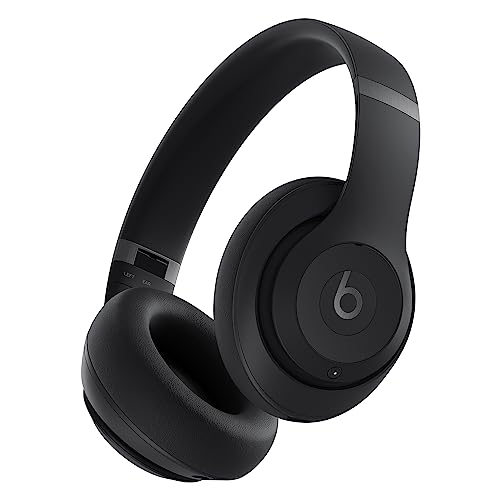
7. Beats Studio Pro Over-Ear Headphones
Beats Studio Pro over-ear headphones with a 40-hour battery, active noise cancelling, USB-C lossless audio, fast fuel charging, a foldable design, and Apple and Android compatibility, in black. The travel-friendly pick in this guide.
Strengths
- 40-hour battery: Forty hours covers a working week or several flights, and fast fuel charging tops it up quickly.
- USB-C lossless audio: USB-C lossless audio gives a wired-quality sound over a cable when the listener wants the best quality.
- Foldable design: The foldable design packs smaller than the other full-size headsets, which suits a travel bag.
Trade-offs to weigh
- Bass-forward sound: The Beats tuning is bass-forward, which suits pop and hip-hop but may not suit a listener who wants a flat sound.
- Cancelling behind Sony: The noise cancelling is good but not as strong as the Sony flagship, so a very noisy flight will show the difference.
- No boom microphone: The microphone is built in, so call quality is fine for casual calls but not as sharp as a boom headset.
Who it fits best
The pick for a traveller who wants a folding headset with a long battery, fast charging, and a sound that suits music on the move.
In daily use
In everyday use, the Beats Studio Pro Over-Ear Headphones settles into a routine quickly. Set it up once, the way you like it, and give yourself a few days to adjust before judging it. The first session is about learning the layout and the feel; the second and third are where it starts to feel natural. Keep it clean, keep it in the conditions it was designed for, and it will stay consistent.
Before you buy
Before buying the Beats Studio Pro Over-Ear Headphones, check two practical things. First, measure and compare: check the dimensions, the capacity, and the compatibility details listed on the product page against what you already own and the space you have. Second, think about your routine — where it will live, how it will be stored, and what it needs to connect to.
Best for: Travellers who want a folding headset with a 40-hour battery and USB-C lossless audio.
Not suited for: Call-heavy work that needs a boom microphone, or listeners who want a flat, neutral sound.
Check price on Amazon: Beats Studio Pro Over-Ear Headphones
Quick comparison: the seven wireless noise cancelling headsets at a glance
All seven headsets below are wireless with active noise cancelling. The differences are battery life, microphone design, and whether the headset is built for calls or for music.
| Product | What it is best at |
|---|---|
| Sony WH-1000XM6 Wireless Noise Cancelling Headphones | Strongest cancelling, 12 mics, 30-hour battery |
| Bose QuietComfort Headphones | Bose comfort, deep bass, USB-C, 24-hour battery |
| Bose QuietComfort 45 Bluetooth Wireless Noise Cancelling Headphones | Proven QuietComfort design in Triple Black |
| Jabra Evolve2 85 Wireless PC Headset | Work calls, boom mic, UC certified, USB-C adapter |
| Sennheiser MOMENTUM 4 Wireless Headphones | Longest battery, 60 hours, Sennheiser sound |
| Poly Voyager Focus 2 UC USB-A Headset | Teams calls, boom mic, ANC, USB-A connection |
| Beats Studio Pro Over-Ear Headphones | Travel, folding design, 40-hour battery, USB-C audio |
How to buy a wireless noise cancelling headset
Start with the job. A headset for calls needs a boom microphone or a strong microphone array, because the people on the call hear the microphone, not the earcups. A headset for music needs sound quality and cancelling strength, because the listener hears the drivers and the silence. The Jabra and Poly picks in this guide are built for calls, while the Sony, Bose, Sennheiser, and Beats picks are built for listening, so choose by the day you actually have.
Understand the cancelling. Active noise cancelling uses microphones to hear outside noise and cancel it with an opposite sound, which works best on steady noise such as engines, fans, and air conditioning. It works less well on sudden sounds such as a door slamming or a voice nearby, and that is normal. A good seal from the earcups adds passive cancelling on top, so a headset that fits well will always beat one that does not.
Check the battery honestly. Battery figures assume a typical use, often with noise cancelling on and the volume at a moderate level, and the figure shrinks with louder volume, with the microphone in use, or with features such as spatial audio turned on. A headset rated for 60 hours is a safer buy than one rated for 24 if the working day is long, and a headset with fast charging is worth having for the days the battery runs low.
Check the connection and the charging. Bluetooth is standard, but a USB adapter gives a more stable connection to a computer, and a headset that works with both Bluetooth and a USB adapter is the most flexible. USB-C charging is the modern standard, and a headset that still uses an older connector will need a separate cable kept in the bag.
Finally, try the fit. A headset that clamps too hard will hurt after an hour, and a headset that is too loose will let noise in around the earcups. Over-ear headsets suit most people for long sessions, while on-ear headsets are more compact but press on the ears. If possible, try the headset on before buying, or buy from a seller with a fair return policy and test it for a full working day.
One more buying point is the multipoint connection. A headset that connects to two devices at once can take a call from the laptop while music plays from the phone, and switch between them without re-pairing. That sounds like a small feature until the working day depends on it, and the headsets in this guide that support multipoint are worth favouring for a home office where the phone and the computer share the day.
Setting up and living with a noise cancelling headset
Setup takes a few minutes. Charge the headset fully first, then pair it over Bluetooth or plug in the USB adapter for a computer. Install the maker app if one is offered, because it carries firmware updates, the equaliser, and the noise cancelling controls. Test a call with a colleague before the first important meeting, so the microphone level and the mute behaviour are known in advance.
Learn the controls before you need them. The buttons or touch controls for noise cancelling, transparency mode, and mute are easy to find in a quiet room and hard to find on a noisy train. Spend ten minutes learning them on the first day, and set the transparency mode as a habit for crossings, stations, and announcements, so the headset does not have to come off.
Day to day, a headset needs a little care. Wipe the earcups with a dry cloth, keep the headset in its case when it travels, and charge it when the app warns you rather than waiting for it to die. A headset that lives on a desk hook or in a case will last longer than one that lives at the bottom of a bag.
If the cancelling weakens or the sound changes, check the earcups first. Worn earpads leak noise and change the sound, and replacement pads are usually available from the maker. Update the firmware when the app offers it, because updates fix cancelling and battery behaviour, and check the Bluetooth connection if the sound stutters, since a crowded wireless environment can cause dropouts.
Storage matters more than it looks. A headset left on a desk in the sun will age faster, and earpads left pressed against a hard surface will flatten and leak noise. Hang the headset on a hook or keep it in its case, away from heat and dust, and it will keep its seal and its sound for years rather than months.
Common mistakes with noise cancelling headsets
The most common mistake is buying a music headset for call-heavy work. A music headset has its microphones built into the earcups, so it picks up the room as well as the voice, and colleagues will hear the difference. If the day is mostly calls, buy a headset with a boom microphone, such as the Jabra or Poly picks in this guide.
The second mistake is buying a renewed headset without realising it. Renewed headsets can hide in search results with truncated titles, and earpads and batteries wear with use, so a renewed unit may arrive with tired pads and a weaker battery. Read the full title on the product page, and prefer a new listing.
The third mistake is expecting silence. Active noise cancelling cuts steady noise well and sudden noise poorly, so a headset will not silence a nearby conversation or a slamming door. If total silence is needed, combine the headset with a quiet room, or use it with music at a low volume.
The fourth mistake is ignoring the fit. A headset that hurts after an hour will sit in a drawer, whatever its cancelling can do. Try it for a full working day within the return window, and if it hurts, return it and try a lighter model or one with softer earcups.
The fifth mistake is never updating the firmware. Makers improve noise cancelling, battery life, and call quality through updates, and a headset that has never been updated is running the software it shipped with, bugs included. Install the maker app, check for updates on the first day, and check again every few months.
These guides on this site cover neighbouring questions in more depth.
The short answer
For most people, the Sony WH-1000XM6 is the best starting point: the strongest noise cancelling, a 30-hour battery, and a sound that suits music and calls alike. If the day is mostly calls, the Jabra Evolve2 85 with its boom microphone is the better tool. And if battery life matters most, the Sennheiser MOMENTUM 4 with 60 hours is the pick that needs charging least.
Whatever you choose, match the headset to the job, check the full title for the word renewed, and test the fit for a full working day. A headset that fits, cancels well, and lasts the week is a headset that earns its place on the desk.
If the choice is still close, let battery life decide. A headset that needs charging every other day will be the one that dies before the important call, while a headset that lasts the week will simply be there when it is needed. Comfort comes first, cancelling second, and battery third, and the picks above are ordered so that any of them can win on those three.
Frequently asked questions
What is the difference between active and passive noise cancelling?
Active cancelling uses microphones to hear outside noise and cancel it with an opposite sound, which works best on steady noise like engines. Passive cancelling is the seal of the earcups blocking sound physically. A good headset uses both.
Do I need a boom microphone for work calls?
Yes, if calls are most of the day. A boom microphone sits near the mouth and picks up the voice rather than the room, so colleagues hear clearly. A music headset with built-in microphones is fine for occasional calls but not for call-heavy work.
How long should a headset battery last?
The headsets in this guide range from 24 hours to 60 hours per charge. A working day of calls and music uses roughly 8 to 10 hours, so even the shortest battery here covers two working days, and the longest covers a week.
Can I use a noise cancelling headset on a plane?
Yes, and it is one of the best uses for them. Active cancelling is strongest on the steady drone of an engine, and a long battery covers even the longest flights. Bring the charging cable for the return journey.
Should I buy a renewed headset?
It is better not to. Earpads and batteries wear with use, so a renewed headset may arrive with tired pads and a weaker battery. Read the full title on the product page and prefer a new listing.
What is transparency mode?
Transparency mode lets outside sound through the headset, so announcements, traffic, and voices can be heard without removing it. It is useful on a commute, at a station, or when someone speaks to you at work.