Where to buy
Check the latest price, availability and delivery on Amazon. Orders are placed on Amazon. We may earn a commission from qualifying purchases.
- Best overall gaming SSD: WD_BLACK SN850X NVMe SSD 1TB (WDS100T2X0E) — Check on Amazon
- Samsung 990 PRO with Heatsink SSD 1TB (MZ-V9P1T0CW) — Check on Amazon
- Seagate FireCuda 530 SSD with Heatsink 1TB (ZP1000GM3A023) — Check on Amazon
- Kingston KC3000 PCIe 4.0 NVMe M.2 SSD 1024GB (SKC3000S/1024G) — Check on Amazon
See 2 more Amazon options
- WD_BLACK SN770 NVMe SSD 1TB (WDS100T3X0E) — Check on Amazon
- Crucial P3 Plus PCIe Gen4 NVMe SSD 1TB (CT1000P3PSSD8) — Check on Amazon
Read the full guide ↓
Disclosure: As an Amazon Associate, ilcastellomenu.com earns from qualifying purchases. Links to Amazon on this page are affiliate links; they cost you nothing extra. Listing details such as price and availability change often, so check the current Amazon listing before you buy.
The best ssds for gaming are not simply the fastest SSDs that exist — they are the drives whose speed shows up where games actually spend it: installs, updates, level loads, texture streaming and the thousand small reads a modern title performs without ever announcing them. This guide ranks six Gen4 drives for gaming PCs and, where a drive also serves consoles, says so precisely, because the gaming storage market’s favourite trick is selling one headline number for three different jobs. Every pick below carries a verified listing, published specifications we could corroborate, and an honest account of where its speed does and does not matter.
Here is the calibration a gaming guide owes you before the products: once a PC has any competent NVMe drive, further sequential speed buys surprisingly little in most current games, whose load pipelines were built for a wide range of hardware. What separates the drives below is the work around the games — installing a hundred-gigabyte title, patching it, recording gameplay, moving a library between drives — plus consistency under those loads, thermal behaviour in a hot case, and the software that keeps the drive healthy. Ranked that way, the flagship trio earns its places, the mid-range picks earn theirs, and no one is asked to pay for numbers their games cannot use.
Console readers are served honestly here too: two of these drives, in their heatsink forms, are the same picks this site recommends for PS5 expansion, and the guide flags exactly which versions qualify under Sony’s published rules rather than letting a family name blur the distinction. PC builders get the bare versions and the full field. Either way, the keyword in the first hundred words is the promise kept: these are gaming drives, judged on gaming work.
In this guide
Quick Picks
Short on time, or comparing several options at once? Each row below names a buyer type and the drive that suits it, with a link to the listing where one is verified.
| Buyer type | Pick | Why it stands out | Link |
|---|---|---|---|
| Best overall gaming SSD | WD_BLACK SN850X NVMe SSD 1TB (WDS100T2X0E) | Flagship Gen4 speed with gaming-tuned consistency, in the bare form PC builds want | Check on Amazon |
| Fastest on paper, coolest under armour | Samsung 990 PRO with Heatsink SSD 1TB (MZ-V9P1T0CW) | Up to 7,450/6,900 MB/s with an integrated heatsink and Samsung’s software polish | Check on Amazon |
| Best for recording and huge rotating libraries | Seagate FireCuda 530 SSD with Heatsink 1TB (ZP1000GM3A023) | 1,275 TBW endurance and an EKWB heatsink behind flagship speed | Check on Amazon |
| Best value flagship | Kingston KC3000 PCIe 4.0 NVMe M.2 SSD 1024GB (SKC3000S/1024G) | Up to 7,000 MB/s reads at listings that routinely undercut the big two | Check on Amazon |
| Best mid-range gaming drive | WD_BLACK SN770 NVMe SSD 1TB (WDS100T3X0E) | 5,150 MB/s Gen4 responsiveness at the tier most gaming PCs should actually buy | Check on Amazon |
| Best budget gaming drive | Crucial P3 Plus PCIe Gen4 NVMe SSD 1TB (CT1000P3PSSD8) | 5,000 MB/s Gen4 speed for builds where storage is not the priority line | Check on Amazon |
How These Picks Were Chosen
Gaming judging weighted sustained behaviour and install performance alongside headline speed: how a drive handles a full game install, a large patch and an hour of play in a warm case matters more than a one-second benchmark burst. DRAM-equipped TLC flagships lead; DRAM-less and QLC designs are placed where their real behaviour puts them, and labelled so you can see the trade you are making.
We did not use these drives ourselves. We read manufacturer specification pages and listing records, cross-checked the numbers that matter — interface, form factor, sequential figures, endurance ratings where published, and cooling arrangements — and favoured drives whose makers publish full specifications over those that hide behind marketing words. Every ASIN in this guide was verified against a live listing record during research, and every specification printed in the reviews traces to a manufacturer or retailer source recorded in the article’s source notes. Where a maker’s headline stretches a definition — a USB mode a host cannot use, a speed a console cannot spend — the review says so in plain language and judges the drive on its architecture instead.
The 6 Best SSDs for Gaming
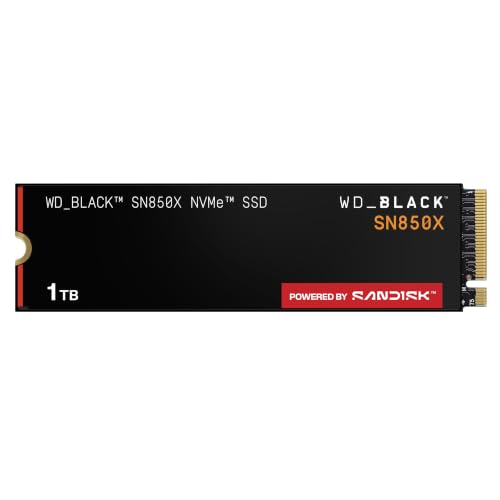
WD_BLACK SN850X NVMe SSD 1TB (WDS100T2X0E)
Who it suits: Best overall gaming SSD — flagship Gen4 speed with gaming-tuned consistency, in the bare form PC builds want.
The SN850X is Western Digital’s flagship Gen4 gaming drive, and the numbers explain the reputation: sequential reads up to 7,300 MB/s and writes up to 6,300 MB/s on a PCIe Gen4 x4 interface, in the standard M.2 2280 size that fits essentially every modern motherboard, laptop bay and console slot. It is the drive WD builds specifically for gaming loads, with firmware and a Game Mode aimed at keeping load behaviour consistent rather than chasing a single benchmark burst, and it has become the default recommendation in this class because it pairs that headline speed with a long, well-documented service record.
In daily use the SN850X’s strengths are the unglamorous ones. It sustains its performance through long installs and big file copies better than most DRAM-less rivals, its controller keeps temperatures manageable under a motherboard heatsink, and WD’s Dashboard software handles firmware updates and health checks in plain language. This bare version ships without a heatsink, which is exactly right for a PC build where the motherboard provides one — and exactly wrong for a bare-slot install, where the heatsink version below is the correct buy. Capacities run well beyond the 1TB size linked here, so the same drive scales from a boot drive to a full game library.
For a gaming PC, the bare SN850X is the complete answer: it installs under your motherboard’s own heatsink, delivers up to 7,300 MB/s reads for installs and library moves, and keeps its composure through the patch-day workloads that expose lesser drives. WD tunes this line for gaming explicitly, and it shows in the unglamorous metrics — consistent load behaviour across a long session and a big library that never feels like it is waiting on storage. This is the drive to build a several-year gaming rig around.
- Near-ceiling Gen4 speeds: up to 7,300 MB/s reads and 6,300 MB/s writes.
- Consistent, gaming-tuned behaviour through long installs and copies.
- Standard M.2 2280 fit with mature WD Dashboard software support.
Honest limitation: This bare version has no heatsink — slots that require one (a PS5, a bare motherboard slot) need the heatsink version or a separate cooler.
Choose it if you are building or upgrading a gaming PC and want the flagship behaviour without console-specific hardware. Skip it if you need a PS5 drive — take this drive’s heatsink version instead, which Sony’s rules require.
Samsung 990 PRO with Heatsink SSD 1TB (MZ-V9P1T0CW)
Who it suits: Fastest on paper, coolest under armour — up to 7,450/6,900 MB/s with an integrated heatsink and Samsung’s software polish.
Samsung’s 990 PRO is the fastest Gen4 drive in this guide on paper — up to 7,450 MB/s sequential reads and 6,900 MB/s writes, figures Samsung itself notes sit close to the practical ceiling of the PCIe 4.0 interface — and this heatsink version is the one built for consoles and tight slots, with an integrated heatsink the listing describes as designed for PlayStation 5 expansion. Under the speed sits Samsung’s own controller and V-NAND, a 600 TBW endurance rating at this 1TB size, and a five-year warranty, which together make it the specification-sheet answer for buyers who want the flagship and intend to keep it.
What the 990 PRO adds over cheaper Gen4 drives is consistency under mixed work: game installs, capture recording, big project files and everyday booting all draw on the same strengths, and Samsung Magician remains the most polished drive-management software in the consumer market for firmware, health and cloning. The heatsink version’s cooler is slim enough for the PS5 bay and for laptops and small-form-factor PCs that accept a low-profile drive, though — as with any fixed-heatsink drive — a desktop motherboard with its own tall M.2 armour may prefer the bare version of a drive instead.
The 990 PRO heatsink version suits gaming PCs whose motherboards lack M.2 armour or whose cases run hot: the integrated heatsink keeps the class’s fastest verified figures available through long sessions, and Samsung Magician gives you the best health, firmware and cloning tools in the business. In-game, you will not feel its paper advantage over the SN850X; in installs, recording and library management, the flagship consistency is real. It is also, unchanged, a PS5-ready drive — the only pick here that serves both machines out of one box.
- Fastest verified figures here: up to 7,450 MB/s read, 6,900 MB/s write.
- Factory heatsink designed for PS5 expansion and tight slots.
- 600 TBW endurance rating and Samsung Magician software support.
Honest limitation: Flagship positioning means it rarely wins on value against the SN850X or KC3000 — you pay for the last few percent and the Samsung ecosystem.
Choose it if you want the fastest verified Gen4 figures, integrated cooling, and a drive that can move to a PS5 later. Skip it if your motherboard already has good M.2 heatsinks and you prefer the SN850X’s gaming tuning at its usual listing position.
Seagate FireCuda 530 SSD with Heatsink 1TB (ZP1000GM3A023)
Who it suits: Best for recording and huge rotating libraries — 1,275 TBW endurance and an EKWB heatsink behind flagship speed.
The FireCuda 530 is the endurance specialist of the Gen4 flagships. Its headline speed — up to 7,300 MB/s — matches the class, but its 1,275 TBW endurance rating at 1TB is roughly double what most consumer flagships publish, and Seagate backs it with a 1.8-million-hour MTBF figure and included Rescue data-recovery services. The heatsink on this version is a low-profile aluminium design developed with EKWB, the water-cooling company, and Seagate sells this exact configuration as a PS5 internal SSD that meets the console’s performance and dimension requirements.
That combination — flagship speed, workstation-grade endurance, a console-ready heatsink — makes the FireCuda 530 the pick that keeps appearing across this category’s hardest briefs: PS5 expansion that will be written to for years, plotting and cache work that eats ordinary drives, and editing machines that record for hours. The trade-offs are equally clear: it is a premium drive, its heatsink is fixed (measure a desktop slot before assuming clearance), and its write figures, while strong, are not the story — the endurance rating is.
Gamers who record everything, mod heavily, or rotate a terabyte-scale library monthly are running a write workload disguised as a hobby, and the FireCuda 530 is built for exactly that disguise. Its 1,275 TBW rating doubles the class norm, its EKWB heatsink sustains performance through capture sessions, and Seagate’s Rescue services insure the footage library no other drive here protects. In a pure games-only rig its endurance is headroom you may never touch; in a creator-gamer’s rig it is the point of the purchase.
- 1,275 TBW endurance at 1TB — about double typical consumer flagships.
- EKWB-designed low-profile heatsink, sold as PS5-ready by Seagate.
- Rescue data-recovery services included alongside the warranty.
Honest limitation: Premium pricing for endurance many light users will never touch — a games-only library may never approach its TBW rating.
Choose it if you record, mod or churn a huge library and want endurance rated for that life. Skip it if your gaming is play-only and light on installs — the SN850X gives you the same play experience without the endurance premium.
Kingston KC3000 PCIe 4.0 NVMe M.2 SSD 1024GB (SKC3000S/1024G)
Who it suits: Best value flagship — up to 7,000 MB/s reads at listings that routinely undercut the big two.
Kingston’s KC3000 is the quiet achiever of the Gen4 flagships: up to 7,000 MB/s sequential reads from a drive that routinely undercuts the two big gaming brands while giving up very little in real-world behaviour. It uses a high-performance controller and TLC NAND in a standard M.2 2280 stick, with a low-profile graphene-aluminium heat spreader label rather than a full heatsink — enough for a ventilated desktop slot under a motherboard cover, not a substitute for a real heatsink where one is required.
For PC builders the KC3000’s appeal is balance. Boot times, game loads and large copies all land within a whisker of the class leaders, Kingston’s SSD Manager handles firmware and health, and the drive’s power behaviour suits laptops and small builds as well as desktops. What it does not do is pretend to console duty out of the box: a PS5 install needs a proper third-party heatsink fitted within Sony’s size limits, and buyers who want that job done at the factory should take the heatsink flagships in this guide instead.
The KC3000 is how a gaming rig gets flagship behaviour on a mid-range storage budget: 7,000 MB/s-class reads, TLC consistency, and a slim profile that fits any slot, leaving money for the GPU where gaming performance is actually decided. Its heat-spreader label assumes a motherboard heatsink or decent case airflow — standard in gaming builds — and Kingston’s software covers firmware and health without fuss. Judged purely as a games drive, most players could not tell it apart from the picks above it in a blind test.
- Up to 7,000 MB/s reads at a typically sharper price than the flagship pair.
- TLC NAND and a proven high-performance controller design.
- Slim heat-spreader label fits tight laptop and small-form-factor slots.
Honest limitation: No true heatsink — a PS5 or a hot, coverless slot needs a separate cooler bought and fitted by you.
Choose it if you want flagship-class gaming storage and would rather spend the difference on graphics. Skip it if your build has no M.2 heatsink and poor airflow — pick a factory-heatsink drive instead.
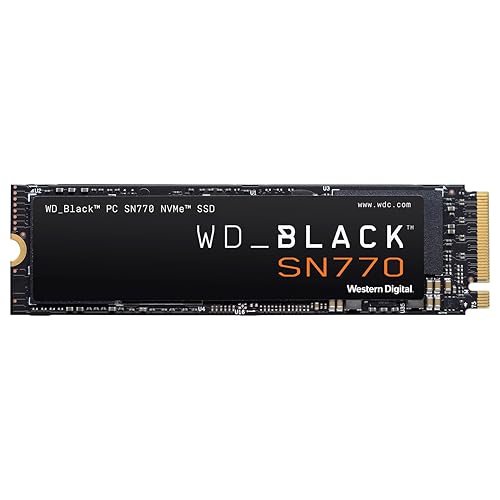
WD_BLACK SN770 NVMe SSD 1TB (WDS100T3X0E)
Who it suits: Best mid-range gaming drive — 5,150 MB/s Gen4 responsiveness at the tier most gaming PCs should actually buy.
The SN770 is WD’s mid-range Gen4 drive done right: up to 5,150 MB/s sequential reads, a DRAM-less design that leans on host memory buffer support, and real-world responsiveness that feels far closer to the flagships than its tier suggests. For game loads, application launches and everyday file work — the loads that are mostly reads and short bursts — the gap between this drive and one costing much more is measured in fractions of a second, which is why it has become the standard value recommendation in Gen4.
Its compromises live exactly where the price says they should. Sustained writes of very large files slow sooner than on the DRAM-equipped flagships, and 5,150 MB/s sits below the 5,500 MB/s figure Sony recommends for PS5 expansion, so console buyers should look at the heatsink flagships in this guide instead. In a PC or laptop, though, the SN770’s efficiency, single-sided-friendly design and WD Dashboard support make it the drive to beat for a mainstream build that wants Gen4 feel without flagship money.
The SN770 is the honest centre of gaming storage: Gen4 speed that covers every load a game throws at it, efficiency that suits small and quiet builds, and a price tier that respects the rest of the parts list. Its limits appear in the workshop, not the game — long installs and huge copies settle sooner than the flagships — and in the console bay, where its 5,150 MB/s sits below Sony’s recommended line. For a PC built to play rather than to benchmark, this is frequently the correct total spend on storage.
- Up to 5,150 MB/s reads — Gen4 responsiveness at a mid-range tier.
- Efficient DRAM-less design suits laptops as well as desktops.
- WD_BLACK gaming line support and Dashboard software.
Honest limitation: Below Sony’s recommended 5,500 MB/s for PS5 use, and sustained writes trail the DRAM-equipped flagships on very long copies.
Choose it if your gaming PC budget is real and the GPU matters more than storage bragging rights. Skip it if you install and move hundred-gigabyte titles weekly — the flagships’ sustained behaviour earns its premium for you.
Crucial P3 Plus PCIe Gen4 NVMe SSD 1TB (CT1000P3PSSD8)
Who it suits: Best budget gaming drive — 5,000 MB/s Gen4 speed for builds where storage is not the priority line.
The P3 Plus is the budget Gen4 drive that made NVMe speed ordinary: up to 5,000 MB/s reads and 4,200 MB/s writes — figures that would have been flagship territory a generation ago — from a QLC NAND design built to hit a price first. For the jobs most PCs actually do all day (booting, launching, loading games, moving documents and photos), it feels decisively faster than any SATA drive and close enough to pricier NVMe drives that most owners would never clock the difference outside a benchmark.
Honesty about QLC is the whole review, though. QLC writes slow down more than TLC once the cache is exhausted on very long transfers, and endurance ratings on QLC drives are lower than TLC equivalents — so a drive that will spend its life recording video, plotting, or absorbing NAS cache writes deserves the TLC flagships instead. As a boot-and-games drive, a laptop upgrade, or the second drive in a build, the P3 Plus is exactly the right economy; Crucial’s Storage Executive software and Acronis cloning support round out an ownership story that punches above its tier.
The P3 Plus puts genuine Gen4 responsiveness into budget gaming builds and older-rig upgrades: boots, loads and launches all feel modern, and the money saved against the flagships buys a better graphics card tier — the trade every budget builder should make. Its QLC design shows only in marathon writes, which for a play-focused library means the occasional long install runs slower at the tail. As the main drive of a value rig or the second drive of a big one, it is the right economy, honestly labelled.
- Up to 5,000/4,200 MB/s — real Gen4 speed at the budget tier.
- Backward compatible with Gen3 slots for older-system upgrades.
- Crucial software and cloning support included.
Honest limitation: QLC NAND: sustained writes and endurance trail TLC drives — not the pick for write-heavy professional duty.
Choose it if you are building to a strict budget and storage speed past ‘modern’ is not where your money works hardest. Skip it if you record gameplay or churn installs constantly — QLC’s sustained-write behaviour will find you out.
Comparison Table
| Product | Type | Key specifications | Link |
|---|---|---|---|
| WD_BLACK SN850X NVMe SSD 1TB (WDS100T2X0E) | Internal NVMe, PCIe Gen4 x4, M.2 2280, no heatsink | PCIe Gen4 x4 · M.2 2280 · up to 7,300 MB/s read · up to 6,300 MB/s write · 1TB | Check on Amazon |
| Samsung 990 PRO with Heatsink SSD 1TB (MZ-V9P1T0CW) | Internal NVMe, PCIe Gen4 x4, M.2 2280, factory heatsink | PCIe Gen4 x4 · M.2 2280 · factory heatsink · up to 7,450 MB/s read · up to 6,900 MB/s write · 1TB · 600 TBW · 5-year warranty | Check on Amazon |
| Seagate FireCuda 530 SSD with Heatsink 1TB (ZP1000GM3A023) | Internal NVMe, PCIe Gen4 x4 NVMe 1.4, M.2 2280, factory heatsink | PCIe Gen4 x4 NVMe 1.4 · M.2 2280 · EKWB-designed heatsink · up to 7,300 MB/s · 3D TLC NAND · 1,275 TBW · 1.8M hours MTBF · Rescue services | Check on Amazon |
| Kingston KC3000 PCIe 4.0 NVMe M.2 SSD 1024GB (SKC3000S/1024G) | Internal NVMe, PCIe Gen4 x4, M.2 2280, no heatsink | PCIe Gen4 x4 · M.2 2280 · up to 7,000 MB/s read · 1024GB (1TB class) | Check on Amazon |
| WD_BLACK SN770 NVMe SSD 1TB (WDS100T3X0E) | Internal NVMe, PCIe Gen4 x4, M.2 2280, no heatsink | PCIe Gen4 x4 · M.2 2280 · up to 5,150 MB/s read · 1TB | Check on Amazon |
| Crucial P3 Plus PCIe Gen4 NVMe SSD 1TB (CT1000P3PSSD8) | Internal NVMe, PCIe Gen4 x4, M.2 2280, no heatsink | PCIe Gen4 x4 · M.2 2280 · up to 5,000 MB/s read · up to 4,200 MB/s write · QLC NAND · 1TB | Check on Amazon |
The specifications column is deliberately plain: interface, size, and the maker’s headline figures, because in-game differences between these drives are smaller than the table format can honestly express. The columns that should drive your choice are type — bare versus heatsink decides which machine the drive fits — and the endurance and design notes inside each full review.
What SSD Speed Actually Does for Games
A game’s relationship with storage has three acts. Installation is pure sequential work — writing a hundred gigabytes as fast as the drive and the network allow — and here the flagship figures are real: the difference between a 7,000 MB/s-class drive and a budget one is minutes per big title, and patch day repeats the experience monthly. Loading is mixed work — some sequential streaming, much random reading — where every NVMe drive in this guide is already fast enough that game code, not storage, sets most load times. Play itself is the quiet act: texture and asset streaming designed to run invisibly on hardware far slower than anything on this page.
That is why this guide ranks consistency above peaks. A drive that holds its behaviour through an install, a recording session and a hot case delivers the gaming experience the headline promises; a drive that bursts and fades delivers a benchmark screenshot. It is also why console compatibility is stated so precisely throughout: a PS5’s rules are Sony’s, published and specific, and readers comparing platforms should see Best Ssds For Ps5 for that checklist applied in full, while Best Ssds For Pc covers the same drives judged as general PC storage rather than gaming specialists.
Capacity, DRAM and Other Gaming Shopping Traps
The gaming storage decision that actually bites is capacity. Modern flagship titles routinely occupy space once reserved for entire libraries, and a drive that is nearly full is a drive whose write behaviour degrades exactly when patch day arrives. Buy the capacity your library needs with room to breathe — for most gaming PCs that now means starting at 1TB and treating anything smaller as a boot-drive-only compromise. The second trap is invisible: DRAM. Drives with their own DRAM cache sustain mixed workloads more gracefully than DRAM-less designs, which is a real distinction for install-heavy users and an irrelevant one for play-only users — this guide labels each pick so you can match the design to your actual habits.
The third trap is generational. Gen5 drives exist above this guide’s field with higher sequential figures, at higher prices, with more heat to manage — and current games cannot spend the difference. A Gen4 flagship at a mature listing is the gaming sweet spot of this hardware era, and the money between it and a Gen5 drive buys visible performance elsewhere in the rig. Buy for the games and the ports you have; the upgrade path will still be there when games learn to use more.
Game Mode, Firmware and the Software Layer
Modern gaming drives ship with a software layer that casual buyers ignore and experienced builders treat as part of the product. WD’s Dashboard offers health monitoring, firmware updates and a Game Mode setting on its gaming line intended to keep the drive in its performance posture during play; Samsung Magician provides the same stewardship plus cloning and benchmarking; Kingston and Crucial publish their own managers. None of this is decoration. Firmware updates in the SSD world fix real behaviour — thermal curves, cache policies, compatibility with new platforms — and a drive whose maker maintains its software is a drive whose second year resembles its first.
The discipline is simple and worth adopting at build time: install the maker’s tool with the drive, take the firmware update before the library goes on, and glance at the health readout a few times a year. That five-minute habit is the difference between meeting a known, fixed issue as a patch and meeting it as a mystery. It also settles the anonymous-drive question that haunts budget shopping: a gaming drive is a five-year component, and the software layer is where the maker’s five-year commitment is either visible or absent. Every pick in this guide comes from a maker whose commitment is visible.
One Big Drive or Two Smaller Ones?
Gaming builders eventually face the layout question, and both answers are defensible — which is why it deserves reasoning instead of a slogan. One large flagship concentrates the budget in the best sustained behaviour, presents a single library to every launcher, and avoids the quiet tragedy of the wrong drive being full. Its cost is total: flagship capacity is the most expensive capacity in the catalogue. Two drives — a flagship for the current rotation and recording, a value Gen4 for the back catalogue — usually deliver more total terabytes and nearly the same daily experience, at the price of managing which library lives where, a chore modern launchers have made mostly painless.
The decider is your churn. Players who install a title, finish it and delete it live happily on one drive of honest size. Collectors, modders and creators — the households whose libraries only grow — are two-drive households whether they plan it or not, and planning it means the second slot is filled deliberately with a P3 Plus-class drive rather than desperately with whatever is on sale during a storage crisis. Either layout obeys the same physics: keep each drive a fifth empty, keep the maker’s software current, and storage stops appearing in your thoughts — the true specification of gaming storage done right.
DirectStorage and the Future the Drives Are Waiting For
Every gaming SSD sold today carries a promise about tomorrow: API technologies like DirectStorage, which let games stream assets from the drive to the graphics card with far less CPU in the middle, are designed to finally spend the bandwidth these drives have been hoarding. The honest status report is that adoption is a slope, not a switch — titles are arriving that use it, engines are learning it, and the installed base of Gen4 drives in this guide is exactly the hardware it was designed for. Buying a Gen4 flagship today is therefore not buying for a benchmark; it is buying a seat in the hardware class the next several years of game design assumes.
That future-proofing has limits worth stating in the same breath. It does not extend to paying Gen5 prices for insurance, because the technologies in question were specified against Gen4-class bandwidth, and a drive cannot be made more compatible by being faster than the specification. It does not rescue a drive that is too small, because the future’s games are larger, not smaller. And it does not repeal thermals: a drive that throttles in today’s case will throttle in tomorrow’s games with more enthusiasm. The future-proof gaming purchase is unglamorous — a Gen4 flagship or honest mid-range drive, generously sized, properly cooled, from a maker who maintains its firmware — which is, not coincidentally, a description of this entire page.
There is a quieter future to plan for as well: the library’s. A gaming drive bought well becomes the archive of a gaming era — the installs, the mod folders, the save-adjacent files — and its second life in the next build, or as the back-catalogue drive beside a newer flagship, is part of its value. The two-drive layout described earlier in this guide is usually not a plan but a biography: drives accumulate roles as builds evolve. Buying drives you would be happy to demote gracefully — standard size, standard interface, a maker who will still publish its firmware in five years — is the deepest form of future-proofing this category offers.
Warranty, Support and the Five-Year View
A gaming drive is a five-year component bought in a market that talks in launch weeks, and the five-year view changes what ‘best’ means. It favours makers with a support operation that answers in year three, firmware pages that still list the drive, and warranty terms a household can actually use. Every pick in this guide comes from that class of maker deliberately — the anonymous end of the market can win a benchmark and lose a year, and a games library is a poor place to discover the difference.
The practical habits are few: keep the receipt with the build’s other papers, register nothing you do not have to but record the serial somewhere findable, and let the health software’s quiet reports accumulate. A drive treated that way almost always ends its service by demotion — to the second slot, the older rig, the family PC — rather than by failure, and a component that retires gracefully through three roles has repaid its listing several times over. Buy for the five years, and the first week takes care of itself.
That five-year view also settles the last budget argument in gaming storage: the difference between a good drive and a great one, spread across five years of daily use, is among the smallest sums in the entire build — while the difference between a supported drive and an orphaned one, discovered in year three, is measured in weekends. Gaming PCs are kept, upgraded and handed down; their storage should be bought like it.
How to Choose Best SSDs for Gaming
A gaming drive is bought in ten minutes and lived with for years. These checks, in this order, are how the ten minutes go well:
- Match the drive to the machine first. PC builders want bare drives under motherboard heatsinks; PS5 owners need factory-heatsink versions that meet Sony’s published rules. The family name is the same — the correct product is different.
- Start at 1TB for a gaming library. Modern titles are enormous and patches are constant. A nearly full drive is a slow drive on install day, so buy headroom, not just capacity.
- Weight sustained behaviour over peak figures. Installs, patches and recording are the loads that reveal a drive. Flagship TLC designs hold their pace; budget QLC designs are honest play drives that fade on marathon writes.
- Let the GPU win budget fights. Between a flagship SSD and a better graphics card, choose the card every time — past competent NVMe, storage speed is not where gaming performance lives.
- Check your motherboard’s heatsink situation. If your board has M.2 armour, buy bare drives. If it does not, a factory-heatsink drive or a simple aftermarket cooler belongs in the same order.
- Consider a two-drive layout for creators. A flagship for the current library and recording, a budget Gen4 for the back catalogue — the split often beats one huge flagship on total value.
- Keep twenty percent free. SSDs write best with breathing room. A gaming drive kept below roughly eighty percent full holds its install and patch behaviour for years.
- Use the maker’s software. Firmware updates and health checks from WD Dashboard, Samsung Magician or Kingston’s tools are free performance insurance — install them when you install the drive.
Common Mistakes
- Paying Gen5 prices for gaming performance current games cannot use.
- Buying a 500GB-class drive for a modern library and living on the delete screen.
- Putting a bare drive in a PS5, or a fixed-heatsink drive under a motherboard cover it cannot clear.
- Judging drives by one sequential number while ignoring sustained-write behaviour.
- Filling a drive to the brim and blaming it for patch-day slowdowns.
- Choosing QLC for a recording or modding workload that writes constantly.
- Forgetting the second M.2 screw, standoff or heatsink pad until the build is open on the table.
- Skipping firmware updates for years, then meeting a known issue the maker fixed long ago.
Final Recommendation
- Best overall gaming SSD: WD_BLACK SN850X NVMe SSD 1TB (WDS100T2X0E).
- Fastest on paper, coolest under armour: Samsung 990 PRO with Heatsink SSD 1TB (MZ-V9P1T0CW).
- Best for recording and huge rotating libraries: Seagate FireCuda 530 SSD with Heatsink 1TB (ZP1000GM3A023).
- Best value flagship: Kingston KC3000 PCIe 4.0 NVMe M.2 SSD 1024GB (SKC3000S/1024G).
- Best mid-range gaming drive: WD_BLACK SN770 NVMe SSD 1TB (WDS100T3X0E).
- Best budget gaming drive: Crucial P3 Plus PCIe Gen4 NVMe SSD 1TB (CT1000P3PSSD8).
Our top two here are the WD_BLACK SN850X NVMe SSD 1TB (WDS100T2X0E), for the buyer this article was written for, and the Samsung 990 PRO with Heatsink SSD 1TB (MZ-V9P1T0CW), for the household whose priorities run the other way. Between them they cover the two shapes this search usually takes: the complete answer bought once, and the value answer that leaves budget for everything else. Readers weighing a neighbouring question should also see Best Ssds For Ps5. Pick the drive whose sustained behaviour matches how you actually game — installs, patches, recording and all — keep a fifth of it empty, and storage will disappear from your list of things to think about, which is the highest compliment a gaming drive can earn.
Frequently Asked Questions
Does a faster SSD make games load faster?
Up to a point. Moving from a hard drive or SATA to any NVMe drive here is transformative; moving between the Gen4 drives in this guide changes most load times by small margins, because game code and CPUs set much of the pace. Where flagship speed is plainly felt is installs, patches, library moves and recording.
How much SSD capacity does a gaming PC need?
1TB is the sensible starting point for a modern library, and 2TB is the comfortable size for players who keep many large titles installed. Smaller drives fill quickly, and a nearly full SSD writes more slowly — headroom is a performance feature.
Are these drives suitable for PS5 as well?
Two of them, in the right versions: the SN850X and 990 PRO families qualify under Sony’s rules in their factory-heatsink forms, and the FireCuda 530 heatsink version is sold as a PS5 drive. The bare PC versions and the SN770 and P3 Plus do not meet Sony’s published requirements as sold — see the PS5 guide in this series for the full checklist.
Is DRAM important in a gaming SSD?
For play itself, barely. For installs, patches and mixed workloads, DRAM-equipped drives sustain their behaviour better, which is why the flagships here carry it and the budget picks are labelled DRAM-less or QLC so you know the trade you are making.
Should I buy a Gen5 SSD for gaming instead?
Current games cannot spend Gen5’s extra sequential speed, and Gen5 drives cost more and run hotter. A mature Gen4 flagship is the gaming sweet spot today; revisit Gen5 when games and platforms are built for it.
Can one drive serve both my PC and a console?
Sequentially, yes — a factory-heatsink flagship like the 990 PRO heatsink version works in a PS5 and in a PC (subject to heatsink clearance). It cannot serve both at once, and moving it means reformatting, so treat it as a drive that can change jobs, not share them.
Does an SSD improve frame rates?
No — frame rates belong to the GPU and CPU. What an SSD improves is everything around the frames: loading, streaming smoothness in open-world titles, install and patch times, and how quickly you are back in the game after any of them. Judge it on those, and every drive in this guide delivers.