Disclosure: As an Amazon Associate, ilcastellomenu.com earns from qualifying purchases. Product examples below link to Amazon, where you can check current availability and specifications; this guide itself lists no fixed prices because printer pricing and bundles change frequently.
The inkjet vs laser printer decision comes down to what you print and how your printing is spaced out. Inkjet printers spray liquid ink and win on photos, colour richness and low purchase price; laser printers fuse dry toner and win on crisp text, speed, low cost per page and the ability to sit idle for months without complaint. Neither technology is ‘better’ in the abstract — but for a given household or office, one is almost always clearly right. This comparison walks through print quality, running costs, speed, reliability and ownership habits so you can decide in one sitting.
Short on time? Our shortlists are at Best Inkjet Printers for Home Use and Best Laser Printers for Home Use. Still framing the whole purchase? Read How to Choose a Printer first.
Quick Verdict: Inkjet vs Laser Printer at a Glance
If you print photos or lots of colour, choose inkjet — ideally a tank model. If you print mostly text, print in bursts, or leave the printer idle for weeks, choose laser. If you print high volumes of mixed documents and want the lowest hassle per page, a colour laser or a tank inkjet are the two finalists, separated mainly by photo needs.
Choose inkjet if…
Your output includes photos, artwork, school projects, craft media or colour-rich documents; you print at least a little every week or two; and you value a compact machine with a modest purchase price. Inkjet is also the only option for borderless photo printing and specialty papers.
Choose laser if…
Your output is overwhelmingly text and forms; you print in irregular bursts; you want pages fast and cheap; and you never want to think about dried ink. Offices, students with essay deadlines and anyone printing shipping paperwork daily belong here.
The hybrid answer
Some households genuinely need both profiles and solve it with a tank inkjet for colour plus a cheap monochrome laser for documents. That sounds extravagant until you price the ink saved — but for most homes, one well-chosen machine is enough.
In this guide
How Each Technology Actually Works
Understanding the mechanism explains every difference that follows. The two technologies could hardly be more different in how an image reaches the page.
Inkjet: liquid droplets, precisely placed
An inkjet printhead carries hundreds of tiny nozzles that eject microscopic droplets of liquid ink as the head sweeps across the page. Photo models blend four to six ink colours to build smooth gradients. The liquid nature of ink is both the strength — rich, blended colour — and the weakness: it can dry in the nozzles when unused.
Laser: charged powder, fused by heat
A laser printer uses static electricity to attract dry toner powder onto a drum in the shape of the page, transfers the powder to paper, and fuses it with a heated roller. The result is text with knife-edge sharpness that will not smudge or run if the page gets damp. Toner is already dry, so nothing can clog.
Why this matters to you
Every practical difference — photo quality, idle tolerance, cost per page, even the slight warm smell of a laser during long runs — flows from liquid versus powder. Keep that picture in mind and the rest of this comparison becomes predictable.
Inkjet vs laser, criterion by criterion
| Criterion | Inkjet | Laser | Edge |
|---|---|---|---|
| Text sharpness | Good | Excellent | Laser |
| Photo quality | Excellent | Fair | Inkjet |
| Cost per text page | High (cartridge) / Low (tank) | Low | Laser / tank inkjet |
| Speed on long runs | Slow | Fast | Laser |
| Idle for months | Clog risk | No problem | Laser |
| Media range | Widest, incl. glossy/craft | Laser-safe paper only | Inkjet |
| Purchase price | Low to mid | Mid | Inkjet |
| Size | Compact | Bulkier | Inkjet |
Print Quality: Photos, Colour and Text
Quality is not one thing. Each technology leads in a different category, and the gap depends entirely on what leaves your printer.
Text quality
Laser wins clearly. Fused toner produces uniformly dense, crisp characters that stay sharp at small sizes, which is why contracts, CVs and essays look more professional from a laser. Good inkjets produce perfectly readable text, but edges are microscopically softer, especially on cheap paper.
Photo and colour quality
Inkjet wins clearly. Liquid inks blend into continuous tones, handle glossy photo paper properly, and produce the saturated colour that laser’s four flat toner layers cannot match. Colour laser graphics are fine for charts, newsletters and handouts — flat areas of colour — but photographs look noticeably flatter.
Paper flexibility
Inkjets accept the widest media range: glossy, matte, canvas-textured, sticker and transfer papers, within the model’s limits. Lasers are restricted to laser-safe media; the fuser’s heat can melt the adhesive or coating of inkjet-specific papers, which is a real damage risk, not a technicality.
Running Costs and Speed
Over a printer’s life, supplies dwarf the purchase price. This is the section to read twice if budget matters.
Cost per page
Monochrome laser printing is typically the cheapest mainstream way to put text on paper, especially with high-yield toner. Cartridge inkjets are the most expensive per page; tank inkjets close most of the gap and can undercut colour lasers for colour pages. Always compare using high-yield supplies and your real colour mix — the method in Best Printers for Low Cost Ink shows what low running costs look like in practice.
Speed and volume
Lasers print faster, particularly over long runs, because the page image is formed in one pass rather than many head sweeps. They also carry higher monthly duty cycles and larger paper trays. Inkjets are fine for short jobs but slow down on multi-page documents and photos.
Warm-up and first page
Lasers need a few seconds to heat the fuser for the first page, then run quickly. Inkjets start almost instantly but proceed slowly. For a single quick page, the difference is small either way; for fifty pages, the laser finishes while the inkjet is still working.
Ownership: Reliability, Idle Time and Maintenance
The best printer is the one that works on the day you need it. Ownership behaviour differs sharply between the technologies.
Idle tolerance
This is laser’s decisive advantage: a laser can sit for months and print perfectly on its first page afterwards. An inkjet left idle for weeks risks dried nozzles and a cleaning session — manageable, as How to Unclog a Printer shows, but a real consideration for occasional users.
Routine maintenance
Inkjets ask for regular small use and occasional cleaning cycles; lasers ask for almost nothing beyond a toner change and a dust wipe. Tank inkjets sit between: still liquid ink, but cheap enough that cleaning cycles do not hurt.
Size, noise and energy
Inkjets are usually smaller and lighter — better for shelves and dorm rooms, a theme in Best Printers for College Students Under 100. Lasers are bulkier and draw more power in short bursts while printing, though they sleep efficiently. Neither is loud; lasers add fan noise during long jobs.
Which Should You Buy? Decisions by Situation
Apply the comparison to the situations readers actually describe, and the answer is rarely close.
Home office, documents daily
A monochrome laser if colour is rare; a colour laser if clients see your documents. Add a scanner and ADF for paperwork. This is the profile behind Best Office Printers for Small Business.
Family printer, homework and photos
A tank inkjet all-in-one. It handles the colour mix cheaply, prints respectable photos, and the scanner covers school and admin tasks. Keep it printing weekly and it will behave.
Photographer or crafter
A dedicated photo inkjet, possibly alongside nothing else. No laser at any price prints a photograph the way a six-ink inkjet does, and craft media settles the question anyway.
Rarely prints at all
A basic monochrome laser. It will wait patiently between your quarterly printing sessions and work first time, every time — the exact need behind best printers for infrequent use.
Total Cost of Ownership: A Five-Year View
Purchase comparisons happen in a shop; ownership happens over years. Projecting both technologies across a realistic five-year life shows why the cheaper machine so often becomes the expensive one.
The cartridge inkjet trap
The least expensive printer in the store typically carries the most expensive ink in the store. At family volumes, its supplies over five years can exceed the purchase price many times over — the razor-and-blades model in its purest form. This does not make it a scam; it makes it a product priced for people who print very little, and a poor buy for anyone else.
The tank and laser plateau
Tank inkjets and lasers invert the shape: a real purchase price, then supplies that fade into the household budget. Their five-year curves cross the cartridge inkjet’s curve surprisingly early — often within the first year at moderate volumes — and then stay below it forever. This is the single most useful graph in printer buying, and it exists only in your own arithmetic: your pages, your colour mix.
Repairs and replacement risk
Lasers carry a longevity edge — fewer failure modes from idle time, long-life components — while inkjets carry printhead risk if neglected. Neither is fragile when used as intended. Budget-wise, the practical difference is that a neglected inkjet may force an unplanned replacement in year three, which no cost-per-page spreadsheet survives.
The environmental ledger
Tank systems slash plastic cartridge waste; high-yield toner cartridges reduce change frequency and packaging; duplexing halves paper. If footprint matters to you, these factors outweigh the inkjet-versus-laser label itself, and both technologies offer a responsible configuration.
Edge Cases Where the Usual Advice Flips
Every comparison has exceptions, and honest guidance names them. If one of these is you, the standard verdicts above may not apply.
The artist who prints rarely but beautifully
Photo quality demands inkjet, but idle months clog it. The workable pattern is a tank photo printer plus a calendar commitment: a small print every fortnight, treated like watering a plant. Owners who accept that rhythm get both the quality and the reliability; owners who cannot should use a print service for photos and keep a laser at home.
The high-volume colour office
Conventional advice says colour laser, and usually it is right — but a fleet of tank inkjets can undercut it where colour volume is extreme and speed is secondary, such as classrooms producing materials in batches. The deciding factors become cost per colour page and tolerance for slower output, not the technology label.
The label-heavy business
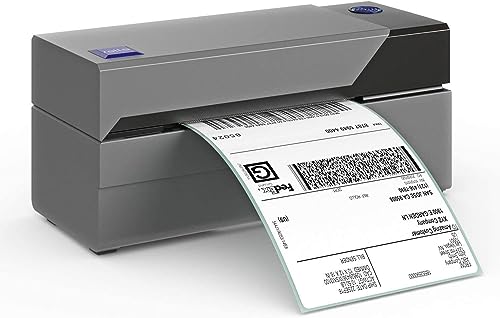
Neither page technology is the right tool for serious label volume; a thermal label printer joins whichever page printer you choose. Comparing inkjet and laser for a shipping business without mentioning thermal is answering the wrong question, which is why this guide treats labels as a separate specialism.
Extreme space or power constraints
Dorm rooms, caravans and tiny studios can rule out laser bulk regardless of its advantages; off-grid and low-power setups likewise favour inkjet’s modest draw while printing. Constraints are legitimate decision inputs — a printer that does not fit cannot win on cost per page.
The Environmental and Running-Impact Angle
Readers increasingly ask which technology is kinder to run, in energy, waste and materials. The honest answer is nuanced, and it depends more on configuration and habits than on the badge.
Energy in use
Laser printers draw significant power while printing — the fuser is a heater — but finish jobs quickly and sleep at very low power. Inkjets sip power throughout slower jobs. Across a typical home workload, both are minor household loads; the printer’s sleep behaviour matters more than its technology, and both should be left to sleep rather than switched off at the wall, for the maintenance reasons this series repeats.
Consumable waste
Cartridge inkjets generate the most plastic waste per page; tank inkjets the least among liquid systems, with bottles that are small and infrequent. Laser toner cartridges are larger but far less frequent, and manufacturer take-back recycling is well established for both. Duplex printing remains the single biggest lever: it halves the paper, which dwarfs most other impacts.
Longevity as an environmental factor
The greenest printer is the one not replaced. A laser that serves eight years, or an inkjet maintained into long service, beats a theoretically efficient model replaced in three. Buying the right class first time — this guide’s whole argument — is also the environmental choice, which is a satisfying alignment of wallet and conscience.
A Decision Worksheet You Can Complete in Five Minutes
If the comparison still feels balanced, stop reading and start counting. This worksheet converts the whole inkjet-versus-laser question into five answers, and the answers decide.
Your five answers
One: what share of last month’s pages were colour — under a fifth, or over? Two: what is the longest the printer sits unused — days, or weeks? Three: do you print photographs on photo paper — ever, or never? Four: what is your rough monthly volume — tens, hundreds, or thousands of pages? Five: which annoys you more — paying for ink, or a bulkier machine that costs more today?
Reading the pattern
Mostly-black pages, long idle gaps, no photos and modest volume spell laser in any handwriting. Heavy colour, weekly use and real photographs spell inkjet, with tank economics if volume is high. Mixed answers point to the middle paths this guide mapped: tank inkjet for colour-regular households, colour laser for document-professional ones.
Commit and move on
The worksheet’s purpose is to end deliberation, because both technologies are mature and the ‘wrong’ choice within your pattern is usually only mildly wrong. Choose, buy the class properly rather than its cheapest specimen, and spend the saved deliberation time on the paper and supplies decisions that affect every single page.
Gear for This Guide
The examples below come from our verified product pool and illustrate the printer classes discussed in this guide. They are examples, not a ranked list — use the criteria in this article to judge any model, including newer revisions of these machines.
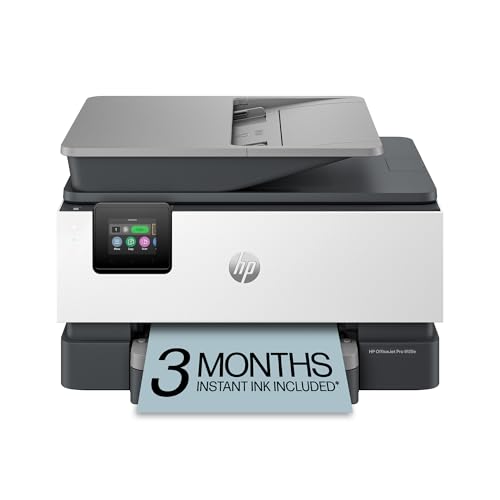
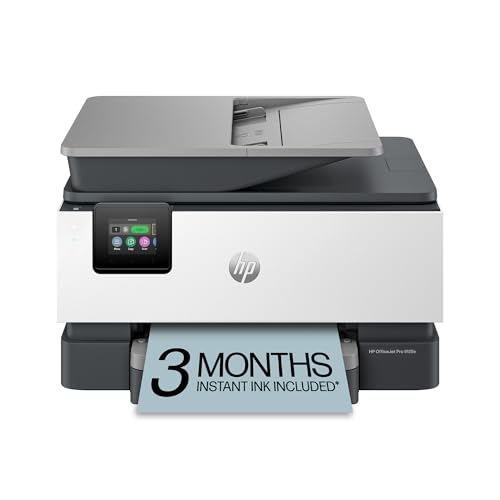
HP OfficeJet Pro 9125e
A representative modern colour inkjet all-in-one: strong colour documents, scanning and wireless — the inkjet side of this comparison in one machine. HP OfficeJet Pro 9125e — Check on Amazon

Canon imageCLASS MF656Cdw
A representative colour laser all-in-one with duplexing and a document feeder — the laser side: fast, sharp and built for document volume. Canon imageCLASS MF656Cdw — Check on Amazon

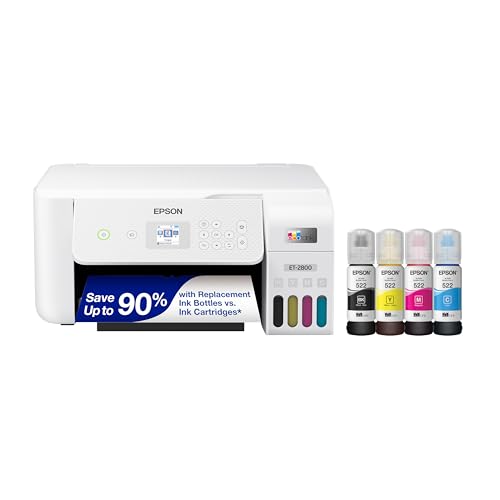
Epson EcoTank ET-2800
The tank-inkjet middle path: inkjet versatility with running costs that challenge lasers, provided you print regularly. Epson EcoTank ET-2800 — Check on Amazon
The Daily-Use Differences Spec Sheets Hide: Warm-Up, First Page and Noise
Side-by-side figures compare peak speeds, but households live at the other end of the scale: one page, printed now, by someone standing in the hallway. There the lived difference between the technologies is warm-up behaviour. A laser printer sleeps with its fuser cold, so the first page involves a short symphony of fans, rollers and heating before paper moves; subsequent pages then arrive in a rapid, even rhythm. An inkjet wakes faster and starts sooner, but its per-page pace is slower and more variable, especially in colour. For the single boarding pass, the inkjet often wins the stopwatch; for the twenty-page document, the laser overtakes it within the first few pages and never looks back. Neither behaviour is a flaw, but if your printing is dominated by one-page jobs with a person waiting, first-page behaviour deserves more weight than the headline pages-per-minute figure, which both camps measure under conditions no home reproduces.
Noise follows a similar pattern. Laser noise is mechanical and brief — a burst during printing, silence otherwise, plus an occasional fan run-on while the fuser cools. Inkjet noise is lower in volume but longer in duration, with the carriage’s travel audible page after page, and tank and cartridge models alike may run brief self-maintenance sounds after idle periods. In an open-plan home where someone prints during calls or after children are asleep, the shape of the noise can matter as much as its level, and it is one more reason the two technologies feel different to live with even when their measured performance overlaps.
Head-to-Head by Scenario: Five Households, Five Answers
The student in a rented room
Space is tight, volume is bursty, colour appears in coursework diagrams, and the machine may sit idle all summer. A compact inkjet is the usual answer because it prints everything adequately in a small footprint, but the summer idleness argues the other way: a small monochrome laser survives neglect completely and prints essays superbly, with colour coursework handled by a campus or library printer on the rare weeks it is needed. If the course is design, photography or anything colour-critical, the inkjet wins outright and the student simply accepts the holiday maintenance routine described in our clog guides.
The home worker who invoices and files
Text dominates, deadlines are real, and documents must look crisp months later in a file. A monochrome laser is the natural centre of this desk: fast, cheap per page, indifferent to idle weekends, and producing water-resistant text that survives a coffee incident. Colour, if needed for the occasional branded document, is the only argument for stepping up to a colour laser or adding a small inkjet; most home workers who analyse their actual output discover the colour need was smaller than they imagined when they pictured it in the shop.
The family with school-age children
Colour worksheets, projects with photographs, last-minute forms and the occasional forty-page reading packet: this is the most genuinely mixed workload in home printing, and it is where tank inkjets earn their reputation, because the cost per colour page stays low enough that nobody rations a child’s project. A family printing mostly text homework for older children can still thrive with a colour laser, but the household that prints colour weekly, in bursts, with idle gaps between, should weigh the inkjet’s clog risk against the laser’s colour running costs — and the tank usually resolves that tension.
The crafter and seller
Stickers, transfers, printable vinyl, cardstock and glossy media point decisively to inkjet, because laser fusers and many specialty media are unhappy partners, and some media are explicitly inkjet-only. The exception inside this household is labels: a seller shipping daily may pair the inkjet with a dedicated thermal label printer, at which point the inkjet-versus-laser question shrinks to whatever handles the remaining paperwork. Crafters should also note pigment versus dye ink behaviour from the main comparison: pigment inks resist water and fading on the items customers keep.
The landlord, committee member and form-producer
Contracts, notices, minutes and forms — high text volume, zero colour need, long idle gaps between bursts, and documents that must remain legible in files for years. This is the laser’s home turf in its purest form, ideally a monochrome model with a generous paper tray and automatic duplexing. An inkjet in this role offers nothing except disadvantages: slower bursts, dearer pages, and output that one damp folder can compromise.
Long-Term Ownership: Waste Systems, Wear Parts and Repairability
Beyond the familiar running-cost comparison sits a layer of ownership the brochures omit. Every inkjet produces waste ink — from cleaning cycles, priming and borderless overspray — which collects in an absorbent pad or a replaceable maintenance box inside the machine. That capacity is finite. Heavy cleaners and high-volume inkjet users eventually meet a service message saying the waste system is full, at which point the printer stops until the box is replaced (easy, on models designed for it) or the pad is serviced (a workshop job on models that are not). Laser printers have no equivalent consumable graveyard; their waste toner travels out inside the spent cartridge, one reason high-volume offices settled on laser long ago. If you print at serious volume on an inkjet, choose a model with a user-replaceable maintenance box and consider that feature a genuine buying criterion, not a footnote.
Wear parts divide the technologies differently again. Laser printers concentrate wear in items largely bundled into the cartridge — drum and developer components on many home models — so a cartridge change quietly renews much of the print engine; separate high-volume parts such as fusers are rated for page counts most homes never reach. Inkjet wear concentrates in the printhead, which on fixed-head designs is the machine’s life-limiting component and on cartridge-head designs renews with every supply change. Repairability follows the same split: a laser with a tired cartridge is one purchase from health, while an inkjet with a tired fixed head is usually at end of life however healthy its motors and trays remain. None of this overturns the main verdicts — it refines them for buyers who keep machines a long time and print a lot, which is precisely the ownership profile where small structural differences compound.
The Two-Printer Household: When the Answer Is Both
Comparison articles are obliged to crown one winner, but a large minority of households are best served by declining the contest. A monochrome laser handling all text, forms and bulk documents, plus a modest inkjet reserved for colour, photographs and specialty media, gives each technology the work it is best at and spares each its weakness: the laser never pays colour toner prices, the inkjet never grinds through a hundred-page document, and if one machine fails, the other covers essentials while it is sorted. The arrangement costs more shelf space and one extra set of supplies to keep in date, and it suits households whose printing is both heavy and genuinely mixed — home workers with a family, sellers who also craft, students who became professionals without moving desks.
If a two-printer setup tempts you, sequence it sensibly: buy first the machine that covers your dominant workload — the one whose absence would hurt this month — and add the second only when the pattern of workarounds (library trips, a colleague’s printer, rationed colour) proves the need is real rather than imagined. Many households discover the second printer is unnecessary once the first is well chosen; the ones who do add it rarely go back. Readers leaning this way can compare candidates in our best laser printers for home use roundup for the text half of the pairing.
A Decision in Prose: Walk the Flowchart
If you have read this far and still feel torn, walk these questions in order and stop at the first decisive answer. Do you print photographs or specialty craft media you care about? Then inkjet, and the only remaining question is tank or cartridge. Do you print fewer than a few dozen pages a month, with long idle gaps? Then a monochrome laser if your work is text, because it is the machine that forgives neglect; an inkjet only if colour is essential, accepting the exercise routine. Do you print hundreds of pages a month? Then follow the running-cost sections: tank inkjet for mixed colour work, laser for text-led work, and check the waste-maintenance design on the inkjet. Do you need colour documents that must look formal and survive handling — proposals, certificates, menus? A colour laser enters seriously here, against a pigment inkjet, and the decider is volume: lasers get cheaper as pages rise. Is space the binding constraint? Compact inkjets and the smallest lasers are close enough that the earlier questions should rule. Notice what this flow never asks: which technology is newer, more advanced or more popular. The contest between inkjet and laser is not a progress narrative; it is a matching exercise between two mature tools and one household’s habits.
How the Choice Ages: What Changes in Years Two to Five
Most comparisons are written at the moment of purchase, but the technologies reveal themselves over years. In year one, almost any well-chosen printer pleases its owner; the differences accumulate quietly. The inkjet household’s story is told in supply events and maintenance moments: cartridges or tank refills arriving on a rhythm set by volume, cleaning cycles after holidays, the slow fill of a waste pad if the machine is worked hard or cleaned often. The laser household’s story has fewer, larger beats: a toner cartridge that seems to last indefinitely, then a replacement that resets the clock for another long stretch, with almost no routine attention in between. Neither story is better in the abstract — but people have honest preferences about which rhythm suits them, and those preferences are worth consulting, because a printer you resent maintaining will not be maintained, and an unmaintained inkjet becomes the cautionary tale its owner tells about the whole technology.
Life changes also vote. A household that buys an inkjet for a toddler’s colouring pages may find, four years later, that its printing is ninety percent school text and the laser case has quietly won; a home worker who bought a laser for contracts may start a photography habit that demands an inkjet beside it. The practical lesson is to buy for the next two to three years of visible life rather than for an imagined permanent state, and to treat a later change of technology as a normal response to changed work, not as an admission that the first choice was wrong. Printers are tools with lifespans, not marriages.
Reading Print Quality Claims: A Fair Test You Can Run Anywhere
When a shop or a friend lets you test, ignore the glossy demo sheet the printer produces from its own memory — it is engineered to flatter — and print three things of your own. First, a page of your smallest real text: a contract clause, spreadsheet figures or sheet music, which exposes edge sharpness and greyscale rendering. Second, a photograph with a face and a sky, which exposes skin-tone casts and gradient banding. Third, a solid block of colour or a dark image area, which exposes streaks, uneven coverage and, on lasers, any drum or fuser repeat marks. Print all three on the paper you will actually use, with the driver told the truth about that paper.
Judge the results by the standards of your real work, not by loupe inspection. Text you will file needs legibility and stability, not microscopic perfection; a photograph you will frame deserves the loupe. This test is also the fairest way to compare across the technology divide, because it prevents the classic rigged comparison — the inkjet on glossy photo paper against the laser on copier stock — and replaces it with the only comparison that predicts your satisfaction: your files, your paper, your purposes. Readers who want the photo side explored further can move from here to our best inkjet printers for photos roundup, where the inkjet field competes on exactly this ground.
Frequently Asked Questions
Can a laser printer handle the occasional photograph acceptably?
On plain paper, a colour laser produces a recognisable, serviceable photograph inside a document — a newsletter, a school handout, a property sheet — where the image supports the text. As a photograph in its own right, it disappoints: laser toner sits on the surface with a slight sheen, tonal gradations are coarser, and laser photo papers, while they exist, do not close the gap with a decent inkjet on glossy or lustre stock. Households that print a handful of keepsake photographs a year often use a printing service for those and let the laser do everything else, which is a perfectly rational division of labour rather than a compromise to apologise for.
Which technology handles envelopes and labels more reliably?
Both handle standard envelopes well when the paper type is set correctly, and the differences are in the cautions. Laser fusers run hot, so labels and envelopes for laser use must be rated for it; an inkjet-rated label sheet in a laser can soften its adhesive, curl, or in the worst case leave a label inside the machine. Inkjets accept a wider range of specialty media but feed very thick envelopes more reluctantly on models without a straight rear path. If envelopes and labels are a weekly staple, check the specific model’s media list and feed path rather than the technology badge — and never run a label sheet with labels missing through either type.
Which is better for a holiday home or a rarely used second property?
Laser, and it is not close. A laser can sit powered down for months in a cool, dry house and print its first page perfectly on your arrival, because toner has nothing to dry out. An inkjet in the same house faces hardened clogs as a near-certainty each season, consuming your first day in recovery rituals and cleaning cycles. The only exception is a property where colour printing on arrival — photographs from the trip, children’s projects — is the entire point, in which case a small inkjet plus a disciplined arrival routine is the price of that capability. For paperwork, directions, documents and the occasional form, the laser’s indifference to neglect is exactly the feature a second property needs.
Does an inkjet’s text quality really fall short for professional documents?
Modern inkjets print text that is entirely professional for letters, essays and reports, especially pigment-black models whose text is sharp and water-resistant. The laser advantage is consistency and edge definition at small sizes across thousands of pages, plus output that tolerates highlighters, moisture and archival storage without a thought. The honest framing is that inkjet text is good and laser text is bulletproof; for most home documents the difference is invisible, and it becomes decisive only for formal, legal, archival or very high-volume work — which is why those workloads anchor the laser recommendations throughout this guide.
Is laser printing cheaper than inkjet?
Per text page, usually yes — especially against cartridge inkjets. Tank inkjets narrow or reverse the gap for colour pages. Compare cost per page with high-yield supplies for your actual mix.
Can a laser printer print good photos?
It can print acceptable photo-like images on plain paper for newsletters and handouts, but it cannot match an inkjet on photo paper. Photographers should always choose inkjet.
Which lasts longer, inkjet or laser?
Lasers generally tolerate age and idle time better because toner cannot dry out. Inkjets that are used regularly and maintained also last for years; neglected inkjets fail earliest.
Do laser printers work with Macs and phones?
Yes — modern lasers support the same wireless standards, AirPrint and apps as inkjets. Check the specific model if you need a particular feature.
Is toner or ink better for the environment?
Both create waste; tank inkjets reduce cartridge waste dramatically, and high-yield toner cartridges reduce change frequency. Duplex printing and recycled paper make a bigger difference than the technology choice.
What if I print colour rarely but need it sometimes?
A tank inkjet is the balanced answer: colour is there when needed, running costs stay low, and the weekly-print habit keeps it healthy. A colour laser is the alternative if your ‘sometimes’ is separated by months.
Which technology is better for printing photos at home occasionally?
Inkjet, without qualification — but ‘occasionally’ needs managing. Print something small in colour every couple of weeks to keep the printer healthy, or accept a cleaning cycle before each photo session. If even that is too much commitment, a laser for documents plus an online photo service is the pragmatic pairing.
Do laser printers produce better quality than inkjets overall?
They produce better text and business documents; inkjets produce better photographs and colour blends. ‘Overall quality’ depends on which output you mean, which is precisely why this comparison refuses to crown a universal winner.
Can I run an inkjet and a laser side by side?
Yes, and many home offices do: the laser as the default document printer, the inkjet for colour and photos. Set defaults per computer so jobs route themselves, and give the printers clear names so nobody prints a photo to the laser by accident.
Which is better for printing shipping labels at home?
Neither is ideal at volume: inkjet label sheets work for occasional labels, laser-rated sheets for moderate use, and a dedicated thermal label printer wins outright once shipping becomes a daily activity. If labels are a side task, choose your page printer on documents and photos and let labels follow.
Do inkjet prints smudge compared with laser prints?
Laser output is fused plastic and resists water and handling immediately. Inkjet dye prints can smear if touched while wet and can run if soaked; pigment inks are much more robust. For documents that face weather or handling, laser or pigment inkjet are the safe choices.
Which printer type is better for a home that prints school projects?
School projects are colour, varied and often on deadline — inkjet territory, ideally a tank model for cost. The exception is a household where projects are rare but essays are constant; there, a mono laser plus a print service for the occasional colour project is the calmer ownership experience.
If I buy second-hand, which technology is the safer gamble?
A used laser is generally the safer purchase, for structural reasons: its health can be judged from a configuration page showing page count and supply life, its print engine largely renews with a fresh cartridge, and months of neglect by the previous owner have done it little harm. A used inkjet is a bet on its printhead, the one component you cannot fully assess in a quick test and the one most damaged by exactly the idle storage that precedes most sales. If you do buy a used inkjet, print a nozzle check before money changes hands, treat any missing colours as a real cost rather than a promise, and prefer models whose heads live in the cartridge, where a new supply resets the bet. In both cases, confirm current drivers exist for the model before buying; a healthy printer orphaned by software is still an orphan.
Which technology is better for printing on the go or in temporary spaces?
Compact inkjets dominate portable printing because they can be built small and light in a way laser technology, with its fuser and drum geometry, cannot match. For a site office, a market stall or a student who moves each term, a small inkjet that travels in a box and prints everything adequately beats a laser that stays behind. The exception is temporary but stationary work — a project office running for a year — where a standard monochrome laser moved once and then left alone will out-serve any portable. Portability is a property of the specific model class, not a reason to distort the main decision if the printer will, in truth, sit on one desk for five years.
Do business inkjets change the verdict for a busy home office?
They narrow it. Business-class inkjets with high-capacity supplies, fast engines and replaceable maintenance boxes were built specifically to contest the laser’s traditional office ground, and for a home office with heavy mixed colour output they can be the strongest option of all: colour running costs a home colour laser struggles to match, photo-capable output when needed, and page volumes that would exhaust a consumer inkjet’s waste system are handled by design. The cautions from this guide still apply — idle periods remain kinder to lasers, and the waste and head questions must be asked of the specific model — but a buyer whose workload is genuinely office-scale should compare across the aisle at business inkjets before defaulting to laser out of habit.
The Bottom Line
Inkjet for colour, photos and versatility; laser for text, speed and indifference to idle time; tank inkjet when you want inkjet’s range without cartridge costs. Decide by your dominant job and your printing rhythm, and the inkjet vs laser question answers itself.
Related Guides
Keep exploring with these guides and roundups from the same printers collection: